
According to Gartner research, worldwide end-user spending on generative AI models is projected to total $14.2 billion in 2025, with 88% of organizations now reporting regular AI use in at least one business function. As companies rush to adopt cost-effective AI solutions, DeepSeek has emerged as a compelling option that challenges industry giants with dramatically lower prices and competitive performance.
In this DeepSeek review, we'll explore everything you need to know about this Chinese AI startup that's disrupting the large language model market.
Here is what we are going to cover:
- What is DeepSeek and its capabilities
- DeepSeek's key features and differentiators
- Detailed pricing breakdown
- Pros and cons based on real user feedback
- Five alternatives including Elephas, ChatGPT, Claude, Perplexity, and Google Gemini
- Customer reviews from Trustpilot and Reddit
- Which AI solution is the best choice for different needs
By the end of this article, you'll understand DeepSeek's capabilities, pricing structure, and how it compares to other AI models, helping you decide if it's the right fit for your technical requirements and budget.
Let's get into it.
What is DeepSeek?
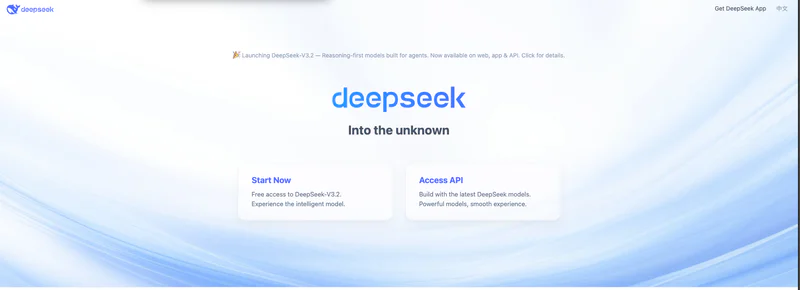
DeepSeek is a large language model developed by a Chinese AI startup backed by an $8 billion quantitative hedge fund. It works by using a Mixture-of-Experts architecture that activates only specific parts of the model for each task, reducing computational costs while maintaining strong performance. The tool is designed for developers and technical users who need powerful AI capabilities at a fraction of traditional costs.
DeepSeek stands out because of its dramatically lower pricing, with API costs running 90% less than competitors like GPT-4 for comparable performance. Users can access DeepSeek through a free web interface or pay-as-you-go API without requiring extensive technical setup. The platform offers both cloud-based access and open-source models that can be deployed on-premises.
Most people choose DeepSeek when they want enterprise-grade AI performance instead of paying premium prices for similar capabilities. The tool handles complex coding, mathematical reasoning, and long-context processing while keeping things simple for users who need reliable AI assistance without breaking their budget.
Drawbacks of DeepSeek
- Server capacity issues cause frequent "Server is busy" messages during peak times, disrupting workflows
- Censorship of sensitive topics related to Chinese government creates reliability concerns for unrestricted information access
- Privacy vulnerabilities including unencrypted data transmission and data storage in China raise security concerns
- Weaker performance on creative writing and general-purpose tasks compared to more mature models like ChatGPT
- Limited ecosystem integration requires custom development work to connect with existing business workflows
DeepSeek Customer Reviews
Trustpilot "The experience given to me by Deepseek has been excellent, free AI that is almost as smart as GPT-o1"
Trustpilot "Whenever the conversation gets long, the server gets busy and I hardly get any useful coding help from this AI."
Quick Overview Table
Feature | Details |
|---|---|
Best For | Developers and technical users needing cost-effective AI for coding and reasoning tasks |
Pricing Starts At | Free (web interface) or $0.28 per million input tokens (API) |
Free Plan | Yes |
Platform | Web, API, Open-source models |
Company | DeepSeek AI, founded 2023 |
Our Rating | 3.8/5.0 |
Top 5 Best Alternatives to DeepSeek
1. Elephas

Elephas is a personal knowledge assistant specifically built for Mac, iPhone, and iPad that runs AI models locally on your device. The tool lets users work with multiple AI providers including OpenAI, Claude, Gemini, and Groq, or run completely offline using local models. When you use Elephas, it processes all data directly on your device without sending information to external servers. The system works with documents, PDFs, images, and text across all macOS apps through system-wide keyboard shortcuts.
Users spend time writing, researching, and organizing knowledge while the tool manages AI model selection and privacy controls. The platform connects your documents and notes to AI models without requiring cloud storage or internet connectivity. Most workflows involve uploading documents to Super Brain, asking questions across your knowledge base, and getting instant answers with source citations.
The tool fits into daily Mac usage and replaces manual switching between different AI websites. Teams use it for collaborative knowledge management while individuals focus on private document analysis and writing assistance. The technology behind it uses on-device processing but users don't need to understand that part.
Key Features
- Super Brain Knowledge Base: Upload PDFs, documents, images, and notes to create a searchable knowledge repository. Ask questions and get answers pulled directly from your uploaded content with zero hallucinations since every response cites actual source material.
- Privacy-First Architecture: Run AI completely offline with local models, keeping all data on your devices with no external server access. Choose between cloud providers or fully offline operation depending on your security requirements.
- Cross-Platform Integration: Seamless sync across Mac, iPhone, and iPad with native Apple apps optimized for performance. Access your AI assistant through system-wide keyboard shortcuts in any application without context switching.
- Multi-Provider Flexibility: Switch between OpenAI, Claude, Gemini, Groq, or local AI models from a single interface. Select the best model for each specific task without managing multiple subscriptions or websites.
- Writing Assistance Tools: Grammar correction, content rewriting, tone adjustment, and document summarization built into every Mac app. Transform rough drafts into polished content without leaving your workflow.
Pricing: $9.99/month
Why Elephas is better than DeepSeek
- Runs completely offline with local AI models ensuring true data privacy without internet dependency
- Integrated Super Brain retrieves answers from your uploaded documents with zero hallucinations
- Native Mac, iPhone, and iPad apps with system-wide shortcuts work seamlessly across all Apple applications
- Multi-provider support lets you use OpenAI, Claude, Gemini, Groq, or local models from one interface
- Privacy-first design keeps all data on your devices with no external server access or data collection
Elephas Customer Reviews
Capterra "The best computer program I have ever purchased for my business. The value it provides is exceptional"
Capterra "I love that it is embedded deeply into all macOS apps and works in every app"
2. ChatGPT

ChatGPT handles conversational AI and content generation through OpenAI's GPT models. The tool lets users create text, analyze documents, generate code, and solve problems by entering natural language prompts. When you use ChatGPT, it processes your input and generates human-like responses based on patterns learned from vast training data.
The system works with text, images, documents, and web browsing to produce written content, answer questions, and assist with research. Users spend time on creative tasks, coding projects, business writing, and problem-solving while the tool manages response generation and context retention. The platform connects user inputs to its language models without requiring technical AI knowledge.
Most workflows involve asking questions in conversation format, refining outputs through follow-up prompts, and copying generated content to other applications. The tool fits into content creation workflows and replaces time spent drafting from scratch. Teams use it for collaborative ideation while individuals focus on writing assistance and research.
Key Features
- Conversational Interface: Engage in multi-turn conversations that maintain context across extended dialogues. Ask follow-up questions and refine responses iteratively to get exactly the output you need.
- GPT-4 Access: Premium users get access to the latest GPT-4 and GPT-4o models for more accurate, nuanced responses. Switch between different model versions depending on task complexity and response speed preferences.
- Web Browsing and Analysis: Search the internet in real-time for current information beyond the model's training data. Analyze websites, gather research, and get up-to-date answers on recent events and trending topics.
- Image Generation: Create custom images from text descriptions using DALL-E integration. Generate visual content for presentations, marketing materials, or creative projects directly within conversations.
- Document and Code Analysis: Upload PDFs, spreadsheets, and code files for detailed analysis and summarization. Get debugging help, code reviews, and document insights without switching tools.
Pricing: $20/month
Why ChatGPT is different from DeepSeek
- More polished performance on creative writing and general-purpose tasks with mature model training
- Larger ecosystem integration with third-party apps, plugins, and API connections for business workflows
- More reliable server infrastructure with consistent uptime and fewer "busy server" interruptions
- Stronger brand trust and established reputation with regular model updates and feature improvements
- Better content filtering and safety measures without government-mandated censorship limitations
ChatGPT Customer Reviews
Capterra "Utilizing ChatGPT has increased efficiency and has allowed us to create standards in a timely manner without sacrificing critical resources and time"
Capterra "It lies, leaves typos, cant count words, gives half baked data, just absolutely terrible for anything other than the basics"
3. Claude

Claude handles advanced reasoning and long-form content generation through Anthropic's AI models. The tool lets users engage in detailed conversations, analyze complex documents, and generate nuanced written content by processing natural language inputs. When you use Claude, it applies constitutional AI training to provide safer, more helpful responses aligned with human values.
The system works with text documents, code, and multi-turn conversations to produce thoughtful analysis and creative content. Users spend time on research-heavy tasks, technical writing, and complex problem-solving while the tool manages context retention across long conversations.
The platform connects user queries to powerful language models without requiring prompt engineering expertise. Most workflows involve uploading documents for analysis, asking detailed questions that require reasoning, and iterating on generated content through conversational refinement. The tool fits into research and content creation stages and replaces time spent on initial drafts and document summarization.
Key Features
- Extended Context Windows: Process up to 200,000 tokens in a single conversation, allowing analysis of entire books or codebases. Handle complex documents and lengthy conversations without losing context or breaking information into chunks.
- Strong Reasoning Capabilities: Excel at complex problem-solving, logical analysis, and step-by-step explanations for technical topics. Break down difficult concepts and provide detailed reasoning chains that show how conclusions were reached.
- Code Generation Excellence: Generate high-quality code with fewer errors and better documentation compared to competing models. Debug existing code, explain complex functions, and provide architectural recommendations for software projects.
- Document Analysis: Upload and analyze multiple documents simultaneously with detailed summarization and cross-referencing. Extract key insights, compare sources, and synthesize information across lengthy research materials.
- Safety-Focused Design: Built-in safety features reduce harmful outputs and maintain helpful, honest conversation boundaries. Constitutional AI training ensures responses align with human values and avoid problematic content generation.
Pricing: $20/month
Why Claude is different from DeepSeek
- Superior context window handling with 200,000 tokens supports analysis of entire documents or codebases
- More natural and nuanced conversational abilities with better understanding of complex instructions
- Constitutional AI training provides safer, more aligned responses without heavy-handed censorship
- Better performance on creative and analytical tasks requiring deep reasoning and synthesis
- Stronger integration with professional workflows through Claude API and enterprise partnerships
Claude Customer Reviews
Capterra "Claude is described as a daily driver for AI, used for everything from simple queries to writing code, reviewing code and fixing code"
Trustpilot "Absolutely ridiculous limits that are constantly changing and utterly impossible to discern, with Claude appearing sloppy, superficial, and frankly dumb"
4. Perplexity AI

Perplexity handles AI-powered search and research through real-time web access and cited responses. The tool lets users ask questions and receive answers with direct links to source websites and publications. When you use Perplexity, it searches the internet in real-time and synthesizes information from multiple sources into coherent answers.
The system works with current web data, academic papers, news articles, and online databases to produce verified responses with citations. Users spend time on research tasks, fact-checking, and information gathering while the tool manages source discovery and answer synthesis. The platform connects search queries to AI models with internet access without requiring manual Google searches and source evaluation.
Most workflows involve asking research questions, reviewing cited sources for verification, and diving deeper into specific topics through follow-up queries. The tool fits into research and information discovery stages and replaces time spent manually searching and comparing multiple sources.
Key Features
- Real-Time Web Search: Access current information from across the internet with every query, ensuring answers reflect the latest data. Unlike static AI models, Perplexity searches live web sources to provide up-to-date responses.
- Source Citations: Every answer includes direct links to source websites, allowing verification of information and deeper reading. Transparent sourcing builds trust and enables fact-checking of AI-generated responses.
- Multi-Source Synthesis: Combines information from multiple websites and publications into coherent, comprehensive answers. Save time by getting synthesized insights instead of reading dozens of separate articles.
- Follow-Up Questions: Engage in conversational research with context-aware follow-up questions that build on previous queries. Explore topics in depth without repeating context or starting new search sessions.
- Academic and News Focus: Access recent research papers, news articles, and authoritative sources for reliable information. Filter results by source type to focus on academic, news, or general web content.
Pricing: $20/month
Why Perplexity AI is different from DeepSeek
- Real-time internet access provides current information beyond training data cutoff dates
- Source citations with direct links enable verification and deeper research into topics
- Focused on research and information discovery rather than general AI conversation
- Better for fact-checking and academic research with transparent sourcing methodology
- Simpler interface designed specifically for search and question-answering workflows
Perplexity AI Customer Reviews
Capterra "Great search tool, much better than Google, noting it doesn't flood you with advertisements and gives always relevant results, with the best feature being direct links to sources"
Trustpilot "Zero customer support, with one user accidentally upgrading to MAX and requesting a refund of $200 on 11/18/2025, but receiving no response by 12/2/2025"
5. Google Gemini

Google Gemini handles multimodal AI tasks through integration with Google's ecosystem of products and services. The tool lets users create content, analyze data, generate code, and access real-time information through connection to Google Search, Maps, and YouTube. When you use Gemini, it processes text, images, audio, and video inputs to provide comprehensive responses across different media types.
The system works with Google Workspace applications, web browsing, and file uploads to produce work-ready outputs integrated with your existing tools. Users spend time on content creation, research, and productivity tasks while the tool manages connections to Google services and multimodal processing.
The platform connects user inputs to Google's AI models without requiring separate logins or app switching. Most workflows involve asking questions with Google ecosystem context, uploading files from Drive for analysis, and exporting generated content directly to Docs or Sheets. The tool fits into Google-centric workflows and replaces manual switching between Google services and AI tools.
Key Features
- Multimodal Capabilities: Process and analyze text, images, audio, and video in a single conversation. Upload multiple file types and receive comprehensive analysis that understands relationships across different media.
- Google Ecosystem Integration: Direct integration with Google Search, Maps, YouTube, Drive, and Workspace applications. Access your Google files, search the web in real-time, and export outputs directly to Google Docs or Sheets.
- Deep Research Mode: Gemini 2.0's enhanced DeepResearch capability provides comprehensive analysis on complex topics. Get thorough research reports with multiple perspectives and extensive source coverage.
- Real-Time Information Access: Leverage Google Search integration for current data, trending topics, and recent events. Receive answers that incorporate the latest information available on the web.
- Advanced Workspace Features: Gemini Enterprise and Business add-ons provide enhanced capabilities within Gmail, Docs, Sheets, and Slides. Generate meeting summaries, draft emails, and create presentations directly within Google applications.
Pricing: $20/month
Why Google Gemini is different from DeepSeek
- Multimodal processing handles text, images, audio, and video in integrated workflows
- Deep integration with Google Workspace, Search, Maps, and YouTube for seamless productivity
- Real-time access to Google's search index provides current information and trending topics
- Better for users already invested in Google ecosystem with Drive, Gmail, and Docs
- Enterprise features through Workspace add-ons support business collaboration and compliance
Google Gemini Customer Reviews
Capterra "Integration with Google ecosystem like Search, Maps, and YouTube, plus real-time internet access for research"
Trustpilot "Users who previously would have given 4-5 stars report that Gemini has become slower and less capable in recent weeks"
Quick Comparison Table
Tool | Starting Price | Best For | Key Strength | Main Weakness |
|---|---|---|---|---|
DeepSeek | Free / $0.28 per M tokens | Developers needing cost-effective AI for coding | 90% lower costs than GPT-4 with competitive performance | Server capacity issues and censorship concerns |
Elephas | $9.99/month | Mac users wanting privacy-first AI | Runs completely offline with local AI models | Mac/iOS only, not available for Windows or Android |
ChatGPT | $20/month | General-purpose AI for content and conversation | Mature ecosystem with reliable performance | Higher cost and occasional accuracy issues |
Claude | $20/month | Complex reasoning and long-form analysis | 200,000 token context window for deep work | Usage limits and changing restrictions frustrate users |
Perplexity AI | $20/month | Research and real-time information discovery | Source citations enable verification | Billing issues and poor customer support |
Google Gemini | $20/month | Google Workspace users needing multimodal AI | Deep integration with Google ecosystem | Performance degradation and reliability concerns |
Conclusion
DeepSeek delivers exceptional value for developers and technical users at dramatically lower price points than competitors. The tool shines when handling coding tasks, mathematical reasoning, and long-context processing but falls short at creative writing and general-purpose applications. Compared to alternatives, it offers unmatched cost efficiency though lacks reliable server infrastructure and raises privacy concerns.
Deepseek is worth considering if you prioritize performance per dollar and can work within server capacity limitations. Skip it if you require guaranteed uptime, unrestricted content access, or polished creative writing capabilities. The best value comes from API usage for technical users who can implement proper error handling.
The tool meets 70% of typical developer and data science requirements. For Mac users who prioritize privacy and local processing, Elephas offers a compelling alternative with offline capabilities, multi-provider support, and seamless Apple ecosystem integration at just $9.99 monthly.