
NotebookLM Plus costs $4.99 a month, but most people on the free plan are not sure they need it. The honest answer depends on how often you hit the free limits and what you do when you reach them.
This guide covers who should upgrade, who should stay free, and whether Plus, Pro, or Ultra is worth paying for. For the full plan-by-plan pricing table, see our free vs Plus breakdown.
So you start looking at the paid plans. Here is the thing most older guides get wrong: after Google reshuffled the lineup in May 2026, $19.99 is the Pro tier, not Plus. Plus now starts at $4.99. Below is what each plan actually costs and gives you in 2026, and whether paying is worth it.
This article covers:
- What every NotebookLM plan costs in 2026 (free, Plus, Pro, Ultra)
- Who should upgrade and who should stick with free
- Whether Plus or Pro is worth paying for your usage
- A private Mac alternative for confidential files
Quick answer
- NotebookLM is free with a Google account. As of June 2026 the paid tiers are Plus at $4.99/mo, Pro at $19.99/mo, and Ultra from $99.99/mo, bundled into Google AI plans.
- The free plan gives you 100 notebooks, 50 sources per notebook, and a usage budget that refreshes every 5 hours. Most people never need to pay.
- $19.99 is the Pro tier now, not Plus. Pro gives 500 notebooks, 300 sources per notebook, and four times the free usage budget.
- Every tier shares the same 500,000 words or 200MB cap per source, so a giant file will not import on any plan.
- NotebookLM runs on Gemini 3 and processes your files on Google servers, so it is not the best fit for confidential work.
- For confidential files, a private Mac alternative like Elephas keeps your data on your device. Pricing starts at $19 a month with a free trial.
Is Gemini Notebook the Same as NotebookLM?
Yes. Google renamed NotebookLM to Gemini Notebook on July 16, 2026. Same tool, same plans, same limits: only the name and the address changed, and old notebooklm.google.com links redirect to notebook.google.com automatically. Google's reason for the change is simple: it wants one Gemini brand across all of its AI products. One price did move separately: Google AI Plus dropped from $7.99 to $4.99 a month in June 2026, and this page reflects that. This guide uses both names.
NotebookLM Pricing in 2026 (Every Plan)
As of June 2026, NotebookLM is free to start, with three paid tiers bundled into Google AI subscriptions. Here is the full ladder.
| Plan | Price | Notebooks | Sources / notebook | Usage budget |
|---|---|---|---|---|
| Free | $0 | 100 | 50 | Standard |
| Plus (Google AI Plus) | $4.99/mo | 200 | 100 | 2x standard |
| Pro (Google AI Pro) | $19.99/mo | 500 | 300 | 4x standard |
| Ultra 20TB (Google AI Ultra) | $99.99/mo | 500 | 500 | 5x or 20x Pro |
| Ultra 30TB (Google AI Ultra) | $199.99/mo | 500 | 600 | 5x or 20x Pro |
A few things hold true across every tier: the same 500,000 words or 200MB cap per source, no page limit, and the same Gemini 3 model. Paying buys you higher limits, not a smarter AI.
Want the per-limit breakdown? See NotebookLM limits for source caps and usage limits for how the 5-hour refresh works.
What is NotebookLM Plus (and What Changed)?
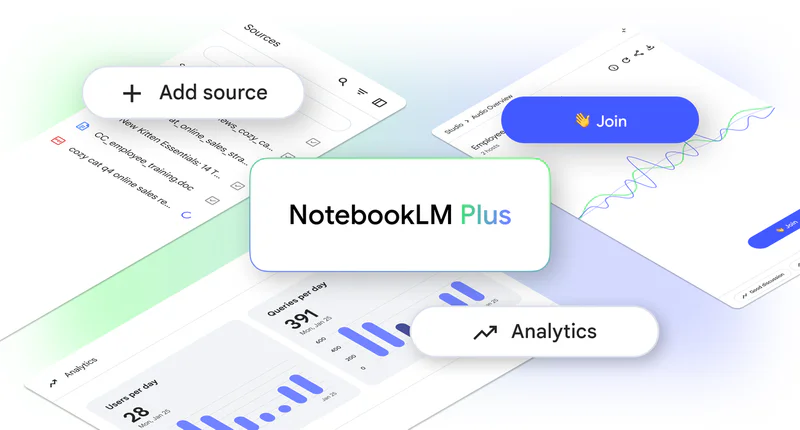
Short version: Plus is the entry paid tier of Google's research tool, now $4.99 a month. It roughly doubles the free limits. The $19.99 plan that older articles call "Plus" is actually Pro today.
After the May 2026 restructure at Google I/O, NotebookLM plans fold into the Google AI subscriptions. Plus sits at $4.99 with 200 notebooks and 100 sources each.
Pro at $19.99 jumps to 500 notebooks and 300 sources, plus more Deep Research. For heavy users who keep hitting free limits, the extra room is the whole point.
Key things to know:
- NotebookLM is not sold on its own. The tiers come bundled with Google AI Plus, Pro, and Ultra.
- The bundle also includes the Gemini app, Gemini in Gmail and Docs, and Google Drive storage (5TB on Pro).
- Every tier uses the same Gemini 3 model. You get higher limits, not smarter AI.
NotebookLM Free vs Plus vs Pro: What You Actually Get
The plans differ on two things: how much you can store and how much you can do before your usage budget runs out. The model is identical.
Storage and organization:
Free gives you 100 notebooks with 50 sources each. Plus moves you to 200 notebooks and 100 sources. Pro takes it to 500 notebooks and 300 sources. Every tier shares the same 500,000 words or 200MB cap per source.
| Feature | Free | Plus | Pro |
|---|---|---|---|
| Notebooks | 100 | 200 | 500 |
| Sources per notebook | 50 | 100 | 300 |
| Words per source | 500,000 | 500,000 | 500,000 |
Usage limits:
This is where most people hit the wall. Since September 2, 2026, there is no fixed daily chat count. Each plan gets a usage budget that refreshes every 5 hours, up to a weekly limit. Plus gets 2x the free budget and Pro gets 4x. Chat, audio and video overviews, and Deep Research all draw from it.
| Feature | Free | Plus | Pro |
|---|---|---|---|
| Usage budget | Standard | 2x standard | 4x standard |
| Refresh | Every 5 hours | Every 5 hours | Every 5 hours |
Paid tiers add options the free plan lacks:
- Customizable response styles (Guide, Analyst, Custom modes)
- Adjustable output length (longer or shorter responses)
- Chat-only notebook sharing with colleagues
- Usage analytics for shared notebooks
- Cinematic Video Overviews on Pro and Ultra.
Trying to choose between free and paid before you spend anything? Read the free plan guide.
What Else Comes with a Paid Google AI Plan
You are not just buying NotebookLM limits. Each paid tier bundles other Google AI tools, so the cost spreads across more than one product.
| Included service | What it does |
|---|---|
| The Gemini app | Google's most capable AI for chat and assistance |
| Gemini in Gmail and Docs | Draft emails, summarize threads, write documents |
| Google Drive storage | 5TB on Pro, raised from 2TB in April 2026; 20TB or 30TB on Ultra |
If you already use other Google AI tools or need cloud storage, the cost spreads across multiple services. If NotebookLM is the only Google AI product you care about, you are paying for features that sit unused.
Check if you already have access through Google Workspace before subscribing personally.
Who Should Upgrade to a Paid Plan?
Short answer: upgrade only if you keep slamming into the free limits. If you do, Plus at $4.99 is usually enough, and Pro at $19.99 is for genuinely heavy research days.
- Heavy researchers: If you work with large document collections and regularly need more than 50 sources per notebook, a paid plan is necessary. Pro's 300 sources and four times the free usage budget remove the bottleneck for long research days.
- Content creators: If you produce podcast-style content using audio overviews regularly, the free usage budget is not enough. Plus and Pro raise it, so you can make more audio and video overviews.
- Students and academics: Google often runs a student discount on its AI plans, so check for a current student rate before paying full price. Useful for dissertation research and citing long documents.
- Team collaborators: Chat-only sharing and usage analytics help teams share research without giving edit access.
Who Should Stick with the Free Version?
Most people. The free plan handles casual research and study without paying a cent. The free tier works well for:
- Casual users who open NotebookLM a few times per week
- Projects with fewer than 50 sources per notebook
- Users who rarely generate audio overviews
- Those satisfied with default response styles
The free version uses the same Gemini 3 model as the paid tiers. You get the same quality answers. Before committing, track your usage for two weeks to see if you actually hit the limits.
Is NotebookLM Worth Paying For?
It depends on which tier and how often you use it. Plus at $4.99 a month works out to about $0.17 a day, and Pro at $19.99 is roughly $0.66 a day. The real test is whether you hit the free limits often enough to care.
When Plus ($4.99) pays for itself:
- You bump into the 50-source or 50-chat free caps most weeks.
- You make audio or video overviews more than the free plan allows.
- You want the bundled Gemini app and Drive storage anyway.
When Pro ($19.99) makes sense:
- You run long research days that use up the Plus budget.
- You need 300 sources in a single notebook.
- You rely on Deep Research daily.
When paying does not make sense:
- You only use NotebookLM once or twice monthly
- You never use other Google AI products
- Free tier limits work fine for your needs
How to Get NotebookLM Plus or Pro
Steps to subscribe:
- Go to the Google AI plans page or upgrade from inside NotebookLM.
- Pick Plus at $4.99 a month or Pro at $19.99 a month.
- Complete payment. The higher limits activate immediately.
Student discount: Google often offers a student rate on its AI plans. Check the current student offer before paying full price.
Check existing access: Log into NotebookLM with your work or school account first. Google Workspace users may already have a paid tier included.
A Private Mac Alternative: Elephas

If your hesitation is less about price and more about where your files go, the plan tier does not fix that. NotebookLM processes everything on Google servers. Elephas is a privacy-first AI knowledge assistant for Mac that keeps your data on your machine.
Quick comparison:
| Feature | NotebookLM (paid) | Elephas |
|---|---|---|
| Price | $4.99 to $99.99/mo | $19/month start, free trial |
| Offline mode | No | Yes, with built-in local LLM models |
| AI models | Gemini only | ChatGPT 5.5, Claude Opus 4.7, Gemini, and more (sensitive details redacted before sending) |
| Writing tools | None | Full writing assistant |
| Platform | Web (any device) | Mac, iPhone, iPad only |
| Audio overviews | Yes (unique feature) | No |
| Data storage | Google servers | Local device |
Elephas reads 20+ file formats, including PDF, DocX, Markdown, web pages, YouTube URLs, and audio, into a Super Brain knowledge base. Every answer cites its source, so you avoid hallucinations.
What Makes Elephas Different
Offline work and privacy

Elephas works fully offline using local AI models. Your data never leaves your device. This matters for lawyers, healthcare professionals, or anyone handling confidential information. Elephas comes with built-in local LLM models ready to use out of the box, so there is nothing extra to install.
Multiple AI model support

NotebookLM locks you into Gemini. Elephas lets you switch between providers:
- ChatGPT 5.5 (OpenAI)
- Claude Opus 4.7 (Anthropic)
- Gemini (Google)
- Groq (fast inference)
- Built-in local LLM models
Bring your own API key to use your own provider account.
Workflow automation

Elephas adds workflow automation that NotebookLM lacks:
- Built-in workflows: summarize files, find documents, web search
- Custom multi-step workflows with AI agents
- Generate diagrams directly (mind maps, timelines, Gantt charts, flowcharts)
- Trigger workflows from Super Chat using @ mentions
Smart Redaction for cloud privacy
Most tools send your raw text straight to the cloud model. Elephas does not. When you use a cloud provider like ChatGPT, Claude, or Gemini through your own API key, Smart Redaction first removes personal and sensitive details, names, emails, phone numbers, and other identifiers, and replaces them with placeholders. Only the cleaned text leaves your Mac.
The real details are restored locally in your final answer, so the cloud provider never sees them, and Elephas keeps zero data retention. Smart Redaction works on every Elephas plan, including the free one.


System-wide writing assistance
NotebookLM is purely a research tool. Elephas adds AI writing support across all Mac applications: inline editing without copy-paste in any app, four rewrite modes (Zinsser, Friendly, Professional, Viral), Smart Write for content generation, Smart Reply for emails, and grammar fixes.
Elephas Pricing
Elephas starts at $19 a month and has a free trial so you can test every core feature. For the current plans and any updates, see the live pricing page.
Related NotebookLM Guides
- What is NotebookLM (start here)
- Free vs Plus
- NotebookLM limits
- Usage limits
- NotebookLM vs ChatGPT
- NotebookLM vs Perplexity
Final Verdict: Free, Plus, or Pro?
Start free. Move to Plus at $4.99 if you keep hitting the free caps. Step up to Pro at $19.99 only for heavy daily research or 300-source notebooks. If your real worry is privacy, no NotebookLM tier solves that, and a local tool like Elephas does.
A paid plan makes sense if you live in the Google ecosystem, hit free limits often, and value audio overviews. The bundled Gemini app and Drive storage add value if you actually use them.
My recommendation:
- Start with the free tier and track your usage for two weeks.
- If you rarely hit limits, keep using free.
- If you hit limits, Plus at $4.99 is the cheapest fix; pick Pro at $19.99 for heavy research.
- If you need offline work, multiple AI models, or writing assistance, try Elephas instead.
You can try Elephas free and test it on your own files.