
In this article on Elephas vs NotebookLM, we'll compare the two tools on the things that actually matter: research quality, citations, pricing, and where your files go.
Short answer. NotebookLM is the better free study and research tool, with podcasts, video overviews, and sharp citations. Elephas is the better all-day Mac assistant, with offline use, automation, writing tools, and privacy. If your files are sensitive, Elephas wins because nothing leaves your machine.
Here is what we are going to cover:
- What is Elephas and its capabilities
- What makes Elephas different
- What is NotebookLM and its capabilities
- What's new in NotebookLM for 2026
- Key differences between both tools
- Pricing comparison between both platforms
- Practical test results on both tools (research, citations, summarization)
- Is NotebookLM on Mac, and the private alternative
- Which tool is the best choice for different needs
By the end of this article, you'll understand both tools' strengths and weaknesses, helping you decide which knowledge assistant best fits your workflow, privacy needs, and productivity requirements.
Quick answer
- Pick NotebookLM if you want a free web tool that turns documents into podcasts, video overviews, and study guides. Pick Elephas if you want a Mac app that keeps your files on your device and adds writing plus automation.
- NotebookLM runs on Gemini 3 and processes your files on Google servers. Elephas runs built-in local LLM models on your Mac, or your own ChatGPT 5.5 or Claude Opus 4.7 key with Smart Redaction in front.
- NotebookLM is free, with paid Google AI tiers at $4.99, $19.99, $99.99, and $199.99 a month.
- In our tests NotebookLM cited sources more accurately. Elephas summarized faster and works fully offline.
- For confidential files, a private Mac alternative like Elephas keeps your data on your device. Pricing starts at $19 a month with a free trial.
Is Gemini Notebook the Same as NotebookLM?
Yes. Google renamed NotebookLM to Gemini Notebook on July 16, 2026. Same tool, same plans, same limits: only the name and the address changed, and old notebooklm.google.com links redirect to notebook.google.com automatically. Google's reason for the change is simple: it wants one Gemini brand across all of its AI products. This guide uses both names.
What is Elephas?
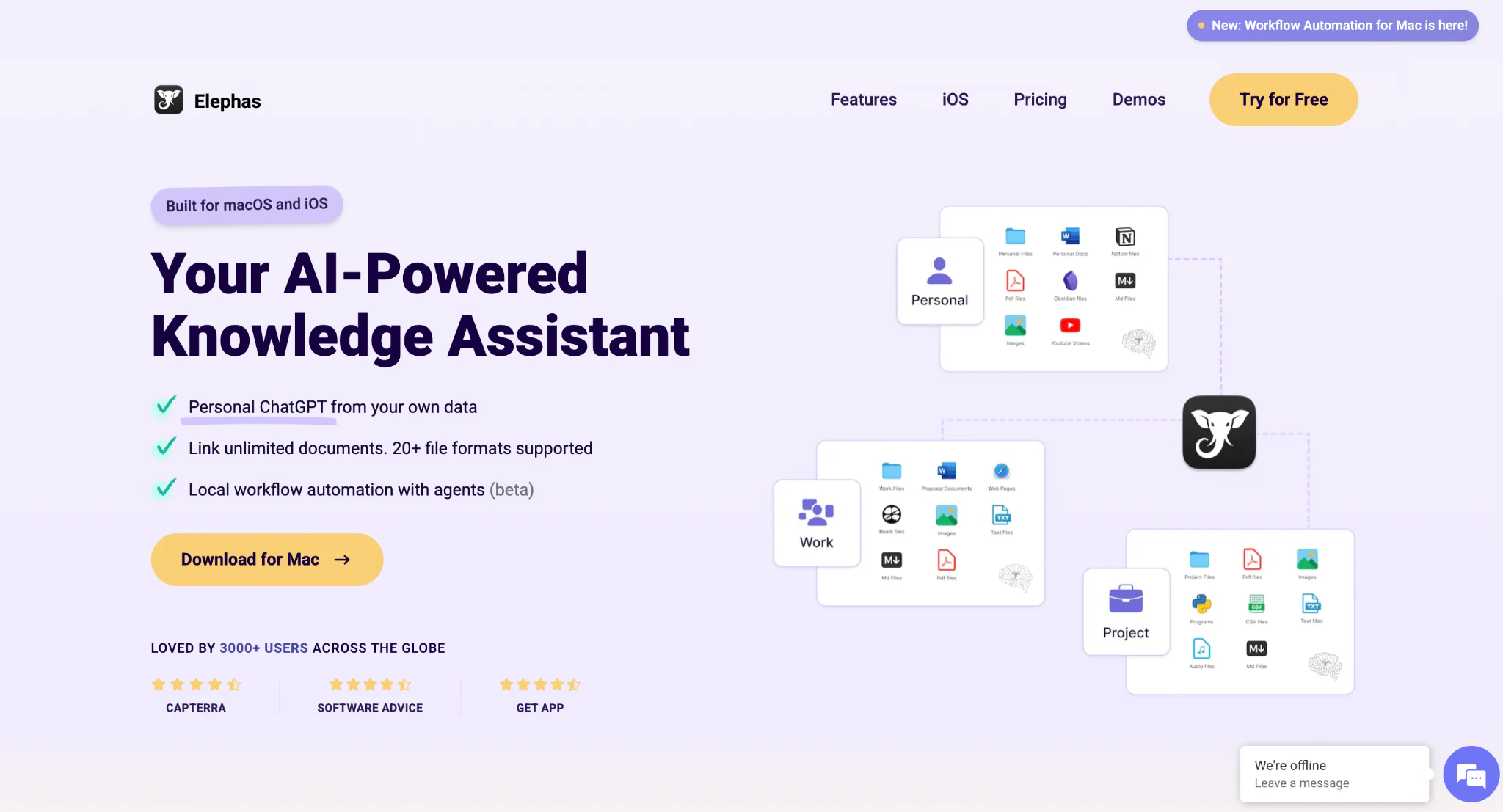
Elephas is a privacy first AI knowledge assistant for Mac. It captures, organizes, and answers from your own documents, and it works online or fully offline so your data stays on your device.
Elephas for Mac turns your Mac into a personal knowledge center where you can store and find information quickly. The software works both online and offline, making it perfect for users who need constant access to their data.
The app focuses on making information management simple and effective. Users can collect content from different sources and build their own knowledge base without any technical skills needed.
What makes Elephas special is its Super Brain feature that creates a dynamic knowledge repository right on your Mac.

Elephas also comes with strong automation features that use AI workflows to perform multiple tasks automatically. These smart agents can search, summarize, and organize your content without manual work.
The software includes writing tools that help improve your content with different writing styles and grammar fixes.

The offline functionality sets Elephas apart from other tools. It works completely without internet connection and keeps your data private and secure on your device. This makes it a good fit for handling sensitive information or working in places with limited internet access.
Elephas also keeps cloud use private with Smart Redaction. When you bring your own ChatGPT, Claude, or Gemini key, it removes personal details like names, emails, and phone numbers before the text leaves your Mac.
The real details are restored locally in your final answer, so the cloud provider never sees them. Smart Redaction works on every Elephas plan, including the free one.

Key Features That Make Elephas Stand Out
- Super Brain. A personal knowledge base that stores and organizes information from many sources, with connections to Obsidian, Notion, Roam, and Bear.
- Full offline use. Works without internet using built-in local LLM models for on-device processing.
- Automation. AI workflows and smart agents that search, summarize, and organize content for you.
- Your choice of AI model. Bring your own key for ChatGPT 5.5, Claude Opus 4.7, Gemini, and others (sensitive details redacted before sending), and pick which provider runs your work.
- Smart Redaction. When you use a cloud model with your own key, personal details are stripped before the text leaves your Mac and restored locally in the answer. Works on every plan, including the free one.
- Writing tools. Multiple rewrite modes, instant grammar fixes, continue writing, and a style match feature.
- File support. Reads YouTube URLs, webpages, documents, Excel, JSON, CSV, and more.
- Diagrams. Mind maps, flowcharts, and timeline charts from your sources.
Pricing of Elephas
Elephas pricing starts at $19/month, and there is a free trial so you can test it first. Prices change, so check the live list on the Elephas pricing page.
What is NotebookLM?

NotebookLM is Google's free, source-grounded AI research and note-taking tool. You upload documents and it answers only from them, which keeps it accurate. It runs on Gemini 3.
NotebookLM is an AI-powered note-taking tool and research assistant created by Google. It helps users learn new topics quickly by creating custom knowledge bases from uploaded documents.
You can upload PDFs, YouTube videos, web pages, and other materials to build a focused information hub for any subject.
What makes NotebookLM special is that it only uses your uploaded content to answer questions. This means no false information or made-up answers like other AI tools sometimes give.
The system uses Google's Gemini 3 model to understand your documents and provide accurate responses based only on what you share.
It is like having a personal research assistant that knows everything about your uploaded materials. You can chat with your documents, ask questions, and get detailed explanations without reading through long papers or videos.
NotebookLM saves hours of research time by giving instant access to information from all your sources in one place.
For a deeper walkthrough, see what is NotebookLM.
Key Features of NotebookLM
- Source-grounded answers. Uses only your uploaded content, so it rarely makes things up.
- Audio overviews. The podcast feature where two hosts discuss your documents, with a beta interactive mode.
- Video overviews. Narrated video summaries, including fully animated Cinematic Video Overviews on the Pro and Ultra plans.
- Chat with your sources. Ask questions and get grounded answers with citations to the exact line.
- Study tools. Study guides, timelines, FAQs, mind maps, plus new flashcards and quizzes.
- Deep Research. Scans trusted web sources and builds a structured report around your topic.
- New source types. Image OCR for scanned files and CSV imports.
- Sharing. Share notebooks with other Gmail users or a public link.
What's New in NotebookLM (2026)
NotebookLM was restructured at Google I/O in May 2026 and now runs on Gemini 3. Here are the additions worth knowing before you compare it with Elephas.
- Gemini 3 engine. Better answers and studio outputs, plus a new Data Tables output.
- Video Overviews. Narrated videos from your sources, with style options like Scientific, Professional, Editorial, or Sketch Note. Cinematic Video Overviews need a Pro or Ultra plan.
- Deep Research. Pulls verified points from the web and writes a structured report.
- Flashcards and Quizzes. Generated straight from your sources, with an explain option that cites back.
- Bigger context and saved history. Around a million tokens of context, and your chat history is kept between sessions.
Pricing of NotebookLM
NotebookLM is free to use, and the free plan covers most casual research. Since the 2026 update the paid options bundle into Google AI plans, and there are four tiers instead of one.
| Plan | Price | Notebooks | Sources / notebook | Usage budget |
|---|---|---|---|---|
| Free | $0 | 100 | 50 | Standard |
| Plus (Google AI Plus) | $4.99/mo | 200 | 100 | 2x standard |
| Pro (Google AI Pro) | $19.99/mo | 500 | 300 | 4x standard |
| Ultra 20TB (Google AI Ultra) | $99.99/mo | 500 | 500 | 5x or 20x Pro |
| Ultra 30TB (Google AI Ultra) | $199.99/mo | 500 | 600 | 5x or 20x Pro |
The cross-plan source cap is the same on every tier: 500,000 words or 200MB per source, with no page limit. As of June 2026.
Practical Tests: NotebookLM vs Elephas
In short: NotebookLM cited sources more accurately and gave longer, blog-style summaries. Elephas summarized faster and works fully offline. Below is what each test showed.
On features, NotebookLM has podcast generation that Elephas doesn't, and NotebookLM doesn't have the workflow automation and offline functionality Elephas has.
So, to know which is actually a better tool, we put both of them against one another in real tests for research and citation tasks, and saw which performs better.
For the first time in our comparison articles, we added different sources of information like YouTube videos and webpages, which we'd never done before, because other tools didn't have multiple-source support.
This time both tools could add YouTube videos and webpages, so we added different sources and saw which worked best.
Note: You can add sources straight into NotebookLM with the Discover feature. In Elephas you do it with a custom workflow. See the file import guide if you want to set this up.


Research Tasks
For the research task we took the topic of fine-tuning LLM models. We added YouTube videos, research papers, copied text, and webpages on both tools and asked each for a summarization. Here are the results.


We got a default summary in NotebookLM that was very good. It summarized every source, like the first YouTube video discussed this, the second web page is that, and so on.
When we asked for a summary in the chat, it gave whole blog-post content. Very detailed, but also very long. Elephas, when asked to summarize, gave a quick answer and got straight to the point.
If you need a long, blog-style summary, go for NotebookLM. If you want a quick summary and less time spent reading, go for Elephas.
Citation Tasks
In the citation task we gave some author names from the research papers we uploaded and asked both tools whether anything was mentioned about the authors. To make it harder, we added a fake author to the list to see if the model could tell them apart.
Both tools gave good citations, but NotebookLM was noticeably more accurate. Out of 4 authors, one was fake and three were real. NotebookLM correctly cited the 3 real authors and ignored the fake one.
Elephas only recognized 2 authors and said there was no information about the other 2. One of those was actually a real author and the other was the fake.


Also, NotebookLM makes it easier to find the exact source because it highlights the exact lines. In Elephas you scroll through the citations for the references.
Differences between Elephas and NotebookLM
When choosing between Elephas and NotebookLM, knowing their key differences helps you pick the right tool. Both are AI-powered knowledge tools, but they work in very different ways and serve different purposes.

Core Functionality Differences
The biggest difference is how they operate. Elephas is a Mac knowledge assistant that can work fully offline, while NotebookLM is web-based and always needs internet.
Elephas stores everything on your device for privacy. NotebookLM processes documents on Google servers.
NotebookLM focuses purely on research and note-taking. It is strong at study materials and podcasts from your documents. Elephas goes beyond research with writing help and automation that handle other productivity tasks.
Head-to-Head: Elephas vs NotebookLM
| Feature | Elephas | NotebookLM |
|---|---|---|
| Platform | Mac desktop + iOS | Web only, any browser |
| Offline use | Yes, built-in local LLM models | No, needs internet |
| Where files go | Stay on your Mac | Google servers |
| AI model choice | Local, or ChatGPT 5.5 / Claude Opus 4.7 / Gemini key (sensitive details redacted before sending) | Gemini 3 only |
| Automation | Workflows and smart agents | None |
| Writing tools | Rewrite, grammar, style match | Limited |
| Podcasts / video | No | Audio + video overviews |
| Citations | Good | Excellent, highlights exact lines |
| Starting price | $19/month start, free trial | Free, paid from $4.99/mo |
Where each one wins
- AI model choice. Elephas lets you pick local models or bring your own ChatGPT 5.5, Claude Opus 4.7, or Gemini key, with Smart Redaction stripping personal details before anything reaches the cloud. NotebookLM only uses Gemini 3.
- Automation. Elephas runs multi-step workflows for web research and diagrams. NotebookLM has no automation.
- Writing. Elephas has grammar fixes, rewrite modes, and style match. NotebookLM has no dedicated writing tools.
- Privacy. Elephas keeps files on your Mac and adds Smart Redaction in front of any cloud model. NotebookLM processes files on Google servers.
- Podcasts and video. NotebookLM makes audio and video overviews from your sources. Elephas does not.
- Citations. NotebookLM highlights the exact source line. Elephas citations are good but need more scrolling.
Pricing: NotebookLM is free with paid Google AI tiers from $4.99/mo. Elephas pricing starts at $19/month with a free trial.
Is NotebookLM on Mac, and the private alternative
NotebookLM has no Mac app. It runs in your browser at notebooklm.google, so there is nothing to download for Mac, iPhone, or iPad. It works on a Mac the same way it works anywhere else, through the web.
If you specifically want a native Mac app that keeps your files on the device, that is where Elephas fits. It is built for Mac, works offline with built-in local LLM models, and only sends cleaned text to the cloud when you choose a cloud model.
If the files are sensitive, Elephas keeps them on your Mac with Smart Redaction in front of any cloud model.
Related NotebookLM Guides
Weighing NotebookLM against other tools too? These cover the rest of the lineup:
- NotebookLM vs ChatGPT
- NotebookLM vs Perplexity
- NotebookLM vs Claude
- NotebookLM alternatives
- NotebookLM source limits
Elephas vs NotebookLM: Which Should You Pick?
Both Elephas and NotebookLM are strong AI tools, but they serve different purposes. The choice depends on what you want to do and how you work.
NotebookLM is a great research and study tool. Its podcasts, accurate citations, and source-grounded answers make it a fit for students and researchers learning new topics fast.
Elephas takes a broader approach to productivity. Offline use keeps your work private and uninterrupted. The model choice gives you flexibility. Automation saves time on repeat work, and the writing tools help your content.
If you want one app for research, writing, and automation, Elephas is the better value. Its automation, writing tools, and Mac integration suit a range of professional tasks.
NotebookLM mainly helps with research. Elephas helps across the day, from writing to email replies to automating tasks.
If you want what NotebookLM does but kept private, try Elephas. You get chat with your documents, summaries, and writing tools, with the option to run everything offline or bring your own cloud model with Smart Redaction in front. Pricing starts at $19/month with a free trial.