
AI hallucinations cost the global economy an estimated $67.4 billion in 2024. That's not a typo.
Nearly half of enterprise AI users—47% to be exact—admitted to making at least one major business decision based on information that was completely fabricated by their AI assistant. The AI sounded confident. The response seemed reasonable. But it was wrong.
This is the hallucination problem. And it's why grounding techniques have become essential for anyone serious about using AI assistants productively.
The good news? Retrieval-Augmented Generation (RAG) alone cuts hallucinations by 71% when implemented properly. Combine multiple grounding techniques, and you can virtually eliminate false outputs.
In this guide, we'll walk through 8 proven grounding techniques that keep your AI assistant's responses anchored in reality. You'll learn how each technique works, when to use it, and how to implement it—whether you're a developer building enterprise systems or a knowledge worker who just wants accurate answers.
Let's get into it.
What Is AI Response Grounding?
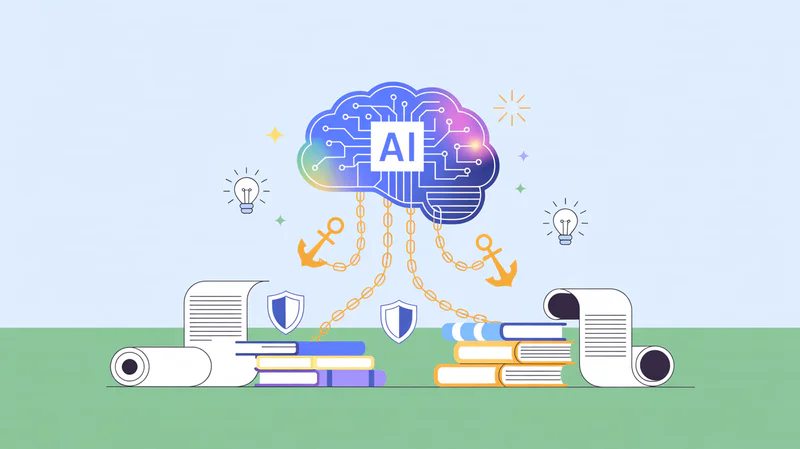
Grounding is the process of anchoring AI outputs to verifiable, factual information. Think of it as giving your AI assistant a reality check before it responds.
Without grounding, large language models generate responses based solely on patterns learned during training. This training data might be outdated, incomplete, or simply wrong. The model doesn't "know" facts—it predicts what words should come next based on statistical patterns.
This is how hallucinations happen. The AI confidently states that a company was founded in 2015 when it was actually 2018. It invents citations that don't exist. It provides legal advice based on laws that were repealed years ago.
According to recent benchmarks, hallucination rates vary wildly across models—from 0.7% for top performers to nearly 48% for others. Even the best models hallucinate on 6.4% of legal questions.
Grounding solves this by connecting the AI's response generation to external knowledge sources. Instead of relying on potentially stale training data, the model retrieves and references current, verified information before generating its response.
The result? Responses you can actually trust.
Quick Comparison: 8 Grounding Techniques at a Glance
Technique | Implementation Difficulty | Effectiveness | Best For |
|---|---|---|---|
Personal Knowledge Bases | Easy | Very High | Individual professionals, researchers |
RAG (Retrieval-Augmented Generation) | Medium-Hard | Very High | Enterprise applications, chatbots |
Prompt Engineering | Easy | Medium | Quick improvements, any use case |
Contextual Guardrails | Medium | High | Customer-facing AI, compliance |
Embeddings & Vector Search | Hard | Very High | Large document collections |
Source Citation Requirements | Easy | Medium-High | Research, content creation |
Human-in-the-Loop Validation | Easy | Very High | High-stakes decisions |
Offline/Local Processing | Medium | High | Privacy-sensitive data |
Now let's explore each technique in detail.
1. Personal Knowledge Bases: Ground AI in Your Own Data

The most effective grounding technique for individual professionals is also the simplest: give your AI assistant access to your own documents, notes, and files.
When you ask a question, the AI searches your personal knowledge base first. It retrieves relevant information from documents you've saved, notes you've written, and files you trust. Then it generates a response grounded in that verified information.
This approach eliminates hallucinations about your specific domain because the AI only answers based on what's actually in your data. It can't make things up when it's required to cite your sources.
How it works:
Your documents get converted into embeddings—mathematical representations that capture meaning. These embeddings are stored locally and searched whenever you ask a question. The most relevant passages get sent to the AI along with your question, ensuring the response stays grounded in your actual knowledge.
What you can include:
- PDFs, Word documents, and presentations
- Notes from Apple Notes, Notion, or Obsidian
- Web pages and bookmarked articles
- Meeting recordings and transcripts
- Research papers and reports
- Code files and technical documentation
Real-world example:
A consultant maintains a knowledge base of past project reports, client presentations, and industry research. When preparing for a new client meeting, they ask their AI assistant about relevant case studies. The AI pulls specific examples from their actual work—with page numbers and source citations—rather than inventing generic examples.
Implementation:
Tools like Elephas Super Brain make this easy. You add your files to create a searchable AI brain, then ask questions in natural language. Every answer comes with citations pointing to the exact source, so you can verify accuracy instantly.
The key advantage? Your knowledge base grows with you. Every document you add makes your AI assistant smarter about your specific work.
2. RAG (Retrieval-Augmented Generation): The Enterprise Standard

RAG is currently the most effective technique for reducing hallucinations, cutting them by up to 71% in enterprise deployments.
The concept is straightforward. Before the AI generates a response, it first retrieves relevant documents from an external knowledge source. These retrieved documents get included in the prompt, giving the model factual context to work with.
The RAG process:
- Query: User asks a question
- Retrieve: System searches a knowledge base for relevant documents
- Augment: Retrieved documents are added to the prompt
- Generate: AI creates a response grounded in the retrieved information
According to IBM Research, RAG "extends the capabilities of LLMs to include structured and unstructured data from an organization's own internal systems—without retraining the model."
This is crucial. Fine-tuning a model is expensive and time-consuming. RAG lets you ground responses in current information without touching the underlying model.
Why RAG reduces hallucinations:
When an AI has relevant facts in its context window, it's far less likely to invent information. The model can reference specific passages, quote exact figures, and cite real sources. Google Cloud explains that RAG "provides 'facts' to the LLM as part of the input prompt" which directly mitigates hallucinations.
Enterprise applications:
- Customer support chatbots grounded in product documentation
- Internal knowledge assistants grounded in company wikis
- Legal research tools grounded in case law databases
- Healthcare assistants grounded in clinical guidelines
The personal RAG advantage:
You don't need enterprise infrastructure to use RAG. Personal knowledge tools like Elephas essentially implement RAG at an individual level. Your documents become the knowledge base. Your questions trigger retrieval. Your AI responses stay grounded in your data.
The difference between enterprise RAG and personal RAG is scale and complexity—not effectiveness.
3. Prompt Engineering: Simple Instructions That Prevent Fabrication

Sometimes the easiest grounding technique is simply asking the AI to stay grounded.
Prompt engineering involves crafting instructions that guide the AI toward accurate, verifiable responses. Research shows that "clear, specific instructions can reduce the chances of hallucinations" significantly.
Effective grounding prompts:
- "Only answer based on the provided context" This instruction tells the AI to restrict its response to information you've supplied. If the answer isn't in the context, the AI should say so rather than guess.
- "If you don't know, say you don't know" Explicitly giving the AI permission to admit uncertainty reduces confident-sounding fabrications. Models often hallucinate because they're trained to always provide helpful responses.
- "Cite your sources for each claim" Requiring citations forces the AI to ground each statement in verifiable information. Claims without citations become obvious red flags.
- "Do not speculate or infer beyond what's stated" This prevents the AI from "reading between the lines" and drawing conclusions that aren't supported by the source material.
Example prompt template:
You are an assistant that only provides information based on the documents provided below.
Rules:
- Only answer using information from the provided documents
- Cite the specific document and section for each claim
- If the answer isn't in the documents, say "I don't have information about that in the provided documents"
- Never speculate or add information from your training data
Documents:
[Your documents here]
Question: [User's question]
Limitations:
Prompt engineering alone isn't foolproof. Models can still hallucinate despite instructions, especially for complex questions. That's why combining prompt engineering with other techniques—like personal knowledge bases or RAG—produces the best results.
Think of prompts as the first layer of defense, not the complete solution.
4. Contextual Guardrails: Automated Fact-Checking

Guardrails are automated systems that check AI outputs before they reach users. They act as a safety net, catching hallucinations that slip through other grounding techniques.
According to ASAPP research, modern guardrails "check if the model response is factually accurate based on the source and make sure output is grounded in the source."
How guardrails work:
- Input guardrails filter requests before they reach the AI, blocking out-of-scope or potentially problematic queries
- Output guardrails analyze responses before delivery, checking claims against source material
- Confidence scoring flags responses where the AI seems uncertain or the claims can't be verified
Types of contextual guardrails:
- Semantic similarity checking: The guardrail compares the AI's response to the source documents. If the response contains information that doesn't appear in the sources, it gets flagged or blocked.
- Claim verification: Each factual claim in the response is extracted and verified against a knowledge base. Unverifiable claims trigger warnings.
- Consistency checking: The guardrail looks for internal contradictions in the response or conflicts with previously verified information.
Implementation approaches:
For enterprise deployments, guardrails are typically built into the AI pipeline. Tools like Guardrails AI, NeMo Guardrails, and custom solutions provide this functionality.
For individual users, guardrails are often built into the tools themselves. For example, when you use Elephas Super Brain and ask a question, the system automatically grounds responses in your documents and provides citations. If the information isn't in your knowledge base, it tells you—that's a guardrail in action.
The 76% solution:According to industry reports, 76% of enterprises now include human-in-the-loop processes alongside automated guardrails. The combination catches more errors than either approach alone.
5. Embeddings and Vector Search: Finding What's Actually Relevant

Embeddings are the technical foundation that makes most grounding techniques possible. Understanding them helps you build better grounding systems.
An embedding is a mathematical representation of text that captures its meaning. Similar concepts have similar embeddings, which enables semantic search—finding documents based on meaning rather than just keyword matching.
Why embeddings matter for grounding:
Traditional keyword search fails when users phrase questions differently than the source documents. If your documentation says "terminate the process" but you search for "stop the program," keyword search might miss the match.
Embedding-based search understands that "terminate the process" and "stop the program" mean essentially the same thing. This semantic understanding ensures your AI retrieves the most relevant context for grounding its response.
Microsoft's Azure documentation explains that embeddings "add more context that helps complex queries yield results with better relevancy."
The vector database workflow:
- Chunk: Break documents into smaller passages
- Embed: Convert each chunk into a vector (embedding)
- Store: Save vectors in a specialized database
- Query: Convert user questions into vectors
- Search: Find document vectors most similar to the query vector
- Retrieve: Return the most relevant passages for grounding
Local vs. cloud embeddings:
Cloud embedding services (OpenAI, Cohere, Google) offer high-quality embeddings but require sending your data to external servers.
Local embedding solutions keep everything on your device. Tools like Elephas use local indexing with embedding technology to build your knowledge base while keeping sensitive documents private. Your data never leaves your machine, but you still get the benefits of semantic search.
Practical considerations:
The quality of your embeddings directly affects grounding quality. Better embeddings mean more relevant retrieval, which means better-grounded responses. This is why using modern embedding models—rather than older keyword-based approaches—significantly improves accuracy.
6. Source Citation Requirements: Making Verification Easy

One of the simplest and most effective grounding techniques is requiring your AI to cite its sources. No citation? Don't trust the claim.
This approach works because it shifts the burden of proof. Instead of assuming the AI is correct and checking everything, you can focus verification efforts on the cited sources.
Why citations reduce hallucinations:
When an AI knows it must provide citations, it's constrained to information it can actually reference. Making up facts becomes harder when you also have to make up believable sources.
More importantly, citations make hallucinations immediately obvious. If the AI cites "page 47 of your Q3 report" and that claim isn't on page 47, you know instantly that something's wrong.
Implementing citation requirements:
In your prompts: Add explicit instructions: "For each factual claim, cite the specific source document and location (page number, section, or URL)."
In your tools: Use AI assistants that automatically provide citations. Elephas Super Brain, for example, includes source references with every answer from your knowledge base. You can click through to verify any claim against the original document.
In your workflow: Establish a personal rule: if the AI doesn't cite a source, treat the information as unverified. This simple habit catches most hallucinations before they cause problems.
The verification workflow:
- Ask your question
- Review the AI's response
- Check that citations exist for key claims
- Verify at least the most important citations
- Flag or discard uncited claims
Time investment:
Research indicates that knowledge workers spend an average of 4.3 hours per week fact-checking AI outputs. Source citations can dramatically reduce this time by making verification targeted rather than comprehensive.
Instead of checking everything, you check the citations that matter most. A five-minute verification beats a thirty-minute investigation.
7. Human-in-the-Loop Validation: The Ultimate Safety Net

No grounding technique is perfect. That's why human validation remains essential, especially for high-stakes decisions.
According to industry data, 39% of AI-powered customer service bots were "pulled back or reworked due to hallucination-related errors in 2024." Human oversight catches what automated systems miss.
When human validation is critical:
- Legal and compliance matters: Incorrect information could have regulatory consequences
- Medical and health decisions: Hallucinations could affect patient safety
- Financial analysis: Wrong numbers lead to wrong decisions
- Public communications: Errors damage reputation and trust
- Contracts and agreements: Fabricated terms could create legal liability
Effective human-in-the-loop workflows:
- Spot-checking: Randomly verify a percentage of AI outputs to catch systematic issues. This works well for high-volume, lower-stakes applications.
- Critical claim review: Identify the most important claims in each response and verify only those. This balances thoroughness with efficiency.
- Domain expert review: Route responses about specialized topics to subject matter experts who can quickly spot inaccuracies that generalists might miss.
- Confidence-based routing: Use automated systems to flag low-confidence responses for human review while letting high-confidence (well-grounded) responses pass through.
Balancing efficiency and accuracy:
The goal isn't to verify everything—that defeats the purpose of using AI. The goal is to verify enough to maintain acceptable accuracy for your use case.
A marketing email might need minimal verification. A legal brief needs extensive review. Match your validation effort to the stakes involved.
AI-assisted validation:
Use your grounded AI to help with validation itself. When Elephas provides a response with citations, clicking through to verify takes seconds. The AI did the research; you're just confirming the results.
This is where personal knowledge bases shine. Because everything is grounded in your own documents, verification is simply checking that the AI correctly interpreted your sources.
8. Offline and Local Processing: Grounding With Privacy

For sensitive information, the best grounding approach keeps everything on your device. No cloud processing means no risk of data exposure—and complete control over your knowledge base.
Why offline matters for grounding:
When you ground AI responses in confidential documents—client files, proprietary research, personal notes—you need assurance that information stays private.
Cloud-based grounding systems require uploading your documents to external servers. Even with encryption and security promises, this creates risk. Local processing eliminates that risk entirely.
How local grounding works:
- Documents are processed and indexed on your device
- Embeddings are created and stored locally
- Queries are processed without internet connectivity
- Responses are generated using local or hybrid AI models
- Your data never leaves your machine
Hybrid approaches:
The most practical solutions offer hybrid processing. Your knowledge base stays local. Queries can use local models for complete privacy or cloud models for more capability—your choice per query.
Elephas implements this approach. Super Brain indexes everything locally on your Mac or iPhone. You can use offline LLMs for complete privacy or connect to more powerful cloud models when needed. The grounding data (your documents) stays on your device either way.
Use cases for offline grounding:
- Legal professionals: Client files and case documents
- Healthcare workers: Patient information and clinical notes
- Consultants: Proprietary methodologies and client data
- Researchers: Unpublished findings and sensitive data
- Executives: Strategic plans and confidential communications
The privacy-accuracy tradeoff:
Offline models are typically less capable than cloud models. However, when grounded in high-quality personal data, this capability gap shrinks significantly.
A less powerful model with perfect context often outperforms a more powerful model guessing from general training data. Grounding compensates for model limitations.
How to Choose the Right Grounding Technique

With eight techniques to choose from, how do you decide which to implement?
Start with your use case:
If you need... | Start with... |
|---|---|
Quick improvement with minimal setup | Prompt engineering |
Personal productivity with your own files | Personal knowledge base |
Enterprise-scale accuracy | RAG + Guardrails |
Maximum privacy | Offline/local processing |
Easy verification | Source citation requirements |
Highest stakes accuracy | Human-in-the-loop validation |
Layer techniques for better results:
Most effective grounding implementations combine multiple techniques:
- Foundation: Personal knowledge base or RAG for retrieval
- Instructions: Prompt engineering for behavior guidance
- Verification: Source citations for easy fact-checking
- Safety net: Human validation for critical decisions
Consider your technical resources:
- No technical skills: Personal knowledge base tools (like Elephas), prompt engineering
- Some technical skills: RAG implementations, guardrail configuration
- Developer resources: Custom embeddings, vector databases, full RAG pipelines
Building Your Personal Grounding System

Here's a practical approach to grounding your AI assistant in your own knowledge:
Step 1: Audit your knowledge sources
List the documents, notes, and files you frequently reference in your work:
- Research papers and reports you cite regularly
- Notes from meetings and calls
- Project documentation and specifications
- Reference materials for your domain
- Personal notes and insights
Step 2: Choose a knowledge management tool
Look for tools that:
- Support your file formats (PDF, Word, Notes, web pages, etc.)
- Provide source citations with responses
- Keep data local for privacy
- Integrate with your existing workflow
Elephas Super Brain checks all these boxes for Apple users. It indexes 20+ file formats, provides citations for every answer, processes everything locally, and works across Mac, iPhone, and iPad.
Step 3: Build your initial knowledge base
Start with your highest-value documents:
- Files you reference weekly or more often
- Authoritative sources for your domain
- Notes that capture your unique expertise
You don't need to add everything at once. A focused knowledge base often outperforms a comprehensive one because relevance matters more than volume.
Step 4: Establish verification habits
- Always check citations for important claims
- Treat uncited information as unverified
- Periodically spot-check responses against sources
- Update your knowledge base when you find gaps
Step 5: Iterate and expand
As you use your grounded AI:
- Note questions it can't answer well
- Add documents that fill those gaps
- Remove outdated or low-value sources
- Refine your prompts based on response quality
Ready to eliminate AI hallucinations from your workflow? Elephas Super Brain transforms your documents, notes, and files into a personal AI knowledge base—with source citations for every answer. Try it free and experience truly grounded AI assistance.