
Research shows the shift is already happening. According to a 2024 Gartner report, over 68% of U.S. IT firms have adopted AI-enabled project management software, with most reporting major improvements in project timeline adherence, budget control, and stakeholder communication.
In this article on the best AI tools for project managers, we'll explore the top platforms that are helping teams plan smarter, work faster, and deliver better results.
Here is what we are going to cover:
- Quick comparison table of all tools
- Top 12 AI tools for project managers with detailed reviews
- Real user experiences and testimonials
- Expert reviews from trusted sources
- Key features and capabilities of each tool
- Pricing breakdown and value comparison
- How we selected and evaluated these tools
By the end of this article, you'll understand what each tool does best, how they compare in pricing and features, and which one matches your specific project management needs and team size.
Let's get into it.
Quick Comparison Table
Tool | Best Feature | Pricing |
|---|---|---|
Elephas | Offline AI with Super Brain knowledge management | $9.99/mo |
Tusknotes | Privacy-first offline meeting transcription | TBD |
ClickUp | All-in-one workspace with predictive AI | $10/mo |
Motion | Automatic AI scheduling and time blocking | $49/mo |
Asana | Visual project tracking with workflow automation | $10.99/mo |
Monday.com | Customizable boards with predictive analytics | $12/mo |
Wrike | Enterprise resource management with AI | $10/mo |
Notion | Documentation and wikis with AI writing | $12/mo |
Taskade | Lightweight AI collaboration | $8/mo |
Forecast | Professional services resource forecasting | Custom |
Trello | Simple Kanban with AI assistant | $5/mo |
Fireflies.ai | Meeting transcription with conversation intelligence | $18/mo |
1. Elephas – Best AI Knowledge Assistant for Mac-Based Project Managers
Best for: Project managers who work primarily on Mac and need a unified AI assistant across all their apps
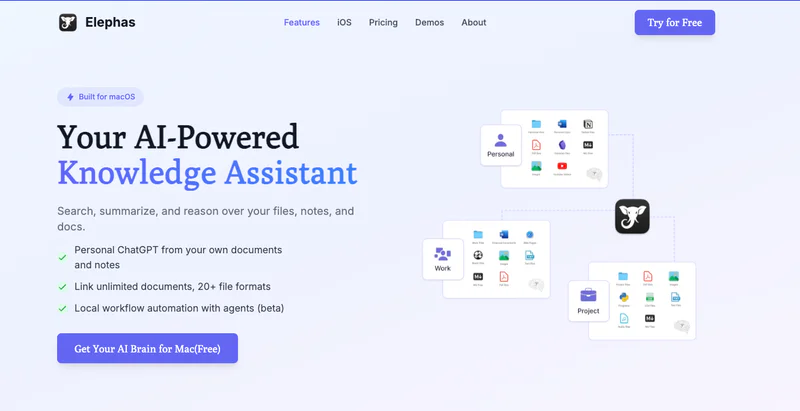
Elephas changes your Mac into an AI-powered command center, letting you summarize project documents, generate reports, draft communications, and extract insights from meetings without switching contexts. Unlike project management platforms that require you to work within their ecosystem, Elephas works system-wide across every application you already use.
Built specifically for Mac users, Elephas addresses a critical challenge for project managers: information overload. With the average project manager handling 50+ documents, dozens of meeting transcripts, and countless Slack messages weekly, finding the right information at the right time becomes a productivity bottleneck.
Elephas' "Super Brain" feature indexes all your project files like PDFs, Word docs, Excel spreadsheets, Notion pages, meeting recordings, and even YouTube videos—making everything instantly searchable and actionable through natural language queries.
Key Capabilities:
Super Brain Knowledge Management: Build multiple "Super Brains" for different projects or clients. Query your entire project knowledge base using natural language to find decisions, action items, or technical specifications instantly.
System-Wide AI Writing Assistant: Access AI-powered writing in any Mac application using the Super Command. Summarize project status reports, rewrite stakeholder communications for clarity, fix grammar in documentation, translate specifications.
Privacy-First Architecture: All data is encrypted end-to-end with no sharing or selling of information. Use your own OpenAI or Claude API key for maximum flexibility and control over your AI interactions, critical for sensitive project information.
Cross-Device Sync: Access your Super Brain and AI assistance on Mac, iPhone, and iPad, ensuring project information follows you whether you're at your desk, in a meeting room, or reviewing progress on the go.
Project Document Automation: Generate project reports, summarize lengthy RFPs, draft meeting minutes, and create status updates in seconds. Elephas understands context from your Super Brain to provide project-specific responses rather than generic AI output.
Pricing: Free plan available, paid plans start at $9.99/month
User Reviews:
"In general, I'm ElephasDicto, I simply use it for everything. In fact, I wish I had more time to study the documentation in depth - I feel that no matter how hard I try I'll never be able to use all the functions. I may not have Google, but I don't have Elephas." — Capterra
"Very good to excellent. I hate using tools that seem to add friction to my day and Elephas merged smoothly with my lack of routine and often scattershot approach to bringing concepts together. Has enough structure to keep me from getting a junk drawer, but not so much that I can't just jump in and jot down ideas and findings quickly. I like it and will keep using it" — Capterra
2. Tusknotes – Best private AI Meeting Note Taker for Project Managers

Best for: Project managers who need meeting transcription and action item tracking without privacy concerns
Tusknotes solves a critical problem that other AI meeting assistants ignore: privacy. While tools like Otter.ai and Fireflies.ai send your meeting audio to cloud servers, Tusknotes processes everything offline on your Mac. For project managers handling confidential client discussions, proprietary product roadmaps, or sensitive personnel matters, this local-first approach ensures your conversations never leave your device.
The tool captures audio from your computer without alerting other meeting participants, eliminating the awkward "Fireflies.ai has joined the meeting" notification that can change meeting dynamics. Alternatively, you can take manual notes during calls and use Tusknotes' AI afterward to organize and summarize your written notes, extracting action items and commitments without recording at all.
Key Capabilities:
Complete Offline Processing: All transcription and AI analysis happens locally on your Mac using optimized models for Apple Silicon chips. Your meeting audio and transcripts never upload to external servers, keeping client discussions, strategic planning sessions, and sensitive project updates completely private.
Invisible Meeting Capture: Capture audio directly from your computer's audio output without joining as a bot participant. Other attendees see no indication you're recording, preserving natural meeting dynamics while ensuring you don't miss critical action items or decisions.
Smart Action Item Extraction: After each meeting, Tusknotes automatically identifies decisions made, tasks assigned, deadlines committed, and follow-up items needed. The AI understands context well enough to distinguish between casual mentions and actual commitments, saving you from manual note review.
Project-Based Organization: Organize meetings by project or client so you can track commitments across multiple sessions. When a stakeholder asks "what did we decide about the authentication approach?", you can find the answer immediately rather than searching through weeks of transcripts.
Native Mac Performance: Optimized specifically for M-series chips, Tusknotes runs faster and smoother than web-based tools. The native macOS integration feels like a built-in feature rather than a bolt-on tool, with keyboard shortcuts and system-level features that web apps can't match.
Professional Summaries: Export polished meeting summaries to share with clients and stakeholders without exposing raw transcripts. The AI formats summaries professionally, highlighting key decisions and next steps in a format that's immediately shareable.
Pricing: Waitlist - Pricing TBD
Join Waitlist
3. ClickUp – Best All-in-One AI Project Management Platform

Best for: Teams needing comprehensive project management with deep AI integration across tasks, docs, and communication
ClickUp positions itself as the "everything app for work," combining task management, document collaboration, goal tracking, and time tracking in one platform. ClickUp Brain, their flagship AI assistant, acts as a neural network across your entire workspace, understanding connections between tasks, documents, and conversations to provide contextually intelligent automation and insights.
The platform's strength lies in customization flexibility. Whether you prefer Kanban boards, Gantt charts, calendars, or list views, ClickUp adapts to your workflow rather than forcing you into rigid structures. For project managers, this means you can manage agile software sprints, waterfall construction projects, and marketing campaigns all within one tool, each using the view and automation that fits best.
Key Capabilities:
ClickUp Brain AI Assistant: Acts as a centralized AI that understands your entire workspace. Ask questions about project status, find documents across folders, generate subtasks automatically from complex work items, and get AI-written summaries of long comment threads.
Predictive Task Scheduling: The AI analyzes task dependencies, team capacity, and historical completion times to automatically schedule work. When priorities shift or deadlines change, ClickUp Brain re-prioritizes everyone's tasks automatically, ensuring critical path items get attention first without manual replanning.
AI Writing and Content Generation: Generate task descriptions, project documentation, status reports, and stakeholder communications directly within ClickUp. The AI understands your project context to produce relevant content rather than generic templates, cutting documentation time significantly.
Workflow Automation: Create custom automations that trigger based on task status changes, time conditions, field updates, or external events. Combine with AI to build intelligent workflows that adapt based on project conditions—for example, automatically escalating blocked tasks or reassigning work when team members reach capacity.
Knowledge Management: ClickUp Docs with AI transforms your project documentation into a searchable knowledge base. The AI can summarize documents, answer questions about processes, and even generate new documentation based on existing patterns in your workspace.
Pricing: $10/month
User Reviews:
"I work independently but like having a project management software that helps me keep all my tasks organized and helps me run everything smoothly. Most other software's you have to pay for at least 3 seats to start but with Click Up I was able to pay just for 1 seat so I can use it!" — Capterra
"If I had to pick on one thing (ok, maybe two things) I would say that what I like least is the limitations on sub tasks in the lower tiered plans. Having them be a set amount permanently and not renewable is not ideal, however there are alternatives in setup so it's not too massive. The only other challenge I have is just how involved setup can be to get it running smoothly- it can be overwhelming if you're not the type of person who has experience for this. That said, it's still fantastic and better than other similar programs I've tried in the past. I really love the layout and features so these things can be easily overlooked." — Capterra
4. Motion – Best AI Calendar and Task Scheduler for Project Managers

Best for: Project managers who need automatic time blocking and intelligent task scheduling
Motion takes a fundamentally different approach to project management: instead of giving you tools to plan your day, Motion's AI plans it for you. The platform analyzes over 1,000 scheduling parameters including task priorities, deadlines, estimated durations, team member availability, and meeting commitments to automatically build optimal daily schedules for everyone on your team.
When things inevitably don't go according to plan—a meeting runs long, an urgent issue emerges, someone gets sick—Motion's AI automatically re-prioritizes and reschedules affected tasks across your team. This dynamic rescheduling addresses a core challenge project managers face: maintaining realistic plans as conditions change throughout the day.
Key Capabilities:
Automatic Task Scheduling: Motion's AI automatically adds project tasks to team members' calendars with optimized time blocks. The system considers deadlines, task dependencies, estimated duration, individual workload, and existing meetings to determine not just what needs to be done, but exactly when each person should work on each task.
Intelligent Re-Prioritization: When disruptions occur (and they always do), Motion instantly recalculates optimal schedules for affected team members. If a two-hour priority meeting gets added, the AI moves lower-priority tasks to available slots or different days, ensuring critical deadlines are still met without manual replanning.
Team Workload Visibility: See real-time views of each team member's capacity, identifying who's overallocated and who has availability. The AI flags impossible deadlines before they cause crises, giving you time to adjust scope or add resources rather than discovering problems when they're already late.
Project Delay Prediction: Motion is marketed as "the only AI project manager that automatically predicts all project delays before they happen." The system analyzes task progress velocity, remaining work, and team capacity to identify projects at risk of missing deadlines days or weeks in advance.
Meeting Booking Integration: Built-in scheduling links allow stakeholders and clients to book time with you, automatically finding slots that don't conflict with blocked focus time or existing commitments.
Pricing: $49/month
User Reviews:
"Motion helps my team track our task, create projects, and set cohesive timelines. Most of our management is younger, so we tend to struggle with focusing for long periods of time. As with holding large amounts of information. Motion makes this process way simpler and helps compile necessary information." — Capterra
"The price and the fact that I can't make non-project based tasks dependent on other tasks. They have to be within a project to create these interdependencies. I also wish that I could be some toggles that have to be checked before a task is scheduled. Think about billing and procurement. I want to be able to bill the customer, await payment, and then order the equipment. so I want a flow that allows me to bill the customer and not schedule ordering the equipment until a non-scheduled task is marked complete.." — Capterra
5. Asana – Best Visual Project Tracking with AI Assistance

Best for: Teams who prioritize visual project tracking and need AI-powered workflow automation
Asana has been a project management mainstay for over a decade, and their AI integration (launched in 2024-2025) brings intelligent automation to their already-robust platform. Asana's strength lies in making project status immediately visible through timeline views, board layouts, and custom fields that let project managers see exactly where work stands at a glance.
Asana AI focuses on reducing administrative overhead through smart automation and summarization. The AI analyzes your project history to suggest task assignments, flag potential bottlenecks, and even draft status updates that would typically require 30+ minutes of manual compilation.
Key Capabilities:
AI-Assisted Goal Setting and Project Creation: Tell Asana what you're trying to achieve, and the AI breaks it down into actionable steps, creates tasks with suggested owners, sets realistic milestones, and identifies dependencies. This dramatically accelerates project kickoff, especially for routine project types you've executed before.
Smart Workflow Automation: The AI Studio feature lets you build custom workflows without code. Create rules like "when a task is marked complete, automatically notify stakeholders, create follow-up tasks, and update the project dashboard." The AI suggests automation opportunities based on repetitive patterns it observes in your team's work.
Automatic Status Summarization: Asana AI generates project status updates by analyzing task completion rates, blockers, milestones reached, and comment discussions. Instead of spending time each week writing status reports, you review and refine the AI's draft, cutting reporting time by 70-80%.
Smart Task Suggestions: Based on project context, deadlines, and team workload, Asana recommends task assignments, due dates, and priorities. The system learns from accepted and rejected suggestions to improve recommendations over time.
Risk and Bottleneck Identification: The AI monitors project velocity and flags tasks that are at risk of missing deadlines or creating downstream delays. These early warning signals let project managers intervene before small issues become critical problems.
Pricing: $10.99/month
User Reviews:
"The first feature of this platform that made it I and my team go-to for organisational management was its very effective and engaging customer support. Assigning tasks to appropriate team member with appropriate follow up has never been this easy until I started using this platform." — Capterra
"The learning curve can be steep - some features aren't immediately obvious and take time to master. The pricing gets expensive when scaling up team members. Email notifications can be overwhelming and cluttered my inbox until I adjusted the settings. The mobile app doesn't have all the functionality of the web version, like copying tasks between projects."— Capterra
6. Monday – Best Customizable AI-Powered Work Platform

Best for: Teams needing highly customizable workflows with visual boards and AI-powered resource management
Monday.com combines flexibility, visual appeal, and AI intelligence to create a work platform that adapts to virtually any project management methodology. The platform's strength lies in its visual approach: colorful boards with custom columns, drag-and-drop functionality, and status updates that make project health immediately apparent even to non-technical stakeholders.
Monday.com's AI, including the upcoming Monday Expert assistant, focuses on predictive work management and resource optimization. The system learns from your project patterns to flag bottlenecks weeks in advance, suggest optimal team assignments, and provide real-time risk monitoring.
Key Capabilities:
Predictive Work Management: Monday.com's AI applies machine learning across project data, team performance history, and current workloads to predict bottlenecks, delays, and resource conflicts weeks before they impact deliverables. These predictions get surfaced in dashboards and notifications, shifting project management from reactive to proactive.
AI-Powered Resource Allocation: The system recommends task assignments based on team member skills, current workload, availability, and past performance on similar work. This intelligent matching helps distribute work more evenly and increases the likelihood of on-time delivery by pairing tasks with the best-suited team members.
Digital Workers (AI Teammates): Monday.com's AI teammates handle complex tasks autonomously, learn from every interaction, monitor project progress, spot risks early, and execute recurring workflows. Think of them as AI project coordinators that handle routine project management tasks while you focus on strategic decisions and stakeholder relationships.
Custom Workflow Automation: Build no-code automations using an intuitive recipe builder. Create workflows like "when status changes to 'Complete,' notify the client, create an invoice, and update the revenue dashboard." With 25,000-250,000 monthly automations depending on plan tier, you can automate the majority of repetitive project administration.
200+ Pre-Built Templates: Accelerate project setup with industry-specific templates for software development, marketing campaigns, event planning, recruitment, sales pipelines, and more. Each template includes suggested columns, automations, and views that reflect best practices from thousands of teams.
Pricing: $12/month
User Reviews:
"I use monday.com for my O&P lab to track and manage fabrication and client status. It is a fantastic platform with great integrated features for us to communicate and update projects with a live feed and in real time. All-inclusive so there's no hidden fees for necessary functions like most other apps." — Capterra
"The main thing I don’t love is that it can get a bit too much when we have a lot of boards and projects going on. Sometimes it feels like there are too many options or settings, and it takes a while to figure out the best way to organize everything." — Capterra
7. Wrike – Best AI Project Management for Enterprise Teams

Best for: Large enterprises and agencies needing advanced AI with comprehensive security and customization
Wrike targets enterprise project management with robust features designed for large teams managing complex, interconnected projects. Wrike's Work Intelligence AI, available across all plans at no extra cost (though best features are in higher tiers), focuses on project risk prediction, smart automation, and workflow optimization.
Wrike distinguishes itself through enterprise-grade security, advanced resource management, and deep customization that supports complex organizational structures with multiple departments, business units, and external client collaborators all in one platform.
Key Capabilities:
Work Intelligence AI: Wrike's proprietary AI analyzes project data to predict risks, automate routine tasks, and suggest workflow optimizations. The system learns from historical project performance to identify patterns indicating likely delays or budget overruns, giving project managers early warning to course-correct.
AI Widget Generator and Wrike Copilot: Create custom dashboard widgets using natural language descriptions of the data you want to see. Wrike Copilot acts as an AI assistant that can answer questions about project status, find relevant documents, and suggest actions based on current project conditions.
Advanced Resource Management: Plan capacity across teams, track utilization rates, forecast resource needs for upcoming projects, and identify resource conflicts before they cause delays. The AI suggests optimal resource allocation based on skills, availability, and project priorities.
Custom Workflows and Request Forms: Build tailored workflows that match your organization's specific processes, including approval chains, review cycles, and compliance checkpoints. Intake forms allow stakeholders to submit project requests with all necessary information, which then automatically create properly structured projects.
Cross-Project Dependencies: Manage dependencies between tasks across different projects, critical for enterprise environments where work in one project directly impacts others. Wrike tracks these dependencies and alerts affected project managers when upstream delays could cascade to their projects.
Pricing: $10/month
User Reviews:
"Wrike is really high level work management and project management tool. The flexibility level and customisations to manage complex workflows is really nice to have. You can switch views from Gantt chart to Kanban board as per team requirements which is quite good." — Capterra
"Wrike is very robust and may track more complicated projects, but I use the basic features or functions to track the progress of my projects. This is not a criticism, however, the advance may be too complicated for my use." — Capterra
8. Notion – Best AI-Powered Documentation and Wiki for Project Managers

Best for: Project managers who prioritize documentation, knowledge management, and flexible wikis alongside task management
Notion started as a note-taking and documentation tool but has evolved into a comprehensive workspace combining docs, databases, wikis, and project management. Notion's AI integration (GPT-4.1 and Claude 3.7 Sonnet in Business plans) excels at content generation, making it particularly valuable for project managers who need to maintain extensive documentation, process wikis, and project retrospectives.
Unlike dedicated project management tools, Notion's database flexibility means you can create project tracking systems exactly matching your needs rather than adapting to predefined structures. This flexibility makes Notion popular with teams who want one tool for both project execution and knowledge retention.
Key Capabilities:
AI-Powered Writing and Brainstorming: Generate project documentation, meeting agendas, status reports, and stakeholder communications using AI. The system understands context from your workspace to produce relevant content rather than generic templates. AI can also brainstorm project risks, suggest mitigation strategies, and draft retrospective questions.
Intelligent Project Generation: Describe a project and Notion AI creates a complete project structure with relevant databases, task lists, timelines, and documentation templates. This dramatically accelerates project setup, especially for routine project types you execute repeatedly.
Custom Database and Views: Build project tracking databases with any fields you need—status, priority, assignee, timeline, dependencies, budget, or custom properties specific to your industry. Create linked databases that connect projects to tasks, tasks to documentation, and documentation to decisions, maintaining context across your entire workspace.
Meeting Notes Integration: Connect Notion to calendar events to automatically create meeting note pages with agenda templates, action item databases, and decision logs. The AI Meeting Notes feature (Business plan only) transcribes, summarizes, and extracts action items.
Kanban Boards, Timelines, and Calendars: View project databases as Kanban boards for workflow visualization, timelines (Gantt charts) for schedule tracking, calendars for deadline management, or tables for detailed data analysis. One database drives multiple views, ensuring consistency.
Pricing: $12/month
User Reviews:
"I’m a big fan of Notion because they combine notes, tasks and collaboration into one flexible space; this way as a developer I can keep client requirements, sprint notes and code snippets in the same trusted place." — Capterra
"The downside is that Notion can feel overwhelming for beginners. Adding even a single block brings up a long scroll of options; text, media, databases, and more which can be confusing at first. It definitely requires some patience to learn. The AI feature is promising but not advanced enough yet to replace manual structuring." — Capterra
9. Taskade – Best Lightweight AI Collaboration for Small Teams

Best for: Small teams, startups, and solopreneurs who need simple project management with AI automation
Taskade stands out as an exceptionally simple, fast, and affordable project management tool with AI capabilities. While competitors have become increasingly complex with hundreds of features, Taskade maintains focus on core collaboration needs: tasks, notes, mind maps, and real-time communication.
The platform's AI agents automate repetitive workflows, generate insights, and streamline processes without requiring technical knowledge or complex configuration. For project managers who find ClickUp or Monday.com overwhelming, Taskade offers a refreshing alternative that balances capability with simplicity.
Key Capabilities:
AI-Powered Workflow Automation: Create custom AI agents that automate repetitive tasks like generating project templates, creating checklists from project descriptions, drafting status updates, and organizing tasks based on priority. The agents learn from your patterns to improve automation over time.
Multiple Dynamic Views: Switch seamlessly between List, Board (Kanban), Table (spreadsheet), Mind Map, Org Chart, and Calendar views without losing project context. The 2025 Gantt view addition helps small teams manage task timelines and dependencies visually.
Real-Time Collaboration: Video calls, chat, live document editing, and instant notifications keep distributed teams aligned. Unlike tools requiring separate communication apps, Taskade integrates collaboration directly into project context.
AI Content Generation: Generate project plans, meeting agendas, brainstorm ideas, create outlines, and draft documentation using AI. The system understands project context to produce relevant content rather than generic templates.
Custom Templates and Workflows: Build reusable templates for recurring project types (sprint planning, event management, content calendars, etc.) with predefined tasks, checklists, and automation. Templates accelerate project setup and ensure consistency across similar projects.
Pricing: $/8month
User Reviews:
"User-friendly interface to use.Project management is more accessible to all team members.Easy to create task .AI workflow builder helps a lot.sharing roles to team members I feel personally good" — Capterra
"My only gripe is that the gpt 4 has weird defaults that tend to only give high pevel overviews or summaries and snippets. Whenever I try and get something useful and tangible it fights with me or refuses. This is a major issue. Taskade is an idea I had years ago now made manifest. Where the philosopher(user) meets engineer(ai). But if it cant do or perform as I need ultimately its only useful for surface level creativity or tasks whixh saddens me terrible. Unlock the gpt 4 on your platform. Stop limiting responses to surface level fluff. Let users really benefit and this platform will soar in the clouds." — Capterra
10. Forecast – Best AI for Professional Services and Agency Project Management

Best for: Professional services firms, agencies, and consultancies needing unified project management with resource planning and financials
Forecast is purpose-built for professional services organizations that bill by time and need to track project profitability alongside delivery. The platform unifies project management, resource planning, time tracking, and financial management with AI that predicts resource needs, flags budget risks, and optimizes team utilization.
Unlike general project management tools, Forecast understands the specific challenges of billable work: maintaining utilization rates, tracking actual vs. budgeted hours, managing capacity across simultaneous client projects, and ensuring projects remain profitable throughout execution.
Key Capabilities:
AI-Powered Resource Forecasting: Forecast's AI learns from historical project data to predict resource needs for upcoming work. When you win a new client project, the system recommends optimal team composition, estimates capacity requirements, and flags potential resource conflicts with existing projects.
Intelligent Budget and Timeline Risk Detection: The AI monitors project spend (time x rates) against budget in real-time, flagging projects approaching budget limits before overages occur. Timeline predictions identify projects likely to miss deadlines based on current velocity, giving you time to add resources or negotiate extensions before client relationships suffer.
Unified Project, Resource, and Financial Management: Manage tasks and milestones (project management), track who's working on what and plan capacity (resource management), record billable time and track margins (financial management), and generate invoices—all in one platform. This integration eliminates the reconciliation work required when using separate tools.
Capacity Planning and Utilization Tracking: See real-time utilization rates across your team, identify who's overallocated (burnout risk) and who has availability (can take new work), and plan future capacity based on pipeline projects. The AI suggests optimal workload distribution to maximize billable utilization while avoiding burnout.
Time Tracking and Approval Workflows: Built-in time tracking with mobile apps lets team members log billable hours easily. Approval workflows ensure time is reviewed before invoicing, maintaining billing accuracy and client trust.
Pricing: Custom pricing
User Reviews:
"I like the navigation that Forecast has. I'm involved in many projects and that involves switching quite often among them as well as through all my tasks. The navigation is well thought out and means that I don't lose time viewing the tasks that I need to. The views are also nicely designed, the important information is distinguishable and easy to follow. It doesn't make time tracking or project management feel like such a chore. I'm really happy with Forecast." — Capterra
"Maybe it was just how we used it, but the estimated times and subtasks and stuff were odd. Like subtasks added to the estimate i think and that wasn't true. we had to do an extra step to subtract that time. Also, it panicked a lot even when we weren't out of time yet, at least as far as I can see in a project." — Capterra
11. Trello – Best Simple AI-Enhanced Kanban Boards

Best for: Teams wanting dead-simple Kanban-style project management with optional AI assistance
Trello pioneered the digital Kanban board approach to project management with its card-and-board interface that anyone can understand in minutes. Trello's simplicity remains its greatest strength: create a board, add lists (columns), create cards (tasks), and drag cards between lists to show progress. No complicated configuration required.
Trello's AI features (Atlassian Intelligence, available in Premium plan) provide a lightweight writing and brainstorming assistant within cards. While not as comprehensive as ClickUp Brain or Motion's scheduling AI, Trello's AI enhances the simple Kanban workflow without adding complexity that would compromise its core usability advantage.
Key Capabilities:
Intuitive Kanban Boards: The visual card-and-board interface makes project status immediately apparent. Each card represents a task with details, attachments, checklists, due dates, and assigned members. Drag cards between lists (To Do → In Progress → Done) to update status—no forms or complex workflows required.
Atlassian Intelligence (AI Writing Assistant): Available in Premium plan, the AI helps write and brainstorm content within cards. Generate task descriptions, draft comments, create checklists, and brainstorm solutions to blockers. The AI is more of a "nice little writing assistant" than comprehensive automation but fits Trello's simplicity philosophy.
Power-Ups (Integrations and Extensions): Extend Trello's functionality with hundreds of Power-Ups including Calendar view, Gantt charts, time tracking, voting, custom fields, and integrations with Slack, Google Drive, GitHub, and more. Free plan supports 1 Power-Up per board; Premium unlocks unlimited.
Templates and Automation: Use pre-built board templates for common workflows (sprint planning, content calendars, hiring pipelines, sales funnels, etc.) to accelerate setup. Butler automation (included in all plans with usage limits) creates rules and commands that automate repetitive actions like moving cards, assigning members, or sending notifications based on triggers.
Mobile Experience: Trello's mobile apps (iOS and Android) are exceptionally polished, providing nearly full functionality on phones and tablets. The simple card-and-board model translates well to small screens, making mobile project management actually usable unlike complex tools that require desktop screens.
Pricing: $5/month
User Reviews:
"I genuinely love how visual Trello is. The whole "Boards, Lists, and Cards" system makes it feel like you're moving virtual sticky notes around. I can see exactly where a project stands in about two seconds flat—no hunting through a dense spreadsheet or a cluttered inbox. It's fantastic for getting a quick, high-level view of the entire workflow." — Capterra
"Trello has its limits and not a good fit for the big projects. when you generate performance reports for the project , it doesnt go much in details also automations are not advanced if you're not paying for premium." — Capterra
12. Fireflies.ai – Best AI Meeting Transcription and Intelligence for Project Managers

Best for: Project managers who need automatic meeting transcription, action item tracking, and conversation intelligence
Fireflies.ai specializes in AI-powered meeting transcription and analysis, automatically joining your meetings (or transcribing uploaded recordings) to create searchable transcripts with timestamps, speaker identification, and smart summaries. For project managers who spend significant time in status meetings, stakeholder calls, and planning sessions, Fireflies captures everything discussed so you can focus on conversations rather than frantically taking notes.
The platform's conversation intelligence features go beyond simple transcription, providing sentiment analysis, talk-time breakdowns, topic detection, and keyword tracking that help project managers identify team concerns, ensure balanced participation, and track how specific topics (risks, decisions, action items) evolve across meetings.
Key Capabilities:
Automatic Meeting Transcription: Fireflies joins video meetings on Zoom, Google Meet, Microsoft Teams, and other platforms to record, transcribe, and summarize automatically. Upload audio files for offline transcription. The AI identifies different speakers and creates timestamped transcripts that are searchable and shareable.
Action Item and Decision Extraction: The AI automatically identifies action items assigned during meetings, decisions made, questions raised, and follow-up items needed. These get surfaced in summaries and can sync to project management tools, eliminating the manual work of reviewing transcripts to extract next steps.
Conversation Intelligence and Analytics: View sentiment analysis showing meeting tone (positive, neutral, negative), talk-time breakdowns indicating who spoke how much, topic detection identifying key themes discussed, and keyword tracking monitoring how often specific terms (risks, blockers, deadlines) appear. These insights help project managers understand team dynamics and spot potential issues.
CRM and Project Management Integrations: Automatically send meeting notes and transcripts to Salesforce, HubSpot, Slack, Trello, Asana, Notion, Monday.com, and more. Sync action items to task management systems so meeting commitments automatically become tracked tasks rather than being forgotten after the meeting ends.
Team Collaboration Features: Highlight important moments in transcripts, add comments for context, share clips with stakeholders, and create soundbites from key sections. Teams can collaborate asynchronously on meeting content rather than requiring everyone to attend every meeting live.
Pricing: $18/month
User Reviews:
"It is very effective at clearly distinguishing who is speaking during a conversation, and ensures that absolutely nothing is missed, lost, or forgotten in the process." — Capterra
"Reporting and viewing timelines is limited on the free plan and the last update made me completely stop using it. I cannot see the list of all my projects at once, terrible." — Capterra
How We Selected These AI Tools for Project Managers

Our evaluation process involved hands-on testing, extensive research across authoritative sources, and analysis of thousands of user reviews. We prioritized tools that met these criteria:
- Real AI Capabilities: We focused on tools with meaningful AI features beyond basic automation, predictive analytics, intelligent scheduling, natural language processing, and smart recommendations. Marketing claims were verified through actual feature testing and user feedback analysis.
- Project Management Relevance: Tools needed to address core project management challenges: task coordination, resource allocation, timeline tracking, risk management, stakeholder communication, and team collaboration.
- Diverse Use Cases: We selected tools spanning different team sizes (solo to enterprise), budgets (free to premium), and project types (agile to waterfall, technical to creative) to ensure broad applicability.
- Proven Track Record: Priority given to tools with substantial user bases, consistent update cycles, positive review trends, and demonstrated staying power in a crowded market.
- Transparent Pricing: We evaluated total cost of ownership including base plans, AI add-ons, and required integrations to provide realistic budget expectations.
- User Feedback Integration: Reviews from G2, Capterra, Reddit, and specialized PM communities informed our understanding of real-world strengths and limitations beyond vendor marketing.
This process ensures our recommendations reflect actual project manager needs rather than vendor claims or generic feature lists.
Conclusion
The AI tools we covered range from simple Kanban boards like Trello at $5/month to comprehensive platforms like Motion at $49/month. Each tool serves different needs. ClickUp and Monday.com work well for teams wanting all-in-one solutions, while Asana and Wrike suit enterprise environments. Taskade and Notion appeal to small teams prioritizing simplicity and documentation.
For Mac users concerned about privacy, Elephas stands out with its offline Super Brain feature that keeps your project data secure while working across all your apps. TuskNotes takes the same privacy-first approach for meeting transcription, processing everything locally without cloud uploads.
The right choice depends on your team size, budget, and whether you prioritize privacy or collaborative features.
Try Elephas for free to experience offline AI assistance, or join the TuskNotes waitlist for private meeting transcription launching soon.