
According to recent market research, the global software market size accounted for $823.92 billion in 2025 and is expected to reach around $2,248.33 billion by 2034. With more writers than ever seeking specialized tools for distraction-free writing, it's high time we examine iA Writer, one of the most established markdown writing applications available today.
In this article on iA Writer, we'll explore everything you need to know about this minimalist writing tool that has become a benchmark for markdown editors worldwide.
Here is what we are going to cover:
- What is iA Writer and its capabilities
- Key features that set it apart
- Pricing structure and value proposition
- Drawbacks and limitations
- Customer reviews from real users
- Five alternatives including Elephas for Mac users
- Detailed comparison across pricing and features
- Which writing tool is the best choice for different needs
By the end of this article, you'll understand whether iA Writer fits your writing workflow and how it compares to modern alternatives, helping you make an informed decision about your writing software investment.
Let's get into it.
What is an iA Writer?
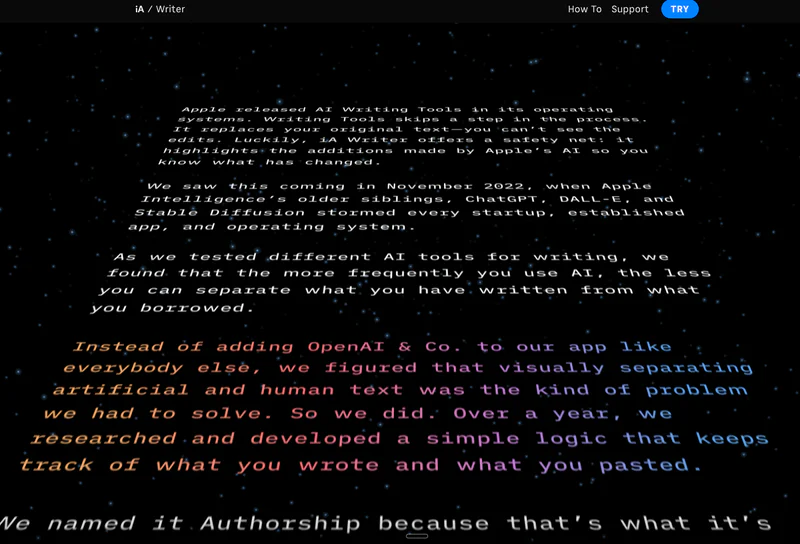
iA Writer is a distraction-free markdown writing app designed for writers, bloggers, and content creators who need a clean environment to focus on their work. It works by providing a minimalist interface where you can write using markdown syntax without unnecessary clutter or formatting distractions.
The tool stands out because of its unique focus mode that highlights only the sentence or paragraph you're currently working on while fading everything else. The platform offers desktop versions for Mac and Windows, plus mobile apps for iOS and iPad with cloud sync through iCloud, Dropbox, and Google Drive.
Key Points:
- Primary function: Distraction-free markdown writing and editing
- Target users: Writers, bloggers, journalists, content creators, academics
- Main differentiator: Focus mode and real-time markdown preview
- Basic how it works: Write in markdown with live preview and minimal interface
- Platform availability: macOS, Windows, iOS, iPad, Android
Drawbacks of iA Writer:
- Limited document organization makes managing long-form projects like books difficult without creating custom tagging systems
- No real-time collaboration features for working with editors or multiple authors on the same document
- Minimal customization options with only two typeface choices that look nearly identical
- Separate purchase required for each platform instead of a universal license across all devices
- Export options limited to only PDF and DOCX format compared to competitors offering more choices
iA Writer Customer Reviews
"I've used iA Writer since 2010 for my Masters Thesis and have seen continuous updates and clear dedication to keeping the app relevant. It's quite literally a game changer and simplicity at its finest." - Joseph Hurtado, Product Hunt
"The biggest issue relates to its document library. While it's easy to find short-form writing, managing chapters becomes cumbersome if you're writing anything long-form like a book." - User review, Become A Writer Today
Quick Overview Table
Feature | Details |
|---|---|
Best For | Bloggers and journalists working on short-form content |
Pricing Starts At | $29.99 (one-time purchase) |
Free Plan | No (14-day free trial available) |
Platform | Windows, Mac, iOS, iPad, Android |
Company | iA Inc., founded 2010 |
Our Rating | 4.0/5.0 |
Top 5 Alternatives to iA Writer in 2026
1. Elephas

Elephas is a personal AI-powered knowledge assistant for Mac, iPhone, and iPad that changes how writers work with documents through intelligent AI assistance. It handles writing, research, and content creation through the Super Brain feature, which learns from your markdown files, PDFs, and documents to provide personalized insights.
The system works with your existing markdown writing apps across macOS and produces contextual writing assistance anywhere you type. The platform connects your files to AI capabilities without requiring cloud dependency since it can run fully offline with local AI models for complete privacy.
Key Features:
- Super Brain Technology: Acts as your personal Second Brain by learning from your markdown files, PDFs, Word documents, Excel files, Notion pages, Obsidian notes, and over 20 other file formats. Creates unlimited searchable knowledge bases for different projects or clients, providing instant answers with source citations from your real files without sending data to the cloud.
- Offline AI Capabilities: Run Elephas completely offline with local data storage using on-device AI models, ensuring complete privacy and control over sensitive markdown documents and research materials. No cloud dependency means your writing and documents never leave your device while still getting AI assistance across all macOS applications.
- Super Command Feature: Works across any application on your Mac to perform text operations like summarization, grammar fixes, rewrites, and translation on your markdown content. Create custom commands called Snippets for frequently used writing tasks, making repetitive work faster when working with markdown syntax.
- Multi-Device Sync: Seamlessly sync data across Mac, iPhone, and iPad using the same Apple account. Access your Super Brains and writing assistance on whichever device you're using without manual file transfers or complicated folder setups.
- Multiple AI Models: Choose between OpenAI and Anthropic's Claude models, or use your own API keys for maximum flexibility. Switch between different AI providers based on your specific needs and preferences for different writing tasks.
Pricing: $9.99/month
Why is it better than iA Writer
- Works across all Mac applications instead of requiring you to work inside a dedicated writing environment like iA Writer
- AI assistance learns from your specific markdown files and documents rather than providing generic writing suggestions
- Offline AI capabilities protect sensitive writing projects and research materials without sending anything to cloud servers
- Super Brain technology helps organize and search through hundreds of markdown files instantly with natural language queries
- Native macOS integration feels more modern and flexible compared to iA Writer's traditional single-app approach
Customer Reviews
"Elephas fits beautifully into my writing routine. Haven't found any other app that offers such a great level of Mac integration along with a wide variety of AI tools and features." - Severi, Capterra
"The ability to manage documents, retrieve data accurately, and flexibility to handle various file types to its offline mode for privacy makes this tool invaluable for my workflow." - Executive Director, Capterra
2. Ulysses

Ulysses is a premium markdown writing app designed exclusively for Apple devices that combines a clean writing environment with powerful organizational features. The tool lets users organize their writing through a hierarchical folder structure with tags and filters for managing multiple markdown projects simultaneously.
When you use Ulysses, it provides a markdown-based editor with live preview that handles formatting automatically without cluttering your writing space. The platform connects your writing seamlessly to iCloud without requiring manual sync setup, and produces formatted exports to PDF, Word, HTML, and ePub formats.
Key Features:
- Markdown-Based Editor: Native markdown support with live preview lets you focus on content while formatting happens automatically using asterisk symbols and other markdown syntax. Write with simple syntax that converts to professional formatting without disrupting your writing flow or requiring preview windows.
- Library Organization: Hierarchical folder structure combined with tags and filters helps organize multiple markdown writing projects efficiently across articles and blog posts. Find any piece of writing quickly through powerful search and filtering capabilities that work across your entire markdown library.
- Writing Goals and Statistics: Track word count, character count, and set daily writing goals to maintain momentum on your markdown projects. View detailed statistics about your writing habits and productivity over time with visual graphs and progress tracking.
- Seamless iCloud Sync: Automatic synchronization across all Apple devices means you can start writing markdown on Mac, continue on iPad, and finish on iPhone without manual file transfers or folder organization. All changes to your markdown files appear instantly across devices through iCloud integration.
- Export Options: Export markdown to PDF, Word, HTML, ePub, and more formats with customizable themes and template options. Publish directly to WordPress, Medium, or Ghost with one click from your markdown editor without copying and pasting.
Pricing: $5.99/month
Why is it better than iA Writer
- More robust organization system with folders, tags, and filters compared to iA Writer's basic file-based approach
- Automatic iCloud sync eliminates iA Writer's manual setup requirements for syncing across devices
- More export format options including direct publishing to multiple platforms versus iA Writer's limited PDF and DOCX choices
- Built-in writing goals and statistics help track progress better than iA Writer's minimal tracking features
- Lower monthly subscription cost for access across all Apple devices compared to buying iA Writer separately per platform
Customer Reviews
"Synchronization across Apple devices is peerless, and I've stuck with it for six years on an annual subscription, feeling it's worth it." - Review from BecomeAWriterToday
"Users who originally paid full price for a permanent license had their access revoked when Ulysses switched to a subscription model, which is problematic since many other markdown editors provide similar services for free." - Review from Kindlepreneur
3. Typora

Typora is a markdown editor that provides a seamless "what you see is what you mean" experience by rendering markdown syntax in real time within a single clean window. The tool lets users write in markdown without seeing the raw syntax code since formatting appears instantly as you type.
When you use Typora, markdown syntax disappears as soon as you complete it, showing only the formatted result like bold text or headings. The platform connects markdown editing to visual formatting without requiring separate preview windows or mode switching between editing and preview panels.
Key Features:
- Real-Time Live Preview: Instantly renders markdown syntax as formatted text without requiring separate preview windows or mode switching. See exactly how your content will look while you write using familiar markdown syntax with asterisk and heading symbols that disappear when complete.
- Minimalist Interface: Clean, distraction-free writing environment with a single window that focuses entirely on your content. The interface shows only your formatted text without toolbars, sidebars, or other visual clutter that interrupts writing flow.
- Advanced Markdown Support: Robust support for complex elements like tables, mathematical formulas using LaTeX, and diagrams such as sequence charts and flowcharts. Handle technical writing requirements without leaving the markdown editor or switching to specialized tools
- Cross-Platform Availability: Works seamlessly across Windows, macOS, and Linux operating systems with consistent behavior and file format compatibility. Write markdown on any device and open the same files without compatibility issues or formatting problems.
- Export Options: Export markdown files to PDF, Word, HTML, and more formats with customizable CSS themes for different output styles. Generate professional-looking documents from your markdown source files without additional formatting tools.
Pricing: $14.99 (one-time purchase)
Why is it better than iA Writer
- Seamless real-time preview without syntax symbols visible compared to iA Writer's more traditional markdown display
- Single one-time purchase for all platforms versus iA Writer's separate purchase requirement per device
- Advanced support for tables, LaTeX formulas, and diagrams that iA Writer doesn't offer natively
- More export format options and customizable themes compared to iA Writer's limited PDF and DOCX choices
- Cross-platform support includes Linux in addition to Mac and Windows that iA Writer covers
Customer Reviews
"Typora is so good I actually bought it, which I rarely do with software. Nothing is as seamless and fun to use as Typora for markdown editing." - User review, Productivity Directory
"The lack of a split screen to view markdown code and final result side-by-side is limiting, and there haven't been major feature updates since it became a paid service." - User review, DevOpsSchool
4. Bear

Bear is a beautiful markdown note-taking app designed exclusively for Apple devices that focuses on helping users capture, write, and organize their thoughts with elegant simplicity. The tool lets users create notes with markdown formatting, photos, tables, and todo lists all within the same note for flexible content organization.
When you use Bear, it provides powerful markdown support using GitHub flavored markdown syntax with asterisk and other standard symbols. The platform connects markdown notes across all Apple devices through iCloud sync and manages flexible tag-based organization instead of traditional folder hierarchies for better content discovery.
Key Features:
- Markdown Support: Powerful markdown citizen that handles GitHub flavored markdown syntax perfectly using asterisk symbols, headers, links, and tables. Work in plain text while using markdown formatting like bold, italics, strikethrough, links, and tables without complicated formatting menus or toolbars.
- Flexible Tag Organization: Organize notes and projects with flexible hashtag tags instead of rigid folder hierarchies for more natural content organization. Tag system lets you assign multiple tags to notes and find content across different organizational perspectives instantly.
- Cross-Note Links: Create connections between notes using wiki-style links to build a personal knowledge base from your markdown content. Link related ideas and topics together for better knowledge management and content discovery over time.
- Rich Export Options: Export markdown notes to PDF, HTML, DOCX, JPG, rich text format, plain text, and markdown format for maximum flexibility. Generate formatted documents from your markdown notes for publishing or sharing without additional conversion tools.
- OCR Search: Search for text inside photos and PDFs uploaded to your markdown notes with optical character recognition. Find content anywhere in your notes including images and scanned documents without manual transcription.
Pricing: $2.99/month
Why is it better than iA Writer
- Flexible tag-based organization system works better for managing multiple markdown notes compared to iA Writer's basic file structure
- More export format options including HTML, JPG, and rich text versus iA Writer's limited PDF and DOCX choices
- Cross-note linking capabilities help build knowledge bases from markdown content that iA Writer doesn't support
- OCR search finds text in images and PDFs which iA Writer cannot do natively
- Lower monthly subscription price and beautiful theme options compared to iA Writer's higher per-platform cost
Customer Reviews
"Bear is the best personal note taking application. The markdown support is exceptional and the tag-based organization changed how I manage my writing projects." - Gábor Pintér, Medium
"The free version is quite limited since iCloud sync requires the paid subscription, which feels restrictive when other markdown apps offer basic sync for free." - User review, ClickUp Blog
5. Obsidian

Obsidian is a powerful knowledge base and markdown note-taking app that operates on local markdown files stored in folders you control on your own device. The tool lets users create a personal knowledge base with bi-directional linking between markdown notes and graph visualization to see how ideas connect.
When you use Obsidian, it works with plain markdown text files stored locally without requiring proprietary formats or cloud storage. The platform connects markdown notes through wiki-style links and manages the graph database automatically while everything stays in local folders under your complete control.
Key Features:
- Local Markdown Files: All notes stored as markdown files in local folders you control on your computer, not in proprietary formats or cloud databases. Own your data completely and access markdown files with any text editor even without Obsidian installed.
- Bi-Directional Linking: Create connections between markdown notes using wiki-style double bracket syntax for powerful knowledge base building. Links work both ways automatically, showing you which notes reference each other for better context and discovery.
- Graph Visualization: Automatically maps how your markdown notes connect with interactive graph visualization. See relationships between ideas and identify patterns, gaps, or recurring themes across your entire knowledge base visually.
- Plugin Ecosystem: Customize Obsidian extensively with community plugins and core plugins for added functionality beyond basic markdown editing. Extend capabilities for specific workflows like academic research, creative writing, or project management as needed.
- Customizable Themes: Personalize the appearance of your markdown editor through themes and CSS snippets for your preferred visual style. Adjust colors, fonts, and layout to match your preferences while working with markdown content daily.
Pricing: Free (optional paid Sync and Publish services)
Why is it better than iA Writer
- Completely free for core features versus iA Writer's $29.99 per platform purchase price
- Powerful bi-directional linking and graph visualization help manage complex markdown knowledge bases that iA Writer lacks
- Plugin ecosystem allows extensive customization compared to iA Writer's minimal customization options
- Local markdown files give you complete data ownership versus iA Writer's proprietary library structure
- Works with any existing folder of markdown files without importing to special library or format
Customer Reviews
"The ability to visualize connections between notes with the graph view transformed how I organize research. Obsidian's local markdown files mean I own my data completely." - User review, Obsidian.md
"The learning curve is steep compared to simpler markdown editors, and the base app feels bare bones without installing multiple community plugins to match competitor features." - User review, SourceForge
Quick Comparison Table:
Tool | Starting Price | Best For | Key Strength | Main Weakness |
|---|---|---|---|---|
iA Writer | $29.99 (one-time) | Bloggers and short-form content | Focus mode and clean interface | Limited organization for long-form |
Elephas | $9.99/month | Mac users needing AI writing help | AI assistance with offline privacy | Apple ecosystem only |
Ulysses | $5.99/month | Apple users writing articles | Clean markdown interface with sync | Subscription model for basic features |
Typora | $14.99 (one-time) | Writers wanting seamless preview | Real-time markdown rendering | Limited customization options |
Bear | $2.99/month | Personal note-taking on Apple | Tag-based organization system | Limited collaboration features |
Obsidian | Free | Knowledge base building | Bi-directional linking and graphs | Steep learning curve initially |
Conclusion
iA Writer delivers focused distraction-free writing at $29.99 one-time purchase per platform. The tool shines with its unique focus mode and clean markdown interface but falls short at organizing long-form projects. Compared to alternatives, it offers excellent simplicity though lacks AI assistance and advanced organization.
Users seeking pure markdown writing find solid value while those needing document management should consider alternatives. The pricing justifies features for blog writers who value focus mode.
Overall rating sits at 4.0 out of 5 based on excellent focus balanced against limited organization. Worth considering for blog posts. Skip if you need collaboration or advanced organization. For Mac users seeking AI assistance alongside markdown editing,