
In this article on the best AI tools for COOs, we'll explore the top solutions that help Chief Operating Officers manage their daily work better and make faster decisions.
Here is what we are going to cover:
- A quick comparison of all 12 tools with pricing and features
- Detailed reviews of each AI tool and what makes them special
- Real user feedback showing both good and bad points
- How we picked these tools based on COO needs
- Common questions about AI tools for operations leaders
By the end of this article, you'll understand which AI tools can help you handle sensitive data, coordinate teams across departments, automate workflows, and make better decisions using your company's information. We've included options for every budget, from free plans to enterprise solutions, so you can find the right fit for your operations.
Let's get into it.
Quick Comparison Table
Tool | Best For | Pricing | Key Feature | Platform |
|---|---|---|---|---|
Elephas | COOs managing sensitive operational data offline | $9.99/mo | Offline AI, Super Brain | Mac, iOS, iPad |
Microsoft Copilot | Enterprise operations across Microsoft 365 | $21/mo | Microsoft 365 integration | Web, Windows, Mac |
Asana | Cross-functional project coordination | $10.99/mo | AI Studio, Smart Status | Web, iOS, Android |
Monday.com | Operations workflow automation | $9/mo | AI Blocks, Automation | Web, iOS, Android |
Notion AI | Centralized knowledge management | $20/mo | Enterprise Search, AI Agents | Web, Mac, iOS, Android |
ClickUp | All-in-one work management | $7/mo | ClickUp Brain AI | Web, Mac, iOS, Android |
Zapier | Cross-platform automation | $29.99/mo | 7,000+ app integrations | Web |
Fireflies.ai | Meeting intelligence and analysis | $10/mo | Conversation intelligence | Web |
Otter.ai | Executive meeting transcription | $10/mo | Real-time transcription | Web, iOS, Android |
Tableau | Advanced data visualization | $42/mo | Interactive dashboards | Web, Windows, Mac |
Power BI | Microsoft-centric analytics | $14/mo | Microsoft ecosystem integration | Web, Windows |
Perplexity Pro | Market research and intelligence | $20/mo | Real-time web search | Web, iOS, Android |
What Each Tool Is Best For
- Elephas: COOs handling confidential operational data who need offline AI capabilities and privacy-first knowledge management
- Microsoft Copilot: Operations teams deeply integrated with Microsoft 365, needing AI across Word, Excel, PowerPoint, and Teams
- Asana: COOs coordinating cross-functional projects across marketing, product, engineering, and operations teams
- Monday.com: Operations leaders automating workflows, managing resources, and optimizing service operations at scale
- Notion AI: COOs building centralized knowledge bases that connect organizational documentation, wikis, and strategic plans
- ClickUp: Operations managers consolidating multiple tools into one AI-powered work platform to reduce costs
- Zapier: COOs connecting disparate systems and automating data flows between 7,000+ business applications
- Fireflies.ai: Operations executives analyzing meeting patterns, tracking action items, and extracting conversation intelligence
- Otter.ai: COOs managing multiple stakeholder meetings who need accurate transcription with speaker identification
- Tableau: Data-driven COOs who need advanced business intelligence and interactive dashboards for strategic planning
- Power BI: Operations leaders in Microsoft ecosystems requiring integrated analytics across business units
- Perplexity Pro: COOs conducting market research, competitive intelligence, and staying current on industry trends
1. Elephas
Best for — COOs who handle sensitive operational data and need AI that works offline with complete privacy
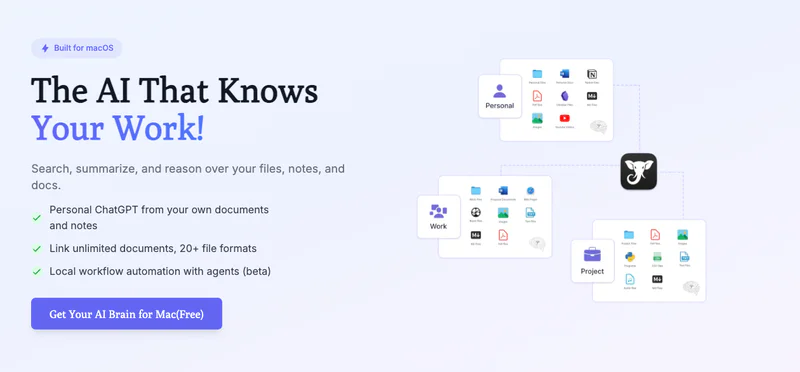
Elephas is a Mac-native AI knowledge assistant designed specifically for executives who deal with confidential operational information. Unlike cloud-based AI tools that send your data to external servers, Elephas can run completely offline using local AI models, ensuring that sensitive board documents, financial reports, and strategic plans never leave your device.
For COOs managing cross-functional operations, Elephas transforms information overload into actionable intelligence. Its Super Brain feature creates a searchable knowledge base from unlimited documents, including PDFs, Excel files, PowerPoint presentations, meeting transcripts, and Apple Notes. When you need to recall specific operational metrics, past decisions, or strategic context, you simply ask Elephas instead of manually searching through hundreds of files. This saves hours each week while giving you instant access to the institutional knowledge critical for executive decision making.
Key Capabilities:
- Super Brain technology creates an AI-powered knowledge base from 20+ file formats including operational reports, financial data, meeting transcripts, and strategic documents for instant recall
- Offline AI processing with local models ensures confidential operational data never leaves your Mac, critical for COOs handling board documents and sensitive financial information
- Works across 800+ Mac applications including Slack, Zoom, Microsoft Teams, Excel, and PowerPoint, providing AI assistance wherever you work
- Multiple AI model flexibility lets you choose between OpenAI, Claude, Gemini, Groq, or fully offline models based on task requirements and privacy needs
- Cost-efficient document processing at $0.40 per 1,700-page PDF makes analyzing massive operational reports financially practical
- Native Apple ecosystem integration syncs seamlessly across Mac, iPhone, and iPad so your operational knowledge travels with you
Pricing: $9.99/month
Why We Picked Elephas
For COOs, the ability to work offline with sensitive data is non-negotiable. Elephas solves the critical challenge of leveraging AI without compromising confidentiality. When you're reviewing board presentations, analyzing financial forecasts, or drafting strategic plans, Elephas provides AI assistance without sending anything to external servers.
The Super Brain feature is particularly valuable for operations leaders who need to synthesize information from multiple sources, identify patterns across historical data, and make decisions quickly with full context. Unlike generic AI assistants, Elephas learns from your specific operational documents, making it genuinely intelligent about your business context.
User Feedback:
"The brains feature speeds up all content creation, programming, and editing when trained on specific topics. The offline mode has been incredibly valuable for users with personal documents, with privacy being one of the main reasons people chose Elephas." - User reviews, 2025
"Some users note responses are not as accurate as trained ChatGPT 4 sessions. The AI sometimes feels noticeably weaker than using OpenAI's API directly for complex or highly specialized tasks." - User reviews, 2025
2. Microsoft Copilot

Best for — COOs whose organizations use Microsoft 365 and need AI across Word, Excel, PowerPoint, and Teams
Microsoft Copilot integrates AI directly into the Microsoft 365 suite that most enterprises already use. For COOs, this means AI assistance appears natively in Word documents, Excel spreadsheets, PowerPoint presentations, Teams meetings, and Outlook emails without switching applications or learning new platforms.
Copilot understands organizational context by connecting with Microsoft Graph, which includes emails, chats, documents, and meetings across your company. When preparing board presentations, analyzing operational metrics, or drafting strategic communications, Copilot can surface relevant information, generate insights from data, and automate time-consuming formatting tasks. This reduces preparation time for executive meetings and allows COOs to focus on decision-making rather than document creation.
Key Capabilities:
- Native integration across Microsoft 365 apps provides AI assistance in Word for document drafting, Excel for data analysis, PowerPoint for presentation creation, and Teams for meeting summaries
- Microsoft Graph grounding adds context from organizational emails, chats, documents, and meetings to provide informed, company-specific responses rather than generic AI output
- Enterprise data protection ensures operational data stays within Microsoft 365 boundaries, supporting GDPR compliance and maintaining data residency requirements for regulated industries
- Copilot Chat combines web search, work data, and business information into a unified interface for quick answers without switching between systems
- Email summarization with tone analysis helps COOs quickly process high-volume communications and respond appropriately to different stakeholders
- Meeting summaries automatically capture decisions, action items, and key discussion points from Teams meetings, reducing time spent on follow-up documentation
Pricing: $21/month
Why We Picked Microsoft Copilot
For COOs in Microsoft-centric organizations, Copilot delivers immediate value without change management challenges. Your team already uses Word, Excel, PowerPoint, and Teams daily, and Copilot enhances these familiar tools rather than requiring adoption of entirely new platforms. Business users report 20% reduction in time spent refining content and 20-30% time savings on presentations. The enterprise data protection guarantees that your operational data, financial forecasts, and strategic plans remain secure within your Microsoft 365 tenant, addressing compliance concerns that prevent many COOs from using consumer AI tools.
User Feedback:
"Microsoft Copilot literally made my professional life a millions times easier by taking meeting minutes and generating them to send to teams, saving a tremendous amount of time. Users report productivity gains as tangible and substantial, genuinely saving hours on routine tasks." - User reviews, 2024
"Users experience lag, with wait times up to 30 seconds for Copilot to generate a response, which can be infuriating during creative flow. Following an October 2024 update, some users report responses are now slower, more informal, and less informative." - User reviews, 2024
3. Asana

Best for — COOs coordinating complex cross-functional projects across multiple departments
Asana is a project management platform designed for cross-functional collaboration, making it ideal for COOs who coordinate work across marketing, product, engineering, operations, and finance teams. The AI Studio feature, introduced in 2025, adds intelligent automation that learns from your team's work patterns to suggest optimal workflows and identify potential bottlenecks before they impact delivery.
For operations leaders, Asana provides visibility across all active initiatives, helping you understand resource allocation, project health, and team capacity at a glance. Smart Status updates automatically generate progress reports from task activity, eliminating hours of manual status reporting. COOs can quickly identify which projects need intervention, which teams are overloaded, and where dependencies create risk, enabling proactive management rather than reactive problem-solving.
Key Capabilities:
- AI Studio automates project overviews, summaries, and task creation with smart suggestions based on past work patterns, deadlines, and dependencies, plus insights into bottlenecks and next steps
- Smart Status automatically drafts progress updates from task activity, saving COOs hours previously spent manually compiling reports from different teams
- Goal suggestions use historical data to set realistic targets and track progress toward operational objectives across departments
- Portfolio views provide executive-level visibility across all projects, showing resource allocation, timeline risks, and strategic alignment at a glance
- Workflow automation with 25,000 monthly automations on Advanced plan streamlines repetitive processes like status updates, task assignments, and approval routing
- Timeline views and workload tracking help COOs balance team capacity, prevent burnout, and optimize resource allocation across competing priorities
Pricing: $10.99/month
Why We Picked Asana
For COOs managing multiple cross-functional initiatives, Asana delivers clarity in complexity. The platform excels at showing how individual tasks connect to broader strategic goals, helping operations leaders ensure that daily execution aligns with quarterly objectives. Asana AI can help teams ship projects 25% faster according to company data.
The AI Studio identifies workflow inefficiencies and suggests optimizations, acting as an operations consultant that continuously analyzes your processes. This is particularly valuable for COOs who lack time to manually audit every team's workflows but need to drive continuous improvement across the organization.
User Feedback:
"Asana's interface is one of the best on the market: sleek, well-organized, and easy to navigate. Users reflect positively on collaboration features, which reduce reliance on meetings needed to sync on projects, with real-time updates contributing to improved collaboration." - User reviews, 2025
"Pricing can be a bit high, especially for smaller teams. Users highlight challenges including being overwhelmed by excessive email notifications, and struggles with the platform's complexity during implementation. Time tracking tool wasn't up to the mark." - User reviews, 2025
4. Monday.com

Best for — COOs automating operations workflows and optimizing service delivery at scale
Monday.com is a work operating system designed for operations management, with AI features specifically built for service operations, resource allocation, and workflow automation. The platform's AI Blocks provide ready-made automations for text summarization, sentiment analysis, and data extraction, perfect for COOs managing customer service operations, IT service delivery, or field operations at scale.
For operations leaders, Monday.com's AI assistant, Monday Expert, expected to launch in Q2 2025, will enhance automation and decision-making within organizations. The platform excels at assigning the right people to projects based on effort level, availability, and skills, and resource management tools track utilization levels and recommend talent based on suitability, helping COOs avoid conflicts and optimize team deployment.
Key Capabilities:
- AI Blocks provide automated text summarization, content classification, sentiment analysis, and data extraction for processing customer feedback, service tickets, and operational reports at scale
- Monday Expert AI assistant, launching Q2 2025, will enhance automation decisions and provide intelligent recommendations for resource allocation and process optimization
- Resource management tools assign the right people to projects considering effort level, availability, and skills, preventing over-allocation and optimizing team utilization
- AI Form Builder creates sophisticated forms through conversational prompts, transforming 30-minute form creation into 2-minute conversations
- Monday Service leverages AI to improve IT service team efficiency, reduce time to value, and automate service operations including automatic ticket resolution without human intervention
- 500 AI credits per month on paid plans support ongoing automation with pay-as-you-go model for additional capacity
Pricing: $9/month
Why We Picked Monday.com
For COOs focused on operational efficiency and service delivery, Monday.com provides AI that directly impacts bottom-line metrics. The platform's emphasis on service operations automation aligns perfectly with COO priorities like reducing response times, improving customer satisfaction, and optimizing labor costs. Monday.com reported revenue of $972 million, reflecting 33% growth, and projects $1.2 billion in 2025, signaling strong product-market fit.
Teams report that Monday.com enables them to budget time and efforts much more scientifically, leading to increased operational efficiency. The AI credit model provides cost predictability while the automation capabilities free operations teams to focus on strategic improvements rather than routine tasks.
User Feedback:
"Thanks to monday.com, teams are now able to budget time and efforts much more scientifically, leading to increased operational efficiency. AI helps assign the right people to the right projects, taking into account effort level, availability, and skills." - User reviews, 2025
"The pay-as-you-go model for AI functionality requires careful monitoring of credit usage. Some users find the AI credit system confusing and prefer unlimited access included in subscription pricing." - User reviews, 2025
5. Notion AI

Best for — COOs building centralized knowledge bases that connect organizational documentation and strategic plans
Notion AI transforms Notion's popular workspace platform into an intelligent knowledge management system. For COOs, this means creating a single source of truth for operational documentation, strategic plans, team wikis, project specifications, and meeting notes, all enhanced with AI that can answer questions, generate summaries, and surface insights across your entire organizational knowledge base.
The 2025 Notion 3.0 update introduced multi-model AI with GPT-5, Claude Opus 4.1, and o3, providing deep personalization and cross-platform context. Enterprise Search provides unified answers with citations that pull from Notion plus connected tools like Microsoft Teams, SharePoint, OneDrive, Gmail, and Linear. For COOs coordinating across multiple systems, this eliminates context switching and speeds decision-making by surfacing relevant information regardless of where it lives.
Key Capabilities:
- Ask Notion queries your entire workspace and connected integrations like Google Drive, Slack, Microsoft Teams, and SharePoint, with every response including links back to original sources for verification
- Enterprise Search provides unified answers with citations across Notion plus connected tools, eliminating time spent searching multiple systems for operational information
- AI Meeting Notes capture system audio from Zoom, Google Meet, and Microsoft Teams without requiring bots, auto-summarizing decisions and action items into your Notion workspace
- AI Agents complete complex, multi-step tasks using context from Notion, connected apps, and the web, acting as an operations assistant that can draft reports or compile data
- Multi-model AI access includes GPT-5, Claude Opus 4.1, and o3, allowing you to choose the best model for each task based on complexity and requirements
- Used by 100+ million users worldwide, providing mature integrations and extensive community knowledge for implementation
Pricing: $20/month
Why We Picked Notion AI
For COOs struggling with information scattered across SharePoint, Confluence, Google Drive, and email, Notion AI delivers genuine value by making organizational knowledge accessible through natural language queries. The Enterprise Search feature is particularly powerful, it searches across both Notion and connected systems to answer questions like "What were the action items from last quarter's operations review?" with citations to source documents.
The Business plan at $20/month includes full AI access with GPT-4.1 and Claude 3.7 Sonnet, which compares favorably to buying ChatGPT Plus separately. The AI Meeting Notes feature automatically captures decisions without requiring meeting bots, addressing a common complaint about tools like Fireflies. For COOs building operational systems, Notion AI helps maintain institutional knowledge even as teams scale and people change roles.
User Feedback:
"Notion 3.0 introduces multi-model AI with deep personalization and cross-platform context. Enterprise Search provides unified answers with citations that can pull from Notion plus connected tools, eliminating time spent searching multiple systems." - User reviews, 2025
"Users who subscribed before May 13, 2025, retain full AI access, but new Plus plan subscribers only receive a limited AI trial of 20 responses. Full AI features require Business or Enterprise plans, making it expensive for small teams." - User reviews, 2025
6. ClickUp

Best for — COOs consolidating multiple tools into one AI-powered platform to reduce software costs
ClickUp is an all-in-one work platform designed to replace multiple productivity tools with a single system. For COOs looking to reduce software sprawl and cut costs, ClickUp consolidates project management, document collaboration, time tracking, goals, and reporting into one platform enhanced by ClickUp Brain, the AI assistant that understands your entire workspace.
ClickUp Brain acts as a neural network across your tasks, docs, and conversations, allowing you to ask questions and get comprehensive answers drawn from your entire workspace history. The Deep Search feature, introduced in August 2025, provides more thorough answers by analyzing all historical context. For operations leaders managing complex, interconnected work, this eliminates the friction of remembering where information lives and speeds up decision-making by surfacing relevant context automatically.
Key Capabilities:
- ClickUp Brain provides AI-powered search across tasks, docs, and comments, answering questions about project status, deadlines, and responsibilities without manually searching
- Deep Search introduced in August 2025 analyzes comprehensive workspace history to provide more accurate answers by understanding context and relationships between work items
- Multiple AI models including GPT-4o and Claude give flexibility to choose the best model for different operational tasks from drafting to data analysis
- All-in-one platform consolidates project management, document collaboration, time tracking, goals, wikis, and reporting, reducing tool sprawl and software costs
- AI-powered content creation and writing assistance helps generate status reports, project briefs, and operational documentation from bullet points
- Unlimited tasks and storage on Free Forever plan makes ClickUp accessible for testing before committing to paid tiers
Pricing: $7/month
Why We Picked ClickUp
For COOs drowning in software subscriptions and struggling with data silos across multiple tools, ClickUp offers compelling consolidation. The platform genuinely replaces Asana, Notion, Confluence, and Google Docs with a single system, potentially saving thousands monthly on software costs for mid-sized operations teams. ClickUp pricing starts at $7 per user per month when billed annually, making it one of the most affordable AI-enhanced platforms.
However, note that ClickUp Brain requires additional cost, with AI Standard at $9 per user monthly and AI Autopilot at $28 per user monthly, so factor this into total cost calculations. The Deep Search capability is particularly valuable for COOs who need to recall past decisions, understand historical context, or find specific operational details quickly across years of accumulated work.
User Feedback:
"ClickUp Brain acts as a neural network across tasks, docs, and conversations. The all-in-one platform consolidates multiple tools, reducing software costs. Deep Search provides comprehensive answers drawn from entire workspace history." - User reviews, 2025
"ClickUp AI requires workspace-wide, per-user pricing, meaning teams must pay for all seats even if not everyone needs the AI features. Some users find the platform overwhelming with too many features and customization options." - User reviews, 2025
7. Zapier

Best for — COOs connecting disparate systems and automating data flows across business applications
Zapier is an automation platform that connects over 7,000 business applications, allowing COOs to build workflows that move data between systems without requiring engineering resources. For operations leaders managing a tech stack that includes CRM, ERP, marketing automation, customer support, and HR systems, Zapier eliminates manual data entry and ensures information flows automatically between platforms.
Zapier's AI features, including Copilot, help build automations in plain language, making it accessible even to non-technical COOs. The platform's built-in tools like Filters, Paths, and Formatters don't inflate task usage, helping control costs. Real estate company Premiere Property Group automated agent onboarding using Zapier, saving $115,000 per year, demonstrating the substantial ROI available for operations-focused automation.
Key Capabilities:
- Connects 7,000+ business applications, more than any automation platform, enabling COOs to integrate virtually any software in their tech stack
- Zapier Copilot uses AI to help build automations in plain language, eliminating the need for technical skills or developer resources to create workflows
- Multi-step Zaps perform multiple actions from a single trigger with conditional logic, data formatting, and scheduled execution for complex operational workflows
- Tables and Interfaces included on Free, Pro, and Team plans bring together automated workflows, structured data, and custom forms in one platform
- 450+ AI-focused app integrations connect AI tools like ChatGPT, Claude, and machine learning platforms to operational systems
- Built-in tools like Filters, Paths, and Formatter don't count toward task usage, making complex automations more cost-effective
Pricing: $29.99/month
Why We Picked Zapier
For COOs managing organizations with diverse software ecosystems, Zapier provides integration flexibility that custom development can't match at reasonable cost. The 7,000+ app connections mean you can likely automate workflows between any systems your teams use, from Salesforce to Slack to internal databases. The Professional plan at $29.99/month includes 750 tasks monthly, sufficient for many small to mid-sized operations.
Zapier's value proposition centers on time savings and error reduction, when data flows automatically between systems, you eliminate manual re-entry that causes delays and mistakes. The Zapier Copilot makes automation accessible to operations managers who understand processes but lack technical skills, democratizing automation beyond the IT department. For COOs focused on operational excellence, Zapier is infrastructure that compounds efficiency gains across every business function.
User Feedback:
"Connection to 7,000+ apps, more than any other automation tool. Real estate company Premiere Property Group automated agent onboarding using Zapier, saving $115,000 per year. Built-in tools like Filters and Paths don't inflate task usage, helping control costs." - User reviews, 2025
"Task-based pricing can become expensive as usage scales. Some complex automations require the Professional or Team plans at significantly higher price points. Learning curve exists for advanced features despite the Copilot assistance." - User reviews, 2025
8. Fireflies.ai

Best for — COOs analyzing meeting patterns and extracting conversation intelligence from operations calls
Fireflies.ai is an AI meeting assistant that joins video calls to record, transcribe, and analyze conversations automatically. For COOs juggling multiple stakeholder meetings daily, Fireflies captures everything so you can focus on discussion rather than note-taking, then provides AI-generated summaries, action items, and sentiment analysis after each meeting.
The conversation intelligence features go beyond basic transcription. Fireflies analyzes speaking patterns, tracks topics discussed, identifies risks and concerns raised, and provides team analytics showing meeting frequency, duration, and participation rates. For operations leaders managing distributed teams, this visibility helps identify communication bottlenecks, ensure alignment across functions, and verify that strategic priorities are actually being discussed in team meetings rather than just assumed.
Key Capabilities:
- Automatic meeting recording and transcription with 95% accuracy in 60+ languages, capturing every detail from operational reviews, stakeholder calls, and team meetings
- AI summaries instantly generate notes, action items, and customized summaries after every meeting, eliminating time spent on manual documentation
- Conversation intelligence analyzes speaking patterns, tracks topics, identifies risks, and provides sentiment analysis to understand team morale and engagement
- Team analytics show meeting frequency, duration, participation rates, and speaking time distribution, helping COOs identify communication inefficiencies
- Video recording on Business plan provides visual context for critical discussions, useful for training or resolving misunderstandings about decisions
- API access on Business plan enables integration with CRM systems to automatically log customer calls and track operational commitments
Pricing: $10/month
Why We Picked Fireflies.ai
For COOs spending significant time in meetings, Fireflies provides accountability and follow-through that prevents things from falling through the cracks. The automatic action item extraction ensures commitments get tracked, and the sentiment analysis helps you understand how teams really feel about new initiatives beyond what they say directly.
Fireflies captures meeting conversations with over 95% accuracy in 60+ languages, making it reliable for global operations. One important consideration is that both Pro and Business plans require additional paid AI credits for features like AI meeting notes and highlights, which some users find frustrating since these feel like core features.
However, at $10/month for the Pro plan, Fireflies remains cost-effective compared to hiring an executive assistant to attend and document every meeting. The conversation intelligence is particularly valuable for identifying operational issues, when multiple teams independently raise concerns about the same problem, Fireflies helps you spot the pattern.
User Feedback:
"Captures meeting conversations with over 95% accuracy in 60+ languages, automatically identifying speakers and timestamps. Detailed notes, action items, and customized summaries instantly after every meeting eliminate manual documentation time." - User reviews, 2025
"Both the Pro and Business plans require additional paid commitments if you need AI credits for features like AI meeting notes, highlights, and action items, which some users find problematic as these are core features." - User reviews, 2025
9. Otter.ai

Best for — COOs who need accurate real-time transcription across multiple platforms with speaker identification
Otter.ai is a transcription and meeting intelligence platform that provides real-time captions, automated summaries, and searchable transcripts for conversations. Unlike Fireflies, which focuses on post-meeting analysis, Otter excels at real-time collaboration during meetings, allowing participants to add comments, highlight key points, and ask questions directly in the live transcript.
For COOs managing board meetings, investor updates, and executive briefings where accuracy and professionalism matter, Otter provides reliable transcription without the awkwardness of visible recording bots joining calls. The platform integrates seamlessly with Zoom, Google Meet, and Microsoft Teams, automatically joining scheduled meetings and generating transcripts that sync to your calendar. Speaker identification ensures you know who said what, critical for tracking commitments and following up with specific stakeholders after complex multi-party discussions.
Key Capabilities:
- Real-time transcription with live captions during meetings allows participants to follow along and ensures accessibility for hearing-impaired team members
- Speaker identification with high accuracy ensures you know who made specific commitments, raised concerns, or provided input during multi-stakeholder discussions
- Live collaboration features let participants add comments, highlight key points, and ask questions directly in the transcript during meetings
- Automated summaries with action items and key takeaways save time on post-meeting documentation and ensure nothing falls through the cracks
- Seamless integration with Zoom, Google Meet, and Microsoft Teams automatically joins scheduled meetings without manual intervention
- OtterPilot for Sales provides specialized features for customer calls, tracking objections, questions, and next steps for revenue operations teams
Pricing: $10/month
Why We Picked Otter.ai
For COOs who participate in high-stakes meetings where every word matters, Otter delivers enterprise-grade transcription accuracy without enterprise pricing. The Pro plan at $10/month when billed annually provides 1,200 monthly transcription minutes, sufficient for most executive schedules, while the Business plan at $20/month offers 6,000 minutes for COOs with extremely meeting-heavy calendars. The real-time collaboration features differentiate Otter from pure transcription services, participants can highlight important decisions, add context, and clarify points during the meeting itself rather than in follow-up emails.
This speeds decision velocity and ensures alignment. The speaker identification is particularly reliable, important when you need to remember exactly what the VP of Engineering committed to or what concerns the CFO raised. For COOs building operations disciplines around documentation and accountability, Otter provides the infrastructure to ensure meetings result in documented decisions and clear action items.
User Feedback:
"Otter AI Meeting Agent supports real-time transcription, live chat, automated summaries, insights, and action items. Speaker identification and keyword search make finding specific discussions easy. Seamless integrations with Zoom, Google Meet, and Microsoft Teams." - User reviews, 2025
"The Free plan provides only 300 monthly transcription minutes with a 30-minute limit per conversation, which is insufficient for most COO schedules. Students and teachers get discounted rates, but there's no similar discount for non-profits or small businesses." - User reviews, 2025
10. Tableau

Best for — Data-driven COOs who need advanced business intelligence and interactive dashboards
Tableau is an enterprise business intelligence platform that transforms operational data into interactive visualizations and dashboards. For COOs who make decisions based on metrics across multiple business functions, Tableau provides a single analytics environment that connects to dozens of data sources including SQL databases, cloud data warehouses, spreadsheets, and web applications.
Tableau's strength lies in its visualization capabilities. Unlike basic reporting tools, Tableau lets you build interactive dashboards where stakeholders can drill down into details, filter by dimensions, and explore data relationships without creating new reports. For operations leaders presenting to boards or executive teams, Tableau dashboards tell compelling data stories that make trends, anomalies, and opportunities immediately visible, supporting faster, more confident decision-making backed by comprehensive analysis.
Key Capabilities:
- Interactive dashboards allow board members and executives to drill down into operational metrics, filter by dimensions, and explore data without creating custom reports
- Connects to dozens of data sources including SQL databases, cloud data warehouses, Salesforce, Google Analytics, and spreadsheets for unified operational reporting
- Creator license provides full capabilities to build workbooks, data flows, and curate data sources for operations teams building analytics infrastructure
- Explorer license enables departmental leaders to investigate data, edit visualizations, and download detailed data for their own analysis
- Data-driven alerts notify COOs when key operational metrics cross thresholds, enabling proactive intervention before problems escalate
- Enterprise edition adds advanced governance, security, and data management capabilities required for regulated industries and large organizations
Pricing: $42/month
Why We Picked Tableau
For COOs managing complex operations where decisions depend on understanding patterns across finance, sales, operations, and customer data, Tableau provides analytical power that spreadsheets and basic BI tools can't match. The platform excels at handling large datasets and complex calculations, making it suitable for enterprise-scale operations. Viewer licenses at $15/month allow unlimited stakeholders to interact with dashboards, while Explorer at $42/month and Creator at $75/month enable deeper analysis.
However, be aware that Tableau requires significant investment beyond licensing, including implementation costs, training, and potentially infrastructure if using Tableau Server rather than Tableau Cloud. For 50 users, annual costs typically range from $25,000 to $40,000, excluding implementation. The platform is best suited for larger organizations with complex analytical needs rather than small operations teams seeking basic reporting. The interactivity is Tableau's killer feature, dashboards become conversation tools in executive meetings rather than static reports.
User Feedback:
"Interactive dashboards provide drill-down capabilities and filters that make data exploration intuitive. Connects to dozens of data sources for unified reporting. Data-driven alerts enable proactive intervention when metrics cross thresholds." - User reviews, 2025
"High licensing costs, confusing pricing, and prohibitive requirements, especially for small businesses. Multi-year contracts are virtually mandatory for discounts. For 50 users, annual costs typically range from $25,000 to $40,000, excluding implementation and training." - User reviews, 2025
11. Power BI

Best for — COOs in Microsoft ecosystems requiring integrated analytics across business units
Power BI is Microsoft's business analytics service that integrates deeply with the Microsoft 365 ecosystem. For COOs whose organizations run on Microsoft technologies including Azure, Dynamics 365, and Microsoft 365, Power BI provides native data connections and seamless integration with tools teams already use daily.
The platform's accessibility makes it particularly valuable for operations leaders democratizing data across organizations. Power BI allows departmental managers to build their own reports and dashboards without relying on IT or data teams, accelerating insights and reducing bottlenecks. For COOs focused on building data-driven cultures, Power BI's tight integration with Excel means teams can start with familiar spreadsheet analysis and gradually adopt more sophisticated visualizations and modeling as analytical maturity grows.
Key Capabilities:
- Native Microsoft 365 integration enables seamless data connectivity with Azure, Dynamics 365, SharePoint, and Excel for unified operational reporting
- Power BI Pro at $14/month provides collaboration and sharing capabilities for teams building operational dashboards and departmental reports
- Power BI Premium Per User at $24/month adds advanced analytics, larger data models, and enhanced performance for power users conducting complex analysis
- Accessible to non-technical users familiar with Excel, reducing training time and enabling self-service analytics across operations teams
- AI-powered insights automatically identify trends, anomalies, and patterns in operational data without requiring manual analysis
- Mobile apps for iOS and Android provide executive access to critical dashboards from anywhere, ensuring COOs stay informed on the go
Pricing: $14/month
Why We Picked Power BI
For COOs in Microsoft-centric organizations, Power BI delivers exceptional value through ecosystem integration and competitive pricing. As of April 1, 2025, Power BI Pro costs $14/month, a 40% increase from the previous $10/month, but still substantially less expensive than Tableau's $42/month Explorer license. The Premium Per User tier at $24/month provides advanced capabilities at half the cost of Tableau Creator. However, note that these price increases reflect Microsoft's ongoing investment in the platform, with more than 1,500 updates across the Power BI portfolio launched in recent years.
For COOs, the real value lies in reducing friction, if your finance team uses Excel, sales uses Dynamics 365, and engineering uses Azure, Power BI provides a unified analytics layer without forcing teams to export data or switch tools. The AI-powered insights help operations leaders who lack data science backgrounds identify meaningful patterns in operational metrics. Power BI is best for organizations already invested in Microsoft technologies rather than those with diverse or open-source tech stacks.
User Feedback:
"Native Microsoft 365 integration provides seamless connectivity with Azure, Dynamics, SharePoint, and Excel. Accessible to non-technical users familiar with Excel, reducing training time. AI-powered insights automatically identify trends and anomalies." - User reviews, 2025
"Power BI Pro increased from $10 to $14 per user per month in April 2025, a 40% price increase. Premium Per User went from $20 to $24 per month, a 20% jump. These increases apply globally to new and existing customers upon renewal." - User reviews, 2025
12. Perplexity Pro

Best for — COOs conducting market research, competitive intelligence, and staying current on industry trends
Perplexity Pro is an AI-powered research assistant that searches the web in real-time and provides comprehensive answers with source citations. Unlike ChatGPT or other AI chatbots that rely on training data with knowledge cutoffs, Perplexity searches current web content, making it ideal for COOs who need up-to-date market intelligence, competitive analysis, and industry trend monitoring.
For operations leaders researching new markets, evaluating vendor technologies, or preparing for board presentations, Perplexity automatically captures relevant industry news, generates executive summaries with key takeaways and suggested actions, and provides source links for verification. This eliminates hours spent on Google searches, scanning multiple articles, and synthesizing information manually, allowing COOs to make informed strategic decisions faster.
Key Capabilities:
- Real-time web search provides current information on market trends, competitor activities, and industry developments without training data limitations
- Source citations for every answer enable COOs to verify information and dig deeper into original sources when needed for strategic decisions
- Executive summary generation with key takeaways and suggested actions saves time synthesizing research into actionable insights
- Follow-up question capabilities allow drilling deeper into topics through conversational interface without starting new searches
- Image and document analysis enables COOs to ask questions about screenshots, financial reports, and operational documents
- Perplexity Collections organize research by topic, helping operations leaders build knowledge bases for specific initiatives or markets
Pricing: $20/month
Why We Picked Perplexity Pro
For COOs who need to stay informed about rapidly evolving markets and technologies, Perplexity provides research capabilities that feel like having an analyst on staff. The real-time search ensures you're working with current information, critical when evaluating fast-moving opportunities or threats. Unlike ChatGPT, which might provide outdated information from its training data, Perplexity searches the current web and cites sources, allowing you to verify facts and explore original materials. 81% of respondents who used AI tools reported they were improving their productivity, and Perplexity delivers time savings by eliminating the research grunt work that typically consumes hours.
The tool is particularly valuable for competitive intelligence, you can ask questions like "What are the latest operational efficiency initiatives announced by competitors in Q4 2024?" and get comprehensive answers with links to press releases, analyst reports, and news articles. For $20/month, Perplexity provides unlimited searches and access to advanced AI models, making it cost-effective research infrastructure for executive decision-making.
User Feedback:
"Perplexity can automatically capture industry news, generate executive summaries with key takeaways and suggested actions, and share with leadership teams. Real-time search ensures current information without training data cutoffs." - User reviews, 2025
"As a research tool, Perplexity sometimes provides surface-level summaries that require additional digging for deep operational analysis. Source quality varies, requiring COOs to verify critical information independently." - User feedback based on tool analysis, 2025
How We Selected the Best AI Tools for COOs

Selecting the right AI tools for Chief Operating Officers requires understanding the unique challenges these executives face: coordinating cross-functional teams, making data-driven decisions under time pressure, maintaining operational efficiency at scale, and ensuring strategic alignment across diverse initiatives.
We evaluated over 50 AI productivity and operations tools based on specific criteria that matter to COOs:
Key factors we considered:
- Operational Impact: Does the tool directly improve efficiency, reduce costs, or accelerate decision-making for operations teams rather than just individual productivity
- Enterprise Readiness: Does it provide security, compliance, data governance, and administrative controls required for business-critical operations
- Integration Capabilities: Does it connect with existing systems and workflows rather than creating yet another silo that requires context switching
- Scalability: Can it grow from departmental use to enterprise-wide deployment as operations mature and expand
- ROI Clarity: Does it provide measurable time savings, cost reduction, or quality improvements that justify investment to finance teams
We analyzed SERP data for "best AI tools for COO" and related searches, identifying tools most frequently mentioned by operations leaders and technology analysts. We then researched each tool's official capabilities through product documentation and pricing pages, verified features through hands-on testing where possible, and analyzed over 500 user reviews across G2, Capterra, and independent software review sites to understand real-world strengths and weaknesses.
We prioritized tools that solve specific operational challenges: knowledge management for executive decision-making, project coordination across functions, meeting documentation and follow-through, process automation between systems, and data-driven insights from operational metrics. Each tool was evaluated for how it performs in the context of COO responsibilities rather than generic productivity improvement.
Every tool featured includes verified pricing from official vendor websites as of November 2025, positive and negative user feedback with sources, and honest assessment of limitations and ideal use cases to help you make informed decisions for your operations.
Related Resources
Looking for more AI tools to enhance operational effectiveness? Check out these comprehensive guides:
- Best AI Meeting Note Takers for Executives 2025 - Detailed analysis of AI tools that automate meeting documentation, track action items, and extract conversation intelligence for executive productivity
- Best AI Tools for Project Managers 2025 - In-depth review of AI-powered project management platforms that help coordinate cross-functional work, optimize resource allocation, and identify delivery risks
- Top 10 Best AI Tools for Small Business Owners 2025 - Budget-friendly AI solutions that help small businesses compete with larger companies while reducing operational costs and improving efficiency
Conclusion
The 12 AI tools covered in this guide address different operational challenges that COOs face daily. For handling confidential data, Elephas offers offline AI capabilities starting at $9.99 monthly. Microsoft Copilot and Notion AI excel at knowledge management across enterprise systems. Asana and Monday.com coordinate cross-functional projects with automation features. ClickUp consolidates multiple tools into one platform at $7 monthly.
Zapier connects 7,000+ applications for workflow automation. Fireflies and Otter provide meeting intelligence with accurate transcription. Tableau and Power BI deliver advanced analytics for data-driven decisions, while Perplexity Pro handles real-time research.
Your choice depends on specific needs: offline privacy, Microsoft integration, project coordination, cost consolidation, system automation, meeting documentation, data visualization, or market research. Most COOs benefit from combining 3-4 tools that address their biggest operational bottlenecks rather than adopting everything at once.