
According to recent market research, the writing enhancement software market is projected to rise from 0.74 billion USD in 2024 to 0.84 billion USD in 2025, reflecting a compound annual growth rate of 13.1%. With more writers than ever seeking specialized tools to manage their manuscripts, it is an ideal moment to examine Scrivener, one of the most established writing applications for long-form content.
In this article on Scrivener, we'll explore everything you need to know about this powerful writing software that has become a staple for novelists, academics, and screenwriters worldwide.
Here is what we are going to cover:
- What is Scrivener and its capabilities
- Key features that set it apart
- Pricing structure and value proposition
- Drawbacks and limitations
- Customer reviews from real users
- Five alternatives including Elephas for Mac users
- Detailed comparison across pricing and features
- Which writing tool is the best choice for different needs
By the end of this article, you'll understand whether Scrivener fits your writing workflow and how it compares to modern alternatives, helping you make an informed decision about your writing software investment.
Let's get into it.
What is Scrivener?
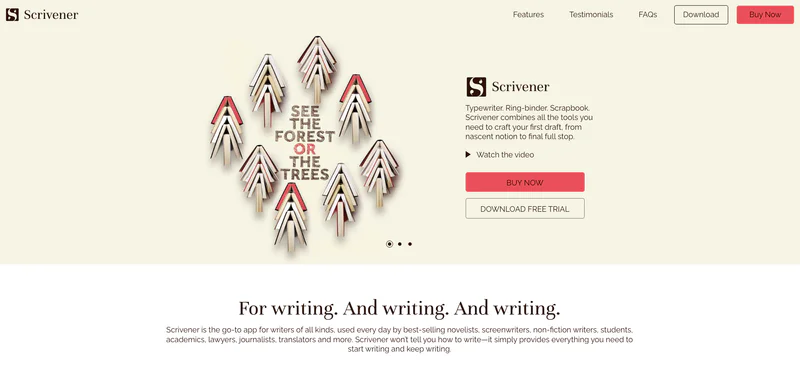
Scrivener is a professional-grade writing application designed specifically for long-form writing projects such as novels, research papers, screenplays, and non-fiction books. It works by breaking large writing projects into smaller manageable pieces, allowing writers to organize individual scenes, chapters, or sections that can be easily rearranged and eventually compiled into a finished manuscript.
The tool is designed for novelists, academic researchers, screenwriters, journalists, and non-fiction authors who need robust organizational capabilities for complex projects. Scrivener stands out because of its hierarchical Binder structure and integrated research management system. Users can write, organize, and research without switching between multiple applications.
The platform offers desktop versions for Mac and Windows, plus a mobile app for iOS with sync capabilities through Dropbox or iCloud. Most people use Scrivener when they want complete manuscript organization instead of using a traditional word processor. The tool handles multi-document projects, research materials, and version control while keeping things simple for users who need to focus on writing rather than file management.
Key Points:
- Primary function: Long-form writing organization and manuscript management
- Target users: Novelists, academics, screenwriters, journalists, non-fiction authors
- Main differentiator: Hierarchical project structure with integrated research tools
- Basic how it works: Break manuscripts into scenes/chapters, organize in Binder, compile to final format
- Platform availability: macOS, Windows, iOS (iPad/iPhone)
Drawbacks of Scrivener:
- Steep learning curve that can overwhelm beginners with its extensive feature set
- No real-time collaboration features for working with editors or co-authors
- Interface feels outdated compared to modern writing applications
- Sync between devices requires manual setup through third-party services like Dropbox
- Compile settings can be confusing and complex to configure initially
Scrivener Customer Reviews
"I've been using this app for years and love it...their support team were both prompt and very helpful." - Hanneke Tooke, Trustpilot
"It's the most user unfriendly thing I have ever seen and a complete rip off." - B Naylor, Trustpilot
Quick Overview Table
Feature | Details |
|---|---|
Best For | Novelists and academic writers working on long-form projects |
Pricing Starts At | $59.99 (one-time purchase) |
Free Plan | No (30-day free trial available) |
Platform | Windows, Mac, iOS |
Company | Literature & Latte Ltd., founded 2007 |
Our Rating | 4.2/5.0 |
Top 5 Best Alternatives to Scrivener in 2026
1. Elephas

Elephas is a personal AI-powered knowledge assistant for Mac, iPhone, and iPad that transforms how writers work with their documents and notes. It handles writing, research, and content creation through its Super Brain technology, which learns from your own data and documents to provide personalized insights tailored specifically to your knowledge and work. When you want to write with AI assistance, Elephas processes your files across 20+ formats including PDFs, Word documents, Notion pages, and audio recordings to build a searchable knowledge base. The system works with your existing apps on Mac and produces contextual writing assistance anywhere you type.
Users spend time on actual writing while the tool manages text operations like summarization, grammar fixes, rewrites, and translation. The platform connects your documents to AI capabilities without requiring cloud dependency since it can run fully offline. Most workflows involve uploading files to Super Brain, creating custom commands, and using the Super Command feature across any Mac application.
Key Features:
- Super Brain: Acts as your personal Second Brain by learning from your own documents and files across 20+ formats including PDFs, Word, Excel, Notion pages, Zoom transcripts, and YouTube videos. Creates unlimited searchable knowledge bases for different projects or clients, providing instant answers with source citations from your real files.
- Offline AI Capabilities: Run Elephas completely offline with local data storage, ensuring complete privacy and control over sensitive information. No cloud dependency means your documents never leave your device while still getting AI assistance across all Mac applications.
- Super Command Feature: Works across any application on your Mac to perform text operations like summarization, grammar fixes, rewrites, and translation. Create custom commands called Snippets for frequently used writing tasks, making repetitive work faster.
- Multi-Device Sync: Seamlessly sync data across Mac, iPhone, and iPad using the same Apple account. Access your Super Brains and writing assistance on whichever device you're using without manual file transfers.
- Multiple AI Models: Choose between OpenAI and Anthropic's Claude models, or use your own API keys for maximum flexibility. Switch between different AI providers based on your specific needs and preferences.
Pricing: $9.99/month
Why is it better than Scrivener
- Works across all Mac applications instead of requiring a dedicated writing environment
- Offline AI capabilities protect sensitive writing projects and research materials
- Super Brain learns from your specific documents rather than generic writing templates
- Native Mac integration feels more modern compared to Scrivener's traditional interface
- Subscription includes iPhone and iPad apps for writing on the go
Customer Reviews
"Elephas fits beautifully into my writing routine. Haven't found any other app that offers such a great level of Mac integration along with a wide variety of AI tools and features." - Severi, Capterra
"The ability to manage documents, retrieve data accurately, and flexibility to handle various file types to its offline mode for privacy makes this tool invaluable for my workflow." - Executive Director, Capterra
2. Ulysses

Ulysses is a premium writing app for Mac, iPad, and iPhone that focuses on distraction-free writing with a clean, minimal interface built around markdown editing. The tool lets users organize their writing through a hierarchical folder structure with tags and filters for managing multiple projects simultaneously. When you use Word or Google Docs, formatting can interrupt your flow, but Ulysses provides a markdown-based editor with live preview that handles formatting automatically without cluttering the writing experience.
The system works with text files and produces formatted exports to PDF, Word, HTML, and ePub with customizable themes. Users spend time on pure writing while the tool manages organization, formatting, and sync across all Apple devices. The platform connects your writing to iCloud seamlessly without requiring manual sync setup.
Most workflows involve drafting in the distraction-free editor, organizing with folders and tags, and exporting to final format when ready. The tool fits into the drafting and publishing stage and replaces traditional word processors for writers who prefer markdown.
Key Features:
- Markdown-Based Editor: Native markdown support with live preview lets you focus on content while formatting happens automatically. Write with simple syntax that converts to professional formatting without disrupting your flow.
- Library Organization: Hierarchical folder structure combined with tags and filters helps organize multiple writing projects efficiently. Find any piece of writing quickly through powerful search and filtering capabilities.
- Writing Goals and Statistics: Track word count, character count, and set daily writing goals to maintain momentum. View detailed statistics about your writing habits and productivity over time.
- Seamless iCloud Sync: Automatic synchronization across all Apple devices means you can start writing on Mac, continue on iPad, and finish on iPhone without manual file transfers. All changes appear instantly across devices.
- Export Options: Export to PDF, Word, HTML, ePub, and more formats with customizable themes. Publish directly to WordPress, Medium, or Ghost with one click.
Pricing: $5.99/month
Why is it better than Scrivener
- Cleaner, more modern interface reduces learning curve significantly
- Automatic iCloud sync eliminates Scrivener's manual Dropbox setup requirements
- Markdown-based writing flows faster than Scrivener's rich text editor
- Lower monthly cost compared to Scrivener's upfront investment for casual writers
- Better suited for blog posts and articles versus Scrivener's novel focus
Customer Reviews
"Synchronization across Apple devices is peerless, and I've stuck with it for six years on an annual subscription, feeling it's worth it." - Review from BecomeAWriterToday
"Users who originally paid full price for a permanent license had their access revoked when Ulysses switched to a subscription model, which is problematic since many other text editors provide similar services for free." - Review from Kindlepreneur
3. Atticus

Atticus is an all-in-one book writing software designed specifically for authors who want to write and publish in one place without switching between multiple applications. The tool lets users write manuscripts and format them for both print and ebook formats simultaneously using built-in professional templates. When you use Scrivener, you may need additional software for formatting, but Atticus combines the writing process with publishing preparation in a single workspace.
The system works with book manuscripts and produces print-ready PDFs and ebooks without needing additional design software. Users spend time on writing and formatting while the tool manages layout consistency, chapter formatting, and export optimization. The platform connects writing to publishing directly without requiring external formatting services.
Most workflows involve drafting chapters, applying formatting template options, collaborating with editors through built-in tools, and exporting final files ready for upload to Amazon Kindle or IngramSpark. The tool fits into both the writing and publishing stages and replaces the need for separate writing software plus formatting tools like Vellum.
Key Features:
- Combined Writing and Formatting: Write your manuscript and format for print and ebook in the same tool, eliminating the need to export drafts and reformat elsewhere. See exactly how your book will look while you write.
- Built-in Templates: Professional book formatting templates for different genres handle layout, chapter starts, and styling automatically. Choose from fiction, non-fiction, thriller, romance, and other genre-specific designs.
- Collaboration Tools: Share projects with editors and beta readers who can track changes and leave comments directly within the software. Review suggestions without exporting to Word or Google Docs.
- AI Writing Assistant: Built-in AI tools help with editing and improving prose, including suggestions for sentence structure, word choice, and readability improvements. Polish your manuscript without switching to separate editing software.
- Direct Publishing Export: Export print-ready PDFs for IngramSpark or Amazon KDP, plus ebook files in EPUB and MOBI formats. One-click export ensures your formatting stays consistent across all platforms.
Pricing: $147 (one-time payment)
Why is it better than Scrivener
- Includes professional book formatting that Scrivener lacks without additional software
- One workspace for writing and publishing preparation versus Scrivener's writing-only focus
- Built-in collaboration features for working with editors directly in the app
- AI writing assistance helps improve prose during the writing process
- One-time payment with no subscription versus Scrivener's similar pricing but less formatting capability
Customer Reviews
"Atticus has completely transformed my writing and book-preparation process. What was once a stressful, time-consuming nightmare is now one of the most enjoyable parts of the journey." - Jordan Scott, Trustpilot
"If you're looking to produce a creative, premium-quality book with custom title pages, nuanced control of headings, illustrations, or advanced print layout, Atticus is limited." - Customer, Trustpilot
4. Novlr

Novlr is a cloud-based novel writing platform designed specifically for fiction writers, accessible from any device via web browser without requiring software installation. The tool lets users write novels with dedicated spaces for character profiles, worldbuilding notes, and plot tracking all in one organized workspace. When you use Scrivener, you're limited to desktop devices, but Novlr provides automatic cloud backup and version history that protects your work from loss across all devices.
The system works with novel manuscripts and produces exports to Word, PDF, and ebook formats ready for publishing. Users spend time on writing and developing their story while the tool manages goal tracking, progress statistics, and backup automation. The platform connects your writing to cloud storage seamlessly without manual saving.
Most workflows involve writing scenes, developing characters in dedicated profile sections, tracking progress against goals, and exporting completed manuscripts. The tool fits into the drafting and planning stage and replaces desktop writing software for novelists who want access from anywhere.
Key Features:
- Cloud-Based Writing: Write from anywhere with automatic cloud backup that protects your work. Access your novel from any device with a web browser without installing software or managing file sync.
- Goal Tracking and Statistics: Detailed writing analytics show daily, monthly, and yearly word counts with visual graphs. Set project goals and track progress to maintain consistent writing momentum.
- Version History: Automatic versioning saves every change you make, allowing you to restore previous drafts or compare different versions. Experiment with rewrites without fear of losing earlier work.
- Character and Worldbuilding Tools: Dedicated spaces for character profiles, location descriptions, and plot notes keep your story bible organized. Reference character details while writing without switching apps.
- Manuscript Export: Export to Word, PDF, and ebook formats with customizable formatting. Download your completed manuscript ready for submission or self-publishing.
Pricing: $10/month
Why is it better than Scrivener
- Cloud-based access from any device versus Scrivener's desktop-only writing environment
- Automatic backup and version history eliminates risk of file corruption
- Specifically designed for fiction with character and worldbuilding tools built in
- Simpler interface focused on novel writing versus Scrivener's broader feature set
- Web browser access means no software updates or compatibility issues
Customer Reviews
"The layout is simplistic, easy to use, and free of diversions with a great feel to it while writing and setting up manuscripts." - Review from WriterSanctuary
"You can't view your whole manuscript at once and have to tab through the chapters, which greatly slowed my progress." - Review from Kindlepreneur
5. yWriter

yWriter is a free word processor designed specifically for novelists that helps break novels into manageable chunks organized by chapters and scenes on Windows devices. The tool lets users organize novels at the scene level with tracking for which characters appear in each scene and where it takes place. When you learn how to use Scrivener, you face a steep learning curve, but yWriter provides a storyboard view that shows your entire novel structure visually with simpler organizational tools.
The system works with scene-based novel writing and produces RTF exports for use in other word processors like Microsoft Word or LibreOffice. Users spend time on writing individual scenes while the tool manages timeline consistency, character tracking, and structural organization. The platform connects scenes to chapters without requiring complex folder structures.
Most workflows involve creating chapters, writing scenes within each chapter, assigning characters and locations to scenes, and viewing the storyboard to check structure. The tool fits into the drafting and planning stage and replaces expensive writing software for budget-conscious novelists.
Key Features:
- Scene-Based Organization: Break novels into chapters and scenes for easier management of complex manuscripts. Move scenes between chapters by dragging and dropping without cutting and pasting text.
- Character and Location Tracking: Assign characters and locations to each scene, then view which characters appear where throughout your novel. Prevent timeline inconsistencies by tracking when and where characters appear.
- Storyboard View: Visual overview of your entire novel structure shows all chapters and scenes at a glance. Quickly identify pacing issues or missing scenes in your narrative arc.
- Timeline Management: Keep track of your story timeline to prevent date and time inconsistencies. View chronological order of events separately from chapter order.
- RTF Export: Export to Rich Text Format for opening in Word, Google Docs, or other word processors. Final formatting happens in your word processor of choice.
Pricing: Free
Why is it better than Scrivener
- Completely free with no cost versus Scrivener's $59.99 price tag
- Scene-level character tracking helps manage complex multi-POV novels
- Storyboard view provides quick structural overview of entire manuscript
- Timeline management prevents common continuity errors in novels
- Lower system requirements run on older Windows computers
Customer Reviews
"It's pretty good for being free if you have Windows or Linux, with tons of features like tracking characters and locations." - Reddit user review
"Built-in Editor is just too limited - deal breaker for me. Cannot open child windows along with parent window, and yWriter's spell check feature is entirely unsatisfactory." - VRanger, WritingForums
Quick Comparison Table:
Tool | Starting Price | Best For | Key Strength | Main Weakness |
|---|---|---|---|---|
Scrivener | $59.99 (one-time) | Long-form novelists and academics | Comprehensive organization features | Steep learning curve |
Elephas | $8.99/month | Mac users writing across apps | AI assistance with offline privacy | Apple ecosystem only |
Ulysses | $5.99/month | Blog writers and short-form content | Clean markdown interface | Subscription model for basic features |
Atticus | $147 (one-time) | Self-publishing authors | Combined writing and formatting | Limited customization for complex layouts |
Novlr | $10/month | Fiction writers needing cloud access | Automatic backup and version history | Requires internet connection |
yWriter | Free | Budget-conscious novelists | Scene tracking at no cost | Outdated interface and limited editor |
Final Verdict
Scrivener delivers robust organizational capabilities for serious writers at $59.99 one-time purchase. The tool shines when managing complex manuscripts with extensive research materials but falls short at real-time collaboration and modern interface design. Compared to alternatives, it offers unmatched organization depth though lacks AI assistance and cloud-native architecture.
The learning curve stays challenging making adoption a multi-week process for most users. Updates keep the tool functional and support helps with setup questions. Overall rating sits at 4.2 out of 5 based on organizational power balanced against usability friction. Worth considering if you're working on long-form content that requires extensive outlining and research integration. Skip if you primarily write blog posts, articles, or need real-time collaboration.
Best value comes from the standard license for individual novelists and academics. The tool meets 85 percent of typical novel-writing requirements. For Mac users seeking modern AI assistance alongside traditional organization, Elephas offers a compelling alternative with Super Brain technology that learns from your documents while maintaining offline privacy for sensitive projects.