
Google's NotebookLM has become the go-to AI research assistant for professionals who need to organize documents, generate summaries, and create content from their own sources.
But with growing privacy concerns about cloud-based AI tools, an open-source project called Open NotebookLM promises those same features with complete data control.
Quick note before we start, because the name is confusing. This review is about the self-hosted lfnovo/open-notebook project on GitHub, the one you run yourself.
It is not the older HuggingFace "Open NotebookLM" podcast demo that only made audio overviews. When people search "github notebooklm" or "notebook lm github", this is the repo they land on.
This self-hosted platform lets you run AI analysis on your documents without uploading sensitive information to external servers. But is the trade-off between convenience and privacy worth it?
In this review, we'll explore what Open NotebookLM offers, how it compares to its cloud-based counterpart, and whether there's an even better alternative for Mac users who want both power and simplicity.
- Open NotebookLM (the open-source project lfnovo/open-notebook) is a free, self-hosted alternative to Google's NotebookLM that you run on your own hardware. Repo: github.com/lfnovo/open-notebook.
- It is privacy-first: all processing stays on your machine, and it works with OpenAI, Anthropic Claude, Google Gemini, OpenRouter, Vertex AI, or fully local Ollama models.
- It is free to use. You pay only for the AI provider API keys you choose, or nothing at all if you run local Ollama models.
- The catch is setup. It needs Docker, environment variables, and per-task model config, and many users report connection and proxy errors before it runs.
- For Mac users who want the same private, on-device research without the Docker work, Elephas installs like any app and runs built-in local LLM models in one click.
Is Gemini Notebook the Same as NotebookLM?
Yes. Google renamed NotebookLM to Gemini Notebook on July 16, 2026. Same tool, same plans, same limits: only the name and the address changed, and old notebooklm.google.com links redirect to notebook.google.com automatically. Google's reason for the change is simple: it wants one Gemini brand across all of its AI products. This guide uses both names.
What is Open NotebookLM?
Open NotebookLM is an open-source, self-hosted research tool you deploy on your own infrastructure. It mirrors most of Google NotebookLM's features, chat with your documents, summaries, and podcast generation, but every part runs on hardware you control.
The project lives on GitHub as lfnovo/open-notebook and is free under an open-source license.
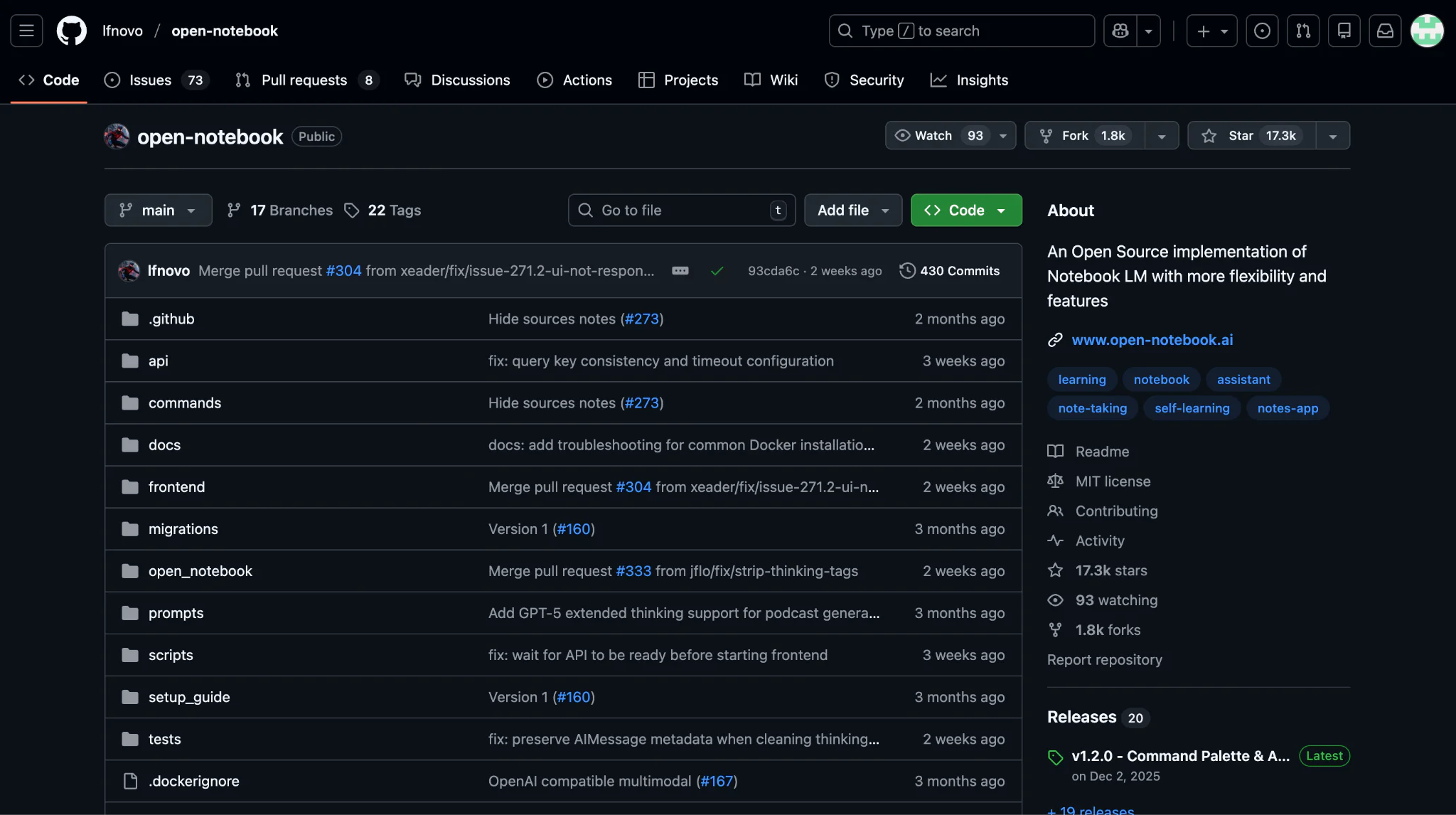
Open NotebookLM is an open-source, self-hosted alternative to Google's NotebookLM that allows you to deploy a privacy-focused research assistant on your own infrastructure.
Unlike the cloud-based original, Open NotebookLM runs entirely on your local network or personal hardware, giving you complete control over your data.
You can integrate it with multiple AI providers including OpenAI, Claude, Google Gemini, OpenRouter, Vertex AI, or even completely local models through Ollama.
The platform is designed for privacy-conscious researchers, students, and professionals who handle sensitive information and cannot risk uploading confidential documents to third-party servers.
Open NotebookLM replicates most of Google NotebookLM's core functionality, from document analysis and conversational chat to podcast generation and knowledge base creation, but requires technical expertise to deploy and maintain.
Where to find Open NotebookLM (GitHub)
The official repository is github.com/lfnovo/open-notebook, maintained by Luis Novo. That is where you get the source, the Docker files, the issues, and the discussions referenced later in this review. There is no app-store download and no hosted version, you self-host it from that repo.
Key Features of Open NotebookLM
- Multiple AI provider support. Unlike Google NotebookLM's reliance on Gemini, Open NotebookLM works with OpenAI, Claude, Gemini, Vertex AI, OpenRouter, and local Ollama models, so you pick the best model per task and switch when you need to.
- Privacy-first architecture. All processing happens on your own hardware or private cloud. Paired with local Ollama models, your documents never leave your device, which suits confidential legal documents, medical records, or proprietary business information.
- Podcast generation. Create AI audio summaries from your documents with customizable speakers and episode formats, similar to NotebookLM's audio overview, though quality depends on the text-to-speech provider you choose.
- Document knowledge base. Upload PDFs, Word docs, text files, and web links to build searchable knowledge bases. It uses embeddings to index your content and cites sources so you can verify answers against the originals.
- Transformation tools. Generate paper analysis, key insights, reflection questions, and tables of contents, which help you understand long documents without reading every page.
Is Open NotebookLM free?

Yes. Open NotebookLM is free and open source, so the software itself costs nothing. The only money you might spend is on AI provider API keys, OpenAI, Claude, or Gemini, and even that drops to zero if you run local Ollama models on your own machine.
- Software license: free, open source (lfnovo/open-notebook on GitHub).
- Local-only setup with Ollama: no recurring cost at all, just your own hardware.
- Cloud-model setup: you pay the provider directly for API usage (pay as you go).
Worth knowing, "free" here is not the same as the free Google NotebookLM plan, which is hosted and capped at 100 notebooks and 50 sources each. For those hosted caps, see NotebookLM source limits.
How to Set Up Open NotebookLM
You install it with Docker from the lfnovo/open-notebook repo, add API keys for at least one AI provider, assign a model to each task, then open the local web app. The official docs claim five minutes, but real setups usually take longer.

Open Notebook offers three installation methods: Docker Setup (recommended), Source Installation for developers, and Manual Setup for full control.
While the official documentation claims you can get running in 5 minutes with Docker, real-world user experiences suggest the process requires more technical expertise and troubleshooting than advertised.
System requirements:
- Docker Engine installed and running
- 4GB RAM minimum (more recommended)
- 2GB free disk space
- API keys for at least one AI provider (OpenAI, Anthropic, Google Gemini, Vertex AI, OpenRouter, or Ollama for local models)
Installation steps (Docker method):
- Clone or pull the Docker image. Access the Open Notebook repository and pull the latest Docker container image using Docker commands or Docker Desktop.
- Configure environment variables. Create a docker.env file and add API keys for your chosen providers, like OPENAI_API_KEY, ANTHROPIC_API_KEY, GOOGLE_API_KEY, VERTEX_PROJECT_ID, OPENROUTER_API_KEY, or OLLAMA_API_BASE.
- Configure docker-compose.yml. Specify which models to use for chat, embedding, text-to-speech, speech-to-text, transformation, and function calling. Each function needs an explicit model.
- Deploy and access. Run docker-compose up to start the container on port 8502, then open http://localhost:8502 in your browser.
- Configure models. Create a local account, go to the Models page, add your providers, and assign a model to each task before creating your first notebook.
User Reviews of Open NotebookLM

Most of the friction users report is setup, not the tool itself. The common themes are reverse-proxy and port problems, Ollama connection errors, and unclear docs. Here are real reports from the GitHub issues and discussions.
- "Everything works, but when I access it from the browser, I get the same error." This user struggled with reverse proxy setup and had to expose port 5055 to fix connectivity. elcerilla on GitHub
- "I've recently setup open notebook running in a docker container... 'Failed to send Message'." Hours of debugging connection-refused errors with Ollama before finding the right environment variable. kcwire on GitHub
- "I'm very new to open notebook (about 20 minutes in)" and already hitting connection errors. The learning curve is steep, especially for users new to Docker. qhartman on GitHub
- After following multiple guides and fighting connection and configuration issues, one user simply said: "Gave up." rabinnh on GitHub
Best Alternative to Open NotebookLM

If the Docker setup is more than you want to take on, the simplest private alternative on Mac is Elephas, which gives you the same on-device, source-grounded research with a one-click install. We also keep a wider roundup if you want options.
While Open NotebookLM offers privacy benefits, its complex setup and maintenance requirements make it impractical for most professionals.
If you want a knowledge assistant that combines privacy, power, and ease of use, you need a solution designed for your workflow without the technical overhead of self-hosting.
- For a full list of options, free and paid, see the best NotebookLM alternatives.
- If you mostly compare it against the big chat tools, read NotebookLM vs ChatGPT.
- Working with client files all day, here is a NotebookLM for consultants breakdown.
Elephas: Your AI knowledge assistant
Elephas is a privacy-first AI knowledge assistant for Mac, iPhone, and iPad. Like Open NotebookLM it keeps your data on your device, but it installs like any normal app, no Docker, no YAML, no per-task model config.
Elephas is a native Mac, iPhone, and iPad application that can be your personal AI knowledge assistant. The setup is simple, you just run it using built-in local LLM models, which install with one click, unlike the complex setup of Open NotebookLM.

It turns your documents, notes, and files into an intelligent knowledge base called "Super Brain" that you query conversationally.
It supports 20+ file formats including PDFs, Word documents, Apple Notes, Notion, Obsidian, Excel files, and even YouTube videos. Elephas becomes a second brain that remembers everything and does not send your data to cloud models when you use built-in local LLM models.
If you would rather not run local models, you can use Elephas with your own API keys for ChatGPT 5.5, Claude Opus 4.7, Gemini, and others. Some of the text from your query is sent to that provider, but nothing about your chats is stored on Elephas servers.
Smart Redaction
Most tools send your raw text straight to the cloud model. Elephas does not.
When you use a cloud provider like ChatGPT, Claude, or Gemini through your own API key, Smart Redaction first removes personal and sensitive details, names, emails, phone numbers, and other identifiers, and replaces them with placeholders. Only the cleaned text leaves your Mac.
The real details are restored locally in your final answer, so the cloud provider never sees them, and Elephas keeps zero data retention. Smart Redaction works on every Elephas plan, including the free one.


Trusted by 3,000+ professionals worldwide with a 4.7/5 Capterra rating, Elephas delivers serious AI research that anyone can set up in minutes.
Key Features of Elephas
- Super Brain knowledge management. Create multiple brains for different contexts, one for work, another for personal research, separate ones per project.
- Workflow automation. AI agents run multi-step workflows on their own, like document processing pipelines and email-response flows, in the background while you focus elsewhere.
- Cross-platform native integration. Works across macOS, iPhone, and iPad with automatic sync, native UI on each device.
- AI writing tools. Includes smart email replies, blog writing help, summarization, and custom AI commands.
- Integrations. Connect Notion, Obsidian, Apple Notes, DEVONthink, and chat with them directly without exporting and importing.
Pricing
Elephas starts at $19/month, and there is a free trial so you can test it before paying. Prices change, so check the live list on the Elephas pricing page. There are no lifetime deals.
Customer Reviews: Elephas
- "I really liked that Elephas is always close to you when you are working, close to your cursor ready to be activated, but it does not bother or get in the way of the work." Capterra review
- "I use Elephas regularly in the medical field, mainly to work with PDFs of scientific articles. The app is reliable, stable, and supports me excellently in my daily work." Capterra review
- "My overall experience with Elephas was great. The command to summon any LLM of my choice was a complete time saver. It provides a new way to interact with your notes, ideas, and documents." Capterra review
Why Elephas Is Better Than Open NotebookLM

- Zero setup complexity. Open NotebookLM needs Docker and YAML config. Elephas installs in minutes like any Mac app, add your API key or use built-in local LLM models, and start.
- Workflow automation with AI agents. Elephas runs multi-step automated workflows for document processing, email responses, and content generation. Open NotebookLM has no automation, so you repeat every task by hand.
- AI writing tools included. Elephas combines knowledge management with writing help, smart email replies, summarization, and custom commands. Open NotebookLM only does document chat and podcast generation.
- Cross-device sync. Elephas syncs your knowledge bases across Mac, iPhone, and iPad with optional iCloud. Open NotebookLM has no mobile apps and needs separate deployments per device.
- Lower total cost. Cloud API costs are similar for both, but Open NotebookLM adds server hosting, maintenance time, and data-loss risk from misconfiguration. Elephas folds everything into one subscription with no hidden infrastructure expenses.
For the full head-to-head, read NotebookLM vs Elephas.
Open NotebookLM vs Elephas: the verdict

Open NotebookLM (lfnovo/open-notebook) is a genuinely capable, free, open-source way to run private, source-grounded research on your own hardware. The trade-off is real setup work: Docker, environment variables, per-task model config, and the connection errors many users hit before it runs.
If you're comfortable with Docker, enjoy troubleshooting, and prefer working with open-source tools, Open NotebookLM could work well for you. The privacy benefits are real when paired with local AI models.
If you want the same private, on-device research without the technical headaches, Elephas is the simpler path on Mac.
You chat with your own documents, get summaries and writing tools, and run everything offline with built-in local LLM models, or bring your own cloud model with Smart Redaction in front of it. Pricing starts at $19/month, and you can start a free trial.
FAQs
Is Open NotebookLM open source?
Yes. Open NotebookLM (lfnovo/open-notebook) is fully open source and self-hosted, maintained by Luis Novo. The source code, Docker files, and issues live at github.com/lfnovo/open-notebook, and you run it on your own hardware, so no company stores your documents.
Is Open NotebookLM free?
Yes. The software is free and open source. You only pay for the AI provider API keys you choose, and that drops to zero if you run local Ollama models on your own machine.
Is Open NotebookLM the same as Google NotebookLM?
No. Google NotebookLM is a hosted, cloud product. Open NotebookLM is a separate open-source project (lfnovo/open-notebook) that copies many of its features but runs on your own infrastructure.
How hard is Open NotebookLM to set up?
Harder than the docs suggest. You need Docker, a docker.env with API keys, and per-task model config. Many users report reverse-proxy, port, and Ollama connection errors before it runs.
Is Open NotebookLM private, and can it run offline?
Yes. When self-hosted with local Ollama models, your documents never leave your hardware and it works without an internet connection. If you connect a cloud provider through an API key, that provider sees the text you send. Google's hosted NotebookLM cannot run offline at all.
What are good free alternatives to NotebookLM?
Besides Open NotebookLM, options include AnythingLM and Elephas (free trial). See the full list in our best NotebookLM alternatives guide.
Is there a simpler, more private alternative for Mac?
Yes. Elephas runs the same private, on-device, source-grounded research without Docker. It installs like any Mac app and uses built-in local LLM models in one click. When you use a cloud model, Smart Redaction strips personal details first, while Google NotebookLM processes your files on its servers. Pricing starts at $19/month with a free trial. See our NotebookLM vs Elephas comparison.