
Before you start
- Check the troubleshooting article for your problem first. Many fixes take a minute: startup errors, file import errors, API key errors, sync errors.
- If Elephas does not open at all, you can still find the log file in your data folder. See if Elephas will not open below.
Steps
1
Open Settings › Support
Open Settings and choose Support, the last pane in the list.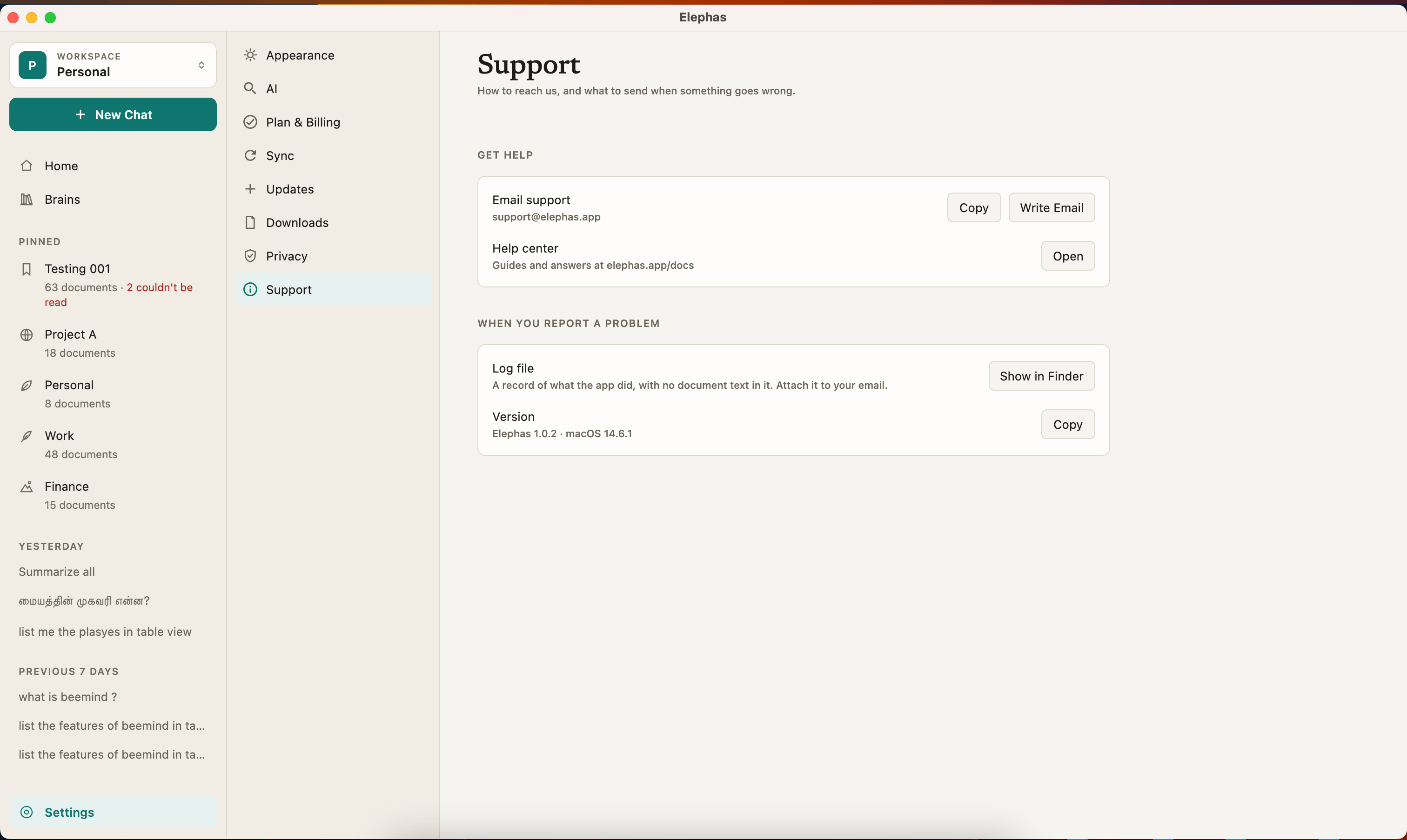
2
Start an email
Next to Email support, click Write Email. Your mail app opens with the subject “Elephas question” and your Elephas version and operating system already filled in. If no mail app is set up, click Copy and write from any email account.
3
Attach your log file
Next to Log file, click Show in Finder on Mac or Show in Explorer on Windows. Your file manager opens with
elephas.log selected. Drag it into your email.4
Describe what happened
Use the checklist below, then send.
What to include
- What you were doing, step by step, and what you expected.
- The exact message Elephas showed. Copy it, or attach a screenshot. Check the screenshot does not show confidential document text or names you do not want to share.
- When it happened, roughly, so we can find it in the log.
- Your version. The Version row in Settings › Support shows it, for example “Elephas 1.0.0 · macOS 26.5”. Click Copy next to it. Write Email adds it for you.
- Your log file,
elephas.log. If there is also anelephas.log.1next to it, attach that too. It holds the older part of the log. - Your Install ID, if you allow usage and error reports. Find it in Settings › Privacy and click Copy. It lets us find the anonymous error reports from your computer.
If Elephas will not open
Open the data folder directly and attachelephas.log from there.
- Mac
- Windows
In Finder, choose Go › Go to Folder, paste
~/Library/Application Support/Elephas Next, and press Return.How it works
The log file is designed to hold event names, error codes, counts and timings, never the text of your documents, your questions or answers, or file names. It grows to about 2 MB, then the older part moves toelephas.log.1. Elephas never sends the log on its own. You decide whether to attach it.
The email Write Email prepares holds only your version and operating system. No account details, document text or question text are added. See where your data is stored and usage reports.
Troubleshooting
Write Email does nothing
Write Email does nothing
Your computer has no default mail app set up. Click Copy next to the address and write from your usual email.
My problem is about billing or my plan
My problem is about billing or my plan
Email the same address. Include the email address of your Elephas account so we can find your plan. See invoices and payment method.