
Before you start
- You are using Elephas AI or your own API key. Local AI answers have no row, because nothing is sent.
- Protect personal information when using cloud AI is on in Settings › AI. See Personal information protection.
Steps
1
Ask a question
Ask a question in a chat as usual. When the answer is ready, look at the row of actions under it.
2
Find the row under the answer
Under the answer you see a row such as 3 details kept on this Mac · Review. On Windows it says this PC.
3
Open the list
Click Review. The Hidden from the cloud AI dialog opens with a count line, for example 3 details · kept on this Mac. Each hidden detail is listed with the stand-in label the AI saw, for example “Person 1”. Hover over a detail to see “Sent to the cloud AI as” followed by its stand-in.Use the filters All, People, Contact, Places and Dates, plus Numbers when there are any, to narrow the list.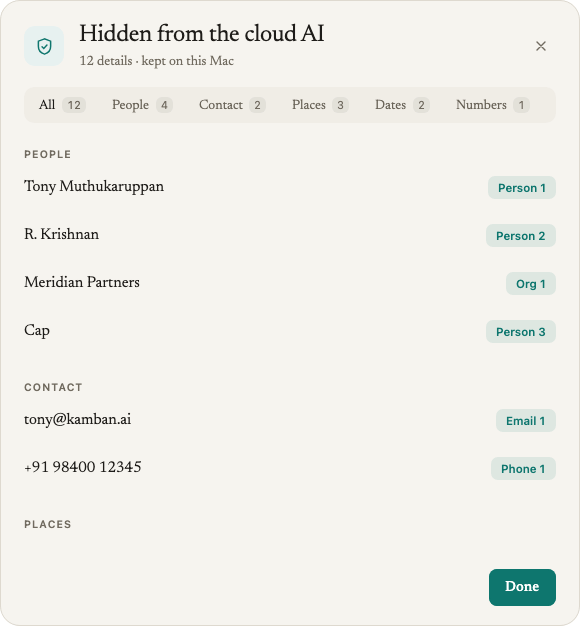
4
Close the dialog
Click Close.
How it works
Elephas replaced these details with stand-ins before anything was sent to the cloud AI, and put the real words back in the answer on your computer. What the count means. It is the number of different details, not the number of replacements. If a name appears ten times across several requests, it counts once. What the list covers. Everything hidden while Elephas produced that answer: your question, the chat history that was sent, and every passage the AI was given, including passages the final answer did not use. So it is not “the personal details in this answer”. It is what was kept out of the requests. “Nothing needed hiding”. Elephas checked your question and its sources before sending and found nothing that needed hiding. This is different from no row at all, which means hiding did not run. Some values are masked in the dialog. Card, bank and ID numbers show only their last four digits, for example •••• 1234. Passwords are fully masked. Everything else is shown as it appears in your files, because you are looking at your own documents on your own computer.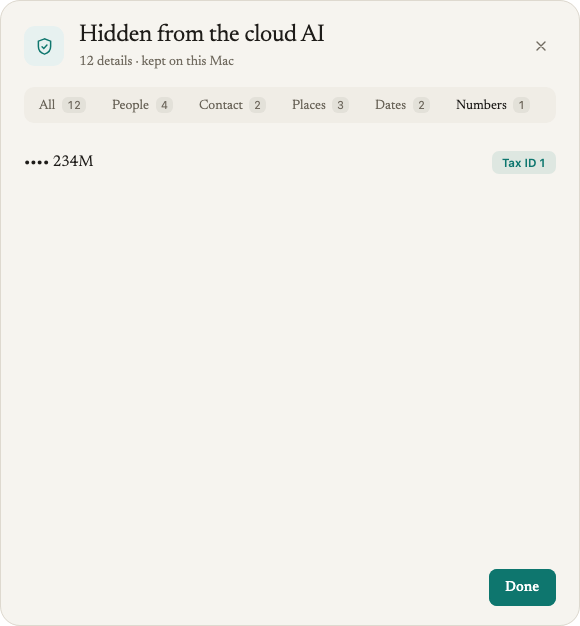
The list is kept in memory only
The row appears only for answers given in the current session.- The list is never saved to the database. Reopening an old chat, or restarting Elephas, shows no row on earlier answers.
- It is never synced. Your chat syncs with Personal Sync, but the list is not part of it, so the same answer on another computer shows no row.
- It is never written to the log. The log records only how many details were hidden.
Troubleshooting
I don't see the row under my answer
I don't see the row under my answer
Check which AI answers in Settings › AI. Local AI answers have no row. Then check that Protect personal information when using cloud AI is on in Settings › AI. Answers from an earlier session, or from before you switched workspace, also show no row.