
Personal Sync is part of the Professional plan. It is not included with Personal or the free trial. See Plans and pricing.
Before you start
- You need the Professional plan and to be signed in to your Elephas account in Settings › Plan & Billing. See Create your account and sign in.
- Professional works on up to 3 devices. Each computer that syncs takes one of them. See Device limits.
- Sync is off until you turn it on. Nothing about your Brains, files or chats goes to the sync server before then.
Steps
Setting up Sync takes two short jobs:- On your first computer, open Settings › Sync, choose This is my first device, and click Turn On Sync. See Turn on Sync.
- On each other computer, sign in with the same account, choose I already use Sync on another device, and approve it from your first computer by comparing five words. See Add a computer.
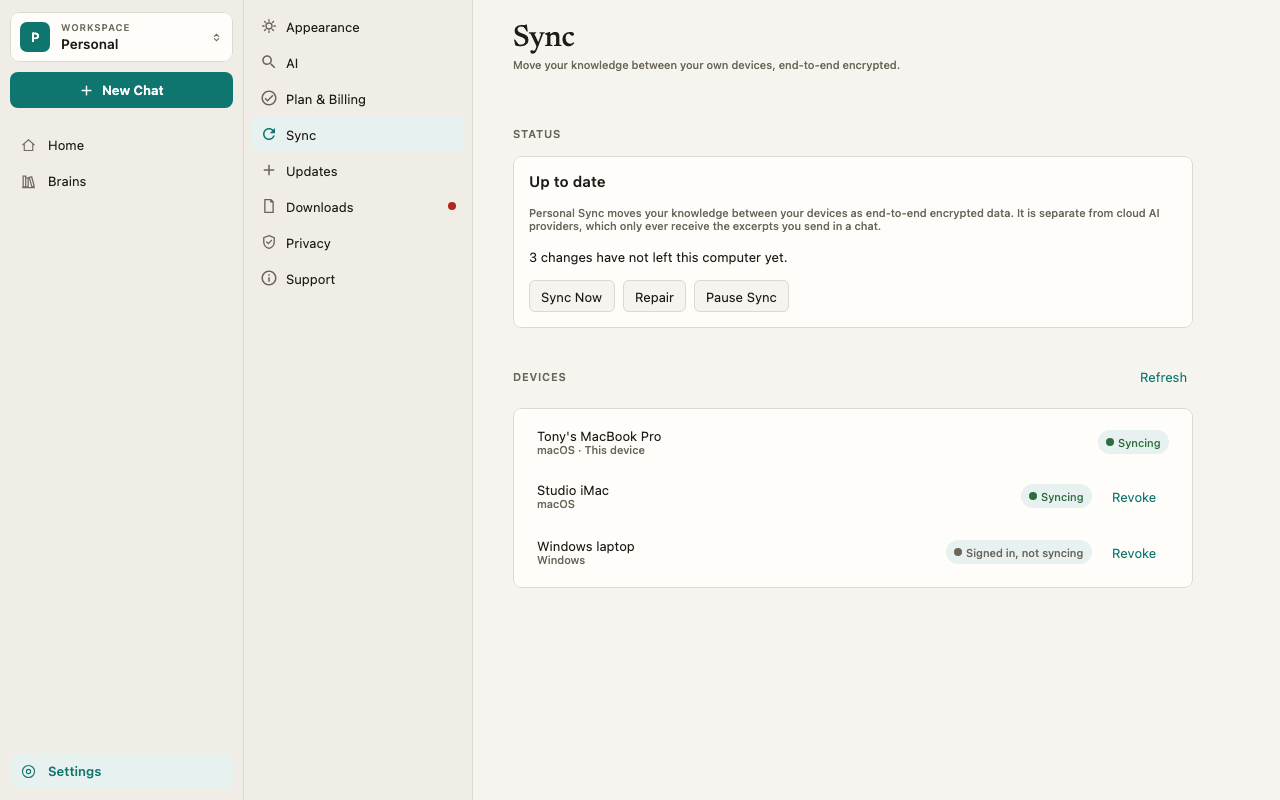
How it works
What moves, and what stays
Full list: What syncs.
End-to-end encrypted, on your devices
Each Brain has its own encryption key, and your chats have their own. Your computer encrypts each change before sending it. The sync server stores only encrypted data it cannot read, and the keys stay on your approved devices. Your Elephas account alone cannot unlock your data. See Sync encryption.The Elephas sync service, not iCloud or OneDrive
Personal Sync runs on Elephas’s own sync service. It does not use iCloud, OneDrive, Dropbox or a shared folder, and you do not need to set up any of them. That is also why a Mac and a Windows PC can sync with each other. Elephas never copies its database file between computers. It sends individual changes, such as “a document was added to this Brain”, so two computers can work at the same time without corrupting each other.Indexing still happens on each computer
When a document arrives from another computer, Elephas indexes it locally. Indexing happens on your computer. Always. The status reads Indexing synced documents while it works.Sync is not AI
Sync moves your knowledge between your own devices. It is separate from the AI that answers your questions, which only receives what you send in a chat. As the Sync pane puts it: “Personal Sync moves your knowledge between your devices as end-to-end encrypted data. It is separate from cloud AI providers, which only ever receive the excerpts you send in a chat.” See What data is sent to AI.There is no recovery
There is no password reset and no recovery service. If you lose every synced computer, nobody can recover your synced data, including Elephas. Keep Sync on at least two computers and keep your own copies of your original files. See Sync recovery.Personal Sync and Team workspaces
Personal Sync covers your Personal workspace. Team workspaces sync through the Team itself, under the Team’s own access rules. See Team Brains.Troubleshooting
Sync says it is part of the Professional plan
Sync says it is part of the Professional plan
Your account is on Personal or a free trial. The Sync pane shows Sync is part of the Professional plan. and “To change your plan, contact Elephas support.” See Upgrade your plan.
Sync shows Needs attention
Sync shows Needs attention
The line under the status says what went wrong and what to do. See Sync troubleshooting.
FAQ
Can Elephas read my synced data?
Can Elephas read my synced data?
No. The sync server stores encrypted data. The keys to read it stay on your approved devices. See Sync encryption.
Can I sync a Mac and a Windows PC?
Can I sync a Mac and a Windows PC?
Yes. Mac to Mac, Windows to Windows, and Mac to Windows all work.
Does Sync work on iPhone or iPad?
Does Sync work on iPhone or iPad?
No. Personal Sync works between the Elephas desktop apps for Mac and Windows.