
Before you start
- Ask a question first. See Ask questions about your documents.
- Citations work the same with Elephas AI, your own API key and Local AI, on every plan.
Steps
1
Look at the source cards above the answer
There is one card per file the answer quotes, with where it was quoted, for example Cited · p. 2 or Cited · ¶72, ¶76, +4. If inline citations are on, hovering a card highlights its numbers in the answer.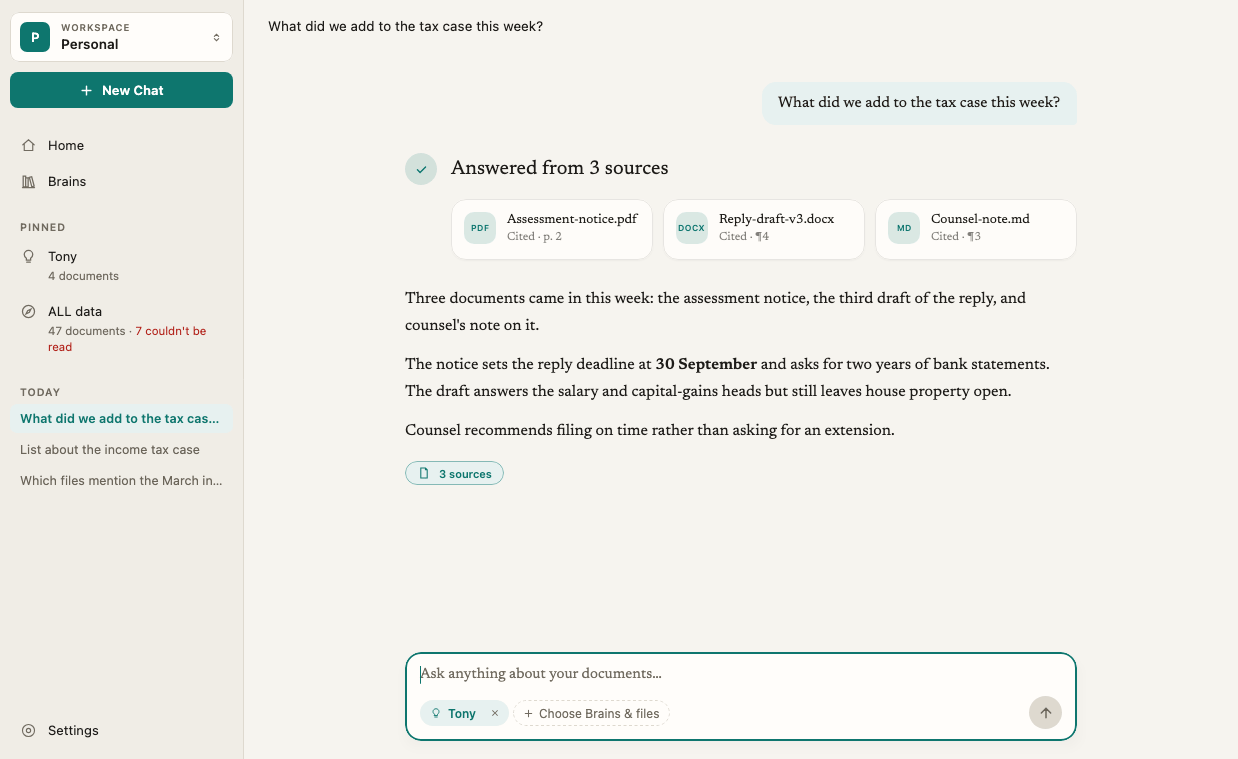
2
Open the Sources panel
Click the N sources button under the answer, click a source card, or click a number in the answer. The Sources panel opens on the right. Its header counts quotes, for example 2 of 5 cited.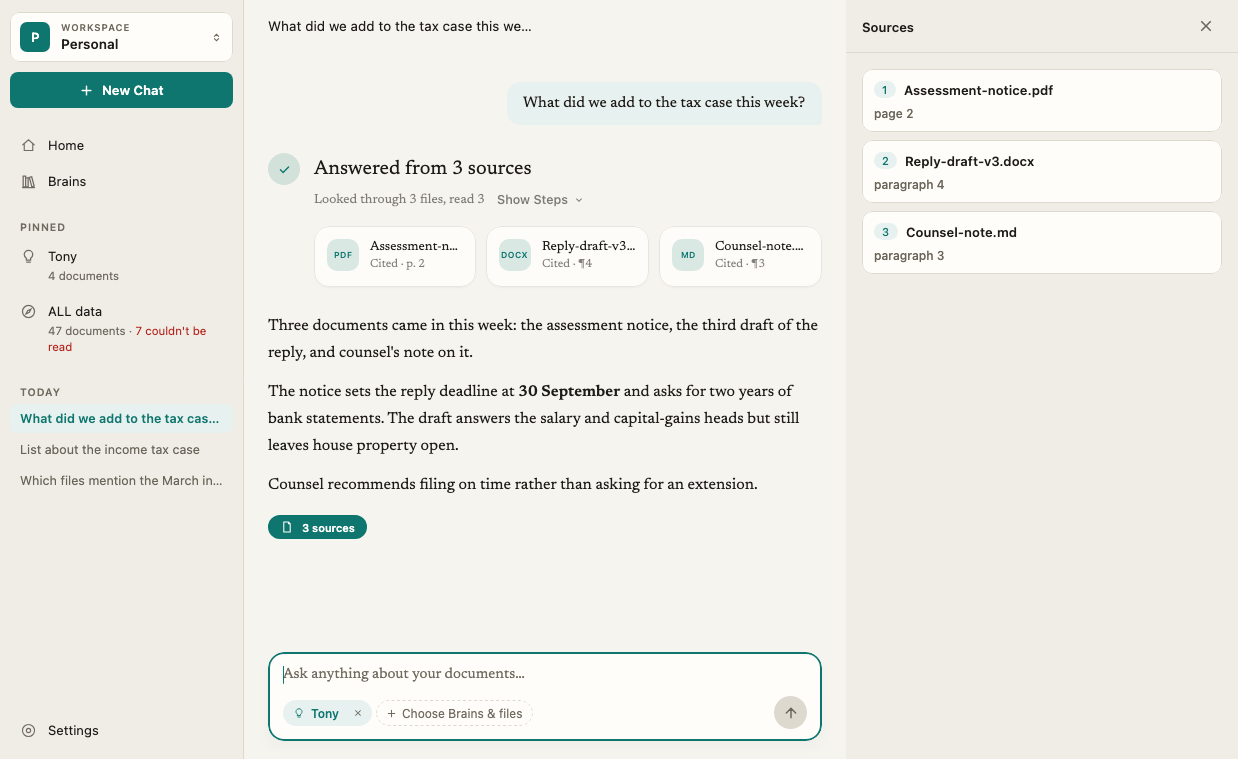
3
Read a passage
The panel has one card per quote, with its number, the file and where it sits, for example p. 4, slides 3–5, sheet 2 or lines 10–12. When the answer quotes several Brains, the place reads Brain · p. 2. Click a card to read the passage.
4
Find the original file
On the open card, click Show in Finder (Mac) or Show in File Explorer (Windows). Your file manager opens with the original file selected.
5
Close the panel
Click ✕ or press Escape.
How it works
Only exact passages are cited
Elephas cites the passage of your document that states the fact. Summaries and search snippets help Elephas decide where to look, but they are never cited.Inline citation numbers
With Show inline citations on, each claim in the answer carries a small grey number. Click it to open that passage in the Sources panel. With it off, the answer text has no numbers, and the source cards and the N sources button still list every source.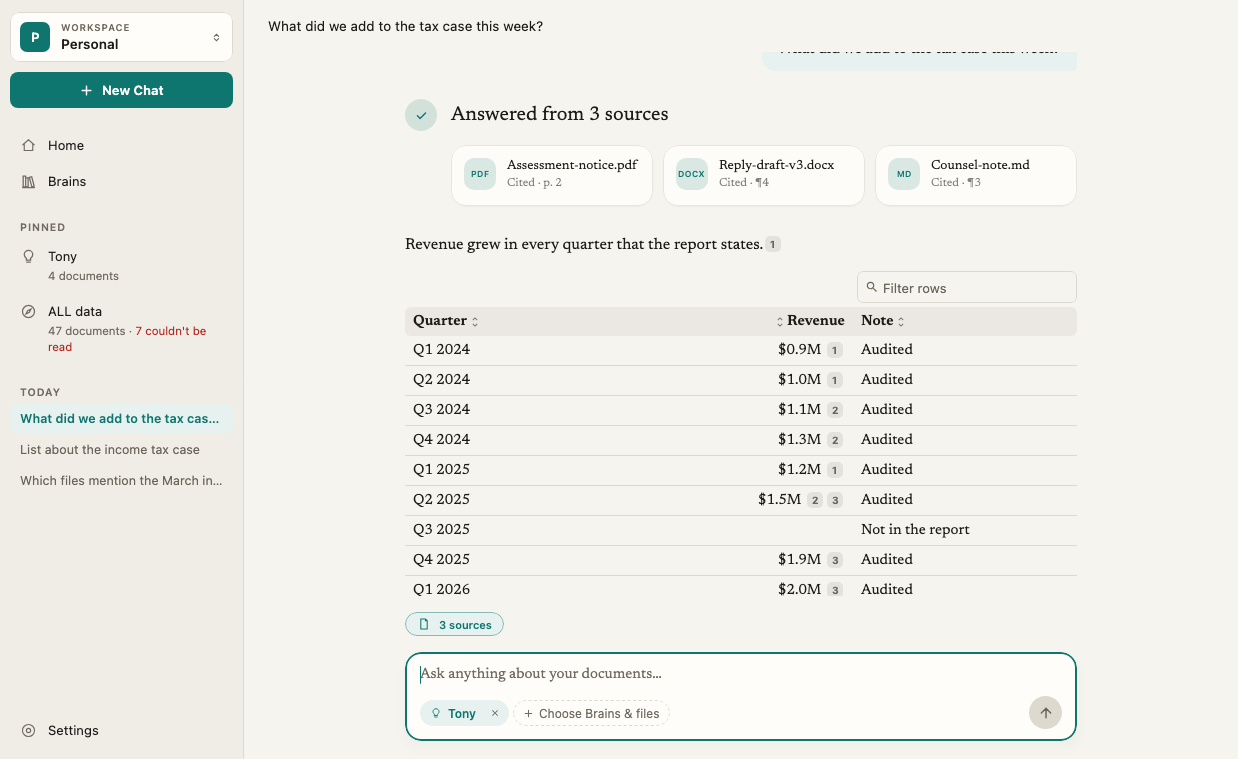
Sources in tables
In a table, a cell that came from your documents shows a small grey pill. Click it to open that passage.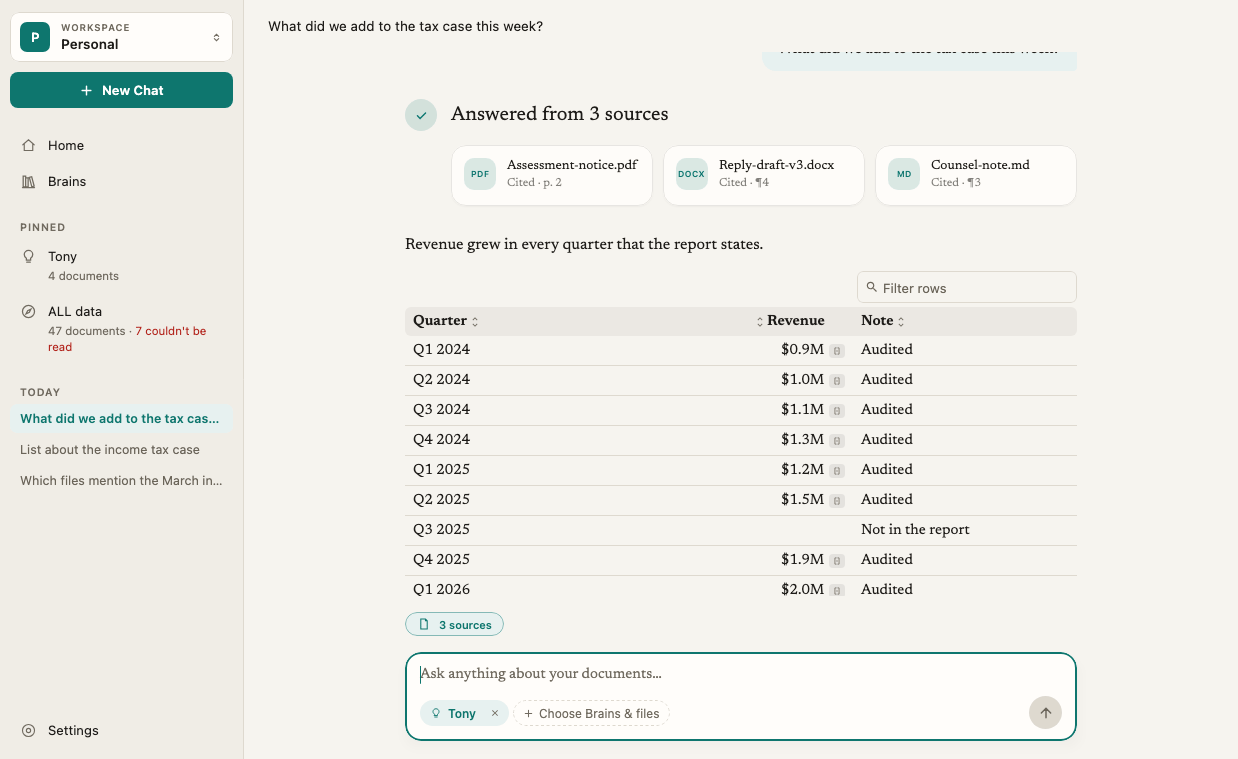
Double-check an answer
Double-check answers in Settings › AI checks every sentence against your sources before the answer is shown. It is off by default, slower, uses more of your AI allowance, and isn’t used with Local AI. The setting applies to this computer only. To check one answer without turning it on, open the answer’s ⋯ menu and choose Double-check This Answer. Elephas asks again with checking on and adds the new answer below. Double-check also works on big tables. Each cell is checked against its row.What the Sources panel shows
- Quotes at the top, one card per quote, in the order the answer uses them.
- Below a divider, files that were searched but not quoted, marked not used, read, in scope or couldn’t be read. This is where to look if you expected a file to be quoted and it wasn’t.
- If the answer quotes nothing, the panel says No quotes were linked to this answer.
Answers stay checkable later
Elephas keeps its own copy of the text of every file you add. If you move or rename the original, the citation still shows the right passage. Show in Finder then says That file is no longer where it was added from. The answer still quotes it correctly. When you retry an older question, Elephas may say N sources changed since this question was asked. If your sources change while an answer is being prepared, Elephas says Your sources or access changed while this answer was being prepared. Retry to use the current state.Hidden details
When Elephas hid personal details before sending your question to cloud AI, a row under the answer reads N details kept on this Mac · Review (this PC on Windows). See Review hidden details and What data is sent to AI.Troubleshooting
A card says Source no longer available
A card says Source no longer available
The document was removed from its Brain, or its text changed since the answer was written. If you see Support passage changed or is unavailable, the document was updated and that exact passage is gone. Ask the question again to get an answer from the current version. See Update documents and versions.
Show in Finder doesn't open the file
Show in Finder doesn't open the file
If Elephas says Your computer would not show that file., the file may be on a drive that is not connected. If it says the file is no longer where it was added from, it was moved or deleted. The citation itself is still correct. If it says This source isn’t a file on this computer, so there is nothing to show., the source was not added from a file on this computer.
I don't see numbers in the answer
I don't see numbers in the answer
Inline citation numbers are off by default. Turn on Settings › AI › Show inline citations. The source cards and the N sources button list the sources either way.
A document I expected is listed as couldn't be read
A document I expected is listed as couldn't be read
Elephas could not get text from it, for example a scanned page without text recognition or a damaged file. See Scanned PDFs and images and File import errors.