
Before you start
- You need an internet connection to download a component. Once downloaded, components work offline.
- Elephas checks every file it downloads against a fingerprint built into the app, and refuses anything that does not match.
What is in Downloads
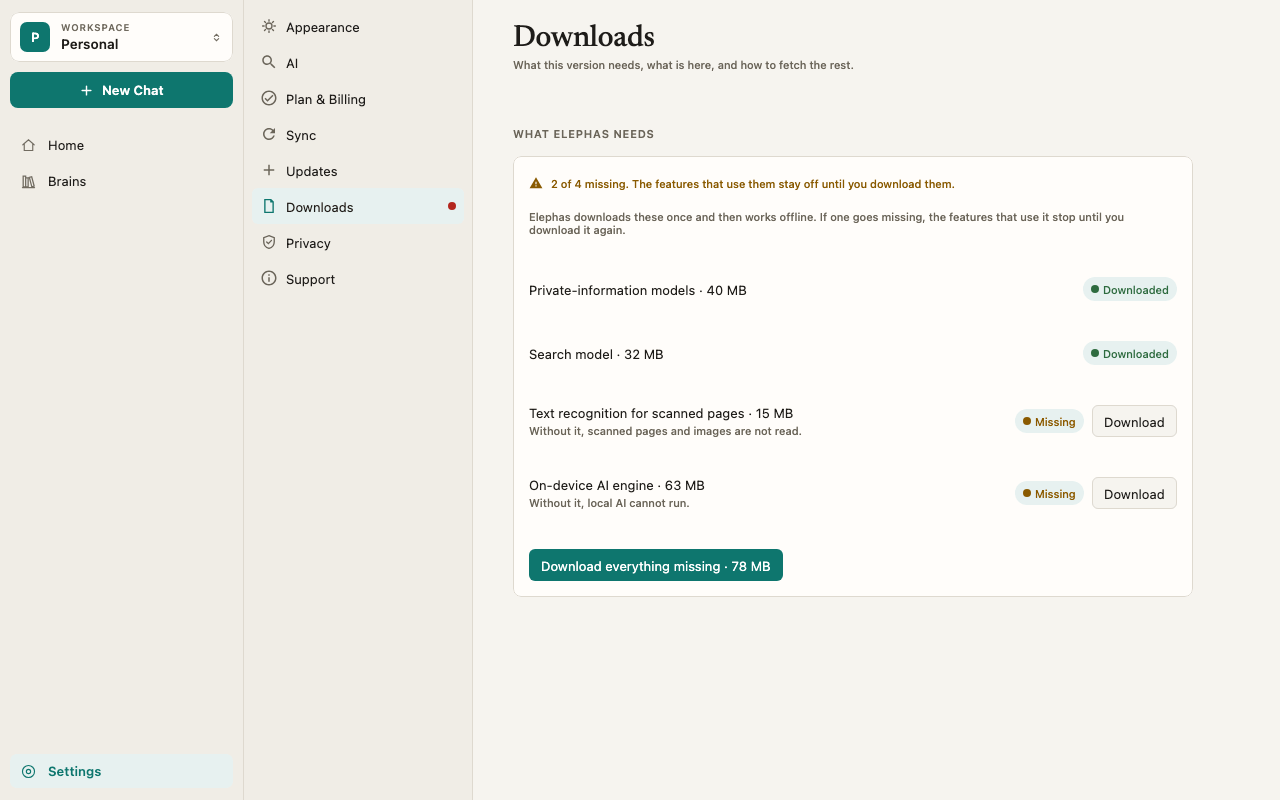
Together they are about 50 MB. Each row shows its size and a Downloaded or Missing label. The Local AI engine and model are not in this list. You set them up in Settings › AI. See run Local AI.
Steps
Check and repair
1
Open Settings › Downloads
Click Settings in the sidebar, or press ⌘, on Mac or Ctrl+, on Windows, then choose Downloads. A dot next to Downloads in the pane list means something is missing.
2
Read the summary at the top
Everything is downloaded. Elephas works offline. means there is nothing to do. If something is missing, the summary says how many, for example 1 of 4 missing. The features that use them stay off until you download them.
3
Download what is missing
Click Download next to a missing component, or Download everything missing to get them all. A progress bar shows how much has arrived.
4
Retry anything that failed
If you added scanned files while text recognition was missing, open their Brain and click Retry on each one.
Repair from the banner
If a component goes missing while you are working, Elephas shows a banner: Some features are unavailable until Elephas finishes downloading what it needs. Click Repair. Elephas starts the download and opens Settings › Downloads so you can watch it finish.How it works
Why cloud AI waits for the privacy models
The private-information models are what let Elephas hide personal details on your computer before your question and passages go to Elephas AI or your own API key. If personal information protection is on and these models are missing, Elephas does not fall back to weaker protection or send your text unprotected. It stops and shows: Elephas can’t protect personal information until it finishes downloading. Nothing was sent. Open Settings to finish setting up, or turn the protection off. Download Private-information models, then ask again. Turning protection off in Settings › AI lets cloud AI answer without it, and sends your question and passages as they appear in your documents. See personal information protection and what data is sent to AI. Local AI does not need these models, because it sends nothing to the cloud.Your library keeps working
A missing component never locks you out of your library. Your Brains, documents and chats stay available, and only the features that use the missing component pause. Indexing happens on your computer. Always. These components are what make that possible.There is no Delete
Downloads has no button to delete a component. Each one is small and needed for a feature you use. To remove everything, see uninstall Elephas.Troubleshooting
For more, see first-run download failed.