What Features Does Apple Notes Not Have?
Apple Notes lacks advanced search filters, native templates, comprehensive AI tools beyond Image Wand and Math Notes, granular collaboration permissions, version history tracking, and robust workflow automation. While it offers basic note-taking with Smart Folders and real-time collaboration, these limitations push power users toward alternatives that provide semantic search, automated organization, AI summarization, and deeper integrations with knowledge management tools.
Quick Summary
Apple Notes works well for basic note-taking but lacks critical features power users need:
- Search: No saved queries, semantic search, or fuzzy matching. Performance degrades with 500+ notes.
- Organization: Rudimentary tags with no hierarchy or bulk assignment. No native templates or custom views.
- AI Features: Limited to Image Wand and Math Notes. No document summarization, auto-tagging, or conversational search.
- Collaboration: Only two permission levels. No threaded comments, activity logs, or version comparison.
- Cross-Platform: Apple ecosystem only. No native Android/Windows apps, limited web functionality.
- Power Features: No version history, limited automation, basic formatting, and no deep third-party integrations.
This comprehensive breakdown explores each limitation and shows how Elephas fills these gaps with semantic AI search, offline processing, multi-provider AI support, and integration with professional knowledge management tools like Obsidian and Notion.
Search Limitations in Apple Notes

Apple Notes provides basic keyword search across your notes, but several critical search capabilities remain missing. While the app includes suggested searches like “Notes with Attachments” or “Notes with Drawings,” it cannot save these searches for repeated use. You must manually recreate each search query every time you need it.
The app lacks date range filters that let you search for notes created or modified within specific timeframes. Though you can use natural language queries like “notes created last month,” the filtering options remain limited compared to dedicated knowledge management tools. You cannot filter by specific attachment types beyond broad categories, making it difficult to find notes containing particular file formats.
Apple Notes includes basic OCR for scanned documents and handwritten text, but it struggles with complex handwriting recognition. The search function does not support fuzzy matching for typos, so misspelled terms won't return relevant results. In large note libraries with hundreds of entries, search performance degrades and relevant notes can be difficult to locate.
Missing Search Features:
| Feature | Status in Apple Notes | Impact |
|---|---|---|
| Saved search queries | Not available | Must recreate searches manually |
| Advanced date filters | Limited natural language only | Cannot specify exact date ranges |
| Attachment type filters | Basic categories only | Hard to find specific file types |
| Fuzzy matching | Not supported | Typos return no results |
| Semantic search | Not available | Cannot search by meaning or context |
| Search performance at scale | Degrades with large libraries | Slow with 500+ notes |
These search gaps make Apple Notes suitable for small collections but frustrating for extensive knowledge bases where finding specific information quickly becomes critical.
Organization Gaps: Limited Tag System and Missing Features

Apple Notes supports nested folders with subfolders, allowing basic hierarchical organization. You can create a “Work” folder with subfolders for “Projects” and “Meetings.” Smart Folders automatically filter notes based on criteria like tags, dates, and attachments, reducing manual sorting effort.
However, the tag system remains rudimentary. While you can add tags like #work or #shopping anywhere in a note, Apple Notes offers no tag hierarchy, bulk tag assignment, or color coding. You cannot create parent-child tag relationships or assign tags to multiple notes simultaneously. Each tag must be added manually to individual notes.
The app lacks custom views that many competing applications provide. You cannot switch between kanban boards, mind maps, or database-style properties for notes. Notes exist solely in list format within folders, with no alternative visualization options.
Apple Notes has no native template system. Users must create workarounds by duplicating notes or using the Shortcuts app to generate plain text templates. These workarounds don't support advanced formatting like bold text, checklists, or tables within templates. The Shortcuts method is limited to plain text and cannot auto-fill dates, create recurring notes, or generate dynamic fields.
Smart Folders help organize content automatically, but they cannot fully replace true nested hierarchies with custom metadata. The inability to add custom properties to notes means you cannot track status, priority, or other attributes that project management tools routinely support.
Missing AI Features in Apple Notes
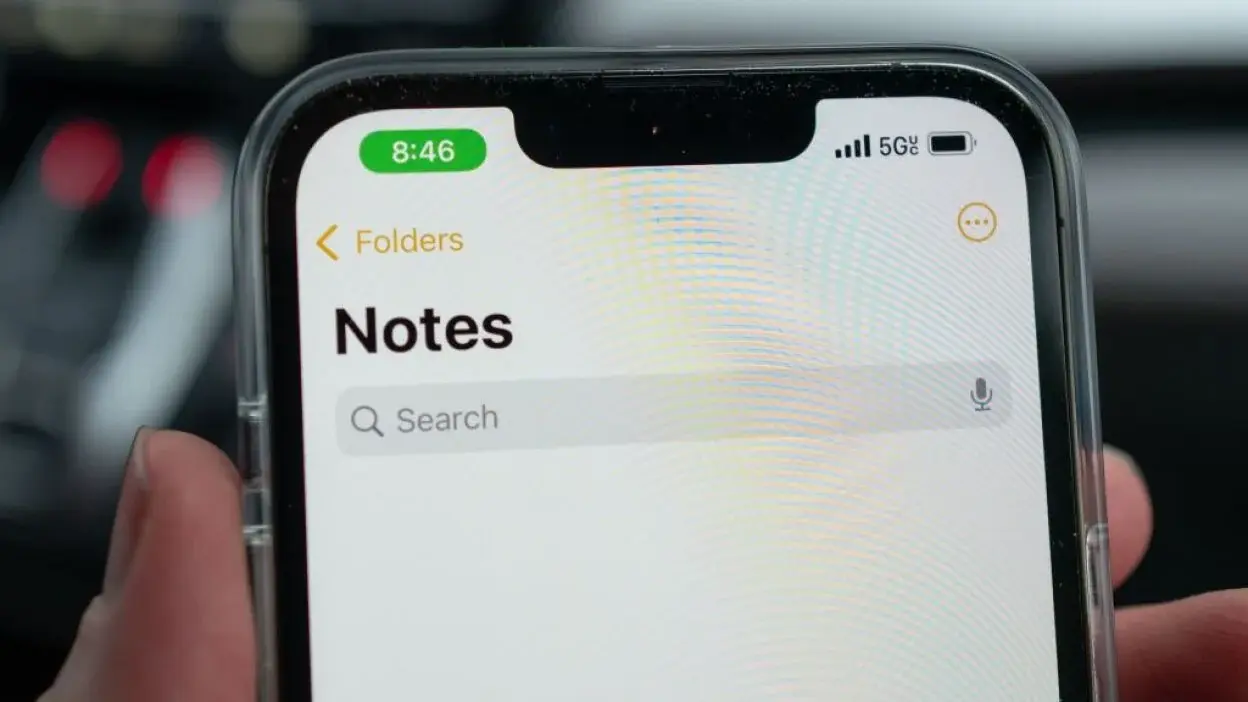
Apple Intelligence adds specific features to Apple Notes: Math Notes for handwritten calculations, Image Wand for transforming sketches into images, and Writing Tools for proofing and rewriting text. Image Wand can generate images from rough drawings or empty spaces based on surrounding context, with three styles available: Sketch, Illustration, and Animation.
These features require specific hardware: iPhone 15 Pro or newer, iPhone 16 models, iPad mini with A17 Pro chip, or iPads with Apple silicon. The Writing Tools provide context-aware editing embedded at the OS layer, capable of proofreading, summarizing, formatting, and rewriting selected text.
However, Apple Notes lacks AI summarization for entire notes or collections of notes. You cannot ask the app to extract key points from a long meeting note or research document. No auto-tagging based on content analysis means you must manually categorize every note with appropriate tags.
Also, semantic search the ability to find notes by meaning rather than exact keywords is absent. You cannot query your notes conversationally or ask questions like “What did we decide about the marketing budget?” without knowing the exact terms used in the relevant notes. The app cannot extract action items automatically from meeting notes or identify tasks buried within longer documents.
Apple Notes does not generate outlines from existing content or help restructure notes into different formats. Users must copy content to external AI tools like ChatGPT or Claude for these capabilities, breaking their workflow and moving sensitive information outside their secure Apple ecosystem.
Siri integration remains basic, limited to creating new notes or opening existing ones through voice commands. Siri cannot analyze note content, answer questions about your notes, or perform intelligent operations on the information you've stored.
Collaboration Constraints
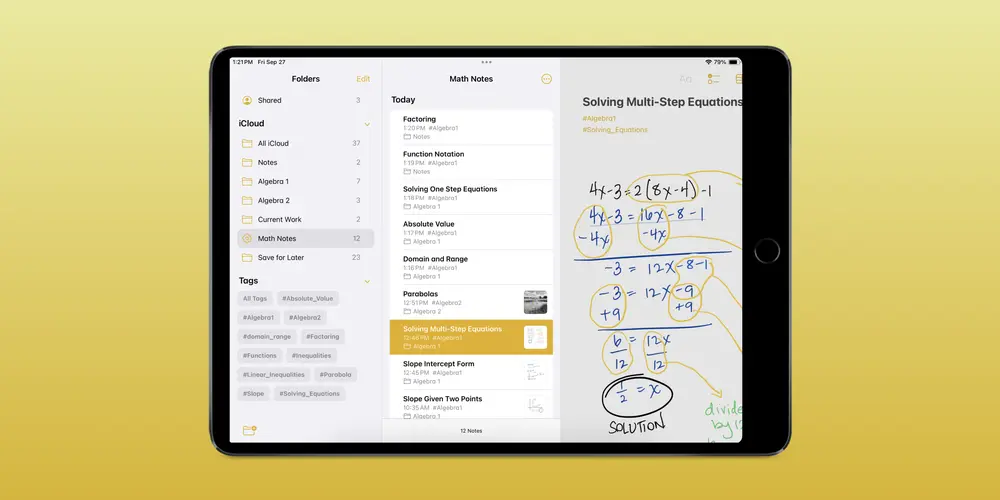
Apple Notes supports real-time collaboration, allowing up to 100 people to work on a shared note or folder simultaneously. Participants see changes from others in real time, and you can use @mentions to notify specific collaborators of updates, though they must already have access to the shared note.
The collaboration features contain notable limitations. While Apple claims real-time editing, changes sync sequentially through iCloud rather than showing live cursors indicating where others are typing. Multiple people editing the same section can cause conflicts where your typed content disappears seconds later as another person's changes overwrite it.
The app offers only two permission levels: view-only and edit access. You cannot grant permission to edit specific sections while keeping others locked, assign tasks to team members within notes, or restrict certain collaborators from deleting content. Granular access controls available in tools like Notion or Google Docs do not exist.
Apple Notes provides no in-note commenting system beyond @mentions. You cannot leave threaded comments tied to specific paragraphs or sections for discussion. There's no activity log showing who made what changes when, and no version comparison showing differences between previous states of a note.
Collaboration works only between Apple devices (iPhone, iPad, Mac, or iCloud.com). There's no native Android or Windows app, limiting cross-platform collaboration. The iCloud web version supports collaboration but lacks many features available on native apps, and users report notes sometimes don't save properly on Windows PCs through the web interface.
Recent iOS 26 updates promise improved collaboration features with better change tracking and integration with FaceTime and Messages, but the fundamental limitations around permissions, commenting, and version control remain.
Performance and Cross-Platform Issues
Apple Notes exhibits performance degradation with large notes containing 100 or more pages, numerous images, or heavy multimedia content. Users report scroll lag, delayed search results, and UI glitches when individual notes approach 10-20MB in size. While Apple doesn't publish official file size limits, practical experience shows that performance issues emerge well before hitting storage constraints.
Recent iOS 18 updates have created PDF file size problems. Users report that scanned documents in Apple Notes generate significantly larger PDF files than before, sometimes exceeding attachment limits when attempting to share them. Some users have found the Notes app consuming 25GB or more of storage despite having only modest collections of text notes, suggesting inefficient file management.
Cross-platform parity remains inconsistent. iOS and iPadOS often receive features before macOS, creating temporary gaps in capabilities across devices. The macOS version sometimes lags behind mobile versions for quick actions, handwriting features, and newer Apple Intelligence capabilities.
The iCloud web version (iCloud.com) provides only basic functionality. It lacks document scanning, full folder management, and most advanced features available on native apps. Touch gestures like pinch-to-zoom don't work, and the interface feels less intuitive than native applications. Users can only work with notes stored in iCloud, not notes in Yahoo, Gmail, or other connected accounts.
Android and Windows users have no native Apple Notes app. Access through iCloud.com is read-only in most practical scenarios, and the web interface continues to have reliability issues on non-Apple devices. This makes Apple Notes unsuitable for teams working across different platforms or organizations with mixed device ecosystems.
What Power Users Need (That Apple Notes Doesn't Offer)
Power users frequently require capabilities beyond Apple Notes' current feature set. Per-note password protection exists but comes with significant limitations: you cannot lock notes containing tags, PDFs, audio, video, or files from Keynote, Pages, and Numbers. The locked notes system doesn't integrate with iCloud's end-to-end encryption for shared notes with external collaborators.
Bi-directional integration with calendars, task managers, and project management tools is absent. While Apple's Shortcuts app provides basic automation, it cannot create sophisticated workflows with conditional logic, loops, or deep integrations that professional applications demand. Third-party integrations often require unreliable workarounds.
Rich formatting options remain limited. Apple Notes doesn't support custom fonts, extensive color options for text and highlights, or advanced table formatting. You cannot embed videos, interactive charts, or rich media galleries within notes while maintaining performance. For publish-ready documents requiring precise formatting, users must migrate to Apple Pages or other word processors.
Version history tracking doesn't exist. The Notes app doesn't maintain an accessible history of changes made to specific notes over time. Users cannot view visual diffs showing what changed between versions or roll back to previous states after accidental edits. This is a critical gap that competitors have offered for over a decade.
Workflow automation beyond basic Shortcuts remains impossible. Apple Notes lacks robust APIs for building complex, secure workflows needed for professional use. Enterprise users who need audit trails, compliance documentation, and sophisticated access controls must look elsewhere.
These gaps explain why serious knowledge workers, researchers, and collaborative teams eventually migrate to alternatives like Obsidian, Notion, or specialized tools that provide the depth Apple Notes lacks.
Meet Elephas: AI Note Assistant Built for Mac
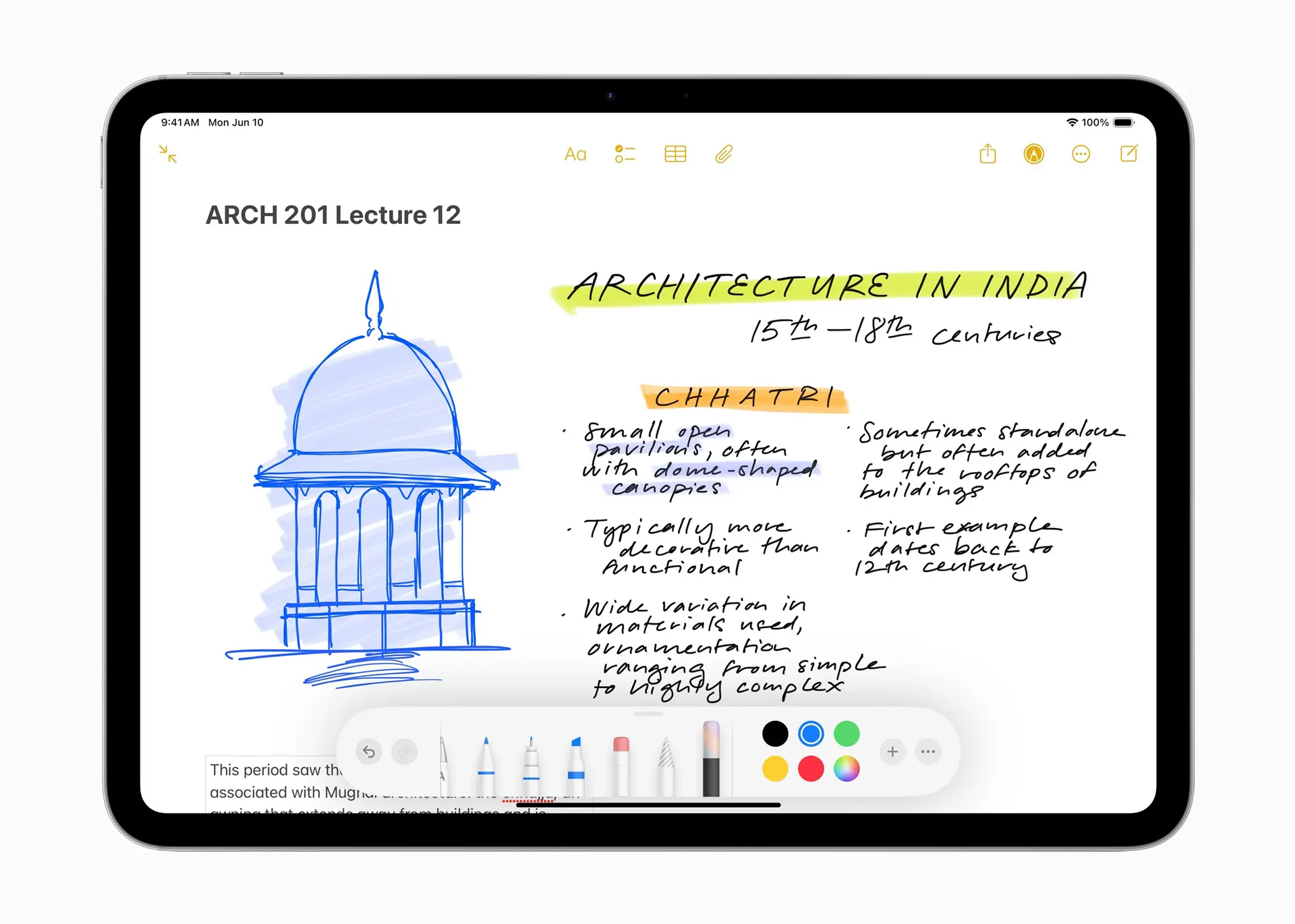
Where Apple Notes reaches its limits, Elephas begins. Built specifically for Mac users who need more than basic note-taking, Elephas is an AI-powered assistant that changes how you interact with your knowledge base. Rather than replacing Apple Notes, Elephas extends your Mac's capabilities to work intelligently across all your documents, notes, and applications.
Elephas operates as a comprehensive AI layer for your Mac, designed for users who hit Apple Notes' constraints around search, organization, and AI features. It integrates with your existing tools, including Obsidian, Notion, Logseq, and DEVONthink, rather than forcing you into another proprietary system.
How Elephas Solves Apple Notes Search and Organization Gaps

Apple Notes offers basic keyword search with limited filtering options. Elephas provides semantic AI search across all your notes and documents, understanding meaning rather than just matching exact words. You can ask questions conversationally and find relevant information even when you don't remember specific terminology.
Apple Notes limits folder organization to nested hierarchies with basic tag systems. Elephas integrates with powerful knowledge management tools like Obsidian, Notion, LogSeq, and DEVONthink, letting you maintain unlimited organizational structures with bi-directional linking, graph views, and custom metadata properties.
Apple Notes requires manual workarounds to create templates using the Shortcuts app, supporting only plain text without advanced formatting. Elephas includes workflow automation and reusable AI agents that can execute multi-step tasks, generate structured content, and adapt to your specific needs without technical setup.
Apple Notes demands manual categorization, tagging, and extraction of insights from your notes. Elephas automatically extracts action items, key points, and insights from your documents, saving hours of manual processing. It can summarize lengthy notes, identify patterns across multiple documents, and surface connections you might miss.
AI Features Apple Notes Misses (That Elephas Has)
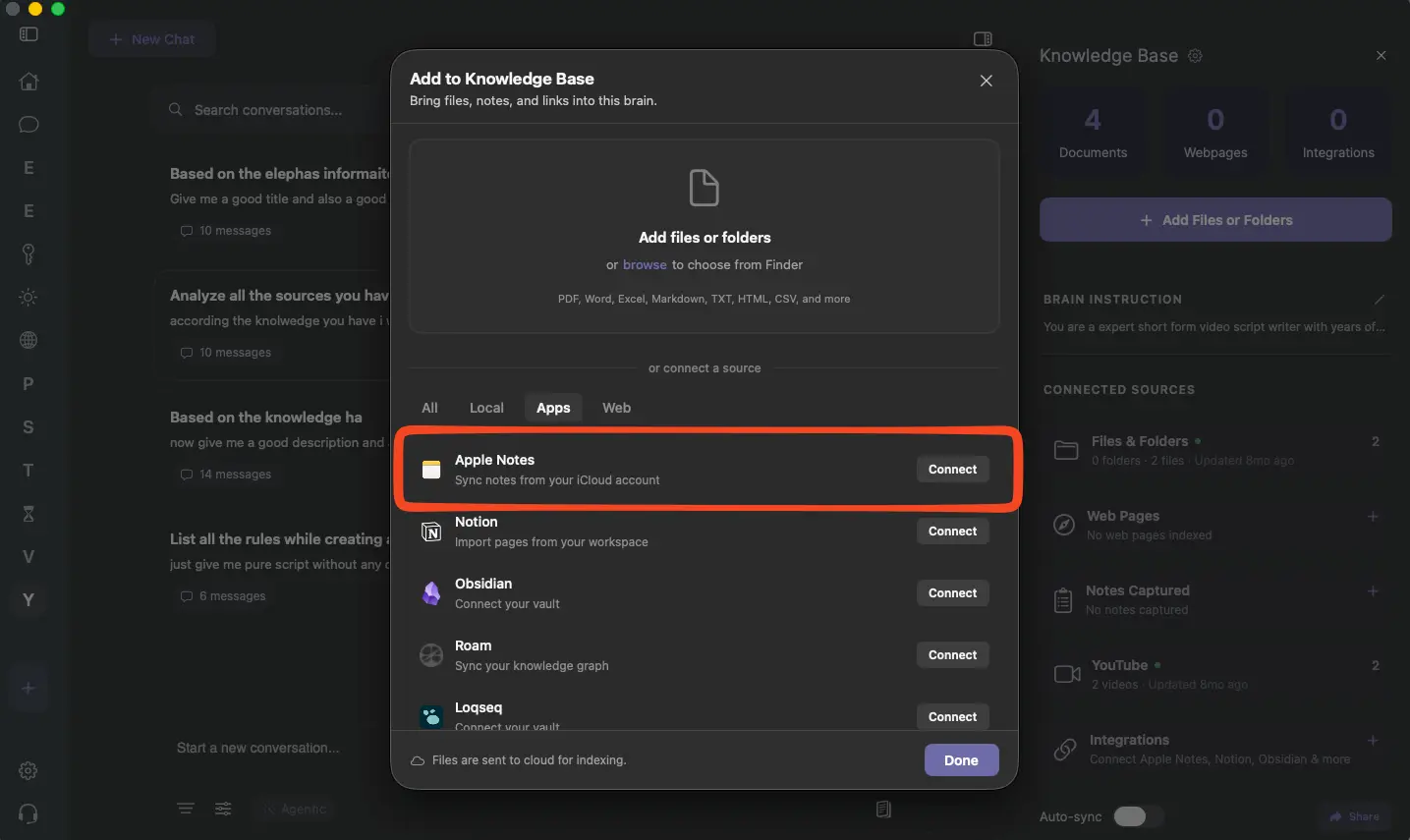
Apple Notes lacks AI summarization beyond the Writing Tools' ability to summarize selected text. Elephas summarizes entire documents, collections of notes, and research libraries instantly, providing concise overviews of lengthy material without requiring you to select specific sections.
Apple Notes cannot engage in conversational queries about your knowledge base. Elephas lets you chat with your notes, asking questions that pull relevant information from across all your documents. Instead of manually searching and reading multiple notes, you receive synthesized answers with source citations.
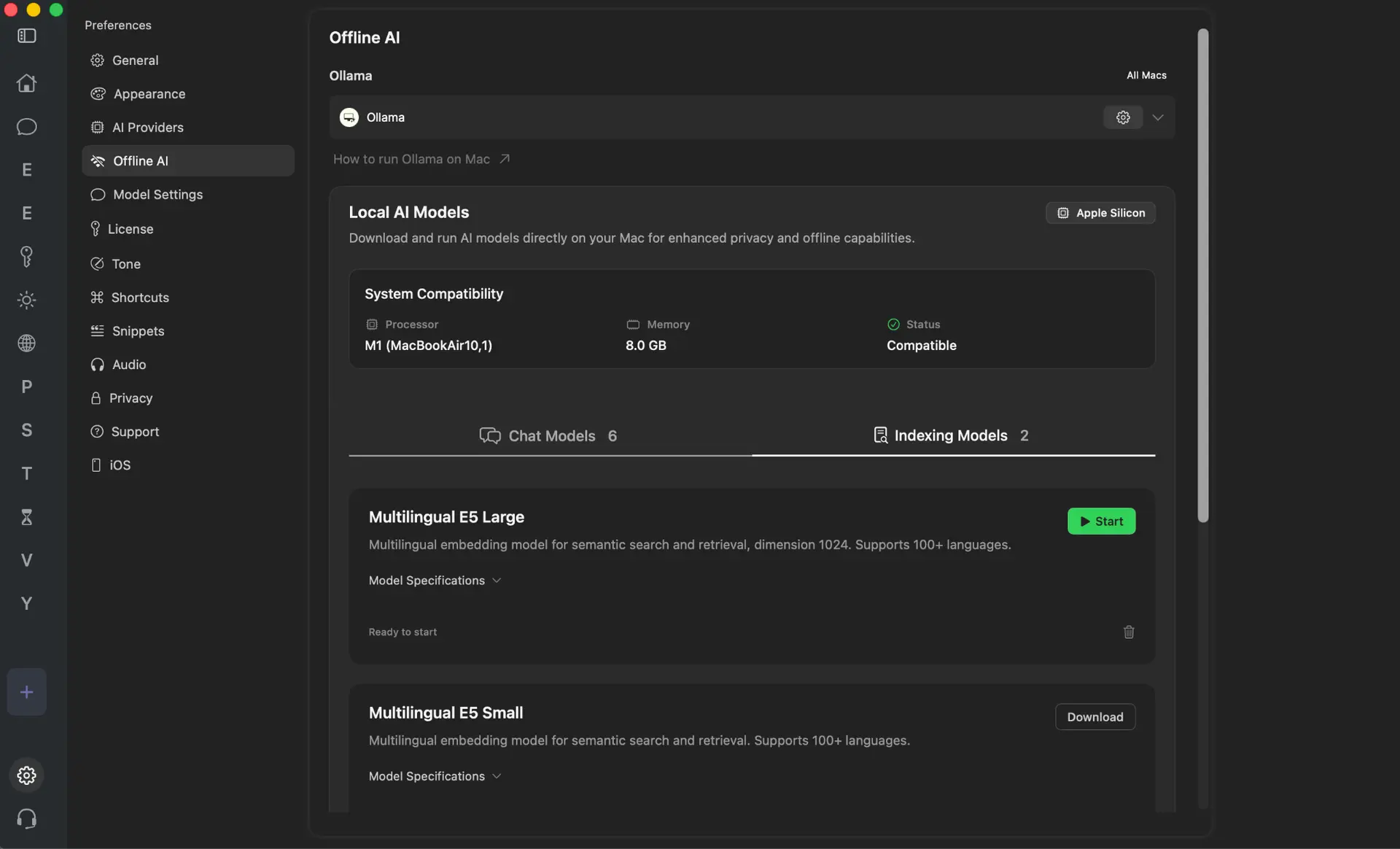
Apple Notes requires internet connectivity for Apple Intelligence features, sending data to Apple servers for processing. Elephas works completely offline with built-in local AI models, keeping everything on your Mac. Your sensitive information never leaves your device, providing true privacy for confidential notes and research.
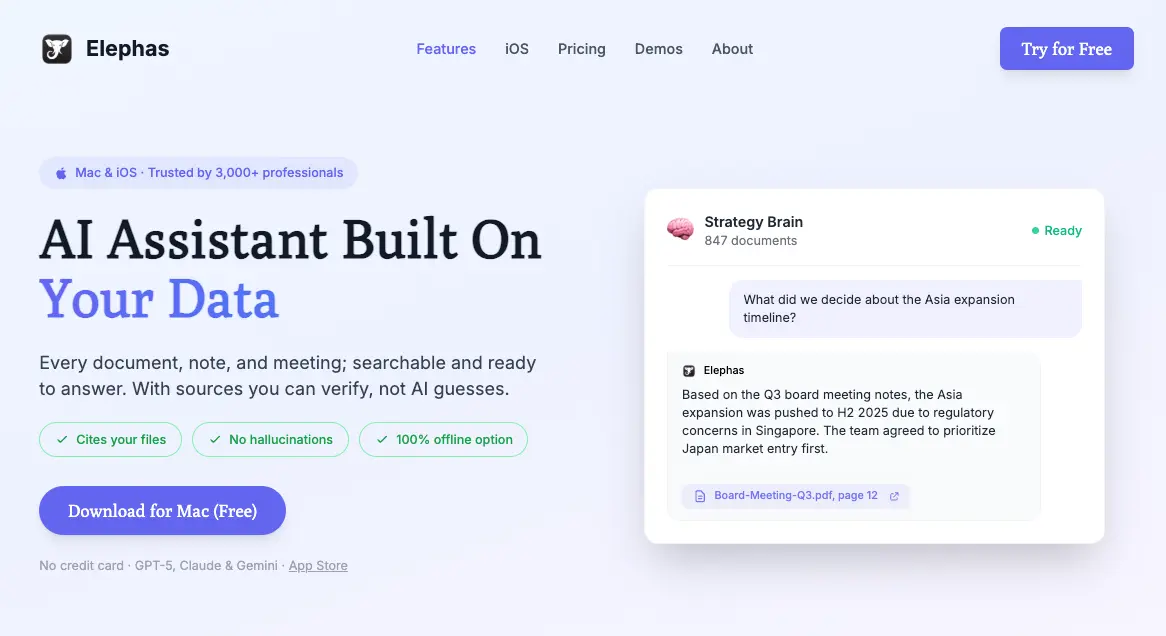
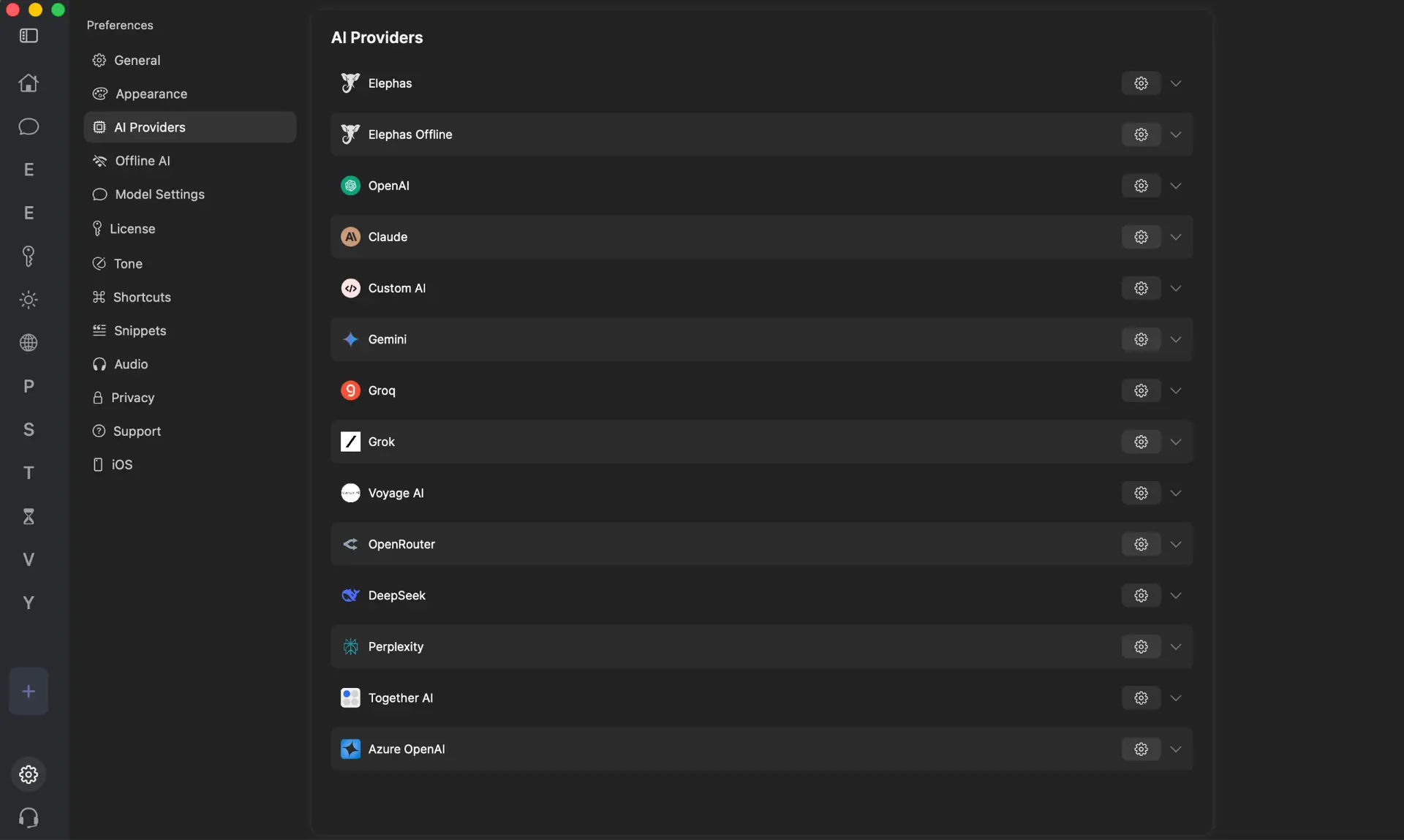
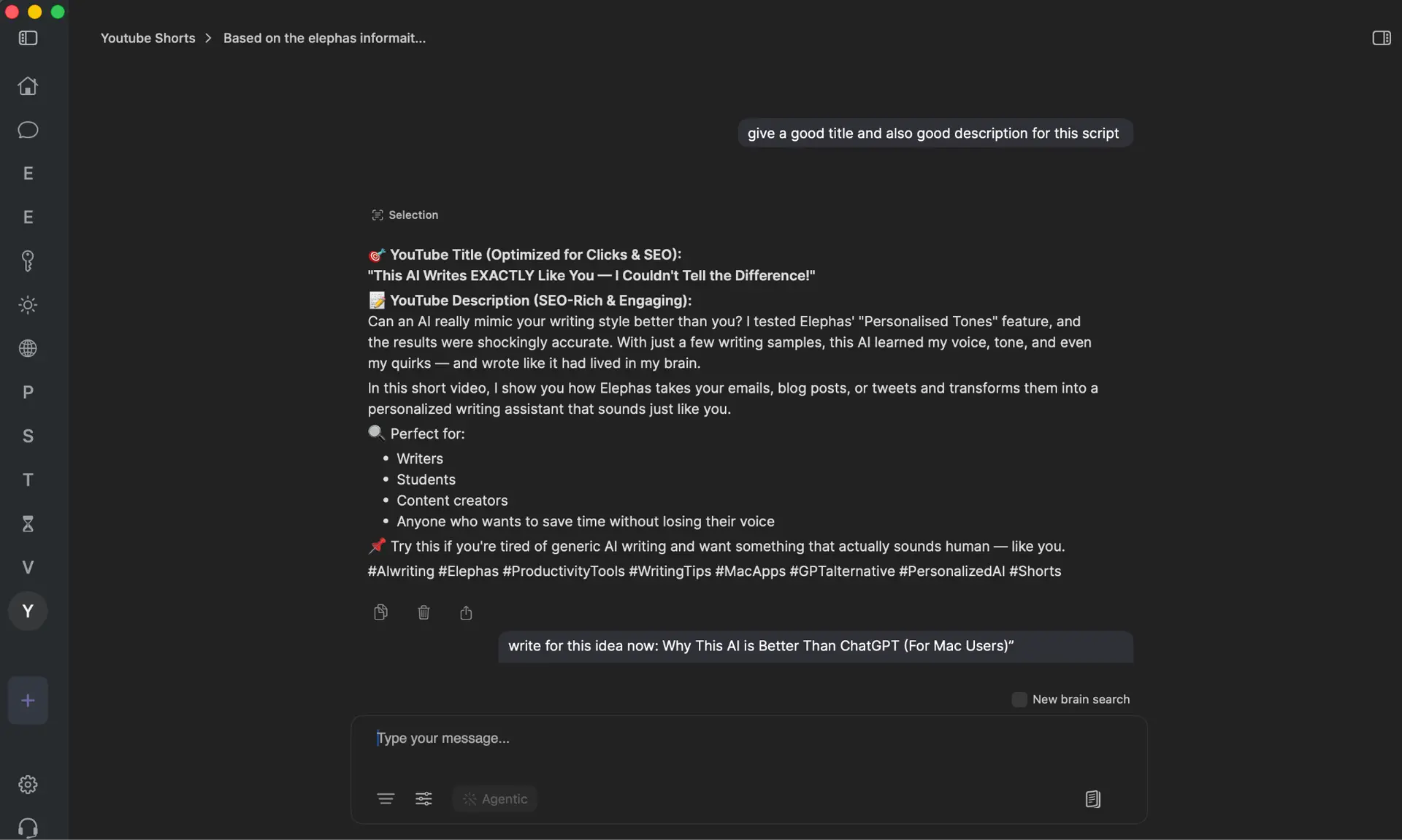
Apple Notes limits you to Apple's implementation of AI features with no alternatives. Elephas supports multiple AI providers—ChatGPT, Claude, Gemini, Perplexity, and Grok APIs—or runs entirely offline with local models. You choose the AI capability that fits your needs, switching between providers based on the task at hand.
Apple Notes processes each request independently without context or memory across sessions. Elephas maintains context about your work, learns from your writing style, and can execute complex multi-step tasks that reference previous conversations and document content.
Apple Notes vs Elephas: Side-by-Side Comparison
| Feature | Apple Notes | Elephas |
|---|---|---|
| AI search | Basic keyword only | Semantic AI across all documents |
| Folder organization | Nested folders with basic tags | Integrates with Obsidian, Notion, LogSeq, DEVONthink |
| AI summarization | Writing Tools for selected text only | Built-in for entire documents and collections |
| Offline AI | None | Yes, built-in local models |
| Data privacy | Syncs through Apple servers | Everything stays on your Mac |
| Collaboration | Real-time editing with limitations | Works with your existing collaboration tools |
| Workflow automation | Basic Shortcuts | AI agents and multi-step automated tasks |
| Templates | Manual workarounds required | Reusable AI workflows and agents |
| Version history | Not available | Depends on integrated tool (Obsidian, Notion, etc.) |
| AI providers | Apple Intelligence only | ChatGPT, Claude, Gemini, Perplexity, Grok, or offline |
| Platform | Apple ecosystem only | Mac, iPhone, iPad |
| Pricing | Free with iCloud storage | One-time purchase |
| Knowledge base queries | Not available | Conversational chat with your documents |
Elephas fills the gaps that Apple Notes leaves for power users who need AI capabilities, privacy-focused operation, and integration with professional knowledge management systems. While Apple Notes excels at quick capture within Apple's ecosystem, Elephas provides the intelligence layer for serious research, writing, and knowledge work.
Which Should You Choose?
Choose Apple Notes if you need straightforward note-taking within the Apple ecosystem, don't require advanced AI features for search or summarization, work primarily alone rather than in complex collaborative settings, and want a free solution included with your Apple devices.
Choose Elephas if you hit Apple Notes' limitations around search and organization, need AI-powered summarization and semantic search across your entire knowledge base, want complete data privacy with offline AI processing on your Mac, require workflow automation for repetitive tasks and content generation, integrate with professional knowledge management tools like Obsidian or Notion, or value having choice between multiple AI providers rather than being locked into Apple Intelligence.
Elephas serves Mac users who have outgrown basic note-taking and need an AI assistant that works across their entire digital workspace while respecting privacy and offering flexibility.

Related Resources
Explore all AI Productivity resourcesPerplexity Computer Review (2026): What It Actually Does, What It Costs, and Who It's For
11 min readarticleClaude API Credits: How to Use Your Free $100 to $200 Before It Expires
11 min readarticleChatGPT Message Limit: Free, Plus and Pro Caps
10 min readarticleChatGPT File Upload Limit: How Many Files and What Size
10 min readFinal Thoughts
Apple Notes works well for basic note-taking, quick capture, and simple organization within Apple's ecosystem. For users who need only these core capabilities, it remains a solid choice at no additional cost.
However, serious Mac users, researchers, writers, knowledge workers, and professionals managing extensive information eventually encounter its limitations around AI search, automated organization, version control, and workflow capabilities. Elephas fills these gaps with AI-powered intelligence that works offline, maintains privacy, and integrates with professional tools. Try Elephas to experience what AI-enhanced knowledge work on Mac can be.
Ready to experience AI-powered note-taking that understands your needs?
Try Elephas Free for 7 Days