NotebookLM vs Claude Cowork
Two powerful AI tools for working with documents—but they take very different approaches. Here's how to choose.
Update (August 2026): Google renamed NotebookLM to Gemini Notebook on July 16, 2026. Same tool, same plans, same limits: only the name and the address (notebook.google.com) changed, because Google wants one Gemini brand across its AI products. Everything in this comparison still applies, and we use both names.
Quick Verdict
Best for research & analysis. Free, web-based, with unique audio summaries.
Best for file automation. Creates & modifies files, runs code, Mac-only.
The AI landscape for knowledge workers has shifted dramatically. Where 2024 was defined by chatbots, 2025 and 2026 have brought us something more powerful: AI tools that actually work with your documents rather than just talking about them.
Two tools stand out in this new wave. Google's NotebookLM has quietly become the go-to research assistant for students and professionals who need to make sense of large document collections. Meanwhile, Anthropic's Claude Cowork—launched in January 2026—represents something different entirely: an AI agent that can actually modify your files and automate complex workflows.
But which one should you use? The answer depends on what you're trying to accomplish.
1Overview
What is NotebookLM?
NotebookLM is Google's experimental AI-powered research assistant that was first released in 2023 and has since evolved into one of the most powerful free tools for document analysis. Unlike traditional chatbots that rely solely on their training data, NotebookLM is "grounded" in your sources—meaning every response is based exclusively on the documents you upload.
The core concept is simple but revolutionary: upload your research papers, notes, PDFs, Google Docs, YouTube videos, or web articles, and NotebookLM creates a personalized AI that understands only that material. You can then ask questions, request summaries, find connections between ideas, or generate study materials—all with inline citations showing exactly where each piece of information came from.
NotebookLM's standout feature is Audio Overviews—AI-generated podcast episodes where two hosts have a natural conversation about your documents. This makes it ideal for auditory learners or anyone who wants to absorb information while commuting, exercising, or doing chores. The 2025 updates also introduced Deep Research, which can autonomously search the web to find additional relevant sources and compile comprehensive reports.
Key NotebookLM Features
- Source grounding: Every answer cites specific passages from your uploaded documents
- Audio Overviews: AI-generated podcast episodes discussing your content
- Deep Research: Automated web research to expand on your topics
- Study aids: Auto-generated FAQs, study guides, timelines, and briefing docs
- 50+ sources per notebook: Combine PDFs, docs, videos, and web pages
- Free tier available: Generous free plan; NotebookLM Plus ($20/mo) for higher limits
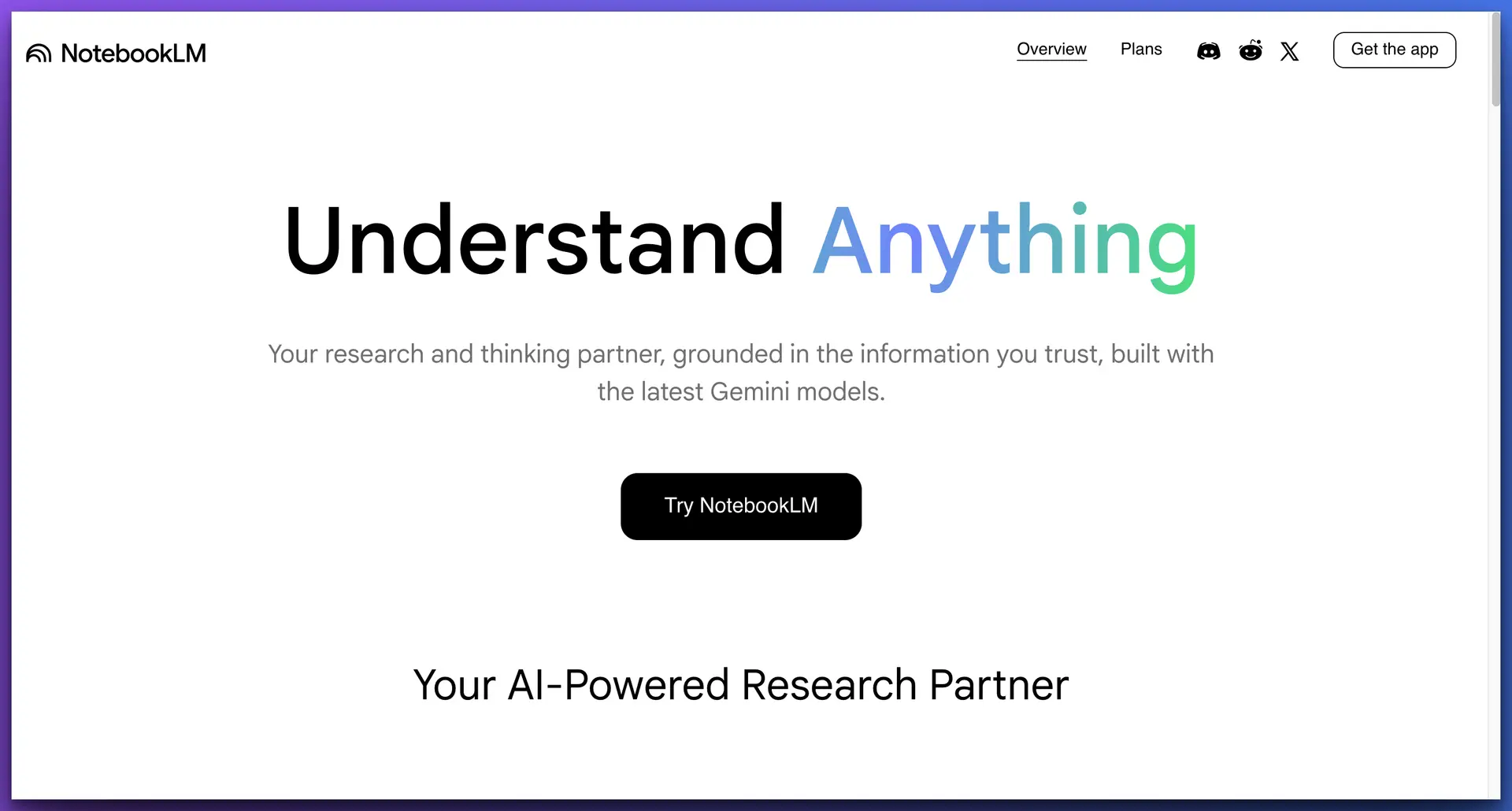
NotebookLM interface with sources panel, grounded chat, and audio features
What is Claude Cowork?
Claude Cowork is Anthropic's AI agent platform, launched in January 2026 as a major evolution beyond traditional chat interfaces. While most AI assistants can only respond with text, Cowork can actually do things—read files, create documents, execute code, search the web, and coordinate complex multi-step workflows autonomously.
The concept represents a fundamental shift in AI interaction. Instead of copy-pasting between a chatbot and your applications, Cowork operates directly within your file system. Give it access to a project folder, describe what you want accomplished, and it handles the entire workflow: analyzing existing files, creating new documents, organizing data, running scripts, and even managing dependencies.
Security is central to Cowork's design. It runs in a sandboxed virtual machine with strict permission boundaries—it can only access folders you explicitly grant, network requests are logged, and you can review every action before execution. This makes it suitable for working with sensitive materials, though users should still exercise appropriate caution with confidential data.
Key Claude Cowork Features
- File system access: Read, create, modify, and organize files in granted folders
- Code execution: Run Python, JavaScript, shell scripts, and more
- Web browsing: Search the internet and extract information from websites
- Parallel agents: Spawn multiple sub-agents to work on tasks simultaneously
- Sandboxed security: Isolated VM environment with explicit permission grants
- Background processing: Run complex tasks while you continue other work
Claude Cowork with active file operations and sandbox permission controls
NotebookLM is best for:
- Students researching for papers
- Professionals synthesizing reports
- Anyone who learns better through audio
- Teams needing cited, accurate answers
Claude Cowork is best for:
- Developers automating coding tasks
- Data analysts processing files
- Content creators managing assets
- Anyone needing file system automation
2Document Analysis & Research
NotebookLM was purpose-built for deep document analysis and excels in this domain. Upload research papers, legal contracts, meeting transcripts, or study materials, and it creates a searchable knowledge base that understands the relationships between ideas across all your sources. Every answer includes inline citations—clickable references showing exactly which source and passage the information came from—so you can verify accuracy and dive deeper. For researchers and academics, this makes NotebookLM a strong complement to tools like Elephas for Research.
The strength of NotebookLM's citation system cannot be overstated for research work. When you ask a question, responses aren't just generated from the AI's understanding—they're explicitly grounded in your uploaded materials. This eliminates the hallucination problem that plagues general-purpose chatbots and makes NotebookLM suitable for academic research, legal analysis, and professional reports where accuracy is non-negotiable.
NotebookLM's Deep Research feature takes this further. When enabled, it can automatically search the web, find relevant sources, evaluate their credibility, and compile comprehensive research reports—all while running in the background. It's like having a research assistant who works 24/7, surfacing relevant information you might have missed while maintaining the same citation rigor.
Claude Cowork approaches documents from a completely different angle—it's action-oriented rather than analysis-focused. While it can certainly read and understand documents (and does so quite well given Claude's strong language capabilities), its primary strength is in doing something with that information rather than just explaining it. Give Cowork a folder of research notes and it might create a summary document, extract key data points into a spreadsheet, reorganize files by topic, or generate a presentation outline. The analysis happens in service of production.
Winner: NotebookLM
Purpose-built for research with superior citation tracking and source verification
3File Management & Automation
This is where the two tools diverge most dramatically. NotebookLM is fundamentally read-only—a one-way street for information. You upload sources, ask questions, and receive text or audio responses. That's the extent of its file interaction. It cannot modify files, create documents on your computer, reorganize folders, or interact with your file system in any way. Every output must be manually copied, exported, or recreated elsewhere.
Claude Cowork completely transforms this paradigm. Once you grant folder access through its permission system, Cowork becomes an autonomous agent that can operate on your files directly. This isn't just "reading" documents—it's full read-write access that enables genuine automation workflows that would otherwise require manual effort or custom programming.
With Cowork, you can accomplish tasks like:
- Batch processing: Analyze 50 PDFs and create a summary spreadsheet for each
- File organization: Sort thousands of files into folders by date, type, or content
- Document generation: Create new reports, presentations, or code files from scratch
- Code execution: Run Python scripts, Node.js, shell commands, and development tools
- Data extraction: Pull specific information from documents into structured formats
- Multi-step workflows: Chain together complex operations that depend on each other
- Parallel processing: Spawn multiple sub-agents to work on different tasks simultaneously
For example, you could ask Cowork to "review all the client contracts in this folder, identify any with renewal dates in the next 90 days, and create a summary report with key terms for each." It will autonomously read each file, extract the relevant information, and produce the output file—no manual intervention required.
Winner: Claude Cowork
Full file system read/write capabilities vs. read-only document analysis
4Output Formats & Artifacts
NotebookLM offers specialized output formats that no competitor currently matches, optimized specifically for learning and knowledge synthesis. The crown jewel is Audio Overviews—AI-generated podcast episodes where two hosts have a remarkably natural conversation about your documents. These aren't robotic text-to-speech readings; they're dynamic discussions that explain concepts, highlight interesting points, and even interject with thoughtful questions.
Beyond audio, NotebookLM can automatically generate study guides, FAQ documents, timelines, briefing documents, and even visual mind maps. Each format is designed to transform raw information into something more digestible and useful for different contexts—whether you're preparing for an exam, briefing colleagues, or trying to understand historical sequences of events.
Claude Cowork takes the opposite approach—it can create virtually any file type because it writes actual files to your computer, but it lacks NotebookLM's purpose-built generators. Need a Word document? Cowork writes a .docx file. Want a PDF report? It generates that directly. Require a Python script, JSON configuration, or markdown documentation? All possible.
The key difference: NotebookLM's outputs are designed for consumption and learning, while Cowork's outputs are designed for production and integration into your workflow. NotebookLM gives you a podcast about your research; Cowork gives you a report file you can immediately send to stakeholders.
Split decision: NotebookLM wins decisively for specialized learning outputs, especially the revolutionary Audio Overviews feature. Claude Cowork wins for creating actual production-ready files on your system that integrate directly into existing workflows.
5Platform & Accessibility
NotebookLM takes the universal approach with a completely web-based experience. Open a browser on Mac, Windows, Linux, ChromeOS, iPad, or even your smartphone, sign in with a Google account, and you're ready to work. There's no software to download, no compatibility concerns, and your notebooks sync automatically across all devices. Start researching on your desktop and continue listening to Audio Overviews during your commute.
The tradeoff for this accessibility is limited system integration. NotebookLM lives entirely within your browser tab—it can't interact with local applications, access files without manual uploads, or integrate with your desktop workflow beyond copy-paste. Every document must be explicitly uploaded or connected via Google Drive integration.
Claude Cowork takes the opposite approach, currently available exclusively for macOS through the Claude Desktop application. This significant limitation excludes Windows and Linux users entirely, but it enables the deep system integration that makes Cowork's file operations possible. Anthropic has indicated Windows and Linux support is planned, but no timeline has been announced as of early 2026.
Winner: NotebookLM
Universal web access on any device. Cowork wins for Mac users who need system-level integration.
6Privacy & Security
Privacy considerations are increasingly important as AI tools handle more sensitive information. NotebookLM processes all documents on Google's cloud infrastructure. When you upload a PDF or connect a Google Doc, that content is transmitted to and stored on Google's servers. While Google states that uploaded files are used solely to provide the NotebookLM service and not to train AI models, the fact remains that sensitive documents must leave your local device.
For organizations handling confidential client data, proprietary research, or regulated information (like healthcare or legal documents), this cloud requirement may present compliance challenges. NotebookLM does benefit from Google's enterprise-grade security infrastructure and certifications, but it fundamentally requires trusting a third party with your data. We break down exactly what Google can see, tier by tier, in NotebookLM vs private AI.
Claude Cowork approaches security with a local-first architecture. The entire system runs on your Mac within a sandboxed virtual machine, meaning your files never need to leave your device unless Cowork specifically needs to search the web for additional information. Even then, only search queries are transmitted—not your source documents.
Cowork's permission system adds another layer of control. It can only access folders you explicitly grant through the macOS permission dialog, and all network requests are logged for transparency. The sandbox isolation means that even if something went wrong, the impact would be contained to the granted folders rather than your entire system. For handling confidential materials, this local-first approach offers meaningful privacy advantages.
Winner: Claude Cowork
Local-first processing with sandbox isolation—sensitive documents stay on your device
7Pricing Comparison
NotebookLM
Free*
Plus: $20/mo for higher limits
Claude Cowork
$20-200/mo
Pro, Max, or Enterprise
NotebookLM's free tier is genuinely useful with generous limits for casual users. Power users who need more notebooks, sources, or Audio Overviews can upgrade to NotebookLM Plus at $20/month. Claude Cowork's pricing ($20-200/month) reflects its broader automation capabilities.
*Free tier includes limited notebooks, sources per notebook, and daily Audio Overview generations.
✓The Verdict
NotebookLM and Claude Cowork serve fundamentally different purposes despite both being categorized as "AI document tools." Understanding this distinction is the key to choosing the right tool—or recognizing when you need both.
NotebookLM is a research companion. It absorbs your sources—research papers, documents, videos, websites—and becomes an expert you can query on demand. Every answer is grounded in your materials with clickable citations. The Audio Overview feature transforms dense content into engaging podcasts, making it invaluable for auditory learners or anyone who wants to absorb information while multitasking. The free tier is generous for most users, with Plus ($20/mo) available for power users.
Claude Cowork is an AI worker. It doesn't just analyze and explain—it acts. Give it folder access and describe your goal: reorganize 500 files by category, extract data from PDFs into spreadsheets, generate weekly reports from project notes, refactor an entire codebase. It handles multi-step workflows autonomously, spawning sub-agents when needed. This power requires trust, money ($20-200/month), and occasional monitoring, but for the right use cases, the time savings are substantial.
Choose NotebookLM if you need to:
- Research and understand large document collections
- Get cited, verifiable answers from your sources
- Learn through audio content (podcasts, overviews)
- Work across multiple devices including mobile
- Keep costs at zero
Choose Claude Cowork if you need to:
- Automate file management and organization
- Generate documents, code, or data transformations
- Execute complex multi-step workflows
- Work with local files while maintaining privacy
- Eliminate repetitive manual tasks
For most knowledge workers, these tools are complementary rather than competitive. Use NotebookLM to understand, synthesize, and learn from content. Use Cowork to transform, act on, and produce outputs from that understanding. Together, they represent two different visions of how AI should augment human work—one focused on comprehension, the other on execution.
Complete Feature Comparison
How do NotebookLM, Claude Cowork, and Elephas stack up against each other?
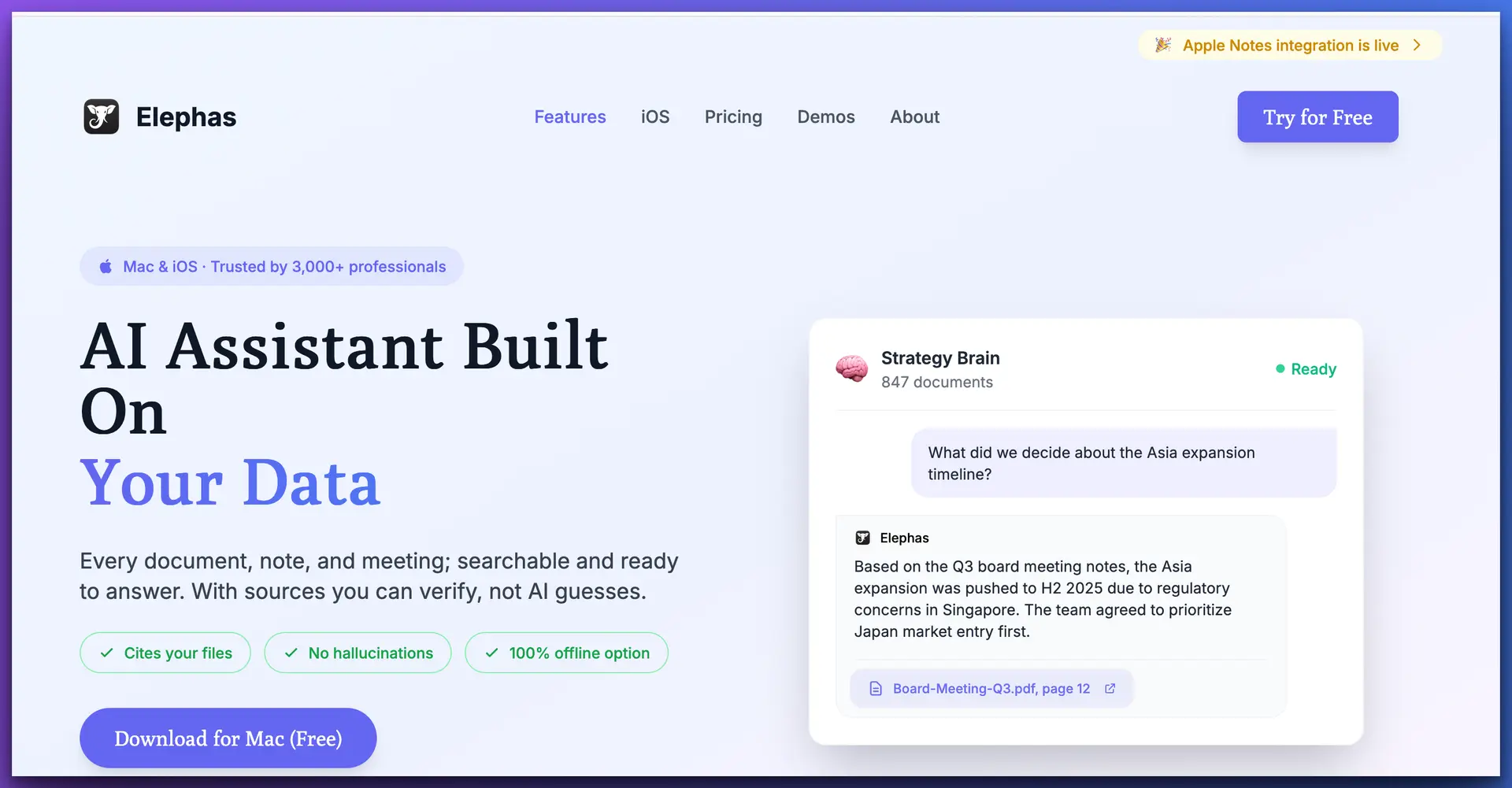
Why consider Elephas? It combines the best aspects of both tools: knowledge base features like NotebookLM, Mac-native integration, works offline, and doesn't require granting file system access. Plus it supports multiple AI providers including local models for complete privacy.
Frequently Asked Questions
Is NotebookLM or Claude Cowork better?
Neither is universally better—they serve different purposes. NotebookLM excels at research with citations and audio features. Claude Cowork is superior for file automation.
Which is more affordable?
NotebookLM is completely free. Claude Cowork requires at least a $20/month subscription.
What's the main difference?
NotebookLM is read-only research tool. Claude Cowork is an AI agent that can actively create, modify, and manage files.
Which is more secure?
Claude Cowork processes files locally in a sandboxed VM. NotebookLM requires uploading to Google's servers.
Can I use both together?
Yes! Use NotebookLM to research and understand documents, then Cowork to act on those insights.
Related Posts
Claude Cowork Plugins: First Impressions and Alternatives
Detailed review of all 11 Cowork plugins, risk assessments, and privacy-first alternatives
Anthropic's Legal AI Plugin Triggers $285B Stock Selloff
How Claude Cowork's plugins rattled Wall Street and disrupted professional services
9 Best Claude Cowork Alternatives for Knowledge Professionals (2026)
Ranked by data grounding, privacy, and workflow reliability
The AI Note-Taking Privacy Problem
How to protect your confidential conversations from cloud-based AI tools
Elephas for Research & Academia
Privacy-first AI for literature review, citations, and research synthesis on Mac
Last updated: February 2026
