Claude Cowork Plugins: First Impressions and Alternatives
Anthropic just dropped 11 plugins for Claude Cowork, turning their AI assistant into a customizable powerhouse for professionals. We break down each plugin in detail—what it can do, who benefits, what risks to watch for, and who should avoid it entirely.
The Big Picture
Anthropic announced plugin support for Cowork, enabling users to customize Claude for specific roles and teams. Plugins bundle skills, connectors, slash commands, and sub-agents to create specialized AI assistants that work like domain experts.
The catch? All your data flows through Anthropic's cloud servers. For professionals handling sensitive information, this raises significant privacy and compliance concerns.
Related: The legal plugin alone triggered a $285 billion stock selloff on February 3, 2026. Markets are taking AI disruption seriously—and so should you.
All 11 Plugins: Deep Dive
We tested each plugin extensively. Here's what you need to know before integrating any of them into your workflow.
Productivity
Task management and persistent work memory
What It Can Do
- Create, organize, and track tasks with natural language commands
- Build persistent memory of your work context, preferences, and patterns
- Plan your day with AI-powered scheduling suggestions
- Set reminders and follow up on incomplete work automatically
- Integrate with calendar for time-blocking recommendations
Who Benefits
- Knowledge workers juggling multiple projects
- Managers who need to track team deliverables
- Freelancers managing client work across contexts
- Anyone who forgets follow-ups or loses track of tasks
Who Should Avoid
- Professionals handling classified or highly confidential projects
- Organizations with strict data residency requirements
- Users who need offline task management
- Anyone uncomfortable with AI learning their work patterns
Key Risks
- Your entire work context—projects, deadlines, patterns—lives on Anthropic's servers
- Persistent memory means long-term data retention in the cloud
- Task descriptions may contain sensitive project information
- No offline access when internet is unavailable
Our Take: The most universally useful plugin, but the persistent memory feature is a double-edged sword. Great for personal productivity if you're comfortable with cloud storage of your work context.
Enterprise Search
Unified search across all company tools
What It Can Do
- Search across email, Slack, Google Drive, Notion, Confluence, and more simultaneously
- Natural language queries like 'find the Q3 budget spreadsheet John sent last month'
- Surface relevant documents based on your current task context
- Cross-reference information from multiple sources automatically
- Summarize search results with key highlights
Who Benefits
- Employees at large organizations with scattered documentation
- New hires trying to find institutional knowledge
- Project managers coordinating across multiple tools
- Anyone tired of searching five different platforms for one document
Who Should Avoid
- Companies with strict security policies or air-gapped systems
- Organizations subject to HIPAA, SOC2, or similar compliance requirements
- Anyone handling attorney-client privileged communications
- Government contractors with data handling restrictions
Key Risks
- Requires OAuth access to ALL your company tools—email, chat, documents
- Every search query and result flows through Anthropic's servers
- Could surface sensitive information unintentionally
- Security implications of centralizing access to all company data
- Potential compliance issues with data leaving controlled environments
Our Take: The most powerful—and most dangerous—plugin in the collection. The convenience is undeniable, but giving any third party access to your entire company's information ecosystem is a massive security decision. Most enterprise security teams will say no.
Data
SQL generation, data exploration, and visualization
What It Can Do
- Generate SQL queries from plain English descriptions
- Explore datasets with conversational queries
- Build charts, graphs, and dashboards from raw data
- Identify patterns, outliers, and trends automatically
- Export visualizations in multiple formats
- Connect to common databases (PostgreSQL, MySQL, BigQuery)
Who Benefits
- Business analysts who need quick data pulls without SQL expertise
- Product managers exploring user behavior data
- Executives who want self-service analytics
- Data teams looking to prototype queries faster
Who Should Avoid
- Anyone working with PII, PHI, or sensitive customer data
- Companies with data sovereignty requirements
- Production database administrators (use on dev/test only)
- Organizations that can't send data outside their network
Key Risks
- Your database schemas and actual data are sent to Anthropic's servers
- Query results—potentially containing PII or business-critical data—are processed in the cloud
- Connection credentials must be stored/transmitted securely
- Incorrect SQL generation could lead to expensive queries or data exposure
Our Take: Genuinely impressive SQL generation and visualization capabilities. The natural language to SQL translation is accurate 80%+ of the time. But think carefully about what data you're exposing—this is not for production databases with sensitive information.
Sales
Prospect research and meeting preparation
What It Can Do
- Research prospects using LinkedIn, company websites, and news
- Generate meeting briefs with key talking points
- Draft personalized outreach emails and follow-ups
- Track deal progress and suggest next actions
- Analyze past interactions to improve pitch effectiveness
- Summarize call notes and extract action items
Who Benefits
- SDRs doing high-volume prospecting
- Account executives preparing for important meetings
- Sales managers coaching team members on deals
- Solo entrepreneurs handling their own sales
Who Should Avoid
- Enterprise sales teams with strict customer data policies
- Organizations selling to government or highly regulated industries
- Anyone whose customers require data handling agreements
- Sales teams where deals involve confidential pricing or terms
Key Risks
- Prospect and customer information is processed by Anthropic
- Deal details, pricing discussions, and negotiation strategies are exposed
- Integration with CRM means customer data flows through third-party servers
- AI-generated outreach can feel generic if not carefully edited
Our Take: Useful for meeting prep and research, but the deal tracking feels shallow compared to Salesforce or HubSpot. Best used as a research companion, not a CRM replacement. Be mindful of what customer data you're exposing.
Marketing
Content creation and campaign planning
What It Can Do
- Draft blog posts, social media content, and ad copy
- Generate content calendars and campaign timelines
- Analyze content performance and suggest improvements
- Create variations for A/B testing
- Repurpose long-form content into multiple formats
- Generate SEO-optimized headlines and meta descriptions
Who Benefits
- Content marketers needing to scale output
- Social media managers handling multiple accounts
- Small business owners doing their own marketing
- Marketing teams with limited copywriting resources
Who Should Avoid
- Agencies handling confidential client campaigns
- Companies launching secret products or initiatives
- Brands with strict tone/voice guidelines that AI struggles with
- Marketing teams that need original creative, not AI-assisted drafts
Key Risks
- Brand voice and messaging strategies are shared with Anthropic
- Unreleased campaign concepts could theoretically be exposed
- AI content may require significant editing for brand consistency
- Performance data reveals marketing effectiveness to third party
Our Take: The content drafting capabilities are genuinely useful—this is where Claude shines. Campaign planning and analytics feel bolted on. Use it for first drafts and content repurposing, but don't expect strategic marketing insights.
Finance
Financial analysis, reporting, and reconciliation
What It Can Do
- Generate journal entries from natural language descriptions
- Perform variance analysis comparing actuals to budget
- Build financial statements and management reports
- Reconcile accounts and flag discrepancies
- Create financial models and forecasts
- Analyze expense patterns and suggest cost optimizations
Who Benefits
- Small business owners managing their own books
- FP&A analysts doing routine reporting
- Controllers standardizing financial processes
- Startups without dedicated finance teams
Who Should Avoid
- Public companies or anyone with MNPI concerns
- Organizations subject to SOX compliance
- Finance teams at regulated financial institutions
- Anyone handling investor or acquisition-related financials
- CPAs concerned about professional liability
Key Risks
- Financial data—revenues, expenses, margins—sent to external servers
- Potentially material non-public information exposure risk
- Compliance implications for public companies (SOX)
- Errors in AI-generated financials could have serious consequences
- Audit trail concerns when AI assists with journal entries
Our Take: Surprisingly capable at routine financial tasks—the variance analysis is particularly impressive. But sending financial data to external servers is a non-starter for most finance teams. The compliance and liability concerns are significant.
Legal
Contract review, NDA triage, and compliance workflows
What It Can Do
- Review contracts using playbook-based approaches
- Analyze limitation of liability, IP, and data provisions
- Generate redlines with fallback positions and negotiation guidance
- Triage NDAs by risk level and flag unusual terms
- Track compliance deadlines and obligations
- Summarize legal documents for non-legal stakeholders
Who Benefits
- In-house legal teams drowning in contract volume
- Procurement teams doing initial contract reviews
- Sales teams needing quick NDA turnaround
- Startups without dedicated legal resources
Who Should Avoid
- Any attorney concerned about privilege or confidentiality
- Law firms (ethical rules likely prohibit this)
- M&A transactions with sensitive deal terms
- Contracts with confidentiality provisions that prohibit third-party processing
- Government contracts with data handling restrictions
Key Risks
- Confidential contracts sent to third-party servers
- Attorney-client privilege concerns with AI-assisted review
- Potential malpractice implications if AI misses critical terms
- Trade secrets and deal terms exposed during review
- No guarantee of data deletion or non-use for training
Our Take: This is the plugin that spooked Wall Street—and for good reason. The contract review capabilities are impressive, but this is exactly the kind of sensitive work where cloud processing creates unacceptable risks. Most legal departments should pass.
Customer Support
Ticket triage and response drafting
What It Can Do
- Automatically categorize and prioritize incoming tickets
- Draft response templates based on issue type
- Suggest knowledge base articles for common questions
- Escalate complex issues to appropriate team members
- Analyze support trends and identify recurring problems
- Generate customer-facing summaries of issue resolution
Who Benefits
- Support teams handling high ticket volumes
- Companies looking to improve first-response times
- Support managers identifying training opportunities
- Small teams needing to scale without hiring
Who Should Avoid
- Healthcare companies (HIPAA concerns)
- Financial services (PII and account data)
- Any company whose customers expect privacy
- Support teams where empathy is critical (complaints, sensitive issues)
Key Risks
- Customer conversations and PII sent to Anthropic
- Support tickets often contain sensitive account information
- AI responses may lack empathy or miss context
- Potential for embarrassing AI-generated replies if not reviewed
Our Take: Functional but not groundbreaking. The triage logic works well for common issues, and response drafting saves time on routine queries. But support is inherently personal—AI assistance should augment, not replace, human judgment.
Product Management
Spec writing, roadmap planning, and research synthesis
What It Can Do
- Generate PRDs and feature specifications from rough notes
- Synthesize user research interviews into actionable insights
- Create roadmap visualizations and priority frameworks
- Draft stakeholder updates and release notes
- Analyze competitor features and market positioning
- Generate user story templates with acceptance criteria
Who Benefits
- PMs drowning in documentation work
- Product teams standardizing spec formats
- Solo PMs handling multiple products
- New PMs learning specification best practices
Who Should Avoid
- Companies in stealth mode or pre-launch
- PMs working on competitive-sensitive features
- Anyone handling strategic roadmaps that are confidential
- Product teams at public companies before earnings
Key Risks
- Product roadmaps and strategy documents exposed externally
- Competitive intelligence shared with third party
- Unreleased feature details could leak
- User research often contains raw customer feedback
Our Take: PMs will find the spec-writing assistance genuinely useful—turning messy notes into structured PRDs is a great use case. Roadmap planning is too generic to be actionable. Be careful about what product strategy you're exposing.
Biology Research
Literature search, experiment planning, and data analysis
What It Can Do
- Search and summarize scientific literature across PubMed, bioRxiv, and more
- Generate experiment protocols based on research goals
- Analyze biological datasets and identify patterns
- Create citations and bibliography in proper formats
- Suggest controls and validate experimental designs
- Explain complex biological concepts in accessible language
Who Benefits
- Graduate students doing literature reviews
- Lab researchers planning experiments
- Science writers translating research for general audiences
- Educators creating course materials
Who Should Avoid
- Researchers with patentable discoveries in progress
- Labs with proprietary methods or compounds
- Anyone working on sensitive biosecurity-related research
- Researchers whose institutions prohibit external data processing
Key Risks
- Unpublished research ideas shared with third party
- Experimental protocols could be proprietary
- AI suggestions may not reflect latest best practices
- Citation accuracy requires verification
Our Take: Niche but well-executed. The literature search integration is genuinely useful for researchers. Experiment planning suggestions are sensible starting points. Verify citations—AI can hallucinate references.
Plugin Creation Tools
Build and customize your own plugins
What It Can Do
- Create custom plugins using file-based components
- Define slash commands for common workflows
- Build connectors to internal tools and APIs
- Package skills and sub-agents into reusable modules
- Share plugins across teams (coming soon)
- Customize existing plugins with organization-specific logic
Who Benefits
- Developers building internal AI tools
- Teams with unique workflows not covered by existing plugins
- Organizations wanting to standardize AI usage
- Power users who want to extend Cowork capabilities
Who Should Avoid
- Teams without developer resources for maintenance
- Organizations that can't vet custom code for security
- Anyone needing enterprise-grade support
Key Risks
- Custom plugins may introduce security vulnerabilities
- API credentials for internal tools must be handled carefully
- Plugin logic could inadvertently expose sensitive data
- Limited documentation and community support currently
Our Take: The meta-plugin that makes the ecosystem extensible. File-based components make customization accessible, and open-source availability means the community will build impressive extensions. This is where Cowork's long-term potential lies.
The Privacy Elephant in the Room
Here's what Anthropic's announcement doesn't emphasize: every plugin requires your data to flow through their cloud infrastructure. This isn't a minor detail—it's the fundamental tradeoff of the entire system.
Consider What You're Sharing
- Legal: Confidential contracts, NDAs
- Finance: Financial statements, budgets
- Enterprise Search: All company documents
- Sales: Customer data, deal terms
- Support: Customer conversations
- Product: Unreleased roadmaps
The fundamental question: Are the productivity gains worth giving a third party access to your most sensitive professional information? For many organizations, the answer must be no.
A Better Alternative: Elephas
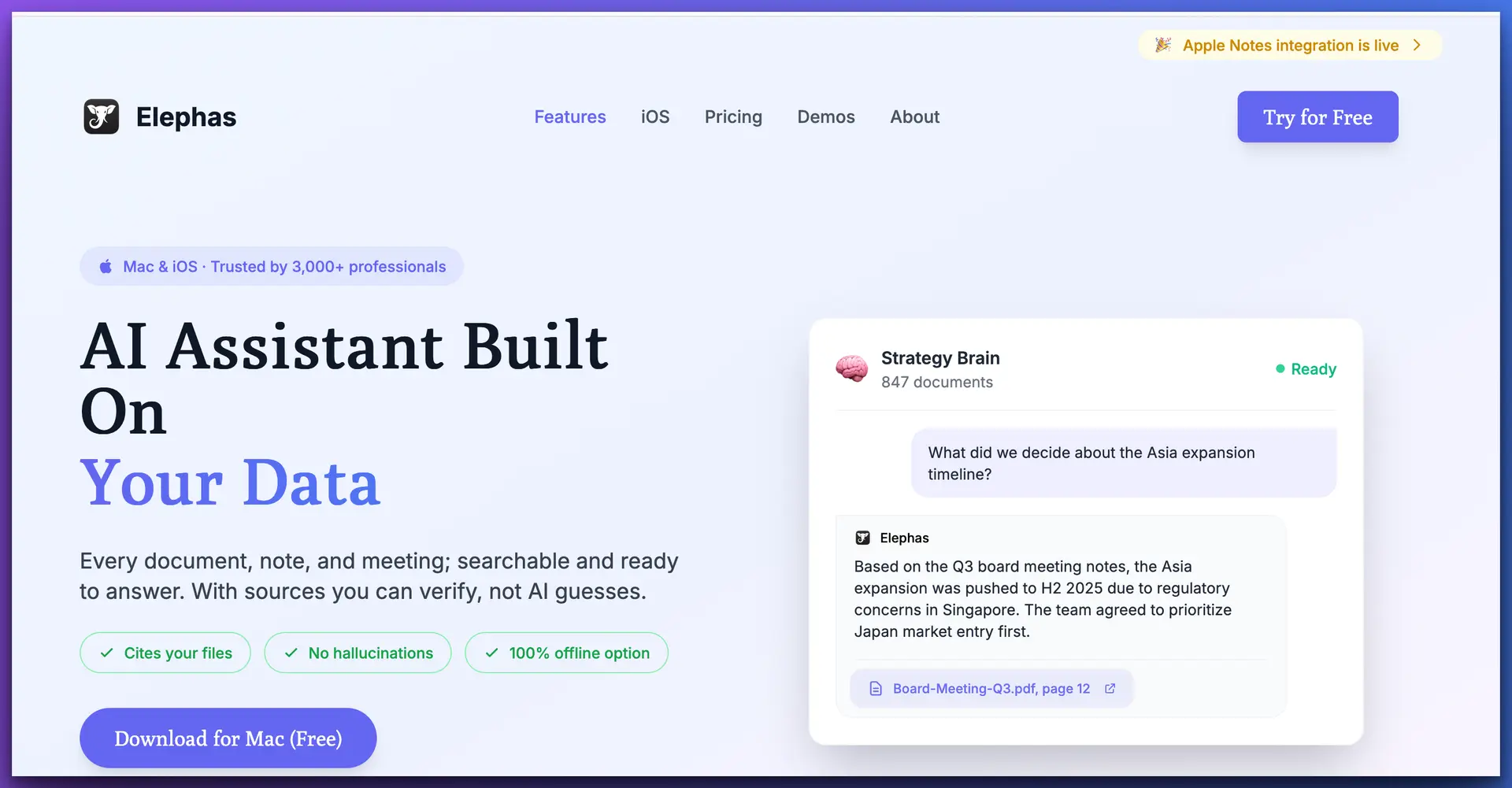
What if you could get AI-powered productivity without the privacy tradeoffs? That's exactly what Elephas offers—a Mac-native AI assistant that keeps your data where it belongs.
Try Elephas Free
Get AI-powered productivity without compromising your privacy. Elephas works across every Mac app, keeps your data local, and doesn't require a subscription.
Download Elephas for Mac →Our Verdict
Claude Cowork plugins represent a significant leap in AI capabilities for professionals. The domain-specific functionality—especially in legal, finance, and data analysis—is genuinely impressive. Anthropic has done excellent work making Claude useful for real business workflows.
However, the cloud-first architecture creates an unavoidable tension. Every document you review, every contract you analyze, and every financial statement you process flows through Anthropic's servers. For many professionals—especially those in legal, finance, and healthcare—this is simply not acceptable.
Our Recommendation
If privacy isn't a concern for your specific use case, Claude Cowork plugins are worth exploring—especially Productivity, Data, and Marketing. But if you handle sensitive information (and most professionals do), consider a privacy-first alternative like Elephas that keeps your data where it belongs: on your device.
The future of AI productivity shouldn't require choosing between capability and privacy. With the right tools, you can have both.
Frequently Asked Questions
Are Claude Cowork plugins free?
The plugins are available as a research preview for all paid Claude users. The plugins themselves are open-source on GitHub, but you need a Claude subscription ($20/month for Pro) to use them within Cowork.
Can I use Claude Cowork plugins offline?
No. All plugin functionality requires an internet connection as processing happens on Anthropic's cloud servers. This is one area where local alternatives like Elephas have a significant advantage.
Is my data safe with Claude Cowork?
Anthropic has standard security practices in place, but your data is processed on their servers. This may not meet compliance requirements for industries like healthcare (HIPAA), finance (SOX), or legal services where data residency and confidentiality matter.
Which plugin should I try first?
If you're comfortable with cloud processing, start with the Productivity plugin for general task management, or the plugin that matches your role. The Data plugin is particularly impressive if you work with datasets—just don't use it with production databases containing sensitive information.
How does Elephas compare to Claude Cowork?
Elephas is a Mac-native AI assistant that processes data locally on your device. While it doesn't have the same specialized plugins, it offers AI assistance across every app with complete privacy. Your data never leaves your Mac, making it suitable for sensitive professional work. For a detailed side-by-side analysis, see our NotebookLM vs Claude Cowork comparison, or browse our 9 best Claude Cowork alternatives for knowledge professionals.
