
Draft. This article depends on an open product question and is not ready to publish.
Your Elephas account is how Elephas knows your plan. You sign in through your web browser, and there is no license key to copy or paste. If you do not have an account yet, you create one on the same sign-in page.

Before you start

  • Install Elephas on your Mac or Windows PC.
  • Make sure your computer is online and has a default web browser.
  • If you were invited to a team, use the email address your invitation was sent to.

Steps

You can sign in in two ways. Most people sign in the first time they ask a question.
1

Ask a question

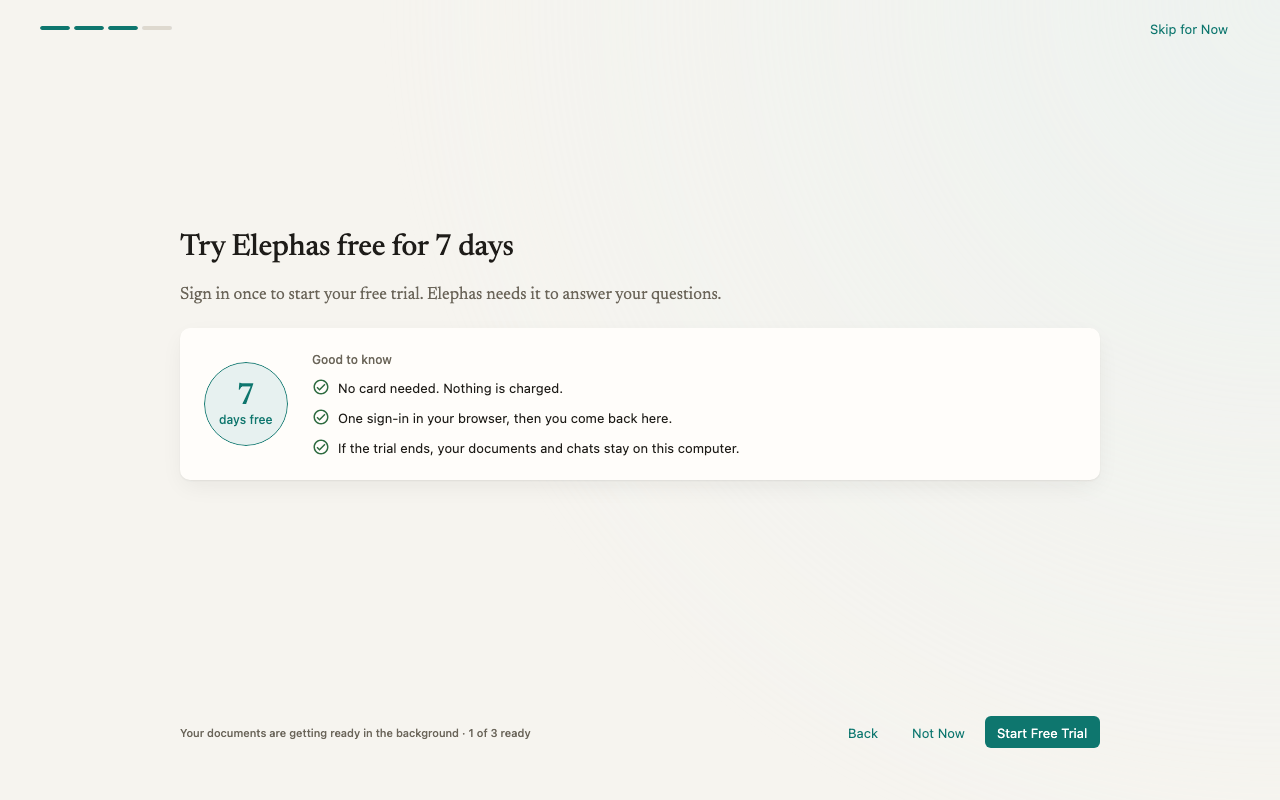
Add a few documents and send your first question. If you are not signed in yet, a card appears: Start your free trial to get this answer. Your question is kept.
2

Click Start Free Trial

Elephas shows Opening your browser… and opens the Elephas sign-in page in your default browser.
3

Sign in or create your account

Sign in, or create a new account if this is your first time.
4

Return to Elephas

When your browser shows Sign-in complete. You may close this window., close the tab and switch back to Elephas. Your trial starts and your kept question is answered.

How it works

  • One account for everything. The same Elephas account holds your free trial, your paid plan and your team membership. Checkout also happens in your browser and attaches to this account.
  • Sign-in happens in your browser, not in the app. Elephas never sees your password. Your browser hands Elephas a sign-in session, and Elephas stores it in your Mac Keychain or Windows Credential Manager.
  • Your library does not depend on your account. Your Brains and chats stay on your computer whether you are signed in or not. Signing in is what lets Elephas answer questions with your plan.
  • Each plan covers a set number of computers. Your free trial and the Personal plan work on 1 computer, Professional on up to 3. See device limits.

Sign out

  1. Open Settings › Plan & Billing.
  2. Under Elephas Account, click Sign Out.
Elephas confirms: Signed out. Nothing on this device was deleted, and Team content is locked until you sign in again. While you are signed out, Elephas cannot answer questions with any AI option, including Local AI. Sign in again to pick up where you left off.

Troubleshooting

If you see Sign-in didn’t finish. Try again when you’re ready. or Sign-in did not complete., click Try Again or Sign In once more. Make sure you finish signing in in the browser window Elephas opened, and that nothing blocks the browser from returning to Elephas, such as a strict firewall or VPN. If it still fails, contact support.
Each computer is linked to one Elephas account. Sign in with the account you used on this computer before. Nothing on your computer is changed by this message.
Your plan already covers the maximum number of computers. You can move your plan to this computer from Plan & Billing › Devices. See device limits.

FAQ

Elephas does not use license keys. Your plan is linked to your Elephas account. Licenses for classic Elephas do not activate this app. See moving from classic Elephas.
No. You can install Elephas, add your documents and let them index without an account. You need to sign in, with an active trial or plan, to get answers.
Yes, but one computer is linked to one account at a time. Plan & Billing shows which account is signed in, so you can tell them apart.

Free trial

Restore your plan

Join a team

Quick start