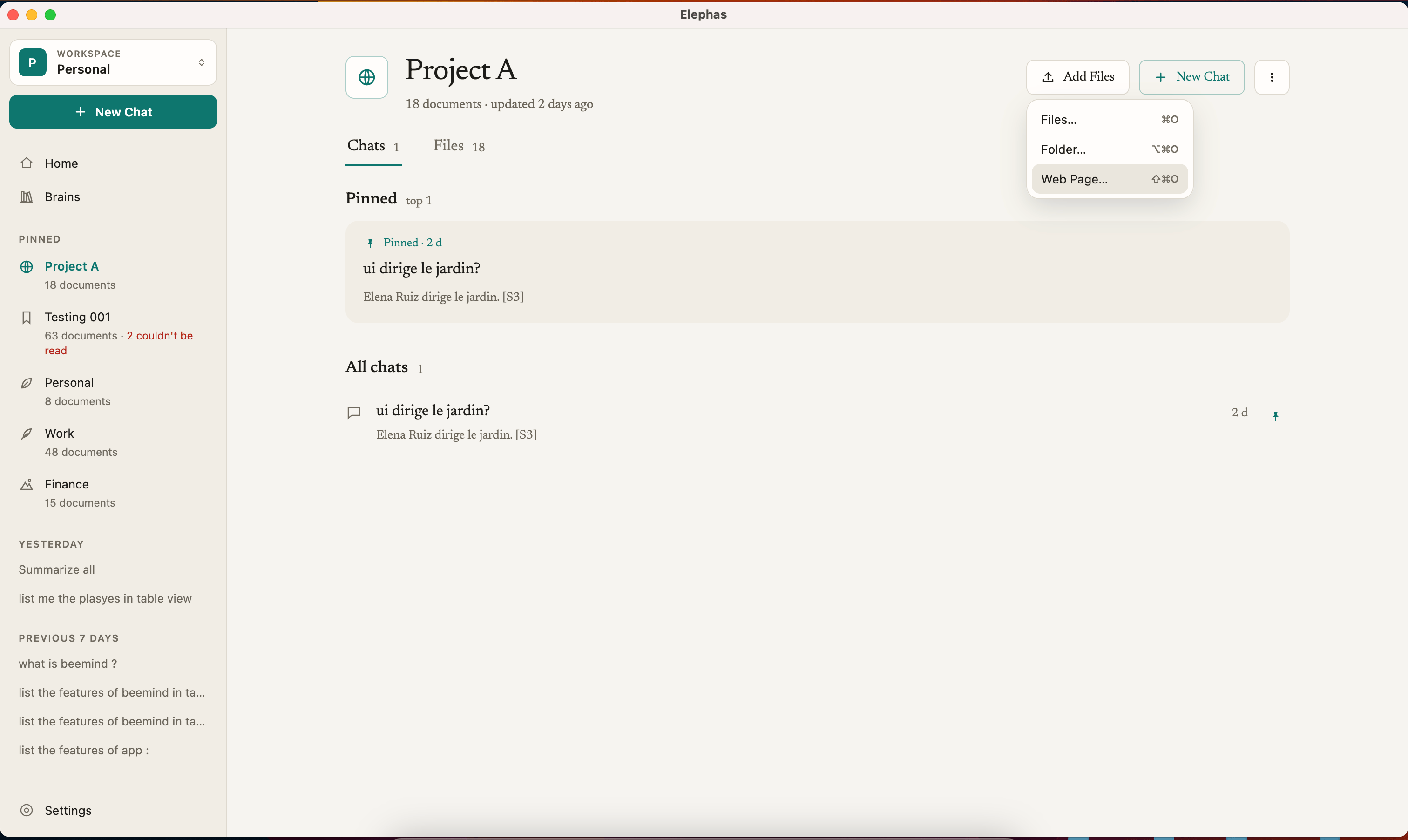
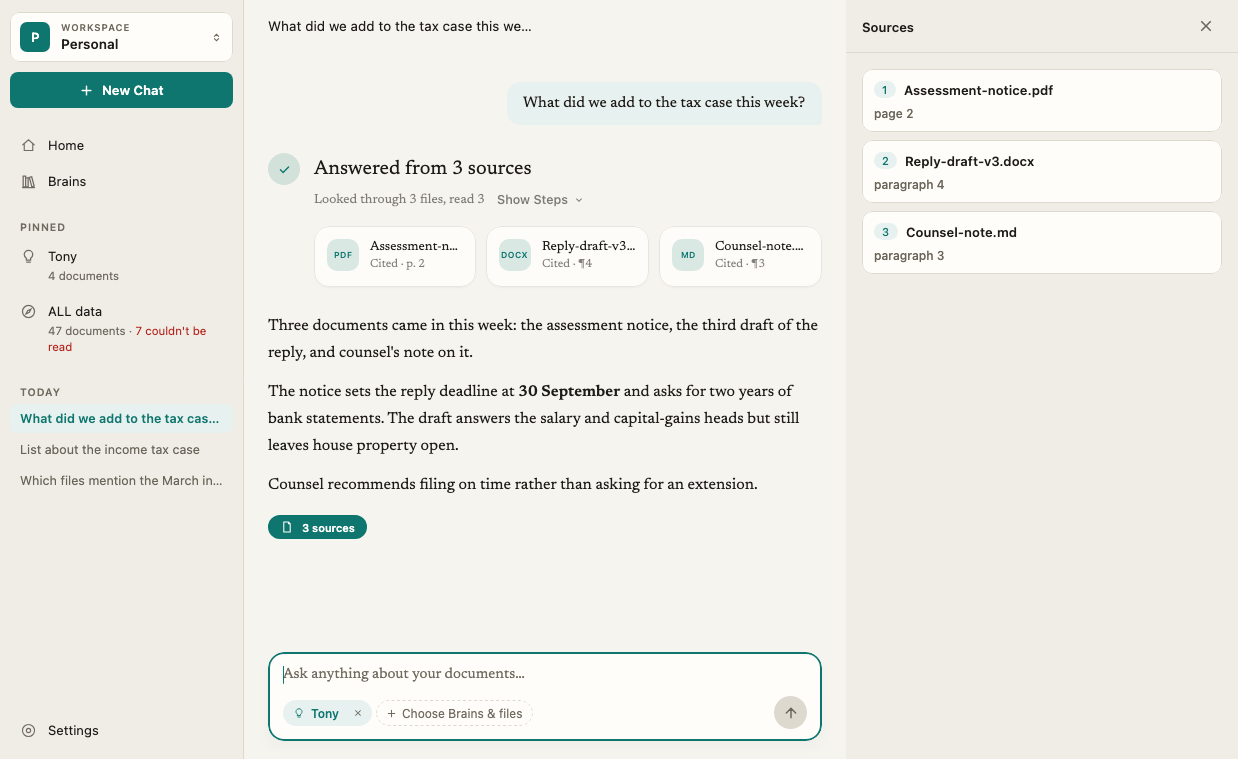
The first time you open Elephas, a short welcome guide takes you from an empty app to your first cited answer in a few minutes. You add a few documents, wait for them to get ready, ask a question, and click a citation to see exactly where the answer came from.

Before you start

  • Install Elephas on your Mac or Windows PC.
  • Pick two or three documents to start with: a contract, a report, meeting notes or a research paper. If you are not sure yet, start with something that isn’t confidential, or use the sample documents.
  • You do not need an account to start. You sign in when you ask your first question.

Steps

1

Welcome

Open Elephas. The welcome screen says Ask your documents anything. Click Get Started, or press Return.The welcome screen also has a checkbox, Send anonymous usage and error reports to help improve Elephas. Click What’s sent to see exactly what they contain. They never include your documents, questions, answers or file names. See usage reports.While you read, Elephas downloads its on-device components in the background. The line at the bottom of the window shows Getting Elephas ready and a percentage. See first-run downloads.
2

Add a few documents

Drag your files onto Drop files here, or click Choose Files…. PDF, Word, Excel, PowerPoint, notes, scanned pages and web pages all work. Each file you add has a Remove button if you change your mind. Add more with + Add More….Click Continue when you have added at least one file.Prefer to look around first? Click Try a Sample to use a short sample lease and a set of meeting notes instead.
3

Let your documents get ready

Elephas reads and indexes each file on your computer. Each one moves from Waiting to Getting ready… to Ready, and a counter shows how many are done.Your files go into your first Brain, called My Documents. You can rename it later.As soon as the first file is ready, click Ask Your First Question. The rest finish in the background.
4

Ask your first question

Elephas opens Ask with your new Brain selected. Type your own question in Ask anything about your documents…, or pick a suggestion such as What are the key dates? or Summarize these documents.The first time you ask, Elephas shows Start your free trial to get this answer. Click Start Free Trial, sign in or create your account in your browser, then come back. No card is needed. Your question is kept and answered as soon as you return. See create your account and sign in.
5

Open a source

Your answer has small numbered citations. Click a number to see the exact passage from your document in the Sources panel. Use Show in Finder (Mac) or Show in File Explorer (Windows) to open the original file.
That is the core of Elephas: your documents, a question, and an answer you can check.

How it works

  • Your files stay stored on your computer. Indexing happens on your computer. Always. The search index and your chats are kept in an encrypted database.
  • Answers come from your documents, not the internet. Ask only uses the Brains you select. If your documents do not support an answer, Elephas tells you instead of guessing.
  • Elephas AI is used by default. When you ask, your question and the few passages that match it are sent to Elephas AI. Names, contact details and ID numbers that Elephas detects are replaced with placeholders on your computer first, and put back when the answer appears. See what data is sent to AI. You can switch to your own API key or Local AI in Settings › AI.
  • The sample is real. Sample documents go into their own Brain, Sample documents, and work exactly like your own files. Remove it whenever you like.

Skip the guide or see it again

Click Skip for now on any screen to go straight to Home. Home keeps two buttons until you have documents: Add Documents, which creates your My Documents Brain and opens the file picker, and Try a Sample. To replay the welcome guide later, choose Help › Show Welcome Guide. Replaying it does not change or remove anything in your library.

Shortcuts to know

See all keyboard shortcuts.

Troubleshooting

The file may be password-protected, damaged, or a type Elephas does not support yet. Your other files are not affected. You can add the file again later from its Brain. See file import errors and supported file types.
Elephas needs its on-device components before it can read your documents. Your files start as soon as the download finishes. If it does not finish, see first-run download failed.
Each account gets one free trial. Click Choose a Plan to pick a plan in Settings › Plan & Billing. See plans and pricing.

Key concepts

Add files and folders

Ask questions about your documents

Tips for better answers