The building blocks
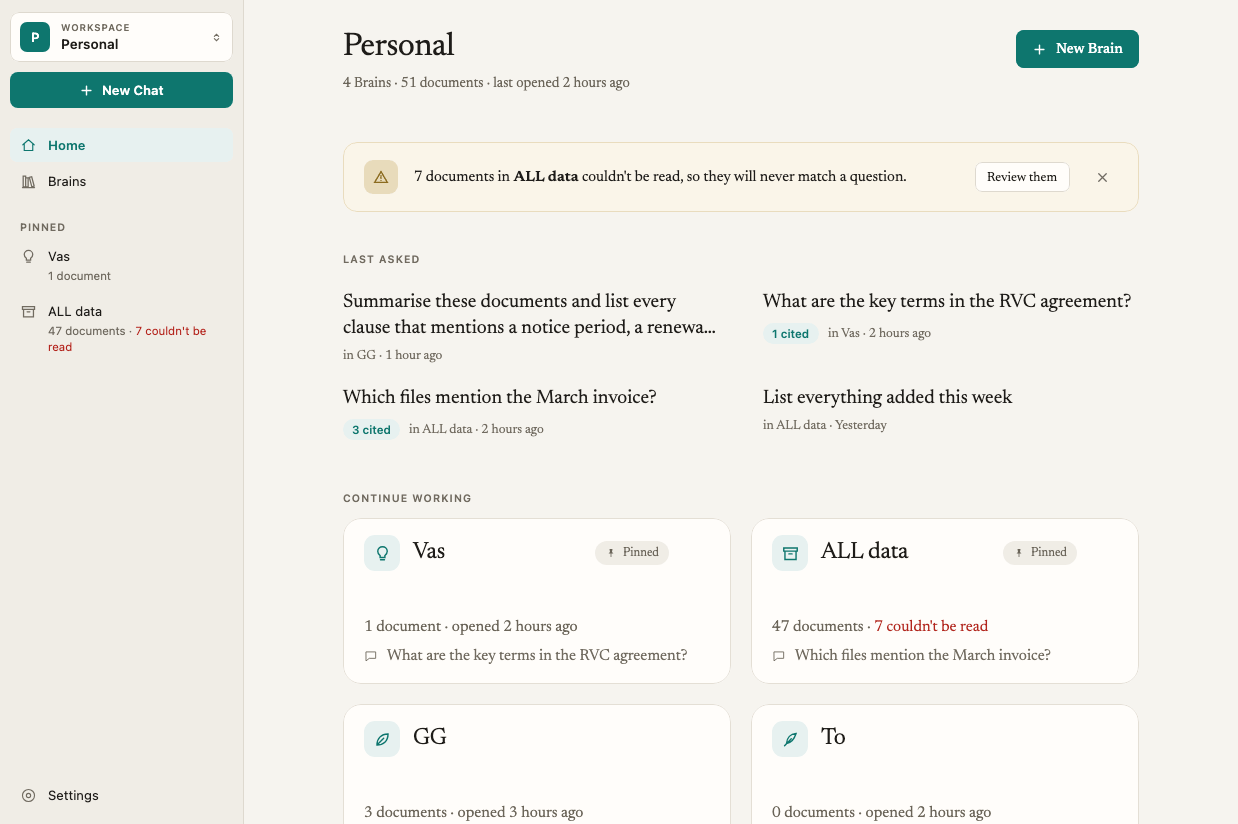
Workspace
A workspace holds all your Brains and chats. Everyone starts with a Personal workspace on their own computer. If you join a team, you also get a Team workspace with shared Brains. Switch between them with the Workspace switcher in the sidebar. Teams overviewBrain
A Brain is a collection of documents about one subject: a client, a case, a deal, a research project or a course. Brains keep unrelated material apart, so an answer about one client never draws on another client’s files. Your first Brain is created for you during setup and called My Documents. Create more with New Brain (⌘B on Mac, Ctrl+B on Windows). You can pin up to 5 Brains to the top of the sidebar.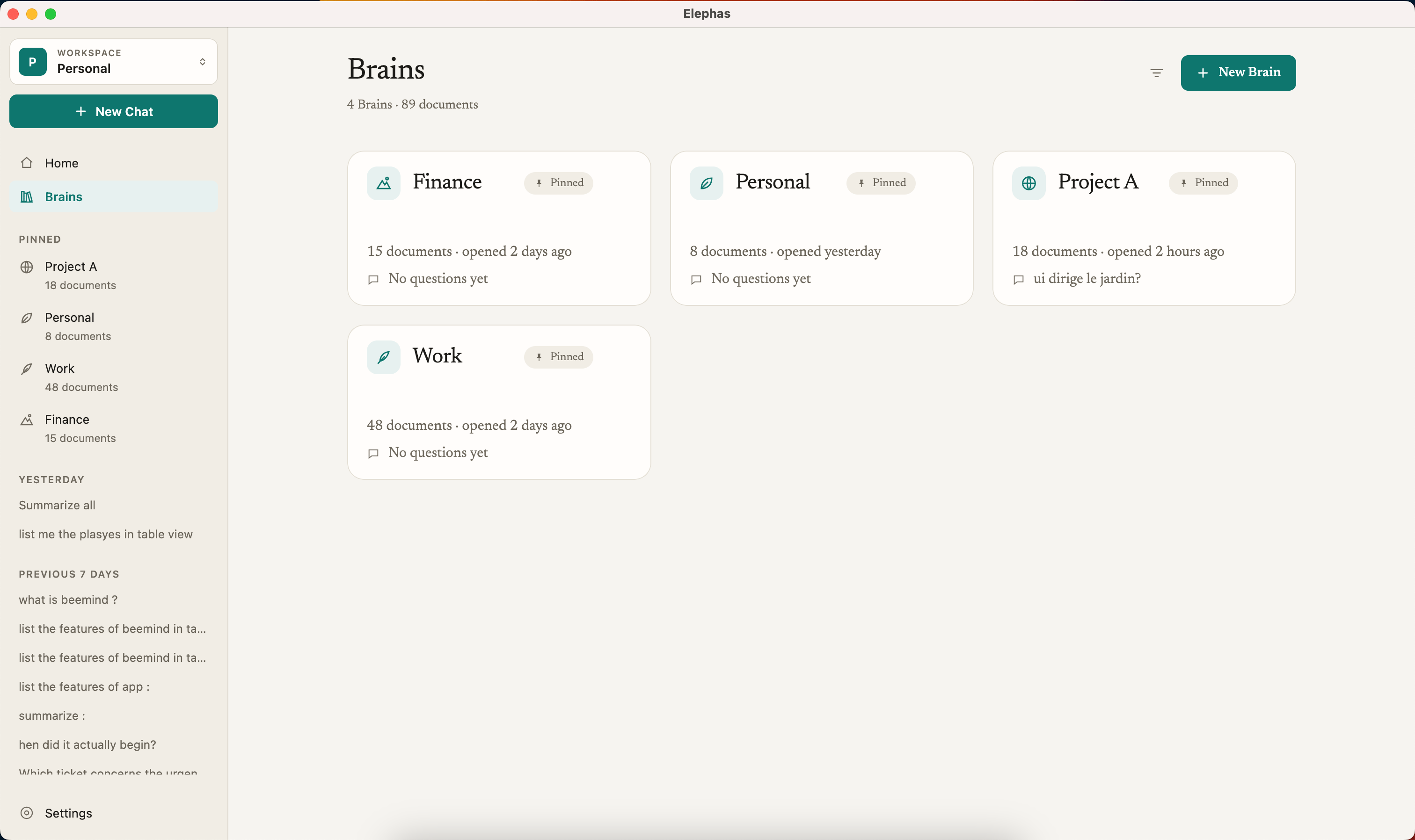
Documents
Documents are the files and web pages you add to a Brain: PDFs, Word, PowerPoint, Excel, Markdown and plain text, CSV, RTF, HTML, EPUB, and images. Elephas reads text in scanned pages and images on your computer. When you add a document, Elephas extracts its text and indexes it. Indexing happens on your computer. Always. Search works in English, German, Spanish, French, Hindi, Tamil, Japanese and Chinese, and you can ask in one language about a document in another. If you replace a document with a newer version, earlier answers keep citing the version they used. Add files and folders · Supported file types · Documents in other languagesAsk
Ask is where you ask questions. Choose which Brains to ask, or narrow it to specific documents, then type your question. Elephas finds the passages in your documents that match, and writes an answer grounded in them. Ask only uses the Brains you select. It never browses the web, and it never pulls from other Brains. If your documents do not support an answer, Elephas tells you so instead of guessing. That is the difference from a generic chatbot: answers from your documents, not the internet.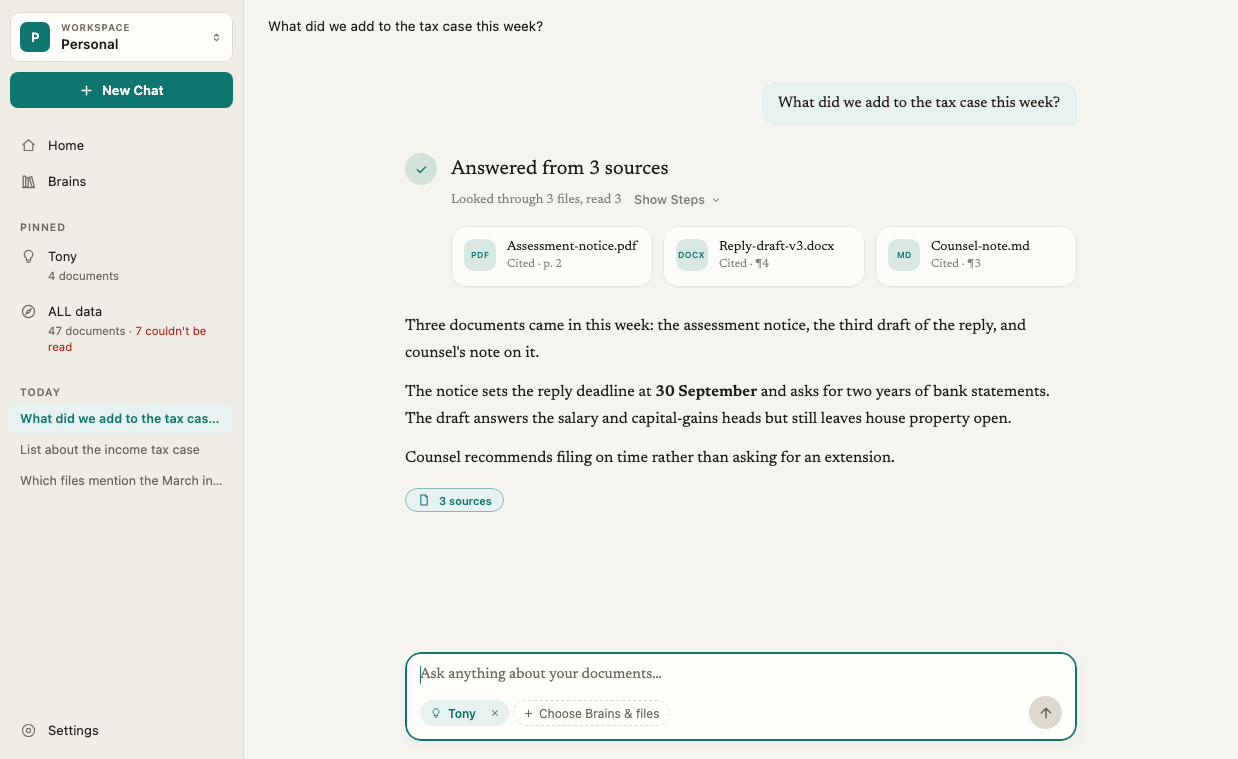
Citations
Every answer has small numbered citations. Click one to see the exact passage from your document in the Sources panel. Citations and sourcesChats
Each conversation in Ask is a chat. Chats are saved in your workspace so you can come back to them, rename them or delete them. Start a new one with New Chat (⌘N on Mac, Ctrl+N on Windows). Manage chat historyWhere answers come from
AI options
Elephas uses an AI model to write each answer from your passages. You choose where that model runs in Settings › AI:- Elephas AI is included with your plan and works with no setup.
- Own API key sends requests directly to the AI provider you already use, with your key.
- Local AI runs a model on your computer, so your question and passages are not sent anywhere.
Personal information protection
When you use a cloud option, Elephas detects names, contact details and ID numbers in your question and passages, and replaces them with placeholders on your computer before anything is sent. The real values are put back when the answer appears. It is on by default, works in seven languages, and hides many common personal details. You can also add names to a Brain that should always be hidden. Personal information protection · What data is sent to AI · Protected namesAcross devices and people
Personal Sync
Personal Sync keeps your library in step across your own computers, end-to-end encrypted. It is off until you turn it on, and is available on the Professional plan. Personal Sync overviewTeam workspace
A Team workspace lets colleagues share Team Brains, so everyone asks the same files and gets the same answers. The team owner manages members, roles and which Brains each person can see. Teams overviewGetting around
Your recent chats are in the sidebar on every page.
Home shows what you last asked, anything that needs your attention, and where you left off.