
Before you start
- Install Elephas on your Mac or Windows PC.
- Know which email address you used to buy your plan.
- Make sure the computer is online.
Steps
1
Open Plan & Billing
On Mac, choose Elephas › Settings… or press ⌘,. On Windows, choose File › Settings… or press Ctrl+,. Then choose Plan & Billing.
2
Sign in
Under Elephas Account, click Sign In and sign in in your browser with the account you bought your plan with. Then switch back to Elephas.
3
Check your plan
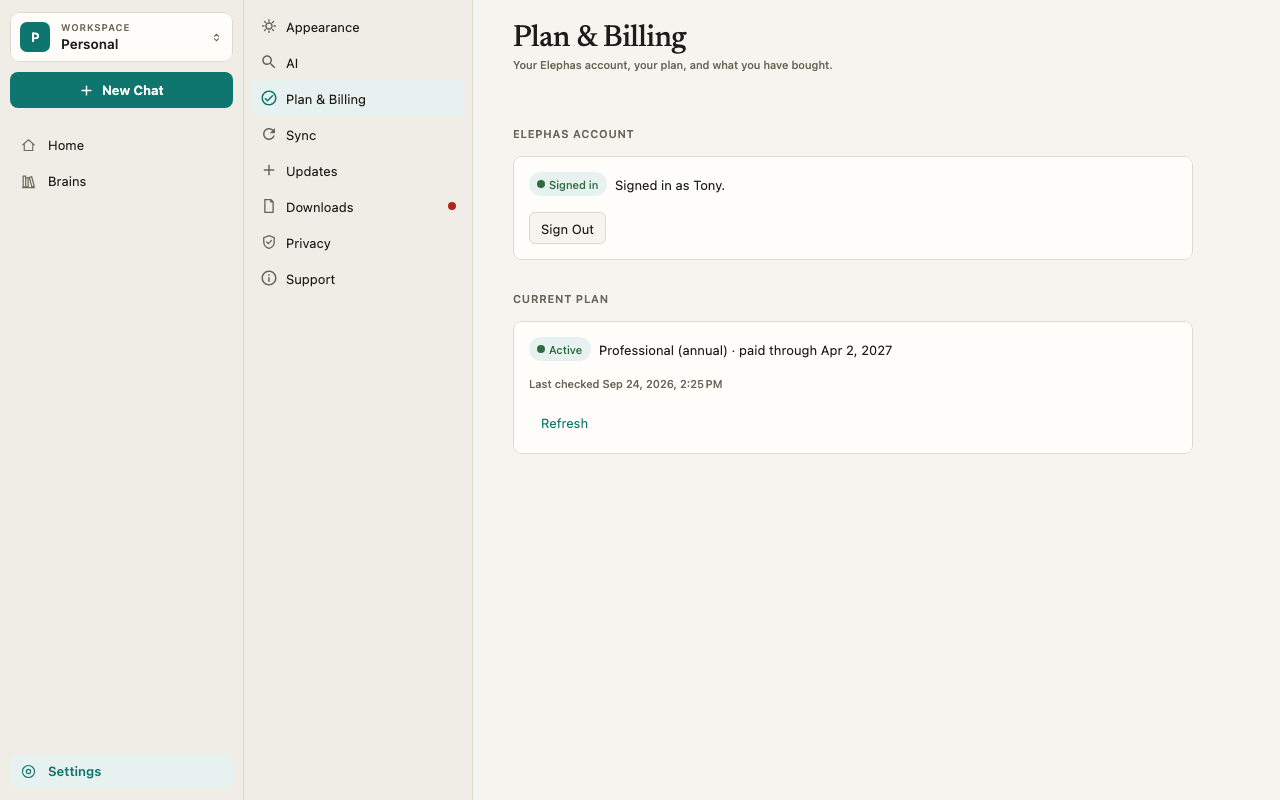
Current Plan shows your plan with an Active badge, for example “Professional (annual) · paid through” and a date. If it doesn’t, click Refresh.
4
Give this computer a place
Look at Devices. If you see Your plan has a free place for this device., click Use This Device. If you see This account is in use on another device., click Use This Device Instead. See device limits.
How it works
- Reinstalling on Mac over your existing data keeps the same device. Sign in again and your plan, Brains and chats are all there.
- Reinstalling on Windows starts clean, because uninstalling deleted your local data. Sign in again and your plan and synced content come back. Anything you never synced does not.
- A new computer, or a deleted data folder, counts as a new device. Your plan comes back when you sign in, but your Brains and documents are stored on your old computer. Move them with Personal Sync on Professional, or add your files again. See move to a new computer.
- Your free trial is the same. Signing in on another computer resumes your trial with the same end date. It does not start a new one.
- Saved API keys and Local AI models stay on the computer they were set up on. On a new computer, add your key or download a model again.
Troubleshooting
Plan & Billing says No plan yet
Plan & Billing says No plan yet
You are probably signed in with a different account than the one you paid with. Click Sign Out, then Sign In with the other email. If you are sure it is the right account, contact support.
This device is registered to another Elephas account
This device is registered to another Elephas account
This installation was used with a different account before. Sign in with that account. Nothing on this computer was changed.
I have a license key from classic Elephas
I have a license key from classic Elephas
This app does not use license keys, and classic licenses don’t activate it. See moving from classic Elephas.