Obsidian, DEVONthink & Other Tools
Index your notes from Obsidian, DEVONthink, Bear, Logseq, and Roam Research in Elephas Super Brain.
Local file manager integrations
Elephas integrates with local knowledge management tools that store files on your Mac. Point a workspace at a folder managed by these tools, and Elephas indexes the contents.
Obsidian
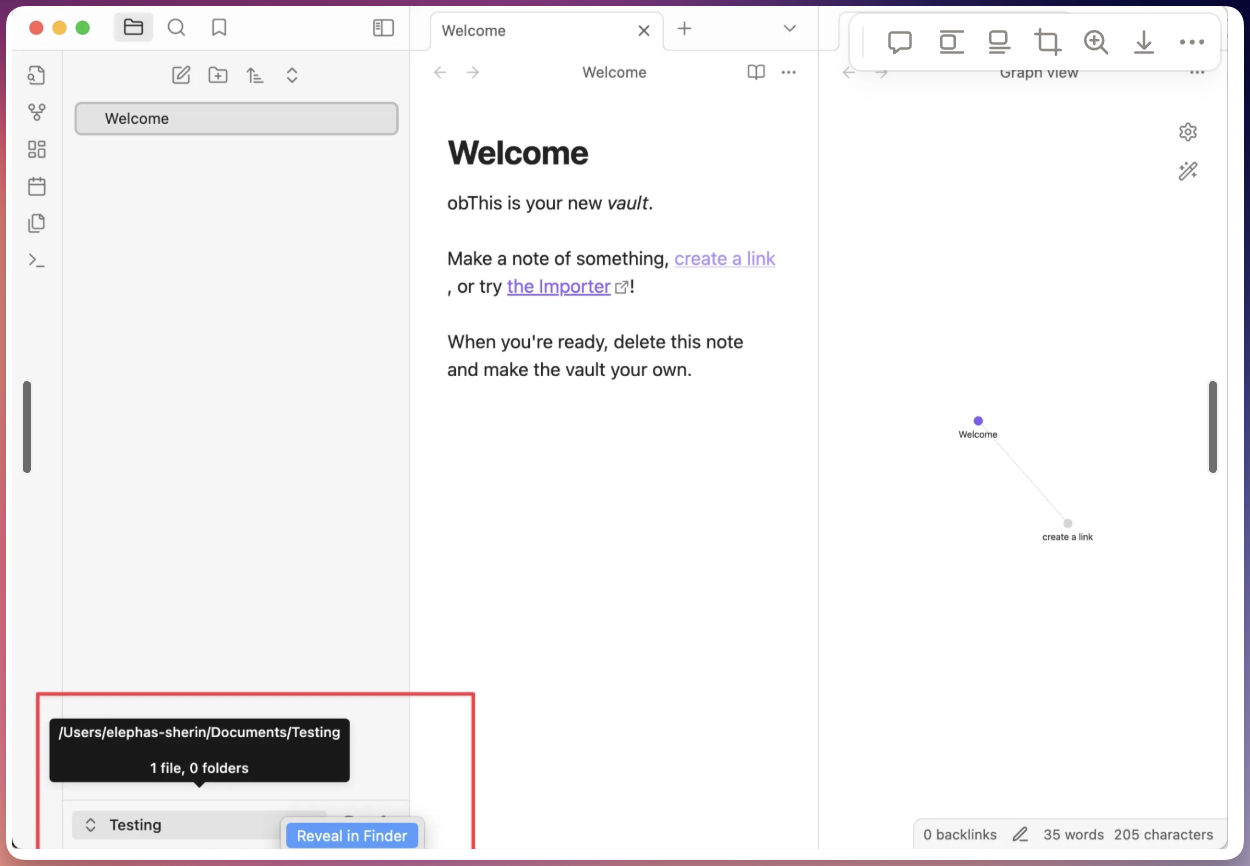
Obsidian stores notes as Markdown files in a local vault. Find the vault folder by right-clicking the vault name in Obsidian and choosing Reveal in Finder. Then in Elephas open your Super Brain > Knowledge Base > Add Files or Folders and select that vault folder. Elephas indexes the .md files; links, tags, and frontmatter are searchable as text.
DEVONthink
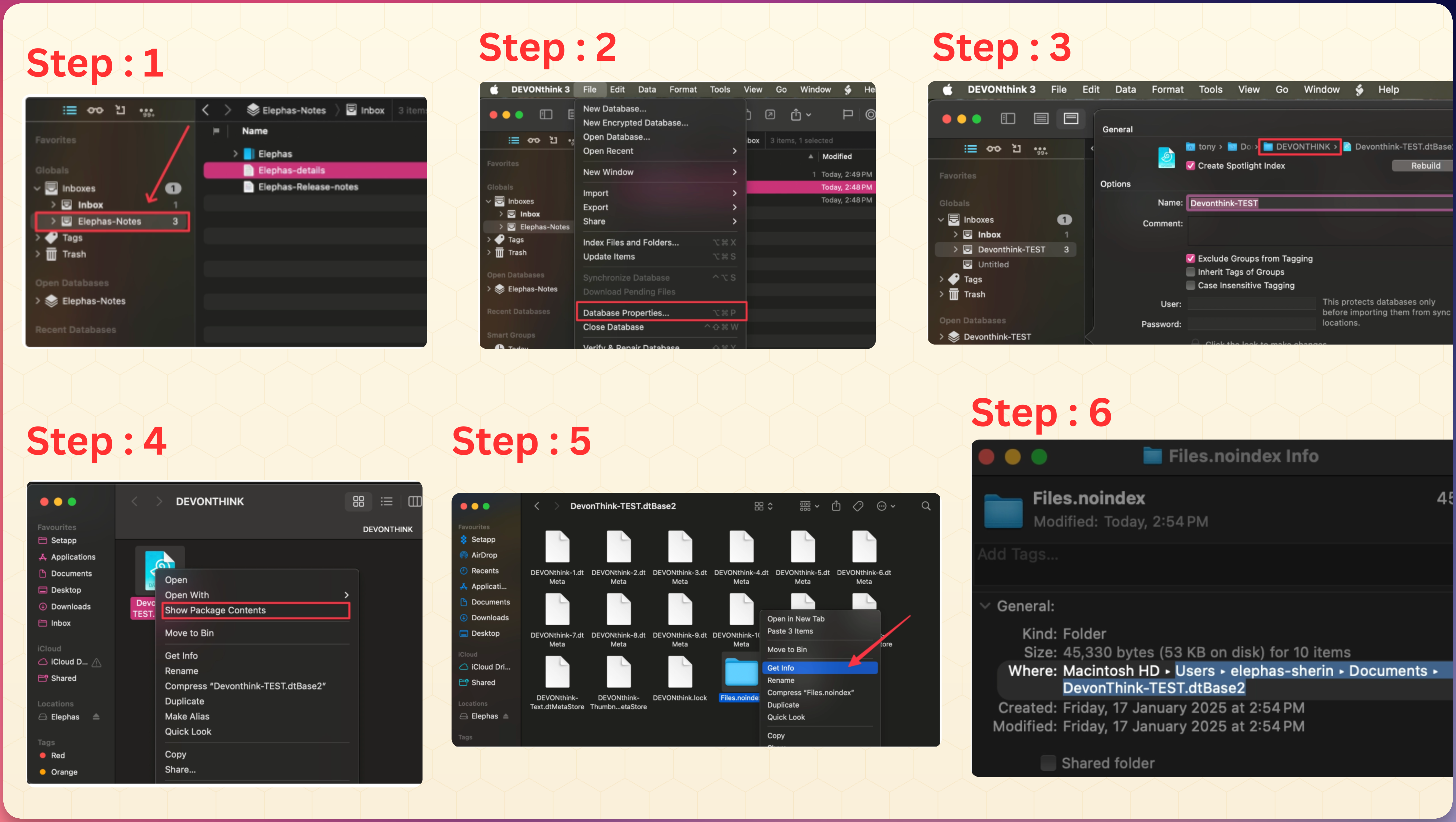
DEVONthink keeps documents inside a database package. To index it:
- Open the DEVONthink database properties to find its save path
- Locate the
.dtBase2package, right-click > Show Package Contents, and find theFiles.noindexfolder - In Elephas, add the folder that contains your files (e.g.
Files.noindex) to the Brain
Alternatively, export the documents to a normal folder (File > Export) and add that.
Bear Notes
Export your Bear notes first: File > Export Notes, choose a format (Markdown is ideal) and a destination folder. Then add that folder to your Brain via Knowledge Base > Add Files or Folders.
Logseq
Find your graph's root folder (hover the graph name, or use All graphs), then in Elephas open Super Brain > Knowledge Base > Add Files or Folders and select that folder.
Roam Research
Roam is cloud-based, so export first: open the page, click the top-right icon, choose Export or Export All, pick a format (Markdown or JSON), save the file, then add it to your Brain.
Zoom meetings and other sources
Zoom meeting recordings and transcripts can be added to a Brain too — add the saved recording/transcript file via Add Files or Folders (audio is transcribed on index). A single Super Brain can combine multiple integrations at once (e.g. Apple Notes + Obsidian + web pages); just add each source to the same Brain.
Keeping integrations updated
When you edit notes in these tools, the changes are not automatically reflected in Elephas. Open your workspace settings and click Refresh to re-index updated files.