Billing, Plans & Credits
Understand Elephas plans, credits vs. Bring Your Own Key, upgrading, and managing or cancelling a Gumroad subscription.
Plans and the free trial
Upgrading to a paid plan unlocks features like Super Chat, Super Brain, Agentic Mode, integrations (Apple Notes, Obsidian, Notion), and auto-sync across devices. You can try the Elephas Pro plan free for 7 days, no credit card required.
Upgrading your plan
There are three ways to upgrade:
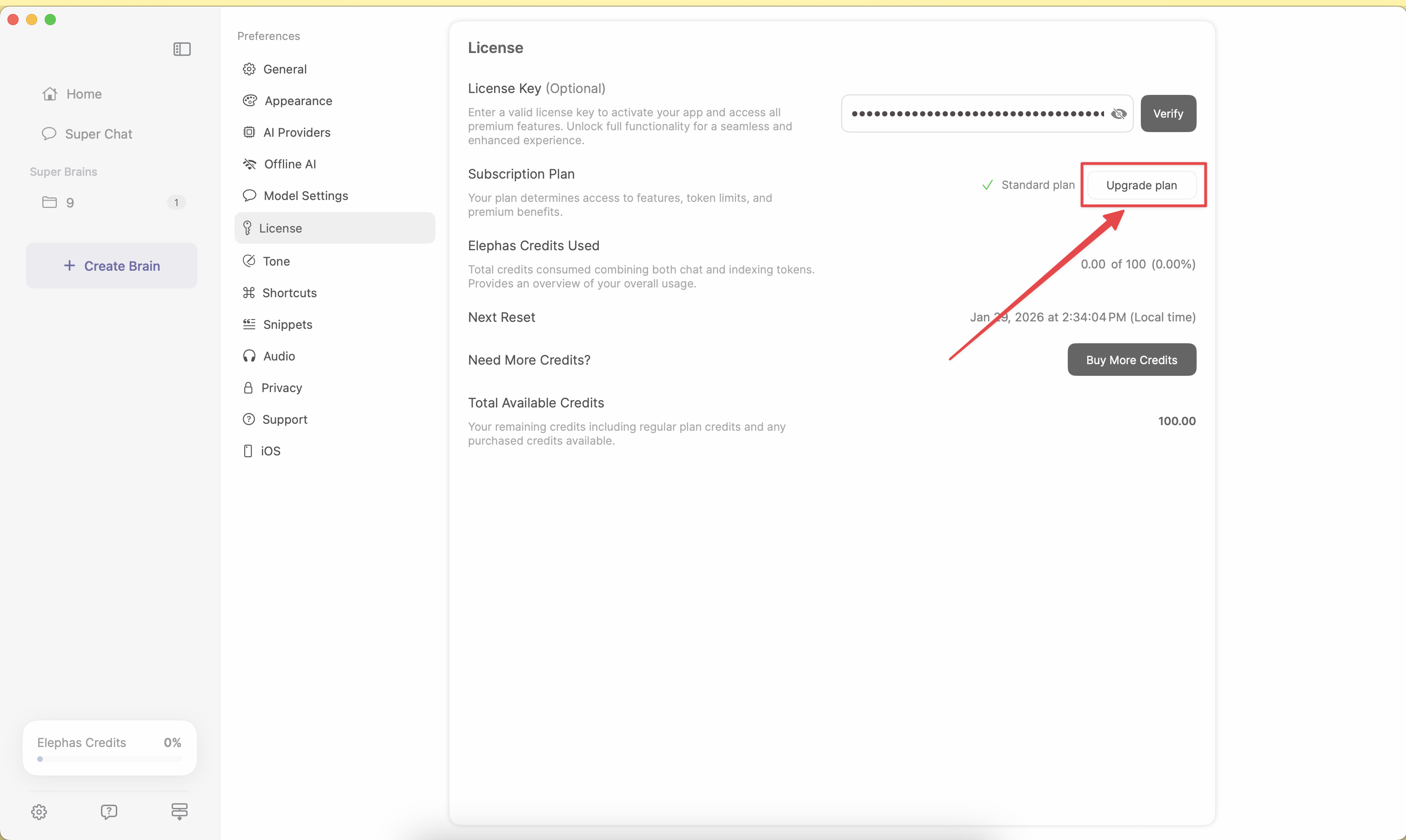
- Preferences — go to Elephas → Preferences → License and click Upgrade plan
- Super Chat — use the upgrade option near the credits usage bar in the lower-left corner
- Website — visit elephas.app and choose a plan
These options apply to direct purchases (website or Gumroad). The License tab and in-app upgrade are not shown if you use Elephas through Setapp or the Mac App Store — manage those plans in the Setapp app or in your Apple account's Subscriptions settings.
After upgrading, your license is auto-verified in Preferences and you get instant access to the additional features and credits. Your license key does not change when you upgrade. You can open Preferences from the menu bar Elephas icon, or by typing “license” in Super Command (Ctrl + Space).
Credits
Credits give paid users extra AI usage beyond their plan limits. A few things to know:
- Credits are available only for paid plan users.
- Credits are valid for 3 months from the date of purchase.
- They are used by Smart Write, Super Brain indexing, Super Chat, agentic workflows, and web search.
To buy credits, go to Elephas → Preferences → License and click Buy Credits. Payment is handled by Paddle (card or PayPal), and credits are added automatically. You can check your balance any time under Preferences → License. For heavy regular use, upgrading your plan is usually better value than topping up credits. You can also avoid cloud usage entirely with Offline AI, or connect your own provider key (see AI Provider Configuration).
Managing or cancelling a Gumroad subscription
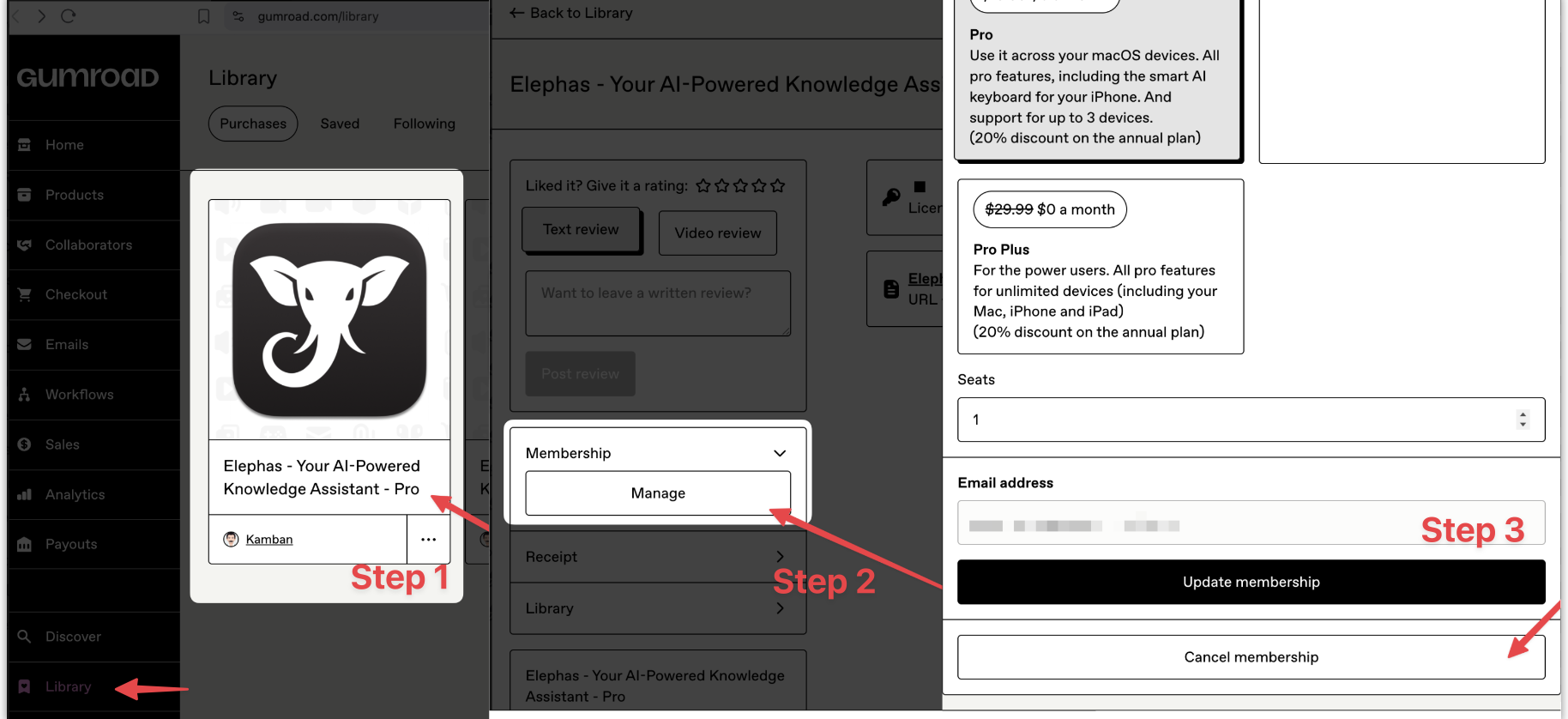
If you subscribed through Gumroad, open Elephas → Preferences → Support → Manage Subscription, sign in to Gumroad, open your Library, select the Elephas membership, then choose Manage membership → Cancel membership. You can also use the Manage Membership link in your Gumroad receipt email, or go directly to app.gumroad.com/library. App Store purchases are managed in your Apple account's Subscriptions settings.
Need help with a purchase?
For receipts, refunds, or license recovery, email support@elephas.app from, or referencing, the email address you used at purchase.