Amazon Quick Pricing: Free, Plus, Max and Business Plans Explained
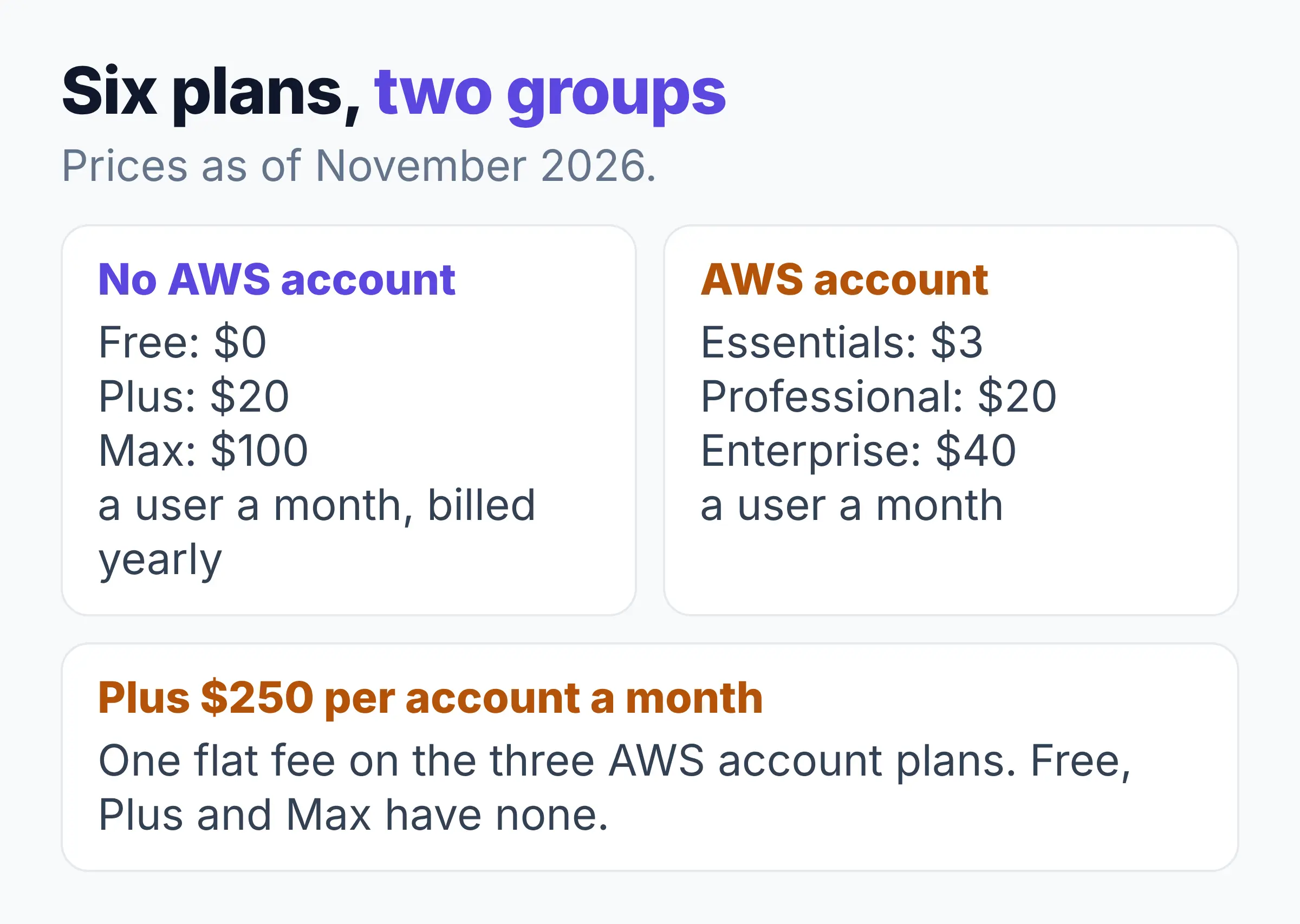
Amazon Quick pricing starts with a $0 Free plan. Plus and Max serve people and small teams with no AWS account. Essentials, Professional and Enterprise need one and add the $250 account fee each month. That fee is why five people on Professional pay $350 a month, or $70 each (AWS pricing page).
What you need is one dated page that shows all six plans, small-team costs, what agent hours are and where AWS's own pages disagree.
Read the Quick answer first, then the plan table. AWS's pricing page shows no "last updated" date, so every price here is as of November 2026. Check it again before you pay.
Quick answer
- Free costs $0 for one user with 1 GB of index storage (space for files Quick can search). It is a plan, not a trial.
- Plus ($20 a user a month, billed yearly) and Max ($100 a user a month, billed yearly) need only an email or social sign-in.
- Essentials, Professional and Enterprise cost $3, $20 and $40 a user a month, need an AWS account and add $250 a month per account.
- Elephas is a private AI knowledge assistant for Mac and Windows that answers from your own documents, with a 7-day free trial and plans from $19 a month.
What Is AWS Quick, and Why Did Amazon Quick Change Its Name?
AWS Quick is the AI assistant for work from Amazon Web Services (AWS), the same product as Amazon Quick. AWS renamed it on 9 November 2026, and its AWS What's New post says "Quick works the same way it did before."
Quick is the next step after Amazon Q Business, which is closed to new customers. Quick launched as Amazon Quick Suite in October 2025.
Quick Suite Pricing: Same Plans, Older Name
Quick Suite pricing is AWS Quick pricing under the old name. The old Quick Suite address now leads to the same pricing page with the same six plans, so the table below covers both names.
Amazon Quick Pricing for Every Plan in 2026
AWS Quick has six plans as of November 2026, from Free at $0 to Enterprise at $40 a user a month plus a $250 account fee.
| Plan | Price per user a month (Nov 2026) | Index storage | Agent hours a month |
|---|---|---|---|
| Free | $0 | 1 GB | Not given |
| Plus | $20 yearly, $25 monthly | 10 GB | Not given |
| Max | $100 yearly, $125 monthly | 50 GB | 5x more usage |
| Essentials | $3 + $250 account fee | 1 GB | 1 (3 until 31 Jan 2027) |
| Professional | $20 + $250 account fee | Up to 25 GB | Up to 8 |
| Enterprise | $40 + $250 account fee | Up to 50 GB | Up to 18 |
You need an AWS account for Essentials, Professional and Enterprise. AWS's pricing page says these accounts are "charged a flat $250 per account per month infrastructure fee" (one fee for the whole account, on top of the price per person). Free, Plus and Max have no such fee.
What a small team pays a month, total (cost per person in brackets)
| Plan | 1 person | 5 people | 10 people |
|---|---|---|---|
| Plus (yearly) | $20 ($20) | $100 ($20) | $200 ($20) |
| Essentials | $253 ($253) | $265 ($53) | $280 ($28) |
| Professional | $270 ($270) | $350 ($70) | $450 ($45) |
| Enterprise | $290 ($290) | $450 ($90) | $650 ($65) |
- The $250 fee is charged once per account, so it weighs most on small teams: one person on Essentials pays $253 a month.
- Plus and Max add the browser and Microsoft 365 extensions, Shared Spaces and user management.
- The AWS-account plans add SSO (single sign-on), admin controls and 24/7 support. Only Enterprise builds Quick Sight dashboards.
Is Amazon Quick Free? The Free Plan and the Two 30-Day Trials
Yes, Amazon Quick is free on the Free plan: $0 for one user with 1 GB of index storage, with no card and no trial that runs out.
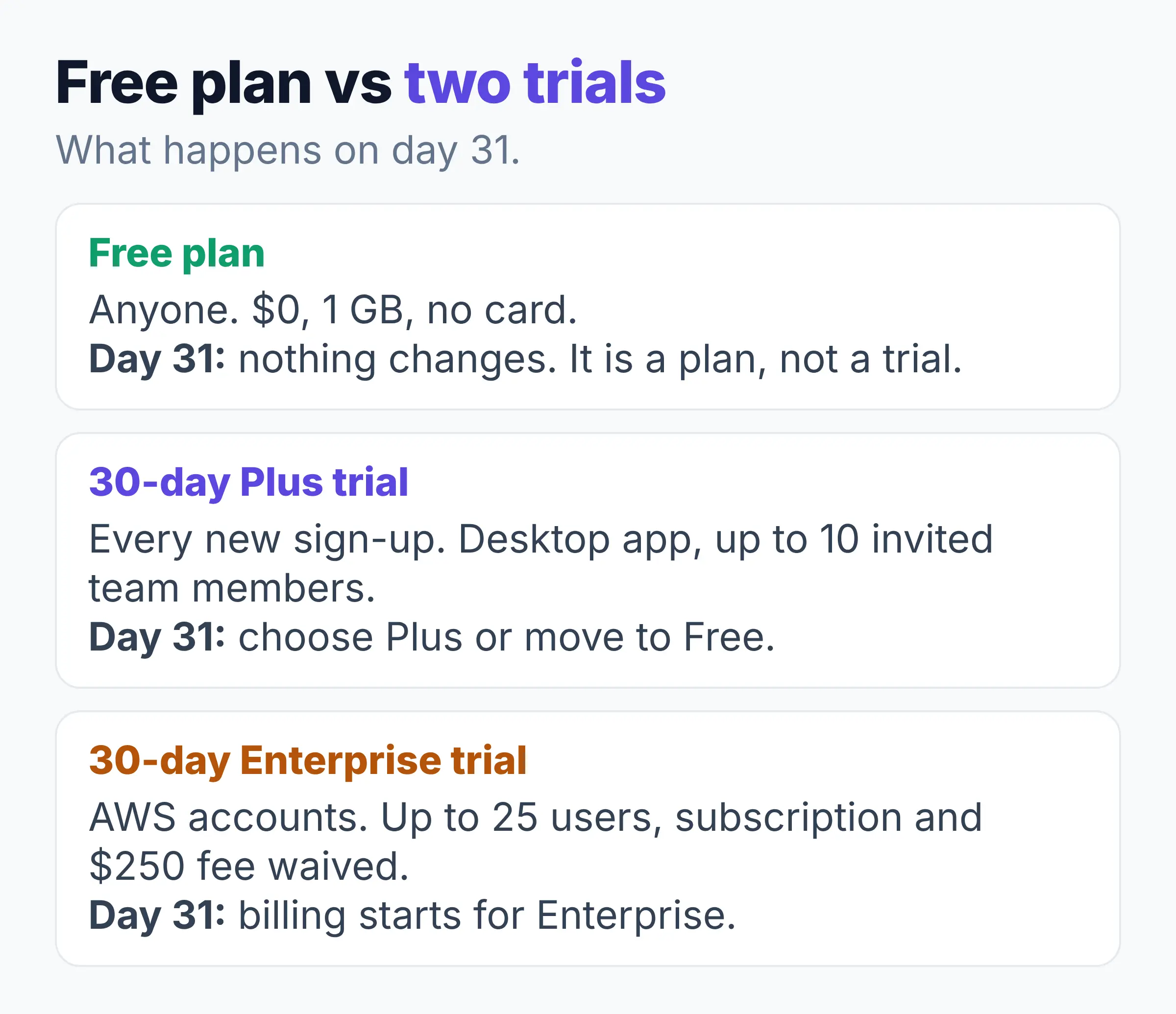
Every new sign-up also gets a 30-day Plus trial with the desktop app and up to 10 invited team members. The AWS FAQ says "No AWS account or credit card required". Afterwards you choose Plus or move to Free.
The Enterprise trial is a separate offer for AWS accounts: up to 25 users for 30 days, with the subscription and the $250 fee waived. The Enterprise trial turns into a bill after day 30. The pricing page says "customers with an AWS account will start being billed for an Enterprise plan".
AWS's plan pages (pricing and FAQ) disagree on the desktop app for macOS and Windows. The pricing table lists it for Free and counts "all six Quick plans", while the FAQ says the app "is available on Plus, Professional, and Enterprise plans" and counts four. Check the pricing page before you buy.
- Free still includes chat, Research, Quick Flows and connectors to tools such as Slack, Microsoft 365 and QuickBooks.
- Free leaves out Shared Spaces, the browser extensions and user management.
- After an Enterprise trial, $40 a person plus the $250 fee starts on its own, with up to 18 agent hours each.
What Are Agent Hours, and What Happens When They Run Out?
An agent hour is the unit AWS Quick uses to measure the time its AI features spend working for you, counted per second on web, desktop and mobile alike.
How fast agent hours get used depends on the task. Chat and the agent tools (Research, Flows and Automate) count, and idle time does not. Fast, Balanced and Smart modes (how much reasoning Quick puts in) use hours at rising rates. AWS's pricing page says a scheduled report "draws down your hours on its own".
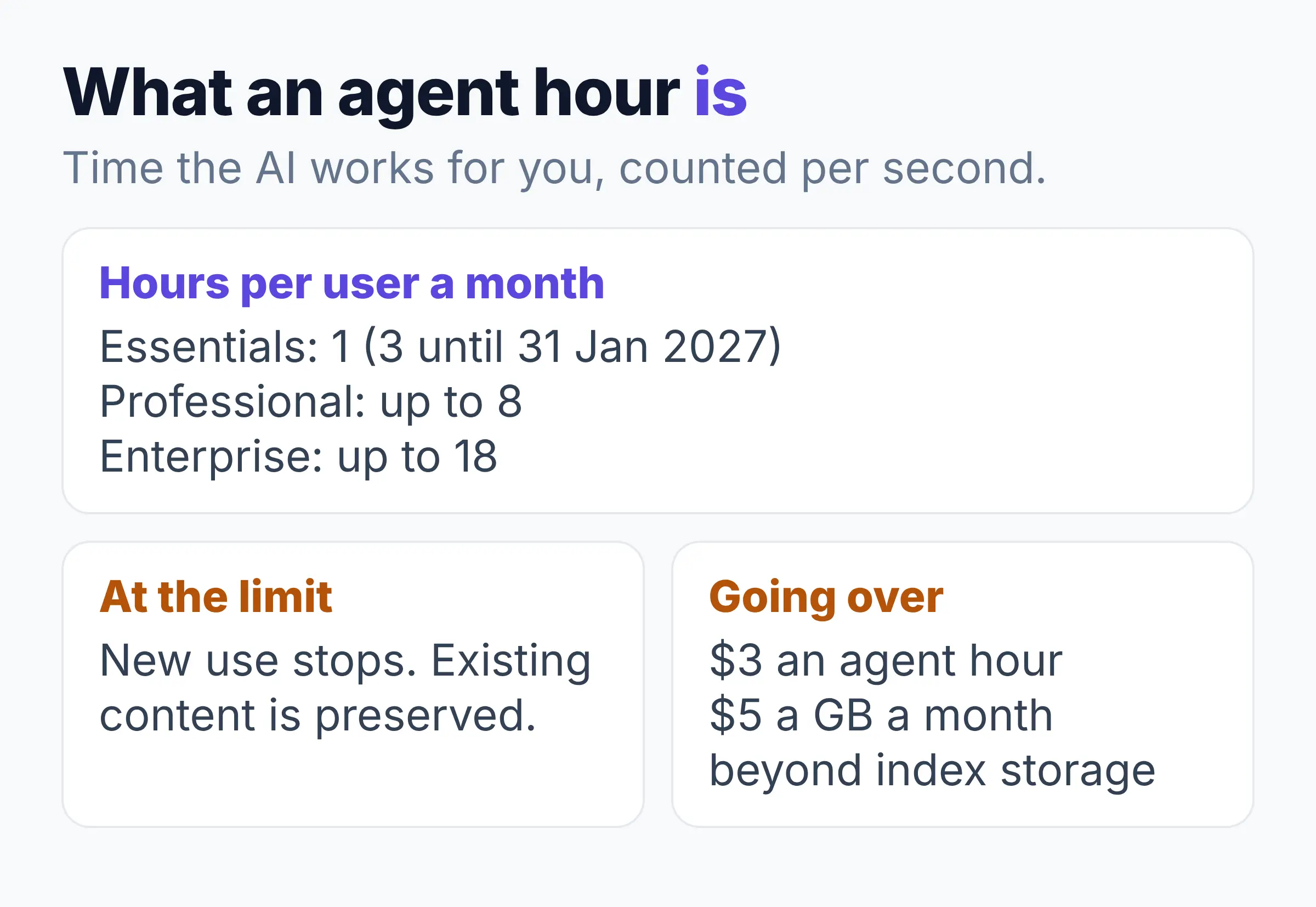
Essentials includes 1 agent hour per user a month (3 hours until 31 January 2027), Professional up to 8 and Enterprise up to 18. In September 2026, AWS raised Professional from 4 to 8 and Enterprise from 8 to 18 (AWS What's New).
Agent hours running out can stop your work. In July 2026, one user on the AWS community forum reported only 2 hours of use a month. Since 14 August 2026, on Professional and Enterprise, once a user reaches the limit an admin set for them, "new consumption is blocked while existing content is preserved".
- On Free, Plus and Max, AWS gives no hour number (Max has "5x more usage"). To keep going, you upgrade or turn on extra usage in billing settings.
- On Essentials and Professional, an admin must first set a Limit Profile (a cap per user or role). Enterprise can go over without one.
- Going over costs $3 per agent hour and $5 per GB per month for files beyond your index storage.
What Happens to Your Data on Each Plan, and Which Plan Fits You?
AWS does not train on your data on the Free plan or any paid plan: the AWS FAQ says "AWS does not use your data to train models in any AWS Quick plan".
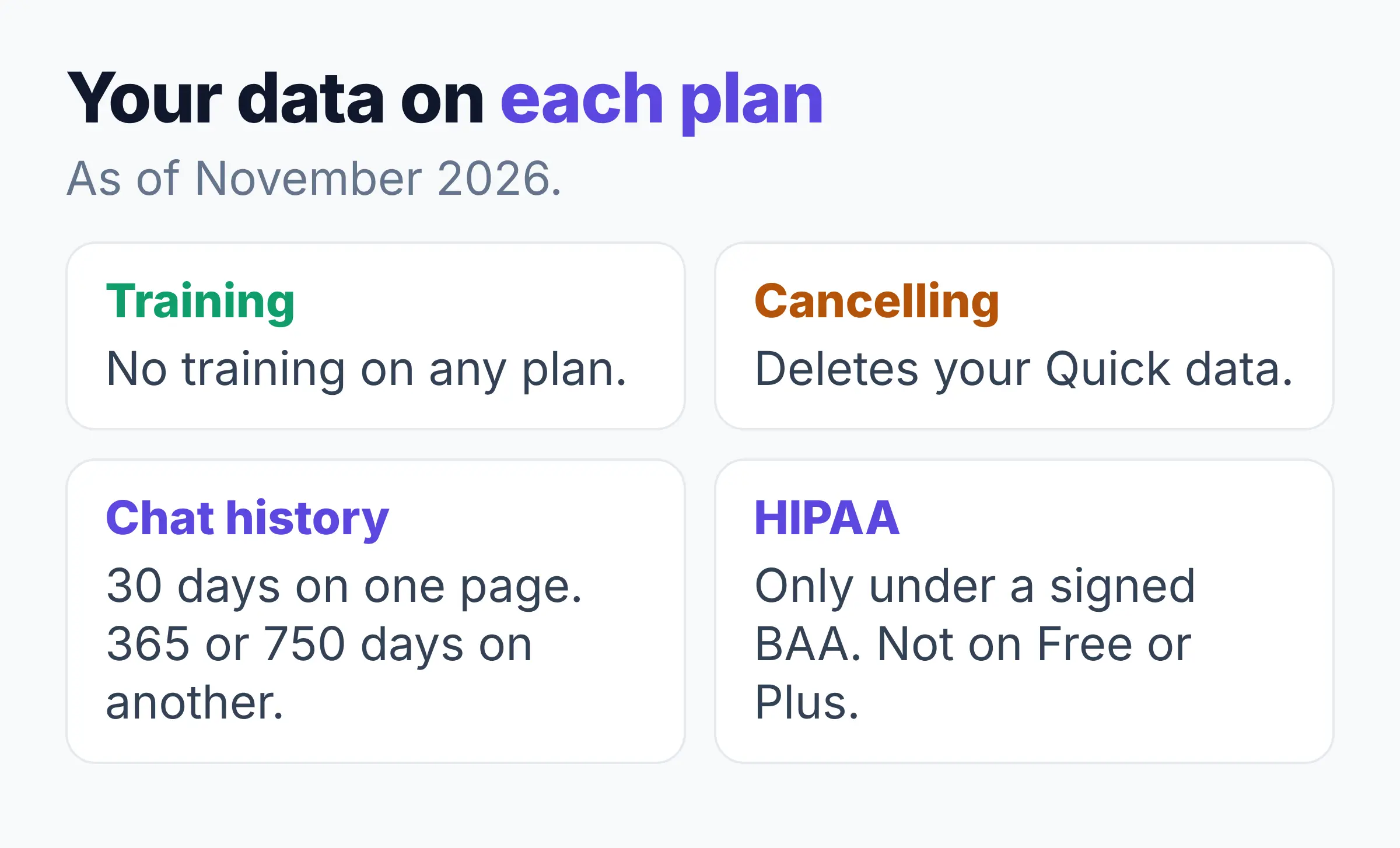
Cancelling deletes your data. AWS's data handling page says unsubscribing "permanently deletes all of your AWS Quick data". The same page keeps a deleted user's chats for "a rolling 30-day window", while the desktop limits page lists 365 days, or 750 for chats you pin or put in a folder. The two pages differ.
AWS gives no data rule for a downgrade, only that the lower allowance starts next cycle. In October 2026, AWS said Quick can hold health data under HIPAA (the US health privacy law), but only with a signed BAA (a health data agreement). The same post says "No BAA on the Free or Plus path".
A study by Cyberhaven in February 2026 found 39.7 percent of all data movements into AI tools involve sensitive data (Cyberhaven). AWS's security page says the Quick service in the cloud "processes each request" with a model on Amazon Bedrock (AWS's AI model service). So client details typed into a question go there too.
- Free and the Plus trial: for trying Quick on your own at $0.
- Plus: for a small team without an AWS account, with no account fee.
- Max: for one heavy user who wants 5x more usage.
- Essentials, Professional or Enterprise: for you if your company is on AWS and needs SSO, admin controls and dashboards. The $250 fee is shared, so your cost per person falls as the team grows.
Elephas: The Solution for Private Answers From Your Own Documents
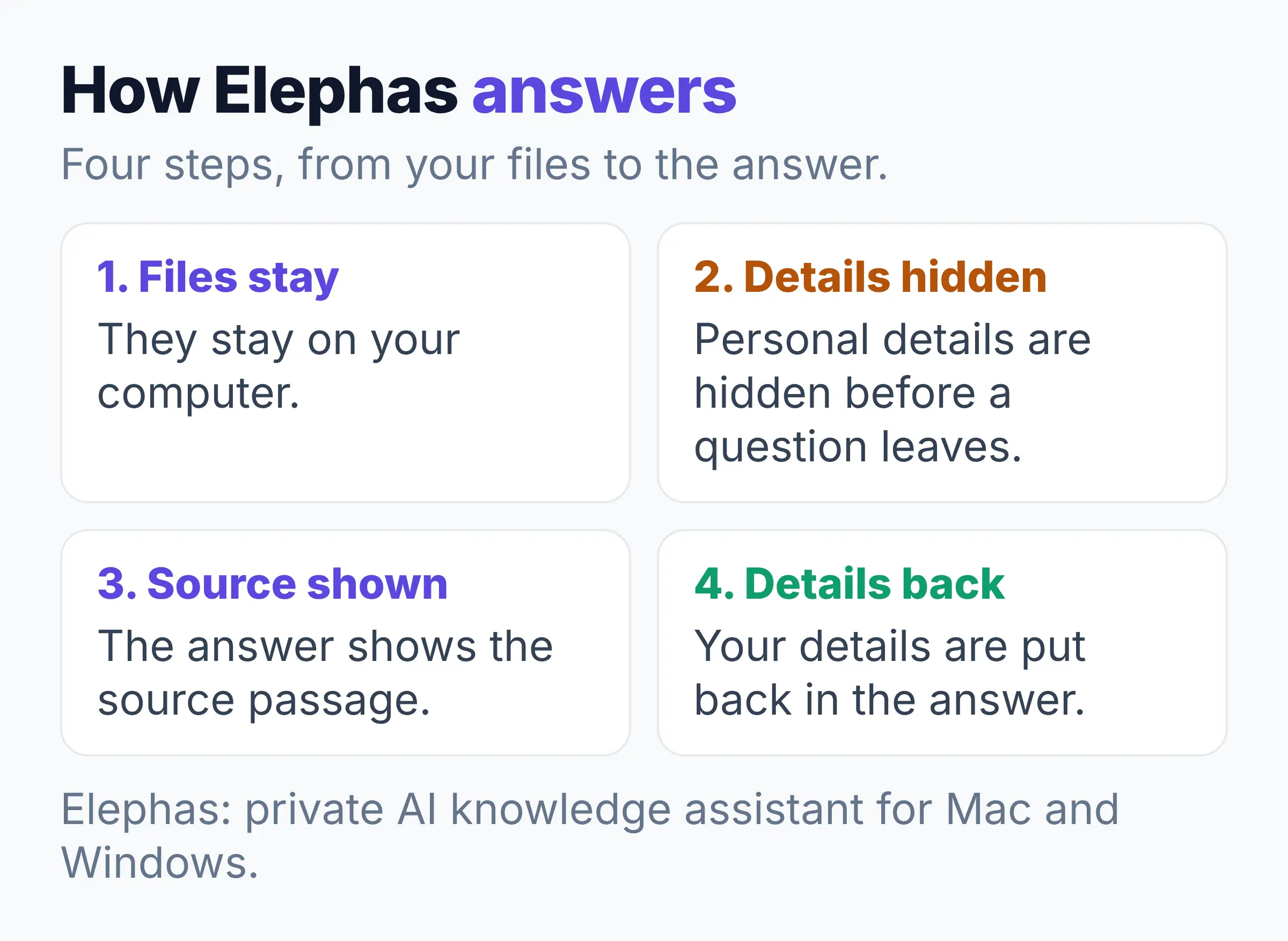
For answers from your own contracts, policies and reports, a private AI can keep the files on your computer, hide names before a question leaves it, and charge a flat monthly price.
A study by LayerX found that nearly half of enterprise AI conversations happen through personal accounts, and more than 6 percent contain sensitive data, as The Hacker News reported in May 2026 (The Hacker News).
Elephas is a private AI knowledge assistant for Mac and Windows that answers from your own documents and shows the source passage. Your documents stay on your computer, and plans start at $19 a month after a 7-day free trial, with no agent hours to count.
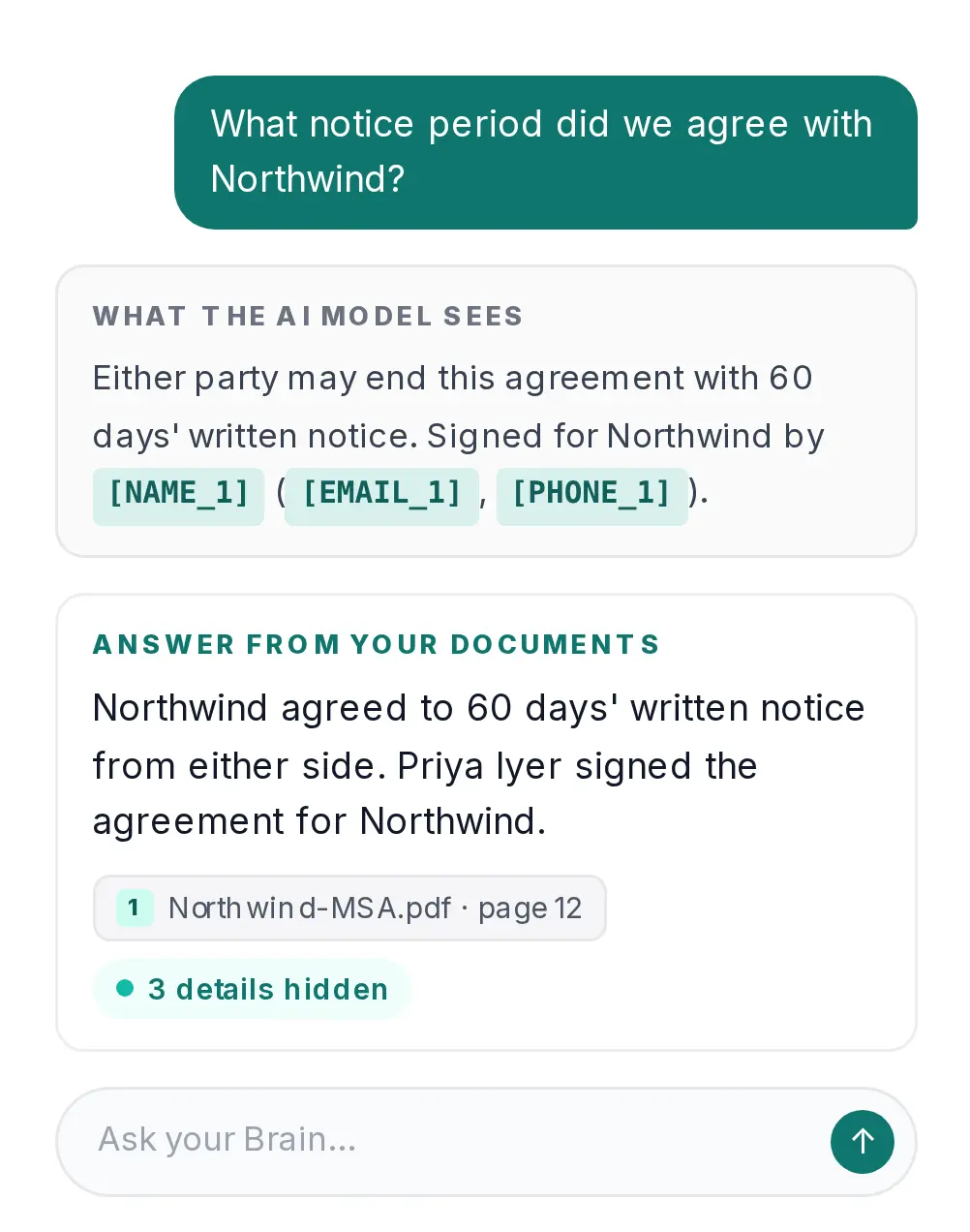
Before a question leaves your computer, Elephas hides personal details such as names, email addresses and phone numbers, then puts them back in the answer. The question and selected passages still go to the cloud model, with those details hidden. The optional on-computer model sends nothing.
- AWS Quick is the better pick for agents, automations, dashboards and connectors across work apps. Elephas is the pick for cited answers across your own files, with personal details hidden first.
- Every answer cites your files, and you can open a source to see the quoted passage. Our guide to ChatGPT anonymizer tools explains how hiding details works.
- Elephas runs on macOS 14 or later (Apple Silicon) and Windows 10 or 11, and the trial needs no card (pricing).
FAQ: Amazon Quick Pricing Questions
Can I pay for Quick monthly?
Yes, on Plus and Max. Plus costs $25 a user billed monthly or $20 billed yearly, and Max costs $125 billed monthly or $100 billed yearly. Essentials, Professional and Enterprise show one monthly price per user, plus the $250 account fee.
Is the desktop app an extra cost?
No. AWS's pricing page says there is "no difference in terms of pricing or how usage is counted" between the desktop app, web, mobile and extensions. The app runs on macOS and Windows and draws on the same monthly agent hours as the web version.
Do Quick Sight BI features cost extra?
Some do. Quick Sight, formerly Amazon QuickSight and now AWS Quick Sight, is the business intelligence (BI) part of Quick. Essentials users can view dashboards and Enterprise users can build them. SPICE (a fast data engine) costs $0.38 per GB a month extra.
Can I set a spending cap on Quick?
Yes. On Free, Plus and Max, extra usage is off by default, and turning it on means setting a spend cap. On the other plans, admins set Limit Profiles, and AWS Cost Explorer can show Enterprise usage up to 8 hours late (pricing page).
Which AWS Regions offer Quick?
AWS lists 26 Regions where Quick is supported, and 9 offer agent features. Your data is stored only in your primary Region, but AWS may process your prompts in another Region in the same geography, and AWS says "You can't configure it".