Is Siri AI Private? What It Can Access, and What That Means for Sensitive Work
Apple's new Siri, unveiled at the WWDC 2026 keynote (Apple's Worldwide Developers Conference), is the version of Siri people have waited years for. It understands personal context across your messages and photos, answers questions about what is onscreen, and takes action across apps.
Apple also made privacy the selling point of these new AI features rather than an afterthought, which is exactly why the privacy concerns are worth taking seriously rather than dismissing.
So the honest question is not whether the new Siri can help you. It clearly can. The question worth asking is what it does with everything it now sees, and whether that answer holds up when the thing on your screen is a client's contract.
Quick answer
The new Siri is private by design for everyday use. Most requests run on your own device, and heavier ones go through Apple's Private Cloud Compute, where Apple says your data is used only for that request, never stored, and never readable by Apple. The catch is what “private” means: Apple cannot see your data, but that is not the same as the data never leaving your device.
- On-device first: routine requests never leave your iPhone or Mac.
- Private Cloud Compute: heavy requests are processed, not stored, and (per Apple) not accessible to Apple.
- The nuance: the heaviest requests now run on Google Cloud servers using a custom Gemini model, wrapped in Apple's privacy system.
- For sensitive work: “the vendor promises not to look” is a weaker guarantee than keeping the data out of the cloud in the first place.
- The private Mac alternative: Elephas strips out client names, account numbers, and other identifiers before anything reaches a cloud model. It starts at $19/month and is free to try.
What the new Siri AI can actually access
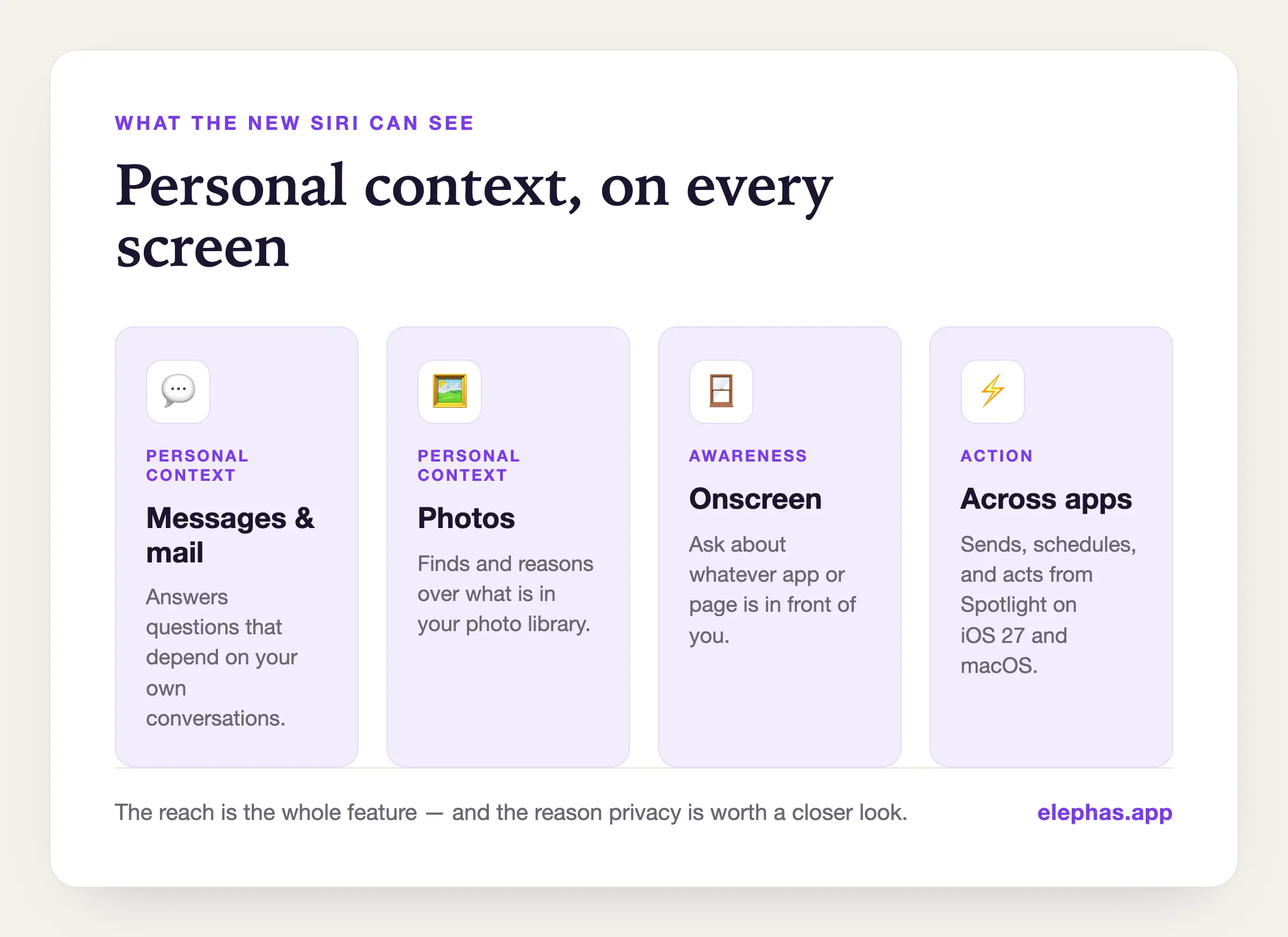
The new Siri is useful precisely because it has reach. In Apple's own announcement, Apple Intelligence is described as drawing on personal context and onscreen awareness to act more naturally than before.
In practice the assistant can look across the content you already keep on your iPhone, iPad, and Mac and respond to what is in front of you.
- Personal context across the Messages app, mail, and photos, so it can answer questions that depend on your own personal data
- On-screen awareness, so you can ask about whatever app you are looking at, with the same contextual help reaching Safari, your inbox, and the Home app
- Broad world knowledge for up-to-date answers, plus a more conversational style that handles natural language better, with improved dictation and voice control
- Action across apps, from daily tasks and automation to writing help reachable from Spotlight on iOS 27 and macOS
None of this is hype. These new features are real, the underlying artificial intelligence is genuinely more capable, and so is the reach it all depends on. That reach is the whole user experience, and it is also the reason privacy is worth a closer look.
The trade every AI assistant makes
A personal AI assistant is helpful for one reason: it can see your stuff. That is the deal, not a flaw in the design.
An assistant that cannot read your calendar cannot reschedule your week, and one that cannot read your screen cannot summarize the page you are stuck on. Every rival AI faces the same trade, whether it is Apple Intelligence, a Google product, or a chatbot like ChatGPT.
The useful instinct is not to recoil from these AI features. It is to ask the next question. Where does that information go when Siri answers, and who can see it along the way?
Apple has a thoughtful answer. It is worth understanding exactly what that answer covers, because it covers a lot, and because it does not cover everything.
What Private Cloud Compute protects, and what it does not
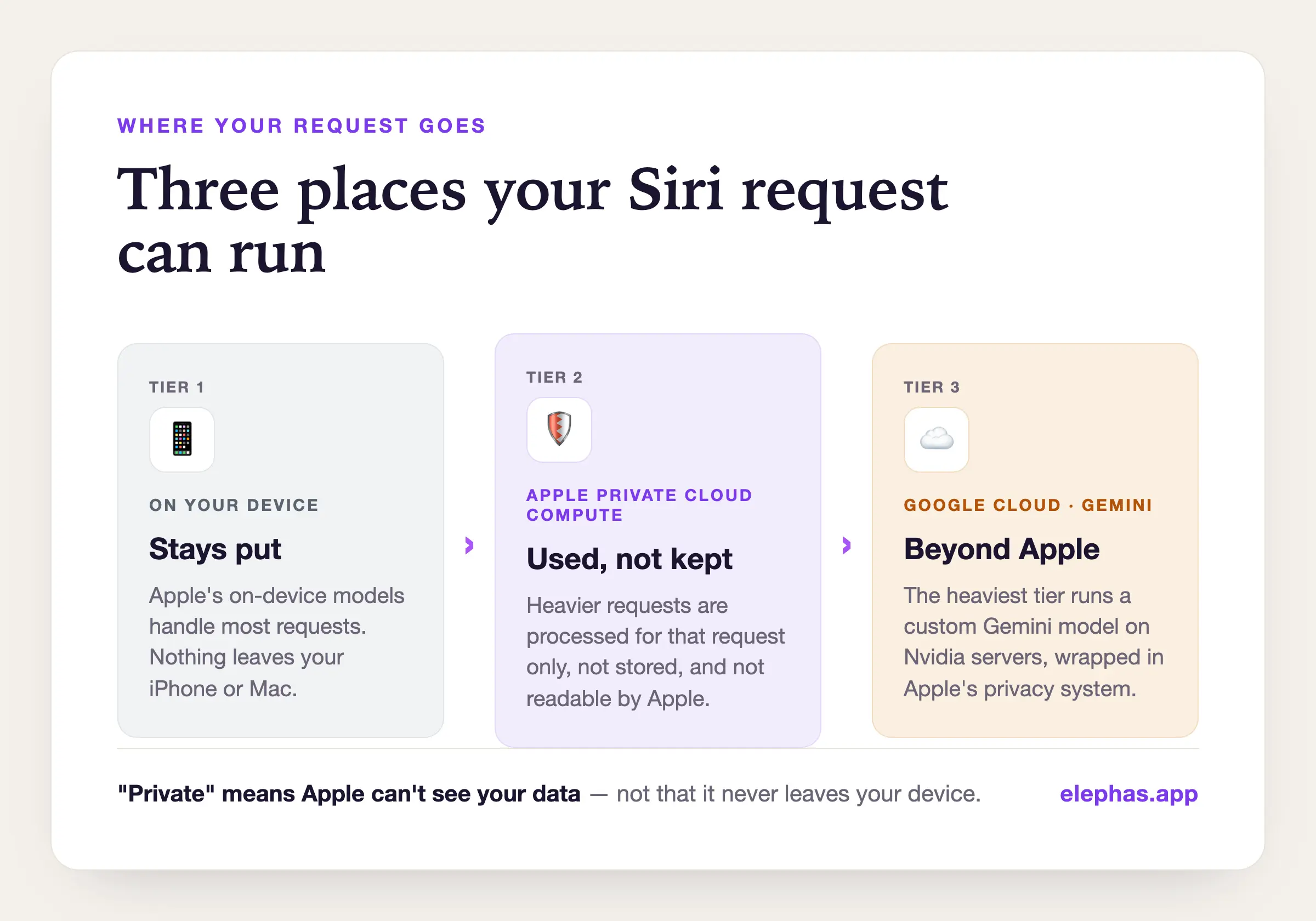
| Tier | Where it runs | Used for | What it means for your data |
|---|---|---|---|
| On-device | Your iPhone or Mac (Apple foundation models) | Most everyday requests | Nothing leaves your device. |
| Private Cloud Compute | Apple-controlled servers | Heavier requests | Used only for the request, not stored, and (per Apple) not readable by Apple. |
| Google Cloud (Gemini) | Google Cloud servers, Nvidia GPUs | The heaviest reasoning | Wrapped in Private Cloud Compute and hardware encryption; anonymized so neither Apple nor Google can tie it to you, per Apple. |
Start with what stays put. A meaningful share of the new Siri runs on device using Apple's own foundation models and an on-device index, so many requests never leave your iPhone or Mac. That on-device processing is real, and for everyday questions it is the whole story.
Heavier requests use cloud processing, and this is where Private Cloud Compute comes in. Apple's commitment is specific: user data is used only for the duration of the request, is not stored, and is not made accessible to Apple or anyone else, with security researchers invited to inspect the software.
As privacy and security designs go, this is a strong one, and Apple deserves credit for building it. Two honest caveats keep the picture accurate:
- Recent reporting indicates Apple Intelligence now also draws on third-party technology, including a custom Google Gemini model and Nvidia-powered servers, so the heaviest requests run on Google Cloud infrastructure rather than only Apple's own. Apple wraps that tier in its Private Cloud Compute system and hardware-level encryption, and says requests are anonymized so neither Apple nor Google can tie them to you. That arrangement has not been opened to independent inspection the way Private Cloud Compute itself was, which is why this part of the privacy promise still rests on Apple's word.
- “Private” here means Apple cannot see your data and does not keep it. It does not mean the data never leaves your device.
For a photo of your lunch or a question about your calendar, that distinction does not matter. It starts to matter a great deal when the data is not yours to expose in the first place.
Why personal-assistant privacy is not the same as sensitive-work privacy
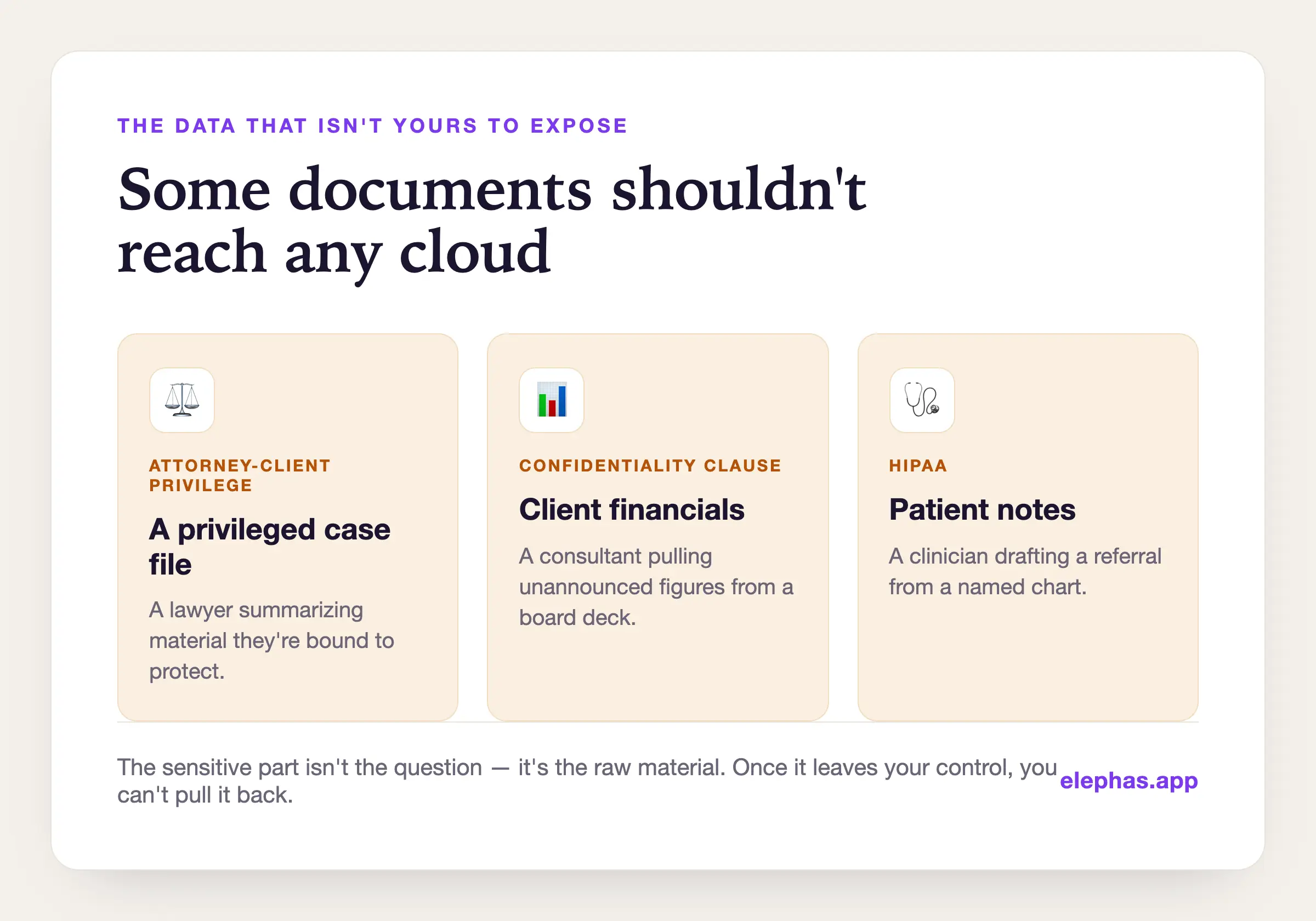
Apple's approach to AI privacy is well matched to personal life. The trouble is that plenty of people will reach for an assistant on a very different class of material: a lawyer summarizing a privileged case file, a consultant pulling numbers from a client's financials, a clinician drafting from patient notes.
For that material, “the vendor promises not to look” is a higher bar to clear. You may be bound by attorney-client privilege, by HIPAA, or by a confidentiality clause that does not care how good anyone's privacy policies are.
Consider a consultant who asks an assistant to summarize a board deck full of unannounced figures, or a clinician drafting a referral from a named patient's chart. In both cases the sensitive part is not the question, it is the raw material the question is built on, and once that material has left your control you cannot pull it back.
There is also a concrete technical risk that researchers have named the lethal trifecta: any assistant that can read your private data, take in untrusted outside content, and send information out can, in principle, be tricked into leaking what it reads.
That is a real avenue for data misuse, and the more capable and connected the assistant, the larger the potential security surface becomes. The more sensitive the data, the more you want protection built into how the tool works, not into a promise you have to take on faith.
What makes an AI assistant actually private
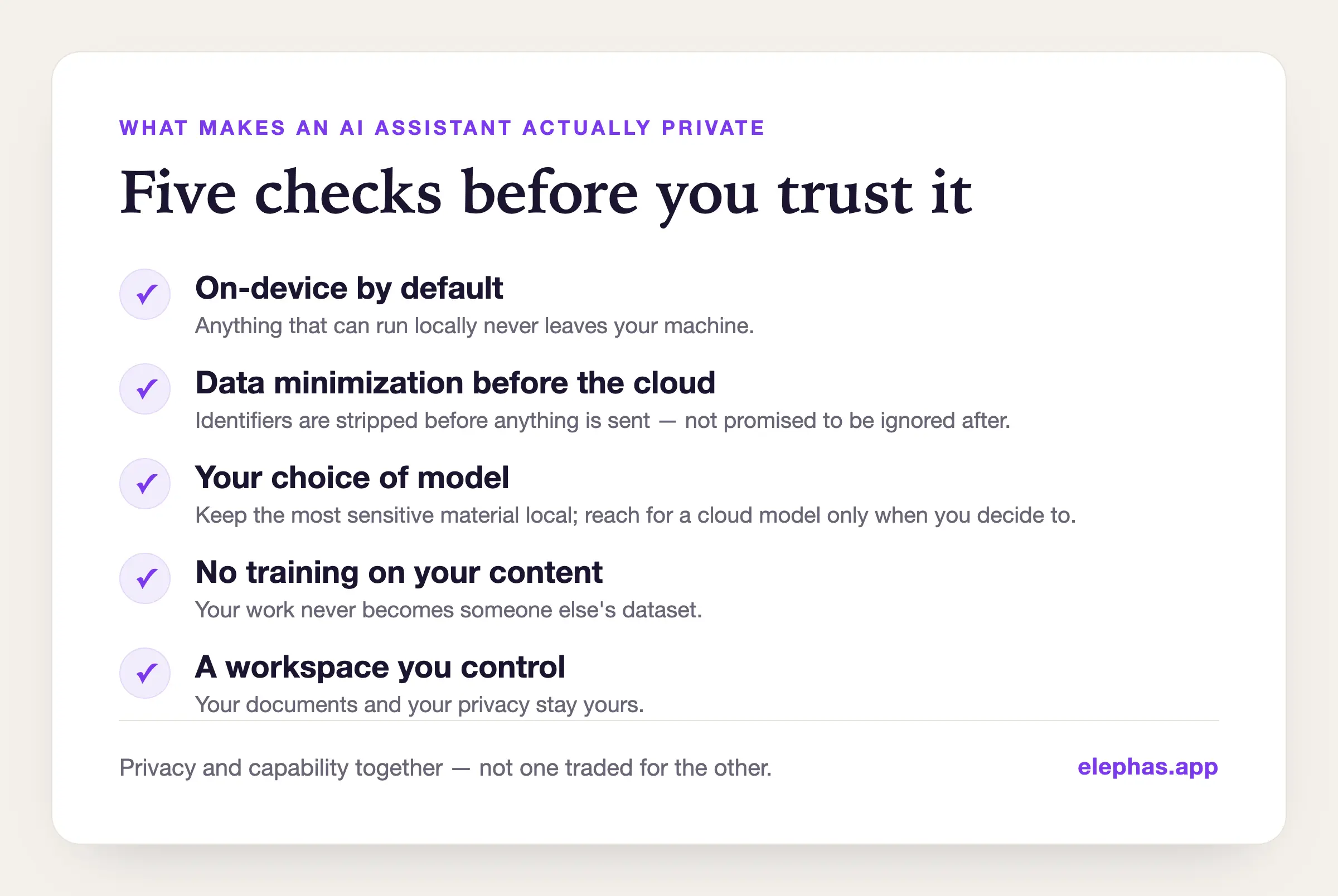
That principle turns into a short checklist you can apply to any tool, the new Siri included, before you trust it with something that matters:
- On-device by default for anything that can run locally, so routine work never leaves your machine
- Data minimization before the cloud, meaning sensitive identifiers are stripped out before anything is sent, not merely promised to be ignored after it arrives
- Your choice of model, so you can keep the most sensitive material local and reach for a powerful cloud model only when you decide to
- No training on your content, so your work never becomes someone else's dataset
- A workspace you control, where your documents and user privacy stay yours
Notice that a privacy-first tool does not have to be a weak one. The goal is to protect user privacy and still get cloud-grade help: security and privacy together, not one traded for the other.
Where Elephas fits: AI for sensitive work
The new Siri handles your personal life well, and for most iPhone users most of the time that is the right tool. For sensitive work on a Mac, the gap it leaves is the one Elephas was built to fill.
Elephas is a private AI knowledge workspace for macOS, designed around the idea that capable AI should not require you to expose the documents you are working on.
The piece that matters most here is Smart Redaction. Before anything reaches a cloud model, Elephas strips out the identifiers that make a document sensitive, things like client names, account numbers, and email addresses, so the model can work on the substance without ever receiving the parts you are obligated to keep private.
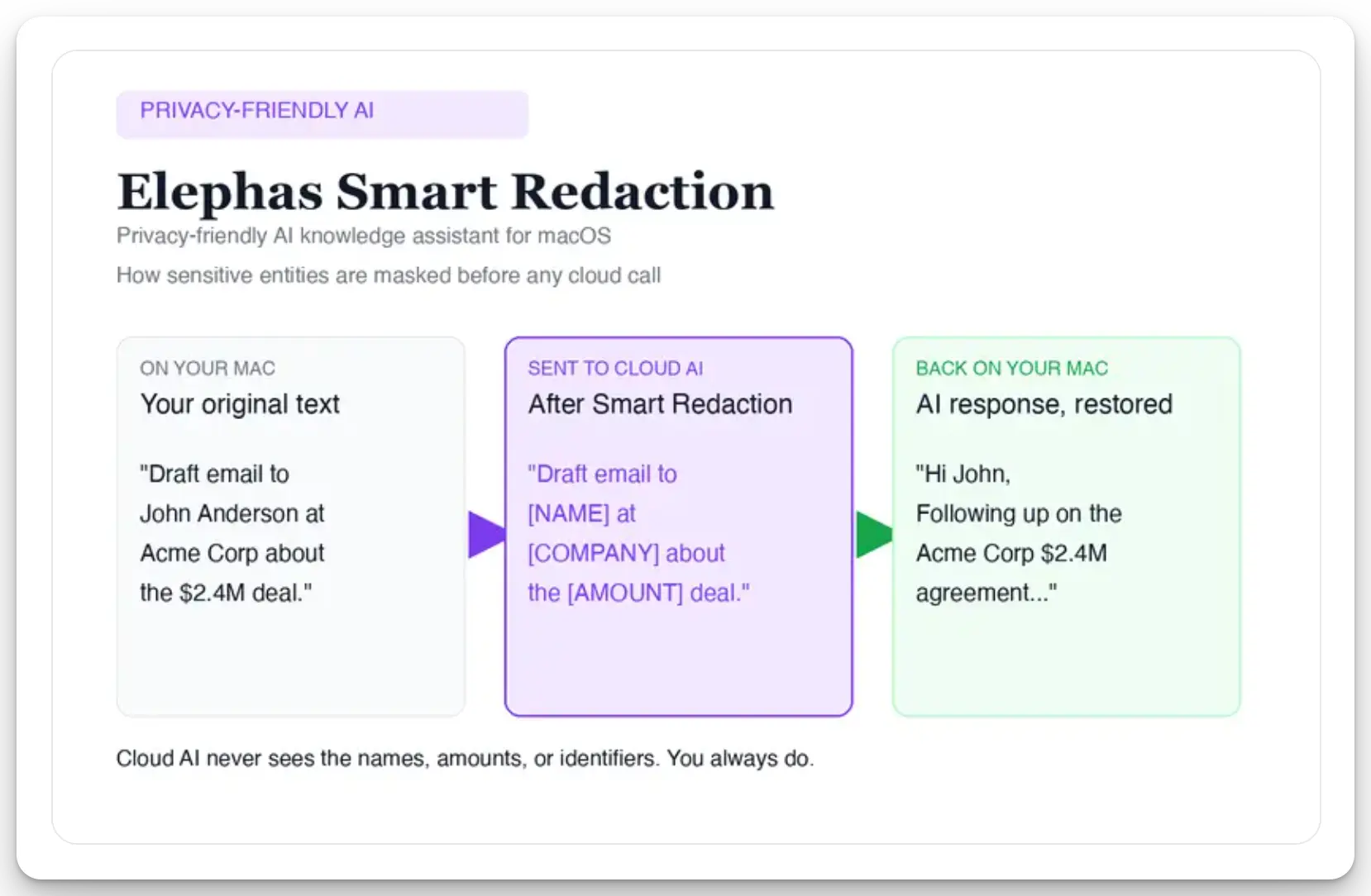
Here is the exact sequence. Before a prompt reaches ChatGPT 5.5, Claude Opus 4.8, Gemini, Grok, Perplexity, or any other cloud model, Elephas strips sensitive names, emails, phone numbers, and identifiers on your Mac.
The cloud model only ever sees the sanitized text, and when the answer returns, the redacted fields are reassembled locally so identifiable information never leaves the device. Elephas pairs this with zero data retention: your content never trains AI models, never sits on a vendor's server, and never passes through a third-party reviewer's screen.
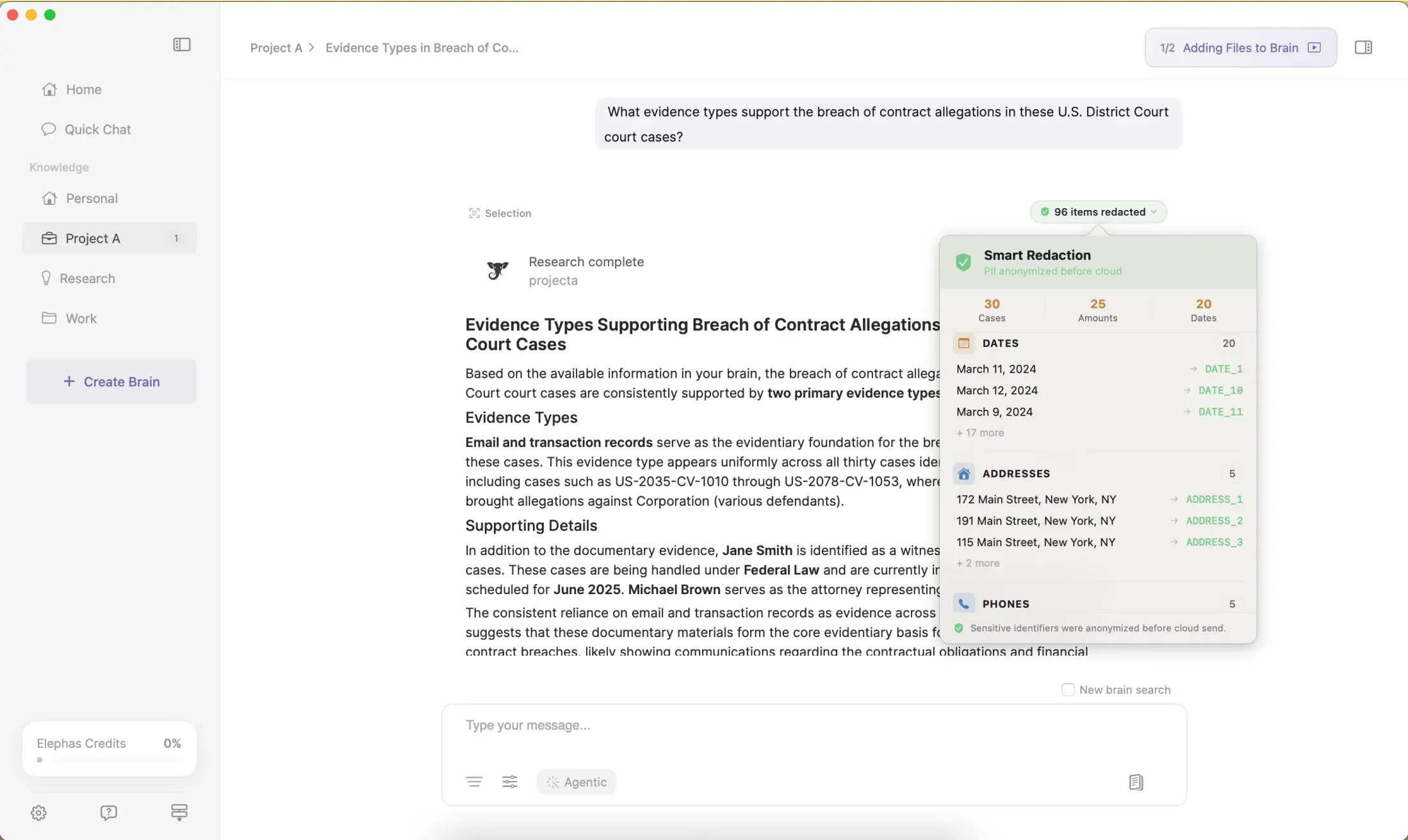
You stay in control of the trade: keep the most sensitive material on Elephas's built-in local models, or use a redacted cloud model when you need more power.
Your documents live in a workspace you own, and your content is never used for training. Smart Redaction is available on every plan, including the Free tier.
Elephas is not a Siri replacement, and it does not try to be. It is the tool you open when the document in front of you is one you cannot paste into a general AI assistant. It starts at $19 a month and is free to try.
What people are saying about the new Siri
The reaction came fast, and privacy sat at the center of it. The design is widely respected. The open questions are about the parts you have to take on trust.
The skeptics call it presentation, not protection. In a privacy-focused r/ProtonMail thread, one reply was blunt: “It's privacy theater... wiping meta data and encrypting content is lipstick on a pig in terms of privacy.” The worry is that a strong design still asks you to trust the company behind it.
Defenders push back on the panic. On r/apple, the top comment on the “handed Siri to Google” thread argued the opposite: “Nothing was handed to Google's Gemini. It's the core of Gemini but it's not Gemini itself... They took that core tech and adapted it themselves.” Others note Apple “is known for being pro-privacy, as third-party SMEs have verified.”
The EU standoff is its own fight. Apple's move to hold it back in the EU drew a 400-comment r/apple thread, where the top reply cautioned that “we have one side only... we do not know why the EU said that this solution is not acceptable.”
The throughline is not whether Apple tried. It is how much of the privacy promise you can verify versus how much rests on Apple's word, which is exactly the calculation that changes when the data is a client's rather than your own.
Frequently asked questions
Is Siri AI private?
Largely, yes, by design. Much of the new Siri runs on device, and cloud requests go through Private Cloud Compute, where Apple states user data is not stored or accessible to Apple. The nuance is that “private” means Apple cannot see or keep your data, not that the data never leaves your device.
Does the new Siri run on-device or in the cloud?
Both. Routine requests are handled on device by Apple's foundation models. Heavier requests use cloud processing, and recent reporting suggests the heaviest tier runs on Google Cloud servers using a custom Gemini model.
What is Private Cloud Compute in simple terms?
It is Apple's privacy cloud. When a request is too heavy for your device, it is processed on Apple-controlled servers, used only for that request, not stored, and, per Apple, not accessible even to Apple.
Can I turn off Siri's personal context or onscreen awareness?
Apple positions these as user-controllable features rather than always-on surveillance, so they can be limited in Siri and privacy settings. If you handle sensitive material, reviewing those controls is worth the few minutes.
Is the new Siri the same as ChatGPT now?
No. This is Apple's own AI assistant with its own privacy architecture, even where it draws on a rival AI model for some tasks. It is integrated across Apple's digital platforms rather than being a single chatbot app.
Why isn't Siri AI available in the EU?
Apple has said the new Siri will not launch initially in the EU on iPhones and iPads, citing interoperability rules it argues would force opening Private Cloud Compute to third parties and weaken the privacy guarantees it is trying to make.
Can I use the new Siri for confidential work documents?
For genuinely confidential material, treat any consumer AI assistant with caution. The safer pattern is to keep sensitive identifiers out of the cloud entirely, which is the approach a sensitive-work tool like Elephas takes with Smart Redaction.

Related Resources
Explore all AI Privacy & Security resourcesApple Intelligence Privacy: What Leaves Your Mac (and What Never Should)
9 min readcomparisonSiri vs Alexa in 2026: Which Assistant Wins After the AI Overhaul?
20 min readarticleWhat Is Apple Intelligence? Features, Devices & Privacy Explained (2026)
15 min readguideApple Intelligence on Mac: The Complete 2026 Guide (Features, Setup, Privacy, and the New Siri)
25 min readarticle12 Best Apple Intelligence Apps for Mac in 2026
24 min readguideHow to Set Up Siri on Mac and iPhone (2026 Guide)
10 min readcomparisonApple Intelligence vs Private AI Tools: Where Confidential Work Belongs
18 min readcomparisonApple Intelligence vs ChatGPT: Which Should Mac Users Trust? (2026)
14 min readcomparisonApple Intelligence vs Gemini: The 2026 Comparison for Apple Users
13 min readSources
- Apple Newsroom — “Apple introduces Siri AI” and the EU (DMA) delay statement
- The Next Web — Apple, Google Gemini, and Nvidia: the new Siri's three-tier privacy stack
- Simon Willison — “The lethal trifecta”
- Reddit discussion: r/apple, r/ProtonMail (reactions, June 2026)