Ollama vs ChatGPT: Privacy, Cost & Quality Compared
One runs AI models on your own hardware with zero data leaving your device. The other gives you frontier-level intelligence in the cloud. Here's how to choose — and why you might want both.
Quick Verdict
Best for privacy & control. Free, offline, open-source. Your data never leaves your machine.
Best for frontier intelligence. GPT-4o, multimodal input, polished UX. Requires cloud.
The AI tool landscape has split into two camps: cloud-first services that prioritize capability, and local-first tools that prioritize control. ChatGPT is the category leader for cloud AI — 200+ million weekly active users, GPT-4o multimodal reasoning, and a polished interface. Ollama is the open-source counterpart — a simple command-line tool that lets you download and run AI models entirely on your own hardware.
The question isn't really which is "better." It's which trade-offs matter for your work. If you handle confidential client data, work under NDAs, or simply don't want your conversations feeding someone else's training pipeline, Ollama offers something ChatGPT fundamentally cannot: zero data exposure.
If you need frontier reasoning, image analysis, or the convenience of a polished app that works instantly, ChatGPT still leads. This guide breaks down every dimension so you can make an informed choice — or use both strategically.
1Overview
What is Ollama?
Ollama is an open-source tool that makes it simple to download and run large language models locally on your Mac, Windows, or Linux machine. Think of it as the "Docker for AI models" — a single command (ollama run llama3.1) downloads a model and starts an interactive chat session. No cloud account, no API key, no subscription.
Ollama supports over 100 open-source models including Meta's Llama 3.1, Mistral, Mixtral, Google's Gemma, Microsoft's Phi, and specialized coding models like Code Llama and DeepSeek Coder. You can also import custom GGUF models or create fine-tuned variants with a simple Modelfile.
The key selling point is absolute privacy. Every computation happens on your hardware. Your prompts, your documents, your conversations — none of it touches the internet. For professionals handling confidential data, this isn't a nice-to-have; it's a requirement.
Key Ollama Features
- 100% local processing: Data never leaves your device — ever
- 100+ models: Llama 3.1, Mistral, Mixtral, Gemma, Phi, and more
- One-command setup:
ollama run model-nameand you're running - API-compatible: Drop-in replacement for OpenAI API in your apps
- Custom models: Import GGUF files or create Modelfiles for fine-tuning
- Free forever: Open source, no usage limits, no account required
Ollama with Open WebUI provides a polished browser-based interface for local models
What is ChatGPT?
ChatGPT is OpenAI's flagship AI assistant, and it's the tool that brought large language models to the mainstream. With over 200 million weekly active users, it's the default AI tool for most knowledge workers. ChatGPT runs in the cloud, powered by OpenAI's proprietary GPT-4o and o1 models — some of the most capable AI systems available.
ChatGPT's strengths are real: GPT-4o handles text, images, and files with high accuracy. The web interface is polished and intuitive. Features like web browsing, DALL-E image generation, code interpreter, and custom GPTs extend its capabilities far beyond simple chat. For many tasks, ChatGPT simply produces better output than any open-source model.
The trade-off is equally real: every prompt you type travels to OpenAI's servers. OpenAI has faced criticism over ad-supported models and researcher departures, and the free tier uses your conversations for model training by default. For professionals handling sensitive information, this creates a genuine tension between capability and confidentiality.
Key ChatGPT Features
- GPT-4o & o1: Frontier reasoning, multimodal input (text, images, files)
- Web browsing: Real-time internet access for up-to-date information
- Code interpreter: Execute Python, analyze data, create visualizations
- DALL-E integration: Generate and edit images from text descriptions
- Custom GPTs: Build specialized assistants for specific workflows
- Cross-platform: Web, iOS, Android, Mac desktop, Windows
2Privacy & Data Security
This is the fundamental dividing line between Ollama and ChatGPT — and the reason most professionals start evaluating local alternatives in the first place.
Ollama Privacy
- Data stays on your device — always
- No account or login required
- Works fully offline / air-gapped
- No telemetry or usage tracking
- Open-source — fully auditable
ChatGPT Privacy Concerns
- All prompts sent to OpenAI servers
- Free tier data used for training
- Requires internet connection
- Subject to OpenAI data retention policies
- Now ad-supported on free tier
Important nuance: ChatGPT Team ($25/mo) and Enterprise plans exclude data from training by default. But your prompts still travel to and are processed on OpenAI's infrastructure. For work governed by NDAs, attorney-client privilege, or regulatory compliance, "not training on your data" is not the same as "your data never left your device."
Winner: Ollama
Absolute privacy by architecture — data never leaves your machine under any circumstances
3Model Quality & Capabilities
Let's be honest: ChatGPT's GPT-4o is still the most capable general-purpose AI model available. But the gap with open-source models has narrowed dramatically in 2025-2026.
The practical takeaway: for 80% of daily knowledge work — drafting emails, summarizing documents, answering questions, brainstorming — Ollama running Llama 3.1 8B or 70B produces output that's indistinguishable from ChatGPT. The remaining 20% — complex multi-step reasoning, nuanced creative writing, image understanding — is where ChatGPT's frontier models still justify the subscription.
Winner: ChatGPT
GPT-4o and o1 remain the most capable general-purpose AI models, especially for complex reasoning
4Ease of Use
Ollama Setup
- Download Ollama from ollama.com
- Install (drag to Applications on Mac)
- Open Terminal, run
ollama run llama3.1 - Wait for model download (2-40GB)
- Start chatting in Terminal
Optional: Install Open WebUI for a browser-based interface
ChatGPT Setup
- Go to chat.openai.com
- Create account (email or Google)
- Start chatting immediately
Upgrade to Plus ($20/mo) for GPT-4o access and higher limits
ChatGPT is objectively easier to start using. Sign up, type, get answers. Ollama requires comfort with the command line and understanding of model sizes — though it's remarkably simple for what it is. The real UX gap comes after setup: ChatGPT has file uploads, image generation, web browsing, and persistent conversations built in. With Ollama, you need to add these features yourself through third-party tools.
Winner: ChatGPT
Instant setup, polished interface, and integrated features that work out of the box
5Cost Comparison
Ollama is free in every sense — no subscription, no API fees, no usage caps. You're limited only by your hardware. ChatGPT's free tier is increasingly limited (ads, lower rate limits, data used for training), and the full experience requires a $20/month Plus subscription. Over a year, that's $240 — enough to justify considering whether a local alternative meets your needs.
Winner: Ollama
Completely free with no usage limits — you only pay for the hardware you already own
6When to Use Each Tool
Choose Ollama When...
- You handle confidential client data or NDA-protected work
- You need AI that works offline (travel, air-gapped networks)
- You want to experiment with different open-source models
- You're building AI into your own applications via API
- You're cost-sensitive and want unlimited free usage
- You care about data sovereignty and GDPR compliance
Choose ChatGPT When...
- You need the best possible output quality for complex tasks
- You want image generation, web browsing, and code execution
- You prefer a polished, ready-to-use interface
- You're working on non-sensitive, general-purpose tasks
- You need the latest information via web browsing
- You want custom GPTs and team collaboration features
Real-World Scenarios
Solo consultant reviewing NDA-protected client documents
Use: Ollama (or Elephas) — Zero data exposure — client documents never leave your Mac
Marketer drafting social media content with image generation
Use: ChatGPT — DALL-E integration and web browsing for current trends
Developer building an AI-powered internal tool
Use: Ollama — Free API, no per-token costs, full control over the model
Researcher analyzing 50 academic papers
Use: ChatGPT + NotebookLM — GPT-4o for complex synthesis, NotebookLM for source grounding
Lawyer summarizing privileged case documents
Use: Ollama (or Elephas) — Attorney-client privilege requires data to stay local
7The Best of Both: Elephas
Elephas — Ollama's Privacy + ChatGPT's Polish
Mac-native AI assistant with offline mode and persistent knowledge
The real problem with the Ollama vs ChatGPT debate is that most professionals need both — privacy for sensitive work and frontier intelligence for complex tasks. Elephas bridges this gap as a Mac-native AI assistant that connects to both local models (via Ollama) and cloud APIs (ChatGPT, Claude, Gemini).
Hybrid AI
Switch between local Ollama models and cloud GPT-4o per task
System-Wide
Works in every Mac app — no copy-pasting between windows
Super Brain
Persistent knowledge bases per client or project
Full Offline
100% offline mode with local models for confidential work
Instead of choosing between Ollama and ChatGPT, Elephas lets you use Ollama for NDA work (data stays on your Mac) and switch to ChatGPT for tasks that need frontier intelligence — all through one interface with persistent context across conversations.
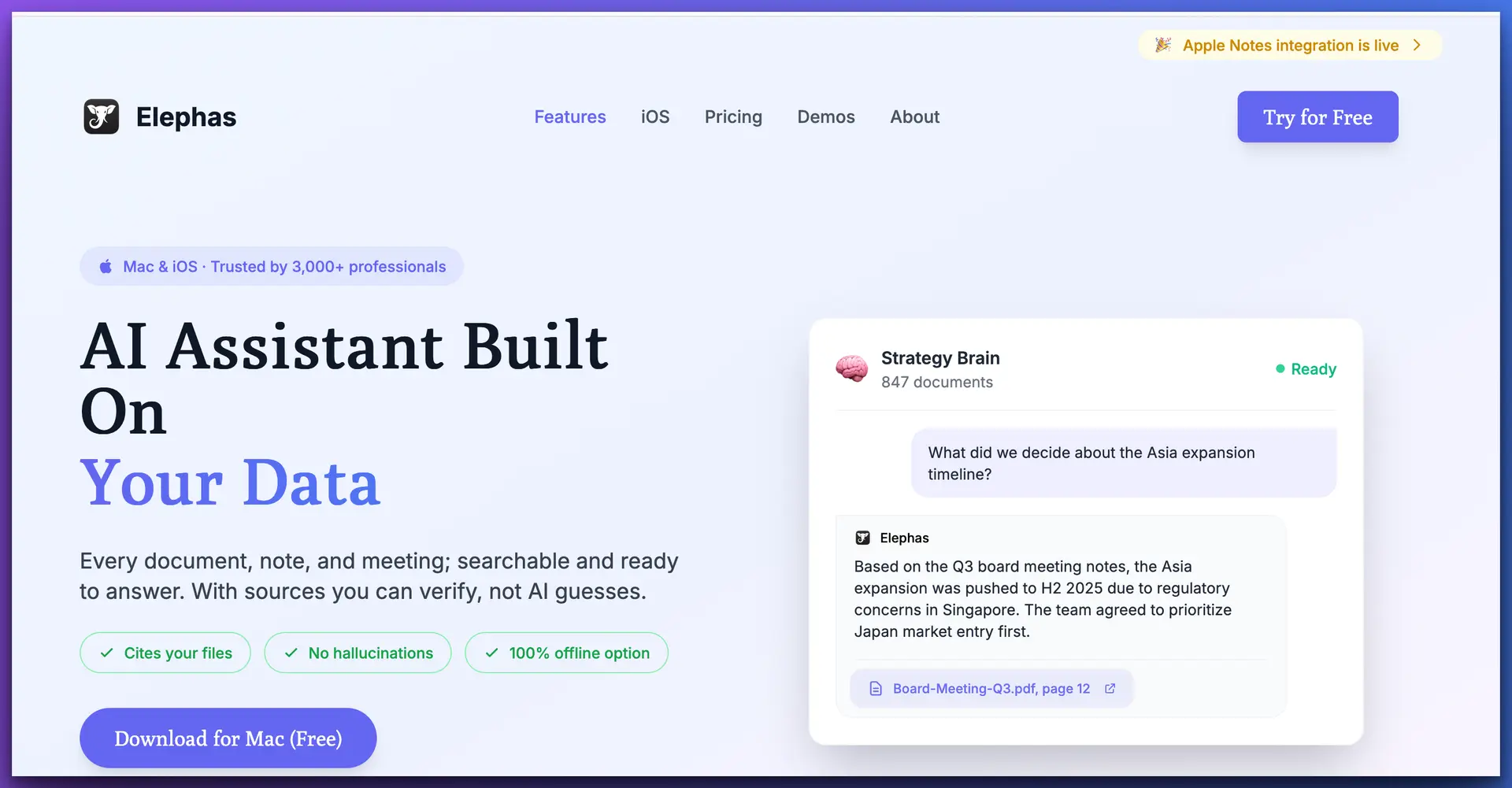
Elephas works system-wide on Mac — access AI in any app with a keyboard shortcut
Pricing
From $19/mo
Platform
macOS
Offline
Full Support
Best For
Hybrid Workflows
8The Verdict
Ollama and ChatGPT aren't competitors — they're complements. The smartest approach in 2026 is to use both: Ollama (or an Ollama-powered tool like Elephas) for anything confidential, and ChatGPT for tasks that demand frontier-level reasoning.
Choose Ollama if privacy is non-negotiable, you want zero cost, and you're comfortable with a technical setup.
Choose ChatGPT if you need the best output quality, multimodal features, and a polished experience.
Choose Elephas if you want Ollama's privacy and ChatGPT's polish in one Mac-native app with persistent knowledge bases.
For a full comparison of all methods to run AI locally on your Mac — including Ollama, LM Studio, Apple Intelligence, and Elephas — see our complete guide to running AI offline on Mac.
Frequently Asked Questions
Is Ollama really free?
Yes. Ollama is 100% free and open source. You download models directly to your machine and run them locally. There are no subscription fees, usage limits, or API costs. The only cost is the hardware you already own — Ollama runs on Mac, Windows, and Linux.
Can Ollama match ChatGPT's quality?
For most everyday tasks — writing emails, summarizing documents, brainstorming — open-source models like Llama 3.1 70B and Mixtral 8x22B running through Ollama produce results comparable to ChatGPT-4o. For frontier reasoning tasks, code generation at scale, or multimodal image analysis, ChatGPT still has an edge with GPT-4o and o1. The gap is closing fast.
Does Ollama work offline?
Yes. Once you've downloaded a model, Ollama runs entirely offline. No internet connection is needed. This makes it ideal for air-gapped environments, travel, or any situation where you need guaranteed privacy and availability.
Can I use Ollama with a web interface like ChatGPT?
Yes. Open WebUI is the most popular option — it gives you a ChatGPT-like browser interface that connects to your local Ollama instance. Other options include Jan, Msty, and Enchanted (for iOS/Mac). Elephas also connects to Ollama models while adding system-wide Mac integration and persistent knowledge bases.
Is ChatGPT safe for confidential work?
With ChatGPT Team or Enterprise plans and data sharing opted out, OpenAI states they won't train on your data. However, your prompts still travel to OpenAI's servers, are processed in the cloud, and are subject to OpenAI's data retention policies. For work governed by NDAs, attorney-client privilege, or HIPAA, local tools like Ollama or Elephas offer stronger guarantees because data never leaves your device.
What hardware do I need to run Ollama?
For 7B parameter models (like Llama 3.1 8B), any modern Mac with 8GB RAM works well. For 13B models, 16GB RAM is recommended. For 70B models, you'll want 64GB+ RAM or a machine with a dedicated GPU (NVIDIA with 24GB+ VRAM). Most professionals find the 7B-13B range hits the sweet spot of quality and performance on standard hardware.
Can Elephas use both Ollama and ChatGPT?
Yes. Elephas is a Mac-native AI assistant that connects to both local models (via Ollama) and cloud models (ChatGPT, Claude, Gemini). This hybrid approach gives you Ollama's privacy for sensitive work and ChatGPT's capabilities for complex tasks — all through a single system-wide interface with persistent knowledge bases.
Which is better for coding: Ollama or ChatGPT?
ChatGPT with GPT-4o remains stronger for complex multi-file code generation, debugging, and architectural decisions. However, Ollama running Code Llama or DeepSeek Coder handles routine coding tasks well — autocompletions, function writing, code explanations — and does so without sending your proprietary code to the cloud.
