Is ChatGPT Business Worth It? An Honest Review for Small Firms (2026)
Yes, if two or more people at your firm use ChatGPT every week and you want one workspace you control. On yearly billing a Standard seat costs the same as ChatGPT Plus, so what you pay for is control and privacy settings, not a smarter AI.
If you work alone, or your files include patient health records, it is usually the wrong plan.
Quick answer
- A Standard seat costs $20 a month on yearly billing or $25 a month on monthly billing, and you must buy at least two.
- You get admin controls, one login for the team, and no training on your business data by default.
- Your data still leaves your computer, and the workspace owner can export what staff type.
- Self-serve Business comes with no BAA, the contract US health law asks for, so patient records should stay out.
What does ChatGPT Business cost?
OpenAI sells two kinds of seat, and you can mix them in one workspace. A plan covers teams of 2 to 200 people (OpenAI Business pricing).
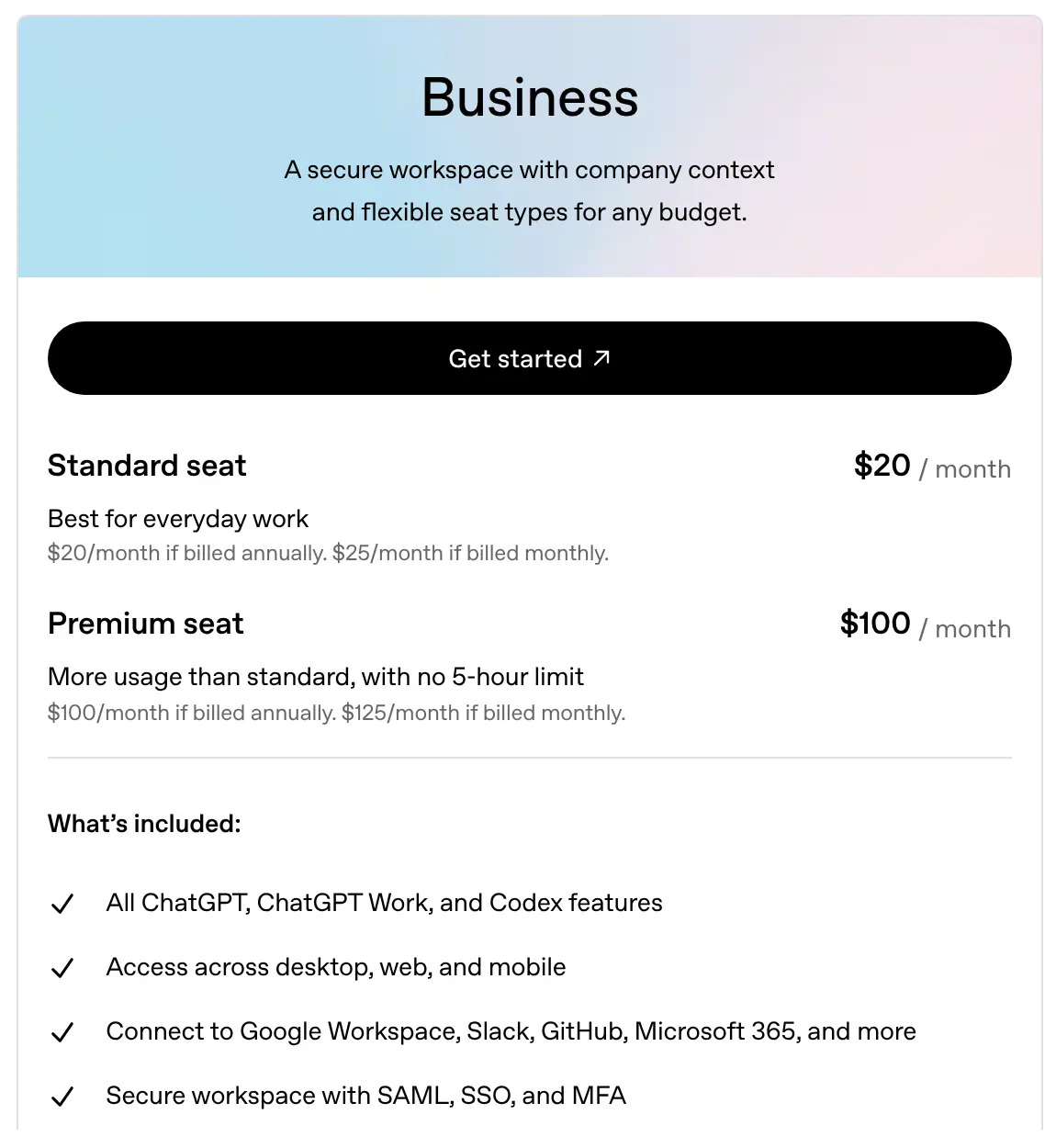
Image source: OpenAI
| Seat | Billed yearly | Billed monthly | Best for |
|---|---|---|---|
| Standard | $20 per person a month | $25 per person a month | Everyday writing, research and questions |
| Premium | $100 per person a month | $125 per person a month | Heavy users who hit limits, with no 5-hour limit |
For five people on Standard seats, that is $100 a month on yearly billing, or $1,200 a year. The same five people on ChatGPT Plus also pay $1,200 a year, so the plan itself does not save money. More detail sits in our ChatGPT Business pricing guide.
Usage is not endless either. OpenAI's pricing page says that from December, plan usage will share one limit across ChatGPT and Codex, so a team that also writes code with Codex uses up the same pool.
What do you get that ChatGPT Plus doesn't give you?
The extra value is in running the team, not in the answers. Business adds these on top of what each person would get on Plus (OpenAI Business pricing):
- One bill, spend controls and usage reports for the whole team.
- Company login through SAML single sign-on, plus a second login step (MFA).
- Shared projects and company knowledge, so the team works from the same files.
- Connectors to Google Workspace, Slack, GitHub, Microsoft 365 and more.
- No training on your business data by default (OpenAI business data).
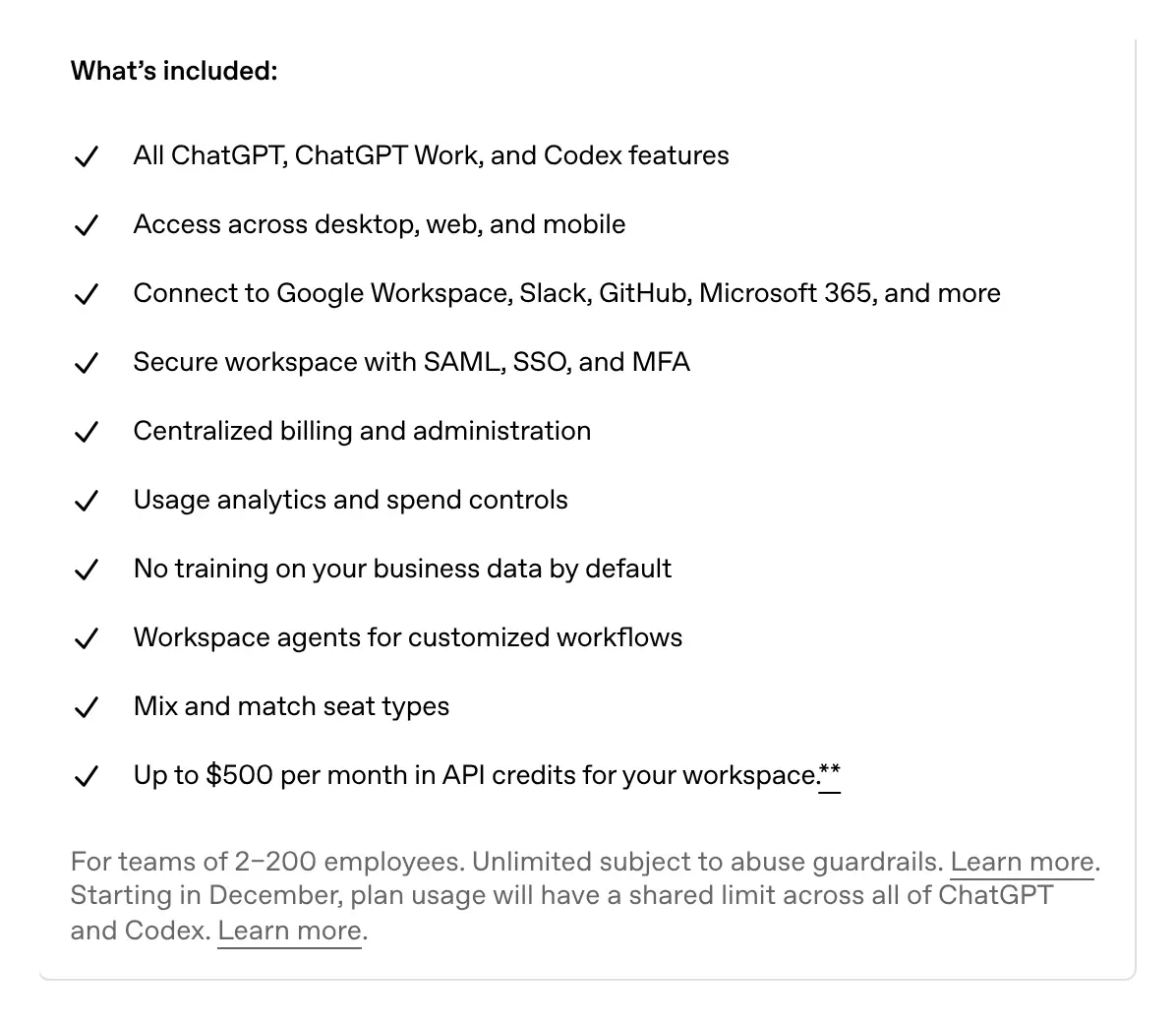
Image source: OpenAI
Connectors deserve a careful setup. When OpenAI added actions that can write into Microsoft and Google apps, it kept them switched off until an admin turns them on (release notes). Leave them off until you know which jobs need them.
Plus is an individual plan, so a firm that runs on Plus has no say over each account's settings. Many staff do this already: Cyberhaven's 2026 report found 32.3% of ChatGPT use at work runs through personal accounts (Cyberhaven). For a side-by-side look, see ChatGPT Business vs Plus.
When does it cost more than it is worth?
The plan loses value when seats sit unused. If you pay for five Standard seats and only three people log in, each active person costs $400 a year instead of $240.
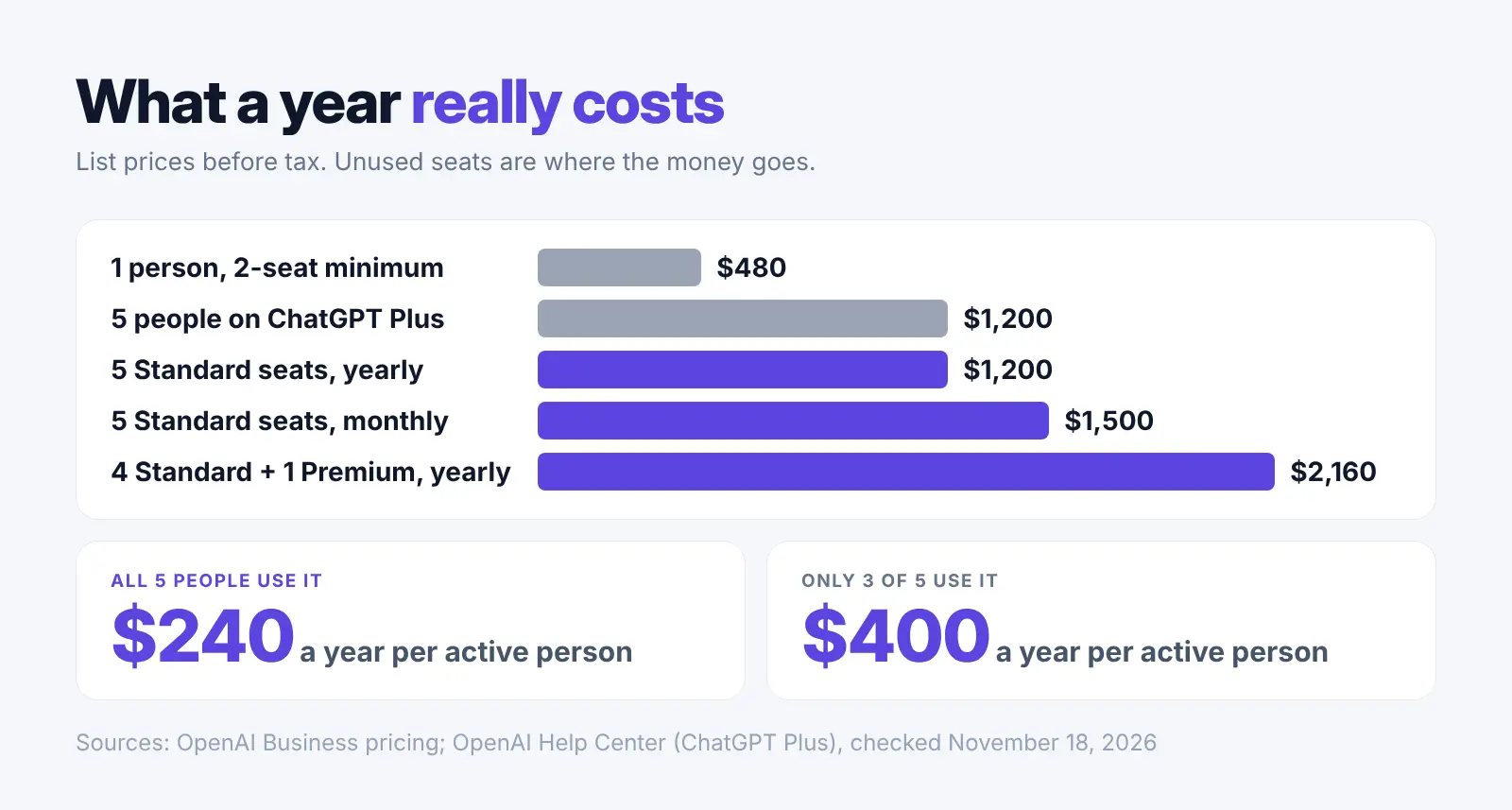
A one-person firm still has to buy two seats, which is $480 a year on yearly billing. A single ChatGPT Plus account does the same daily work for half that.
Premium seats add up fast. Four Standard seats and one Premium seat on yearly billing come to $180 a month, or $2,160 a year. Give Premium only to the person who keeps running into limits.
Small firms are buying anyway. The share of small businesses paying for an AI service rose from about 5.2% in January 2023 to 17.7% by the end of 2025 (JPMorganChase Institute), so it pays to count who actually logs in before you add seats.
How private is your firm's data in ChatGPT Business?
Safer than a personal account, but not private in the way many owners expect. No training by default is one promise. It does not mean nothing is kept, and it does not mean the firm's admins cannot see anything. Our ChatGPT Business data privacy guide goes deeper.
| What to know | How it works on Business | What to do |
|---|---|---|
| Training | Off by default (OpenAI) | Nothing extra needed |
| Admin access | Workspace owners can export a member's data (OpenAI help) | Tell staff that work chats belong to the firm |
| Deleted chats | Removed within 30 days, with some exceptions (OpenAI help) | Don't treat delete as instant |
| Staff who leave | Their chats and files may stay in the workspace after you remove them (OpenAI help) | Add ChatGPT to your exit checklist |
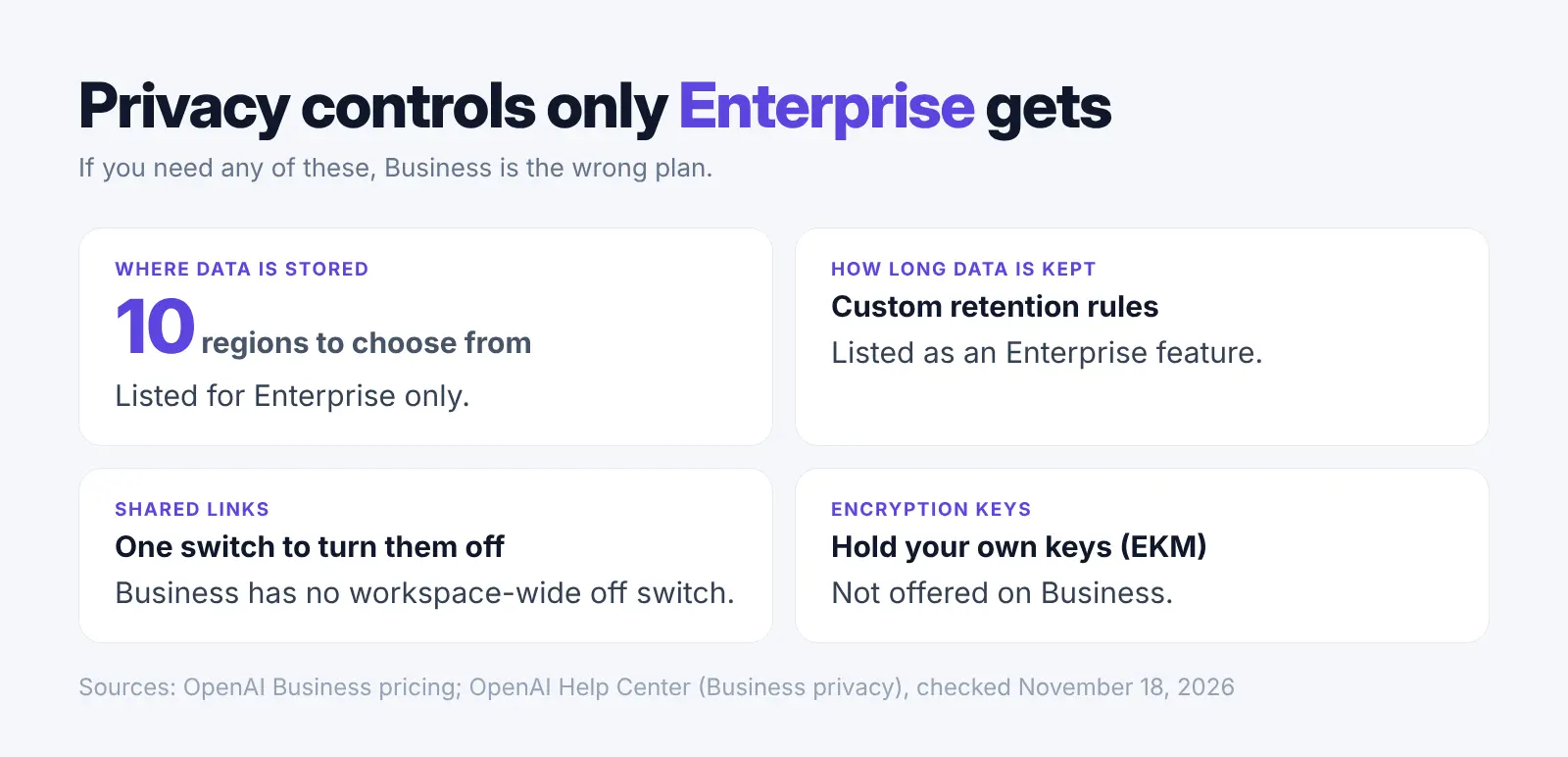
| Shared links | No setting to turn them off for the whole workspace (OpenAI help) | Write a simple rule on sharing |
Customer files are the real worry for most small firms. Contracts under a non-disclosure agreement (NDA), case notes and customer records still travel to OpenAI's servers when someone uploads them. Harmonic Security found that 21.86% of files uploaded to AI tools held sensitive data, against 4.37% of prompts (Harmonic).
Before anyone uploads a customer file, read the NDA for a clause about sharing with outside services. Our guide on confidential documents in ChatGPT covers what to check.
Can law firms and medical practices use it?
Medical practices should keep patient records out. OpenAI says it does not offer a Business Associate Agreement (BAA) for ChatGPT Business (OpenAI BAA help), and the US health department says a cloud service that handles patient health information needs one (HHS). Admin work with no patient details in it is a different matter.
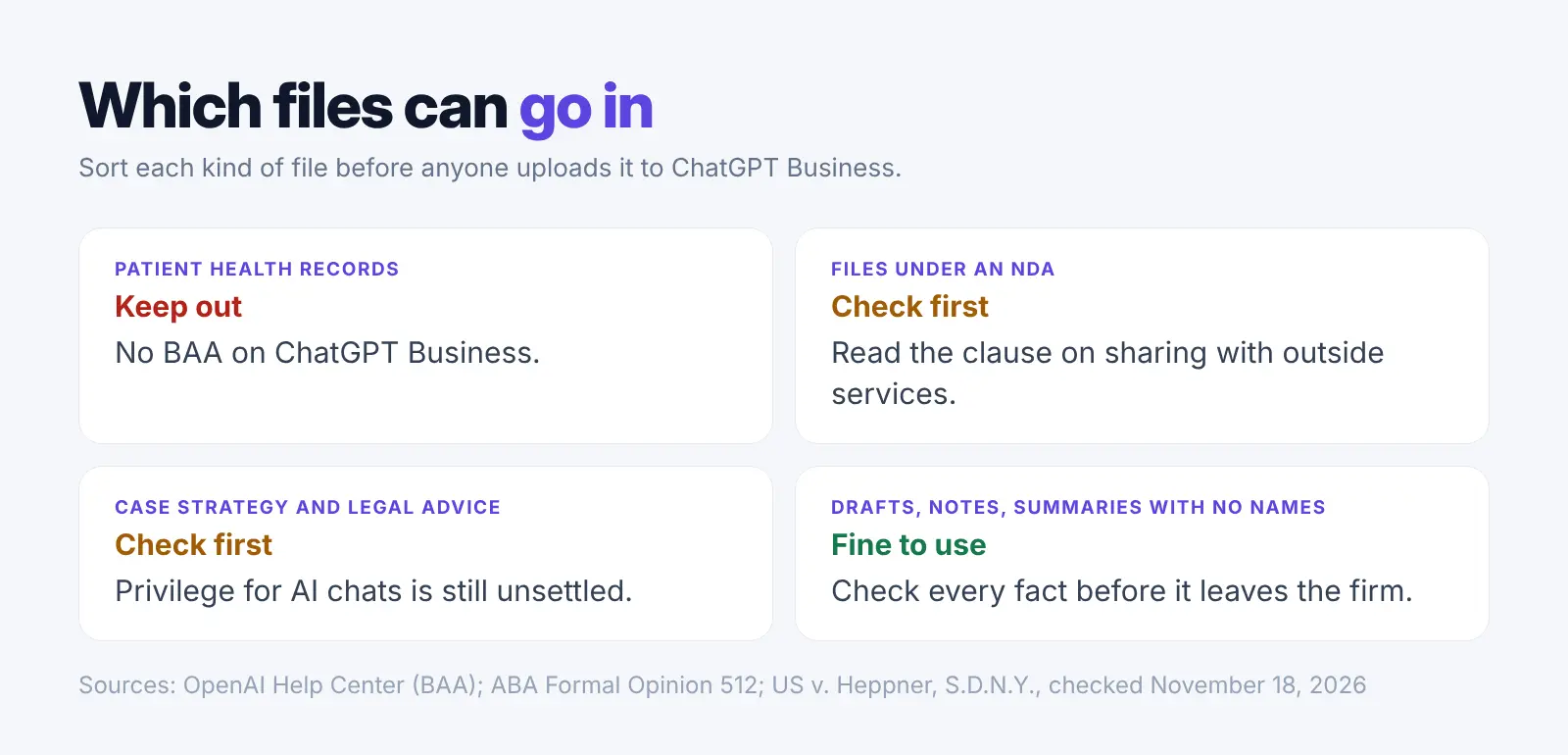
Law firms can use it, but the duty to check the work stays with the lawyer. The American Bar Association's Formal Opinion 512 says lawyers using AI must still keep confidential information safe, supervise the work and check it.
That duty matters. A Stanford study of legal research tools from LexisNexis and Thomson Reuters found 17% to 33% of answers were wrong or made up, so check every answer, whichever tool wrote it (Stanford).
Privilege is unsettled too. In February 2026, a New York federal court held in United States v. Heppner that public AI chats were not privileged (court memorandum). We found no ruling on ChatGPT Business itself as of November 2026. Read our guide on whether AI can waive privilege before case files go in.
How to test it for 30 days before you commit
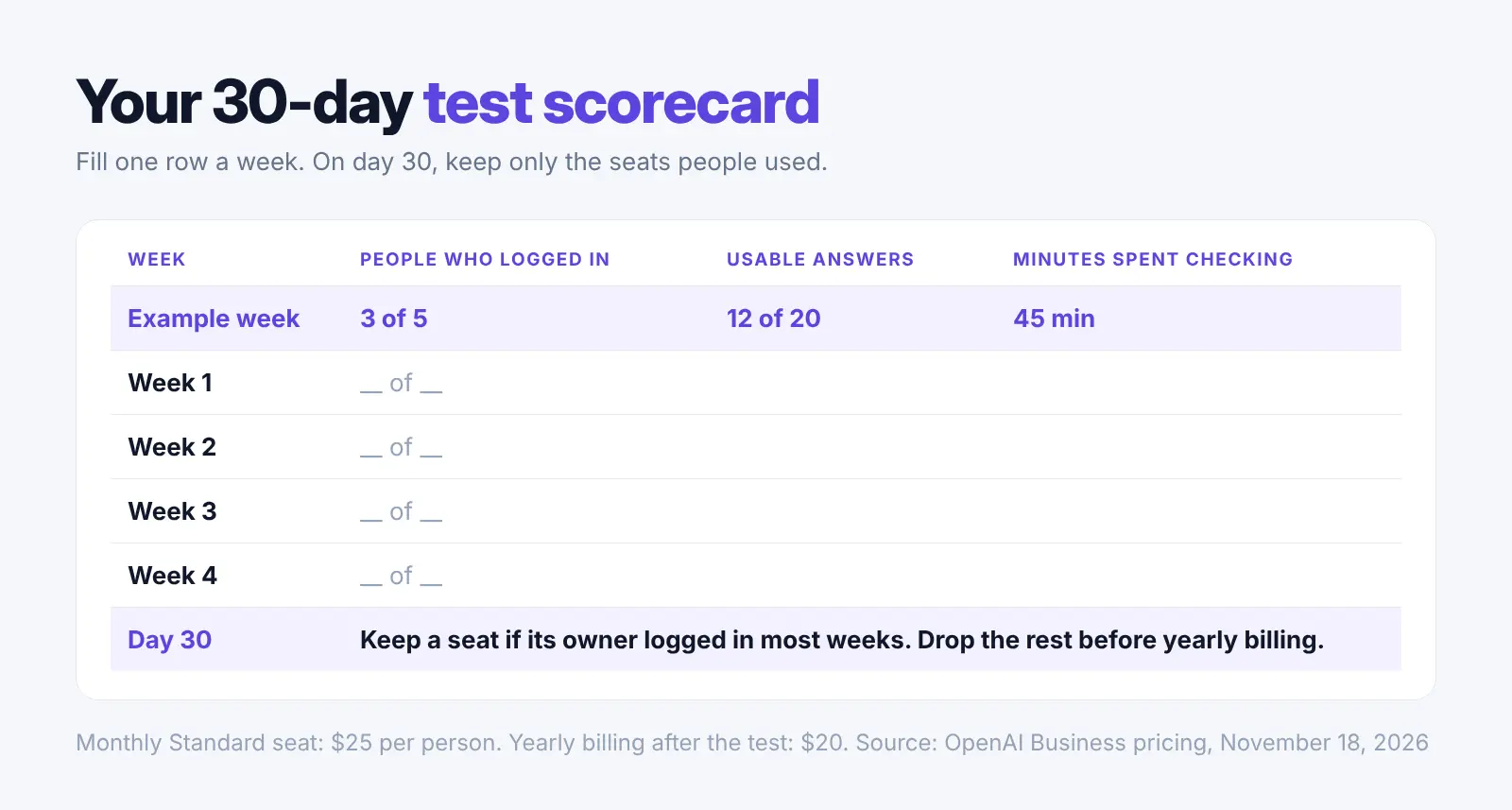
Start on monthly billing. It costs $5 more per seat (OpenAI FAQ), but you can stop after a month if the team doesn't use it.
- Pick two jobs the team does every week, such as first drafts of proposals or meeting summaries, and keep customer names out of both.
- Before day one, switch on single sign-on and MFA, leave connector write actions off, and agree a rule on shared links.
- Each week, note who logged in, how many answers were usable and how long checking them took.
- On day 30, keep only the seats people used, then move to yearly billing to get the $20 price.
The time saved can be real. A field study of 66 firms found that workers who used a built-in AI assistant spent about 2 fewer hours a week on email (AER: Insights).
Ask questions about customer files without sending the names
ChatGPT Business protects the account, but a contract or customer record still goes to the cloud with every name in it. If those files are what your team needs help with, Elephas is built for that job. It answers from your own documents on your computer and shows the page each answer came from.
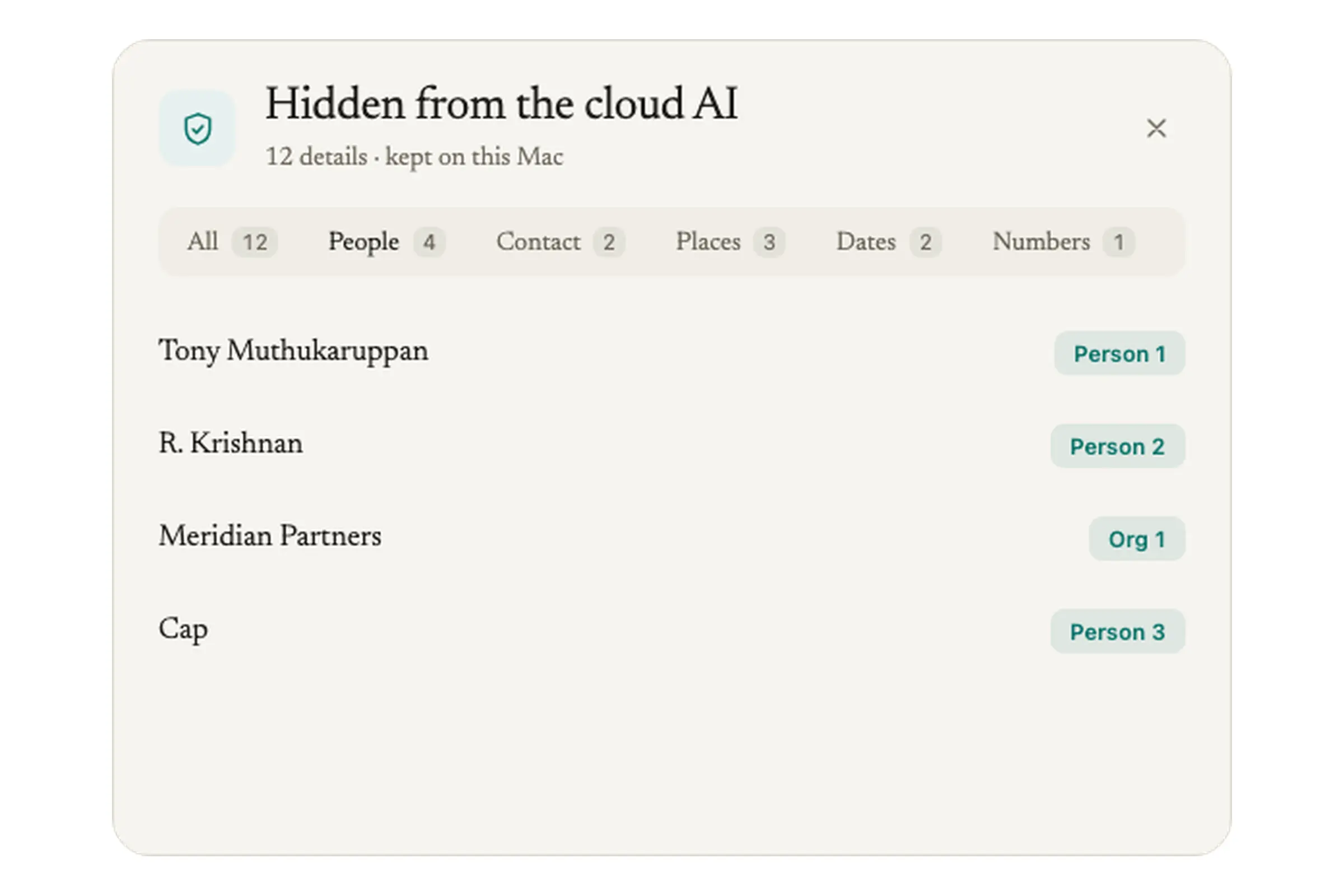
- Before a question leaves your computer, Elephas hides names, emails, phone numbers and other personal details, then puts them back in the answer.
- Under each answer you can see exactly what was hidden, and you can add your own Protected Names.
- Elephas's own cloud AI does not store your questions or train on them.
- On the Team plan, the firm shares one Team Brain of documents, with reader, contributor and manager roles.
Elephas runs on Mac (Apple Silicon, macOS 14 or later) and on Windows 10 or 11 (64-bit). Plans start at $19 a month, and Team costs $29 per person a month. There is a 7-day free trial with no card, so you can try it on real files before you decide.
FAQ
Is ChatGPT Business the same as ChatGPT Team?
Yes. OpenAI renamed ChatGPT Team to ChatGPT Business on 29 August 2025, and the rename changed no price, feature or contract (OpenAI FAQ). A Team workspace you already had simply became a Business workspace.
What does ChatGPT Enterprise add over Business?
Enterprise adds custom data retention rules, data storage in your chosen region (ten regions are supported), extra admin controls such as automatic user setup (SCIM) and your own encryption keys (EKM), and 24/7 priority support (OpenAI Business pricing). Pricing is set with OpenAI's sales team.
Are there other team plans at the same price?
Yes. Claude Team's Standard seat also costs $20 a person a month on yearly billing or $25 month to month (Claude pricing). Compare the privacy settings, not just the price, because both send your files to the cloud.
Private AI for your own documents
Elephas answers from the files on your Mac and hides personal details like names, emails and phone numbers on your computer before a question goes to cloud AI. Plans start at $19 a month, and the Team plan is $29 per person.