How to Keep Your Data Safe When Using AI Tools (2026 Guide for Knowledge Workers)
On March 31, 2026, Mercor, a $10 billion AI recruiting startup whose customers include OpenAI, Anthropic, and Meta, disclosed that attackers had slipped credential-harvesting malware into LiteLLM, an open-source library developers use to wire their apps to AI services. Within days, Lapsus$ claimed roughly 4TB of stolen data, per Fortune.
The companies building the AI you use could not keep their own data safe from a supply-chain attack against a library their own engineers picked. You did not paste a contract into ChatGPT last week.
You were careful. And yet, if any tool you touched had LiteLLM under the hood, your prompts still sat inside somebody's stolen 4TB. The debate about which cloud AI to trust is no longer really about cloud AI at all.
It is about whether sensitive work should be travelling to a third party's server in the first place. So if even the AI companies themselves cannot keep this data safe, what should the rest of us do?
4TB
stolen from Mercor via the LiteLLM supply-chain attack (April 2026)
13%
of organizations reported breaches of AI models or apps (IBM 2025)
223
monthly attempts per org to paste sensitive data into GenAI (Netskope)
Quick Summary
- The Mercor/LiteLLM breach (April 2026): attackers poisoned an open-source AI library and stole roughly 4TB from a $10 billion AI startup whose customers include OpenAI, Anthropic, and Meta. Supply-chain attacks now sit underneath every cloud AI tool you use.
- Every prompt crosses four risk surfaces: the network in transit, vendor logs, the training pipeline, and the third-party libraries the tool was built with. Only the first three have user-facing toggles.
- The stats that matter: IBM found 13% of organizations suffered AI breaches and 97% of those had no AI access controls. Netskope tracks 223 monthly paste attempts per organization, and 47% of GenAI users sign in on personal accounts.
- Solo professionals carry full duty: HIPAA, CCPA, NDAs, and bar-association ethics apply whether you have 50,000 employees or one.
- The three-layer fix: on-device AI so the prompt never leaves your Mac, automated redaction before anything hits the cloud, and disciplined vendor hygiene.
What Actually Happens When You Hit Send on a Prompt
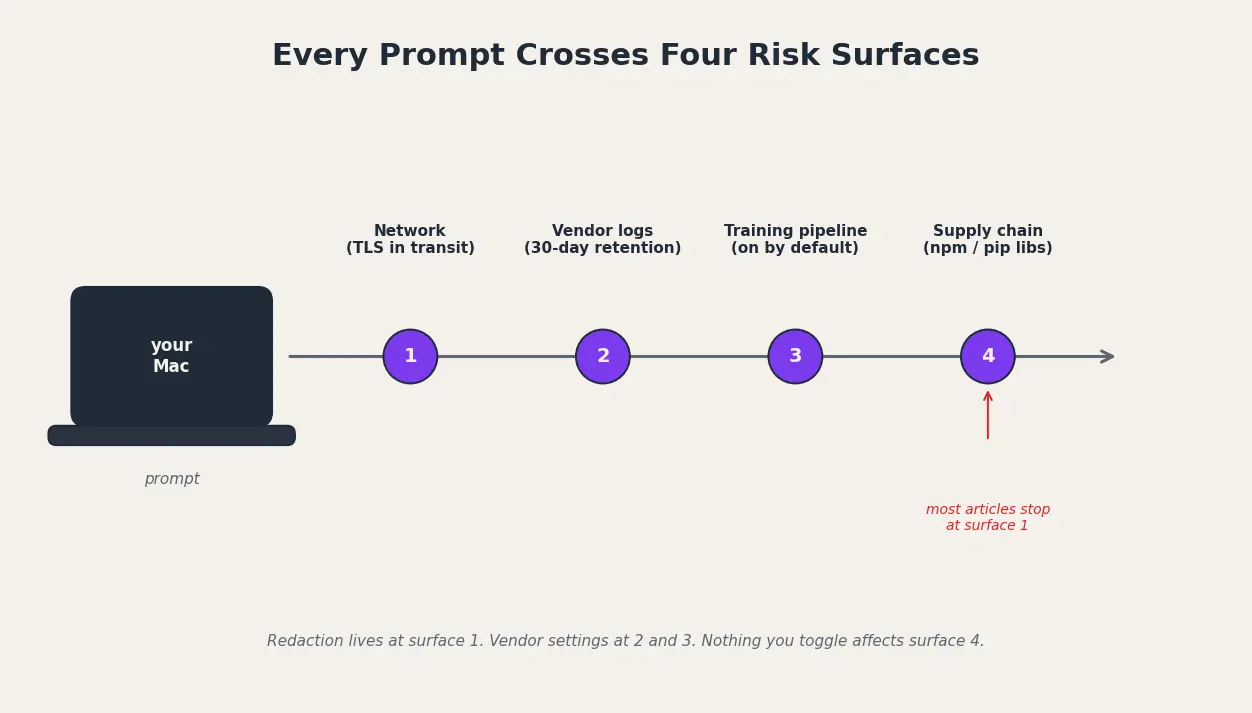
Every prompt you send to a cloud AI tool crosses four risk surfaces at once, and most users only think about the first one. Your text leaves your device over TLS, lands on a vendor GPU, gets written into vendor logs, may be sampled by human reviewers, and may be folded into training data unless a specific toggle is off.
ChatGPT, Claude, Gemini, and Microsoft Copilot all work this way by default. The prompt, the attached file, the pasted contract clause, the client name, all of it becomes confidential information sitting inside a large language model pipeline you do not operate.
How to keep your data safe when using AI tools
To keep your data safe when using AI tools, run sensitive work through on-device AI that never touches the cloud, redact names, client details, and account numbers before pasting prompts, switch off model training, pick vendors with zero data retention, and treat every browser extension and shared chat link as a leak path.
The fourth surface is the one most people skip. The Mercor ($10B AI startup that runs large-scale human data-labeling and interview pipelines for frontier AI labs) breach was not a vendor failure at OpenAI or Anthropic. It was a library failure two layers underneath them. Every npm or pip package that touches generative AI is now a target, and your data sits behind every one.
Three myths are worth puncturing. TLS is not the same as private. A deleted chat is not the same as deleted data. An enterprise plan is not the same as local storage.
- A shared ChatGPT conversation link is a public URL that Google has indexed before and may index again.
- Browser extensions with “read all page data” permission can scrape prompts and responses silently.
- Clipboard managers on macOS log every paste, including the ones headed for an AI tool.
- Memory features quietly store details from past chats and replay them into future prompts you did not authorize.
This is not theoretical. The receipts are public, dated, and stack up faster than the privacy policies can be rewritten.
The Leaks That Already Happened, in Order
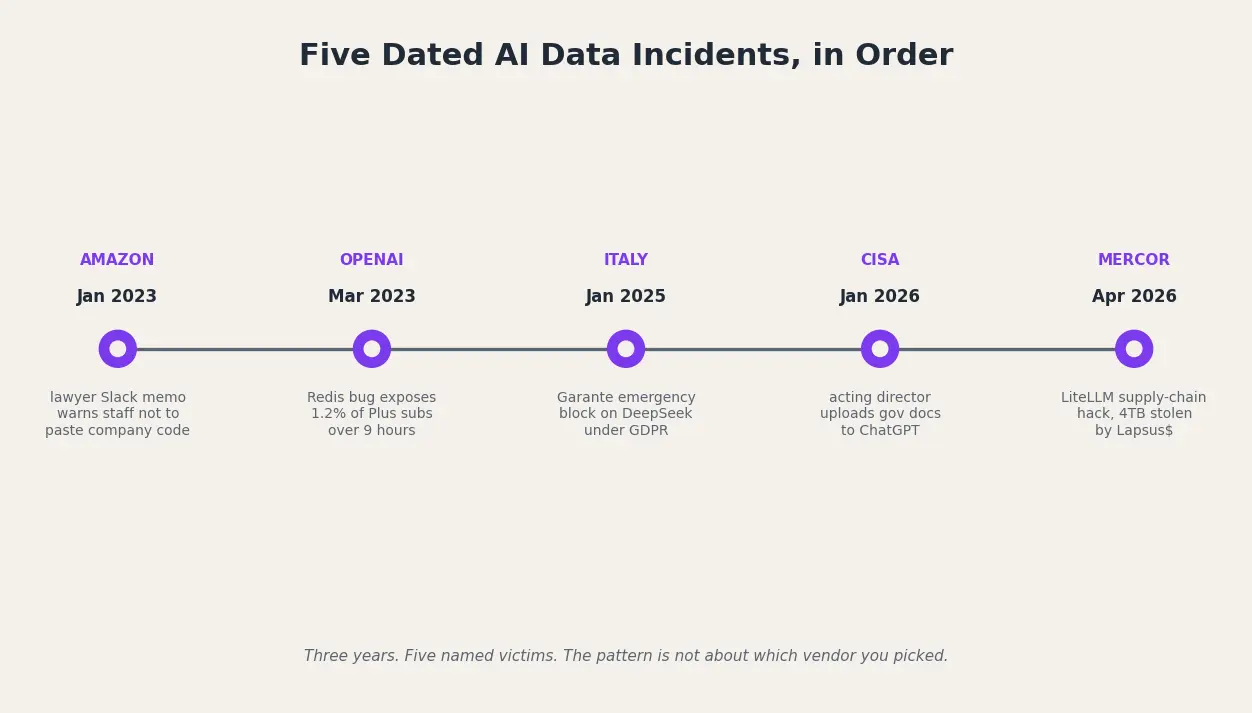
On March 20, 2023, a race condition in the open-source redis-py library exposed chat titles for ChatGPT users and, worse, payment data for roughly 1.2% of ChatGPT Plus subscribers active during a nine-hour window. OpenAI's post-mortem, quoted in The Hacker News, confirmed the leak included “first and last name, email address, payment address, the last four digits (only) of a credit card number, and credit card expiration date.”
Weeks earlier, in January 2023, an Amazon corporate lawyer posted an internal Slack warning staff not to paste company code into ChatGPT, writing “I've already seen instances where its output closely matches existing material,” per Voicebot.ai. Shadow AI stopped being theoretical inside Big Tech that day.
Regulators caught up two years later. On January 30, 2025, Italy's Garante blocked DeepSeek after the company told the authority it did “not operate in Italy and that European legislation does not apply to them,” a response the Garante called “completely insufficient.” Then, on January 28, 2026, Politico and TechCrunch reported that Madhu Gottumukkala, acting head of the US Cybersecurity and Infrastructure Security Agency, had uploaded sensitive government documents into ChatGPT the previous summer. If the head of national cyber defense can make that mistake, no reader should feel naive about it.
The stats make the pattern legible. IBM's 2025 report found that “13% of organizations reported breaches of AI models or applications” and that 97% of those breached “report not having AI access controls in place.” Netskope's report clocked 223 monthly attempts per organization to paste sensitive data into generative AI tools, with 47% of workplace GenAI users signed in on personal accounts.
- IBM found shadow-AI breaches cost organizations roughly $670,000 more on average than non-shadow-AI breaches.
- Italy's Garante blocked DeepSeek within two days of receiving the company's response, one of the fastest emergency actions under GDPR.
- Netskope measured average enterprise data volume flowing into generative AI tools growing roughly 30-fold in a year, from 250 MB to 7.7 GB per month.
- IBM reports only 37% of organizations have any policy in place to manage or detect shadow AI, meaning most leaks are invisible to the business that owns the data.
Each landed on someone whose job description included not making this mistake. Here is why that matters for your work.
Why This Hits Solo Professionals Hardest
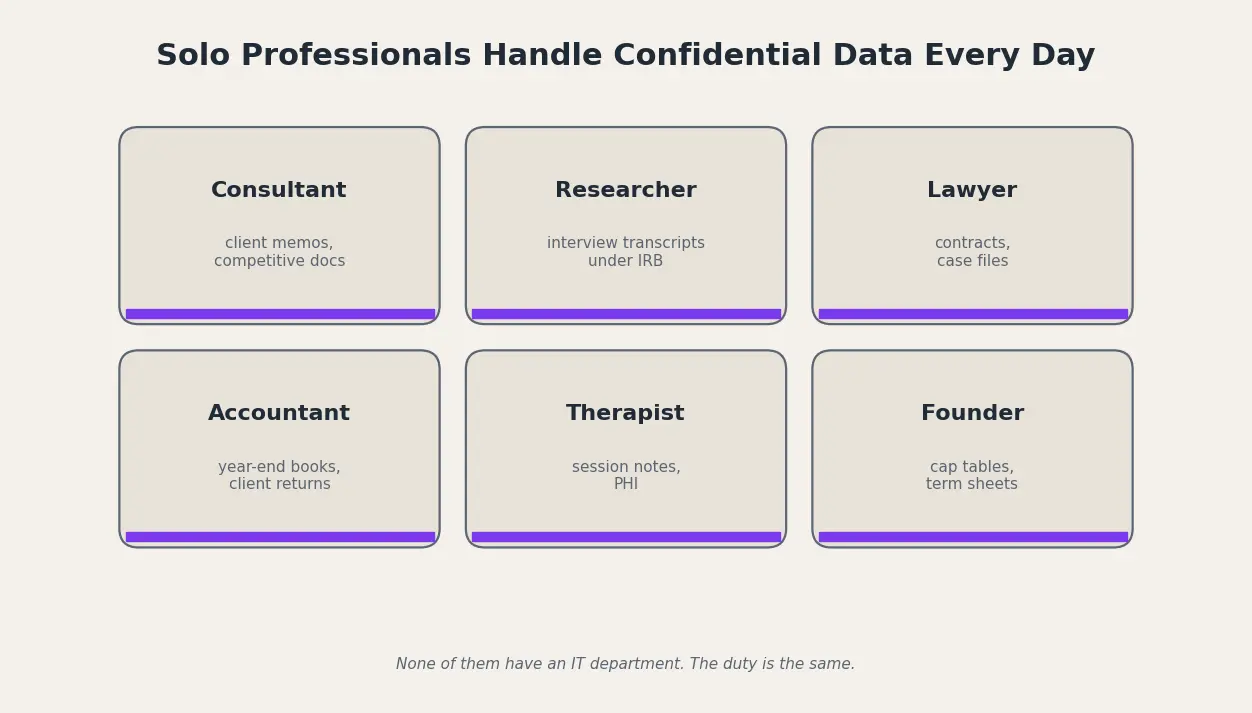
The management consultant pasting a client memo into Claude at 11 p.m. The academic researcher summarizing interview transcripts under an IRB protocol. The in-house lawyer redlining a contract.
The accountant reconciling year-end statements. The founder briefing a model on a cap table. Each one handles confidential information dozens of times a day, and none of them have an enterprise IT wrapper, a DLP platform, or a pre-approved tool list.
The standard advice, “use the enterprise plan, read the privacy policy, toggle training off,” was written for companies with 5,000 seats and a CISO. A solo practitioner has no enterprise plan to buy, no IT department to negotiate a Data Processing Addendum, no procurement team shopping for DSPM.
The privacy policy runs 14,000 words and changes every quarter. Toggling training off does nothing about vendor logs, breaches, or the supply chain underneath the model. We unpack the same dilemma in Private AI vs Public AI at work.
The legal exposure is sharper, not softer, when you are the only person in the firm. Pasting a client name plus a diagnosis into a cloud chatbot is the same HIPAA disclosure whether it happens at a 50,000-employee hospital or a one-person therapy practice.
The fines scale down, but the duty does not, and bar associations have already started treating unredacted AI-paste of client material as a current confidentiality issue.
- HIPAA covers any provider, including a solo therapist, with zero minimum size threshold.
- A consumer ChatGPT account does not come with a Business Associate Agreement, so pasting PHI is an unpermitted disclosure on day one.
- California's CCPA treats uploads to a third-party AI that may train on them as “sharing,” which triggers notice and opt-out duties.
- Solo founders briefing AI on cap tables can void NDAs without realising the prompt left the room.
The good news is the picture looks worse than it is. There are exactly three things you control, and once you see them, the rest of the noise goes away.
The Three Things You Actually Control Before You Paste
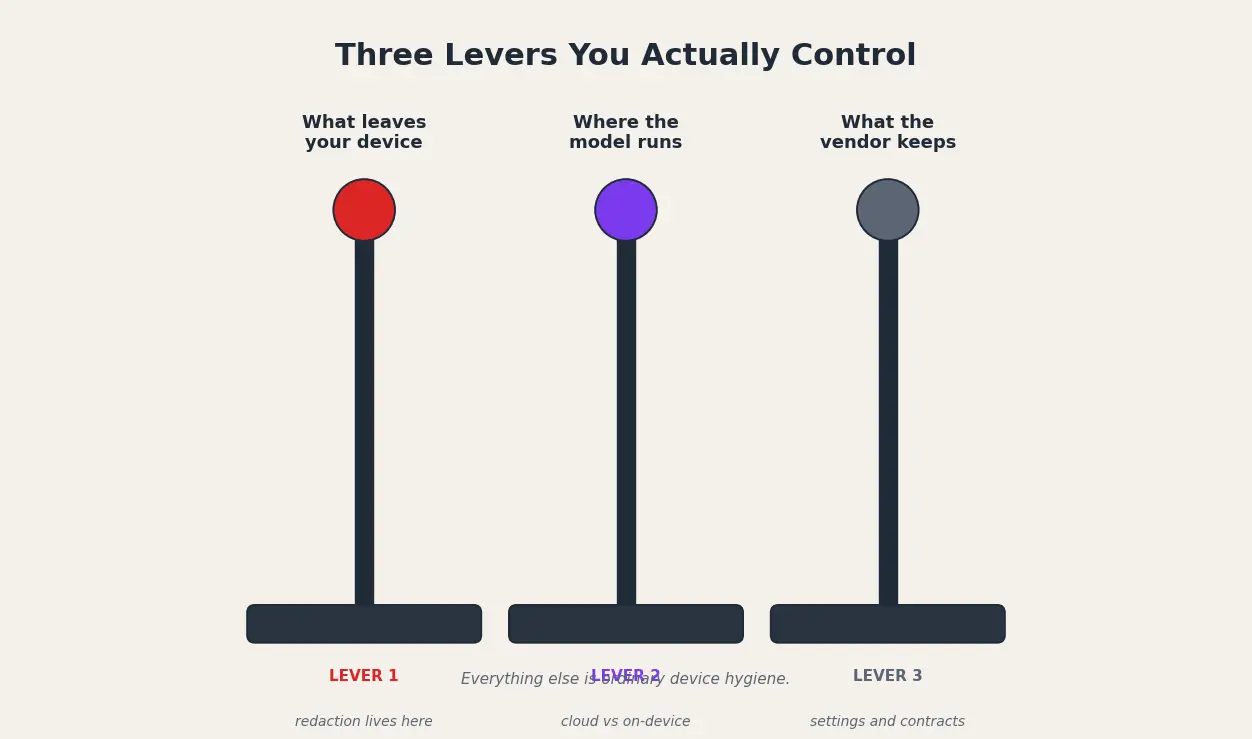
Forget the 47-item security checklist. Every decision that matters reduces to three levers. The first is what leaves your device: the prompt, the file, the screenshot you drop into a chat window. Once it goes, you cannot pull it back, which is where redaction lives.
The second is where the model runs: a server you do not own, or your own Mac running a local LLM, which is where the cloud-versus-local choice lives. The third is what the vendor keeps: logs, retention windows, training opt-outs, shared-link visibility, and third-party dependencies. Everything else, MFA, VPNs, software updates, is ordinary device hygiene.
The law is not going to close these gaps for you. On March 18, 2026, the Court of Rome annulled the €15 million fine the Italian Garante had issued against OpenAI in December 2024. That was the first major GDPR action against ChatGPT.
The €15M fine was later overturned on appeal by the Court of Rome in March 2026, but the privacy concerns it raised have not gone away. Regulators are still figuring out the playbook, and individual users cannot wait for them to finish.
Before any prompt goes out, five questions are worth running in your head. Treat this as a pre-paste checklist, not an audit.
- Could this prompt name a real person, client, employer, account, case, or address.
- Would I be comfortable if this exact text appeared in a future model's answer to a stranger.
- Has the vendor signed a DPA, BAA, or contract that limits how they use this prompt.
- Does this tool support an offline or local mode that does not need the cloud at all.
- Have I turned off training, memory, and shared-link defaults inside the tool's settings.
Once you accept those three levers, the workflow gets short. Here is what it looks like.
Three Layers of Protection: Local AI, Smart Redaction, and Vendor Hygiene
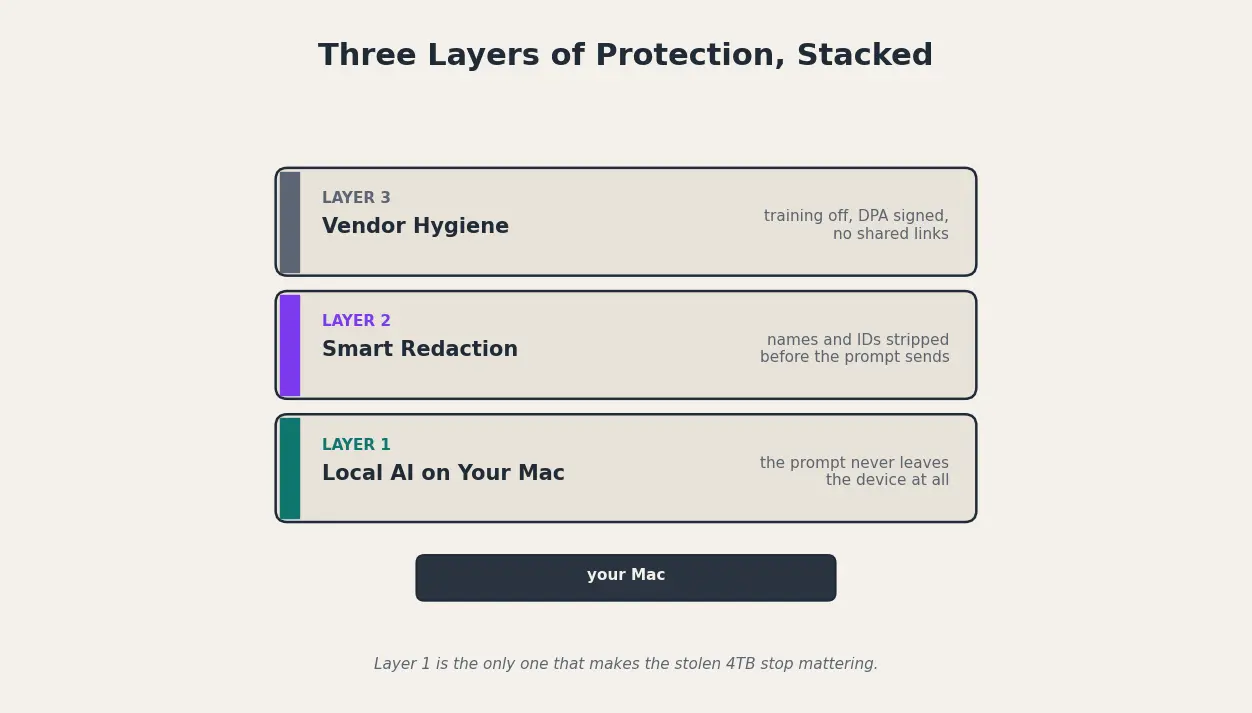
The single safest prompt is the one that never leaves your machine. On-device AI runs the model locally on your Mac, so your contract, your draft, your client memo, your research notes never cross TLS, never enter a vendor log, never sit in a training pipeline, and never hide behind a compromised dependency like the LiteLLM library in the Mercor breach.
That is Layer 1, and many people stop at this stage and decide to risk their privacy and use AI tools due to hardware requirements or the limited accuracy and capabilities of local AI models.
But you can use Elephas, as it is a Mac-native AI assistant built around this principle. It keeps your documents on your Mac by default, answers only from data you uploaded, and can run fully offline using inbuilt local LLMs on macOS 12.0 or newer. Data is never used for training.
Some prompts still have to go to a cloud model. For those, Layer 2 is automated redaction that runs before the prompt leaves your device. The idea is pattern-based replacement of names, emails, case IDs, and client-specific language that keeps the prompt meaningful while stripping the identifiers. Elephas Smart Redaction, currently in beta, is the Mac-native implementation of that idea, so you do not have to bolt a third-party step onto your workflow.
- Turn off “improve the model for everyone” inside ChatGPT, Claude, Gemini, and Copilot; the toggle exists in all four, named differently.
- Use a dedicated AI account that is not your work email, so a vendor breach does not also expose your work identity.
- Remove every browser extension that requests “read all data on every page,” including most AI sidebars and grammar tools.
- Never share a chat link publicly; treat it as a public URL the moment you generate it.
That is the entire workflow. The last thing left is making the switch before the next breach announcement lands in your feed.
Make the Switch Before the Next Headline
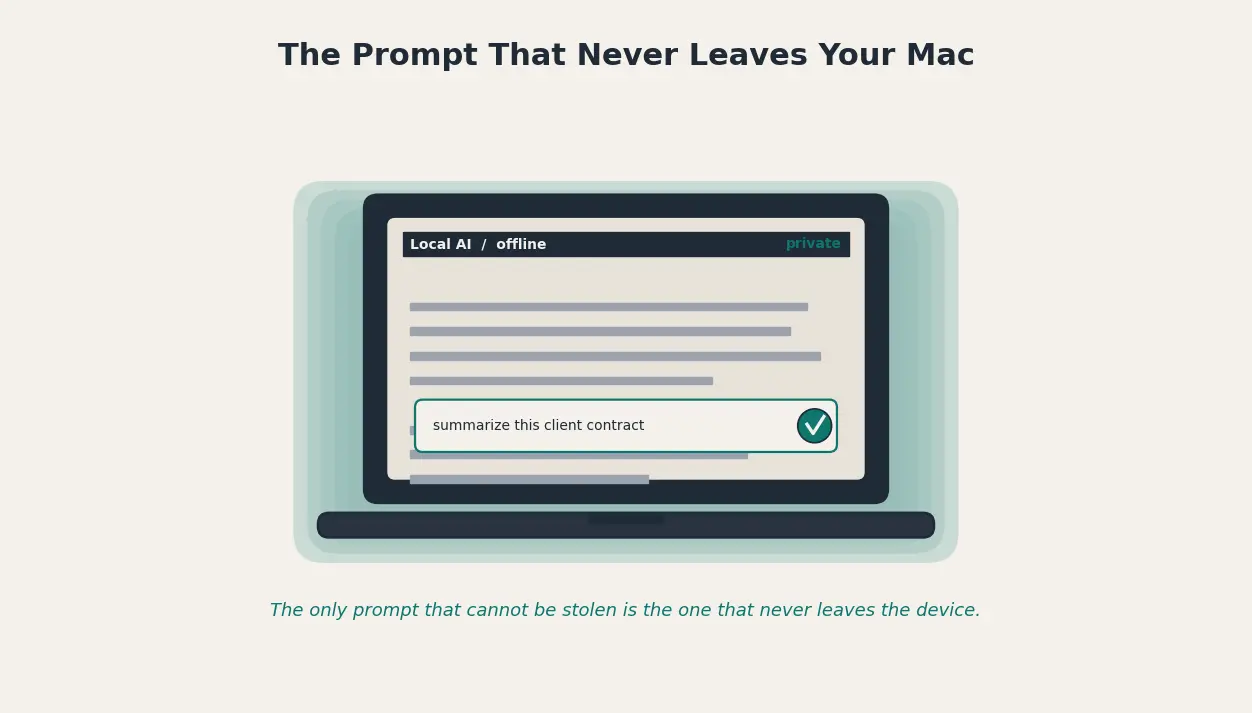
You were careful, your data still sat inside the stolen 4TB, because every prompt was running through someone else's server. The fix is not to stop using AI. Move the most sensitive work on-device, redact the prompts you cannot avoid sending, and clean up the few vendor toggles that actually matter.
Pick a Mac-native tool like Elephas that handles the first two layers for you, run the pre-paste checklist for anything still headed to the cloud, and stop waiting for the next headline to make the decision. That is the next move.
