What Is Shadow AI? Why Good Employees Use It, and the Safer Way (2026)
You have a deadline. A client's document is open, and a ChatGPT tab is one click away. You paste the first few pages, ask for a summary, and you are done in two minutes. You never opened a privacy policy or asked IT. You used the fastest tool.
Shadow AI is the unsanctioned use of AI tools, like ChatGPT, Claude, or Gemini, for work without the approval or oversight of your IT or security team. Shadow AI often starts when someone pastes work content into a free, personal account to save time. That gap is the meaning of shadow AI.
45%
Regular AI use on work devices (Verizon 2026 DBIR)
67%
Of those users on non-corporate accounts
98,034
Sensitive exposures on free-tier accounts
241 days
Average time to detect a breach (IBM 2025)
What Is Shadow AI? (And Why You Might Already Be Doing It)
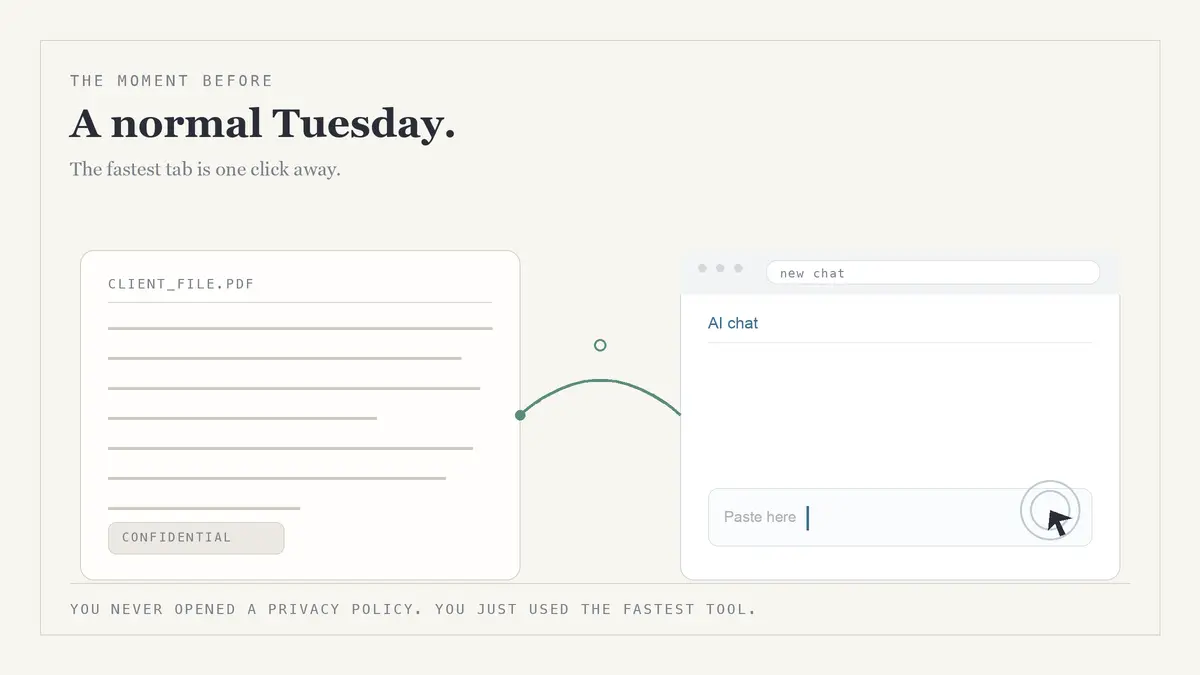
This is not a discipline problem. One of the main causes of shadow AI is a tooling gap: you reached for the fastest option because it helps. The tab is where exposure starts.
Most security articles are written to the CISO chasing employees. This one is for you, the consultant, lawyer, financial advisor, or accountant doing the pasting. What follows is where that data goes and how to keep the speed without the risk.
Shadow AI Examples: This Is Probably Already in Your Workflow
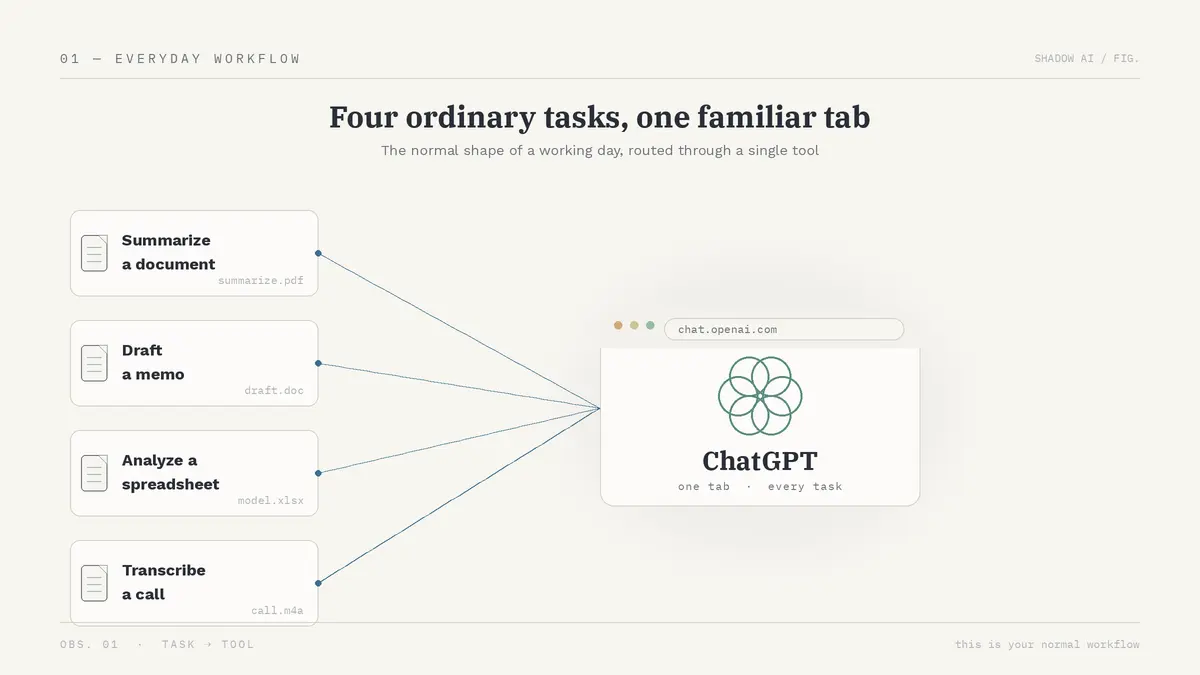
The textbook examples of shadow AI are the everyday tasks already in your week. A common example of shadow AI is summarizing a client's documents to find the key points. Or one of these:
- Drafting a memo or email from confidential meeting notes
- Analyzing a portfolio, a set of financial statements, or a tax return
- Turning a recorded client call into clean written notes
- Rewriting a sensitive section so it reads more clearly
The strongest example involves people you would never call careless. In March 2023, Samsung engineers pasted source code and a meeting transcript into ChatGPT across about 20 days. Bloomberg reported Samsung was "banning employee use of popular generative AI tools like ChatGPT after discovering staff uploaded sensitive code," then banned it company-wide about a month later.
These engineers were not reckless. They did exactly what you do: reached for the fastest tool. That makes shadow AI normal behavior.
Shadow AI vs Shadow IT
Shadow IT is unapproved software that stores your data, like a personal Dropbox, and leaves file-upload patterns IT can spot. Shadow AI is an AI system nobody signed off on that learns from your data, rides ordinary text over web traffic, and often hides inside AI features in tools you already use.
What Really Happens to Data You Paste Into ChatGPT
The mechanism is easy to miss. You don't upload a file. You copy text and paste it into a tab. Cyberhaven, which monitors data flows across millions of workers, put it plainly: once content is copied out of a file, security tools "are unable to keep track of it." There is no audit trail.
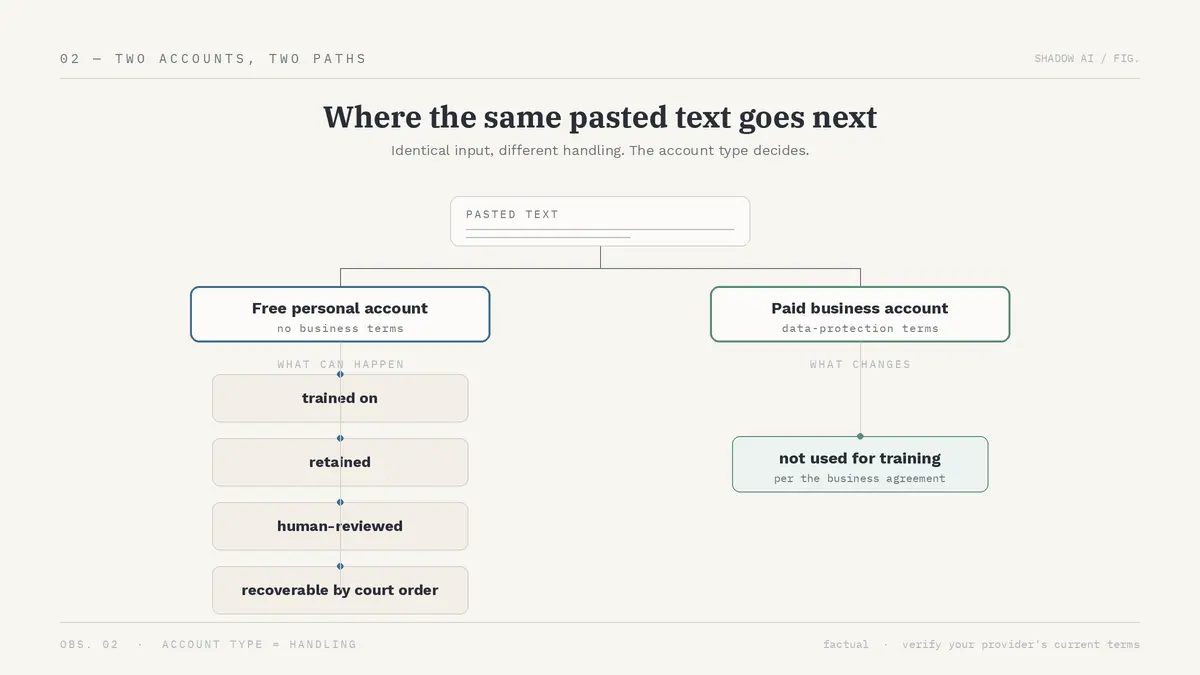
On a free personal account your text can be used to train the system by default, and your data security breaks down there. Here is what actually happens to it:
- OpenAI's terms say: "We may use Content to provide, maintain, develop, and improve our Services." The "we won't train on your data" promise applies only to paid business customers, so a free tab gets none of that protection.
- Deleting a chat starts a 30-day timer, not instant erasure, and OpenAI can pause it for "legal obligations"
- Temporary Chat is still kept up to 30 days "for safety purposes," and a court can override deletion entirely
That last point is not theoretical. In NYT v. OpenAI, a judge ordered OpenAI to preserve deleted and Temporary Chats, then to produce 20 million conversations. This is not a ChatGPT-only trap. Every public AI tool, every piece of third-party AI you reach for, carries the same data security gap:
- On consumer tiers, Claude now trains on Free, Pro, and Max chats unless you opt out, with retention up to five years
- Google tells Gemini users in writing not to enter confidential information because human reviewers may read it
- Microsoft Copilot's consumer accounts carry the same risk
None of this is a problem for "a company" in the abstract. It is a problem for you, your client, and the relationship you depend on.
Shadow AI Risks for Lawyers, Advisors, and Accountants, Personally
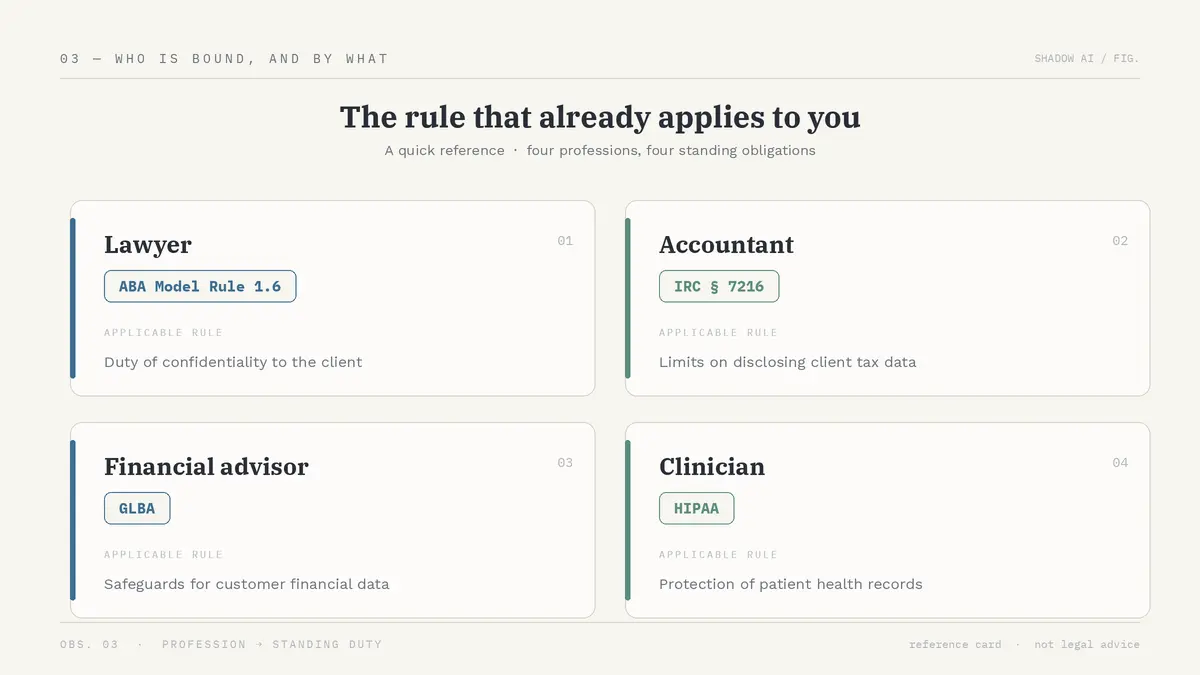
Most coverage frames the risks associated with shadow AI as company breach cost, which is useless to a solo professional. Your exposure is personal. It lands on your client's confidence, your professional duty, and in some cases your license. Here is how the rules map to your role:
- Lawyers: ABA Model Rule 1.6 requires reasonable efforts to prevent unauthorized disclosure of client information. Pasting a matter into a tool that trains on inputs and is readable by vendor staff can disclose confidences and weaken privilege. ABA Formal Opinion 512 (2024) tells lawyers to evaluate what they feed into generative AI.
- Financial advisors and accountants: The GLBA Safeguards Rule and SEC Regulation S-P require you to protect nonpublic client financial data. For tax preparers, IRC §7216 makes a knowing or reckless disclosure of return information a misdemeanor, paired with the §6713 civil penalty of $250 per disclosure, capped at $10,000 a year.
- Anyone with EU client data: GDPR Article 5 requires that personal data be collected "for specified, explicit and legitimate purposes." Italy's regulator, the Garante, fined OpenAI €15 million in 2024 over how ChatGPT handled personal data, though a Rome court annulled that fine in March 2026 on jurisdictional grounds, not the merits.
- Anyone touching health data: Consumer AI tools do not sign a HIPAA Business Associate Agreement, so putting protected health information into a chat is an impermissible disclosure, no matter your intent.
- Everyone, whatever your role: FTC Act Section 5 can treat misrepresenting how you protect client data as a deceptive practice, so the duty is not limited to regulated professions.
These are rules you are already bound by, and unauthorized use of AI does not exempt you. The AI tab did not create a new duty. It just made it easy to break an old one.
Shadow AI Statistics (2026), and Why Blocking It Doesn't Work
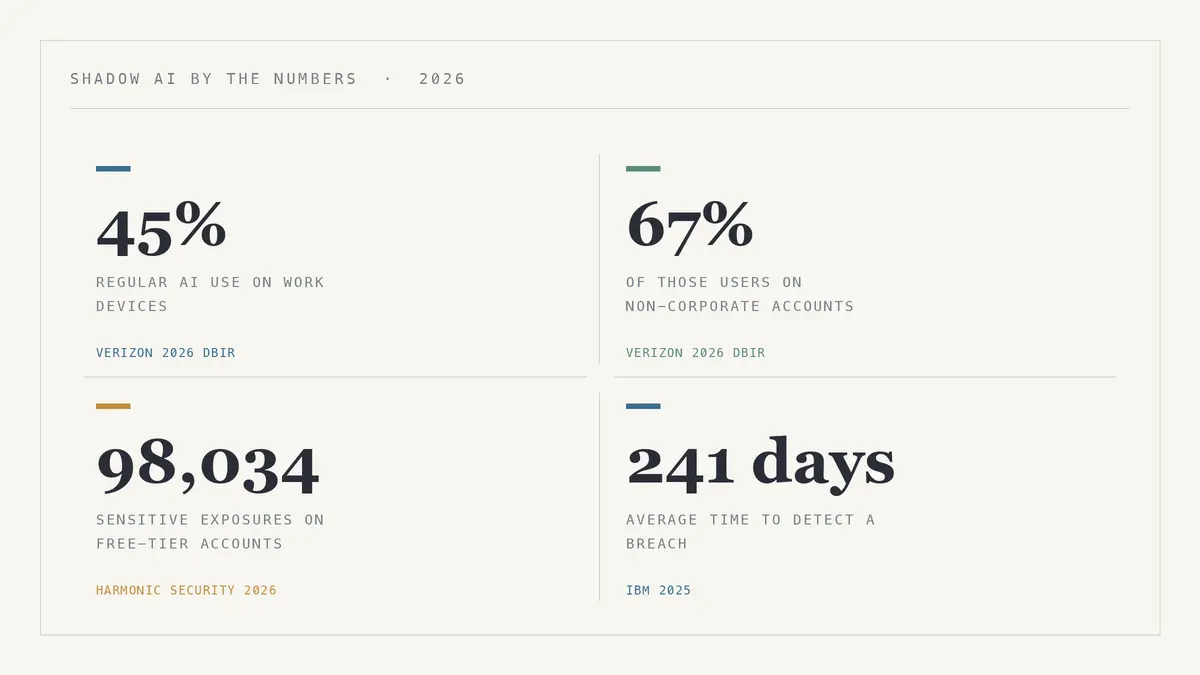
AI adoption is now outpacing oversight, and shadow AI is measured, mainstream, and growing. The 2026 numbers:
- Verizon's 2026 Data Breach Investigations Report found regular AI usage on corporate devices jumped from 15% to 45% in a year. 67% of those users are on non-corporate accounts, source code is the most-uploaded data type, and shadow AI is now the third most common non-malicious insider action.
- Harmonic Security counted 98,034 sensitive-data exposures, 16.9% of all exposures, on personal free-tier accounts IT cannot see.
- A 2026 survey reported by The Register found 67% of US workers use unsanctioned AI tools, while 96% of UK executives believe they have full visibility into how staff use AI.
- IBM's 2025 research puts the average time to identify and contain a breach at 241 days, so an exposure can sit unnoticed for most of a year.
The standard fix is to ban it, and that provably fails. Within months of ChatGPT's launch, Bank of America, Citigroup, Goldman Sachs, Wells Fargo, and Deutsche Bank restricted or blocked it for staff. A personal ChatGPT tab is the workaround those bans exist to stop, and the reports show why bans fail:
- Two-thirds of use already happens on non-corporate accounts
- Mimecast's research found nearly half of employees would keep using personal AI after an org-wide ban
- 31% of AI users get no employer training at all
Most advice on shadow AI is written for security teams, not for you. The standard playbook says to:
- detect unauthorized AI use across the company
- write AI governance policies and AI usage rules
- improve visibility into which AI tools and AI systems employees use
- roll out sanctioned AI tools and approved AI platforms
- monitor for unmanaged AI and third-party AI in approved apps
- build responsible AI practices and security oversight
You are one person with a deadline, not a security team. Managing shadow AI, for you, comes down to one thing: a tab that is safe to paste into.
How to Use AI Safely at Work: The "Safer Tab" Approach
You don't have to choose between the speed of AI and the safety of your client data. Here is what a safe setup needs:
- It processes on your device and keeps your data on the Mac
- It does not train on your inputs, with zero data retention
- It strips sensitive details before anything leaves the machine
- You can choose your own cloud model instead of being locked in
Elephas is one tool that matches all four. It is a Mac AI knowledge assistant that sits in front of the cloud model you already use, and it provides built-in local LLM models and a fully offline mode for sensitive work. It is AI security that fits your existing AI workflows.
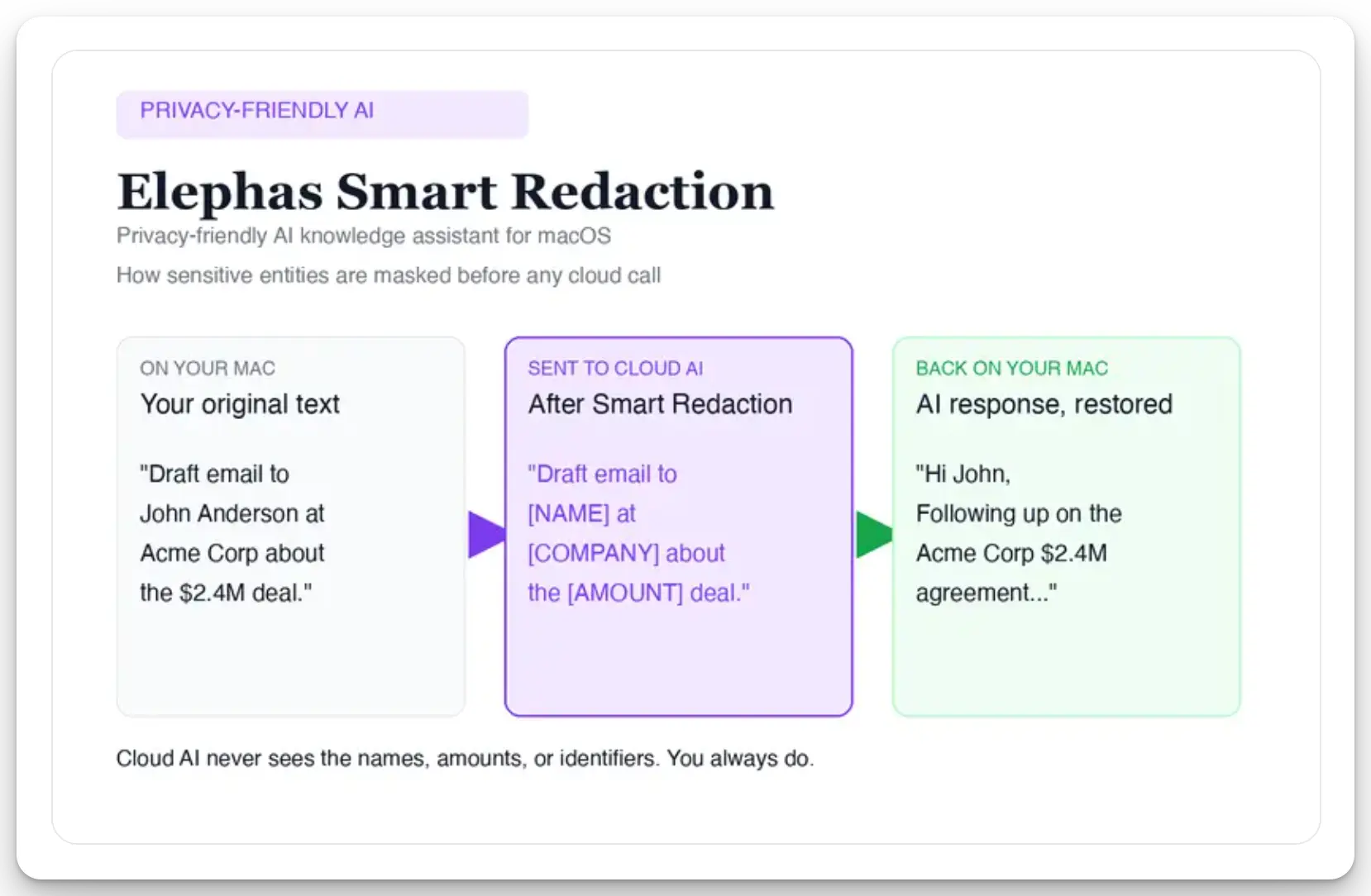
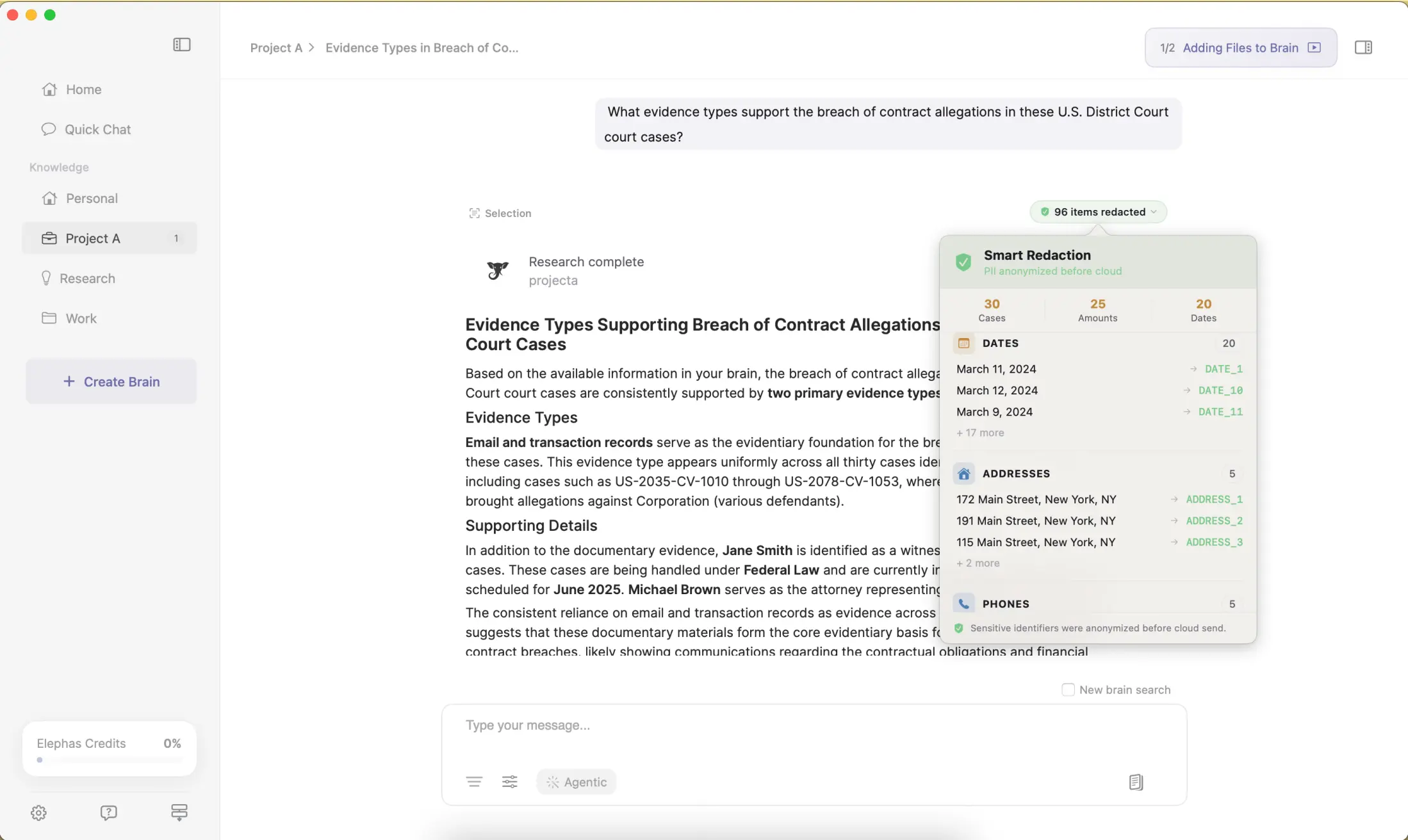
Before a prompt is sent to ChatGPT 5.5, Claude Opus 4.7, Gemini, Grok, Perplexity, or any other cloud model, Elephas strips sensitive names, emails, phone numbers, and identifiers on your Mac. The cloud model only ever sees the sanitized text. When the answer comes back, the redacted fields are reassembled locally on your machine, so identifiable information never leaves the device. Elephas pairs this with zero data retention: content never trains AI models, never sits on a vendor's server, and never passes through a third-party reviewer's screen.
In short: sensitive data is automatically detected and redacted before anything reaches a cloud AI model, your content is never used to train AI models, and nothing passes through a third-party reviewer's screen. This Smart Redaction is available on every Elephas plan, including the free one.
- A 1,700-page PDF processes for about $0.40 in local cost
- You get the same fast summary, but the client's name and account numbers never leave the Mac, and nothing waits on a server for a subpoena
- Elephas has a free plan and starts at $19/month, with a "Try Elephas for free" option, and the live list is at elephas.app/pricing
The Bottom Line: Keep the Speed, Drop the Exposure
You used AI because it helps, and that was always the right call. The risk was never your intent. It was where the data went after you hit paste.
Shadow AI comes down to one fixable gap, and the change that closes it is switching which tab you paste into. You keep the speed and drop the exposure.
The next step is small. Run your next client task through a tab that redacts on your Mac first, and the workflow stays just as fast. Try Elephas for free and let the confidential parts stay on your device.
Frequently Asked Questions
I've been pasting client work into ChatGPT to save time. Is that actually shadow AI, or am I overthinking it?
Yes, that is exactly what shadow AI is: using an AI tool for work without IT or security approval. It is not about intent. The moment confidential client content goes into a free personal account, it is shadow AI, and the risk is real no matter how careful you are.
Realistically, what's the worst that happens to me, not my company, if a client's data leaks because I used an AI tool IT never approved?
For you personally: lost client trust, a confidentiality or privilege problem, and for regulated roles, a rule violation. ABA Model Rule 1.6 covers lawyers, IRC §7216 covers tax preparers, GLBA covers advisors. The cost lands on your relationships and your license.
If I delete the chat afterward, or turn off chat history, is the client data actually gone?
Not necessarily. On consumer ChatGPT, deletion is a 30-day timer, Temporary Chats are kept up to 30 days, and legal obligations can pause deletion. A court already ordered OpenAI to preserve deleted and temporary chats.
Is there a way to keep using AI on client work the way I do now, without the part that's getting me in trouble?
Yes. A tool like Elephas strips sensitive names and identifiers on your Mac before anything reaches a cloud model, then reassembles the answer locally, and it never trains on or retains your content. You keep the speed, and the confidential parts stay on your device.
What is the difference between shadow AI and shadow IT?
Shadow IT is using unapproved software that stores data, like a personal Dropbox. Shadow AI is using unapproved AI that interprets, learns from, and generates new output from your data. Shadow AI is harder to detect because it rides ordinary text prompts and hides inside tools you already use.
Is shadow AI a security risk?
Yes. Pasted content can be used for model training, retained for years, read by human reviewers, and recovered under a court order, with no audit trail. Verizon's 2026 DBIR ranks shadow AI as the third most common non-malicious insider action, and most of it happens on accounts IT cannot see.

Sources
- Verizon 2026 Data Breach Investigations Report (DBIR)
- Harmonic Security, 2026 sensitive-data exposure report
- The Register, 2026 survey on unsanctioned AI use
- IBM Cost of a Data Breach Report (breach lifecycle)
- Bloomberg, Samsung generative-AI ban (May 2023)
- Cyberhaven, data-flow monitoring research
- Mimecast State of Human Risk 2026
- OpenAI Terms of Use and data-controls FAQ; NYT v. OpenAI preservation order
- ABA Model Rule 1.6 & Formal Opinion 512; IRC §7216/§6713; GLBA; SEC Reg S-P; GDPR Article 5 (Garante); HIPAA