12 Best Apple Intelligence Apps for Mac in 2026
Search for Apple Intelligence apps and page one gives you nothing but Apple. All 10 organic results are Apple properties, 100% of the page. Every one describes features. None names the Mac apps that use them.
The 12 apps below are sorted into three tiers, with the feature each uses, a cost verified today, and one concrete limitation. Mac only. For setup, our Apple Intelligence Mac guide covers the rest.
12
Mac apps compared
6
ship free with macOS
3
use Foundation Models
3
distinct AI tiers
Quick Answer: Which Apps Use Apple Intelligence on a Mac?
Six of the 12 apps here are Apple's own, 50% of the list, and ship with macOS. Three are third-party apps built on Apple's Foundation Models framework. Two inherit Writing Tools with no AI code of their own. One is not an Apple Intelligence app at all.
- Tier 1, Apple's own apps. Mail, Notes, Photos, Safari, Shortcuts, Image Playground. Free, nothing to install. Just turn Apple Intelligence on.
- Tier 2, real Foundation Models code. Craft, Pixelmator Pro, CARROT Weather. A developer wrote against Apple's on-device language model.
- Tier 3, inherited Writing Tools. Bear, Ulysses, and hundreds more. Any standard Mac text view gets proofread, rewrite and summarize free. Marketing calls it an integration. It is not.
- The gap Apple leaves. Writing Tools only edit the text in front of you, and Apple never says which requests leave your Mac.
- Outside the framework. Elephas is a private AI knowledge assistant for Mac that redacts sensitive data on-device before any cloud model sees it. Free plan available, paid plans start at $19/month. Try Elephas for free.
Quick Comparison: 12 Apple Intelligence Apps for Mac
Every cost was checked against the vendor's live page on July 17, 2026. Four of the six third-party entries are not monthly products, so the column is Cost, not a uniform dollars-per-month figure.
All pricing verified against each vendor's live page as of July 17, 2026. Settings and prices change often, confirm the current figures before buying.
What Does “Apple Intelligence App” Actually Mean?
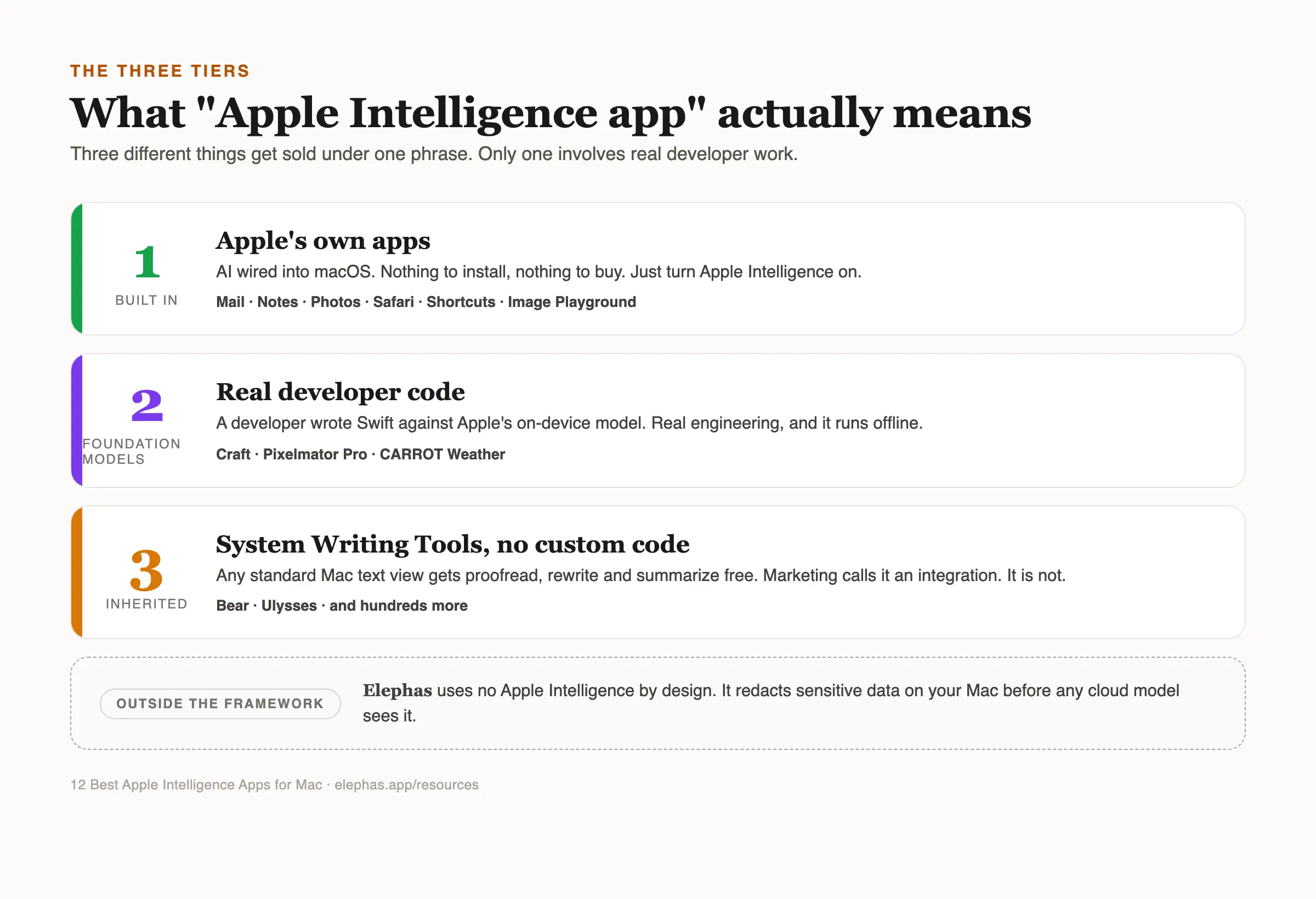
Three things get sold under one phrase, and mixing them up is why “which apps use Apple Intelligence” feels slippery. Apple markets it as one personal intelligence system spanning Apple devices, but its pages never draw the line between built-in features, developer frameworks, and inherited menus.
- Tier 1, built in: Apple Intelligence features come already wired into Apple's system apps. Nothing to install, nothing to buy.
- Tier 2, Foundation Models: A developer wrote Swift code against Apple's on-device language model for summarization, extraction, or tool calling. Real engineering, and it runs offline.
- Tier 3, inherited: Any app on a standard AppKit text view gets Writing Tools, integrated across apps by right-click, with zero code from the developer.
Only 3 of the 12 apps below clear the Tier 2 bar, about 25%, and Apple's Foundation Models framework is why. Apple calls it apps and experiences to help you write, create, and communicate, but “works with Apple Intelligence” usually means the developer used a normal text field, which they did anyway.
Tier 3 is also wildly uneven, as u/FlishFlashman noted in r/MacOS in October 2024: cross-platform apps built using Electron and JavaScript frameworks are a big problem in this regard, since most of them do not support any of Apple's text services.
The test takes ten seconds. Right-click the app's text area: Writing Tools means Tier 3, identical everywhere on the Mac. A distinct AI panel that works with Wi-Fi off means Tier 2. Our explainer on what Apple Intelligence is covers the features.
Why Do Mac Users Look Past Apple Intelligence?
The complaint was never that Private Cloud Compute is unsafe, but that nobody can tell when it runs. Mac owners started picking apart PCC as soon as it shipped, and PCC is still the architecture today. In an r/apple thread from November 2024, one commenter named a need Apple has still not answered.
“I wish there was an option to choose not only on-device only, but also to choose specific PCC operations that you'd like to allow or disallow. I don't mind being able to create AI generated images or edit images with AI, but I don't want random photos of mine being blasted up to the cloud. There's plenty of times I'll take a picture of a document with sensitive info on it so I can zoom in and read things easier, or situations similar to that. I really want those to stay on my device...”
That thread was not a pile-on. Its top comment defended Apple: a self-described security engineer called Private Cloud Compute way ahead of what literally any other company has today in the realm of security and privacy (u/InertialLaunchSystem, November 2024).
The same request keeps coming back. u/5h3r10k asked Apple to specify exactly what is done on PCC so users can decide whether to use those features. u/qwop22 read the security docs and admitted most of it went over his head.
u/Justdroid tested Apple's vague word against the behaviour in November 2024, and the question he landed on still stands: Apple is purposefully being vague by saying “Complex.” Writing Tools' Summary section does not work offline at all.
What Does Independent Research Say About Apple Intelligence?
Apple lets you audit Apple Intelligence after the fact, not before. Its Intelligence Report logs Private Cloud Compute activity for the previous 15 minutes or seven days as JSON. Researchers have tested the rest.
Researchers at The Ohio State University found in 2026 that their Serpent attack could replay stolen Apple Intelligence access tokens across devices on macOS 26. Apple confirmed the vulnerability, assigned a CVE, and paid a bounty.
RSAC researchers reported in 2026 that a prompt injection bypassed Apple's local model filters in 76 of 100 test prompts, a 76% success rate. Apple hardened the affected systems in macOS 26.4, and RSAC found no evidence of exploitation in the wild.
An ACM WiSec 2026 study named the audit limit that matters most. Apple publishes the Private Cloud Compute specification, but the running system cannot be fully checked against it: production builds ship without symbols or reproducible builds, and the model interfaces are not openly accessible.
Is Apple Intelligence Unsafe on a Mac?
No, and the research cuts both ways. A 2026 privacy-by-design audit of Siri, Alexa, and Google Home found Siri scored highest of the three on regulatory compliance, while flagging complex settings and unclear data controls as the real barrier.
Apple's design is strong, built around protecting your privacy at the architecture level. Apple's privacy notice says tasks run on the device when possible, that a proofread email may reach Private Cloud Compute when a larger model is needed, that only relevant data goes, and that Apple cannot access it.
The honest word is not unsafe. It is unverifiable from where you sit. You can read the log afterwards, you cannot decide beforehand that this document stays home. For a holiday photo that is nothing. For a client contract it is the whole decision. See Siri and AI privacy.
Mail, Best for Inbox Triage With Nothing Installed
Mail is Apple's built-in Mac mail app, and where most people meet Apple Intelligence first. It adds Smart Reply, one-line summaries in place of preview text, and Priority Messages, floating time-sensitive email to the inbox top.
Turn Apple Intelligence on and the inbox changes shape, which is why it pays to know what leaves your Mac. One tested r/apple finding: Smart Reply for Messages runs offline, for email it does not.
Key Capabilities
Cost. Free, built into macOS.
Why we picked Mail
Mail is the highest-volume Apple Intelligence surface on a Mac. Most people never open Image Playground twice, everyone reads email. It is also the cleanest demonstration of the cloud question: a summary of a client thread may travel, a reply suggestion may not.
Notes, Best for Meeting Notes and Voice Capture
Notes is Apple's built-in note app, and its Apple Intelligence feature quietly replaced a paid app for many people. Record audio into a note and Notes transcribes it, then summarizes the transcript into the points actually agreed.
The appeal is the absence of a workflow. No upload, no separate recorder, no transcription credits, and the recording stays in the note it belongs to. For three calls a week, that kills a subscription.
Key Capabilities
Cost. Free, built into macOS.
Why we picked Notes
Notes has the clearest cash value here. A dedicated transcription app costs money monthly, this costs nothing and lives where the notes are. It fails on crosstalk and heavy accents, so treat it as a first draft, never the record.
Photos, Best for Removing Distractions From Images
Photos is Apple's built-in library and editor, carrying three Apple Intelligence features at once. Clean Up removes an object you brush over. Natural-language search finds images by description. Memory movies build a video from a sentence.
Clean Up is the one people keep. Brushing a stranger out of a background used to mean an editor and twenty minutes, here it is a swipe. Photos is also where privacy gets personal: a photo library is the least edited archive most people own.
Key Capabilities
Cost. Free, built into macOS.
Why we picked Photos
The Clean Up tool most reliably replaces a paid editor for an ordinary user. The cloud boundary also deserves real thought here, since photographed documents sit in the same library as holidays. Our guide to photo privacy on Mac covers the settings.
Safari, Best for Getting the Gist Before a Long Read
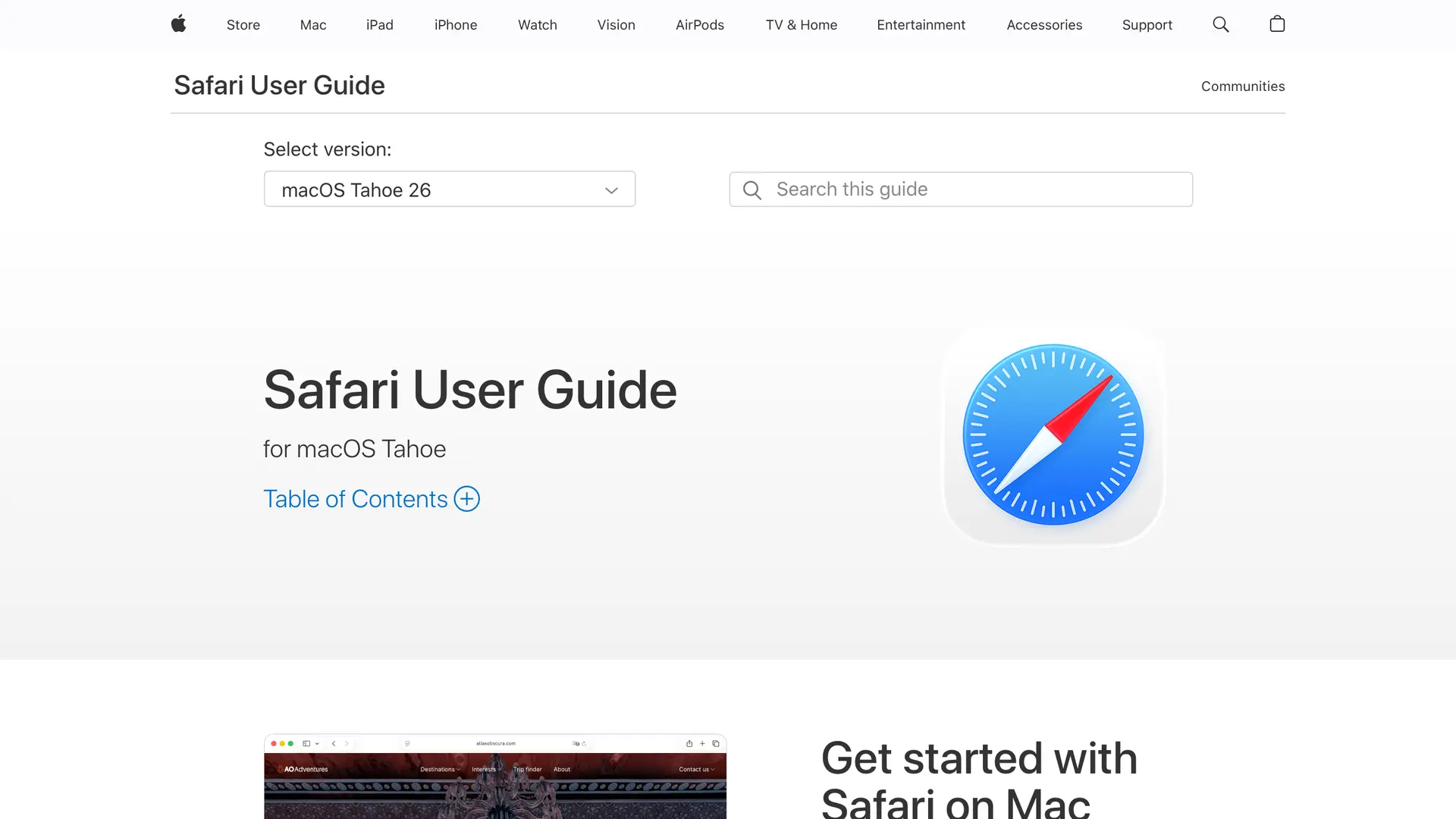
Safari is Apple's built-in browser, and its Apple Intelligence work is deliberately small. It summarizes a page or article on demand, and on a Mac today that is the whole shipping feature set. The AI tab organisation Apple showed in June 2026 is still in beta.
Summarization answers one question: whether a page is worth twenty minutes. Used that way it is good. Used as a substitute for reading it is a liability, because the first thing a summary strips is the qualification that made the claim true.
Key Capabilities
Cost. Free, built into macOS.
Why we picked Safari
Triage is a real job, and Safari does it in one click, free, in the browser that came with the Mac. The caveat applies to any summarizer: it decides what to read, it does not replace reading.
Shortcuts, Best for Automating Repeat Tasks Without Code
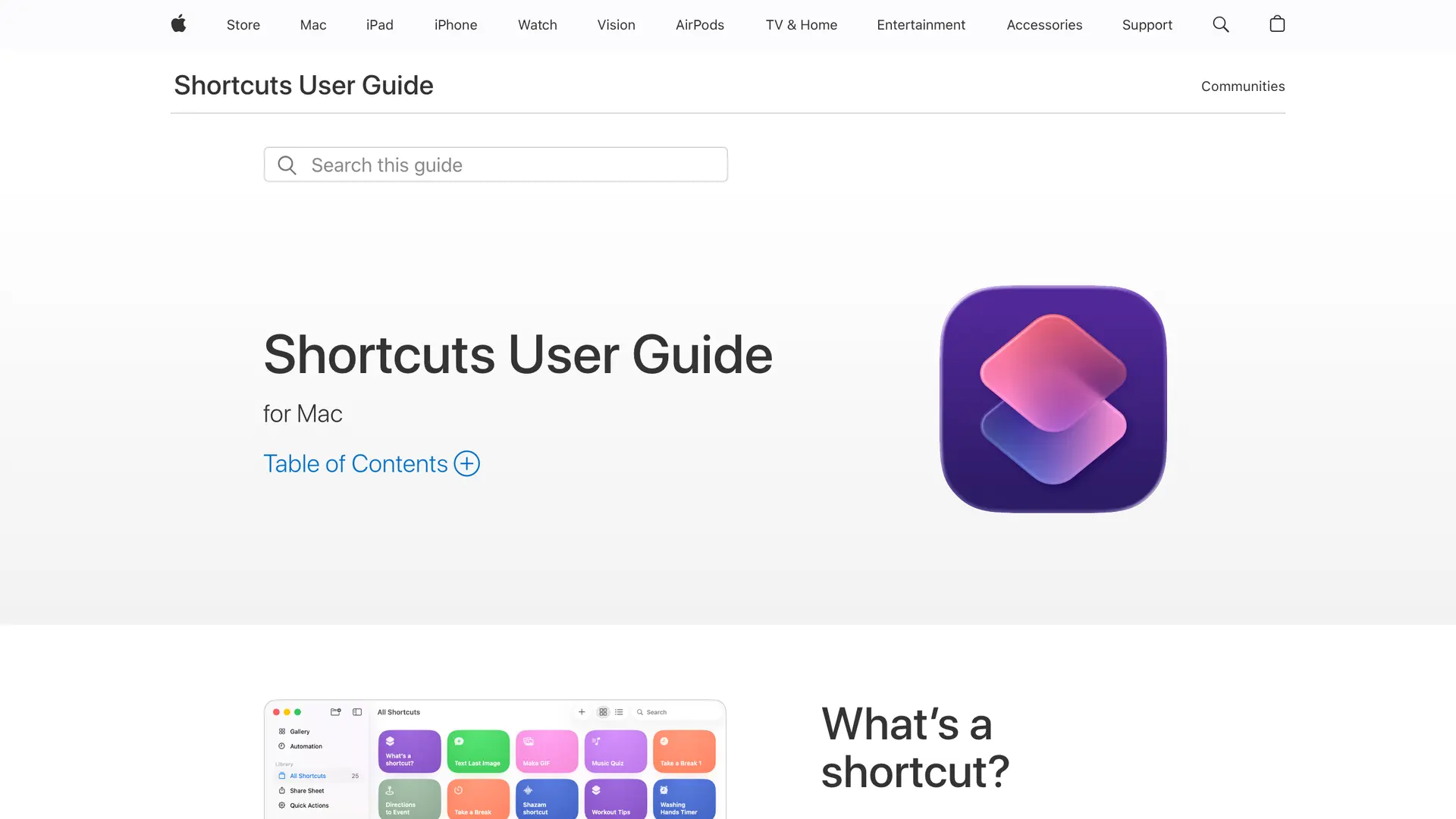
Shortcuts is Apple's built-in automation app, and the sleeper here. Intelligent actions let a shortcut call Apple's on-device model mid-run to summarize or rewrite whatever passes through, so the AI becomes one step in a pipeline rather than a chat window.
App Intents is the part that matters long term. It lets Shortcuts trigger Apple Intelligence-aware actions inside third-party apps, so a shortcut can drive Craft or Bear. That is the closest thing on a Mac to a general Apple Intelligence workbench.
Key Capabilities
Cost. Free, built into macOS.
Why we picked Shortcuts
Shortcuts gains new capabilities as third-party apps adopt Apple Intelligence, because App Intents makes it the connective tissue. It also has the most room to hurt you. A summarizer that misreads a sentence wastes a minute, an automation deletes a folder.
Image Playground, Best for Illustration-Style Images With No Cloud
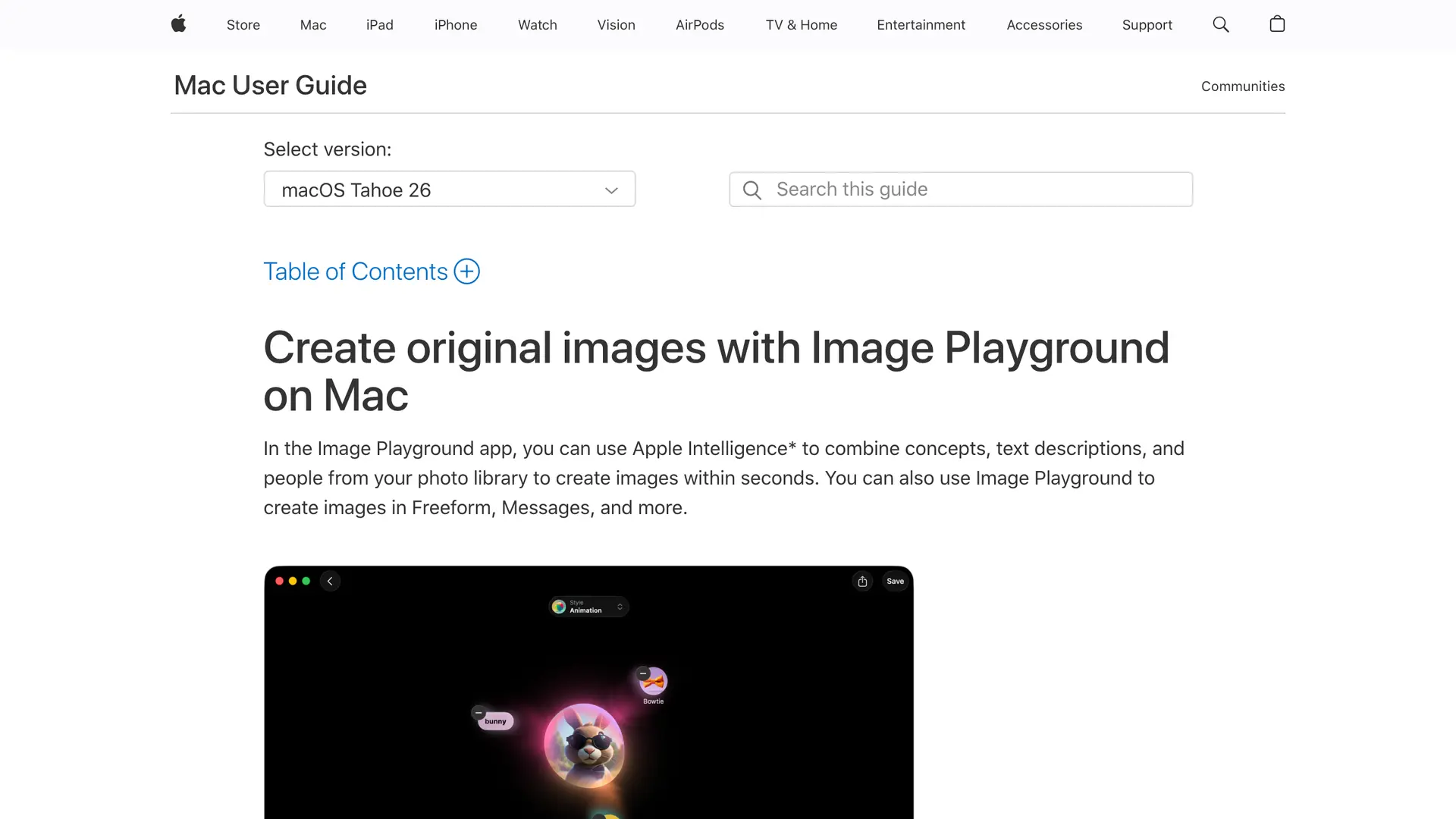
Image Playground is the edge case worth naming, Apple's only generative AI app on the list. Every other app here gained AI later. This exists only because of Apple Intelligence: a standalone Mac app, in Applications rather than the App Store, on macOS 15.2 or later.
The new Image Playground generates illustration and sketch-style images from a description, built-in concepts, and people from your photo library, entirely on-device. The same engine turns up in Freeform, Messages, Genmoji, and Pixelmator Pro, so it is less an app than a system service with a front door.
Key Capabilities
Cost. Free, built into macOS.
Why we picked Image Playground
Image Playground answers the download confusion, since this is where users can access Image Playground as an actual downloadable app, the only one Apple ships. It is also the cleanest picture of Apple's boundary: the on-device styles are narrow, and going wider hands your prompt to ChatGPT.
Craft, Best for an Offline AI Assistant Inside Your Notes
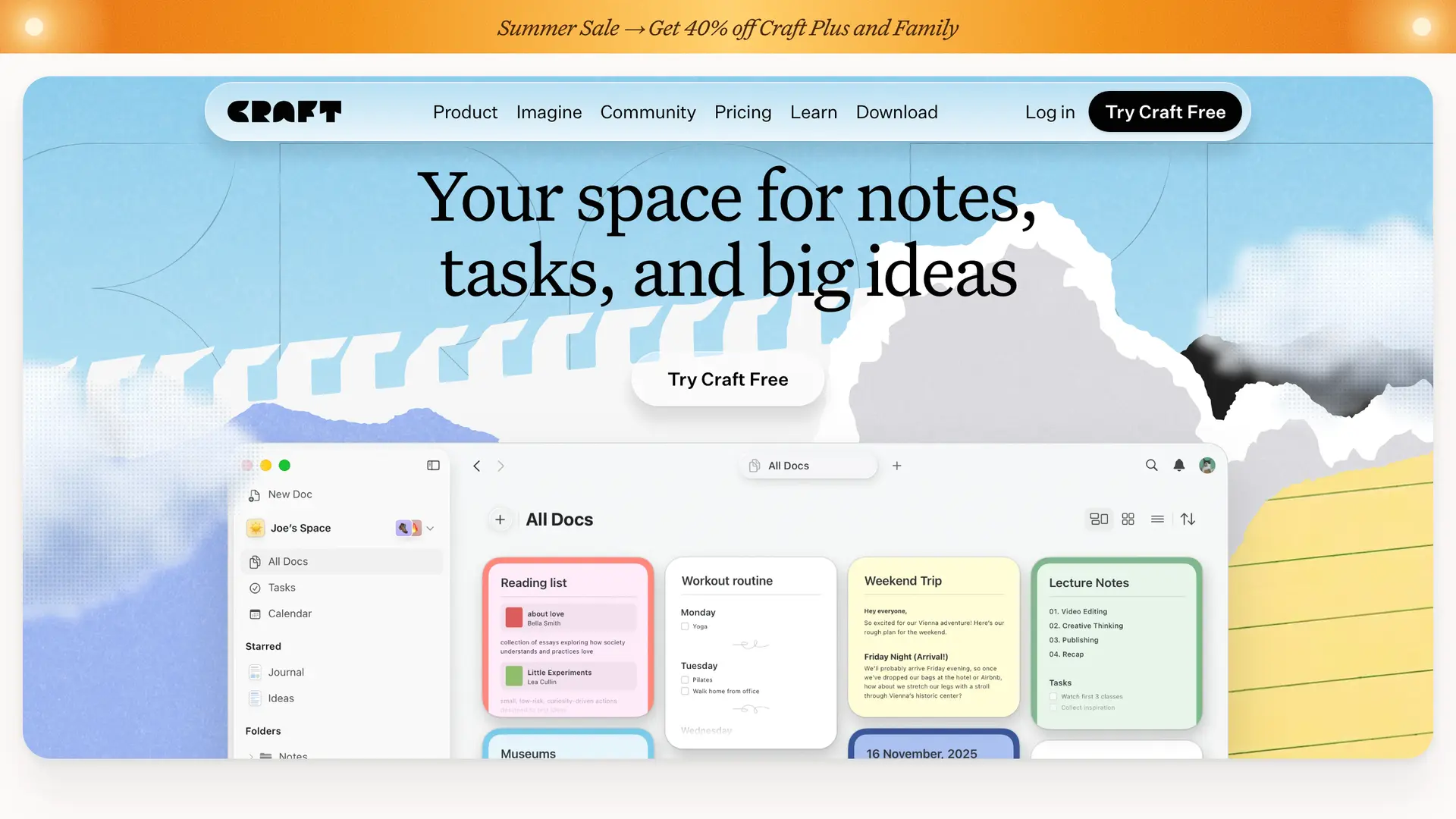
Craft is a Mac and iOS document app built around a block editor, and the strongest Tier 2 entry for anyone who writes for a living. Its AI assistant runs on Apple's Foundation Models framework, on-device, for chat, summarizing, rephrasing, and translation.
On-device means what it says. With Wi-Fi off the assistant still answers, and nothing reaches a cloud service unless you switch to a cloud model, either Craft's own or your own OpenAI or Anthropic key. For anyone drafting what they would not paste into a chat window, that is the point.
Key Capabilities
Cost. Free plan; paid tiers vary by region. Check craft.do/pricing for your country.
Why we picked Craft
Craft is the clearest proof that Tier 2 is real. The assistant does what Writing Tools cannot, runs offline, and sits inside the document. We print no dollar figure: Craft's pricing page serves regional currency and no US number could be verified.
Positive feedback. “Overall, I believe we made the right decision to start using Craft. It is allowing us to organize our company documents in a more aesthetic matter.” Bianca A., Capterra, 2024
Negative feedback. “A great way to lose all your notes! The password reset/verification code feature doesn't work, and I have no way of accessing my account. Support is almost nonexistent, and doesn't provide any meaningful help...” Joe, Product Hunt
Pixelmator Pro, Best for AI Images Inside a Real Editor
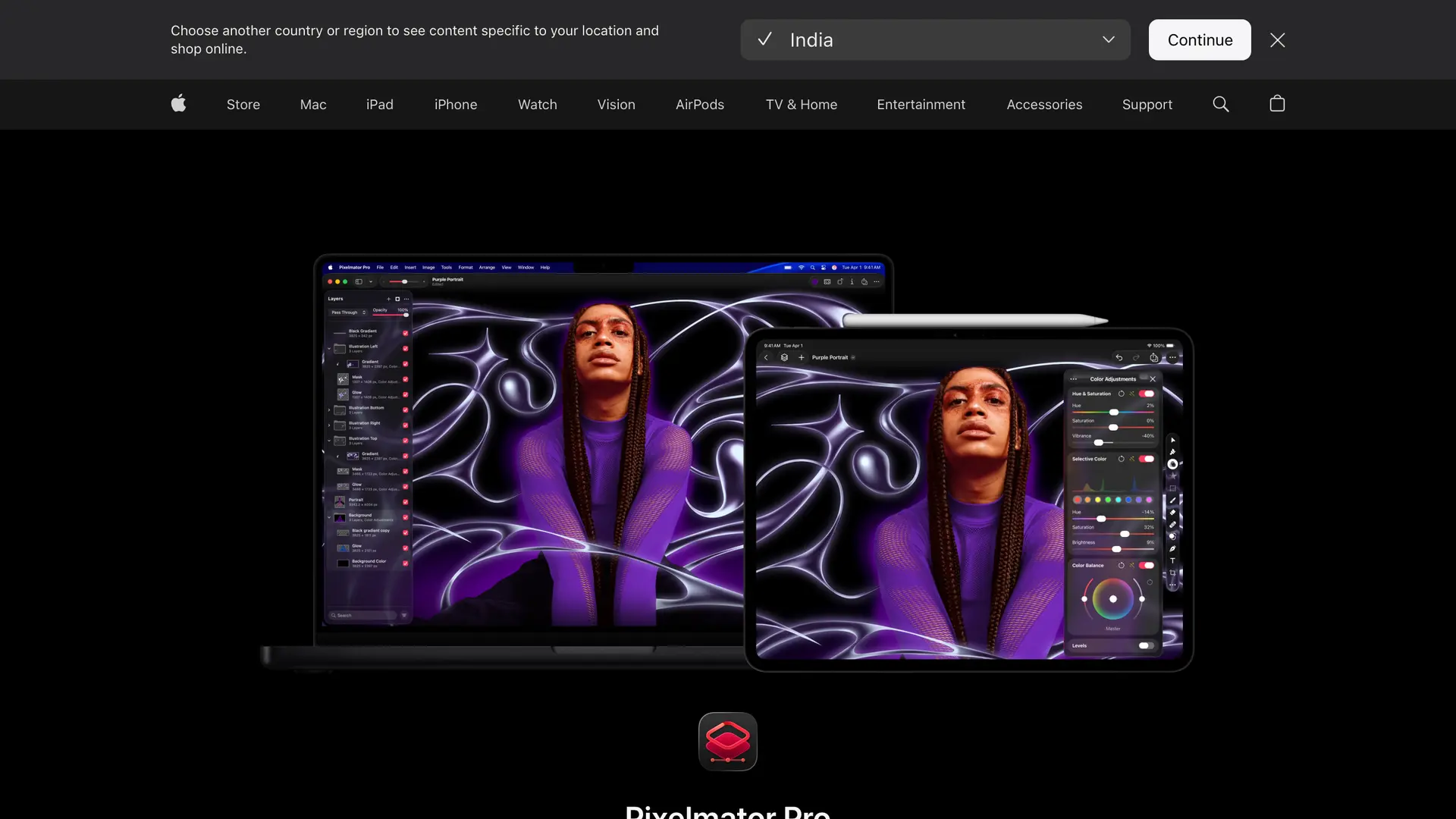
Pixelmator Pro is a professional Mac image editor, now published by Apple after the acquisition closed. It wires Image Playground, powered by Apple Intelligence, into the editor, so you generate a layer or recreate one in a different style without leaving your document.
Writing Tools handles text layers too, which sounds minor until a poster headline needs to be two words shorter. The combination is unusual: real Tier 2 work in an app people already paid for long before this existed.
Key Capabilities
Cost. $49.99 one-time. Not a subscription, and there is no free tier.
Why we picked Pixelmator Pro
Pixelmator Pro is the only app here where Apple Intelligence lands inside professional work rather than beside it. The $49.99 one-time price makes it the cheapest serious Mac editor past a four-month horizon. Its ceiling is Apple's built-in style set.
Positive feedback. “They make a great product at a reasonable price & have a great support team. I had to reach out recently due to some old files not opening any longer with Pixelmater Pro and they helped me recover the files.” Korey Sedaghatian, Trustpilot, 2023
Negative feedback. “I went from Pixelmator to Pro hoping it would be a better fit for me, but unfortunately it was not. I don't care for softwares that are tedious in functionality...” Crystal C., Capterra, 2021
CARROT Weather, Best for Free-Form Weather Questions

CARROT Weather is a weather app with a sarcastic personality, and its Apple Intelligence feature is more interesting than the joke. Apple Intelligence powers its conversational weather questions through the Foundation Models framework on-device, so you ask in a sentence instead of reading a grid.
The reason it belongs on a Foundation Models list is scope. Apple's model is small and fast: wrong for legal analysis, exactly right for turning a question like whether to cycle home at six into a lookup against a forecast already on the machine.
Key Capabilities
Cost. Free app; CARROT Premium $4.99/month (or $19.99/year). Premium Ultra tiers cost more.
Why we picked CARROT Weather
CARROT shows what a small on-device model can do well, the kind of task that never needed a large language model running in the cloud. Premium runs $4.99/month, and the $14.99 figure circulating online belongs to a separate Mac-native CARROT app, not this one.
Positive feedback. “Love it!” Brandon McQueen, Product Hunt
Ulysses, Best for a Focused Long-Form Writing App
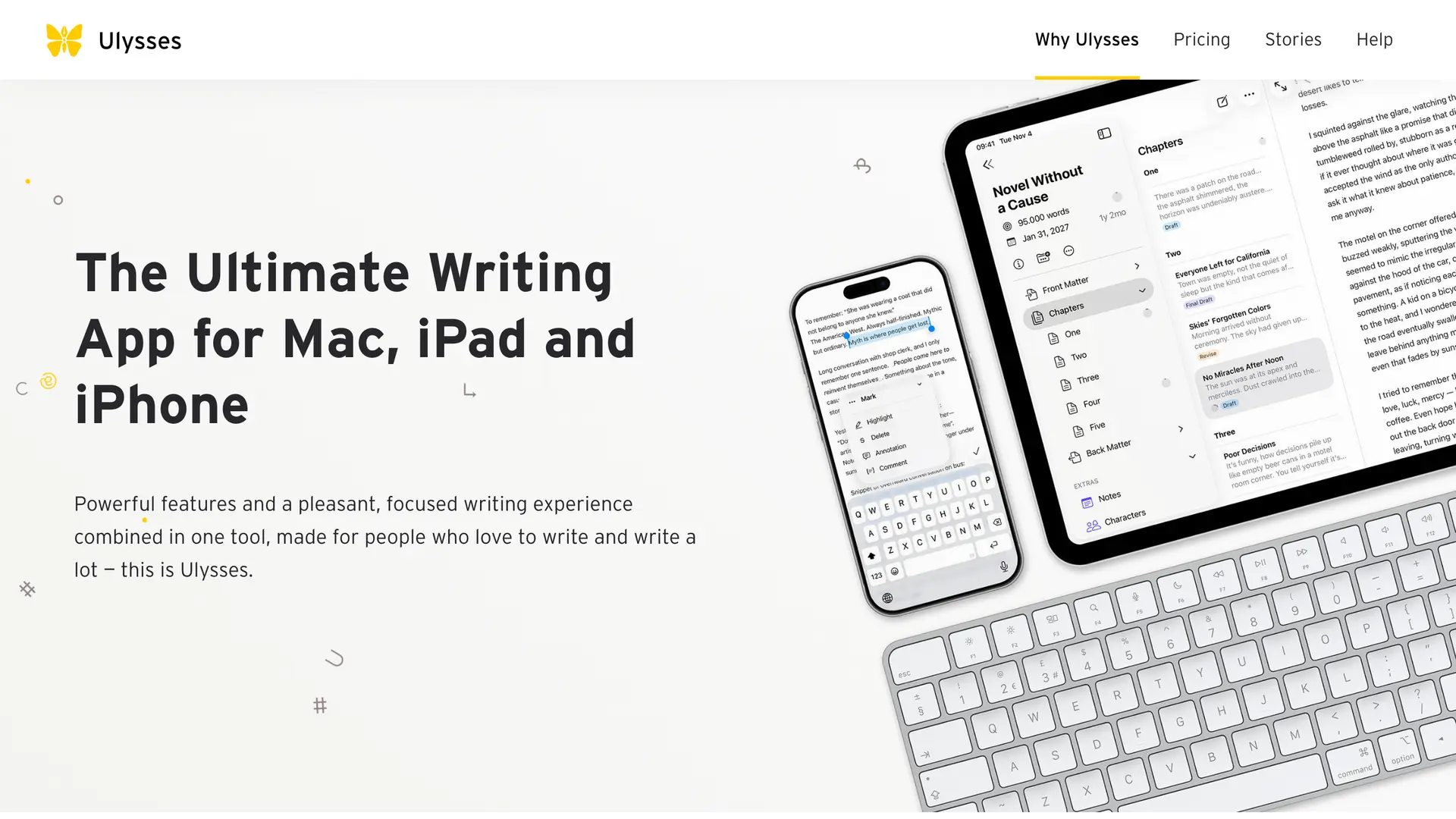
Ulysses is a focused Markdown writing app for Mac, iPhone, and iPad, built for long-form work like books, articles, and theses. Its Apple Intelligence hook is Tier 3: the app exposes Apple's system Writing Tools, so you proofread, rewrite, and summarize inside the editor.
Nothing here is custom AI. Right-click your text, pick Writing Tools, and you get the same proofread and rewrite Apple gives every text app on macOS 15.1 or later. What Ulysses adds is that the replacement keeps your links, footnotes, and images intact.
Key Capabilities
Cost. No free tier, $5.99/month or $39.99/year, with a free trial.
Why we picked Ulysses
Ulysses earns its spot the way Bear does, as an honest Tier 3 example rather than a marketing one. Writing Tools work identically here and in TextEdit. What you pay for is the writing environment around them, which for a book or a thesis is the whole job.
Positive feedback. “Ulysses is extremely easy to use, and it has an appealing interface that inspires one to use the software...” Herman L., Capterra, 2022
Negative feedback. “the thing that I liked least about the product was the lack of features. The single library isn't the best feature either.” Brandi A., Capterra, 2023
Bear, Best for a Clean Native Markdown Editor
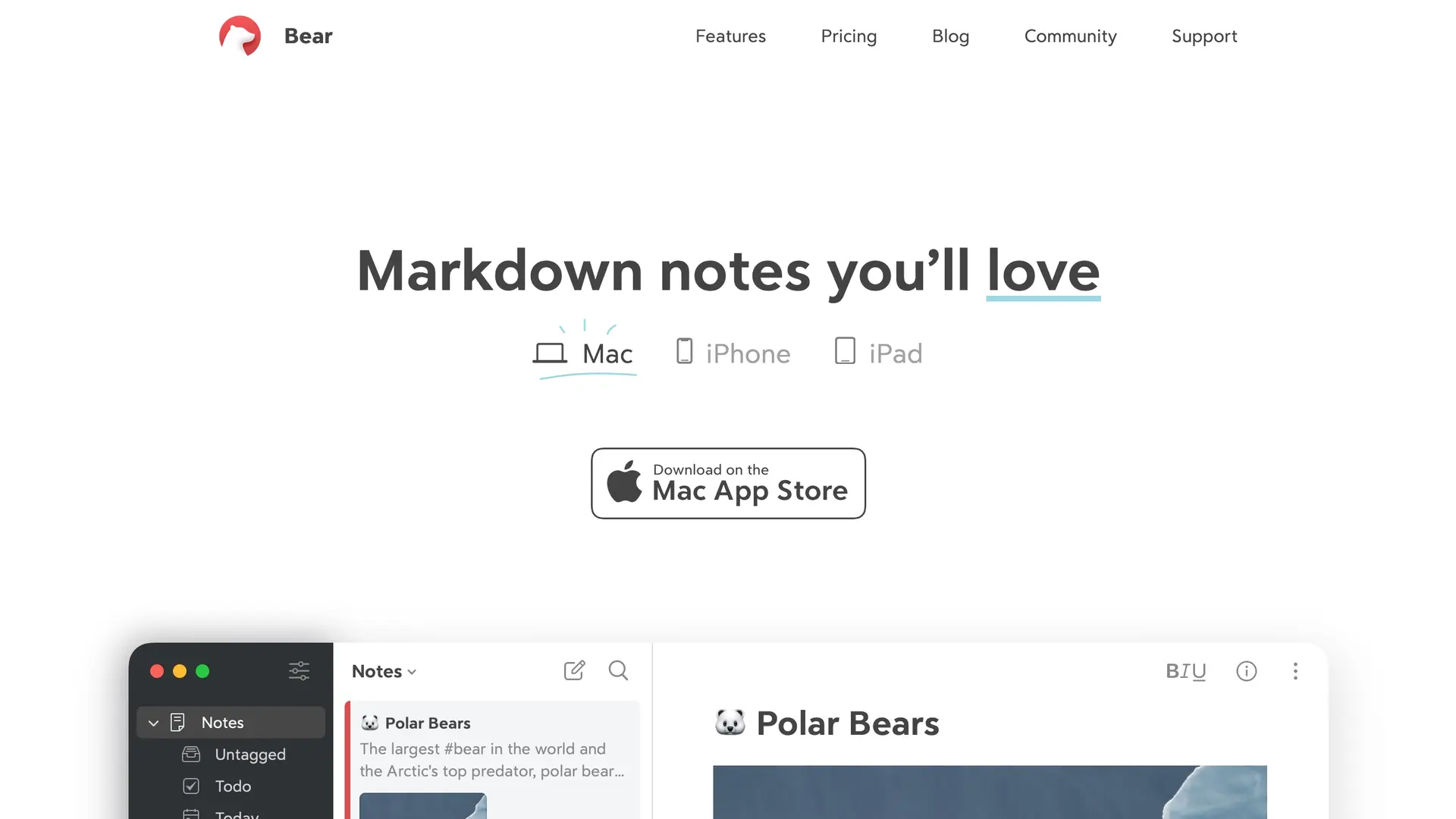
Bear is a native Markdown note app for Mac, iPhone, and iPad, and the honest illustration of Tier 3. Bear gets Writing Tools because it is built on a standard native text view. Apple's own developer documentation confirms an AppKit text view gets them with no developer code.
Nothing about that is wrong. Pretending otherwise is. Bear is a good editor whose AI is Apple's AI, unchanged, available to any app that did the same ordinary thing. Read that badge on a note app and assume you are looking at this.
Key Capabilities
Cost. Free, Bear Pro is $2.99/month, a true month-to-month plan, with a 7-day trial.
Why we picked Bear
We picked Bear over Drafts and a dozen others because it is the cleanest specimen, not because it is better at AI. It cannot be: Tier 3 apps are identical by definition. Bear at $2.99/month is worth buying for the editor alone, and Ulysses above is the long-form counterpart.
Positive feedback. “Bear is wonderful to type in. It's a light app so it opens quickly without issue. In all my years of using it, it never crashed...” Jesse K., Capterra, 2024
Negative feedback. “...It's 2023, if the web version isn't coming then please just let us know so I can officially abandon this app and commit to Obsidian for good. If cross-platform is important or integral to you I cannot in good conscience recommend Bear anymore.” Jack Perry, Product Hunt, 2023
Elephas, Best for Sensitive Work Writing Tools Cannot Touch
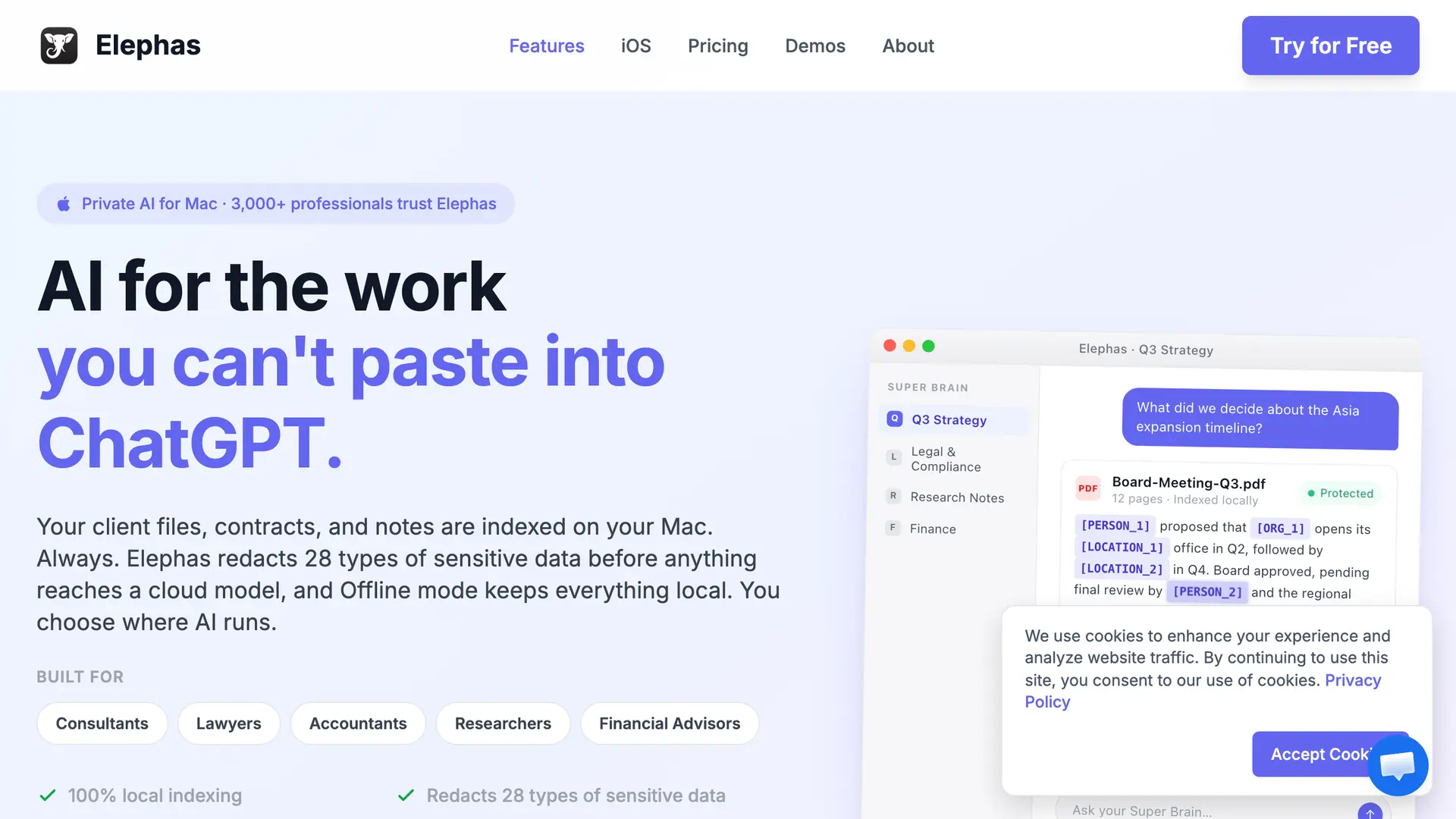
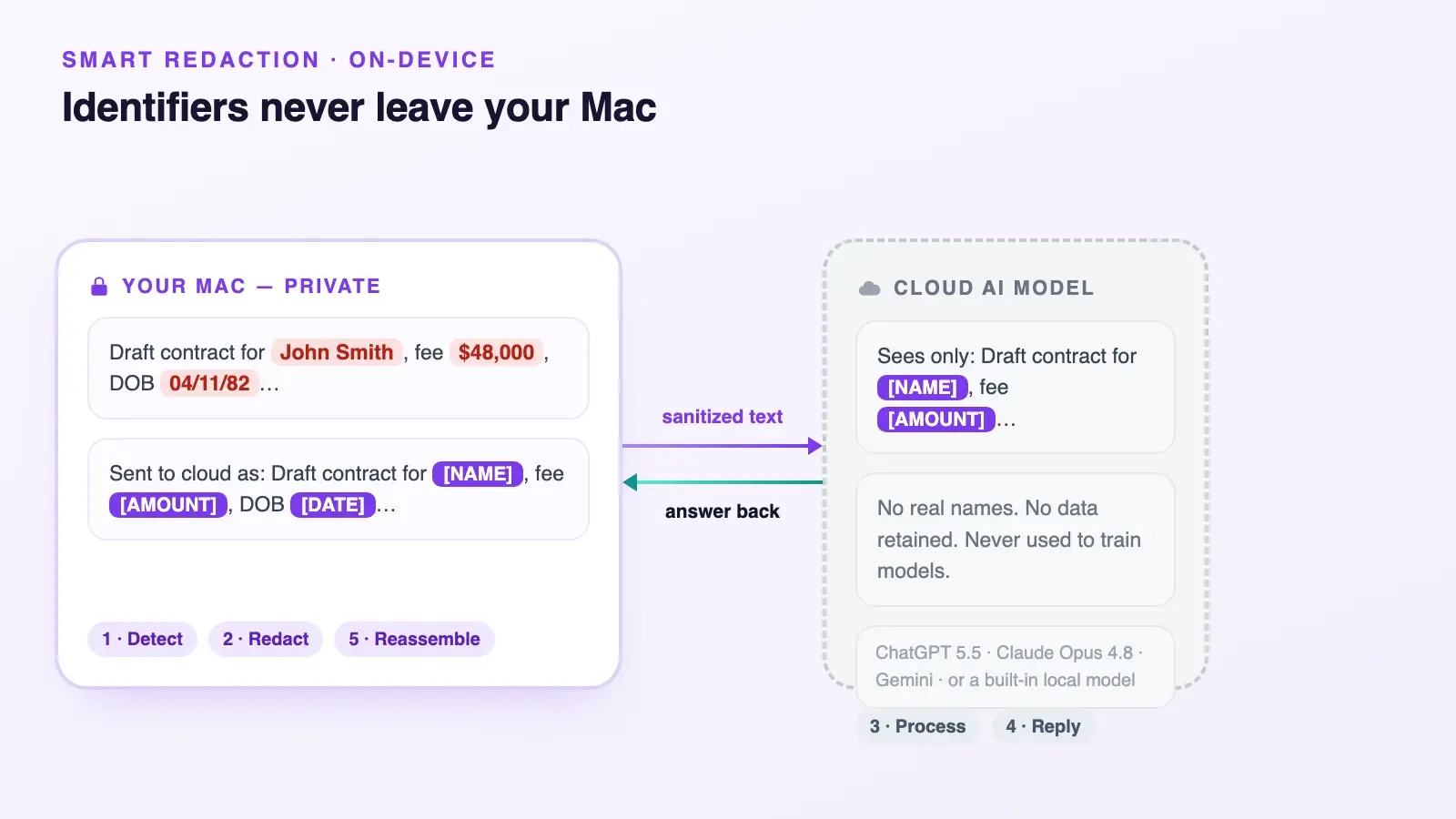
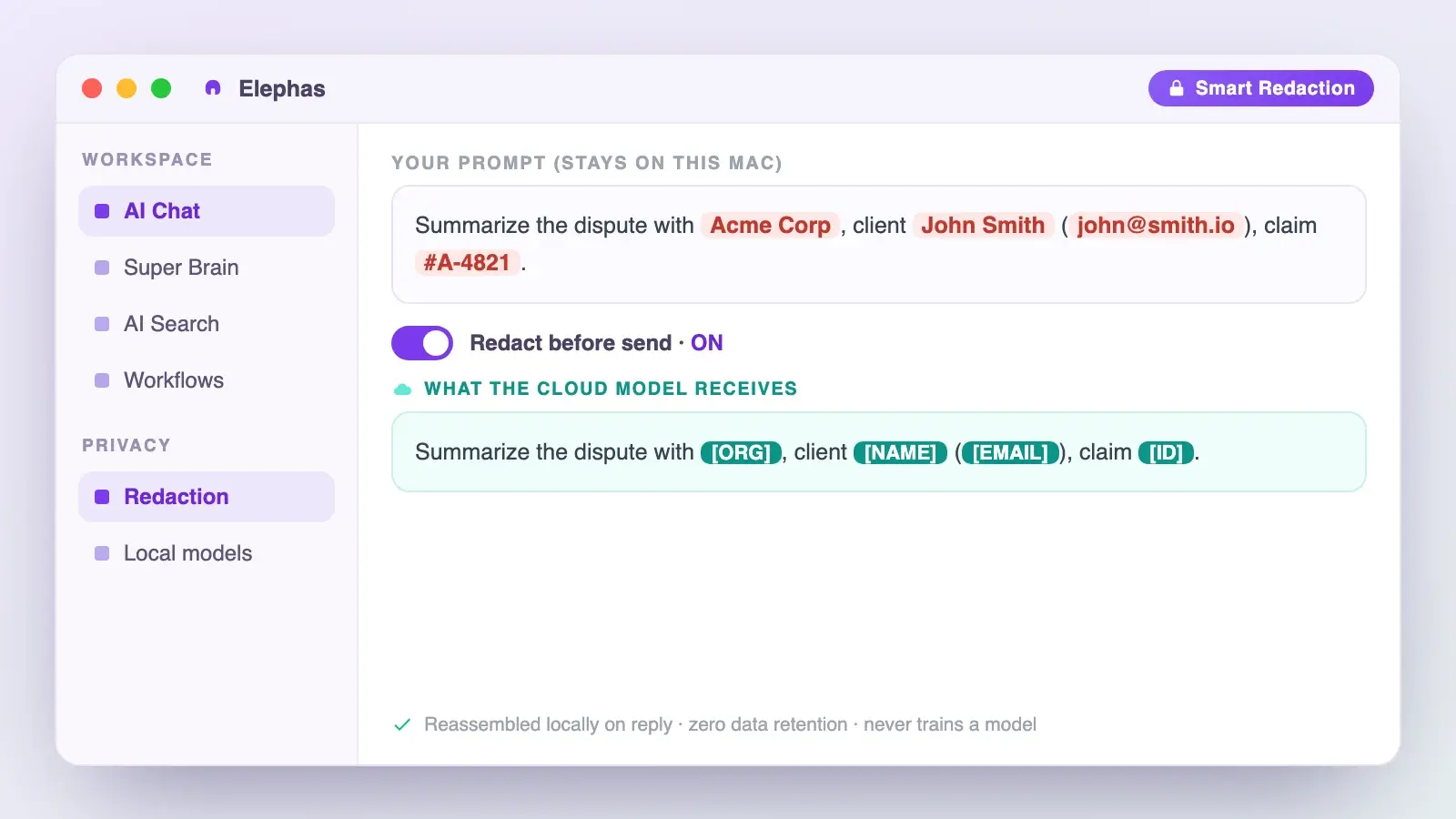
Elephas is a private AI knowledge assistant for Mac that answers from your own documents, notes, PDFs, and recordings rather than the text on screen, and strips sensitive data on your Mac before any cloud model sees it. It uses no Apple Intelligence at all, by design.
Everything above answers the first half of what people are asking. Elephas answers the second half: what you install when Writing Tools are too shallow, or the file in front of you is a client contract and the cloud boundary too vague to bet a business on.
For Mac users who still want a leading cloud model, Elephas adds a second layer through automatic PII redaction. Before a prompt is sent to ChatGPT 5.5, Claude Opus 4.8, Gemini, Grok, Perplexity, or any other cloud model, Elephas strips sensitive names, emails, phone numbers, and identifiers on your Mac.
The cloud model only ever sees the sanitized text. When the answer comes back, the redacted fields are reassembled locally on your machine, so identifiable information never leaves the device. Elephas pairs this with zero data retention: content never trains AI models, never sits on a vendor's server, and never passes through a third-party reviewer's screen.
Key Capabilities
Cost. Free plan available; paid plans start at $19/month. See elephas.app/pricing for the full plan list.
Why we picked Elephas
u/brickson98 wanted a photographed document with sensitive info to stay on his device while still using AI on everything else. Nothing in Tiers 1 to 3 does that: Apple's model picks the route, not you. Redact-before-send is that control, on every plan including Free.
Positive feedback. “This is the best computer program I have ever purchased for my business. The value it provides is exceptional and continues to improve over time.” John S., Capterra, 2025
Positive feedback. “I really liked that Elephas has a feature that it is always close to you when you are working, close to your cursor ready to be activated, but it does not bother or gets in the way of the work.” Júlia D., Capterra, 2025
What Are the Honest Limits of Apple Intelligence on a Mac?
Apple Intelligence costs nothing and is not free. It needs Apple silicon, downloads models that occupy real disk, and has a battery reputation. One Mac owner's advice to an M4 Air owner was blunt: Apple Intelligence has been the main culprit of fast battery drain (u/GlideFeather, r/macbookair, May 2025).
You can turn off Apple Intelligence entirely, and it is reversible. u/filchermcurr pushed back on the panic after testing it properly in May 2025, calling out the unnecessary fearmongering in the comments.
Feature limits decide whether an app belongs in your workflow. Apple's Writing Tools guidance says output varies and to check important information, ruling out an AI summary as a final legal, clinical, tax, or financial record. The ChatGPT extension is off by default, connect an account and OpenAI's policy applies.
Organizations get better controls. On supervised devices, device management can restrict Writing Tools, Image Playground, external AI services, and app-specific intelligence in Mail, Notes, and Safari, while controls for Visual Intelligence and Siri AI were still planned as of June 2026. Individuals get one switch.
How We Picked These 12 Apps
Every app had to prove two things: the Apple Intelligence feature ships on macOS, not iOS only, and it uses a named Apple system, meaning Foundation Models, Writing Tools, Image Playground, or App Intents. “AI-powered” marketing proved nothing. Verification came from Apple's pages or developer release notes.
Developer scepticism is fair, and dating it matters. One developer wrote in April 2025 that the Apple Intelligence features Apple promised and advertised would be very useful to iOS and Mac users, a promise still being tested (u/driftwood_studio, r/iOSProgramming).
Apple previewed Siri AI, Live Translation, and further new features for iOS 27, iPadOS 27, and macOS 27 on June 8, 2026, still in developer testing, so this list covers only what ships today.
Five apps we dropped, and why
- Notion. Electron rather than native text views, its AI is Notion's own model.
- MacWhisper. Private and on-device, but runs Whisper and Parakeet, not Apple's models.
- Day One. Its only Mac AI feature, Daily Chat, sends messages to OpenAI, not Apple Intelligence. Its Foundation Models features are iPhone and iPad only.
- Drafts. Ships on Mac, but its AI story is its own ChatGPT and Claude scripts.
- SmartGym, Stoic, Train Fitness, Streaks, Wakeout!. Foundation Models launch partners in Apple's newsroom post, all iPhone-first with no confirmed Mac build.
Conclusion
The best Apple Intelligence app for most Mac users is one they already own. Six of the 12 here ship with macOS, cost nothing, and cover the jobs people do: triage the inbox, summarize the article, clean up the photo, transcribe the call. Add Craft or Pixelmator Pro if Tier 2 fits.
Ignore Tier 3 badges. Then deal with the work Writing Tools were never built for: a contract, a client file, a tax return, a medical note. Whether it is worth it for sensitive data comes down to you, not Apple's router, deciding what leaves the Mac.
Elephas answers that second question, and it is why it sits outside the tier framework: sensitive data is automatically detected and redacted before anything reaches a cloud AI model, your content is never used to train AI models, and nothing passes through a third-party reviewer's screen. It provides built-in local LLM models when work should stay on your machine. Free plan available, paid plans start at $19/month. Try Elephas for free.
Frequently Asked Questions
Is Apple Intelligence free on Mac?
Yes, Apple Intelligence is free on Mac. Apple Intelligence includes Writing Tools, Clean Up, and Image Playground at no cost in Tiers 1 and 3. Hardware is the real cost: Apple silicon plus disk for the models. Tier 2 charges for the app, not the model.
Which Macs support Apple Intelligence?
Any Mac with Apple silicon, M1 or later, signed in with an Apple Account. Intel Macs are not supported, at any macOS version, and no update will change that. Apple Support's requirements page lists devices that support Apple Intelligence, plus minimum system versions, storage needs, supported languages, and regions.
Do third-party Mac apps really use Apple Intelligence?
A few do, most do not. Three apps here run genuine Foundation Models code: Craft, Pixelmator Pro, and CARROT Weather. The rest of the market gets Writing Tools automatically for using a standard text field. Both get called Apple Intelligence apps. Only one involved developer work.
What is the difference between Writing Tools and Foundation Models?
Writing Tools is a finished feature: a right-click menu that proofreads, rewrites, and summarizes selected text. Foundation Models is the framework developers write code against to build something new on Apple's model, such as a chat mode or a generator. One is a menu. The other is an engine.
Does Apple Intelligence send my data to the cloud?
Sometimes, and Apple decides when. Requests run on Apple's on-device models where possible and reach Private Cloud Compute only when a larger model is needed. Apple says only relevant data is sent, it is not stored, and Apple cannot access it. The Apple Intelligence Report logs what went where afterwards.
Can I stop Apple Intelligence from using Private Cloud Compute?
Not selectively. You get one system-wide switch, not per-feature control over which requests leave the Mac, the standing request since 2024. Supervised organizational devices can restrict individual features through device management. Individuals cannot, so the practical move is to control the input instead of the routing.

Keep Sensitive Work Off Apple's Router
Elephas is a private AI knowledge assistant for Mac that redacts sensitive data on your device before any cloud model sees it, with built-in local LLM models and a free plan.
Try Elephas for FreeFree plan available. Paid plans start at $19/month.
Related Resources
Apple Intelligence Mac guide
The complete guide to what Apple Intelligence does on Mac, which Macs support it, and how to turn it on.
What Apple Intelligence is
A plain explainer of Apple's on-device and Private Cloud Compute system, and what it actually does.
How to use it on Mac
Step-by-step setup for Apple Intelligence on a Mac, plus the settings worth checking first.
Siri and AI privacy
What Siri and Apple Intelligence actually do with your data, and where Private Cloud Compute fits in.
Worth it for sensitive data?
Whether Apple Intelligence is safe enough for client, legal, or financial work, and what to use instead.
Sources
This guide was built from primary-source research against Apple's own developer, privacy, and support pages, each vendor's live pricing page, user feedback on Capterra, Trustpilot, and Product Hunt, and peer-reviewed security research. All pricing and features verified as of July 17, 2026.
- Apple, Apple Intelligence for developers
- Apple, Get Started with Apple Intelligence
- Apple, Writing Tools on Mac
- Apple, Apple Intelligence privacy notice
- Apple, third-party AI notice
- Apple, Private Cloud Compute security blog
- Apple Newsroom, Siri AI and next-generation Apple Intelligence, June 8, 2026
- Zhou, Zhao, Wang and Lin, Ohio State, Too Private to Tell: Token Theft Attacks on Apple Intelligence, 2026
- Dittmar, Stephan, Volkl, Hollick and Classen, Unlocking Apple's Private Cloud Compute, ACM WiSec 2026
- De Clark, Bobkova and Shrestha, Privacy-by-Design Audit of Google Home, Alexa, and Siri, 2026
- Efstathopoulos, Koetzle and Pasquini, RSAC, prompt injection against Apple Intelligence, 2026
- Elephas product homepage
- Elephas pricing