App Intents vs Shortcuts: What Changes on macOS 27 (2026)
Last updated: August 5, 2026
App Intents and Shortcuts are not two versions of the same thing. App Intents is a Swift framework a developer writes so their app's actions appear across the system. Shortcuts is the free, preinstalled app you use to chain those actions into workflows, with no code.
On macOS 27, WWDC 2026 adds three new Shortcuts automation triggers, and an app can still surface up to 10 App Shortcuts automatically the moment it installs.
The real question is not which one you should learn. It is what the assistant can now reach inside your apps, and where confidential work still needs a private, redacting tool. This guide walks through both without jargon.
Quick answer
- App Intents is code a developer writes. Shortcuts is the app you use, with no code.
- macOS 27 and WWDC 2026 add three new Shortcuts automation triggers plus new App Intents confirmation steps for shared data.
- An app can surface up to 10 App Shortcuts automatically, so actions show up in Siri and Spotlight without you building anything.
- Neither one adds a privacy check if you feed confidential material into the “Use Model” action.
- If you want that confidential work handled by a privacy-friendly AI knowledge assistant instead of a cloud model, Elephas has a free plan and starts at $19/month with built-in local LLM models.
What Is App Intents?
App Intents is a Swift framework a developer uses to expose their app's actions to the system. An intent is a verb, like “Create Note”; the data it acts on is a noun, like that note. Siri, Spotlight, and Shortcuts can run it without opening the app. You never write App Intents yourself. Apple
Shortcuts is the other half: the free, preinstalled app where you drag those actions into your own no-code workflows. So App Intents is the part developers build, and Shortcuts is the part you use. For the fuller plain-English walkthrough, see what App Intents is.
- App Intent: a single action a developer exposes to the system.
- App Shortcut: a ready-made App Intent an app surfaces automatically at install, up to 10 per app.
- Your shortcut: a workflow you assemble from those actions, fully editable, with no code.
What to Compare: The Criteria That Matter Most
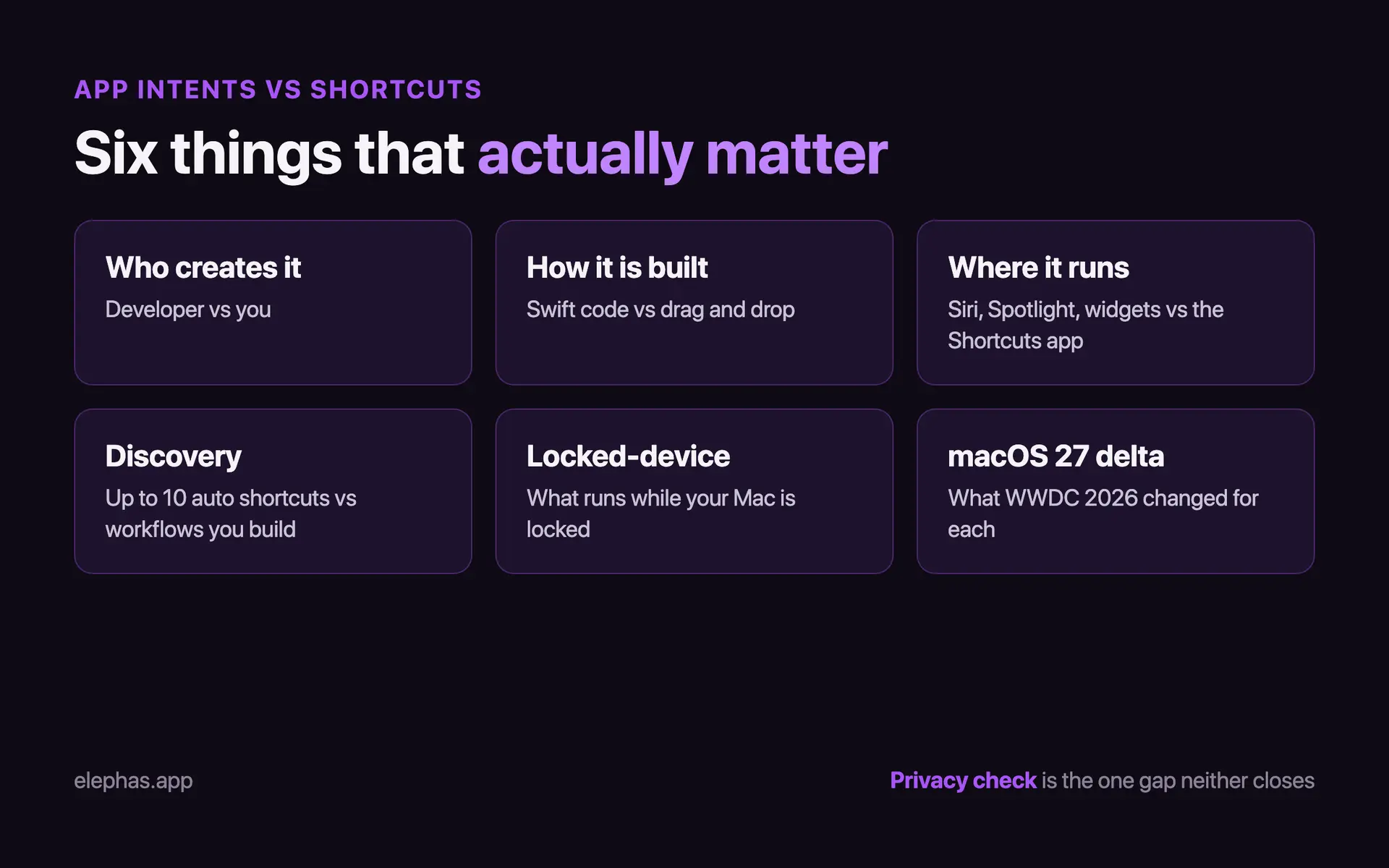
Six things matter when comparing them: who creates it, how it is built, where it runs, how it is discovered, what runs while locked, and what changed on macOS 27. Feature breadth is not enough; the surface must be reliable and its permissions sane. Our Apple Intelligence guide covers the wider assistant.
Reliability belongs on that list. One heavily upvoted r/apple thread asked Apple to “Fix half of the Shortcuts app being so buggy it shouldn't even qualify as alpha quality software.” r/apple If the surface you build on keeps breaking, feature counts do not help.
Security defaults matter. App Intents ship with “always allowed” as the default authentication policy, so an action can run while your Mac is locked unless a developer tightens it. Apple docs One r/ios commenter still welcomes the friction: “It's a good thing that Apple makes shortcuts ask for permission like this.” r/ios
- Who creates it: a developer writes App Intents; you build Shortcuts.
- How it is built: Swift code versus drag-and-drop, or a plain-English prompt in 2026.
- Where it runs: Siri, Spotlight, widgets, and Controls versus the Shortcuts app and automations.
- Discovery: up to 10 App Shortcuts appear at install (Apple HIG) versus workflows you build yourself.
- Locked-device behavior: what an action does while your Mac or iPhone is locked.
- The macOS 27 delta: the WWDC 2026 change for each side.
With that framework set, here is what App Intents actually is.
App Intents: The Developer Framework Behind App Shortcuts and Siri
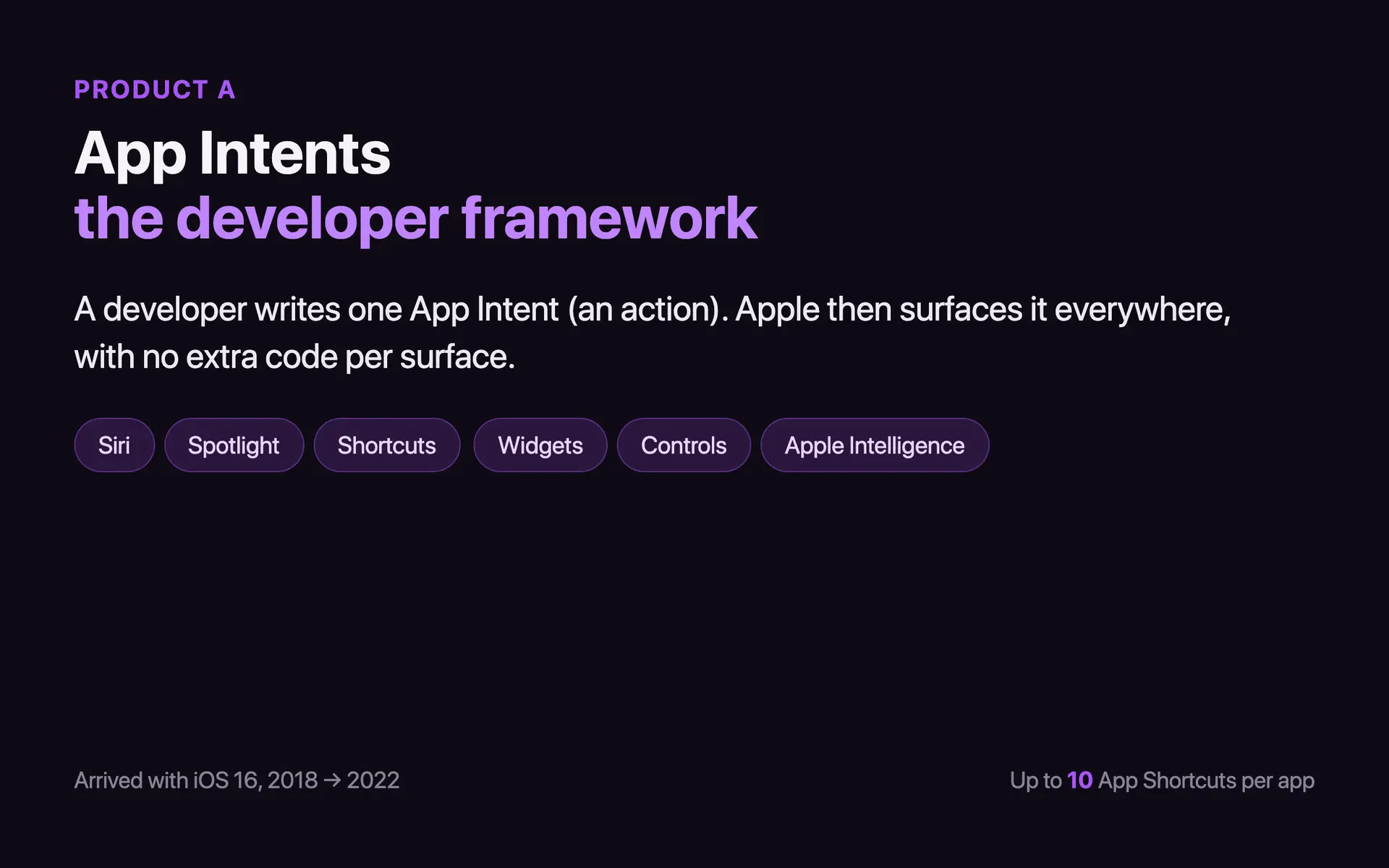
App Intents is Apple's Swift framework that lets a developer expose specific actions and data from their app to the rest of the system. It arrived with iOS 16 in 2022, replacing SiriKit. Apple You never write one; you trigger the ones developers already built.
An App Shortcut is a special case: a ready-made intent Apple surfaces automatically the moment an app installs, up to 10 per app, with zero setup. Apple HIG Interactive widget actions followed in iOS 17. Superwall
What developers value in App Intents is the reach: one definition can surface in Siri, Spotlight, the Shortcuts app, widgets, Controls, and Apple Intelligence, with no separate integration code per surface. That single-definition, many-surface design is why Apple keeps pushing developers toward it.
The limits are real too. One r/shortcuts commenter noted “there's still a lot you can't do with apples own first party apps via app intents.” r/shortcuts Others doubt the new Siri: “Save your lawsuit for the offical word that the app intents Siri features are being bumped to 2026.” r/apple
- Pricing: the framework is free with Xcode; shipping to the App Store needs the $99/year Apple Developer Program, with fee waivers for qualifying nonprofits, education, and government. Apple
- Locked-device default: “always allowed” is the default authentication policy, so an action runs while locked unless a developer opts into stronger auth. Apple docs
- macOS 27 additions: Apple's June 2026 update added SyncableEntity for stable cross-device identity and OwnershipProvidingEntity, which forces a confirmation step before a sensitive action touches shared data. Apple
Shortcuts: The App Where Automations and Apple Intelligence Meet
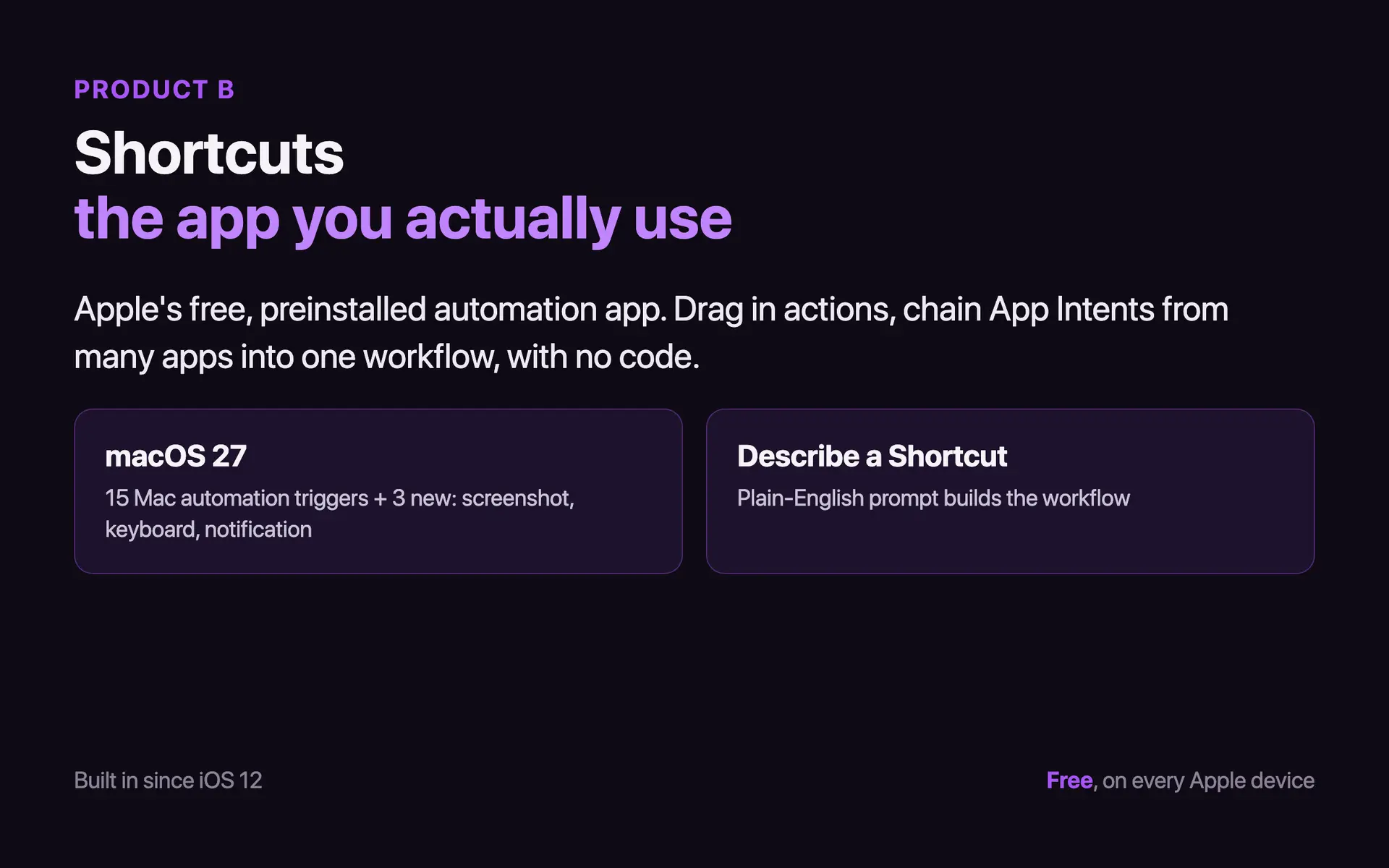
Shortcuts is Apple's free automation app, preinstalled since iOS 13 in 2019 (it launched a year earlier in iOS 12 as a free download). You drag in actions to chain App Intents from many apps into one workflow. It runs manually, through Siri, from the Home Screen, or on a trigger, with no code.
The March 26, 2026 release documented 15 Mac personal-automation trigger categories and more than 100 new editor glyphs, and let Spotlight-selected text become shortcut input. Apple WWDC 2026 adds three more triggers: screenshot, keyboard connection, and notification. Apple
Two 2026 features matter for confidential work. The “Use Model” action routes a shortcut's content straight to Apple Intelligence or ChatGPT. Apple “Describe a Shortcut,” shown at WWDC 2026 for macOS 27 this fall, turns a plain-English prompt into actions automatically. TechCrunch Both still need human review before touching sensitive records.
What users value is that Shortcuts needs no code. One r/shortcuts commenter said a single recipe “has literally changed my life.” r/shortcuts Reliability is the recurring complaint. An r/ios bug list flagged “Shortcuts reappear after deleting” and “Shortcuts will sometimes fail to run because the service failed to respond.” r/ios
- Pricing: free, preinstalled on every Apple platform, with no tiers or subscription. Apple
- Sharing risk: Apple warns that shared and web-downloaded shortcuts “may not have been reviewed by Apple.” Apple
- Editing: every action, order, and variable stays fully editable after you create it.
- Surfaces: the Shortcuts app, Siri, Home Screen icons, the share sheet, and personal automations.
App Intents vs Shortcuts vs App Shortcuts: Side-by-Side
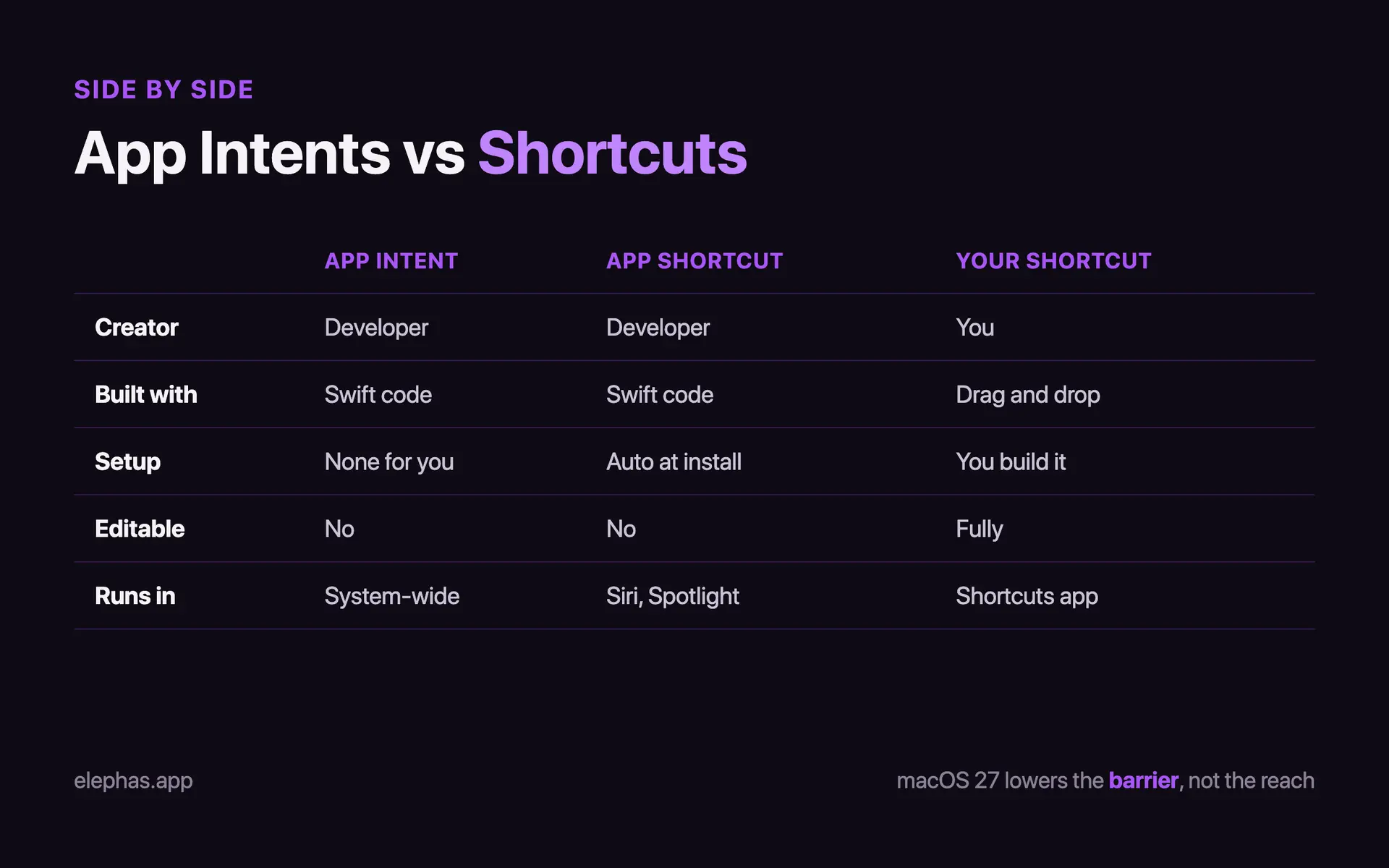
The cleanest way to see the difference is to separate four things that get blurred together: an App Intent, an App Shortcut, a Shortcut you build yourself, and a Shortcuts automation. The first two come from developers. The last two come from you.
App Intents clearly wins on discovery. Its actions appear system-wide the moment an app installs, with no setup. Many users still want more. One r/apple commenter said Apple “should let you create automations or shortcuts... using typed-out sentences.” r/apple That wish is exactly what “Describe a Shortcut” is built to answer.
Shortcuts wins on control. You can edit every step, chain many apps, and now describe a workflow in everyday language. On the Mac specifically, one r/MacOS commenter listed “Workflow tools like Shortcuts (native) or Alfred (app)” among the real ways to automate a Mac. r/MacOS
Where they tie is risk. Both send content to the same cloud models with the same platform-permission exposure. A 2025 study found about 8% of tested iOS Shortcuts (1,014 of 12,962) could support surveillance or harassment. USENIX
- App Intents wins on automatic discovery and one definition reaching every surface.
- Shortcuts wins on full editability, cross-app chaining, and the natural-language builder.
- The genuine tie: both send content to the same cloud models with no built-in redaction step.
- Shared risk: platform permissions can fail, shown by two patched flaws, CVE-2024-23204 (CVSS 7.5) Bitdefender and CVE-2025-30433 (CVSS 9.8) NVD.
Which Should You Pick
For almost everyone this is not really a choice. App Intents is invisible plumbing you never touch unless you write software; Shortcuts is the app you actually open. The real decision is how much of Shortcuts to learn, and whether App Intents matters to your work at all.
Most Mac users: learn Shortcuts, skip App Intents
Open Shortcuts, try one prebuilt recipe, and you have the whole benefit. You never build an App Intent yourself; you trigger the ones developers already shipped. The concrete 2026 change is three new automation triggers plus “Describe a Shortcut”, which turns a plain-English prompt into a workflow. Apple, TechCrunch
What changes this fall, when macOS 27 ships (historically September), is the barrier to building workflows, not what they can reach. Match the tool to the job. As one r/HomeKit commenter put it, “Personal Automations via Shortcuts have specific use cases.” r/HomeKit
Developers: App Intents is the one to adopt
If you ship a Mac or iOS app, App Intents is what puts your actions in Siri, Spotlight, and Shortcuts. Coverage is still uneven because each developer adds it app by app — our compatibility directory tracks who has shipped it so far.
Real developers are blunt about that gap. One r/apple commenter wrote, “No one supports the app intents that are currently available, I'm pessimistic they'll support new ones.” r/apple Another noted the delayed features were “the preview they showed at wwdc last year (app intents, personal context and onscreen awareness).” r/iphone
As a user you mostly do nothing to benefit; it happens passively once an installed app updates to use it. A 2025 study found Shortcuts alone could reproduce 75% of the features in dedicated self-control apps, a useful check on over-claiming what App Intents adds. Springer
Keeping the assistant out of sensitive apps
If some apps hold confidential client or research data, you can limit what the new cross-app Siri reaches. Leave Shortcuts fully intact and manage per-app permissions under Siri and Spotlight in System Settings. For the deeper background, see these Siri privacy notes.
Whichever bucket you are in, here is the one-line verdict, and where the line still gets drawn on confidential work.
Verdict: Where App Intents and Shortcuts End and a Private Tool Begins
The verdict: App Intents is plumbing most people never touch directly, Shortcuts is the one app worth learning, and macOS 27 lowers the barrier to both without changing what leaves your device. Neither closes the privacy check. Apple
Elephas is a private AI knowledge assistant for Mac that keeps confidential work on your machine and provides built-in local LLM models, so document queries never leave the device. It cuts information search 50-70%. Elephas
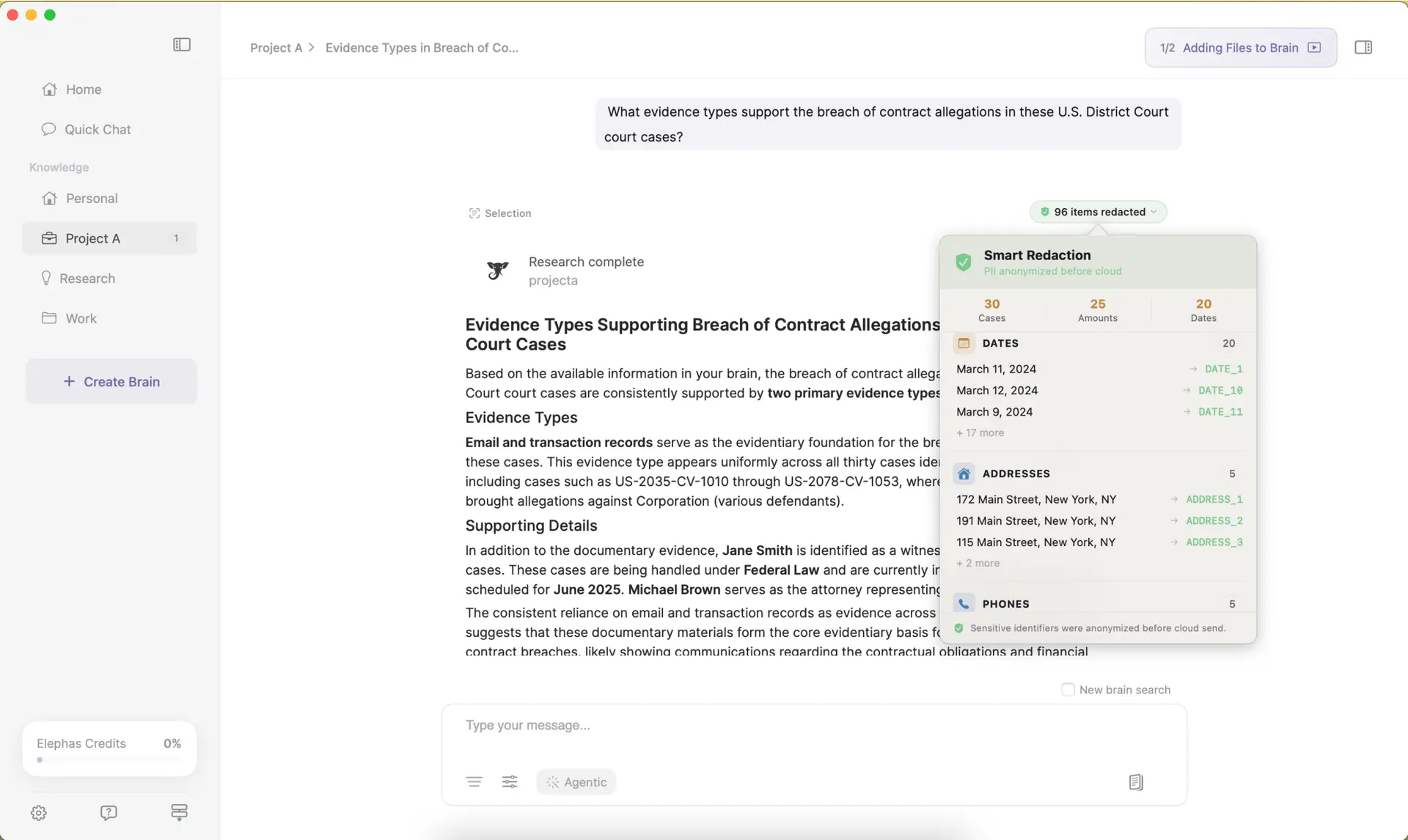
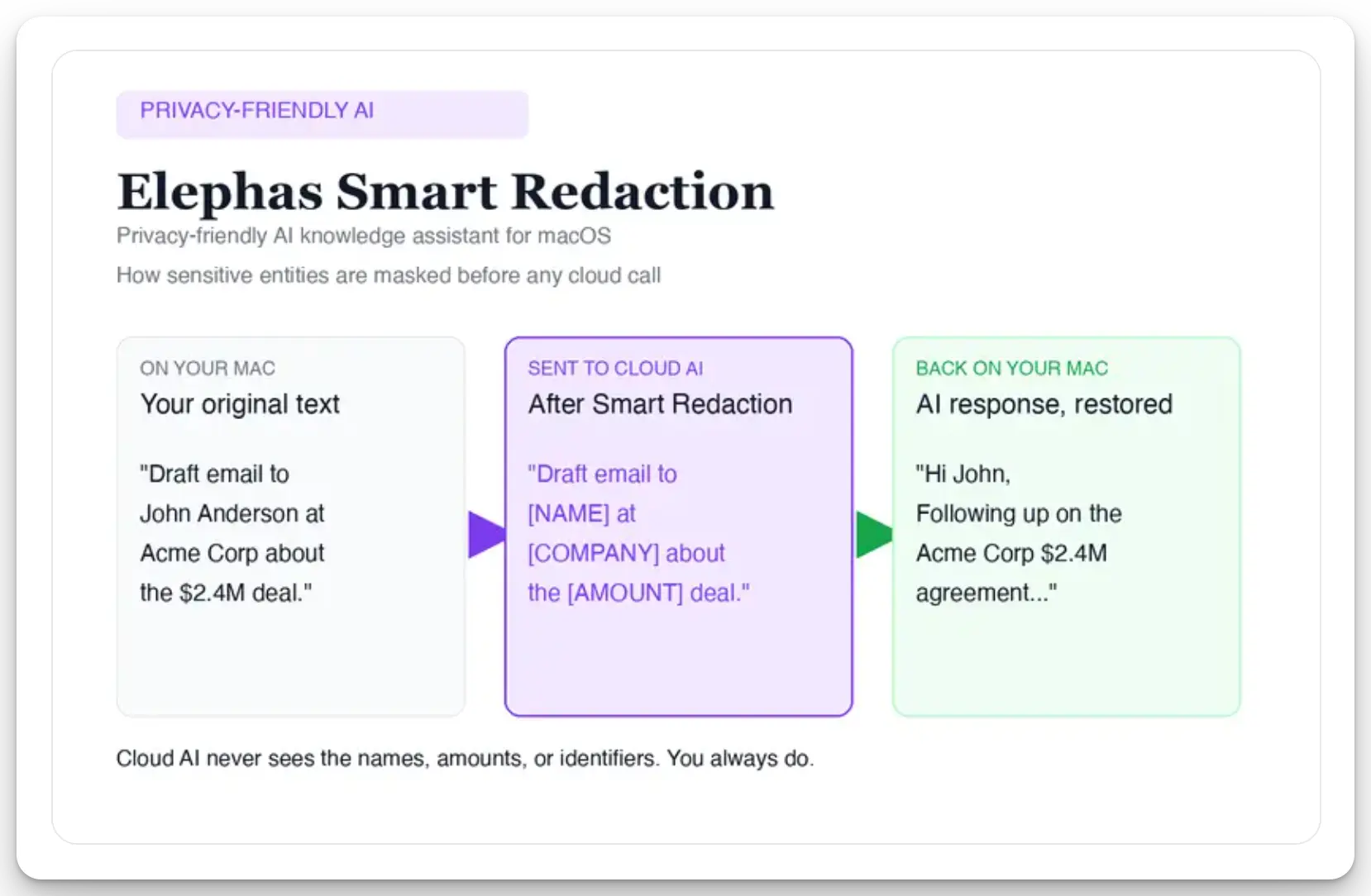
“For researchers who still want a leading cloud model, Elephas adds a second layer through automatic PII redaction. Before a prompt is sent to ChatGPT, Claude, Gemini, Grok, Perplexity, or any other cloud model, Elephas strips sensitive names, emails, phone numbers, and identifiers on your Mac. The cloud model only ever sees the sanitized text. When the answer comes back, the redacted fields are reassembled locally on your machine, so identifiable information never leaves the device. Elephas pairs this with zero data retention: content never trains AI models, never sits on a vendor's server, and never passes through a third-party reviewer's screen.”
That privacy does not cost speed. Elephas users report research synthesis running 40-60% faster once their sources sit in one place. Elephas
Over a normal week that adds up to 5-10 hours saved on information tasks. Smart Redaction (beta) runs on every Elephas plan, including Free, and paid plans start at $19/month with a free trial. elephas.app/pricing
- App Intents is developer plumbing; you will never write one yourself unless you build Mac or iOS software.
- Shortcuts is the free app worth ten minutes of exploring, especially after the macOS 27 automation-trigger additions.
- Neither one adds a privacy check before your content reaches a cloud model through “Use Model” or the new Siri.
- Even Apple leaned on App Intents and stumbled; as one r/apple commenter noted, “it relied on the Siri app intents and being able to take actions in app. Just a big fail all around.” r/apple
- If you'd rather keep confidential client, research, or financial material out of that pipeline, Elephas is a privacy-friendly AI knowledge assistant that provides built-in local LLM models, plus automatic PII redaction on every plan, including Free, with paid plans from $19/month and a free trial.
Frequently Asked Questions
How is the developer framework different from the app you use?
App Intents is the Swift framework a developer writes so an app's actions appear across the system. Shortcuts is the free, preinstalled app you use to chain those actions into workflows. One is code developers ship; the other is the no-code app you actually open.
Do I need to learn any of this as a regular Mac user?
No. App Intents is invisible plumbing that developers adopt inside their apps. You benefit passively whenever an installed app updates to use it, with nothing to set up. You only ever write an App Intent if you build Mac or iOS software yourself. Most people just open Shortcuts.
Will my existing automations still work on macOS 27?
Yes. macOS 27 adds new automation triggers and a natural-language builder, but it does not remove the existing editor or your saved workflows. Your shortcuts keep running manually, through Siri, from the Home Screen, or on a trigger. The update lowers the barrier to building, it does not break what you already made.
Can the new Siri read the content inside my apps?
Through App Intents, the assistant can reach the specific actions and data a developer chooses to expose, and the “Use Model” action can send a shortcut's content to a cloud model. Neither adds a redaction step, so confidential material still needs a private tool before it leaves your Mac.
Are these actions safe to run while my Mac is locked?
It depends on the developer. App Intents ship with “always allowed” as the default authentication policy, so an action can run while your Mac is locked unless the developer opts into stronger authentication. For sensitive actions, check the app's own settings and your per-app Siri permissions in System Settings.
What is the difference between an App Shortcut and a shortcut I build?
An App Shortcut is a ready-made action a developer registers, surfaced automatically at install, up to 10 per app, and not user-editable. A shortcut you build is your own workflow in the Shortcuts editor, where every action, order, and variable stays fully editable after you create it.

Related Resources
Apple Event September 2026: Foldable iPhone Duo, No Regular iPhone 18
10 min readarticleWhat Is App Intents? How the New macOS 27 Siri Works With Your Apps (2026)
11 min readarticleMacOS 27 Siri Apps: Every App That Works With the New Siri (2026)
17 min readarticleApple Intelligence Privacy: What Leaves Your Mac (and What Never Should)
9 min readKeep confidential work off the cloud
Elephas is a privacy-friendly AI knowledge assistant for Mac with built-in local LLM models and automatic PII redaction on every plan, including Free. Paid plans start at $19/month with a free trial.
Try Elephas FreeNo credit card required. Built-in local LLM models included.
Sources
- Apple — Creating your first App Intent
- Apple HIG — App Shortcuts
- Apple — App Intent authentication policy
- Apple Developer Program enrollment
- Apple — App Intents June 2026 update
- Apple — Shortcuts 2026 release notes
- Apple — WWDC 2026 Shortcuts session
- Apple — Shortcuts sharing privacy
- TechCrunch — Describe a Shortcut (June 8, 2026)
- Superwall — An App Intents field guide
- Bitdefender — CVE-2024-23204 analysis
- NVD — CVE-2025-30433
- USENIX Security 2025 — Zhang et al.
- Springer 2025 — self-control app study