Apple Intelligence vs Gemini: The 2026 Comparison for Apple Users
Last updated: July 28, 2026
Apple Intelligence is a free assistant that markets itself as on-device and private. Google Gemini is a paid-tier assistant that markets itself as the stronger one. Neither claim survives real confidential work: Apple still hands hard requests to Private Cloud Compute and, through its ChatGPT extension, to OpenAI, while Google's own guidance tells you not to paste anything sensitive into Gemini at all.
This comparison settles the question that actually matters for a contract, a patient file, or client data: not which assistant is smarter, but whether the text leaves the Mac in a form someone else could read.
What follows covers the real data path for each one, where the privacy promise breaks down, and the private layer that closes the gap neither default covers.
Quick answer
- Apple Intelligence is free with a compatible Mac. It runs on-device first, sends heavier requests to stateless Private Cloud Compute, and has the deepest macOS integration of any assistant.
- Google Gemini has a free tier plus paid plans (Plus $4.99/mo, Pro $19.99/mo, Ultra $99.99 to $199.99/mo). It is far stronger in the cloud, but consumer chats can be read by human reviewers.
- The catch for confidential work is that Apple Intelligence still routes some requests off-device and has fabricated facts, while Google openly tells you not to paste confidential data into Gemini.
- Safer pick for genuinely sensitive Mac work: neither default is built for it, so pairing either with Elephas, which redacts sensitive data locally first, closes that gap. Free plan available, from $19/month with a trial.
What Should You Compare When the Work Is Confidential?
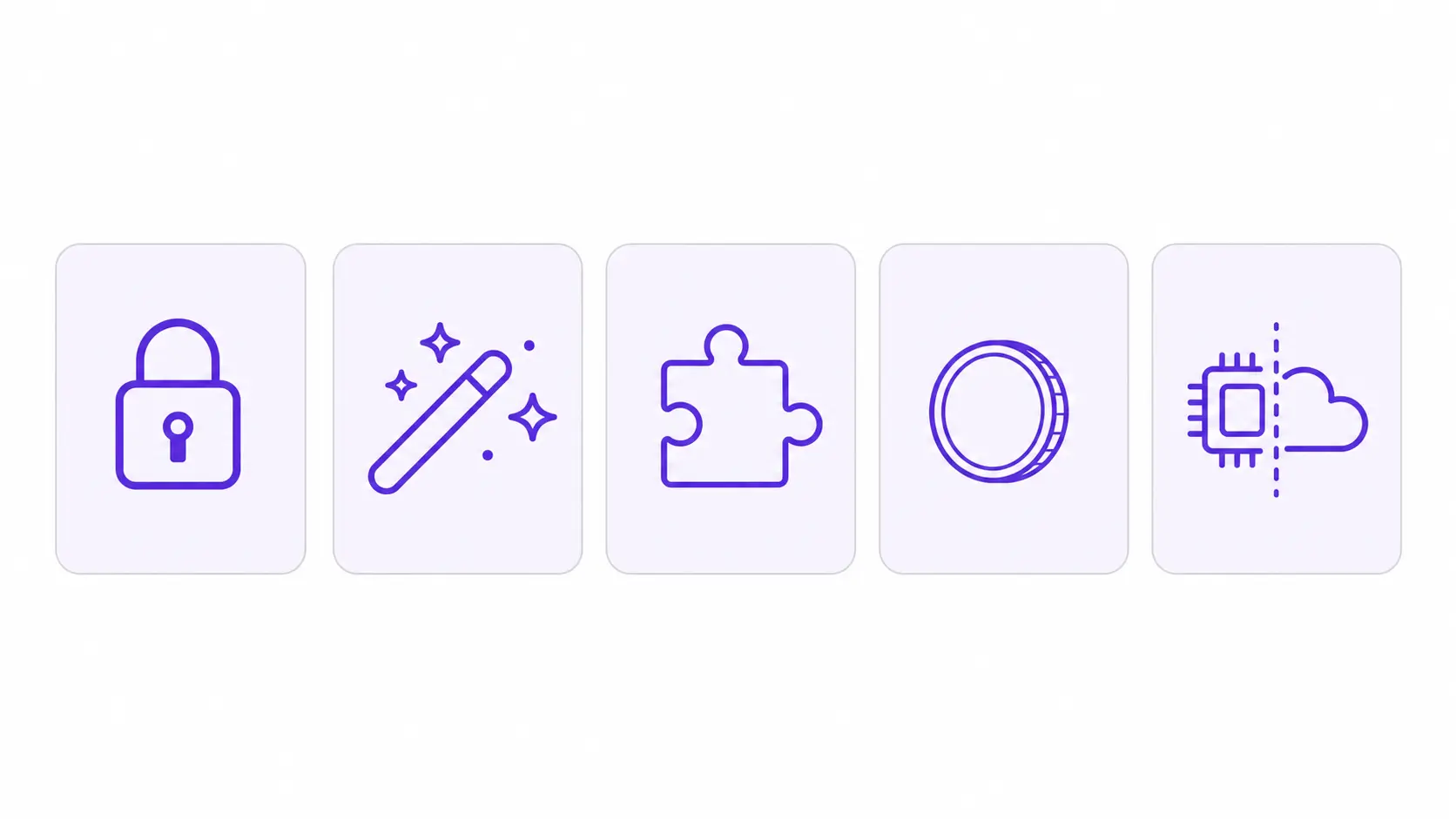
Five criteria decide this comparison for confidential Mac work: data handling, AI features, ecosystem integration, cost, and on-device versus cloud architecture. Data handling leads, because where your text goes matters more than what the assistant can do with it.
Here is what each criterion covers:
- Data handling is what happens to what you type or paste: kept on-device only, stored in the cloud, read by a human, and retained for how long. This is the deciding criterion for anyone handling client or confidential material. As one user on r/ipad noted, “Apple Intelligence can be used for things like notification summaries which aren't user-initiated and happen automatically.”
- AI features covers writing, summarizing, image generation, visual intelligence, research depth, and multimodal input.
- Ecosystem integration measures how deeply the assistant is wired into your Mac apps versus a browser tab or a Workspace add-on.
- Cost is free-with-hardware versus a monthly subscription once the trial ends.
- On-device vs cloud architecture is Apple's hybrid on-device and Private Cloud Compute model against Gemini's cloud-first model, two philosophies about where your data lives. One user on r/LocalLLaMA figured Apple uses flash-vs-RAM loading “for on device apple intelligence alongside their servers.”
Google's own guidance is the reason data handling sits at the top. A widely shared Hacker News thread from March 2025 surfaced Google's Gemini Apps Privacy Hub, which warns users not to enter confidential information into Gemini.
A subset of those chats is read by human reviewers, and reviewed chats can be kept for up to 3 years. A 2026 survey by Jennifer Zou found more than 80% of AI-assistant users worry about how their conversation data gets used. For a deeper look at routing, see our guide to Apple Intelligence privacy.
Apple Intelligence: What It Actually Offers on Your Mac
Apple Intelligence keeps more of your work on the Mac than any rival and costs nothing. Routine requests process on-device, and its privacy promise holds as long as a request stays there or inside Apple's stateless Private Cloud Compute.
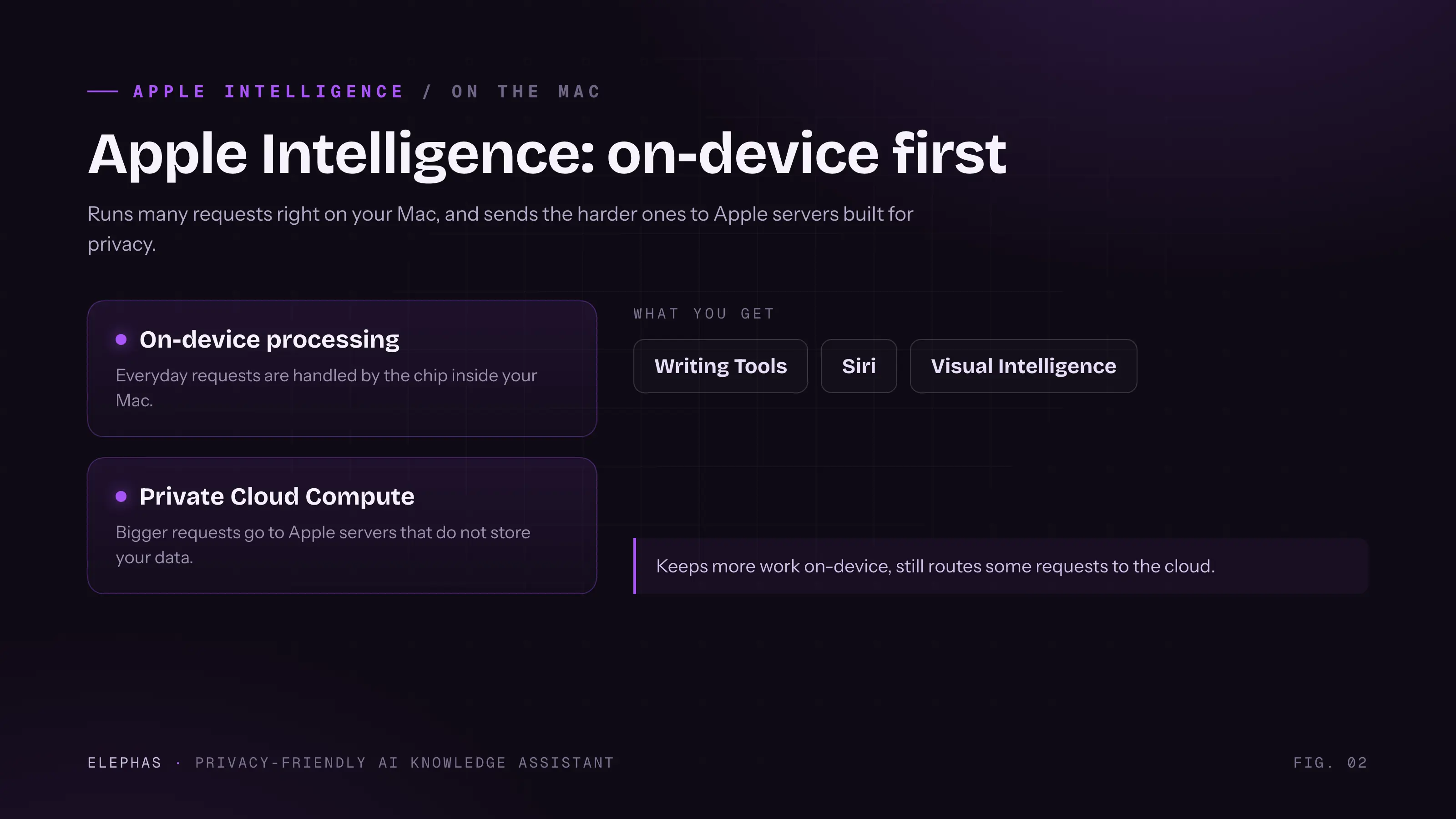
- What it is and who it is for: Apple's on-device and cloud AI is built into macOS, iOS, and iPadOS. It ships Writing Tools, next-gen Siri, Image Playground, notification summaries, Visual Intelligence, and an optional ChatGPT extension. It is free with a compatible Apple-silicon Mac.
- Data handling and architecture: routine work runs on-device. Heavier requests go to Private Cloud Compute, which Apple says stores nothing after the request and lets outside researchers audit its images.
- AI features: Writing Tools proofread, rewrite, summarize, and turn text into lists or tables in any text field. Image Playground and Genmoji generate images on-device. Visual Intelligence searches what your camera or screen sees. Next-gen Siri adds on-screen awareness and personal context.
- Ecosystem integration: the deepest of the three. It works system-wide in Mail, Notes, Photos, Safari, and Spotlight, not as a separate app you open.
- Cost: free, bundled into the hardware, with a few adjacent features tied to iCloud+.
There is a genuine reason people like it. Apple reported its third-generation on-device model earned preference on 45.6% of evaluation prompts, up from 23.3% for its 2025 baseline.
A 2025 study by Ethan Li and co-authors found the roughly 3 billion parameter on-device model matched or beat comparably sized open baselines, pushing back on the idea that on-device has to mean weak.
Apple Intelligence: Where Its Privacy Promise Breaks Down
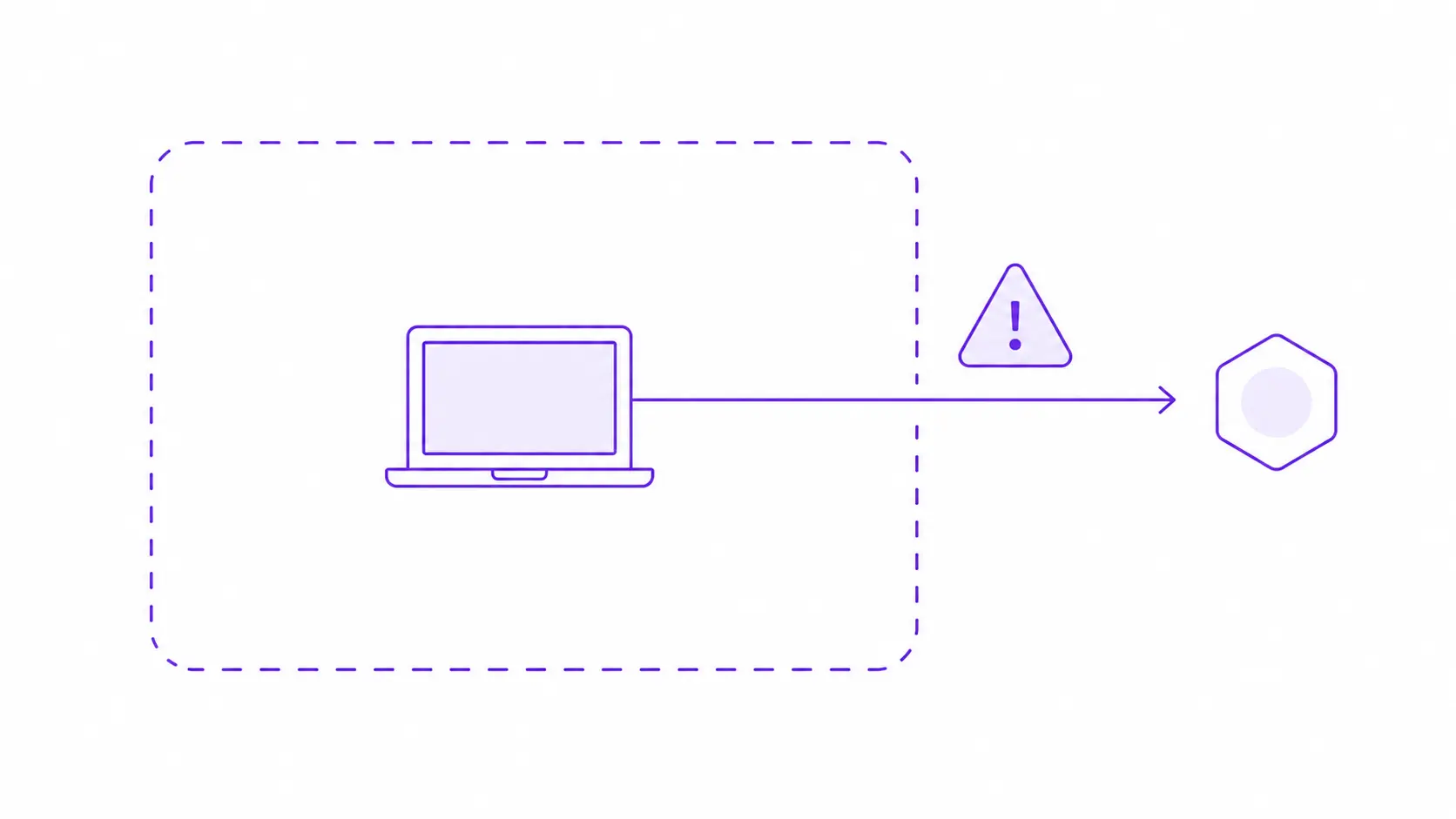
The privacy promise weakens the moment a query leaves Apple's on-device and Private Cloud Compute boundary, and the feature has a history of inventing facts. When the ChatGPT extension is switched on, that query leaves Apple's boundary under OpenAI's terms.
In January 2026, Apple and Google also agreed that Apple's next-generation models would be built with Gemini technology, though Apple still controls the on-device and Private Cloud Compute routing.
The trust problem is real too. As Daring Fireball reported in January 2025, Apple Intelligence notification summaries fabricated news headlines attributed to the BBC, including a false claim about a murder suspect, forcing Apple to pause AI summaries for News and Entertainment apps.
- Frustration shows up in the wild: one user on r/iphone asked, “At this point, can they really keep getting away with falsely advertising Apple Intelligence?”
- Even measured coverage stays wary: a commenter on r/apple called it “so strange they did it with multiple Apple Intelligence features.”
- For a reader who must trust an AI summary of a real email, invented facts under a trusted name are a hard limit. See our complete Mac guide for the full feature set.
Google Gemini: What Happens to What You Paste In?
Google Gemini is the stronger assistant for research and creation, and the weakest of the three for anything confidential, by Google's own admission. It runs entirely in the cloud, with no on-device or offline mode. Consumer chats can be read by human reviewers and kept far longer than most users expect.
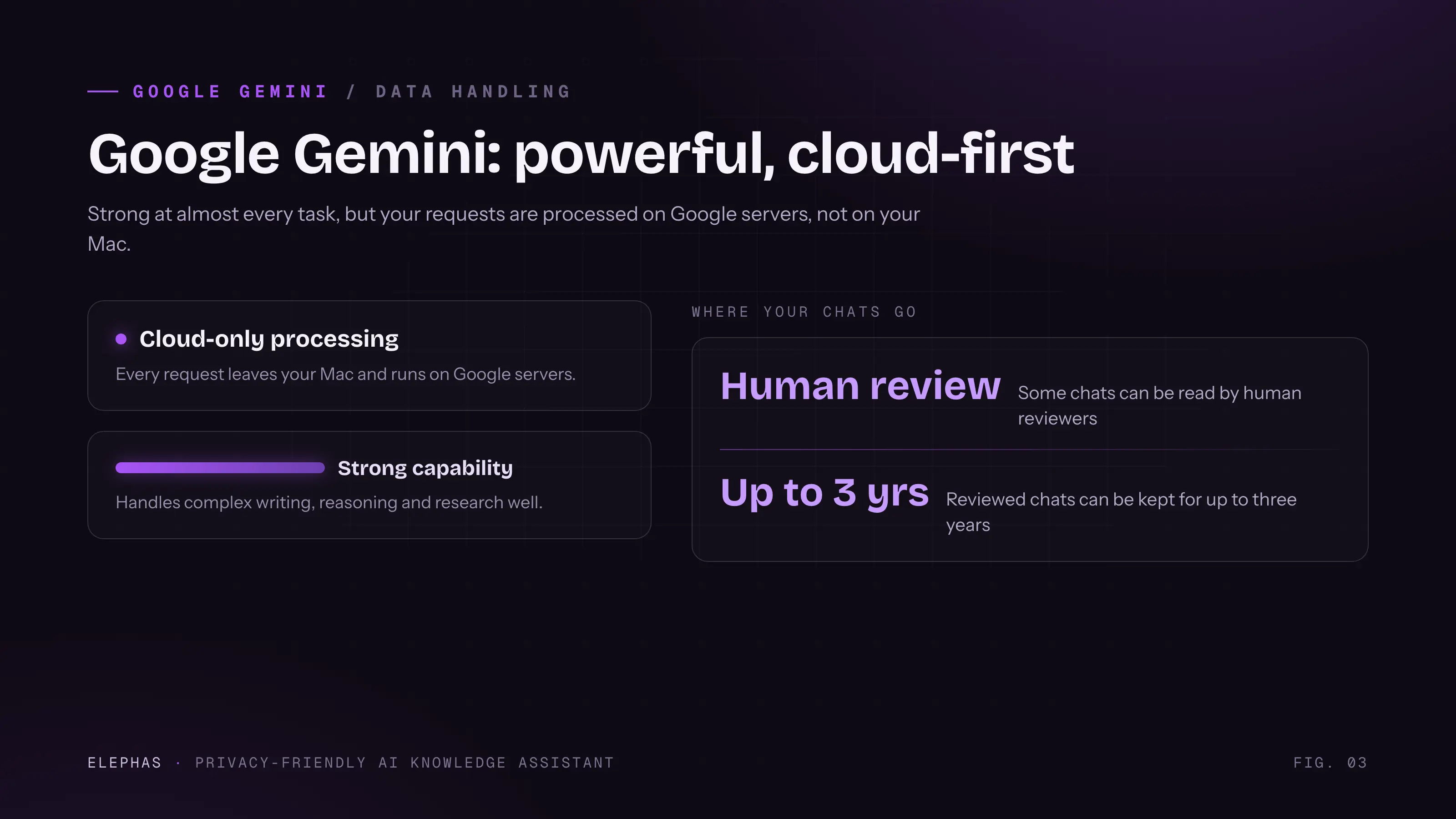
- What it is and who it is for: the Gemini app and assistant, plus the Google AI subscription family (Plus, Pro, Ultra), reaching web, Android, iOS, and the Mac through Workspace.
- Data handling and architecture: fully cloud-based, cloud-first by design. Managed Workspace accounts get a stronger not-used-to-train-without-consent guarantee that free, Plus, and Pro consumer accounts do not.
- AI features: image generation, multimodal input, Deep Research reports with citations, Veo video, and NotebookLM. Its research and file breadth is broader than Apple's.
- Ecosystem integration: deep inside Gmail, Google Docs, Sheets, Slides, and Meet, but shallow on the Mac itself, a web app plus Workspace hooks.
- Cost: free tier; Plus $4.99/mo; Pro $19.99/mo; Ultra from $99.99 to $199.99/mo. Google has changed these tiers more than once in 2026, so check the live page before you commit.
Gemini's research surface is genuinely broad. Gemini 3.5 Flash carries a context window of up to 1 million tokens, and the app can now export 11 file formats, including PDF, DOCX, and XLSX.
The data defaults are the problem. Google's Keep Activity setting retains chats for 18 months by default, and even with it off, future chats stay linked to your account for up to 72 hours, while reviewed chats can persist for years.
The core gotcha is Google's own line: don't enter confidential information you wouldn't want a reviewer to see. That is a direct admission that people, not just models, can read your prompts.
- The gap with Apple is a matter of philosophy: one user on r/applesucks put it plainly, “Gemini doesn't work without internet. Still need to see how much of Apple intelligence works on device. But this is likely just the reality of on device vs cloud AI.”
- Weighing this against a private setup? Our take on whether Apple Intelligence is worth it for sensitive data is a useful companion read.
Apple Intelligence vs Gemini: How Do They Compare Head-to-Head?
Apple Intelligence wins on cost, Mac integration, and privacy for on-device-only tasks. Gemini wins on raw research and creation capability, multimodal breadth, and cross-platform reach. On the criterion that matters most for confidential work, both consumer defaults fall short: neither guarantees your material never reaches a human reviewer or a retained log.
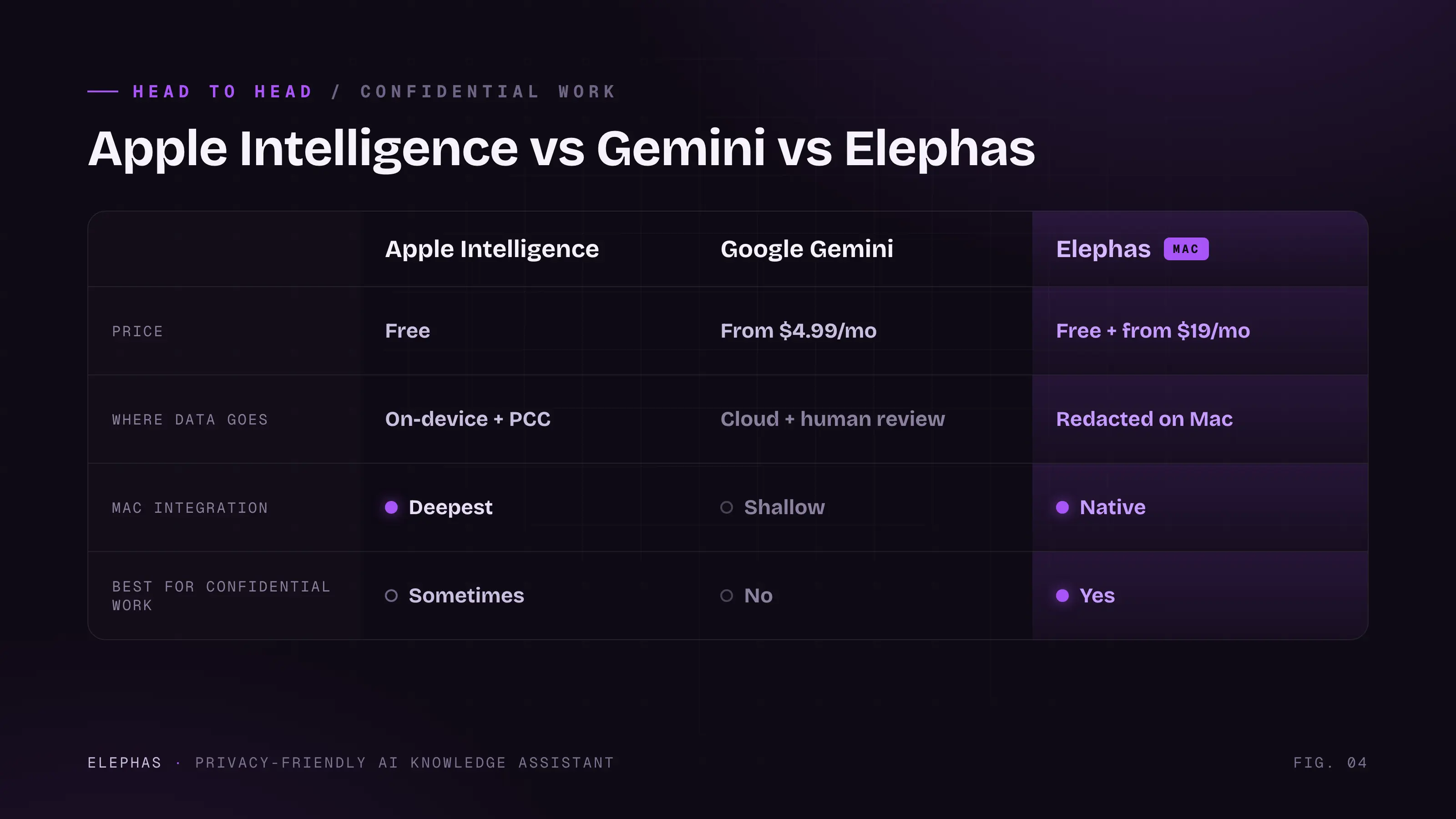
| Criterion | Apple Intelligence | Google Gemini | Elephas |
|---|---|---|---|
| Price | Free with compatible Mac | Free / from $4.99 to $199.99/mo | Free / from $19/mo |
| Data handling | On-device first, stateless Private Cloud Compute | Cloud; human review; up to 3-year retention | Local PII redaction before any cloud call; zero data retention |
| On-device vs cloud | Hybrid; ChatGPT extension leaves the boundary | Fully cloud, no offline mode | Local-first; optional fully offline local LLM on Mac |
| Mac integration | Deepest, system-wide | Shallow, web plus Workspace | Native across all Mac apps |
| Confidential-work safety | Strong until a third-party model is switched on | Weakest by design (Google's own warning) | Purpose-built; redacts locally on every plan |
A few reads from the table:
- Where Apple wins clearly: cost, system-wide Mac integration, and privacy on tasks that never leave the device.
- Where Gemini wins clearly: research depth, multimodal and file breadth, and reach across web, Android, and iOS.
- Where both fall short: neither consumer default is built to guarantee that confidential material never reaches a human reviewer or a retained log.
- On delayed features, one user on r/ios sighed that this was “the one where we were supposed to get the last piece of Apple Intelligence, right? Shame.”
- The gap gets felt in the wild: a commenter on r/gadgets said “iPhone 16 was marketed as the apple intelligence device and now we are out here stuck in a beta stage & lacking features until the next model.”
Judge each product on what ships today, not the pitch. The ‘more personal Siri’ promised at WWDC 2024 was delayed to 2026 after Apple executives admitted it ‘did not converge in the way, quality-wise, that we needed it to.’ The personal-context reasoning sold as Apple Intelligence arrived late.
The Verdict: The Private Alternative for Sensitive Mac Work
Someone who owns both put it plainly: paying for Gemini on a Pixel and getting Apple Intelligence free on an iPhone, “they can't compare.” Gemini kept failing to text a named contact over WhatsApp, while Apple Intelligence picked the right contact and channel every time (r/pixel_phones).
Capability gaps like that are real, but they are not the question that decides confidential work. Pick by task, not by brand. Apple Intelligence is free and private by default for everyday Mac work. Gemini earns its subscription on research and file generation that is not confidential.
Neither is built for material that has to stay private: Apple still hands hard requests to Private Cloud Compute and, through its ChatGPT extension, to OpenAI. Gemini is cloud-only from the start, and it kept accessing WhatsApp and Messages on Android even when users had turned Gemini Apps Activity off.
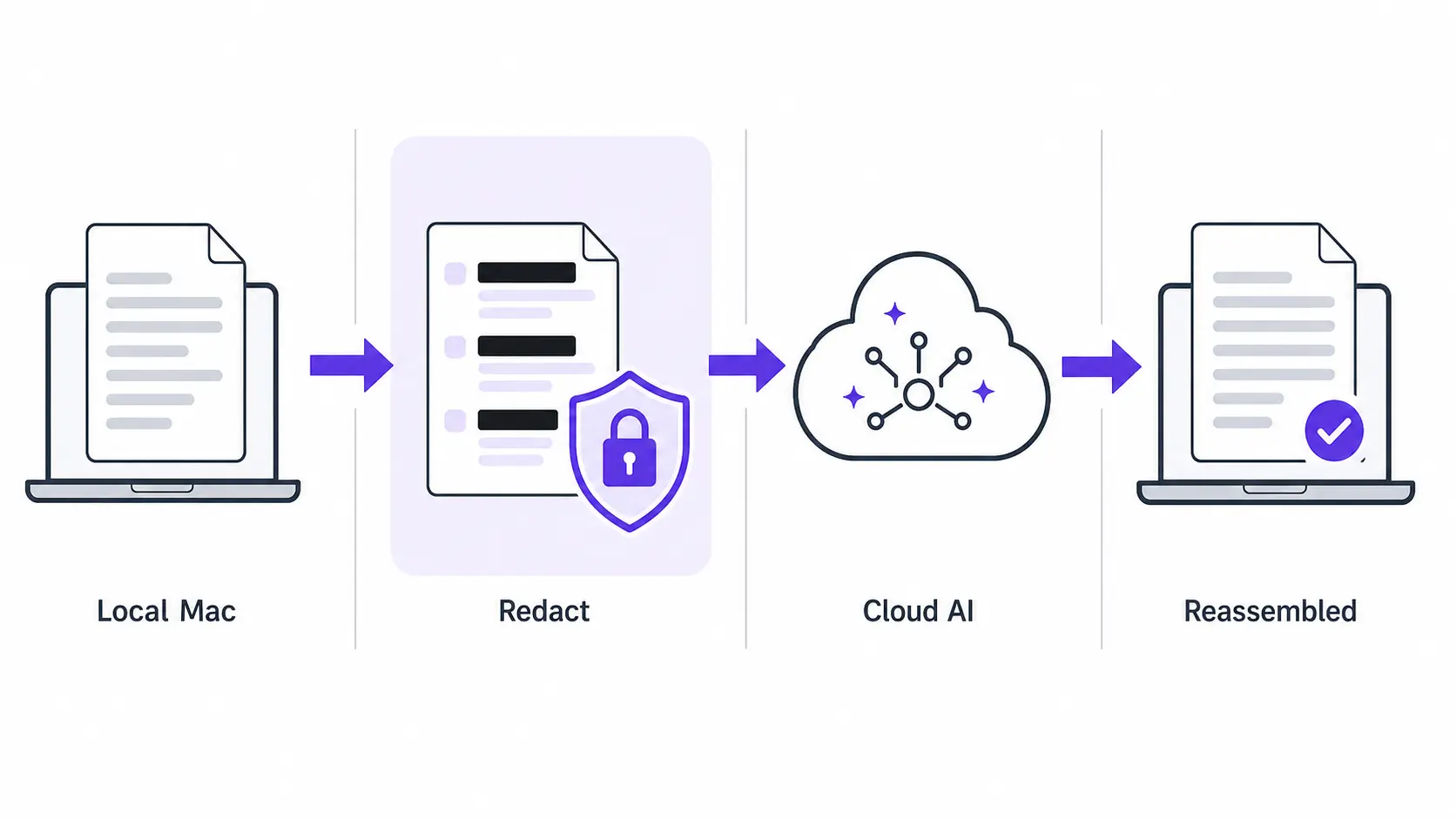
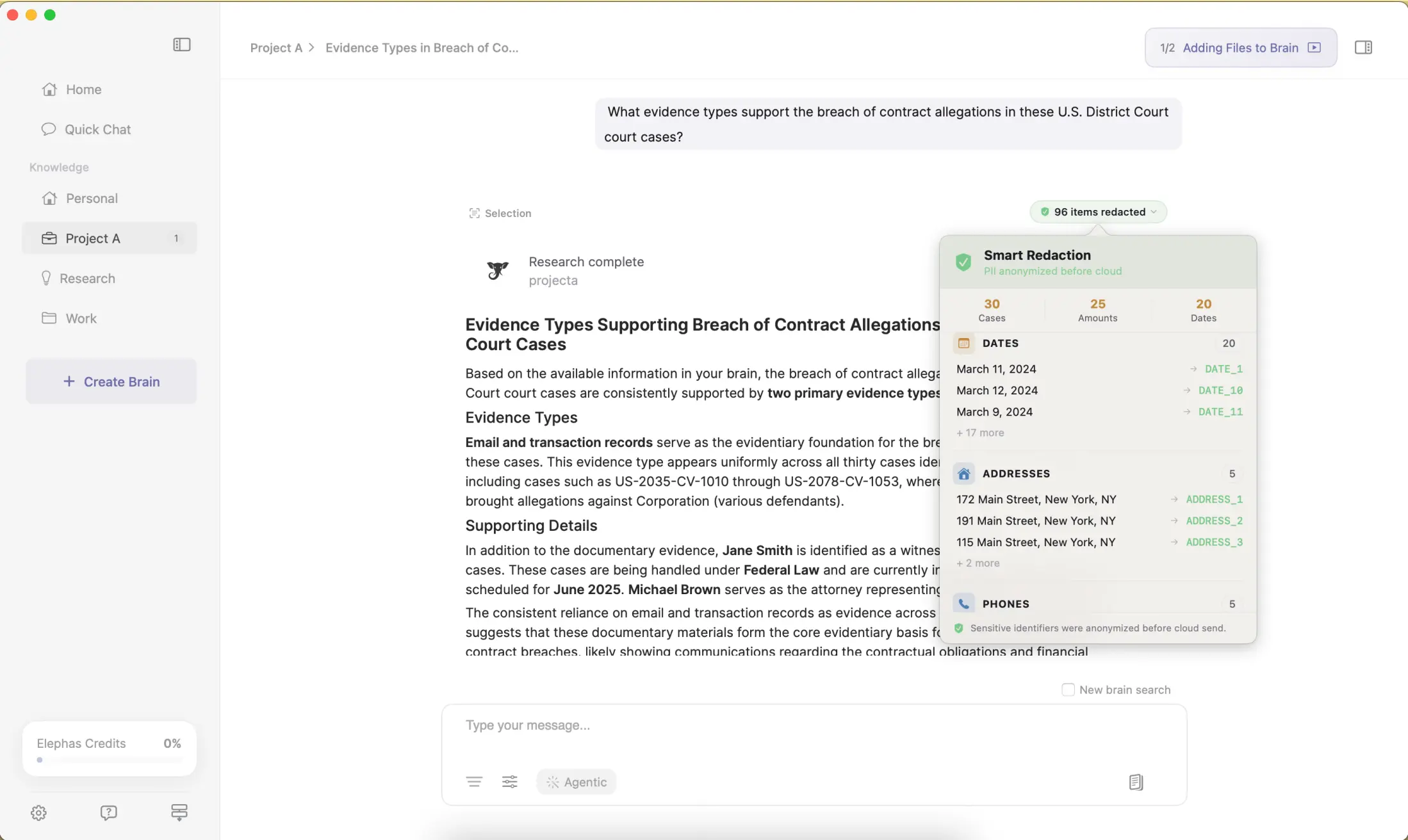
For that material, Elephas is a privacy-friendly AI knowledge assistant for Mac that closes the gap neither default covers, adding a second layer through automatic PII redaction, with built-in local LLM models that strip identifiers before a prompt ever leaves the Mac. Before it reaches ChatGPT 5.5, Claude Opus 4.8, Gemini, Grok, Perplexity, or any other cloud model, Elephas removes sensitive names, emails, phone numbers, and identifiers locally. The cloud model only sees sanitized text, and redacted fields are reassembled on-device when the answer comes back, so identifiable information never leaves the machine. Elephas pairs this with zero data retention: content never trains AI models, never sits on a vendor's server, and never passes through a third-party reviewer's screen.
Sensitive data is automatically detected and redacted before anything reaches a cloud AI model, your content is never used to train AI models, and nothing passes through a third-party reviewer's screen.
Smart Redaction runs on every Elephas plan, including Free.
Elephas starts free, from $19/month with a trial. Check elephas.app/pricing for current plans.
- Everyday, non-sensitive Mac tasks with no budget: Apple Intelligence.
- Deep research and file generation that is not confidential: Gemini.
- Confidential client, legal, medical, or research material: redact first with Elephas.
Frequently Asked Questions
Is Apple Intelligence or Gemini more private?
Apple Intelligence is more private by default, keeping more work on-device and storing nothing after a Private Cloud Compute request. Gemini's consumer chats can be read by human reviewers and kept up to three years. For guaranteed privacy, Elephas redacts sensitive data locally before either assistant sees it.
Does Gemini read my chats?
Google warns that a subset of Gemini chats is reviewed by humans. Reviewed chats are disconnected from your account first, but can be retained for up to three years, even after you delete your Gemini Apps Activity. That is Google's own stated policy, not a rumor.
Is Apple Intelligence free, and how much is Gemini?
Apple Intelligence is free with a compatible Apple-silicon Mac, bundled into the hardware. Gemini has a free tier, then paid plans: Plus at $4.99/mo, Pro at $19.99/mo, and Ultra from $99.99 to $199.99/mo. Google has changed these prices during 2026, so confirm the live figures.
Can I use Apple Intelligence and Gemini together?
Yes. Many Mac users run Apple Intelligence system-wide for quick tasks and open Gemini for heavier research. That works well, but neither is built for confidential material, so treat both as tools for non-sensitive work and keep client data out of both.
Does either keep confidential work private by default?
No. Apple Intelligence routes some requests off-device, and to third-party models when extensions are on. Gemini is cloud-only with human review. For sensitive work, redact before sending. Elephas does this locally on every plan, from $19/month with a free trial.
Is Apple's on-device model good enough to skip a redaction step?
It is strong for on-device tasks, and Apple's own benchmarks back that up. But requests still leave the device for heavier work, and go to third-party models through extensions, so a local redaction layer still matters for names, emails, or client identifiers.
Try Elephas free on your Mac
The Mac-native privacy-friendly AI knowledge assistant: on-device Smart Redaction, built-in local LLM models, and the flexibility to pair ChatGPT, Claude, or any cloud model with a privacy layer that runs on hardware you own.
Get Elephas →