NotebookLM vs Private AI Tools: Which Protects Your Data Better?
Last updated: July 31, 2026
NotebookLM is a cloud AI research tool from Google, and you want its power. But the files you would feed it are confidential: client work, patient notes, unpublished research. Once they leave your device, whether a human at Google can ever read them is no longer fully in your hands.
You will get a straight answer for your specific file here, not a blanket "cloud is unsafe." By the end you will know when NotebookLM is fine, when it is a real risk, and how to keep a top cloud model without ever handing it a raw, identifiable document.
Three questions and one overlooked fact decide the answer: NotebookLM's privacy is not fixed. It flips on your account tier, and a work email does not always buy you the stronger terms. Answer the three questions below, and the right tool falls out on its own.
Quick answer:
- NotebookLM keeps your sources on Google's servers, and whether a human can ever read them depends entirely on your account tier.
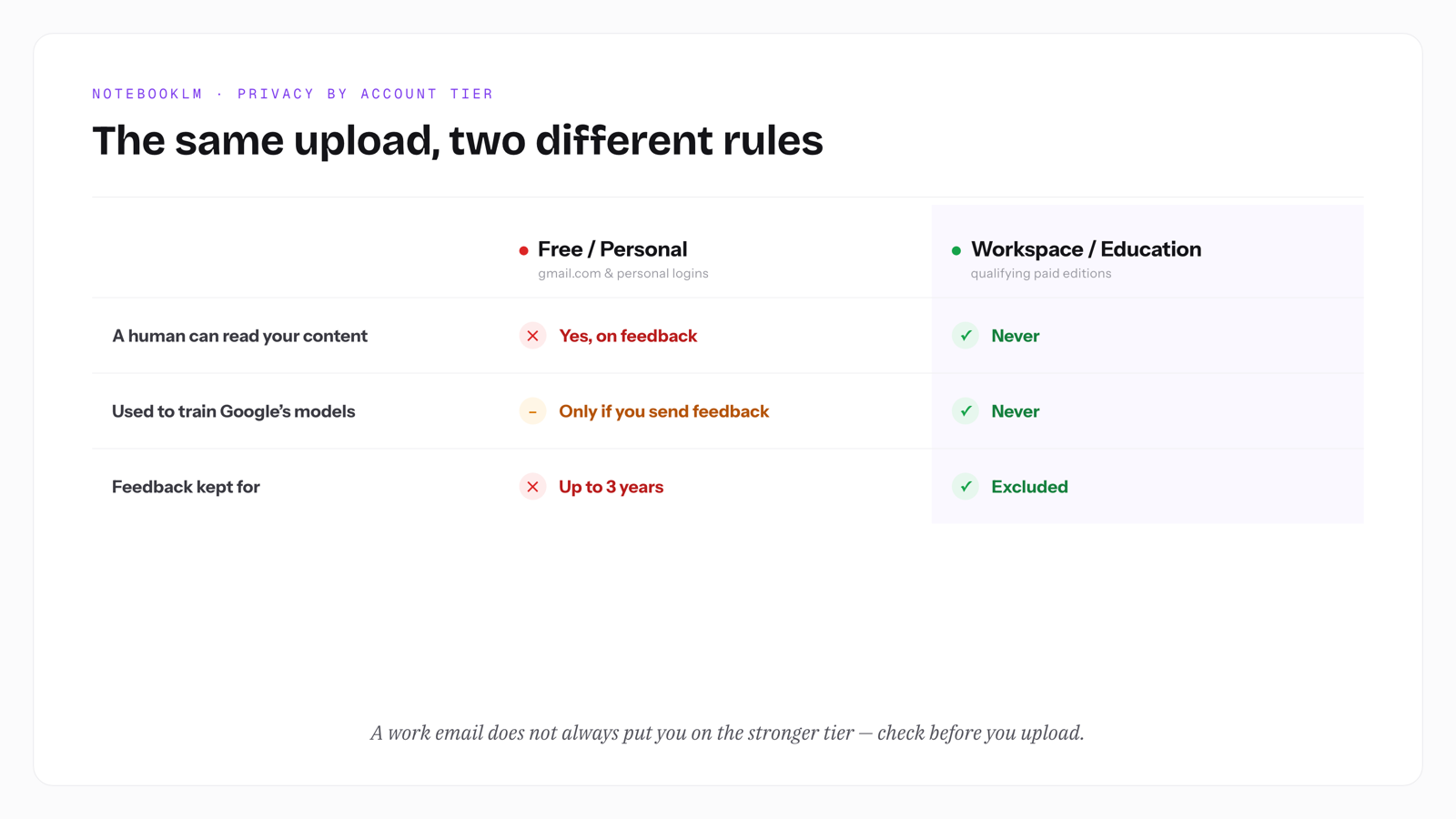
- On free and personal accounts, feedback you submit can be reviewed by people and kept for up to 3 years; Workspace and Education accounts are contractually excluded.
- A private AI tool only counts as private if it redacts before sending to a cloud model or runs the model on your own device.
- For public sources NotebookLM's free tier is hard to beat, and for ordinary internal docs on a Workspace account it is often fine.
- Elephas is a privacy-friendly AI knowledge assistant with built-in local LLM models; free plan, from $19/month. Try it free at Elephas.
Why NotebookLM vs Private AI Is Not a Cloud vs Local Choice
The "cloud bad, local good" framing is the tired one, and skipping it is the first step to a real answer. Three questions decide what fits your specific file, and one option most guides miss keeps both privacy and power: redact the file on your machine, then let a strong cloud model see only the safe version.
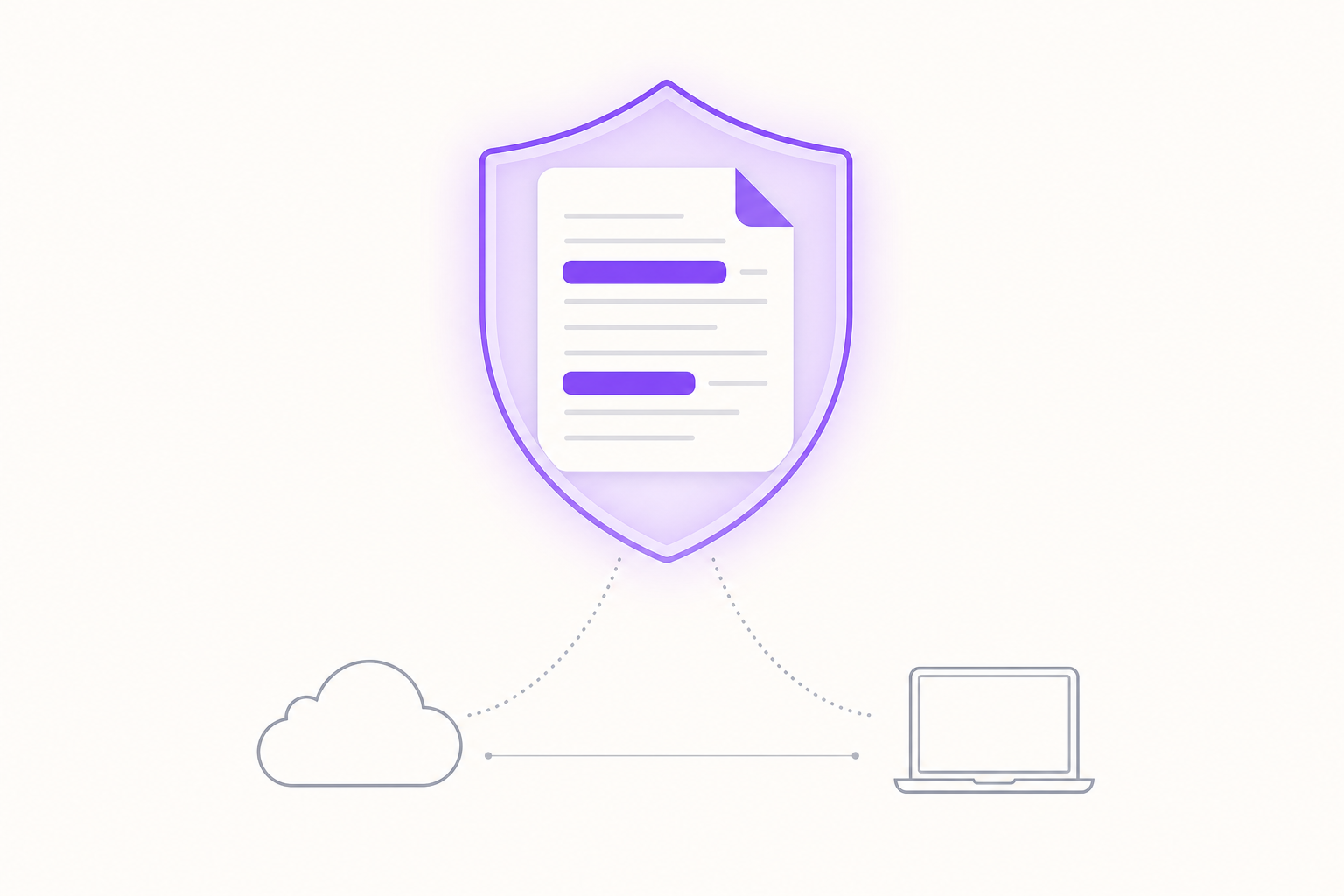
The place most guides go wrong is the axis they compare on. "Cloud" versus "local" describes where the model runs, not who can read your file on the way there.
A cloud tool on the right account tier may never show your document to a human. A tool that calls itself private can still ship raw text to a third-party model that logs it. What matters is the data path: every place your file is stored, and everyone who could open it.
That is why account tier comes first. The same NotebookLM upload is handled one way on a personal login and another way on a qualifying Workspace account, and the file never changes. Get the path right and the cloud-versus-local label stops mattering.
How to Judge Your Real Privacy Risk in Three Questions
"Private" is not a yes-or-no label. Your exposure comes down to three questions about this specific document, not about the tool in general. Answer them in order and the right choice usually falls out on its own.
- Which account tier am I on. Free and personal accounts, Workspace, and Education each carry different retention and human-review terms.
- How sensitive is this specific file. A public lecture PDF and an unsigned client contract do not belong in the same risk bucket.
- Can any human other than me ever see it. This is the step most likely to expose text to someone outside your control.
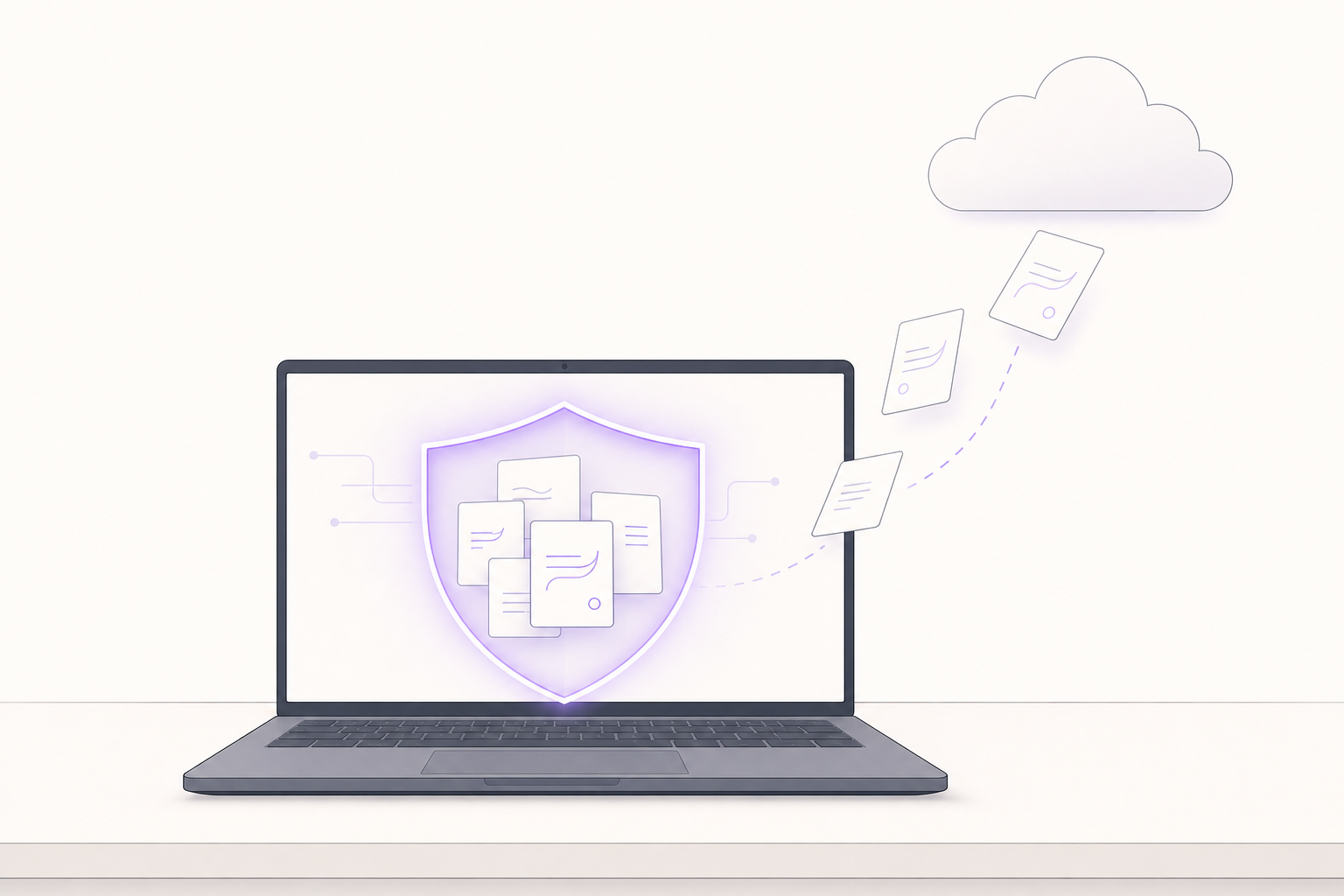
Information sensitivity is the anchor. The more damage a leak of this one file would cause, the fewer tools qualify. This is not a rare edge case: Cyberhaven research found that 11% of what employees paste into ChatGPT is confidential (Cyberhaven).
A NotebookLM user in a thread about work uploads described the habit plainly: "I wouldn't upload sensitive corporate data without checking policies first... I usually treat anything confidential as off-limits unless it's approved or anonymized" (r/notebooklm).
Where data control actually lives
Data control means who physically holds the file, who can reach it, and what stays behind after you delete it. It is more than an on-off switch. On NotebookLM, deleting your Gemini activity does not remove the related notebook data, and a shared notebook stays visible to collaborators (Gemini notebook rules).
How each tool handles sensitive data
Sensitive data here means confidential client, patient, legal, or unpublished-research material where a leak has real cost. NotebookLM can expose that content to human review on some tiers. A local or redact-before-send tool removes the human-review path entirely, which is why the account-tier question has to come first.
How NotebookLM Handles Your Data by Account Tier
NotebookLM is a genuinely strong, source-grounded research tool. It runs as a Google cloud computing service powered by Gemini, a large language model. You upload sources, then chat, summarize, or generate Audio Overviews that stay grounded in citations. If you are new to the tool itself, our what is NotebookLM guide covers the basics; this page stays on the privacy layer.
Google renamed it Gemini Notebook on July 16, 2026 and reported 30 million users and more than 600,000 organizations (TechCrunch). One UX researcher called it "very transparent, and just uses the data you give it" (r/UXResearch).
- Audio Overviews turn a stack of sources into a podcast-style summary you can interrupt with follow-up questions.
- The free tier is real: 100 notebooks, 50 sources each, and 3 audio generations a day, with up to 500,000 words per source.
- Every answer is grounded in your uploaded sources with inline citations, so you can trace a claim back to the exact passage.
- It fits neatly into Google Docs and Drive, and now runs code for quick data analysis.
The private NotebookLM setting almost nobody checks
NotebookLM's privacy terms are not one policy. On free and personal accounts, your content is not used to train Google's foundation models unless you submit feedback. But submitted feedback can be human-reviewed and retained for up to 3 years. Workspace and Education accounts are contractually excluded from both.
The trigger is easier to hit than people expect, since the feedback button sits next to common actions. As one user warned, "You're literally one misplaced tap away from having your content reviewed by humans" (r/notebooklm).
Another put the tier gap directly: NotebookLM is "not suitable for serious work where content ownership is important. Content is accessed by Google, including by humans, unless... Workspace/Workspace for Education accounts" (r/PromptEngineering).
What a leak actually exposes
A leak is not only Google seeing your file. A 2024 security study by Embrace The Red found that a single uploaded document could hijack the chat and pull data from other files in the same notebook through injected URLs (Embrace The Red, 2024-04-15). Google shipped a partial fix days later.
The financial stakes are not abstract: IBM put the average cost of a data breach at $4.88 million in 2024 (IBM report).
Accuracy is a separate exposure. A 2025 study by Samuel Beber and colleagues found NotebookLM unreliable for judging research bias, matching expert manual-review scores just 14.8% to 29.6% of the time (Beber study). A confident wrong answer about a sensitive file is its own kind of failure.
Private AI Tools: Redact Before Send, or Keep It Fully Local
When a file is too sensitive for NotebookLM's terms, the usual advice is "go fully local." The other path is to eliminate the identifying details, like a company name or logo, before anything is sent.
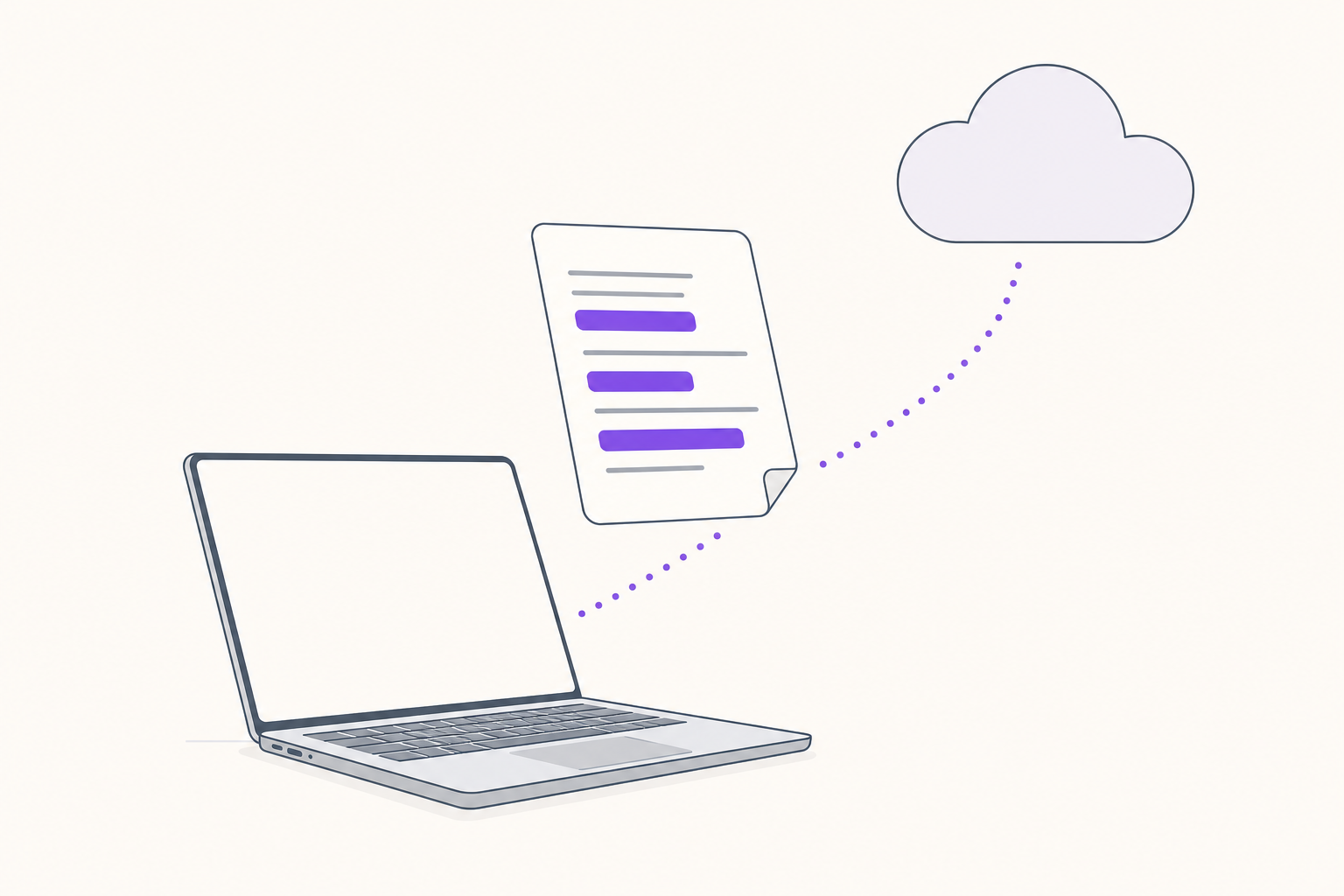
Going fully local works, but it makes you give up the strong cloud models that made NotebookLM appealing. Private AI tools split along exactly that line, and only one asks you to drop the cloud.
- Fully local: the model and your files never leave the device, which fits the most sensitive work but gives up the top cloud models.
- Redact-before-send: identifiers are stripped on your machine, then a strong cloud model sees only the sanitized text.
- Either way, the raw file with names, numbers, and identifiers never reaches a vendor that could human-review it.
People already reach for the manual version of this. In the same work-data thread, one reply's fix before uploading was blunt: "It's better to eliminate the company's name and logo" (r/notebooklm). Redact-before-send automates exactly that step, so the cloud model only ever sees text with the identifiers already removed.
How Elephas covers both paths
Elephas is an AI knowledge assistant for Mac, iPhone, and iPad that turns PDFs, notes, and web content into a searchable AI brain, answering only from your own data.
It keeps files local by default, offers a full offline mode with built-in local LLM models, and is rated 4.7/5 on Capterra, used by 3,000+ professionals. Indexing a 1,700-page PDF costs about $0.40.
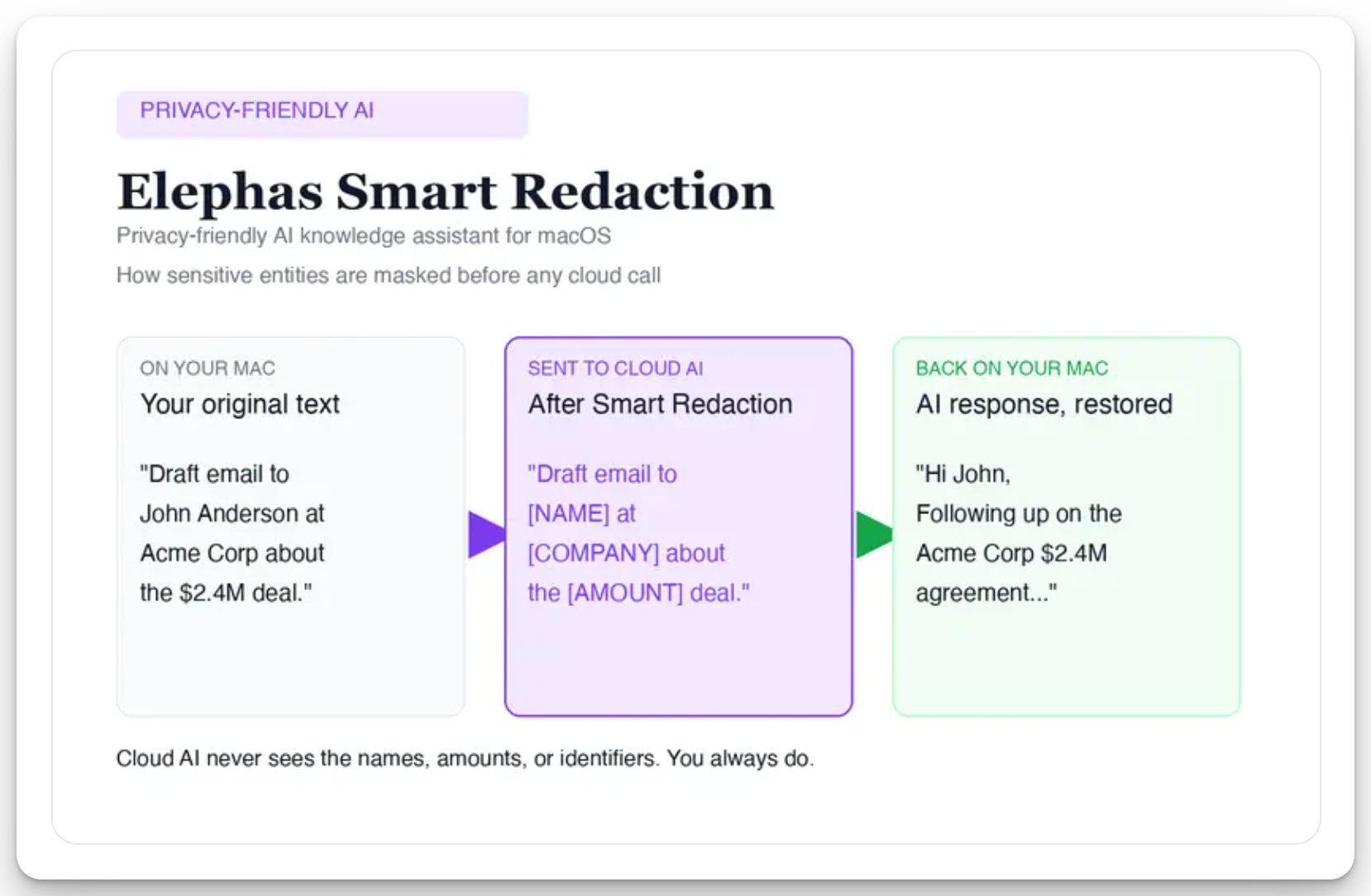
For researchers who still want a leading cloud model, Elephas adds a second layer through automatic PII redaction. Before a prompt is sent to ChatGPT 5.5, Claude Opus 4.8, Gemini, Grok, Perplexity, or any other cloud model, Elephas strips sensitive names, emails, phone numbers, and identifiers on your Mac. The cloud model only ever sees the sanitized text. When the answer comes back, the redacted fields are reassembled locally on your machine, so identifiable information never leaves the device. Elephas pairs this with zero data retention: content never trains AI models, never sits on a vendor's server, and never passes through a third-party reviewer's screen.
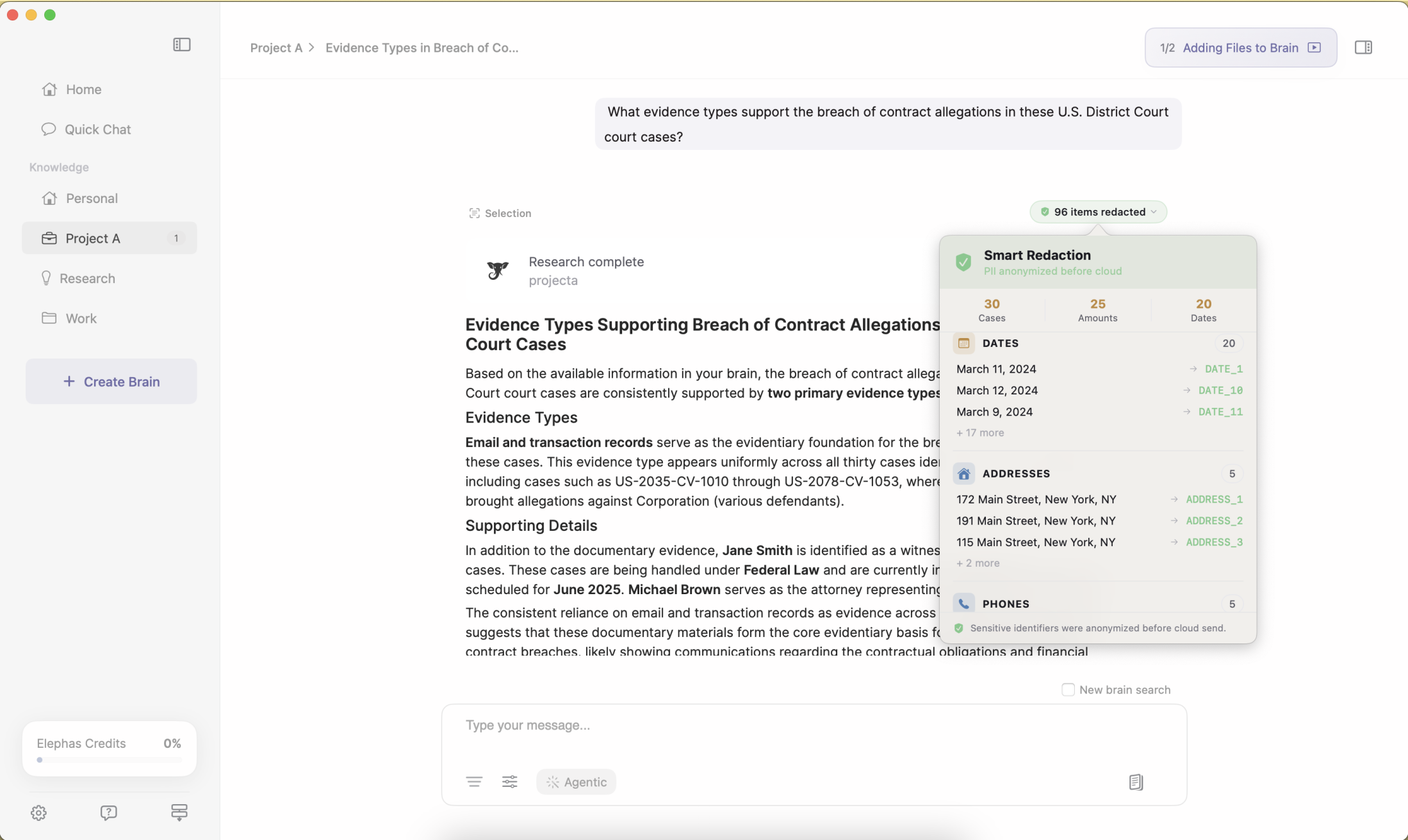
Smart Redaction (beta) is available on every Elephas plan, including the Free tier. Elephas has a free plan and starts at $19/month, with the full list at elephas.app/pricing.
Private NotebookLM alternatives
There is no offline "private NotebookLM" from Google, so people look for notebooklm alternatives that keep the source-grounded workflow without the cloud upload. Our best NotebookLM alternatives roundup compares the full field tool by tool. Elephas is the closest match: the same "ask your documents" flow, but the file stays on the Mac and the model is your choice, including a fully local one.
The pull toward local is strong for anything that matters. As one r/notebooklm user put it bluntly, "uploading confidential data is compromising it. Get a local setup if you must" (r/notebooklm). Elephas adds redact-before-send on top of that, so cloud models stay on the table.
Head to Head: NotebookLM vs Private AI Tools
On a data-flow basis, the two approaches split on almost every privacy axis, though both give source-grounded, cited answers from your own files. Here is the honest read, including where NotebookLM is genuinely fine and where it is not. We ran the same data-path test against Anthropic's offering in NotebookLM vs Claude Cowork.
- NotebookLM wins on Audio Overviews, zero setup, and Google-ecosystem work.
- Private AI tools win on data location, offline use, no human review, and model choice.
- For ordinary internal docs on a qualifying Workspace or Education account, NotebookLM is often private enough.
- Elephas is the private option that still lets you use a top cloud model, through redact-before-send.
| Criterion | NotebookLM | Elephas (Private AI) | Other local-LLM tools |
|---|---|---|---|
| Where data lives | Google servers until deleted | Local on Mac; optional encrypted iCloud | Local (self-hosted) |
| AI training on your content | Personal: only if you give feedback; Workspace: never | Never, on any plan | Never |
| Human review | Personal: yes, on feedback (kept up to 3 yrs); Workspace: no | Never (zero data retention) | No vendor pipeline |
| Offline / local | None, cloud only | Full offline mode, built-in local LLM models | Full offline by design |
| Source / document cap | 50 free, 300 Pro, up to 600 Ultra per notebook | 20+ formats, multiple brains; ~$0.40 to index 1,700 pages | Varies by app |
| Model choice | Locked to Gemini | ChatGPT 5.5, Claude Opus 4.8, Gemini, Grok, Perplexity, or local | Locked to installed model |
Give NotebookLM real credit here. On a qualifying Workspace or Education account, uploads are not human-reviewed and never train Google's models, which makes it defensible for everyday internal work.
The catch is that a work email alone does not guarantee those terms, and users keep discovering the gap the hard way:
- Some business and individual editions still fall under standard Google terms where feedback can be reviewed (Workspace access table).
- One subscriber found paying does not equal exclusion: "if you pay for Gemini, your data gets excluded from training, but this is not the case" (r/cursor).
- Even inside Google, one worker noted the company "doesn't recommend us uploading these docs to Gemini, like NotebookLM" (r/Bard).
On capacity, source caps run 50 free, 300 on Pro, and up to 600 on Ultra per notebook, and accuracy tends to drop as you near the cap (XDA Developers, 2026-01-16). A research or case library that outgrows the limit forces you to split notebooks or delete sources.
Which Should You Pick
There is no single winner, because the file decides. The student summarizing public lecture notes and the lawyer handling privileged files should not land in the same place.
- Public or low-stakes sources: NotebookLM's free tier is the fastest good option.
- Internal but not regulated, on a qualifying Workspace or Education account: NotebookLM Workspace is defensible.
- Client, patient, privileged, or unpublished files: keep them off any tool that can human-review them, which means redact-before-send or fully local.
For work files the choice may not even be yours: a 2024 Cisco survey found 27% of organizations have banned generative AI tools altogether, at least for now (Cisco survey).
On Hacker News, one person put the wish plainly: "I don't want Google poking around but I do want NotebookLM, what can I do?" (Hacker News, 2025-08-13). Redact-before-send is what answers it.
Elephas is a privacy-friendly AI knowledge assistant that keeps files on your Mac, strips sensitive names and identifiers before anything reaches a cloud model, and runs fully offline with built-in local LLM models. Free plan, from $19/month. Try it free at Elephas.
Frequently Asked Questions
Is NotebookLM safe for confidential documents?
That turns on your account tier, not the brand. On free and personal accounts, feedback you submit can be human-reviewed and kept for up to 3 years, so treat confidential files as off-limits until IT or security signs off.
On a qualifying Workspace or Education account, uploads are not human-reviewed, which makes ordinary internal work defensible. For privileged or regulated files, a redact-before-send or fully local tool is safer.
Does Google use my NotebookLM uploads to train its AI?
On personal accounts, your content is not used to train Google's foundation models unless you submit feedback. Google Workspace and Education content is never used for training, even with feedback. Paying for a Gemini plan does not by itself change the personal-account terms.
What is the most private alternative to NotebookLM?
A tool that keeps the file on your device, or redacts sensitive fields before sending to a cloud model. Elephas does both, with built-in local LLM models and a full offline mode on Mac.
Can I use NotebookLM offline?
No. NotebookLM is cloud only, with no local model option. For offline work, pick a private tool that runs the model on your own machine with no network call.
Does a work email mean my NotebookLM uploads are protected?
Not always. Only qualifying Workspace and Education editions get the no-human-review, no-training terms. Some business and individual accounts still fall under standard Google terms, so confirm your edition before uploading anything sensitive.
How much does Elephas cost?
Elephas has a free plan, and paid plans start at $19/month. You can try it free first at elephas.app/pricing.
