Top 12 ChatGPT Alternatives for Researchers and Academics in 2026
Last updated: September 28, 2026.
The top 12 ChatGPT alternatives for researchers and academics each win one research job: finding papers, screening them, reading PDFs, checking citations or drafting. This guide compares all 12 AI tools on price, limits and whether they train on your data.
Two risks push researchers away from ChatGPT. A personal account keeps "Improve the model for everyone" on by default (OpenAI data controls FAQ). A May 7, 2026 letter in The Lancet found 1 in 277 PubMed-indexed papers from the first seven weeks of 2026 carried a fabricated reference, up from 1 in 2,828 in 2023.
For general-purpose options, see our ChatGPT alternatives guide; for research apps beyond chatbots, see our top AI research tools.
Quick Answer
No single ChatGPT alternative for research does every job safely. Pair a free discovery tool with a screening tool, a citation checker and a writing model, and keep unpublished files off any personal account that trains by default.
- Best free tools for finding papers: Semantic Scholar (free, no account) and ResearchRabbit (free plan, 310M+ articles).
- Best for screening and data extraction: Elicit. Basic is free; academic Pro costs $69/month.
- Best for checking a claim or a citation: Consensus for "what does the evidence say", Scite for whether later papers support or contrast a claim.
- Best for reading and academic writing: NotebookLM answers only from your uploads, Claude or Gemini drafts, and Paperpal polishes the language.
- Best for unpublished files: Elephas, a private AI knowledge assistant for Mac that answers from your own manuscripts, offline or with redaction before any cloud call. Paid plans start at $19/month.
How Do the Top ChatGPT Alternatives for Research Compare at a Glance?
The 12 ChatGPT alternatives for research differ most on three things: the one job each AI tool does well, its monthly individual price, and whether its personal tier trains on your inputs by default.
| # | Tool | Best for this research job | Monthly individual price (checked September 25, 2026) | Training default, personal tier |
|---|---|---|---|---|
| 1 | Perplexity | Cited web background | Free; Pro $20/month | On unless you opt out; Enterprise never trains |
| 2 | Claude | Long-document drafts | Free; Pro $20/month | On unless you opt out; Work and Education excluded |
| 3 | Google Gemini | Research in Docs and Drive | Free; Google AI Pro $19.99/month | Personal: used to train models while Keep Activity is on; Workspace: no training outside your domain |
| 4 | Elephas | Answers from your own unpublished files | Free plan; paid from $19/month | Never trains; cloud mode sends only redacted text |
| 5 | NotebookLM | Synthesis of your uploaded PDFs | Free; limits rise with Google AI plans | Workspace: no training; personal: not used to train Google's models unless you send feedback |
| 6 | Elicit | Screening and extraction tables | Basic free; academic Pro $69/month | Enterprise: no training; individual: no statement found |
| 7 | Consensus | Quick evidence checks | Free; Pro $20/month | Never used to train AI models (privacy policy) |
| 8 | SciSpace | Explaining one dense PDF | USD not verified | Help center says uploaded PDFs are not used for training |
| 9 | Scite | Citation context checks | Connect free; Basic $20/month; Pro $50/month | Does not train on customer data (privacy policy) |
| 10 | Semantic Scholar | Free paper discovery | Free | Not a chatbot (search tool) |
| 11 | ResearchRabbit | Citation-network maps | Free; ResearchRabbit+ $12.50/month | Does not train on your articles or notes (help center) |
| 12 | Paperpal | Language polish and journal fit | Free; Prime $25/month; Pro $59/month | Never trains on user data (help center) |
"No statement found" means no first-party policy was located on September 25, 2026; it isn't a safety rating.
- Consensus, Scite, Paperpal, ResearchRabbit and Elephas say individual-plan content isn't used for training; SciSpace says so for uploaded PDFs. General AI chatbots promise it mainly on institutional tiers.
1. Perplexity: AI Search Engine for Cited Web Research
Best for: Fast web background with clickable citations before a literature search
Perplexity AI is an AI search engine that answers a research question with inline, clickable citations. It suits a first pass on a new topic, before a formal literature search in your library's databases.
Key capabilities:
- Inline, clickable citations on every answer
- Deep Research with a limited quota
- Enterprise Pro and Enterprise Max zero-data-retention terms with OpenAI and Anthropic
Pricing: Free; Pro $20/month; Max $200/month, billed monthly (Perplexity pricing).
Watch out: Don't use Perplexity for research that has to be exhaustive: in a test of eight free chatbots on 400 references, it was among the most hallucination-prone (arXiv 2505.18059). On Free, Pro and Max, AI data retention stays on until you opt out (Perplexity help center).
Why we picked Perplexity: Every answer shows source links you can open, even on the free tier.
User feedback:
- Positive: "It produces data with citations that actually work (chatgpt gives you dead links)." (Michael, Trustpilot, April 2026)
- Negative: "...it often delivered answers in a polished, authoritative tone that made them seem reliable, even when they were incomplete, misleading, or simply wrong." (Sam imi, Trustpilot, September 2026)
2. Claude: AI Research Assistant for Long Documents and Academic Writing
Best for: Long-document reasoning and literature synthesis drafts
Claude is Anthropic's AI assistant for reasoning over long documents and drafting outlines and literature syntheses. The Claude Team plan for scientists offers discounted or free seats to verified academic and nonprofit research groups.
Key capabilities:
- Long-context reasoning over uploaded PDFs
- Skills and custom workflows
- Claude for Education excluded from the consumer training default
Pricing: Free; Pro $20/month; Max from $100/month (Claude pricing).
Watch out: On a personal Free, Pro or Max account, check the training setting before uploading unpublished work (Anthropic).
In an eight-chatbot test on 400 references, Claude, Copilot and Perplexity had the highest hallucination rates (arXiv 2505.18059). The newer Claude Opus 4.8 did better in a September 14, 2026 test of 26 models: it fabricated least, at 10.2%, but refused 52.1% of prompts (arXiv 2609.14988).
Why we picked Claude: It reasons over long uploaded PDFs for outlines and synthesis drafts, and its Work and Education tiers carry a contract-level no-training term.
User feedback:
- Positive: "Hands down the best tool for academic research." (Ha, Trustpilot, July 2026)
- Negative: "Every time I explicitly give Claude a rule it must follow, it breaks that rule and does the exact opposite." (MKMPATEL, Trustpilot, September 2026)
3. Google Gemini: Google AI for Research in Docs, Drive and Deep Research
Best for: Research that already lives in Google Workspace
Google Gemini connects to Google Docs, Google Drive and Gmail, and adds Deep Research for longer web reports. On a university or work Workspace account, Google doesn't use your prompts or files to train models outside your organization without permission, and people don't review them for training (Workspace privacy hub).
Key capabilities:
- Google Docs, Drive and Gmail integration
- Workspace and Education contract terms
Pricing: Free; Google AI Plus $4.99/month; Google AI Pro $19.99/month; Google AI Ultra from $99.99/month (Gemini subscriptions).
Watch out: On a personal account with Keep Activity on, Google uses your chats to train its AI models, and human reviewers read some of them (Gemini privacy hub). Turn Keep Activity off, use a temporary chat, or use your institution's account.
Why we picked Google Gemini: For institutions already on Google Workspace, Gemini adds a contract-level no-training term and Deep Research without a new tool.
User feedback:
- Positive: "I find Gemini highly informed, fast, unparalleled, remarkably grasping..." (John Blom, Trustpilot, July 2026)
- Negative: "DO NOT USE THIS AI ASSISTANT FOR REAL WORK... it will agree, but the very next sentence will be a lie." (mar bor, Trustpilot, September 2026)
4. Elephas: Private ChatGPT Alternative for Unpublished Research Files on Mac
Best for: AI help on unpublished manuscripts, grant drafts and participant data
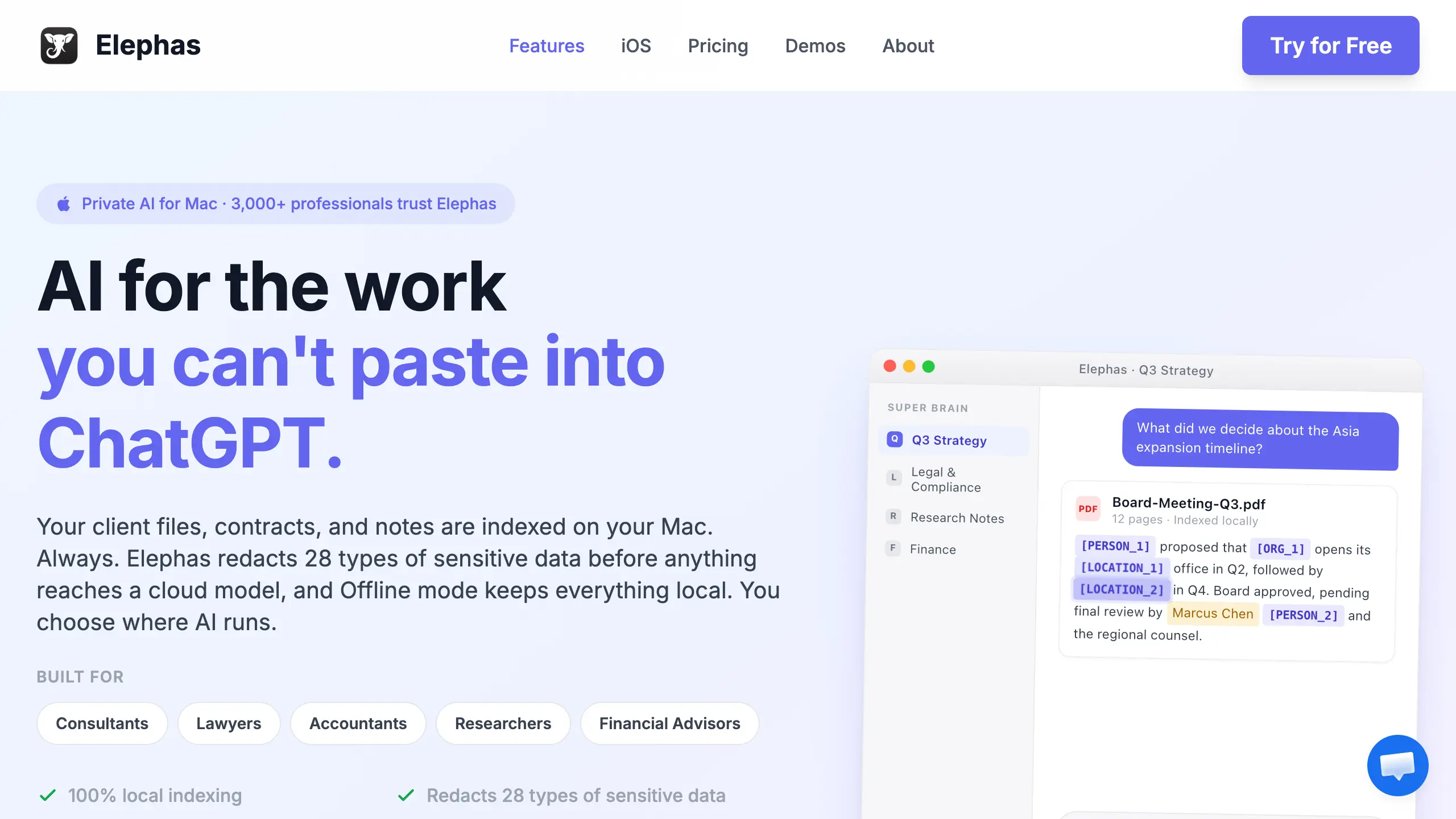
Elephas is a private AI knowledge assistant for Mac that works with its built-in cloud AI (OpenAI and Anthropic models), your own API key from 15+ providers, or built-in local LLM models.
Super Chat answers only from files you add to Super Brain (20+ formats: PDF, Word, Notion, Obsidian and Zoom transcripts) and cites only those files.
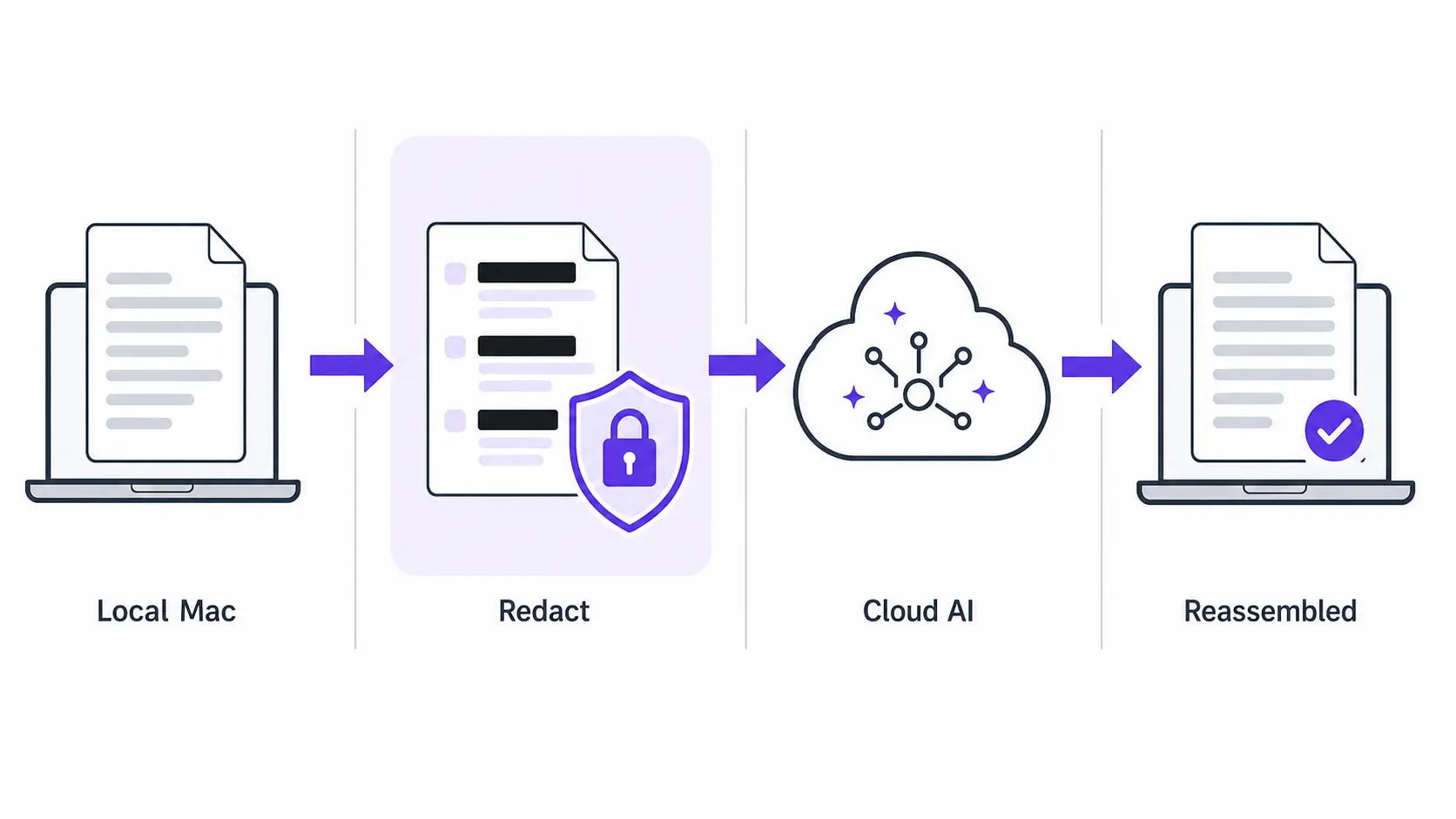
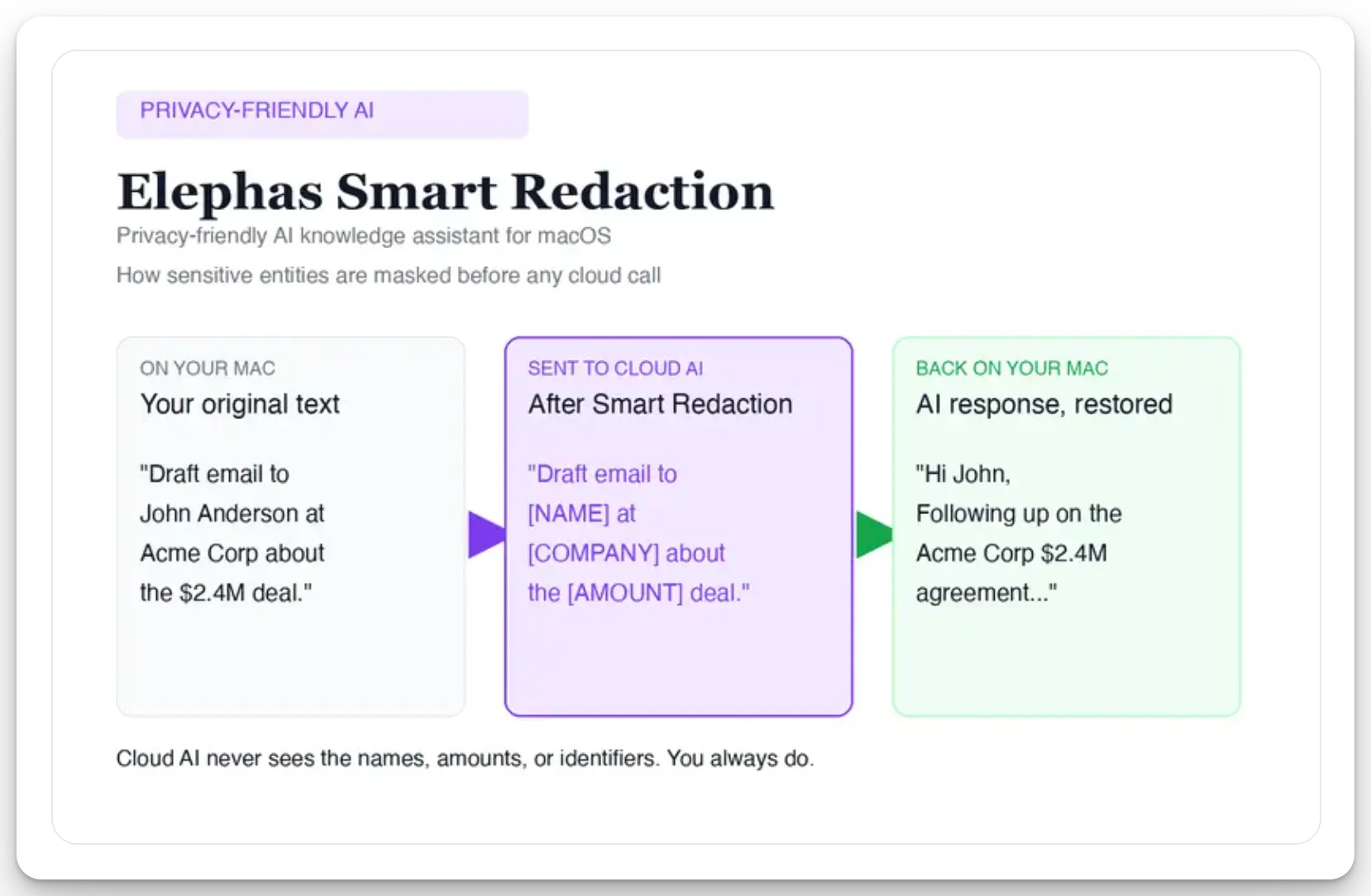
For researchers who still want a leading cloud model, Elephas adds a second layer through automatic PII redaction. Before a prompt is sent to ChatGPT, Claude, Gemini, Grok, Perplexity, or any other cloud model, Elephas strips sensitive names, emails, phone numbers, and identifiers on your Mac. The cloud model only ever sees the sanitized text. When the answer comes back, the redacted fields are reassembled locally on your machine, so identifiable information never leaves the device. Elephas pairs this with zero data retention: content never trains AI models, never sits on a vendor's server, and never passes through a third-party reviewer's screen.
Key capabilities:
- Super Brain knowledge base across 20+ file formats
- Super Chat citations from your own files
- Automatic PII redaction on every plan, including Free
- Cloud models or built-in local LLMs
- 100% offline mode on Mac
Pricing: Free plan available; paid plans start at $19/month. Try Elephas for free.
Watch out: Redaction removes names, emails and identifiers, not your findings or methods. In cloud mode, the provider still receives the redacted text, with zero retention by default or under your own terms with your own key; only local models keep everything on your Mac. It isn't a search engine.
Why we picked Elephas: It's built for the training-data risk, and answering only from your own library narrows the fake-citation risk. Elephas is our product; it sits at #4, after the general assistants.
User feedback:
- Positive: "Where to start.. pretty much if you have a knowledge base that is specialized- Elephas's Brain makes it way way way better than it can be." (Branden F., Experimental AI Researcher, Capterra, May 2025)
- Positive: "The ability to log all sorts of file types, including YouTube videos, in the knowledge base..." (Verified Reviewer, Virtual Assistant (Entertainment), Capterra, July 2025)
- Note: Elephas is our product, so we quote two positive reviews; read all Capterra reviews.
5. NotebookLM: Free AI Tool for Literature Review Synthesis
Best for: Free literature review synthesis from sources you choose
NotebookLM is Google's free notebook that answers only from the research papers you upload, so it can't pull a reference from memory. On July 16, 2026, Google renamed it Gemini Notebook (Google).
Key capabilities:
- Source-grounded questions and answers only
- Slide decks, flashcards and data tables
- 50 sources per notebook on the free tier
Pricing: Free; higher limits come only through Google AI Plus ($4.99/month), Google AI Pro ($19.99/month) or Google AI Ultra (from $99.99/month) (Gemini subscriptions; limits on NotebookLM plans).
Watch out: On a personal login, uploads aren't used to train Google's models unless you send feedback (Google). Google's promise that no person reviews your uploads covers only university or work (Workspace) accounts.
See NotebookLM vs private AI for more.
Why we picked NotebookLM: Its free tier covers source-grounded reading and synthesis at $0.
User feedback:
- Positive: "I consider the NotebookLM web app to be the best educational tool available." (Josef H., Trustpilot, October 2025)
- Negative: "...it keeps giving information from one or two documents over and over again and won't even touch other sources..." (Muhammad Zuhaib Zahid, Trustpilot, April 2026)
6. Elicit: AI Research Tool for Systematic Review Screening and Data Extraction
Best for: Screening papers into data extraction tables
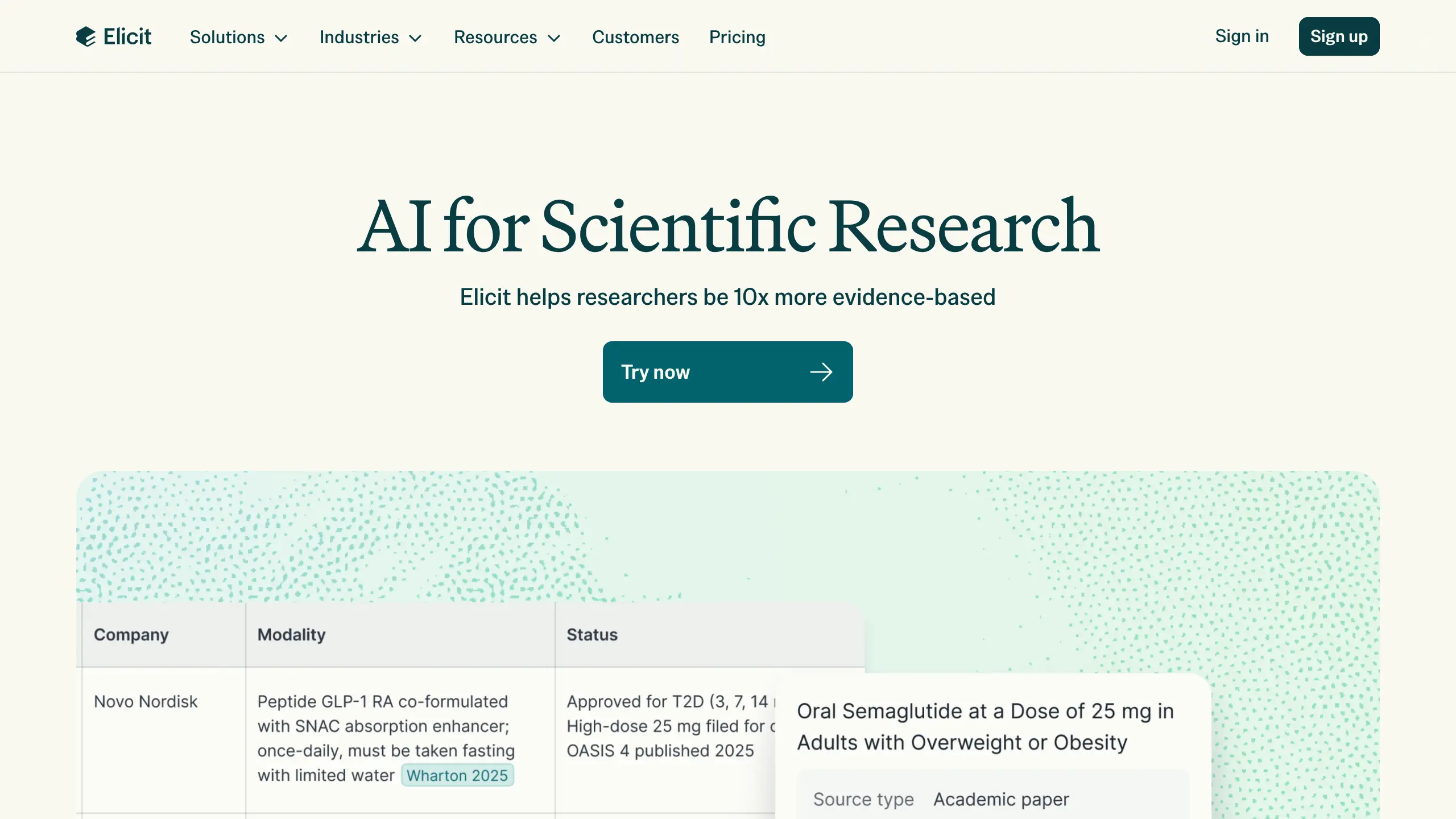
Elicit searches a database of 138M+ papers before it answers, rather than generating references from memory. It then turns the results into literature review extraction tables for screening.
Key capabilities:
- Extraction tables built for screening
- Research Agent and Research Reports
- Chat with retrieved papers
Pricing: Basic free; academic Plus $19/month, Pro $69/month, Scale $149/month; industry Pro $75/month (Elicit pricing).
Watch out: Don't run a full systematic review search on Elicit alone. A June 27, 2025 medRxiv study found it caught about 38% of the relevant studies on average (37.9%, range 25.5% to 69.2%), and about 40% of what it returned was relevant (39.6%) (medRxiv).
Why we picked Elicit: Each row of an extraction table traces back to a paper you can open.
User feedback:
- Positive: "It is super easy to use, and in no time you have a complete summay, reasonable and easy to understand." (Guadalupe R., graduate student, Capterra, April 2024)
- Negative: None found, but Elicit has almost no reviews there yet: 0 on Trustpilot, 1 on Capterra and 1 on Product Hunt.
7. Consensus: AI Search for Quick Evidence Checks on a Research Question
Best for: A fast "what does the evidence say" check before you cite
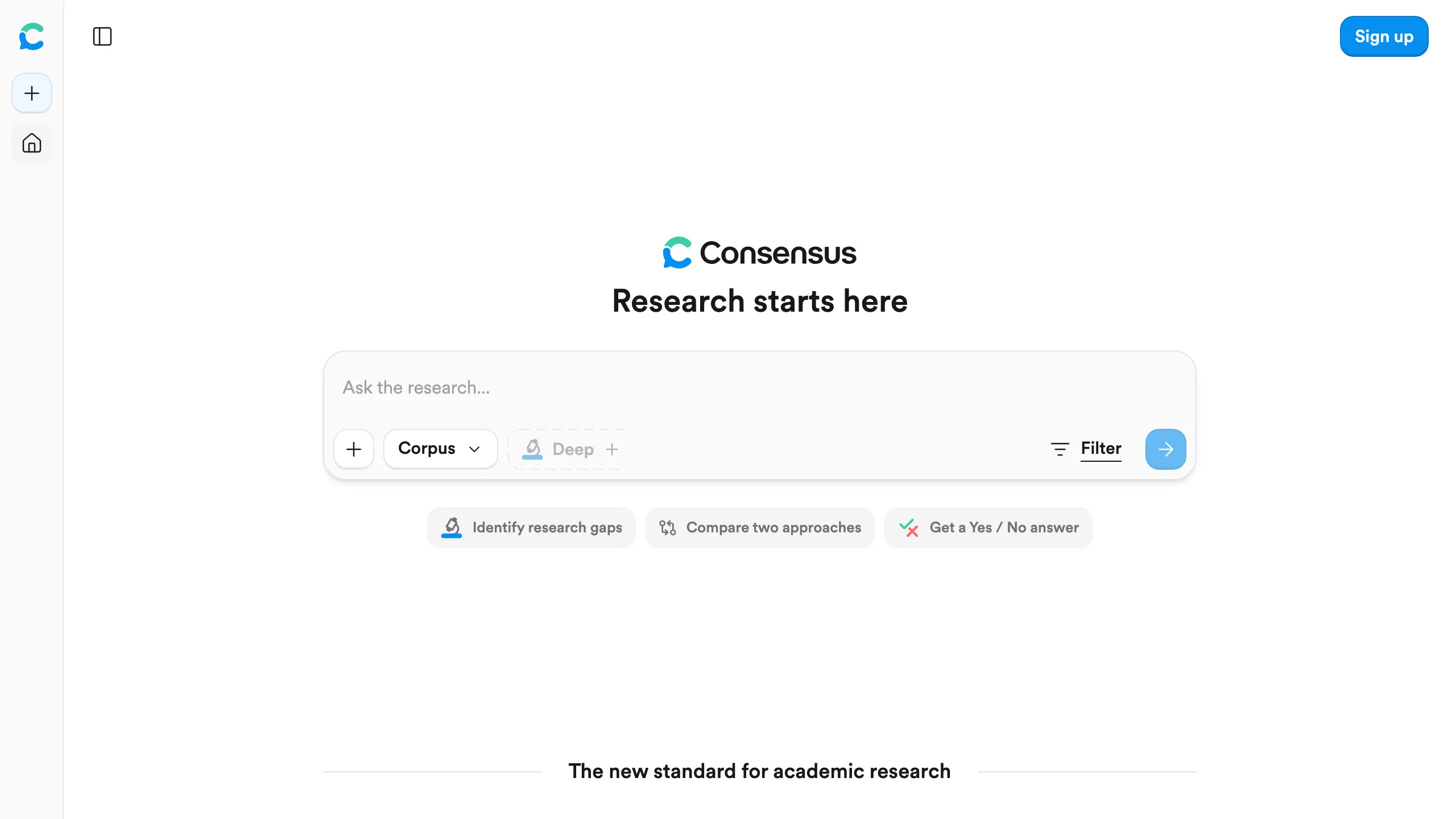
Consensus searches scientific papers and summarizes where the evidence points on one research question. Its Consensus Meter gives a quick fact-check on a yes or no question.
Key capabilities:
- Consensus Meter for a yes or no question
- Citation-backed answers
- Pro messages and Deep reviews
Pricing: Free (10 Pro messages and up to 3 Deep reviews a month); Pro $20/month (Consensus pricing).
Watch out: Don't treat "no results" as proof a study doesn't exist: one reviewer said it missed real studies from their dissertation (quoted below). Consensus says queries and content are never used to train AI models (Consensus privacy policy).
Why we picked Consensus: It gives a quick second opinion before you cite.
User feedback:
- Positive: "I appreciate the confidence Consensus' scientific-based answers provide me when researching topics new and old..." (Patrick King, Product Hunt, undated)
- Negative: "...this supposedly research AI claimed verified studies I had in my dissertation didn't exist because their AI wasn't able to find them." (OLB BPA, Trustpilot, July 2026)
8. SciSpace: AI Tool to Read and Explain Dense Research Papers
Best for: Reading one hard academic paper, section by section
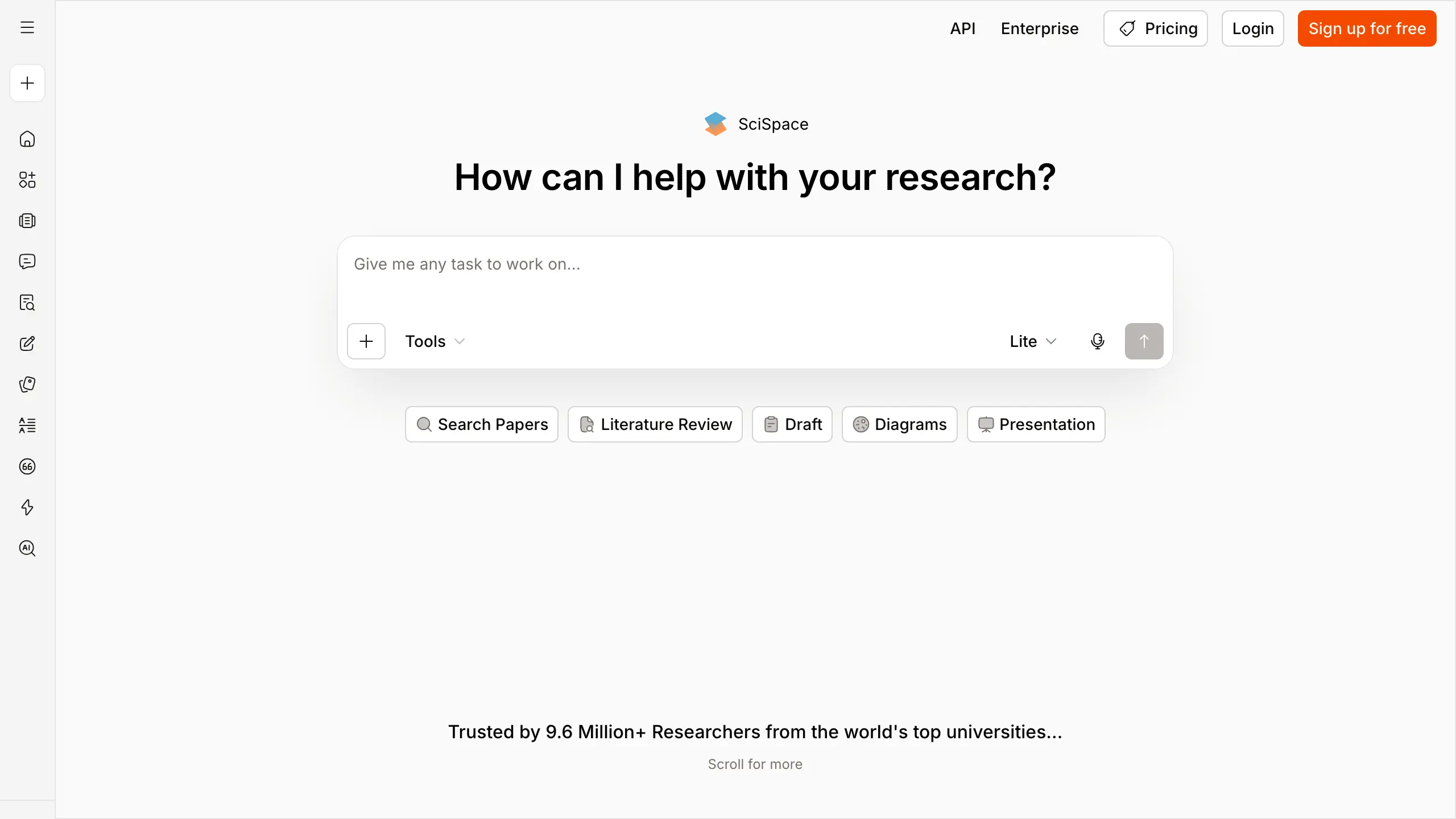
SciSpace is a PDF chat tool that explains jargon, equations and methods inside one academic paper at a time.
Key capabilities:
- Chat with one PDF at a time
- Explain equations, jargon and methods
- Run AI Agent tasks on monthly credits
Pricing: USD price not verified: the pricing page showed only local-currency prices on September 25, 2026 (SciSpace pricing).
Watch out: Paid-plan credits can run out fast: one reviewer's single task used a whole month's credits (quoted below). SciSpace's help center says uploaded PDFs aren't used for training (SciSpace help), but the page can block automated checks, so confirm before uploading.
Why we picked SciSpace: It explains a hard paper in place, without switching tools.
User feedback:
- Positive: "SciSpace is a useful and user-friendly website for academic research." (Rune, Trustpilot, August 2026)
- Negative: "...a single AI Agent task consumed all of my monthly credits before the task was completed." (Ali Mahmoud, Trustpilot, June 2026)
9. Scite: AI Citation Checker for Research Papers
Best for: Checking citation context before a claim is reused
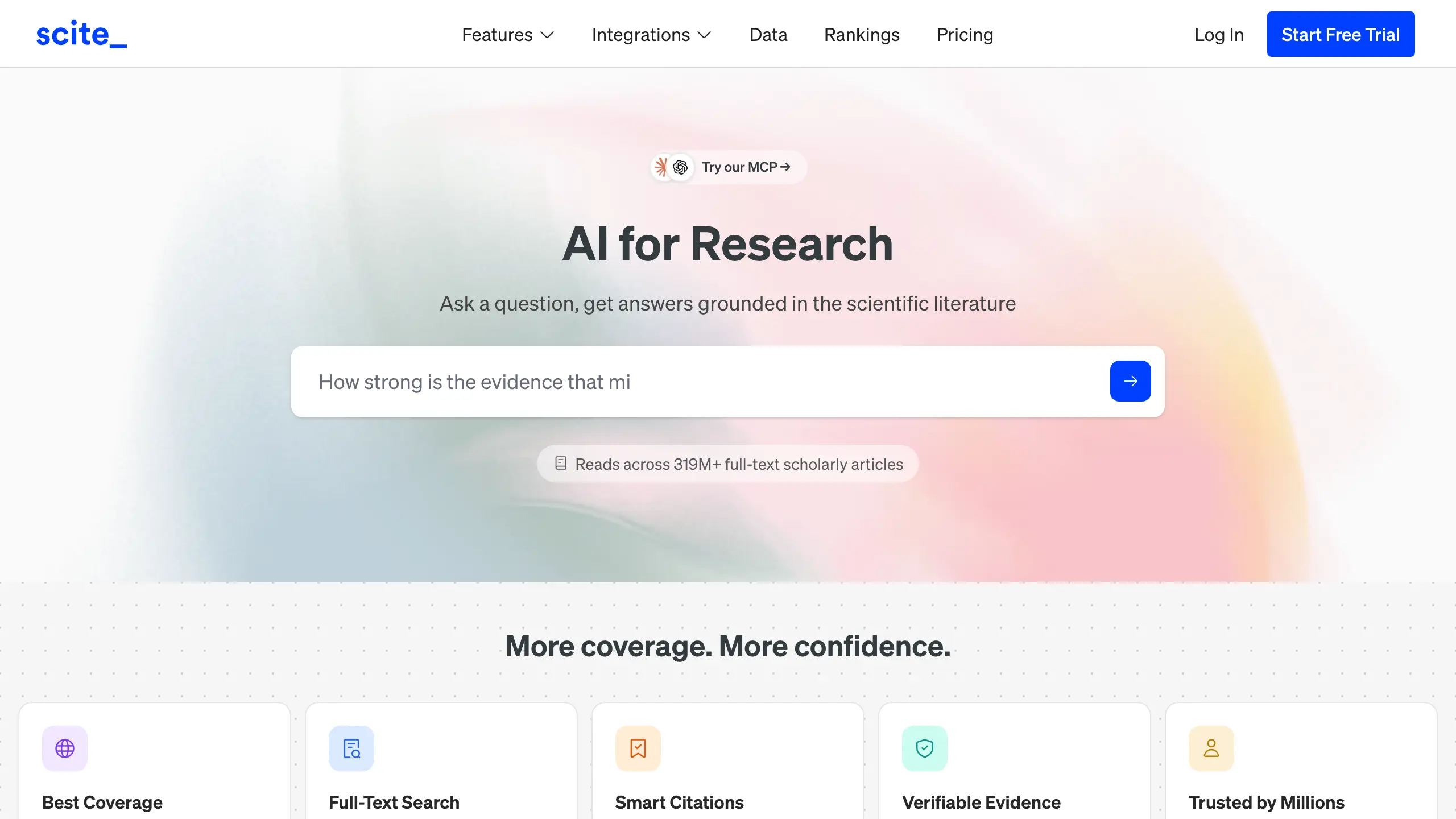
Scite's Smart Citations label later papers as supporting, contrasting or mentioning a cited claim. It is the only tool here built to check citations.
Key capabilities:
- Support, contrast and mention labels
- Retraction warnings and dispute flags
- Assistant and Search on paid tiers
Pricing: Connect free; Basic $20/month; Pro $50/month (Scite pricing).
Watch out: Don't let Scite sign off a reference list without a human check of each digital object identifier (DOI). Scite's privacy policy says it doesn't use customer data to train or improve AI models (Scite privacy policy).
Why we picked Scite: No general chatbot shows how later papers treat a claim.
User feedback:
- Positive: "It shows whether a study is supported, questioned, or merely mentioned by other papers, rather than just counting citations." (pooja mishra, Trustpilot, August 2026)
- Negative, from a writing coach who blamed Scite for a doctoral student's reference list: "Almost ALL of them were fake or inaccurate..." (Just Jill Marie, Trustpilot, August 2026)
10. Semantic Scholar: Free AI Search Engine for Scientific Literature
Best for: Finding research papers and following citation trails for free
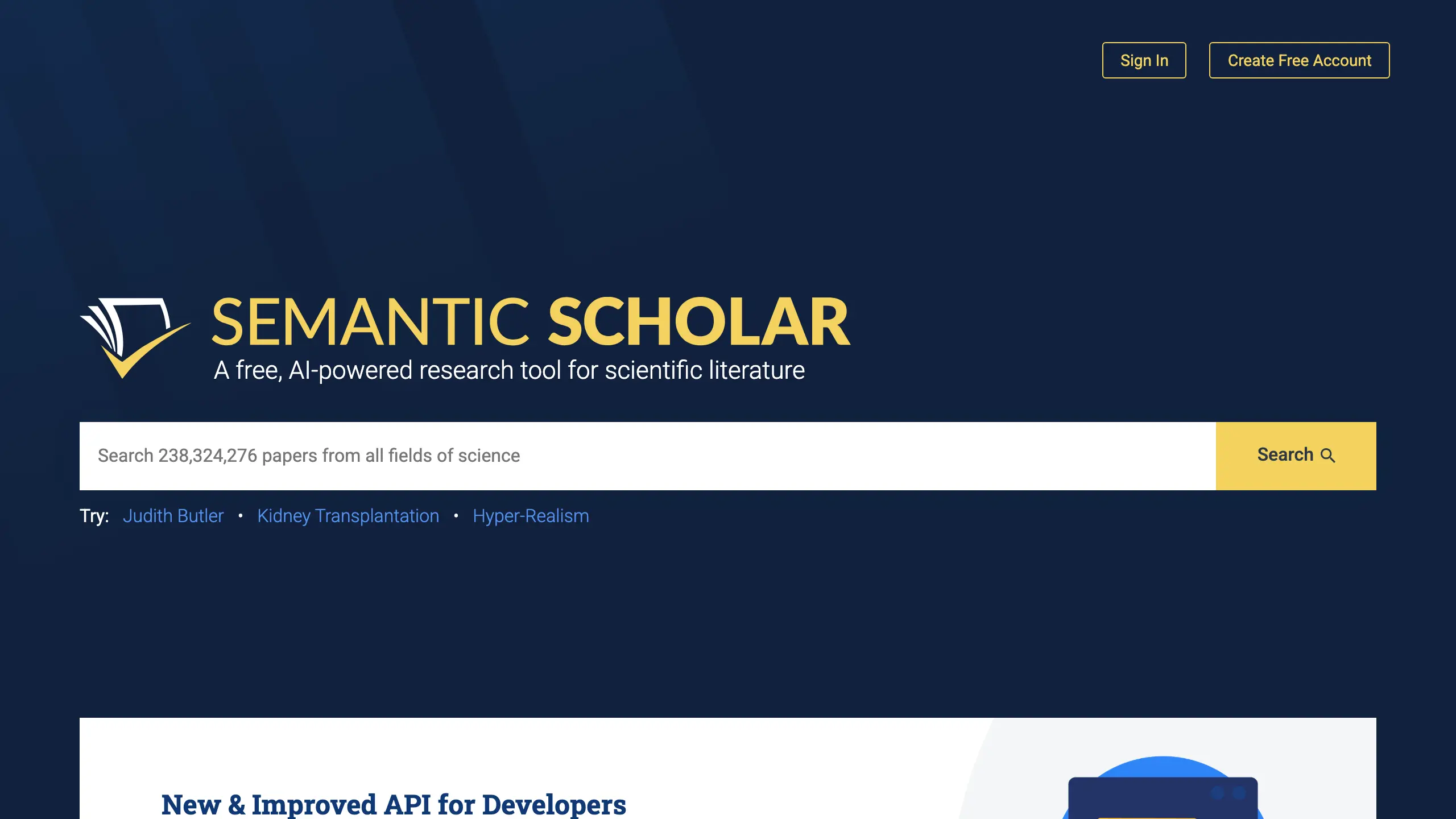
Semantic Scholar is a free search engine for scientific literature, with AI-written TL;DR summaries and citation graphs.
Key capabilities:
- Citation-graph search
- TL;DR summaries of papers
- Alerts, feeds and Semantic Reader
- No login for basic access
Pricing: Free; no paid individual tier (Semantic Scholar FAQ).
Watch out: Semantic Scholar is a discovery tool only. It doesn't draft, synthesize or answer questions in chat.
Why we picked Semantic Scholar: It covers early discovery fully free, with no login.
User feedback: No reviews were found: Trustpilot returned none, and Capterra lists 0 user reviews.
11. ResearchRabbit: Free Citation Map Tool for Literature Discovery
Best for: A visual map of related papers and authors from a few seed papers
ResearchRabbit maps related papers and authors outward from a few seed papers. The free plan offers unlimited searches across 310M+ articles, unlimited collections and up to 50 seed articles (ResearchRabbit pricing).
Key capabilities:
- Visual citation networks from seed papers
- Author and paper recommendation chains
- Shared collections
Pricing: Free; ResearchRabbit+ $12.50/month (ResearchRabbit pricing).
Watch out: ResearchRabbit has no generative answer feature, so it can't handle chat questions, drafting or citation checks.
Why we picked ResearchRabbit: It turns a few seed papers into a map of related work, a free step before a formal database search.
User feedback: No reviews were found on Trustpilot, Capterra or Product Hunt.
12. Paperpal: AI Writing Assistant for Academic Papers Before Journal Submission
Best for: Academic language polish and journal-fit checks before submission
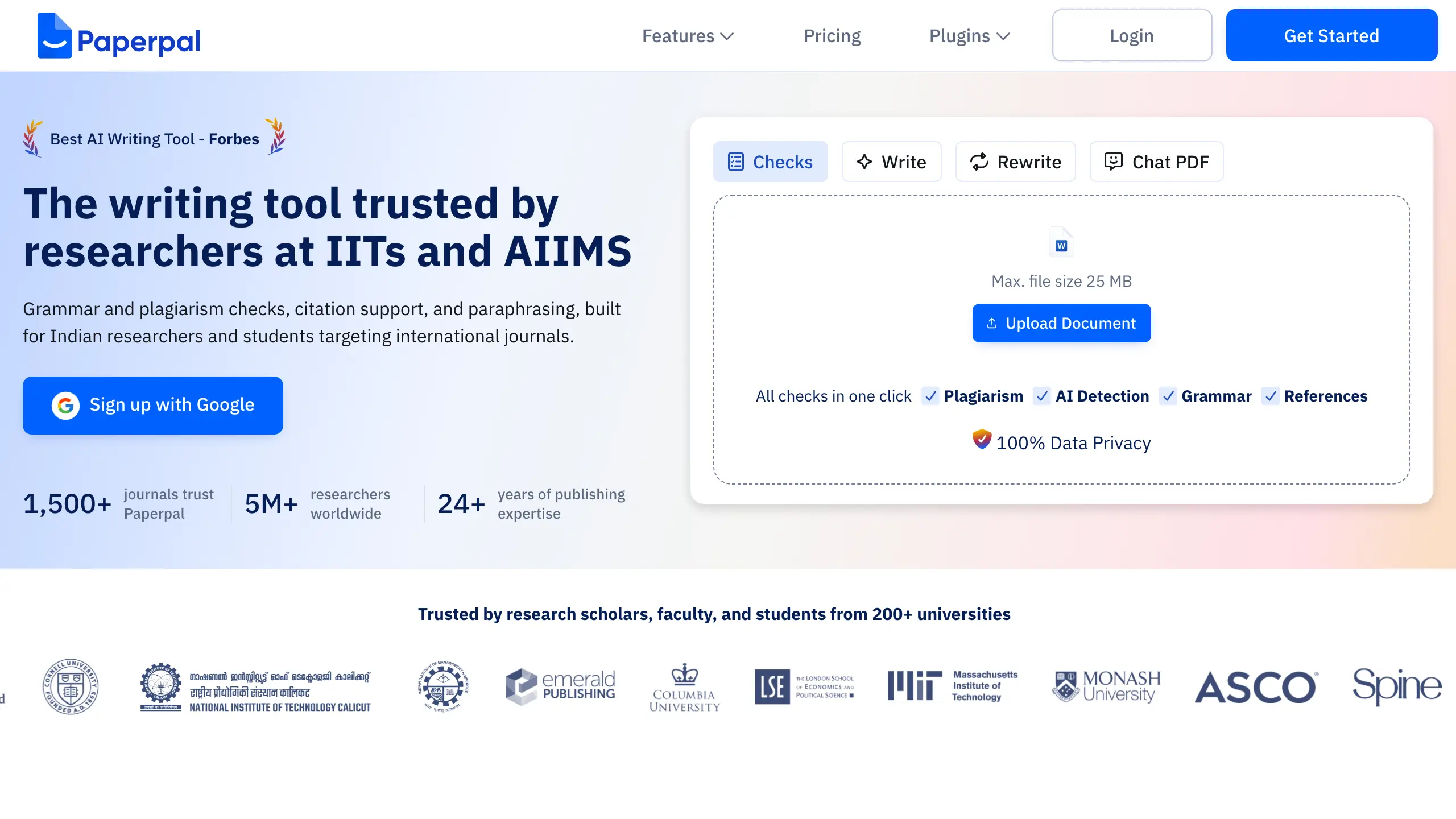
Paperpal is an AI writing tool built for manuscript preparation.
Key capabilities:
- Plagiarism and AI-detection reports
- Journal-fit checks before submission
- Agent-based manuscript preparation
Pricing: Free (200 edits a month); Prime $25/month; Pro $59/month (Paperpal pricing).
Watch out: One March 2026 reviewer couldn't find a way to delete an uploaded manuscript (a user report, not vendor policy), so check deletion before uploading. Paperpal's help center says user data is never used to train its AI (Paperpal help).
Why we picked Paperpal: It checks grammar and journal fit right before submission, and Elsevier says basic spelling and grammar checks need no disclosure (Elsevier policy).
User feedback:
- Positive: "It really helps you in drafting your research if you get stuck while writing." (BINOY KRISHNA Nath, Trustpilot, September 2026)
- Negative: "After uploading my manuscript, I discovered there is no clear way to delete the file from the system." (CC, Trustpilot, March 2026)
Why Are Researchers Looking for ChatGPT Alternatives in 2026?
Researchers look for ChatGPT alternatives for two reasons. Personal AI accounts can train on unpublished work by default, and every general large language model chatbot can invent references. Switching tools fixes neither risk on its own.
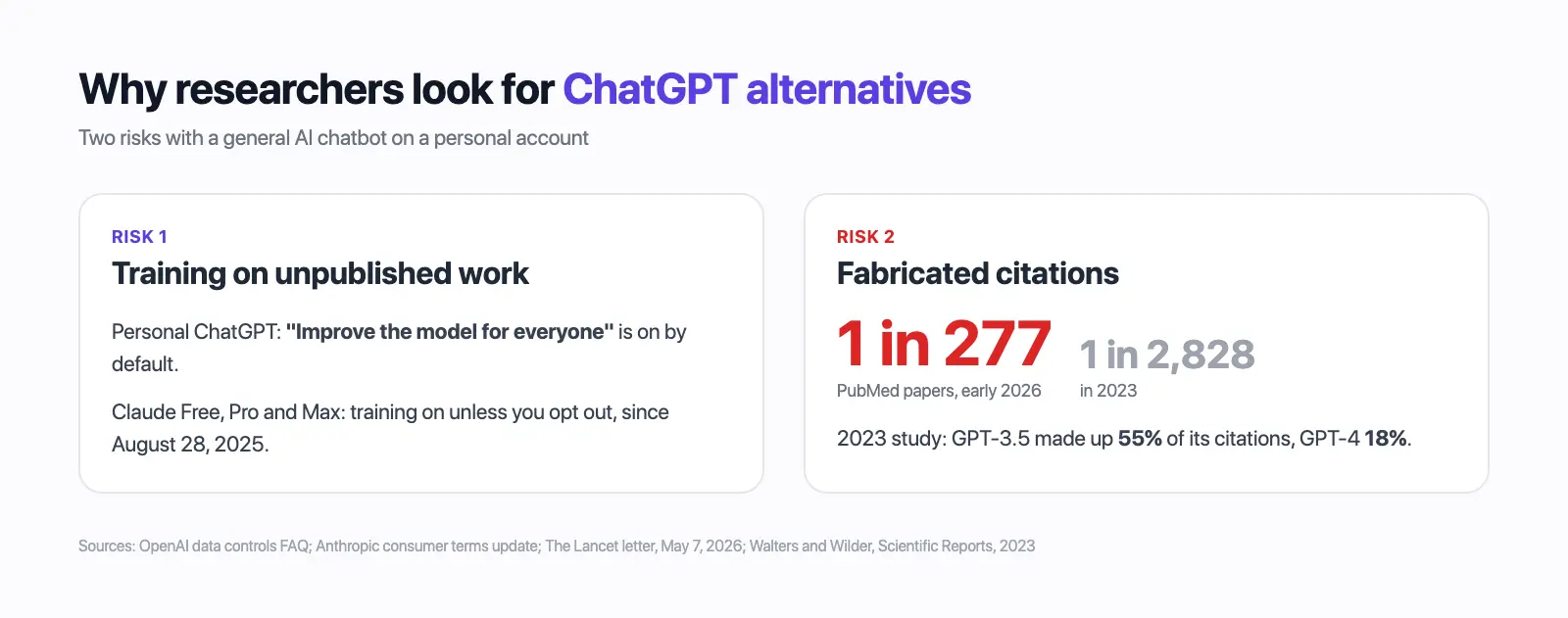
ChatGPT personal accounts leave "Improve the model for everyone" on by default, while ChatGPT Business, Enterprise, Edu and the API don't train by default (OpenAI). Since August 28, 2025, Claude Free, Pro and Max have training on unless opted out, with five-year retention when left on (Anthropic).
In a 2023 study by Walters and Wilder (Scientific Reports, September 7, 2023), GPT-3.5 made up 55% of its citations and GPT-4 made up 18%. Even the real citations often had errors: 43% for GPT-3.5 and 24% for GPT-4 (PMC).
- A ChatGPT thumbs-up or thumbs-down can still send a whole conversation into training (OpenAI help).
- Opt-outs aren't retroactive: a deleted Claude chat already in a started training run isn't pulled back (Anthropic), and Perplexity opt-outs cover only later data (Perplexity help center).
How to Build an AI Research Workflow, One Job at a Time
A research workflow has seven jobs: discover, screen, extract, read, check citations, draft and disclose. Use one tool per job and stop it at its known limit, because even the newest models still fabricated references in 35.3% of answers in a September 2026 test (arXiv 2609.14988).
| Job | Use | Stop line | Check against |
|---|---|---|---|
| Discover | Semantic Scholar, ResearchRabbit; Perplexity for background | Not a complete search | Your library's databases |
| Screen | Elicit, Consensus | Caught about 38% of relevant studies in one Elicit test | A database search string |
| Extract | Elicit tables | Values can be wrong | The PDF itself |
| Read | NotebookLM, SciSpace; Elephas for your own files | Answers only from what you loaded | The page cited |
| Check citations | Scite | Shows context, not proof a reference exists | The DOI, opened by you |
| Draft | Claude, Gemini; Paperpal to polish | No reference from memory goes in unchecked | Scite plus the source |
| Disclose | You, not a tool | No tool can decide this for you | The journal's AI policy |
In a study of eight free chatbots on 400 references, Cabezas-Clavijo and Sidorenko-Bautista found 26.5% fully correct and 39.8% wrong or fabricated (arXiv 2505.18059). Zhao and colleagues audited 2.5 million papers and estimated 146,932 hallucinated citations in 2025 alone (arXiv 2605.07723).
- Review articles had a fabrication rate 57% higher than other paper types (Retraction Watch).
What Do Journals and Funders Allow When Researchers Use AI Tools?
Elsevier's generative AI policy, updated June 2026, lets authors use AI to organize literature and improve language. Authors must check every source, must not grant a tool the right to train on the manuscript, and must disclose substantive AI rewriting (Elsevier policy).
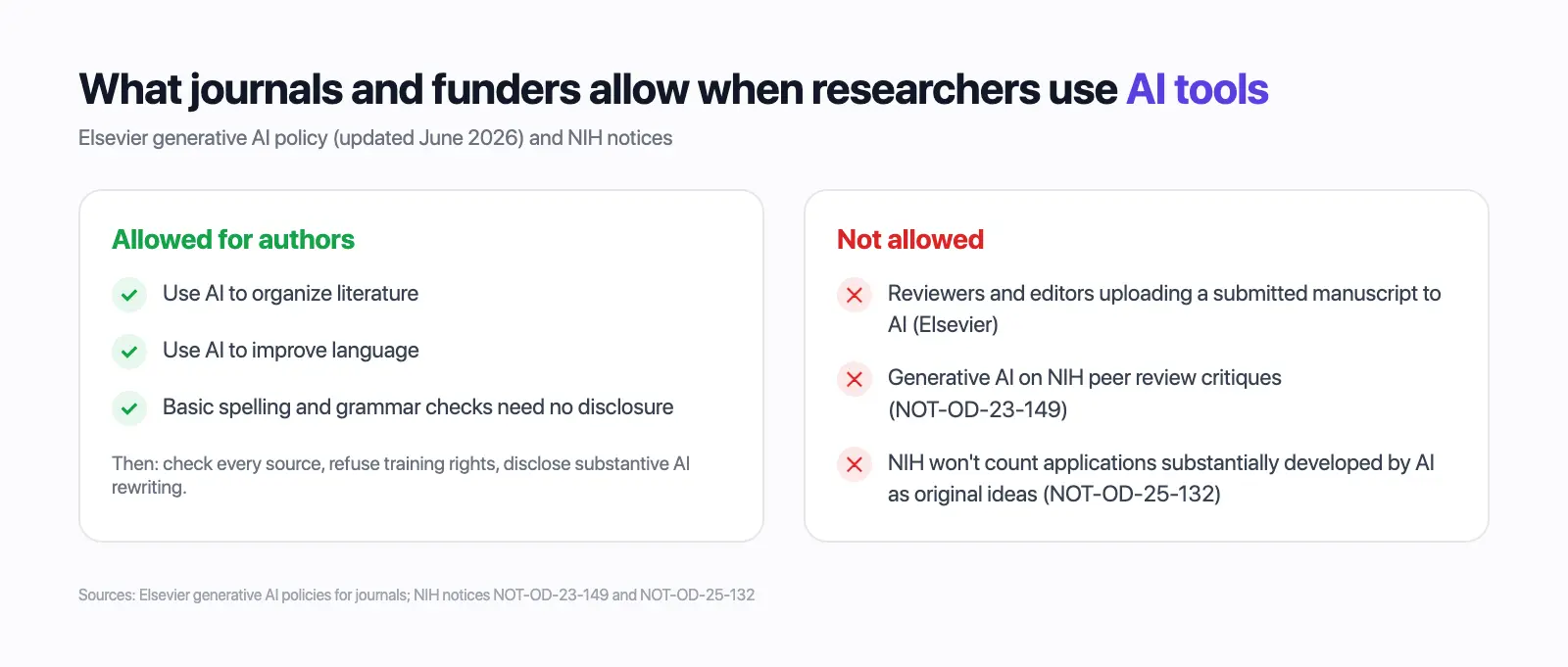
Reviewers and editors may not upload any part of a submitted manuscript to an AI tool, and fabricated references may lead to rejection (Elsevier policy). NIH Guide Notice NOT-OD-23-149 bans generative AI on critiques during NIH peer review (NIH notice).
Under NIH notice NOT-OD-25-132, effective September 25, 2025, NIH won't count applications substantially developed by AI as the applicant's original ideas, and AI found after an award can be referred for a misconduct review (NIH notice NOT-OD-25-132).
For a disclosure statement, log:
- Which tool and plan you used
- Which task you used it for
- Which references the AI suggested and how you checked each one
- Whether any part of a manuscript under review was uploaded (the answer must be no)
What Should Researchers Check Before Uploading Unpublished Work to an AI Tool?
An unpublished manuscript, grant draft or participant file needs five checks before it goes into any AI tool, starting with the plan's training default and whether sharing the file is allowed at all.
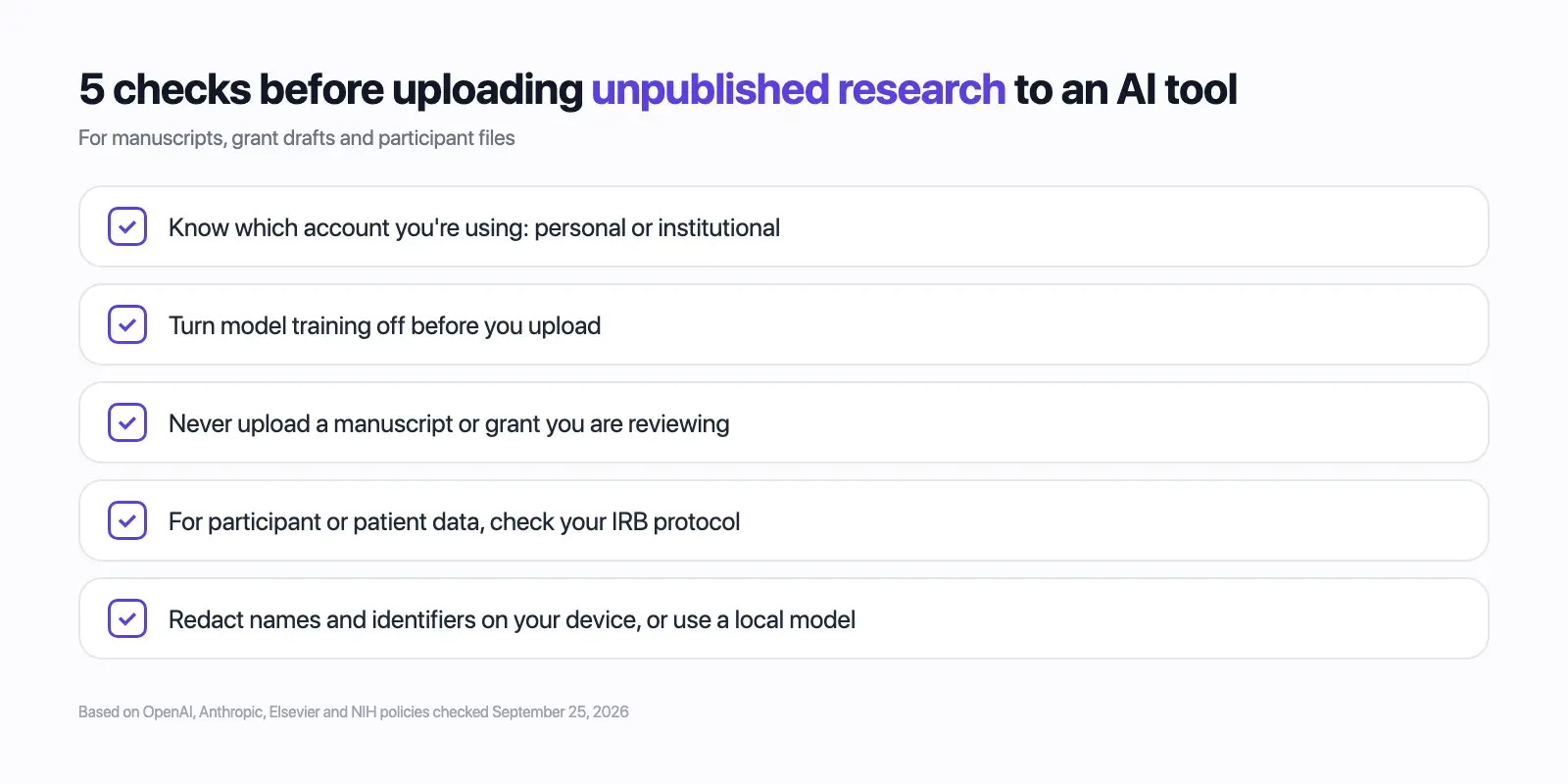
- Know which account you're using: personal, or an institutional Workspace, Edu, Enterprise or Claude for Education plan.
- Turn training off first: in ChatGPT, Settings > Data Controls > "Improve the model for everyone"; on a Claude consumer plan, the model-training choice.
- Never upload a manuscript or grant you are reviewing: Elsevier and NIH rules forbid it.
- For participant or patient data, check your institutional review board (IRB) protocol. For protected health information, OpenAI's business associate agreement (BAA) list doesn't include consumer ChatGPT or ChatGPT Business (OpenAI).
- Redact names, emails and identifiers on your device first, or use a local model.
See our guide to private AI tools for confidential work, or read how to handle AI research without leaks.
How We Selected the Best ChatGPT Alternatives for Researchers
We kept a tool only if it wins one named research job better than a general chatbot, has a price checked on the vendor's own site (gaps are flagged below), and has a stated limit we could source.
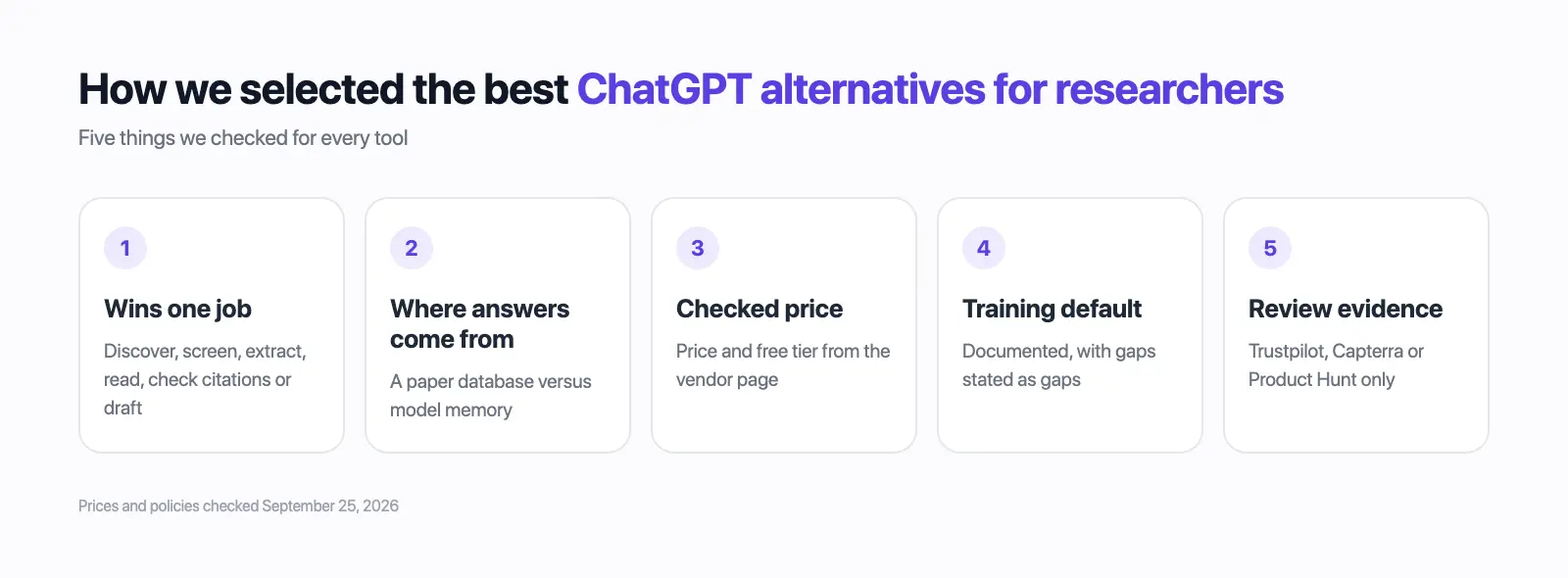
- Wins one job: discover, screen, extract, read, check citations or draft.
- Retrieval source: a paper database versus model memory.
- Price and free tier from the vendor page on the check date.
- Documented training default, with gaps stated as gaps.
- Review evidence from Trustpilot, Capterra or Product Hunt only.
Microsoft Copilot didn't win a research job and was among the most hallucination-prone in the eight-chatbot reference test (arXiv 2505.18059).
The order isn't a ranking: general assistants first, then Elephas for private files, then specialist research tools.
Which ChatGPT Alternative Should Researchers Pick?
Pick by the job and by how sensitive the file is.
- Finding and reading papers for free: Semantic Scholar, ResearchRabbit and NotebookLM.
- Screening and checking citations: Elicit, then Scite before any claim goes in.
- Drafting for a journal: Claude or Gemini, with Paperpal for the final polish.
- Unpublished drafts, embargoed data or participant files: Elephas keeps your files indexed on your Mac and can run fully offline with a local model. When you want a cloud model like ChatGPT or Claude, Elephas redacts names and other sensitive details before anything is sent (Elephas for researchers). Paid plans start at $19/month.
Private AI for research
Use ChatGPT and Claude on your research without exposing it
Elephas keeps your manuscripts, grant drafts and notes indexed on your Mac and can run fully offline. When you use a cloud model, it redacts names and other sensitive details before anything is sent.
Frequently Asked Questions
What is the best ChatGPT alternative for research?
No single tool wins every research task, so the best pick changes with the job. Elicit screens 138M+ papers, Scite shows citation context, NotebookLM reads your own PDFs free, and Claude suits long-document drafting. Pick by the job, then check every reference.
Is NotebookLM a good ChatGPT alternative for research?
For reading and synthesis, yes, because it stays inside your own sources. It answers only from up to 50 sources per notebook on the free tier and doesn't search the literature. On a personal account, uploads aren't used for training unless you send feedback.
Is ChatGPT safe for unpublished research?
Not on a personal Free, Plus or Pro account while "Improve the model for everyone" stays on. Turn that setting off under Settings > Data Controls first (OpenAI). ChatGPT Business, Enterprise and Edu don't train by default, and reviewers should never upload a manuscript under review.
Does OpenAI's ChatGPT for Academic Researchers program make other tools unnecessary?
Not for most researchers, because access is limited. OpenAI launched it on July 29, 2026: free 12-month workspaces, data not used for training by default, for eligible faculty and postdocs at participating institutions, starting with 10,000 researchers and scaling toward 100,000 through 2027 (OpenAI).
Which ChatGPT alternatives for research have a free plan?
Most of them: Semantic Scholar, ResearchRabbit, NotebookLM, Elicit Basic, Consensus, Scite Connect, Paperpal, Perplexity, Claude, Gemini and Elephas. Semantic Scholar is fully free; SciSpace's free tier was not confirmed on its pricing page.
Sources and Methodology
Vendor pages supplied the prices and policies on September 25, 2026, re-checked September 28, 2026; each is a vendor commitment, not an audit or legal advice.
Flags: SciSpace showed no USD price, and NotebookLM's plans page showed no prices, so its plan prices come from Google's Gemini subscriptions page.
