Is ChatGPT Projects Worth It?
Last updated: September 21, 2026
Is ChatGPT Projects worth it? Every plan includes the Projects feature, Free too, with room for 5 files in a project, 25 on Go or Plus and 40 on Pro or Business. Yet three of 14 top-ranking pages we checked said it needs a paid plan, which turns the question into whether ChatGPT Plus is worth $20 a month.
Follow that advice and you could pay $20 a month for a feature the no-cost tier already has. The decision has two parts: whether a Project is worth using, and when its limits are worth paying to lift.
Below: free-plan limits, memory, privacy and a private option.
Quick answer
- Worth using: ChatGPT Projects is on every plan, including Free, with unlimited Projects at no extra fee.
- Worth paying for only when a wall bites: 5 files per Project on Free, 25 on Go and Plus, 40 on Pro and Business.
- A Project can use its files as context; OpenAI does not promise it recalls every file.
- Project-only memory keeps clients apart; it does not stop model training on personal plans.
- Elephas is a private AI knowledge assistant for Mac with built-in local LLM models. Elephas starts at $19/month. Try Elephas for free.
What Do You Get From ChatGPT Projects on the Free Plan?
Projects is available on every plan, with file caps of 5 on Free, 25 on Go and Plus, and 40 on Pro, Business and Enterprise, per the Projects guide. There's no extra fee and no cap on how many Projects you create.
A Project groups chats, files and setup instructions. The instructions apply only inside it and override your global custom instructions there, so one client's rules stay out of other work. See what a Project is.
Projects is a container, not a paid add-on, and not the same thing as ChatGPT Work, an agent feature on paid plans other than Go. A Project adds no messages: its chats follow your plan's usage (Projects guide). So a paid plan buys room; every plan gets access.
- A Project is not a separate large language model (LLM); its chats draw on your plan's usage.
- Since July 16, 2026, Projects open in the desktop app, where a Work thread can start from Project context (release notes).
- Work cannot run inside a Project that uses project-only memory.
When Is It Worth Paying to Upload Files to a Project?
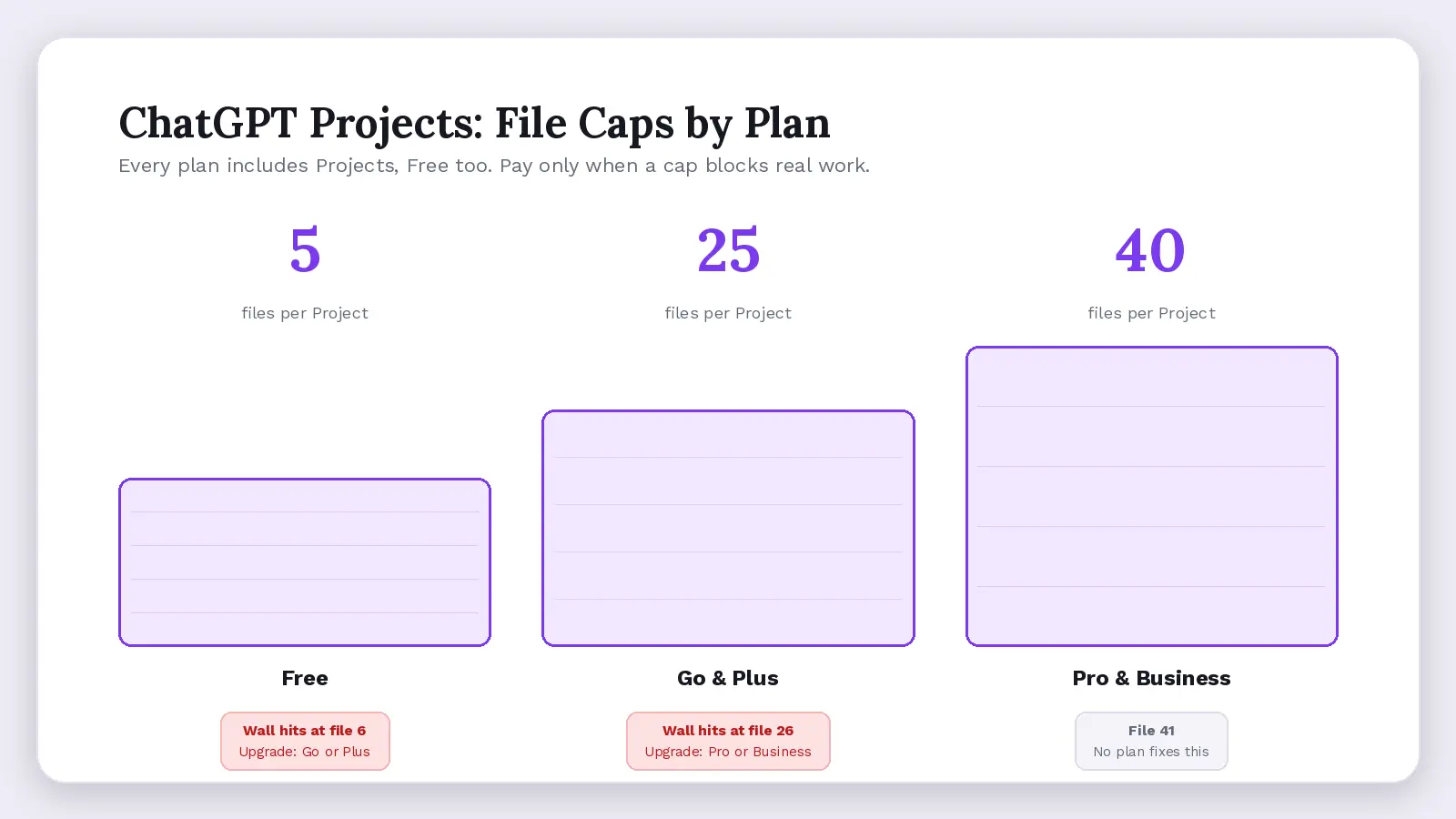
Pay only when a specific wall stops real work. The five-file cap on the no-cost tier usually comes first: one engagement's contract, scope document, two decks and a data extract fill it (Projects guide).
| Plan | File cap | Collaborators | Can train on your files | What breaks first (example: 3 clients, 8 files each) |
|---|---|---|---|---|
| Free | 5 | 5 | Yes, unless you opt out | 15 of 24 files fit; at 3 files a day, loading takes 5 days |
| Plus ($20/month) | 25 | 10 | Yes, unless you opt out | Files fit; personal account, no fixed message allowance |
| Pro | 40 | 100 | Yes, unless you opt out | Files fit; still a personal account |
| Business | 40 | 100 | No, by default | No Business Associate Agreement for health clients |
| Upgrade trigger | 6th file: Go or Plus; 26th: Pro or Business | n/a | No-training default: Business | 41st file, or files that must stay with you: no plan fixes this |
Upload and storage ceilings span your account: up to 80 files every 3 hours (3 a day on Free), 25 GB per user and 2 million tokens per text file (File Uploads FAQ). See our Projects limits guide.
Plus costs $20 a month (Plus details) with no published message allowance; the page says caps can apply in high demand and “these limits may vary based on system conditions.” More file room pays off only if the tool reads those files.
- Go has the same 25-file cap and 10 collaborators as Plus.
- Only 10 files go up per upload, so 25 files take three uploads.
- One file can reach 512 MB; spreadsheets top out near 50 MB and images at 20 MB.
- Past 40 files, split work across multiple projects; see adding more files.
Do Project Instructions and Memory Keep Context Weeks Later?
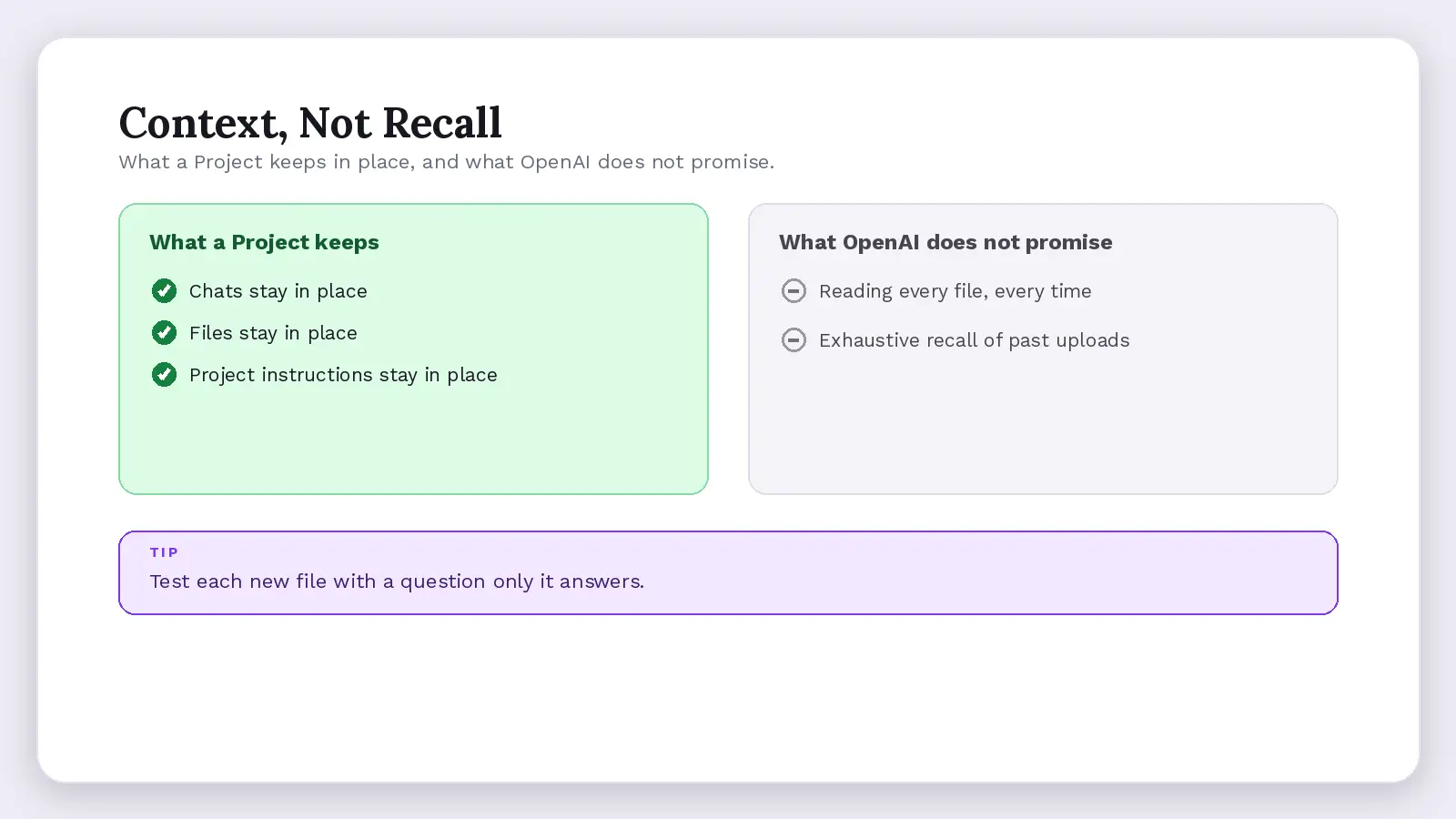
Partly. Chats, files and project settings stay in place after weeks away, so you skip re-explaining the brief. But the guide only says a Project groups work “so ChatGPT can use the same context,” and promises no exhaustive recall of every file (Projects guide).
Users report Project sources that look present but are not used in a fresh chat, and one Developer Community request calls Projects containers, not archives. These are anecdotes; there's no official figure on missed files.
A Stanford RegLab and Stanford HAI study found AI legal research tools that search source documents still gave wrong or made-up answers on 17% to 33% of tested queries. Stored context cuts the checking work; it does not remove it (Stanford study).
- Search across chats, Projects, images and documents rolled out on July 14, 2026; it surfaces related chats, not proof an answer used every file (release notes).
- Box, Dropbox and SharePoint joined ChatGPT Library on September 10, 2026.
- Google Drive links are not synced ahead of time: search happens only when you ask, so a linked client folder can go stale between chats, unlike an uploaded file.
- Keep one brief file within a project and test each new file with a question only it answers.
Projects save setup time, since you skip re-uploading and organizing files weekly, though checking answers still falls to you.
Does a Project Keep Client Files Separate and Private?
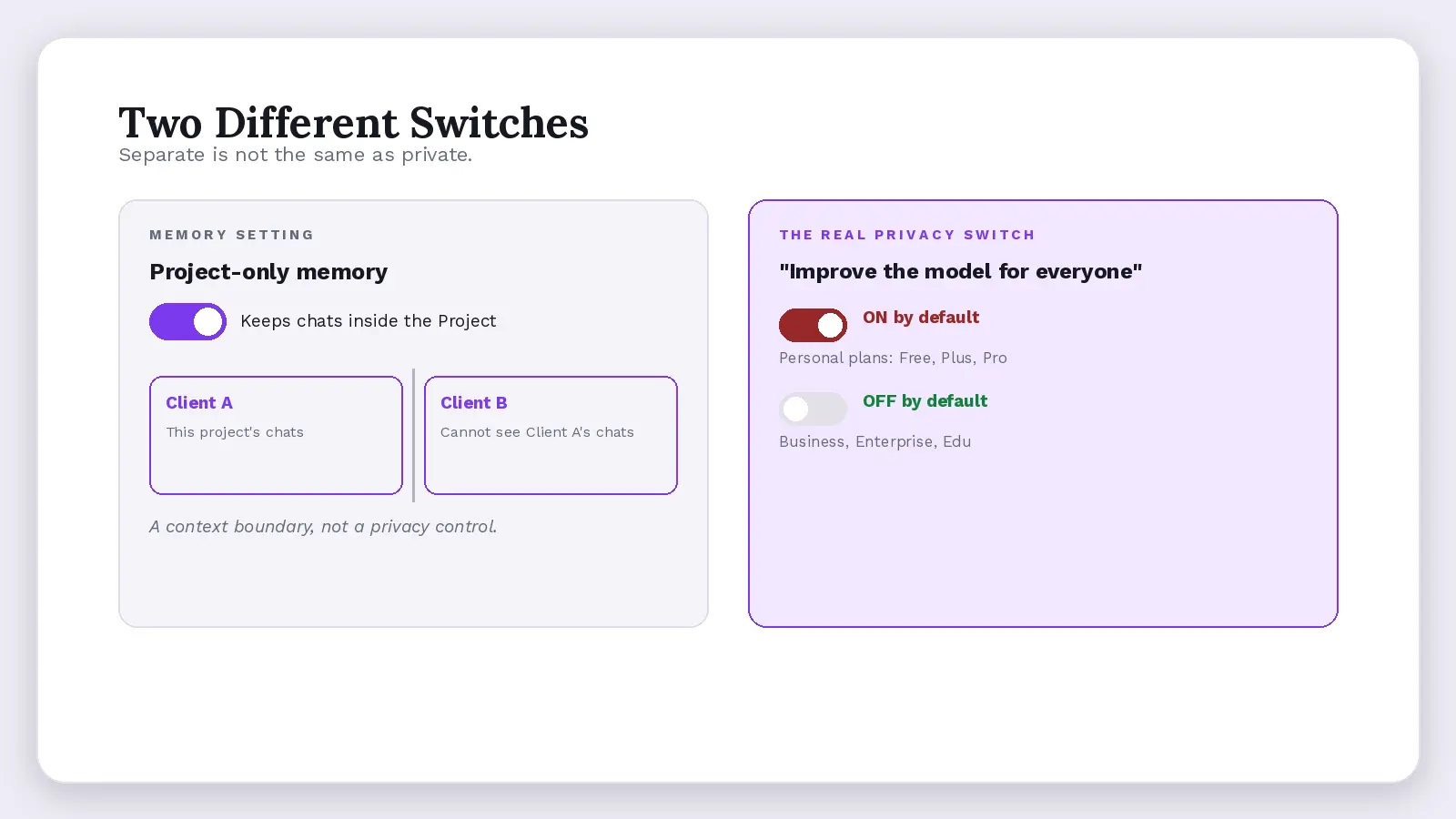
Separate, yes. Private from the vendor, not automatically. With project-only memory, chats in the project cannot reference conversations outside it, and outside chats cannot see in (Projects guide). The setting is a context boundary, not a privacy control.
The training toggle is the real privacy switch. On personal Free, Plus and Pro accounts, Project content can be used to improve the underlying models while “Improve the model for everyone” is on. Business, Enterprise and Edu data is not used for training by default (Data Controls FAQ).
Client confidentiality is the harder duty. A non-disclosure agreement (NDA) still applies when you use AI on client files, and regulators enforce data rules against AI vendors: Italy fined OpenAI €15 million in December 2024 under the General Data Protection Regulation (GDPR), though a Rome court annulled that fine in March 2026 on jurisdiction grounds.
- Eligible unshared Projects can switch memory modes after creation (August 14, 2026); shared ones stay project-only.
- Under the US Defend Trade Secrets Act, a client's pricing models or unreleased plans keep their trade-secret protection only if the owner took “reasonable measures” to keep them secret. Uploading them to a personal account with training on can weaken that.
- Shared projects expose every chat, file and instruction to every member: the guide says “All members of a project can view and download files added to the project.” Any editor can upload or remove a colleague's client file, so nobody owns what is in it.
Cyberhaven's 2025 report found 34.8% of the corporate data employees put into AI tools is sensitive, up from 10.7% two years earlier (Cyberhaven report).
Which Use Cases Make Projects Worth It, and Which Do Not?
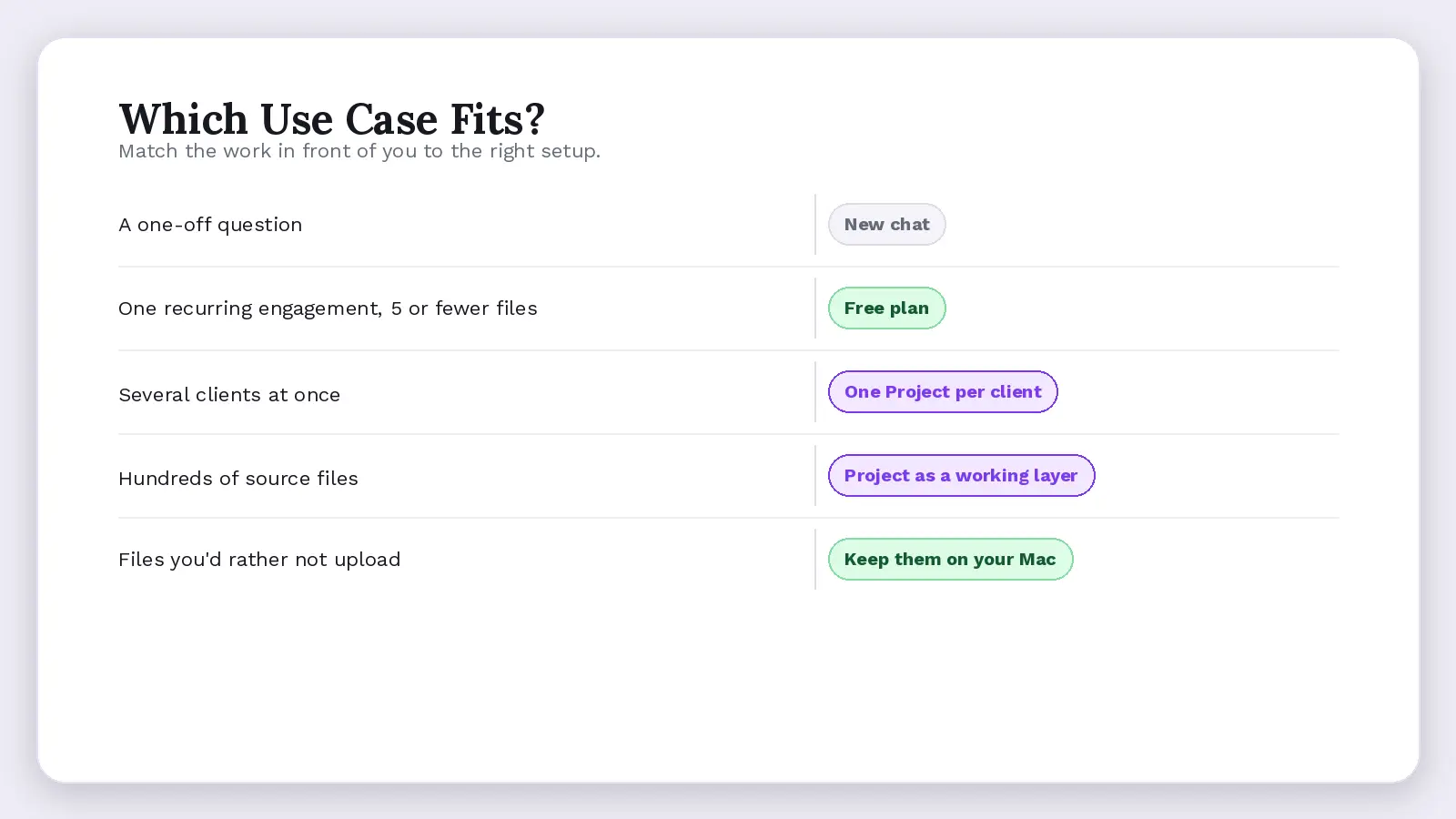
Projects earns its place where the same brief, files and rules come back and stay organized every week: a client engagement, a proposal cycle, a research stream. It's the wrong home for one-off questions or files a client never agreed to share.
- One recurring engagement with 5 or fewer stable files: create a project on Free.
- Several clients at once: one Project per client, since the Projects guide documents no sub-folders and no single-Project export.
- Hundreds of source files: use a Project as a working layer, not the archive.
- Files you would rather not upload: a Mac assistant such as Elephas answers from your own documents and shows the source.
The three ranking pages that said Projects needs a paid plan missed that the help page lists it on Free, so pricing Projects at $20 prices the wrong thing.
Claude Pro also costs $20 a month in the US (Anthropic pricing). You can compare Claude Projects, see if ChatGPT Pro pays off, and our NotebookLM Plus verdict runs the same test on Google's tool.
Data exposure has already happened on ChatGPT. A March 2023 bug exposed partial payment details of 1.2% of Plus subscribers active in a nine-hour window (official postmortem), and in 2025 about 4,500 shared chats surfaced in Google search (indexing report). Every cloud upload carries that risk.
The Solution for Client Files You Would Rather Not Upload
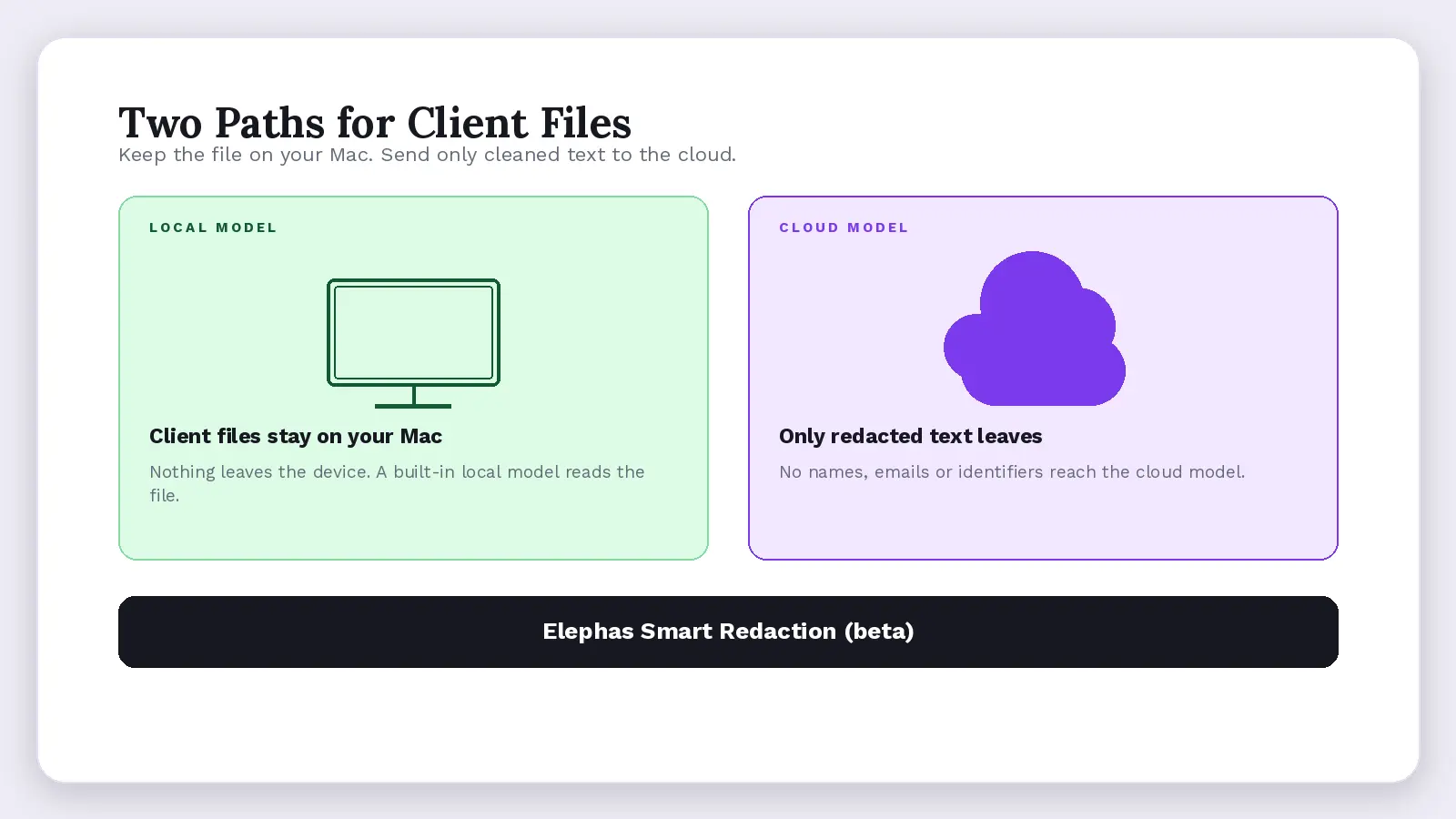
Keep confidential client files on your own machine, and send a cloud model only text with personally identifiable information (PII) removed. Elephas is a privacy-friendly AI knowledge assistant for Mac that answers from your own documents, with built-in local LLM models for files that should never leave the device.
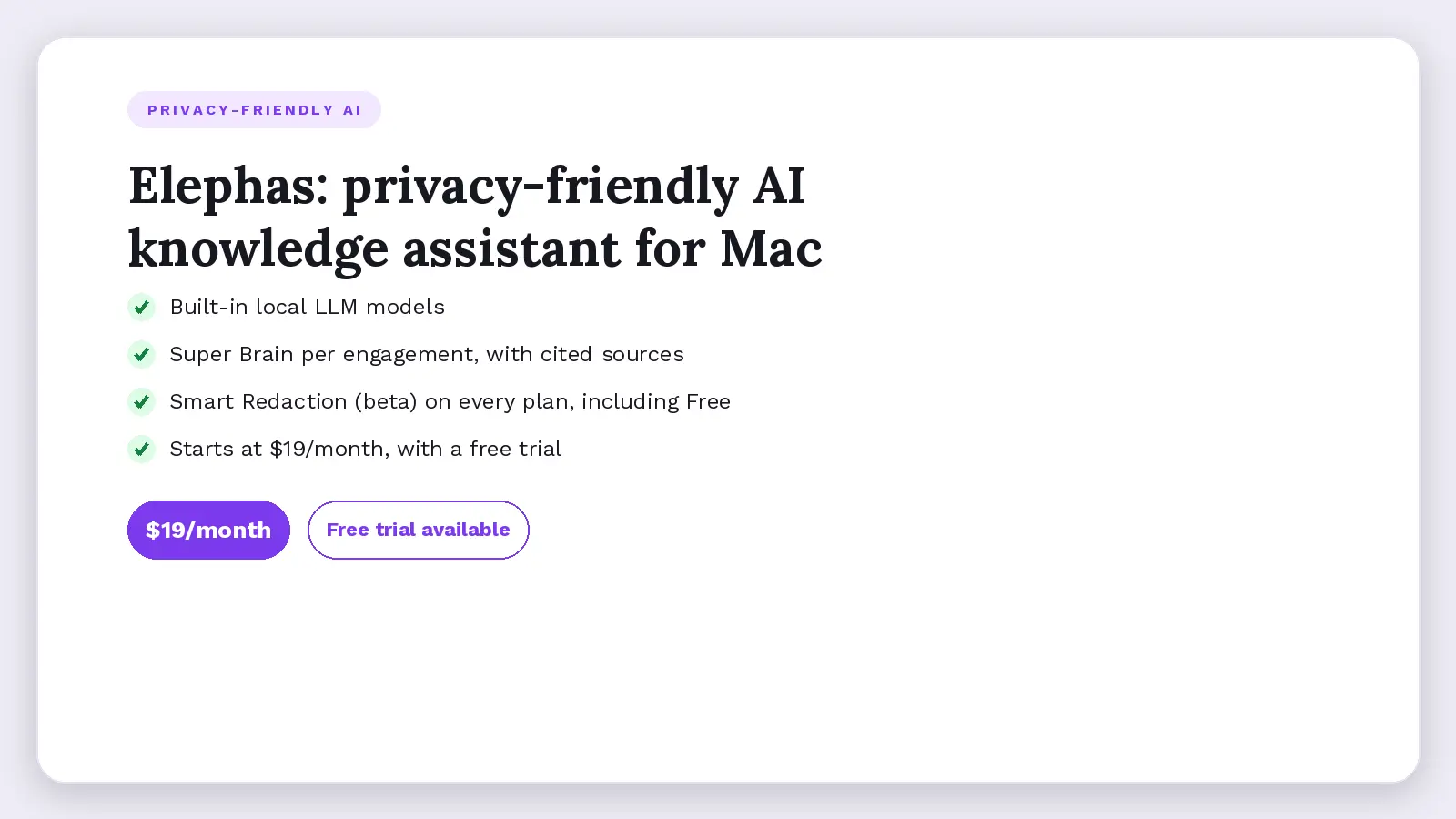
Each engagement gets its own Super Brain built from PDFs, Word files, decks and spreadsheets, with every answer citing its source.
For consultants who still want a leading cloud model, Elephas adds a second layer through automatic PII redaction (beta). Before a prompt is sent to ChatGPT, Claude, Gemini, Grok, Perplexity, or any other cloud model, it strips sensitive names, emails, phone numbers, and identifiers on your Mac. The cloud model only ever sees the sanitized text. When the answer comes back, the redacted fields are reassembled locally on your machine, so identifiable information never leaves the device. Elephas pairs this with zero data retention: content never trains AI models, never sits on a vendor's server, and never passes through a third-party reviewer's screen.
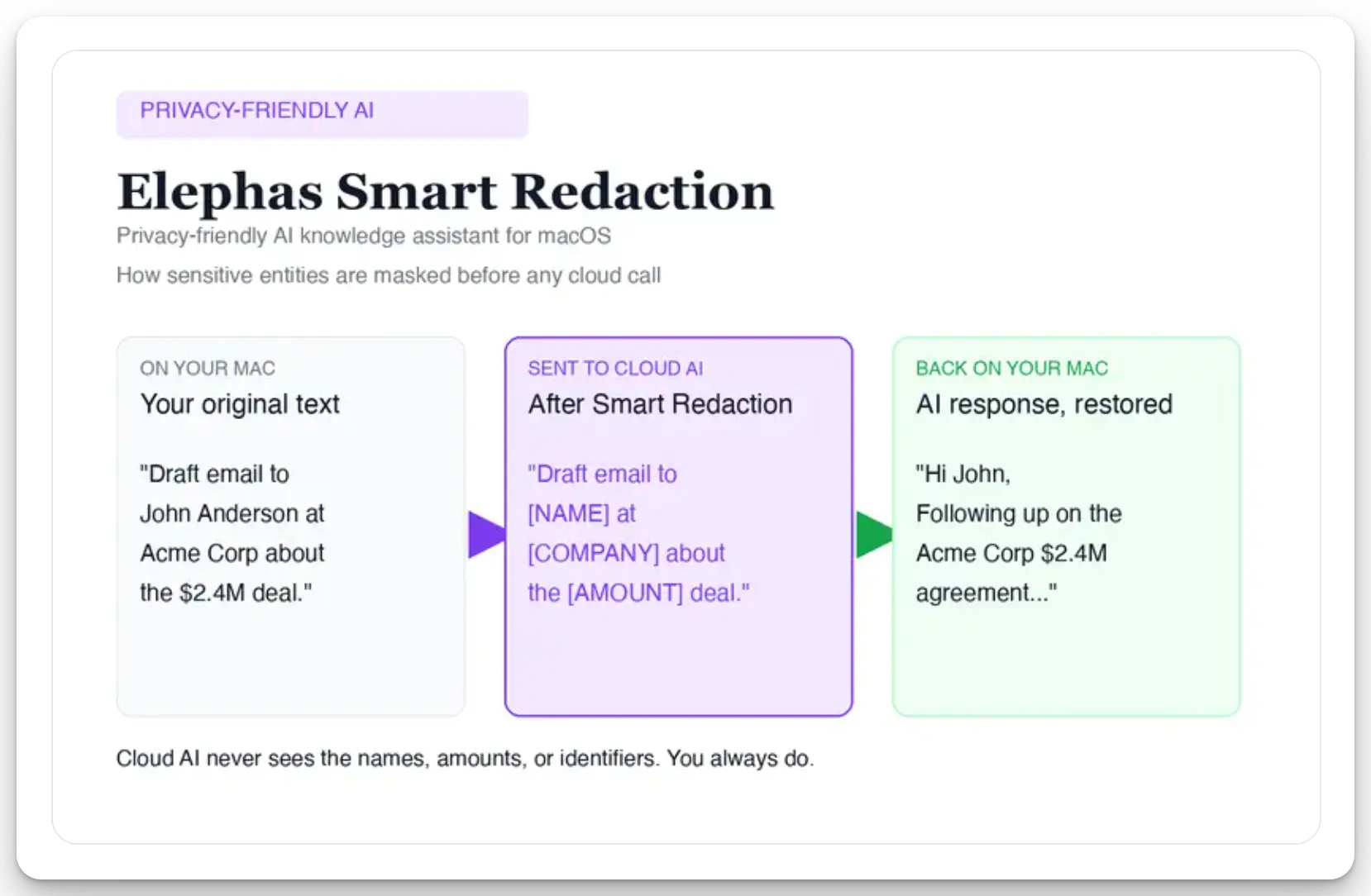
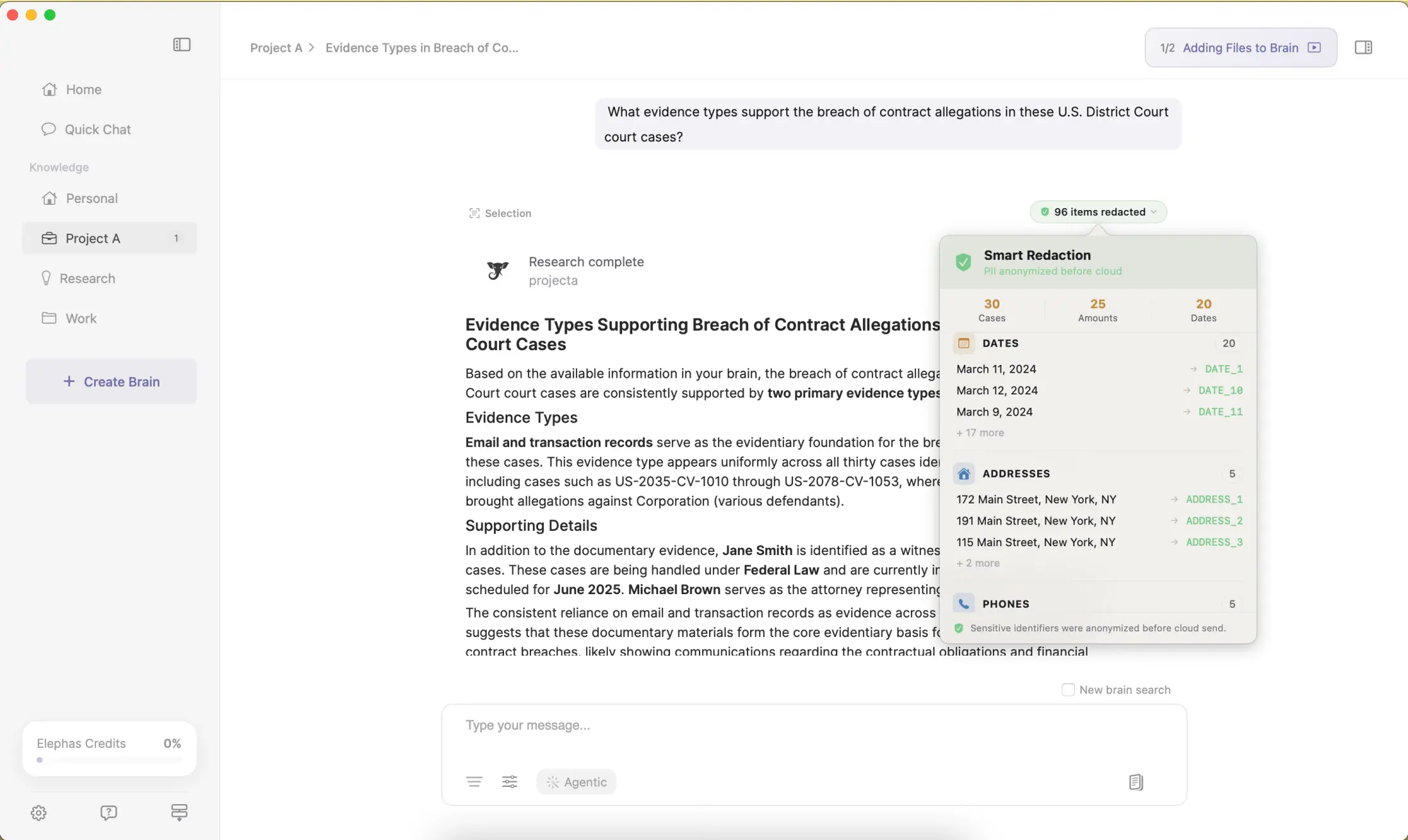
Smart Redaction (beta) is on every plan, including Free: sensitive data is automatically detected and redacted before anything reaches a cloud AI model. This Mac app works alongside your existing AI tools rather than replacing them.
- Built-in local LLM models run on your Mac, so a file can be summarized with no internet connection.
- A 1,700-page PDF can be processed for about $0.40.
- It works inside other Mac apps, from Mail to PowerPoint.
- Test Smart Redaction on one engagement on Free, then upgrade for capacity. Plans start at $19/month. Try it for free.
Summary: Is ChatGPT Projects Worth It?
Projects is worth using for recurring client work, since it's on Free at no extra fee. Worth paying for only when the five-file cap or upload limits stop the workflow, or client files need Business's no-training default.
- Start free: 5 files and unlimited Projects are enough to test one engagement.
- Upgrade to Go or Plus at a client's 6th file, or to Pro or Business at the 26th.
- Treat Project context as help, not a record, and switch off the training toggle on personal plans.
- For client files you would rather not upload, Elephas is a privacy-friendly AI knowledge assistant with built-in local LLM models, so sensitive documents stay on your Mac.
Frequently Asked Questions
What happens to files when you delete a Project?
Its chats, project-only files and instructions are removed within 30 days, unless legal or security reasons require keeping them. Files also saved to the Library follow the Library's own rules and are not deleted with the Project, per the Projects guide.
How is a Project different from a custom GPT?
Custom GPTs are reusable assistants you can share or publish; a Project is your private workspace for chats, files and instructions, and its instructions apply only inside it. Files in both count toward the same account storage limits (File Uploads FAQ).
Can Projects replace project management software?
No. A Project has no task boards, deadlines or assignees, since it only holds chats, files and custom instructions. A project manager can use one for status notes, meeting summaries and risk logs, then move tasks into dedicated software instead.
How do you set up a project and add files?
Create a new project in the sidebar, give it a project name, and add custom instructions for tone and scope. Then attach files, up to 10 per upload, and start a new chat inside that project. See how to use Projects.
Can a healthcare client's patient files go into ChatGPT Business?
Not by default. ChatGPT Business does not receive a Business Associate Agreement (BAA), which the Health Insurance Portability and Accountability Act (HIPAA) generally requires before a vendor handles patient data. Only specific HIPAA-eligible products with a signed BAA qualify (HIPAA page).
