6 Best Legal Redaction Software Tools for Law Firms in 2026
Legal redaction software finds client names, account numbers and other private details in PDFs and documents, then removes them for good before a file is filed or shared. AI use makes this more pressing: 79% of legal professionals use AI, according to Clio's 2025 Legal Trends report.
If your firm wants to ask AI about client files, Elephas, our product, hides names, email addresses and phone numbers (plus any Protected Names you add) before each question leaves your computer. For filing-ready redaction with a record of each job, pick Redactable, iDox.ai or CaseGuard Studio. If your team lives in a PDF editor, use Foxit PDF Editor+, Nitro PDF or Power PDF Advanced.
We compare 6 tools on where client files go, what each removes, the record you keep and the price. We also cover Acrobat and two masking tools for ChatGPT.
Quick answer
- AI questions on client files, not redaction: Elephas (our product), from $19 a month.
- Court filings with a certificate: Redactable.
- Documents and email on your own computers: CaseGuard Studio.
- A PDF editor with AI suggestions: Foxit PDF Editor+.
- A PDF editor with a separate AI redaction add-on: Nitro PDF.
- A one-time Windows licence: Power PDF Advanced.
- A cloud suite linked to your document system: iDox.ai.
When the Goal Is AI on Client Files: Elephas
Elephas is our product, a private AI app for your documents on Mac (macOS 14 or later, Apple Silicon) and Windows 10 or 11, 64-bit, with no mobile app. It answers questions from your client files and cites them. It does not redact files, so for filing-ready PDFs, use one of the 6 tools below.
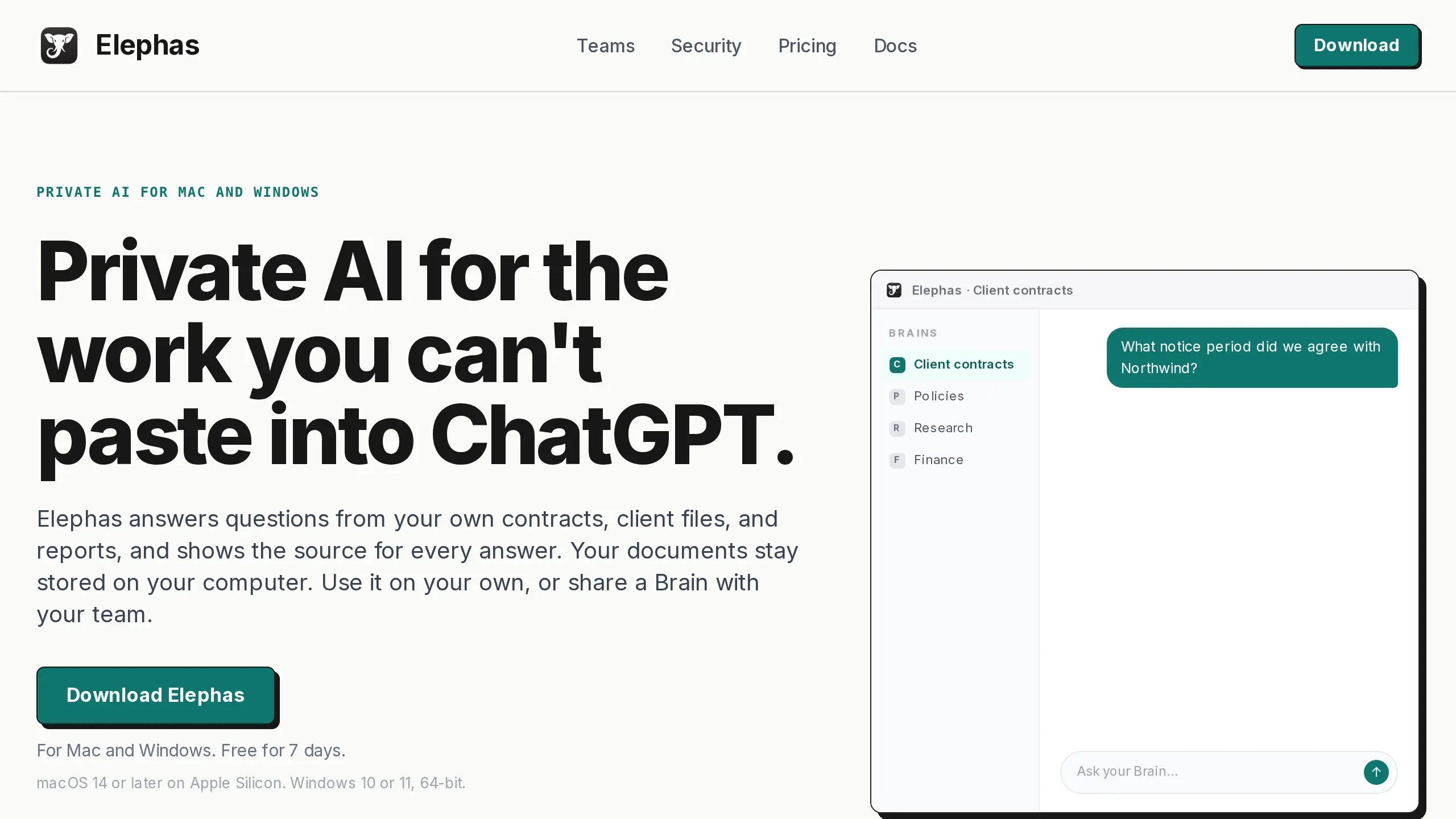
Before a question leaves your computer, the app hides names, email addresses and phone numbers, then puts them back in the answer, with a hidden list under each answer. Detection works in 6 languages, and Elephas does not hold security certifications today (security page).
Key Capabilities:
- Documents stay stored on your computer
- Protected Names for a client or project code name
- The included cloud model, your own OpenAI, Claude or Gemini key (not on Team), or an on-computer model
- Our free anonymize text tool does similar hiding in your browser for a one-off paste
Where client data goes: Your question and selected passages go to the cloud model with personal details hidden; the included model does not store or train on them. The on-computer model keeps questions off the cloud. For a setup with no cloud at all, see offline AI for documents.
Pricing: Plans start at $19 a month, with a 7-day free trial and no card needed (Elephas pricing). Team is $29 per person a month with shared Team Brains.
Main catch: Detection isn't a guarantee, so check the hidden list under each answer.
User Feedback:
Positive: about the earlier version, "The biggest advantage of Elephas is that my files remain stored locally..." (Ahmed F, Capterra, Dec 2025, source)
Negative: about the earlier version, "I think it was a bit complex at first, it takes a bit getting used to..." (Senior Market Intelligence and Strategy Analyst, Capterra, Dec 2025, source)
Which Legal Redaction Software Fits Your Firm
Start with the job. Court filings and discovery productions need permanent redaction, so the text and hidden data are gone. Chatbot questions need masking, where details become placeholders.
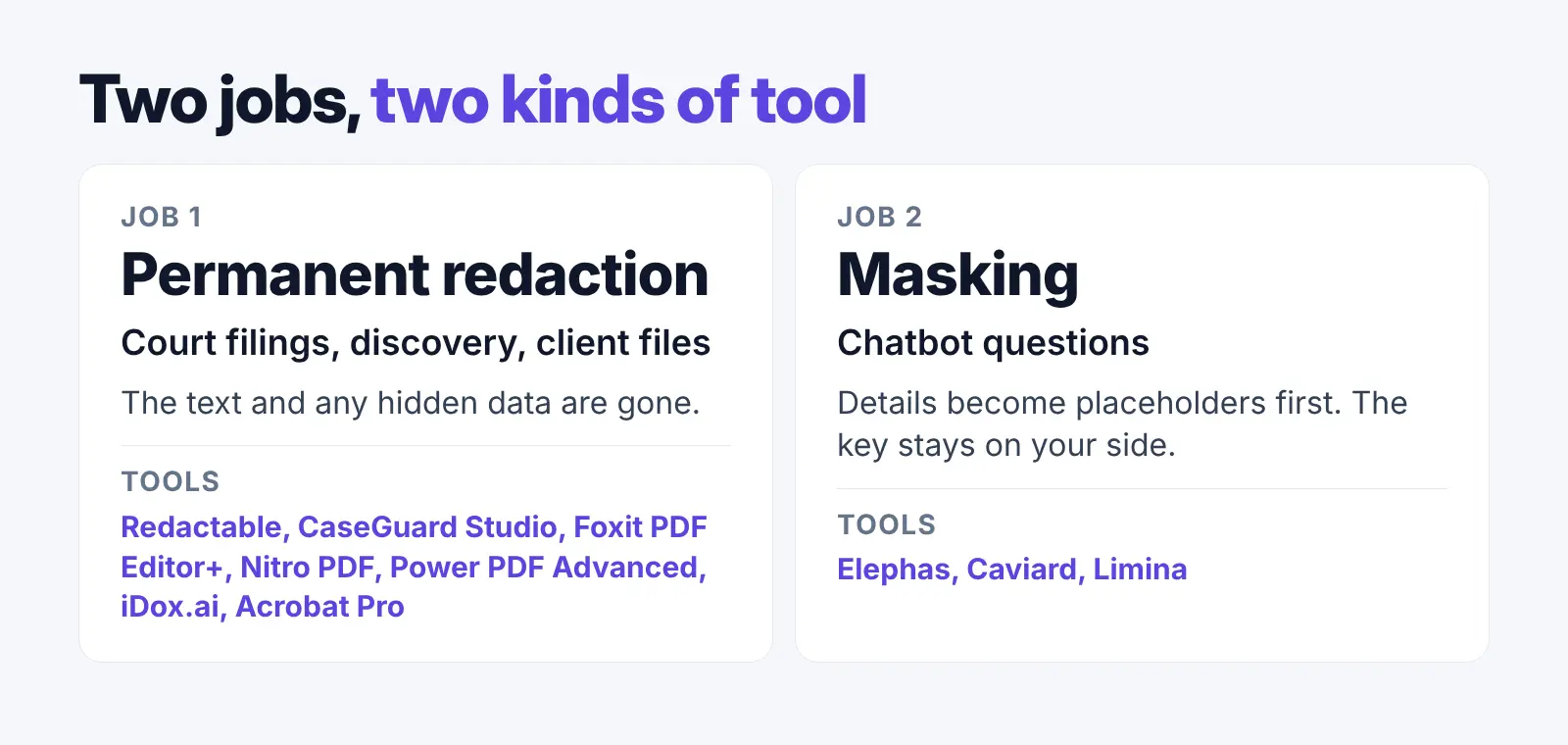
Then check where client files go: a vendor cloud or your own computer.
| Tool | Price | Free option | Where data is processed | Removes or masks | Record | Platforms |
|---|---|---|---|---|---|---|
| Redactable | $19 a month (15 documents) | 3 documents | US cloud (AWS) | Removes, with metadata | Certificate per job | Web |
| CaseGuard Studio | $279 per user a month, paid annually | 7-day trial, watermark | Your computers, CaseGuard says | Removes, with metadata | Audit reports | Windows |
| Foxit PDF Editor+ | $159.99 per user a year | 14-day trial, no card | Smart Redact: Foxit cloud (Azure) | Removes; Sanitize cleans metadata | None found | Windows, macOS, web, iOS, Android |
| Nitro PDF | $15 per user a month ($180 a year) | 14-day trial, no card | Desktop app; Smart Redact: cloud | Removes; metadata is a separate step | None found | Windows, macOS, iOS |
| Power PDF Advanced | $179 one-time (Windows) | 15-day trial, no card | Your computer | Removes, plus metadata cleanup | None found | Windows |
| iDox.ai | $39 a month, billed monthly (5,000 pages a year) | 7-day trial, 2 pages per document | Cloud (Azure) | Removes, with metadata | Certificate per job | Web |
1. Redactable: Certificates for Court Filings and Productions
Best for: firms that want a certificate for each filing or production.
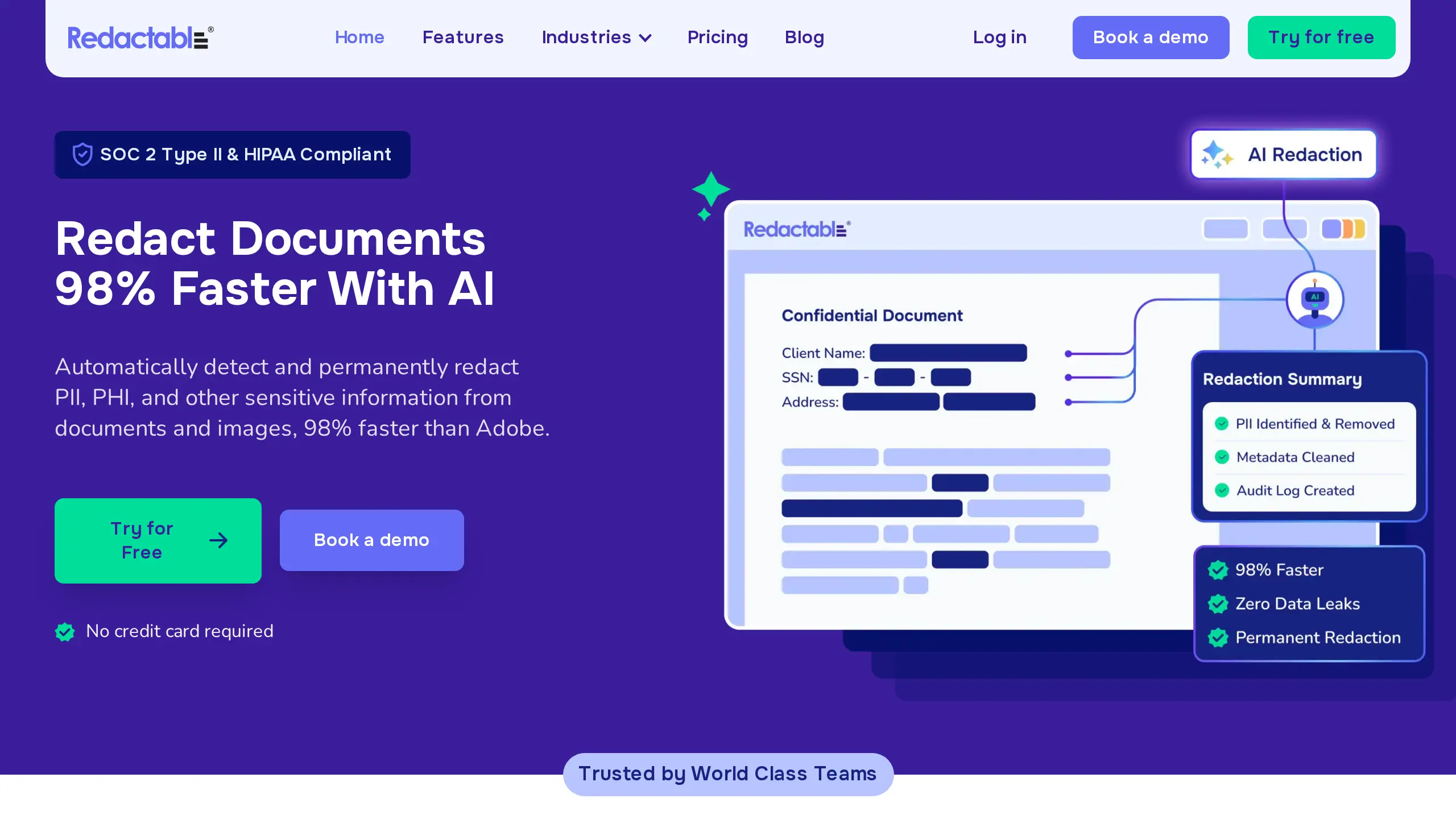
Redactable is a cloud app for PDF and image redaction, including scans. It finds sensitive details, then strips hidden metadata, embedded objects and residual data (Redactable features).
Redactable says it is SOC 2 Type II certified and HIPAA compliant on its security page.
Key Capabilities:
- Automated redaction of names, numbers and other sensitive data
- A certificate and audit trail on every plan
Where client data goes: Redactable says it runs entirely on AWS, and your data is stored in the US and does not leave it.
Pricing: Starter is $19 a month for 15 documents, and Pro Plus is $99 a month for 150. Your first 3 documents are free, with no card (Redactable pricing).
Main catch: Files go to a vendor cloud, and we found no accuracy rate on its pages, so review before you file.
User Feedback:
Positive: "...Redactable made the whole process pretty straightforward and saved me hours compared to doing everything manually." (Nora Merrick, Trustpilot, Aug 2026, source)
Negative: "Its accuracy is not as expected." (Jerome Travis, Trustpilot, Apr 2026, source)
Why We Picked Redactable: A certificate on every plan, at a low entry price.
2. CaseGuard Studio: Documents and Email Redacted on Your Own Computers
Best for: email and document productions that must stay on your own computers.
CaseGuard Studio is an installed redaction suite. Its Doc Suite covers PDFs, emails, scans and images across 300+ file types, including PST, MSG and EML (CaseGuard pricing).
CaseGuard says redactions are permanent, metadata is scrubbed, and it is HIPAA, FOIA, CJIS and GDPR compliant.
Key Capabilities:
- AI document redaction with batch processing
- Auto-generated audit reports
Where client data goes: CaseGuard says all work runs on your organization's computers, "with no files processed or stored in the cloud" (CaseGuard FAQ).
Pricing: Doc Suite is $279 per user per month, paid annually. Video and audio redaction sits in Media Suite at $299, or Ultimate Suite at $379 with both (CaseGuard pricing). A 7-day trial adds a watermark.
Main catch: It runs on Windows 10 or 11, so a Mac needs a Windows virtual machine. Its refund terms also mention cloud AI hours at $5 an hour.
User Feedback: We found no public user reviews for CaseGuard Studio that we could quote.
Why We Picked CaseGuard Studio: Documents and email in one app that, CaseGuard says, processes nothing in the cloud.
3. Foxit PDF Editor+: A Full PDF Editor With AI That Suggests Redactions
Best for: AI that flags details inside a PDF editor.
Foxit PDF Editor+ runs on Windows, macOS, the web, iOS and Android. Foxit says Editor+ "provides permanent redaction, with Smart Redact to help identify sensitive information" (Foxit legal).
Smart Redact finds names, Social Security numbers, phone numbers, emails and credit card details, with a full preview before anything is applied (Foxit Smart Redact). The Sanitize Document command removes hidden information (Foxit help).
Key Capabilities:
- Custom keywords and phrases for Smart Redact
- Bates numbering and OCR for scanned records
Where client data goes: Smart Redact files are processed in Foxit's Azure cloud and deleted once redaction is done, Foxit says. Foxit lists SOC 2 Type 2 on its trust center and claims 99.9% accuracy for Smart Redact.
Pricing: Editor+ is $159.99 per user a year, or $19.99 a month on a monthly plan, with a 14-day trial and no card (Foxit pricing).
Main catch: AI redaction runs in Foxit's cloud, not on your desktop. Smart Redact comes with 50 documents, and more need an in-app plan.
User Feedback: We could not quote a public user review for Foxit PDF Editor+.
Why We Picked Foxit PDF Editor+: Editing, Bates numbering and AI redaction suggestions sit in one app.
4. Nitro PDF (With Nitro Smart Redact): Manual Redaction Plus an AI Add-On
Best for: an editor now, with AI redaction added later.
Nitro PDF Pro is a desktop PDF editor for Windows and macOS, with an iOS app. You mark content, then apply the redaction, which cannot be undone (Nitro help).
You can redact whole pages or every match of a search term. Nitro Smart Redact, a separate product, detects over 30 categories of personal data, including in scanned files (Nitro Smart Redact).
Key Capabilities:
- Search and redact by term, with redaction codes
- Bates numbering and built-in OCR
Where client data goes: Manual redaction runs in the desktop app. Smart Redact files are encrypted, held only during processing, then deleted, Nitro says. Nitro lists ISO 27001, SOC 2 and HIPAA on its Smart Redact page.
Pricing: Nitro PDF Standard is $15 per user a month ($180 a year), with a 14-day trial and no card (Nitro pricing). Smart Redact has its own price: $180 per user a year for 250 documents, or $240 for 500.
Main catch: Manual redaction does not strip metadata; that is a separate step.
User Feedback: We could not quote a public user review for Nitro PDF.
Why We Picked Nitro PDF: The editor is $15 a month, and you add AI redaction only when you need it.
5. Power PDF Advanced (Tungsten): A One-Time Windows Licence That Stays Off the Cloud
Best for: Windows firms that want to buy once.
Power PDF Advanced is a Windows PDF editor from Tungsten Automation, which says "Because Power PDF is not cloud-based, your documents are yours" (Power PDF).
It removes text and graphics, and its Inspect Document tool removes metadata and comments (Power PDF pricing).
Key Capabilities:
- Advanced redaction properties, including codes and overlay text
- Bates numbering and OCR for scanned PDFs
Where client data goes: Your computer.
Pricing: Power PDF Advanced for Windows is $179 one-time per licence on the US product page; the Mac edition is separate. A 15-day trial needs no card.
Main catch: It is Windows only, with 90 days of support, and lists no automatic detection of personal data.
User Feedback: We could not quote a public user review for Power PDF Advanced.
Why We Picked Power PDF Advanced: You pay once, and the app is not cloud-based.
6. iDox.ai: A Cloud Redaction Suite With a Certificate per Job
Best for: cloud redaction that pulls files from your document system.
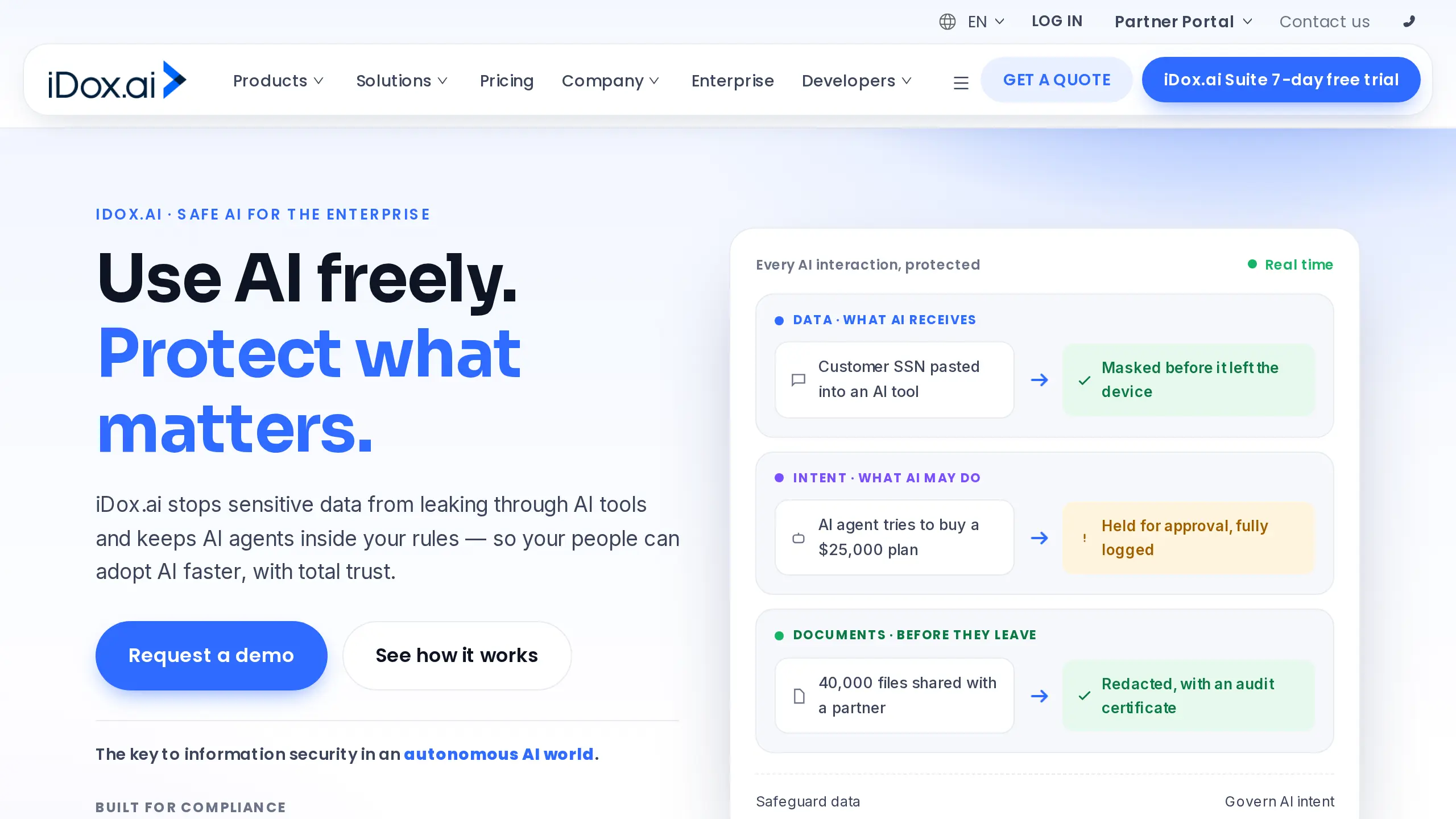
iDox Suite is a cloud app for 47+ file formats, including PDF, Word and scans, with a certificate for every job (iDox Suite). It removes text and metadata instead of only blacking out content.
iDox says it is SOC 2 and ISO 27001 certified. It also sells Guardrail, an on-device app that masks text before ChatGPT (Guardrail).
Key Capabilities:
- A redaction certificate and report for every job
- Imports from NetDocuments, SharePoint, Google Drive and Dropbox
Where client data goes: Suite files go to its Azure cloud (iDox security).
Pricing: Suite Starter is $39 a month billed monthly, for 5,000 pages a year. Premium is $89 a month for 50,000 pages a year (iDox store).
Main catch: The 7-day trial processes only the first 2 pages of each document.
User Feedback:
Positive: "I just started using iDox .ai for document redaction, and I'm already impressed..." (Nate Miller, Trustpilot, Dec 2024, source)
Negative: "...I signed up for the “free” trial and tried to get in touch 3 times within the 7 day period and they still took $85 out of my account." (Sophia Peña, Trustpilot, Feb 2025, source)
Why We Picked iDox.ai: It pulls files from common document systems and certifies each job.
Redacting Court Filings With Acrobat
Federal Rule of Civil Procedure 5.2 says public filings show only the last four digits of a Social Security or account number, the birth year and a minor's initials (Rule 5.2).
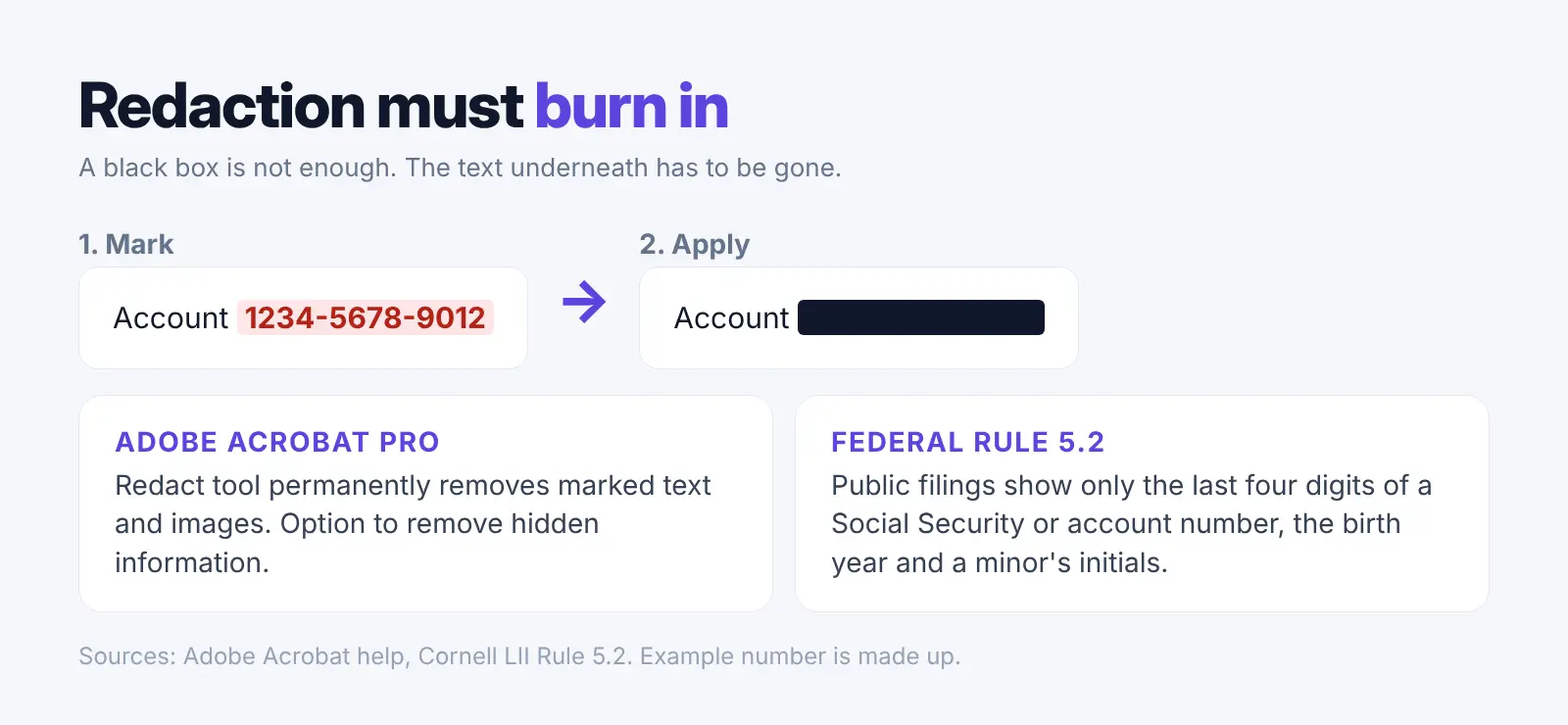
Adobe Acrobat Pro can redact a PDF and remove hidden information (Acrobat help). We could not confirm Adobe's current price, so check it on Adobe's site.
Mistakes still reach courts. A 2024 Federal Judicial Center study found that 72% of the unredacted SSNs in its sample appeared to break the privacy rules, while 22% looked exempt and 6% belonged to self-represented parties who filed their own SSN without redaction (FJC report).
Masking Tools for Pasting Client Text Into ChatGPT
Masking tools do not make redacted files. They swap client details for placeholders in text you paste into a chatbot, so their output is not for filing or production.
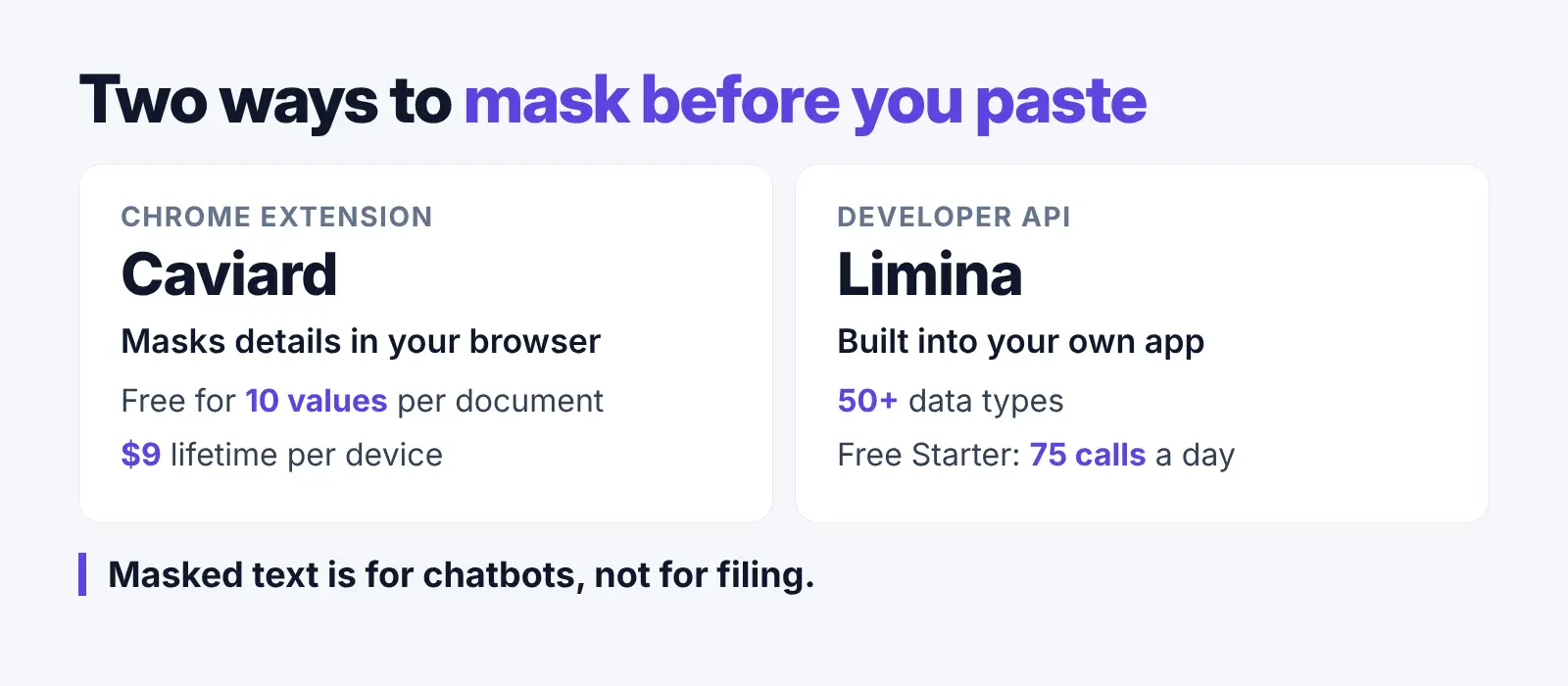
- Caviard: a Chrome extension that masks details in prompts for ChatGPT and DeepSeek inside your browser (Caviard). It is free for up to 10 protected values per document, and Lifetime is $9 one-time per device, an early discount from $15.30 (Caviard pricing).
- Limina: a developer API that finds and removes 50+ types of personal data in text, PDFs, images and audio (Limina). The free Starter plan gives 75 API calls a day (Limina pricing), but it is an API, so it is built for developers.
Keep a real redaction tool from the list for court work. For more options, see our PII redaction tools list and our data anonymization tools guide.
What Our Quick Test Showed
We tested two free text tools, Microsoft Presidio and our own free anonymize text tool, not the 6 listed tools, on one made-up client note. Neither caught every detail, and both missed the case number. The clue sentence "the only night-shift forklift trainer" stayed readable in both.
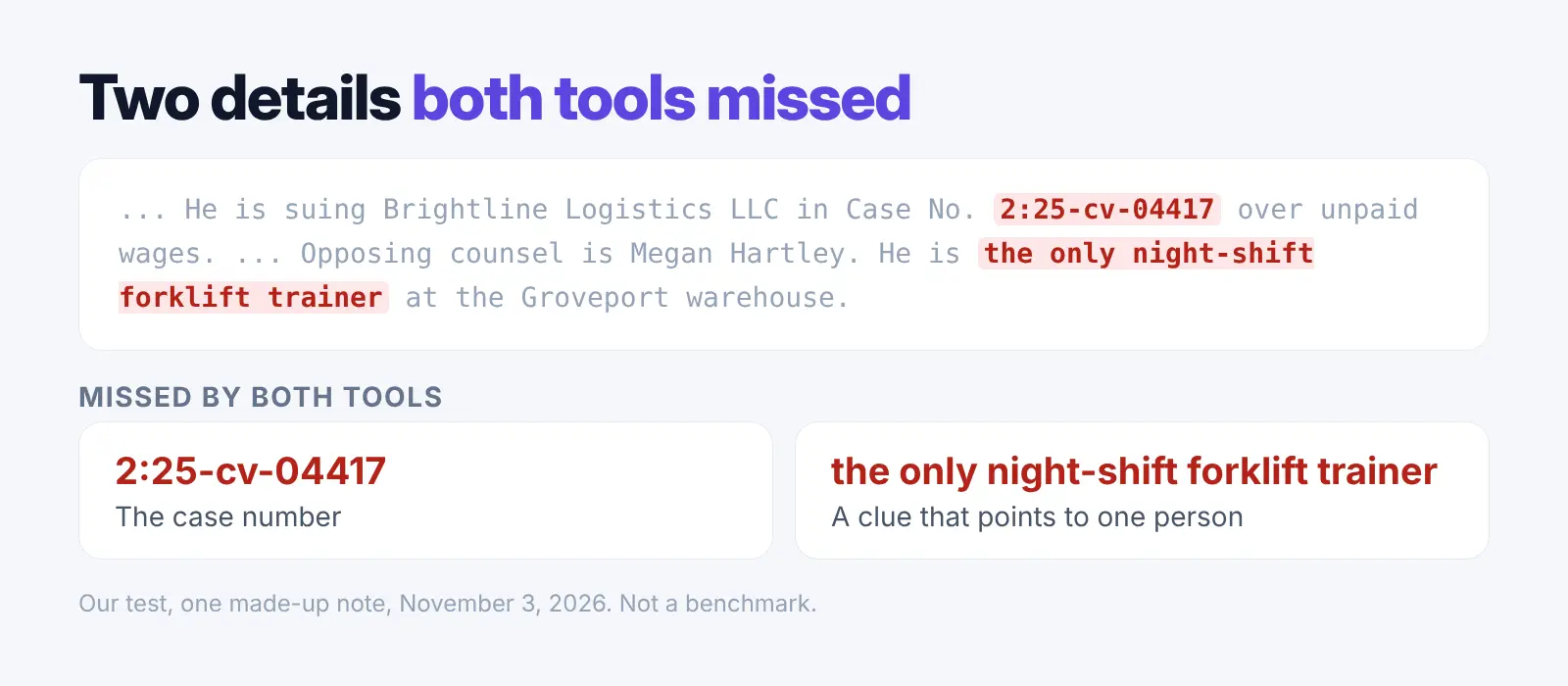
It was one small test, not a benchmark. Treat automatic redaction as a draft that a person checks.
How to Use AI on Client Files Without Exposing Client Details
Mask first, read the masked copy, then fix misses by hand. Our lawyer's guide covers the wider picture, and our attorney-client privilege guide explains the privilege risk. Whether your chats themselves are privileged is covered in our ChatGPT privilege answer.
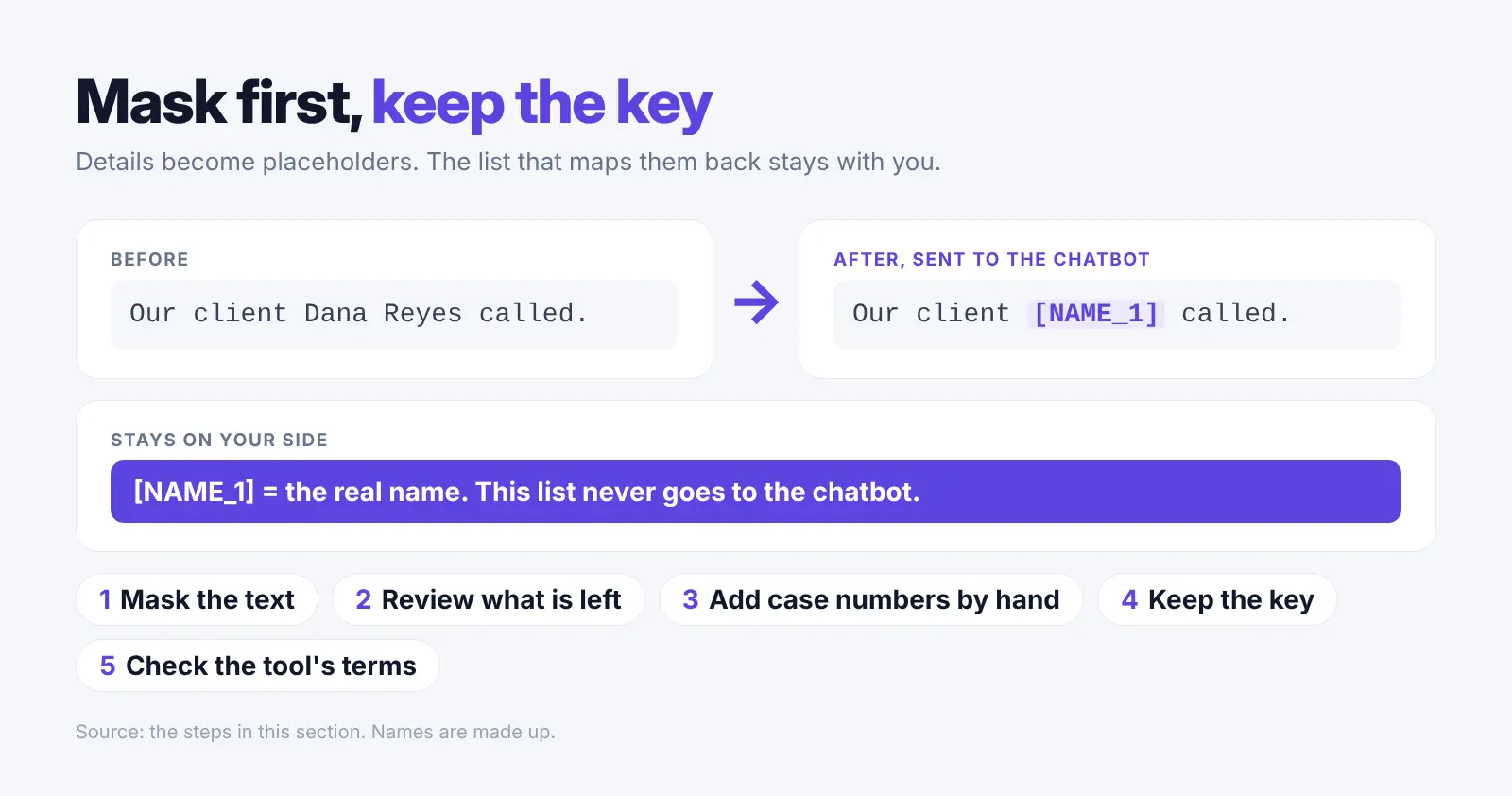
- Mask the text: Run it through a tool before you paste it.
- Review what is left: Look for missed account numbers, dates and addresses.
- Add case numbers and matter names by hand: Both free tools in our test missed the case number.
- Keep the key on your side: The list that maps [NAME_1] to a real name stays with you.
- Check the tool's terms: ABA Formal Opinion 512 says lawyers must weigh the risk that client information put into AI could be disclosed (ABA); our Opinion 512 guide walks through it.
Check every answer too: a Stanford study found three legal research tools hallucinated between 17% and 33% of the time (Stanford study).
Tip: for a one-off paste, our free anonymize text tool swaps names, emails, phone numbers, addresses and ID numbers for placeholders. It runs in your browser with no sign-up. It can miss details, so check the copy.
Why Redaction Matters When Lawyers Use AI
A 2024 Federal Judicial Center study found 22,391 unredacted Social Security numbers, affecting about 8,300 people, in 4.68 million PACER documents from 37 days in 2022 (FJC report). Only 0.10% of documents held one.
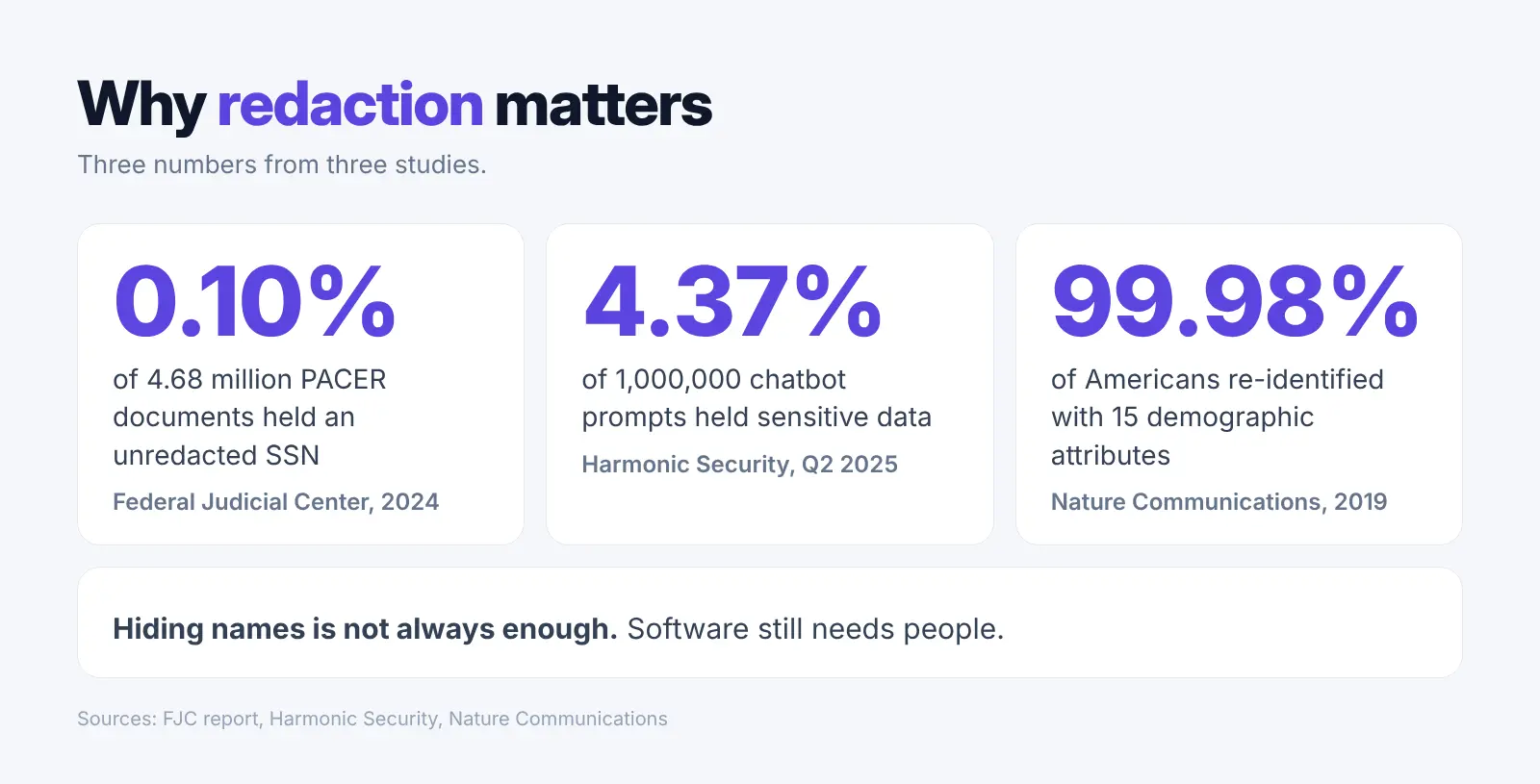
Sensitive data already flows into chatbots. A Harmonic Security report found that 4.37% of 1,000,000 prompts and nearly 22% of uploaded files held sensitive data in Q2 2025 (Harmonic Security).
Hiding names is not enough. A 2019 study in Nature Communications found 99.98% of Americans could be correctly re-identified in a dataset with 15 demographic attributes (Nature). Removing personal details can still leave clues, like a rare job title.
Software still needs people. The ICLR 2026 RedacBench study found that even advanced AI models struggle to redact perfectly while keeping text useful, and the authors warn against fully automated legal use without human oversight (ICLR 2026).
How We Picked These 6 Tools
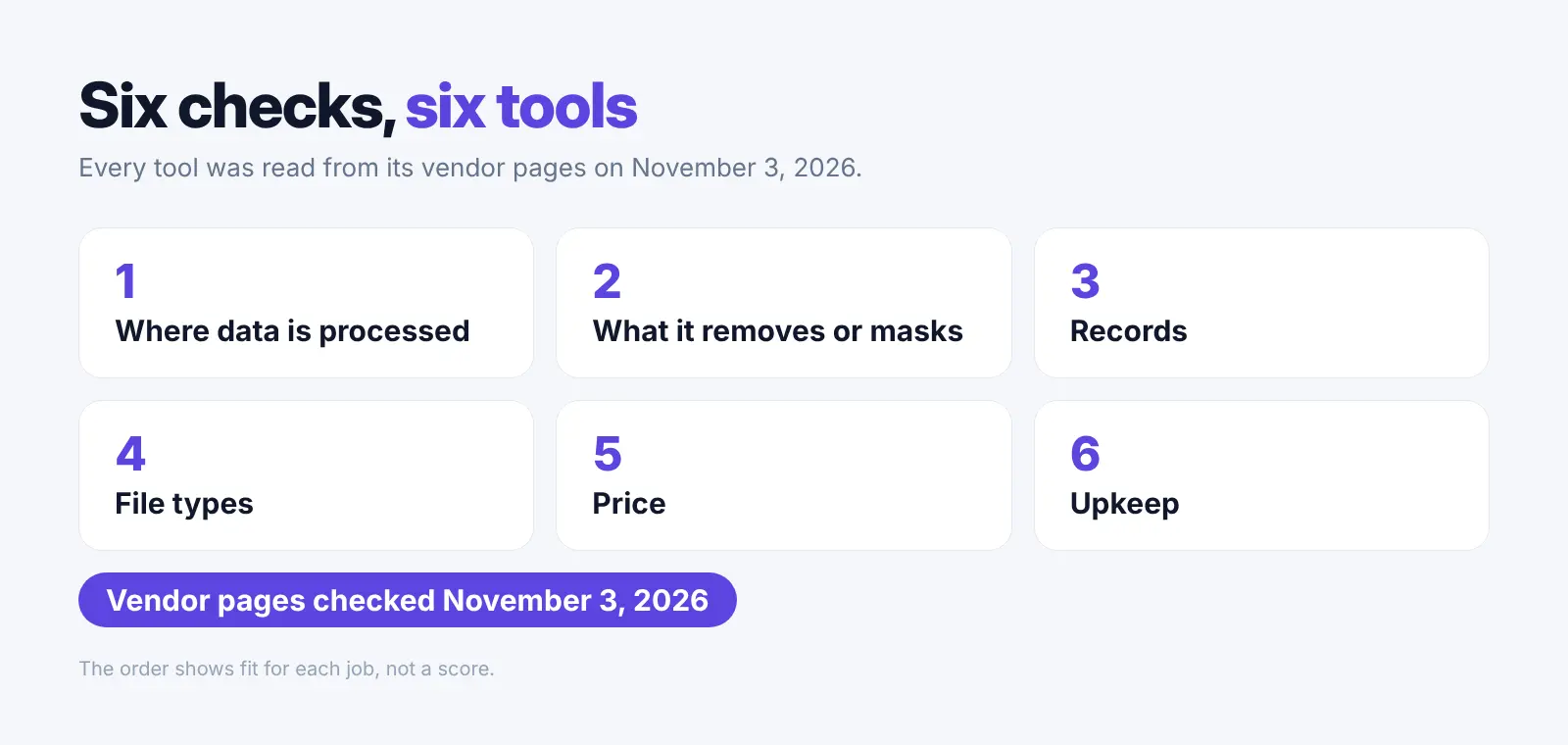
We used six checks from vendor pages on November 3, 2026: where data is processed, what each tool removes, records, file types, price and upkeep. Every numbered tool makes redacted files, and the order shows fit, not a score.
- Acrobat has its own short section, since we could not confirm its price.
- Caviard and Limina sit in the masking section, since they make no redacted files.
- LawRedact is out, since its price is shown only in yuan.
- Our own product sits in its own section before the list, since it does not redact files.
- Enterprise ediscovery suites with no public prices are out.
FAQ: Legal Redaction Software
Which legal redaction software should a law firm use?
Pick by the job.
- Court filings with a certificate: Redactable.
- Documents and email on your own computers: CaseGuard Studio.
- A PDF editor with AI suggestions: Foxit PDF Editor+.
- A PDF editor with a separate AI redaction add-on: Nitro PDF.
- A one-time Windows licence: Power PDF Advanced.
- A cloud suite linked to your document system: iDox.ai.
Is it safe to put client files into ChatGPT if I redact names first?
Safer, but not risk-free. Clue sentences and case numbers can slip through, so read the masked copy first. See ChatGPT and confidential documents. Our guide on uploading contracts to AI covers safer options.
What is the difference between redaction and masking?
Redaction permanently removes text and hidden data from a file. Masking swaps details for placeholders like [NAME_1] that can be put back later.
Does redaction make us HIPAA or GDPR compliant?
No. A tool covers one step. HIPAA de-identification needs Safe Harbor or Expert Determination, and the GDPR needs a lawful basis. Our ethics CLE guide covers state rules.
Can AI redaction tools miss details?
Yes. In our test on one made-up note, both free text tools missed the case number. Treat automatic redaction as a draft.
Are there free options for legal redaction?
Yes, with limits. Redactable redacts 3 documents free. Foxit and Nitro offer 14-day trials, and Power PDF offers 15 days.
Try Elephas Free for 7 Days
On Mac and Windows, it hides personal details before the question leaves your computer and puts them back in the answer. No card for the trial; plans start at $19 a month. Download Elephas
Related Resources
- A lawyer's guide
- Private tools for lawyers
- Privilege risks
- ChatGPT and confidential documents
- Tools for solo lawyers
- ChatGPT alternatives for lawyers
- Harvey AI alternatives
- Legal AI pricing compared
- Offline AI for discovery
- Elephas for legal work