Top 12 ChatGPT Alternatives for Students in 2026
Last updated: September 30, 2026.
The Higher Education Policy Institute (HEPI) Student Generative AI Survey 2026 found 95% of 1,054 UK undergraduates used AI, and 94% used it for assessed work (HEPI). The first wall many hit is cost and uploads: ChatGPT Free allows 3 file uploads a day (OpenAI help) and 5 files per Free project (OpenAI Projects).
At one US college, a Middlebury College paper found 82.5% of surveyed students used generative AI for academic work (arXiv).
This guide shows which of the top 12 ChatGPT alternatives for students gives enough uploads at a price you can keep paying. For options beyond study, see our ChatGPT alternatives guide.
Quick Answer
The best ChatGPT alternatives for students depend on the job: Google Gemini for a free route, Claude for a big reading packet (PDFs up to 1,000 pages), Gemini Notebook for a course library, Elephas for thesis and research files you keep private, and Microsoft Copilot, Mistral Vibe or Perplexity for cheap student plans.
- Free Google route: Google Gemini is free; eligible US college students aged 18+ get one year of Google AI Pro free (verification and a payment method, redeem by December 31, 2026), then $19.99/month.
- A big reading packet: Claude takes PDFs up to 1,000 pages and 20 files per chat, while ChatGPT Free stops at 3 uploads a day. Pro is $20/month, with no student discount.
- A whole course library: Gemini Notebook (formerly NotebookLM) holds 50 sources per notebook free and 300 on Google AI Pro.
- Cheap student plans: Microsoft 365 Personal with Copilot is $4.99/month for verified college students; Mistral Vibe (formerly Le Chat) Student Pro is $5.99/month for up to 12 months for first-time users, then $14.99/month; Perplexity Education Pro is $10/month.
- Private thesis and research work: Elephas is a private AI knowledge assistant for Mac for files you would not paste into a chatbot, like an unsubmitted dissertation chapter or supervisor feedback. Built-in local LLM models keep them on your Mac, and automatic PII redaction (beta) strips personally identifiable information (PII) before any cloud model sees a prompt. Free plan available; paid plans start at $19/month. See Elephas pricing or try Elephas for free.
How Much Do the Top 12 ChatGPT Alternatives for Students Cost, and How Much Can You Upload?
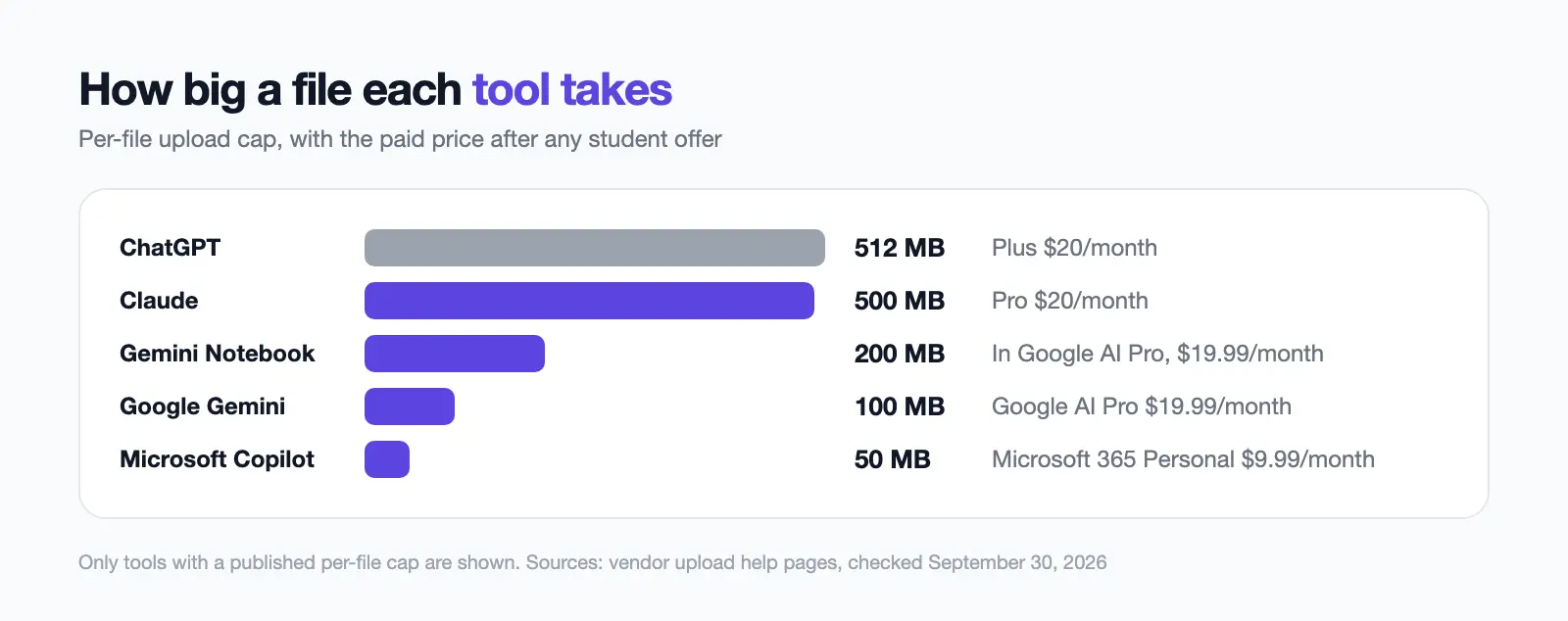
The top 12 ChatGPT alternatives for students differ most on the free route, per-file cap and price after any student offer. For what each $0 tier gives anyone, see our free ChatGPT alternatives.
| # | Tool | Free route | Per-file cap | Price after any offer (checked Sep 30, 2026) |
|---|---|---|---|---|
| Baseline | ChatGPT | 3 uploads a day | 512 MB | Plus $20/month |
| 1 | Google Gemini | Free app | 100 MB (video 2 GB) | Google AI Pro $19.99/month |
| 2 | Claude | Free plan | 500 MB; 1,000-page PDFs | Pro $20/month |
| 3 | Gemini Notebook | Free with a Google account | 200 MB or 500,000 words | In Google AI Pro, $19.99/month |
| 4 | Elephas | Free plan | Indexed on your Mac | Paid plans from $19/month |
| 5 | Perplexity | 3 Pro Searches a day | Not published | Education Pro $10/month while verified |
| 6 | Microsoft Copilot | Free (limited) | 50 MB | Microsoft 365 Personal $9.99/month |
| 7 | Khanmigo | None | Not an upload tool | $4/month |
| 8 | Mistral Vibe | Limited free plan | Not published | Pro $14.99/month |
| 9 | Meta AI | Free; heavy features limited | Not published | Free; optional paid Meta One plans |
| 10 | DeepSeek | Free app and web | Not published | Free |
| 11 | Poe | Daily points | Not published | No verified US price |
| 12 | Grok | Free tier (limited search) | Not published | SuperGrok $30/month; Plus $100/month |
"Not published" means the vendor's pages gave no number.
Files per chat or notebook:
- Google Gemini: 10 per prompt, plus rolling limits. Claude: 20 per chat.
- Gemini Notebook: 50 sources, 300 on AI Pro. Perplexity: 50 per Pro project. Microsoft Copilot: 20 per conversation.
- Mistral Vibe: Pro library 15 GB. Khanmigo: not stated.
Student offers and who qualifies:
- ChatGPT: 4 free Plus months for US college students, with SheerID, the student-verification service, and a payment method, claim by October 31, 2026.
- Google Gemini and Gemini Notebook: 1 free AI Pro year for US college students aged 18+, with verification and a payment method, redeem by December 31, 2026.
- Microsoft Copilot: Personal at $4.99/month (50% off) for verified college students; Study and Learn via school Education licenses.
- Mistral Vibe: Student Pro at $5.99/month for 12 months, institutional email, first-time users only.
- Perplexity: Education Pro with SheerID verification.
- Khanmigo: none; US only, 18+ or parent-added. Claude: none for individuals.
- Elephas, Meta AI, DeepSeek, Poe and Grok: none published or needed.
What Does ChatGPT for Students Give You Free, and Where Does It Stop?
Any student can use ChatGPT Free, which allows 3 file uploads a day, 512 MB per file (OpenAI file uploads FAQ) and 5 files per Free project (OpenAI Projects).
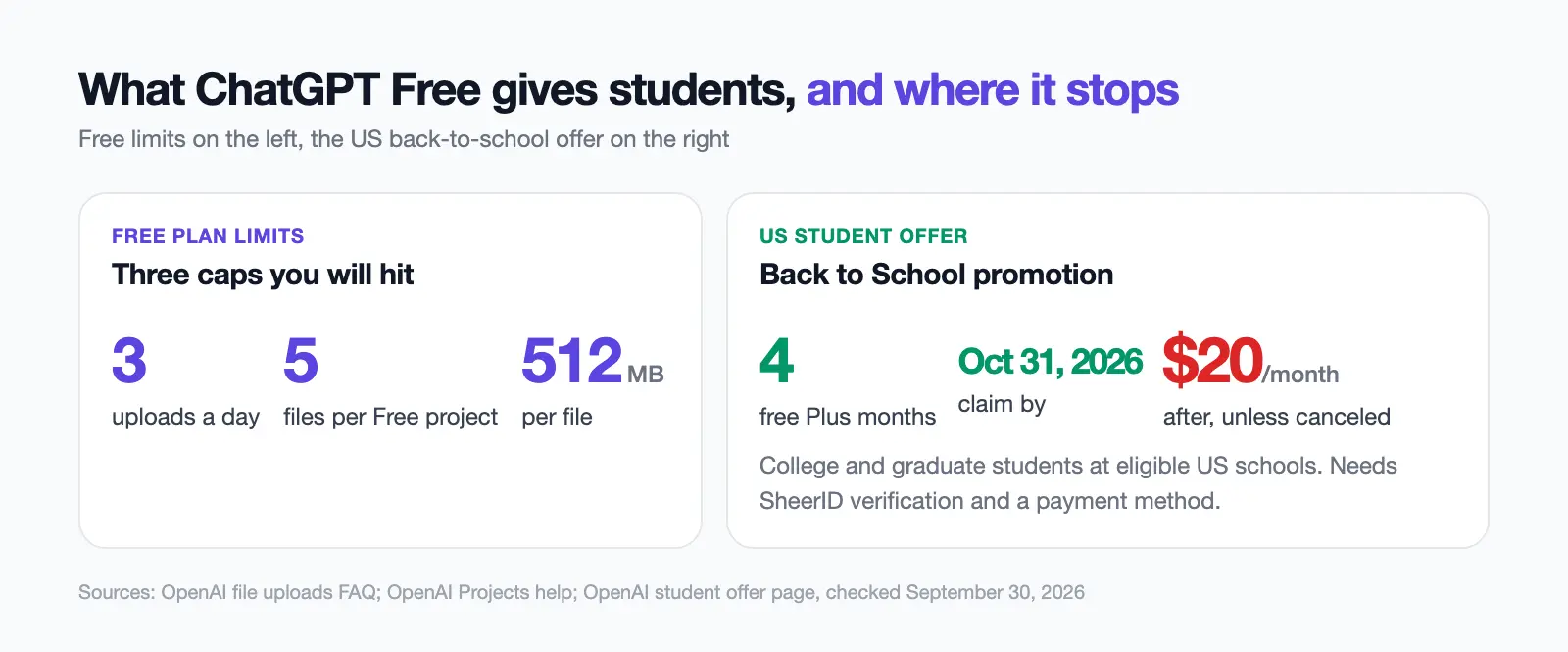
A Back to School promotion adds four free Plus months for college and graduate students at eligible US schools, with SheerID verification and a payment method, claimed by October 31, 2026. Plus then renews at $20/month unless you cancel, and Apple or Google billing cannot use it (OpenAI student offer).
The general limit is 80 files every 3 hours, lower at peak times (OpenAI file uploads FAQ). Consumer chats may be used to train OpenAI's models unless you opt out, and Temporary Chats are not (OpenAI data policy).
- Projects hold 25 files on Plus (OpenAI Projects).
- Library storage is 500 MB on Free and 20 GB on Plus (OpenAI Library).
- Study Mode is on Free and paid plans (Study Mode).
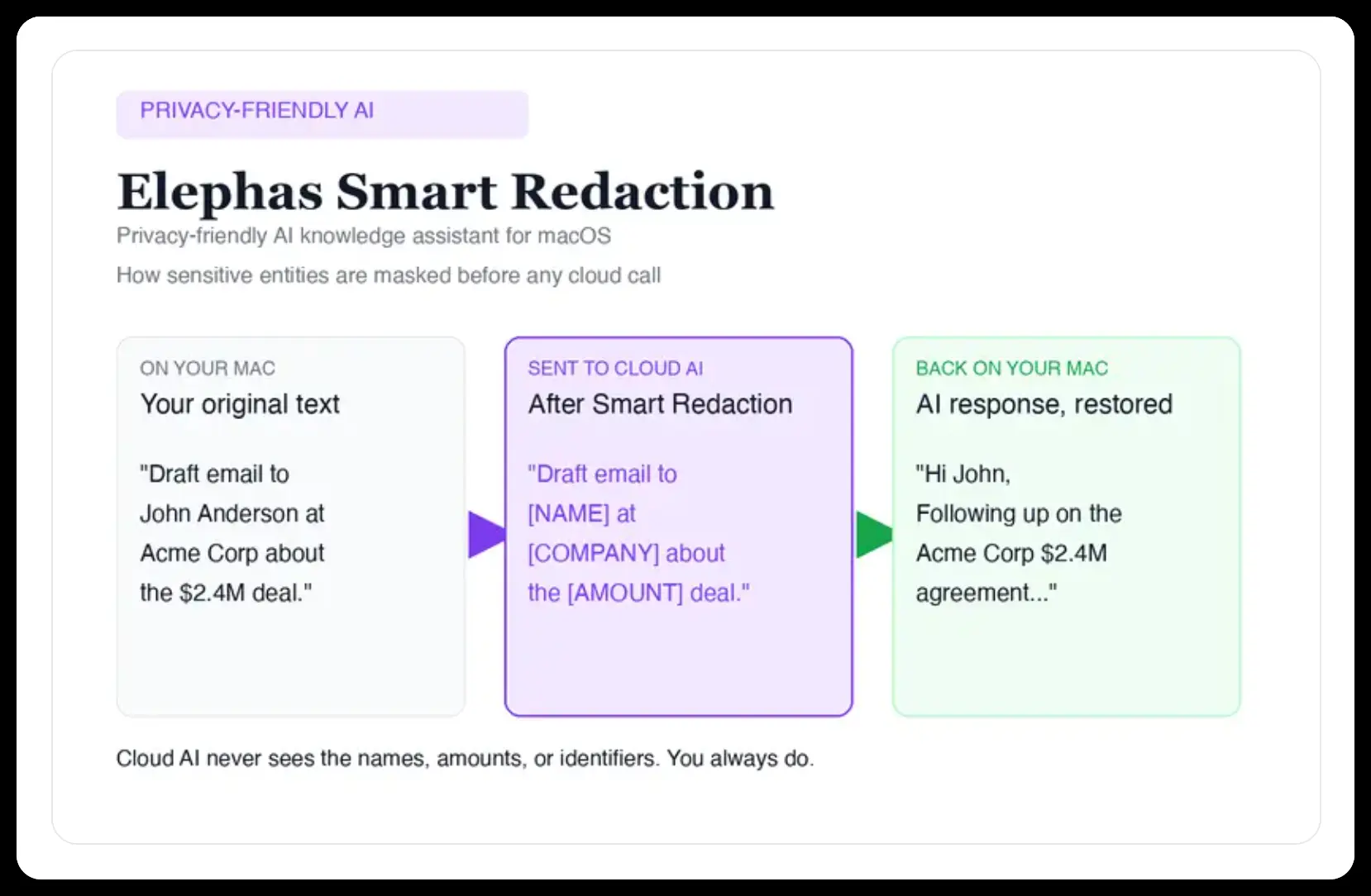
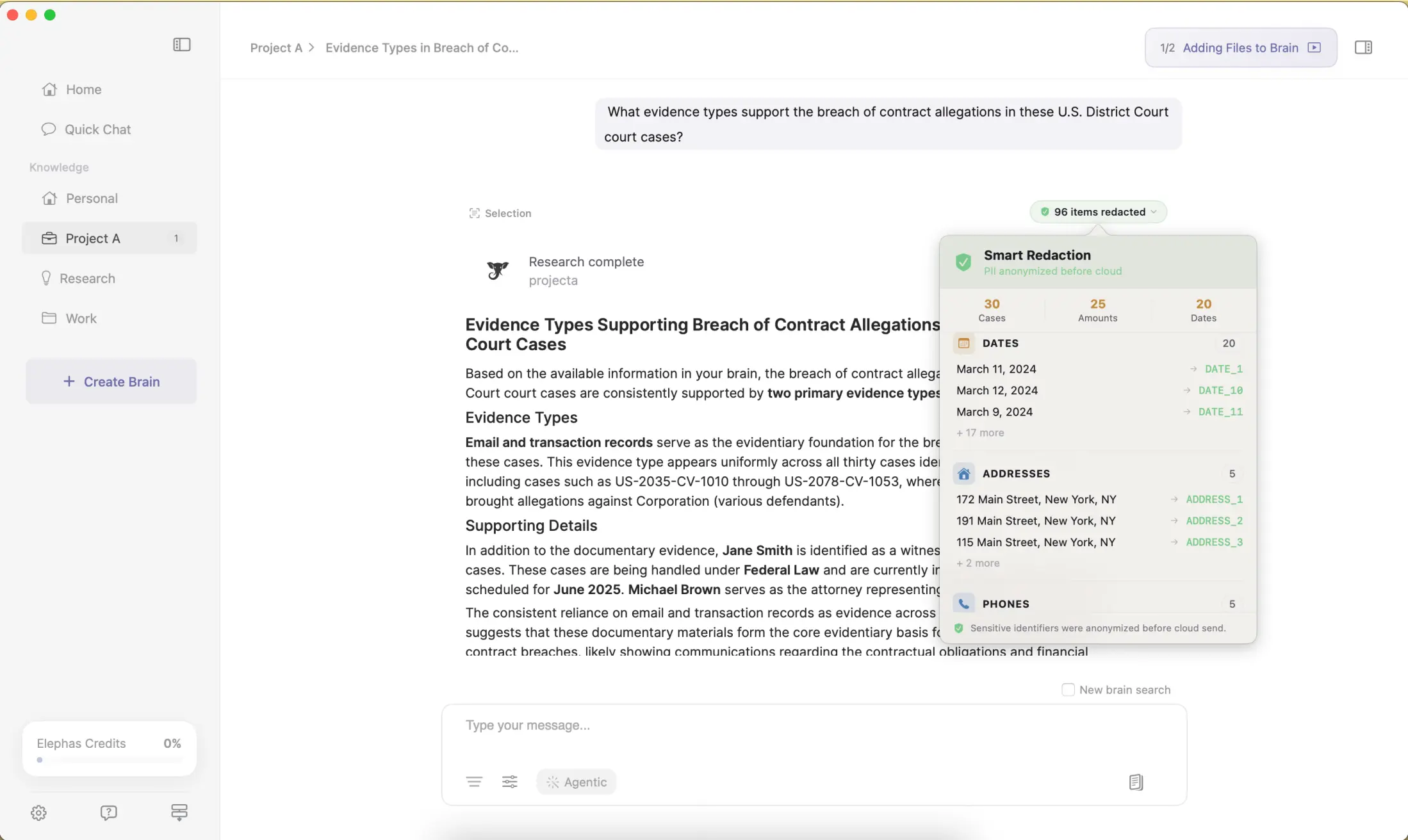
When the file is a group-project doc listing classmates' names and emails, Elephas strips names, emails, phone numbers, and identifiers on your Mac before a prompt goes to ChatGPT, Claude, Gemini, Grok, Perplexity, or any other cloud model. The cloud model only ever sees the redacted text, and when the answer comes back, the sensitive fields are reassembled locally on your machine. Elephas pairs this with zero data retention: content never trains AI models, never sits on a vendor's server, and never passes through a third-party reviewer's screen.
What Is Each ChatGPT Alternative for Students Best For?
Each pick won its place on one study job, with its price shown or marked as not verified.
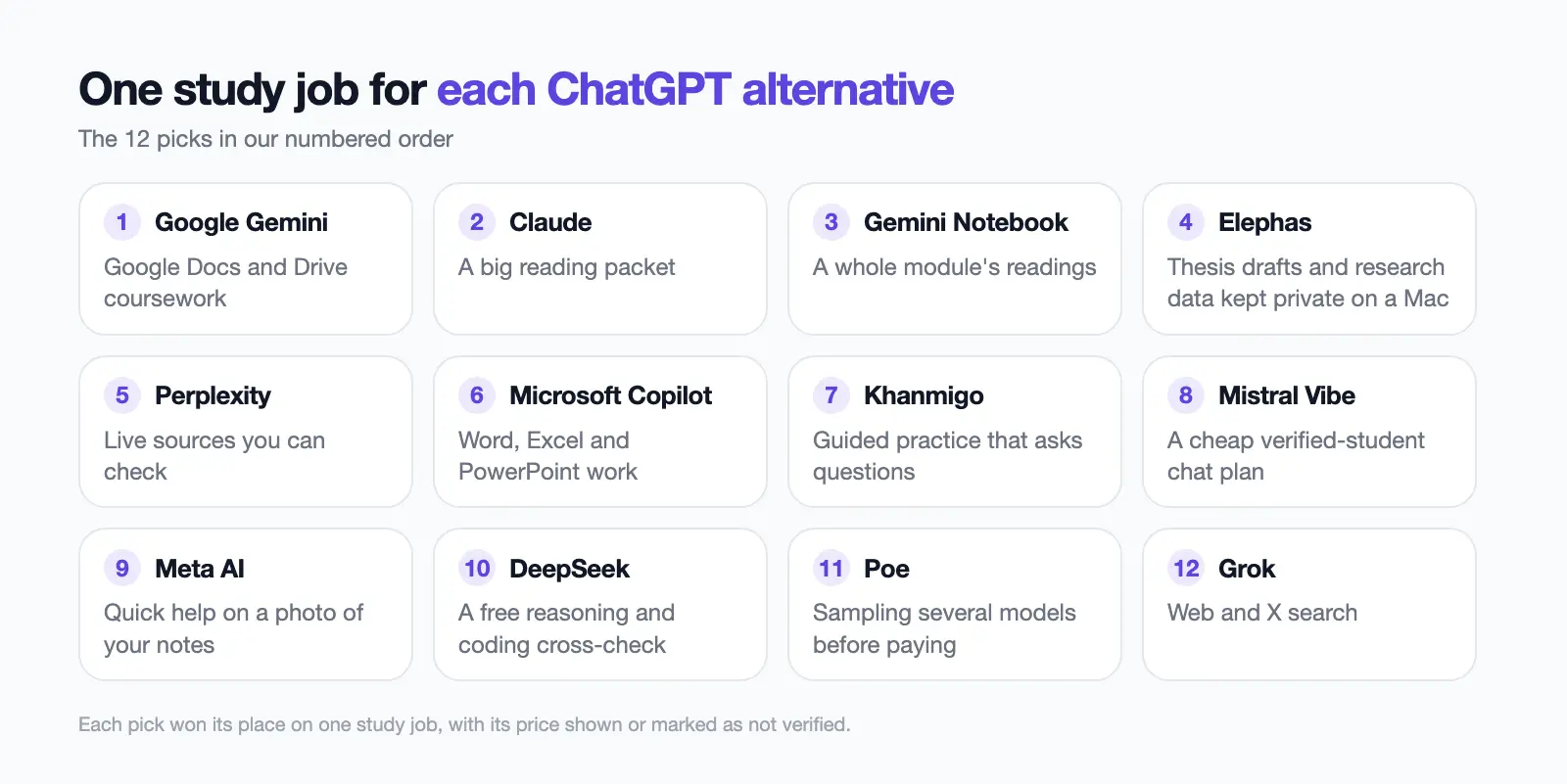
- Google Gemini: Google Docs and Drive coursework.
- Claude: a big reading packet.
- Gemini Notebook: a whole module's readings.
- Elephas: thesis drafts and research data kept private on a Mac.
- Perplexity: live sources you can check.
- Microsoft Copilot: Word, Excel and PowerPoint work.
- Khanmigo: guided practice that asks questions.
- Mistral Vibe: a cheap verified-student chat plan.
- Meta AI: quick help on a photo of your notes.
- DeepSeek: a free reasoning and coding cross-check.
- Poe: sampling several models before paying.
- Grok: web and X search.
1. Google Gemini: Google AI Tool for Docs, Gmail and Drive, With a US Student Offer
Best for: coursework in Google Docs, Gmail and Drive
Google Gemini is Google's free AI chatbot, built into Docs, Gmail and Drive. It takes 10 files per prompt at 100 MB each, and 5 minutes of video free (1 hour on Pro) (Gemini upload help).
Eligible US college students aged 18+ get Google AI Pro free for a year. You verify your student status, add a payment method and redeem by December 31, 2026; after that it costs $19.99/month. School-issued accounts do not qualify; 140+ other markets get an AI Plus year (Google student offer; offer terms; Gemini for Students).
Key capabilities:
- Guided Learning and quizzes
- File, audio and video uploads
- Student plan: 5 TB of storage
Pricing: Free; Google AI Pro $19.99/month (Google), checked September 30.
Watch out: The "unlimited uploads" student claim still has per-prompt caps and a rolling limit.
Why we picked it: It is the only pick with a free paid-plan year for eligible US students.
User feedback:
- Positive: "It has saved me so many times!..." (MJ Beloborodyy, Trustpilot, April 2026)
- Negative: "Do not trust it with school work, uploaded document to give me quizzes I can do, guessed did not read the document..." (Bongi Mncwabe, Trustpilot, September 2026)
2. Claude: AI Model for One Very Large PDF or Reading Packet
Best for: one very long PDF or reading packet
Claude is Anthropic's AI model, a large language model (LLM) that takes files up to 500 MB, PDFs up to 1,000 pages and 20 files per chat (Claude uploads help).
Usage runs on rolling five-hour limits, and Pro gives at least 5x more usage per session than Free (Claude pricing). There is no student discount (Pro plan help).
Key capabilities:
- 1,000-page PDFs in one chat
- Up to 5 Projects on Free
- At least 5x more usage per session on Pro
Pricing: Free; Pro $20/month (Claude pricing), checked September 30.
Watch out: Long files drain the five-hour usage limit before you reach the file cap.
Why we picked Claude: A big reading packet fits in one chat, with 20 files and 1,000-page PDFs.
User feedback:
- Positive: "I have got amazing performance from this, when I used to analyze research papers..." (Bighnesh Dash, Trustpilot, July 2026)
- Negative: "...my usage is completed consumed before an accurately written complete version is generated." (Kaleel Mahabir, Trustpilot, September 2026)
3. Gemini Notebook (formerly NotebookLM): Free Research Tool for a Whole Course Library
Best for: one notebook per module
Gemini Notebook, renamed from NotebookLM on July 16, 2026, answers from the sources you add and cites them. The free plan holds 50 sources per notebook, each up to 500,000 words or 200 MB (Gemini Notebook limits).
AI Plus raises that to 100 sources, AI Pro to 300 and AI Ultra to 600 (plans).
Key capabilities:
- Answers cite your own sources
- Audio overviews of readings
- Quizzes from your material
Pricing: Free; included in Google AI Pro at $19.99/month (plans), checked September 30.
Watch out: Since September 2, 2026, limits track processing used, refreshing every 5 hours up to a weekly cap (usage limits).
Why we picked it: The free plan holds 50 sources per notebook, ten times ChatGPT Free's 5 files per project.
User feedback:
- Positive: "I consider the NotebookLM web app to be the best educational tool available..." (Josef H., Trustpilot, October 2025)
- Negative: "In practice, however, NotebookLM constantly introduces information from external sources that were never uploaded or selected by the user." (Евгения Литтебрант, Trustpilot, September 2026)
4. Elephas: Private AI for Thesis Drafts and Research Files on Mac
Best for: thesis, lab and group-project files that should stay private
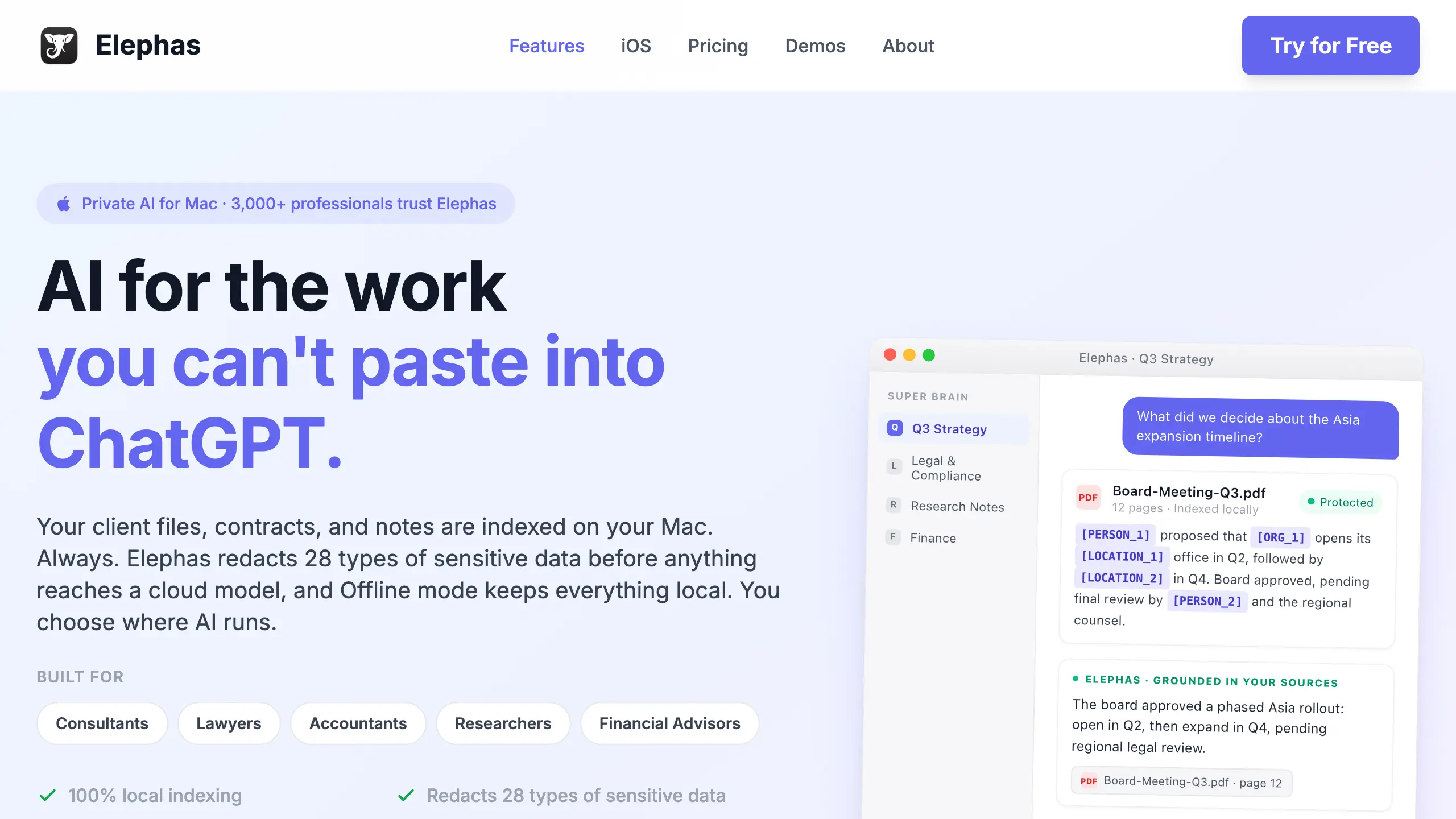
Elephas is a private AI knowledge assistant for Mac, built for the work a student thinks twice about pasting into a chatbot: a lab report with unpublished results, or a file with your student ID and grades. Super Brain indexes and stores your PDFs, slides, notes and lecture audio (20+ formats) on your Mac.
For the strongest privacy with good AI answers, use its built-in local LLM models, so raw survey answers from a class research project never leave your Mac.
For bigger jobs, or if you prefer ChatGPT, Claude, Gemini, Grok, Perplexity, or any other cloud model, automatic PII redaction (beta) strips names, emails, phone numbers, and identifiers on your Mac before the prompt is sent. The cloud model only ever sees the sanitized text, and the redacted fields are reassembled locally when the answer comes back, so identifiable information never leaves the device. Elephas pairs this with zero data retention: content never trains AI models, never sits on a vendor's server, and never passes through a third-party reviewer's screen.
Key capabilities:
- Super Chat answers from your own files
- 100% offline mode on Mac
- Automatic PII redaction (beta) on every plan
- Choose your AI model, from leading cloud models to built-in local LLM models
Pricing: Free plan available; paid plans start at $19/month. See Elephas pricing or try Elephas for free.
Watch out: Elephas runs on Mac, iPhone and iPad; offline mode with built-in local LLM models is in the Mac app (Elephas for Windows is coming soon: join the waitlist).
Why we picked Elephas: It is the pick for research you cannot risk leaking. Elephas is our product; it sits at #4, after the assistants and Gemini Notebook.
User feedback:
- Positive: "It is one of the few apps that last. I still use it every day. The best feature for me has been the brains..." (Gregg Housh, Product Hunt)
- Positive: "I made a mistake by adding this to my daily workflow, now I can't live without it anymore." (Aswin Kumar, Product Hunt)
- Note: Elephas is our product, so we quote two positive reviews; read all reviews on Product Hunt.
5. Perplexity: Perplexity AI Search Engine With a $10 Education Pro Plan
Best for: finding and citing live sources
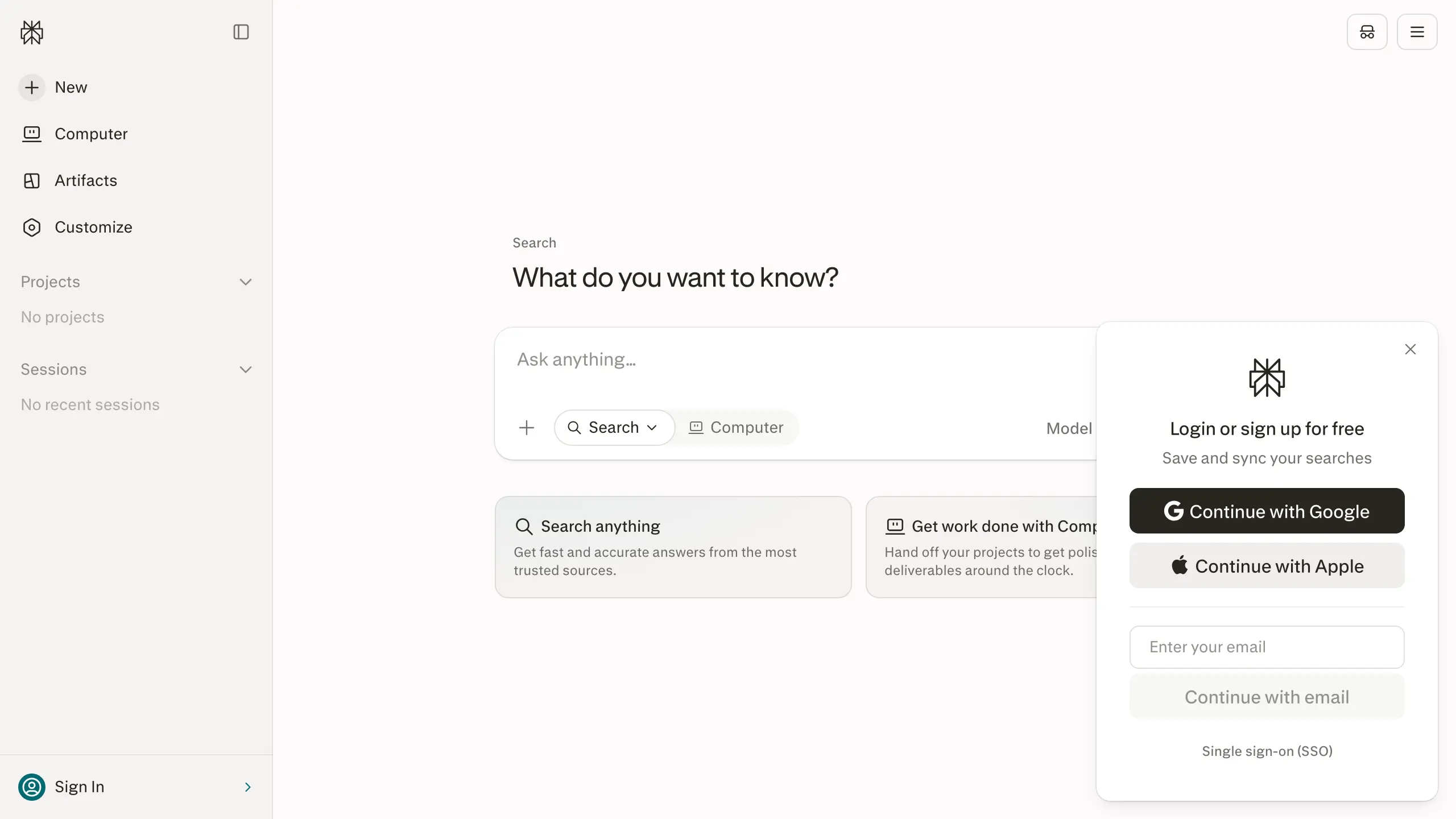
Perplexity is an AI search engine that answers with source links, and says to check claims against the originals (Pro Search help).
The free plan gives 3 Pro Searches a day. Education Pro costs $10/month for current students and educators verified through SheerID, with up to 50 files per project (Perplexity plans); country and age rules are not stated.
Key capabilities:
- Real-time web answers with links
- Learn Mode on Education Pro
- High weekly Pro Search limits
Pricing: Free; Education Pro $10/month while verified (Perplexity plans), checked September 30.
Watch out: Education Pro lasts only while your SheerID verification stays valid.
Why we picked Perplexity: Every answer links its sources, and Education Pro costs half of ChatGPT Plus.
User feedback:
- Positive: "...I am studying for my chemistry exam and compared to any AI's I ahve ever encountered, this one is worth using and relying on...." (Yesehak Tamerat, Trustpilot, April 2026)
- Negative: "...the experience feels heavily limited once the initial credits have been used..." (James - JD Designs, Trustpilot, September 2026)
6. Microsoft Copilot: Free Chatbot for Word, Excel and PowerPoint Coursework
Best for: a small batch of Office files
Microsoft Copilot has a limited free consumer version and is built into Microsoft 365 Personal at $9.99/month (Microsoft 365 pricing). It takes 20 files per conversation at up to 50 MB each (Copilot file upload help).
Students save 50% on Microsoft 365 Personal, paying $4.99/month after verifying student status (college pricing).
If your school has a Microsoft 365 Education license (the A1, A3 or A5 plans), Study and Learn is free for students 13+. For ages 13 to 17, a school admin must turn it on first (Study and Learn).
Key capabilities:
- Works with Word, Excel and PowerPoint
- Study and Learn flashcards
- One-month free trial of Microsoft 365
Pricing: Free (limited); Microsoft 365 Personal $9.99/month, or $4.99/month for verified college students (Microsoft 365 pricing and college pricing), checked September 30.
Watch out: Consumer files are kept up to 18 months, though not used for training.
Why we picked Microsoft Copilot: Much coursework lives in Office, and the student price is about a quarter of ChatGPT Plus.
User feedback:
- Positive: "I use this for school all the time..." (Sabrina Gonzalez, Trustpilot, February 2026)
- Negative: "I uploaded 3 files and asked it to sort the characters by location. It said sure no problem. then it asked me to upload the files again..." (Gord Bottrill, Trustpilot, September 2026)
7. Khanmigo: $4 AI Tutor That Asks Questions Instead of Giving Answers
Best for: guided practice before an exam
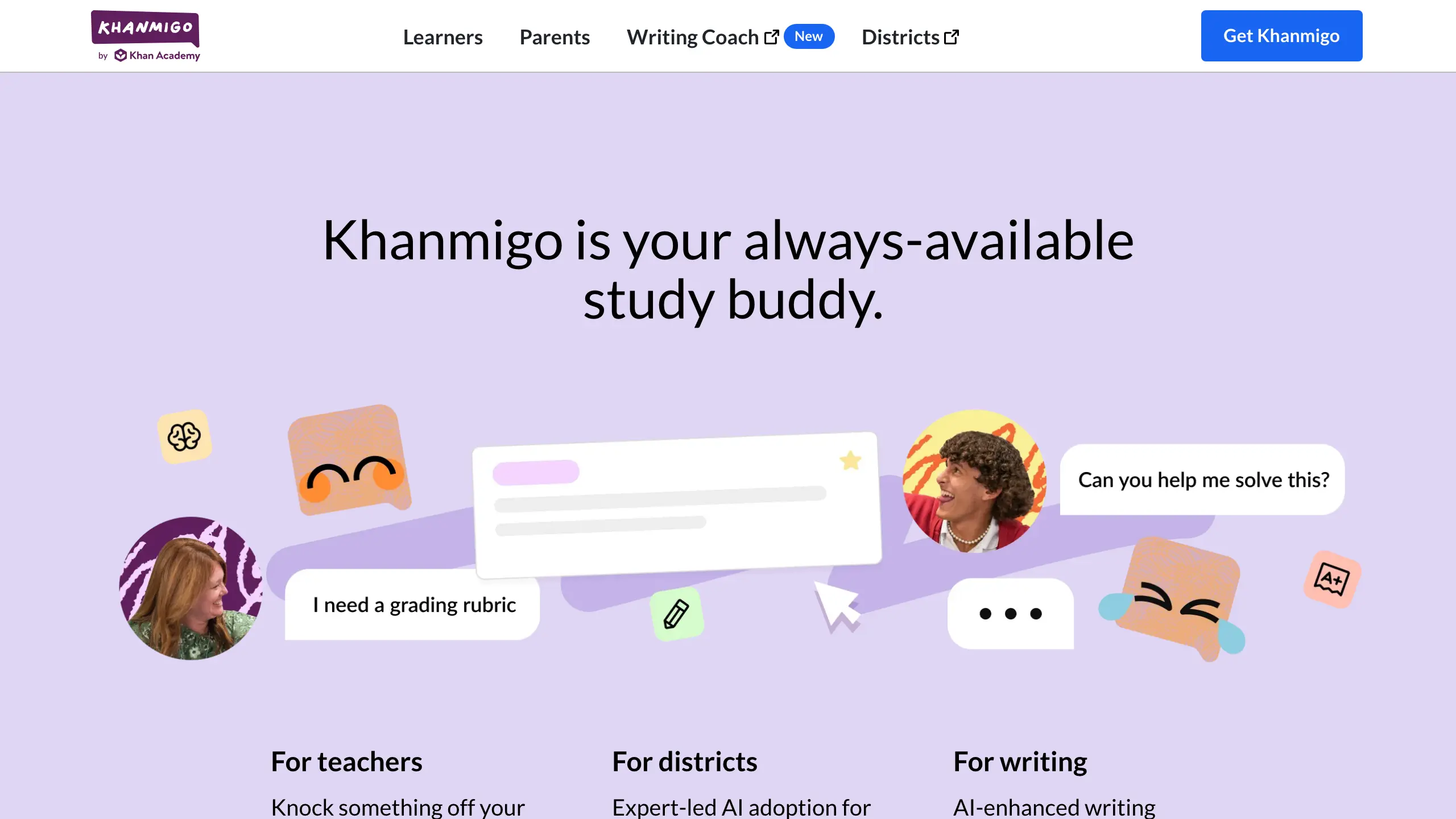
Khanmigo is Khan Academy's AI tutor; it guides you step by step instead of handing over the answer.
Khanmigo costs $4/month, with no free tier. Learners must be 18+ and live in the US with a US billing address; under-18s need a parent, who can add up to 10 children (Khanmigo learners).
Key capabilities:
- Tutoring that asks questions
- Math, science and writing help
- Parent accounts for 10 children
Pricing: $4/month plus sales tax (Khanmigo), checked September 30.
Watch out: Khan Academy's usage guidance says Khanmigo is not meant for personally identifiable information (Khanmigo guidelines).
Why we picked Khanmigo: It is the one tool here designed to withhold answers.
User feedback:
- Positive: None found; Khanmigo has no Trustpilot page of its own.
- Negative: "...Khanmigo and Khan Academy did not help me at all." (Ethan, review on Khan Academy's Trustpilot page, September 2026)
8. Mistral Vibe (formerly Le Chat): Student Pro AI Chat for $5.99 a Month
Best for: a cheap paid chat plan
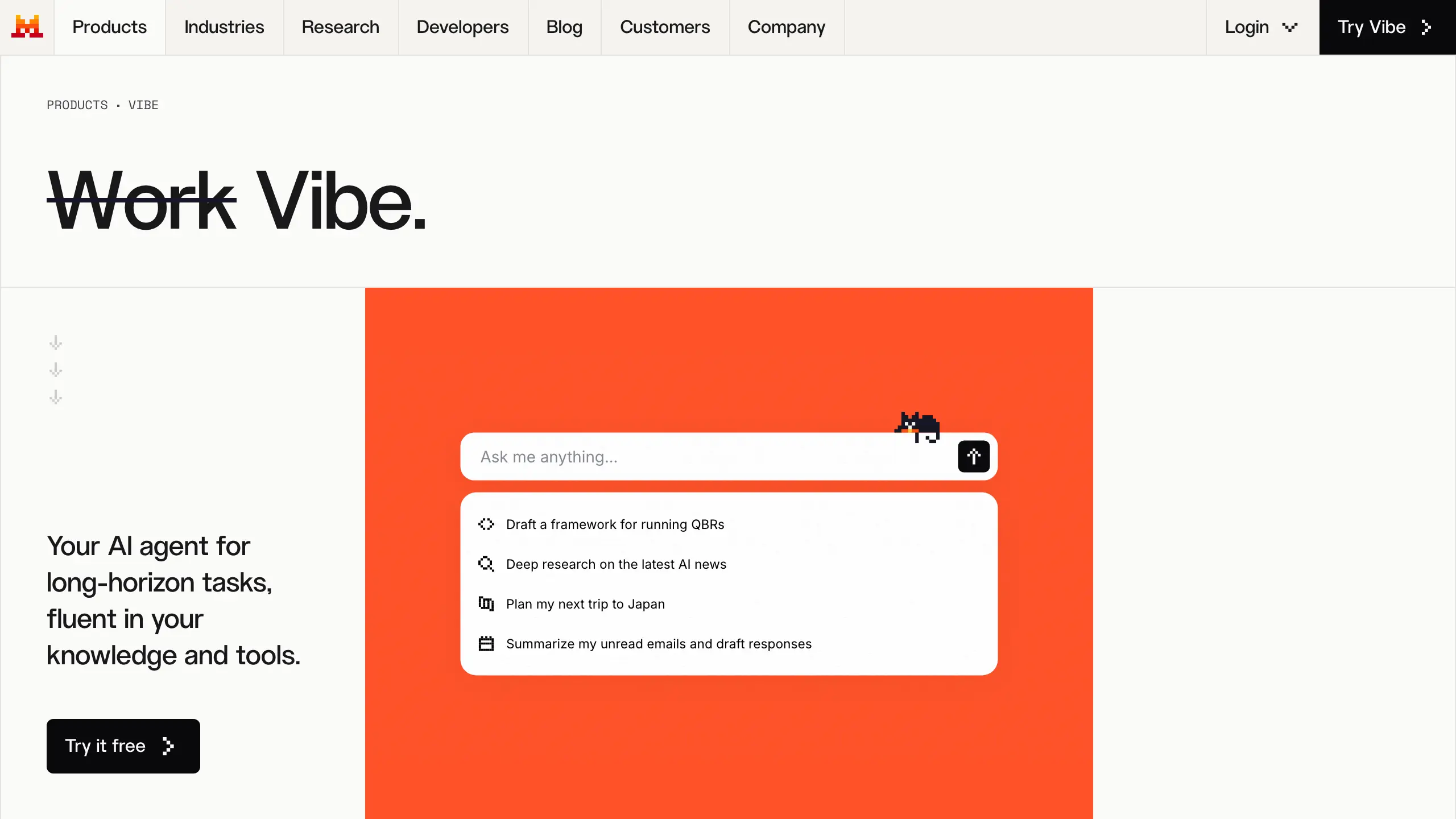
Mistral Vibe, renamed from Le Chat on August 12, 2026, is Mistral's chat app, with limited free messages and uploads (Mistral pricing).
Student Pro costs $5.99/month instead of $14.99 for up to 12 months, for students at accredited colleges with an institutional email who have not used Vibe (or Le Chat) before (Mistral pricing). Student IDs are not accepted (Mistral student discount).
Key capabilities:
- Up to 6x free messages on Pro
- 15 GB document library on Pro
- Web search inside the chat
Pricing: Free; Student Pro $5.99/month for up to 12 months, then Pro $14.99/month (Mistral pricing), checked September 30.
Watch out: No per-file cap is published.
Why we picked Mistral Vibe: Student Pro costs less than a third of ChatGPT Plus.
User feedback:
- Positive: "it is a great product, offers same performance as chatgpt, only that they don't have a good voice mode yet" (Vilém Zdráhal, Trustpilot, October 2025)
- Negative: "they push you to subscribe to see the picture editing..." (Vera, Trustpilot, October 2025)
9. Meta AI: Free AI Assistant Inside WhatsApp, Instagram and Messenger
Best for: quick help on a photo of your notes
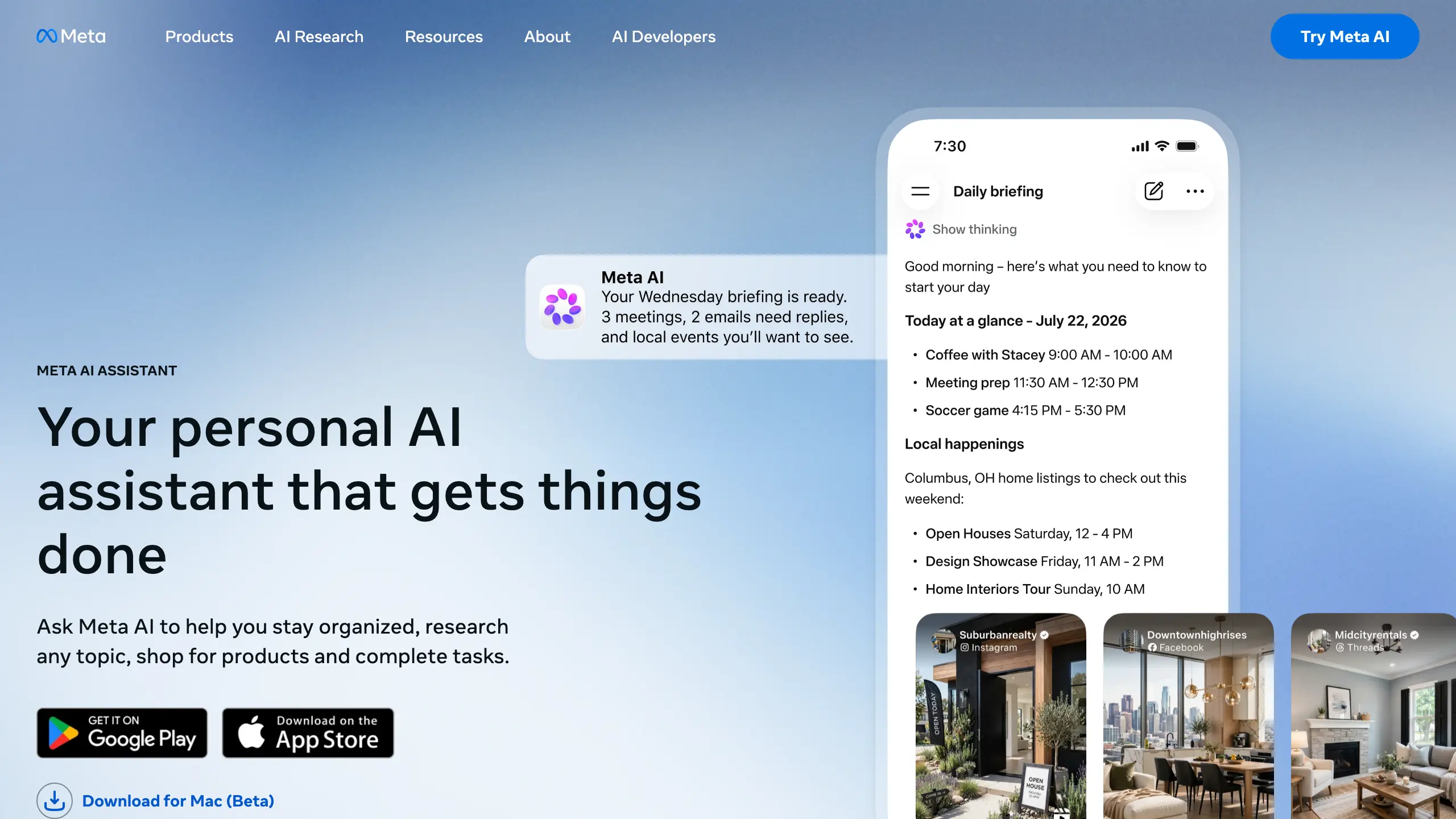
Meta AI is Meta's free AI app on the web and phones, and inside Facebook, Messenger, Instagram and WhatsApp (Meta AI App Store).
Everyday use is free; image and video generation have limits that paid plans raise (Meta One announcement). It takes multiple files at once, with no published size cap (Meta AI App Store).
Key capabilities:
- Photos and files in one message
- Instant and Thinking modes
- Incognito Chats
Pricing: Free for everyday use; optional paid Meta One plans raise limits (TechCrunch), checked September 30.
Watch out: Check Meta's privacy settings before sharing graded work or personal details.
Why we picked Meta AI: It works inside apps many students open daily.
User feedback:
- Positive: "I love meta ai it is the best has helped me do a ton of extremely complex things..." (OG Bobby Johnson, Trustpilot, August 2026)
- Negative: "not ready for public, very invasive, always hallucinating..." (Mila Kunis, Trustpilot, September 2026)
10. DeepSeek: Completely Free AI Chatbot for Reasoning and Coding Checks
Best for: a free second opinion on coding
DeepSeek is a free AI chatbot app and web chat. Its January 15, 2025 launch post says the app is free, ad-free and supports file upload (DeepSeek news).
Key capabilities:
- Free to use on app and web
- File upload and text extraction
- Step-by-step coding help
Pricing: Free; no consumer plans (DeepSeek), checked September 30.
Watch out: A review below says it can make things up, so cross-check answers.
Why we picked DeepSeek: It is the only pick with no paid tier.
User feedback:
- Positive: "...It comes out streets ahead of all the others." (Paul King, Trustpilot, August 2026)
- Negative: "It can be useful for programming at times, but I don't trust it otherwise..." (stahen, Trustpilot, November 2025)
11. Poe: One App to Try Multiple AI Models Before You Pay
Best for: sampling models before you pay
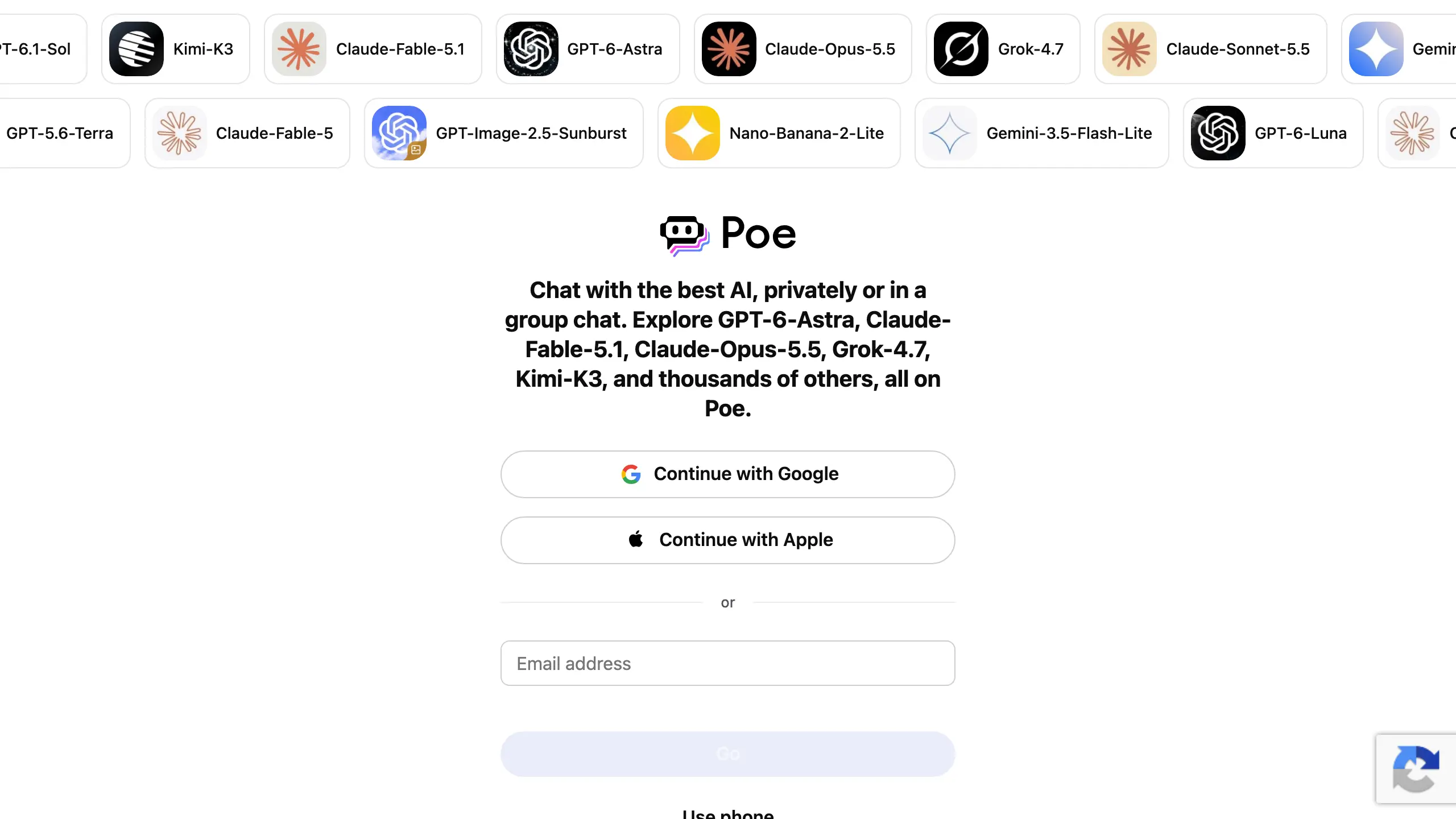
Poe is one app with chatbots from several companies.
The free plan gives daily points that reset every 24 hours, and each bot costs a different number of points per message (Poe FAQ).
Key capabilities:
- Multiple AI models in one app
- Daily free points
- Paid tiers add points
Pricing: No verified US price when checked on September 30; check current plans on Poe.
Watch out: Stronger models cost more points per message.
Why we picked Poe: It lets a student test several models on one budget.
User feedback:
- Positive: "I can use lots of different ai tools and chatbots without buying 100 subscriptions." (Docs, Trustpilot, March 2025)
- Negative: "At this rate, a full monthly subscription is gone after just..." (the reviewer puts it at 20 to 30 messages) (Mario Koppe, Trustpilot, September 2026)
12. Grok: Chatbot With Web and X Search, Limited on the Free Tier
Best for: current events and quick lookups
Grok is xAI's chatbot with real-time web and X search, limited on the free tier, which xAI says runs within "generous limits" (xAI pricing). It reads PDFs, images, spreadsheets and audio, with no published numeric cap, and we found no student offer from xAI.
Key capabilities:
- Web and X search, fuller on paid plans
- PDF and image uploads
- Voice mode
Pricing: Free; SuperGrok $30/month, SuperGrok Plus $100/month (xAI pricing), checked September 30.
Watch out: One review describes about 12 free messages, then a long wait.
Why we picked Grok: It is the only pick built around live X search.
User feedback:
- Positive: "Even on the free tier, it's genuinely impressive and has become my go-to tool." (Carl K, Trustpilot, January 2026)
- Negative: "...Having only around 12 messages available and then being forced to wait many hours..." (Tim, Trustpilot, September 2026)
Which ChatGPT Alternative Fits One Big PDF, and Which Fits a Whole Course Library?
An 800-page reading packet split across several files hits ChatGPT Free's 3-uploads-a-day cap first; Claude takes 20 files per chat and PDFs up to 1,000 pages. A semester of readings needs many sources in one place, which Gemini Notebook gives at 50 per notebook free.
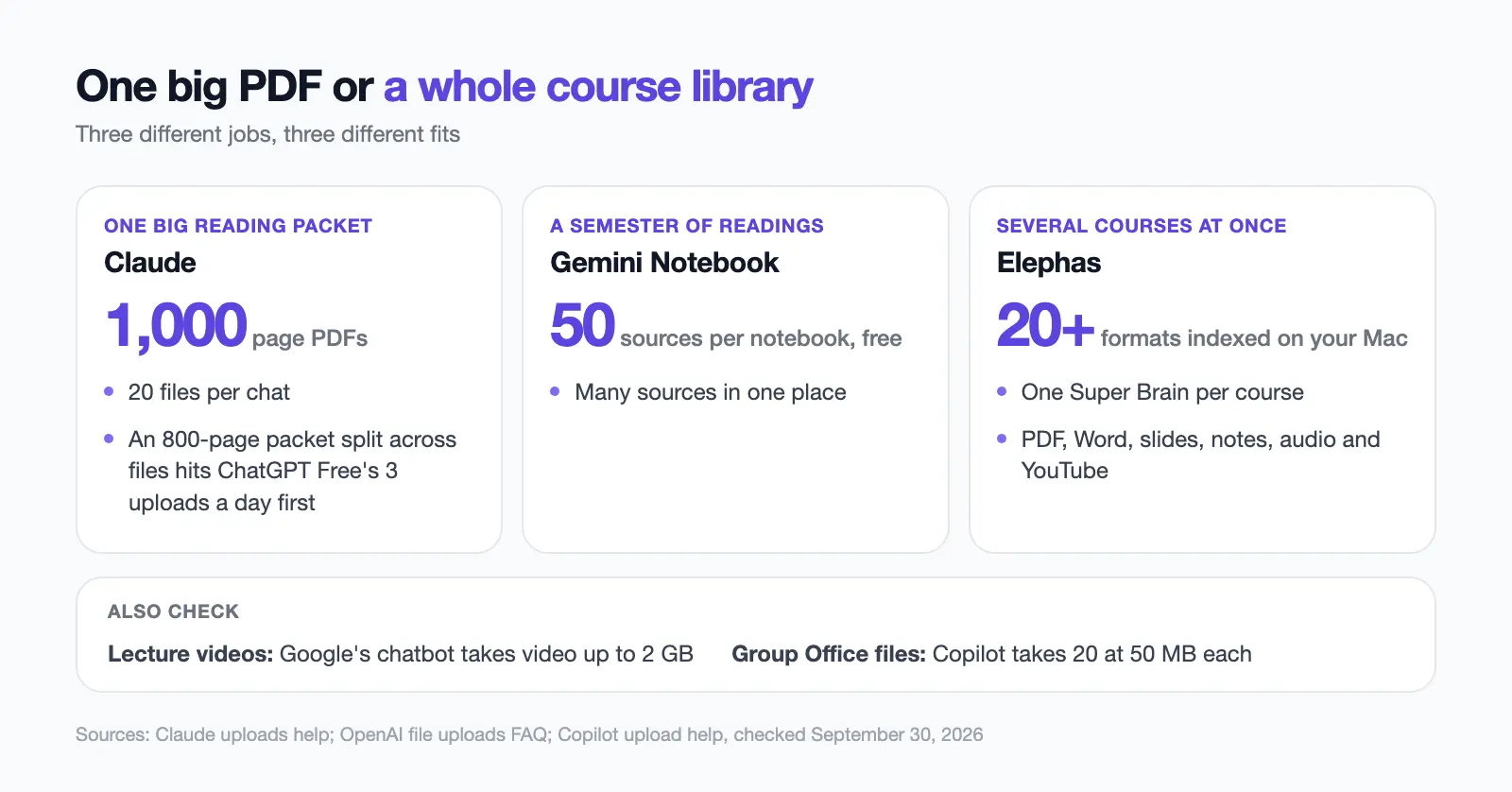
Three separate limits decide the fit:
- Per-file size: OpenAI 512 MB, Claude 500 MB (Claude uploads help), Google's chatbot 100 MB and Copilot 50 MB (Copilot upload help).
- Lecture videos: Google's chatbot takes video up to 2 GB.
- Group-project Office files: Copilot takes 20 at 50 MB each.
For several courses at once, Elephas keeps one Super Brain per course and indexes 20+ formats (PDF, Word, slides, notes, audio, YouTube) on your Mac.
How Do You Use an AI Chatbot to Learn Instead of Handing In Its Work?
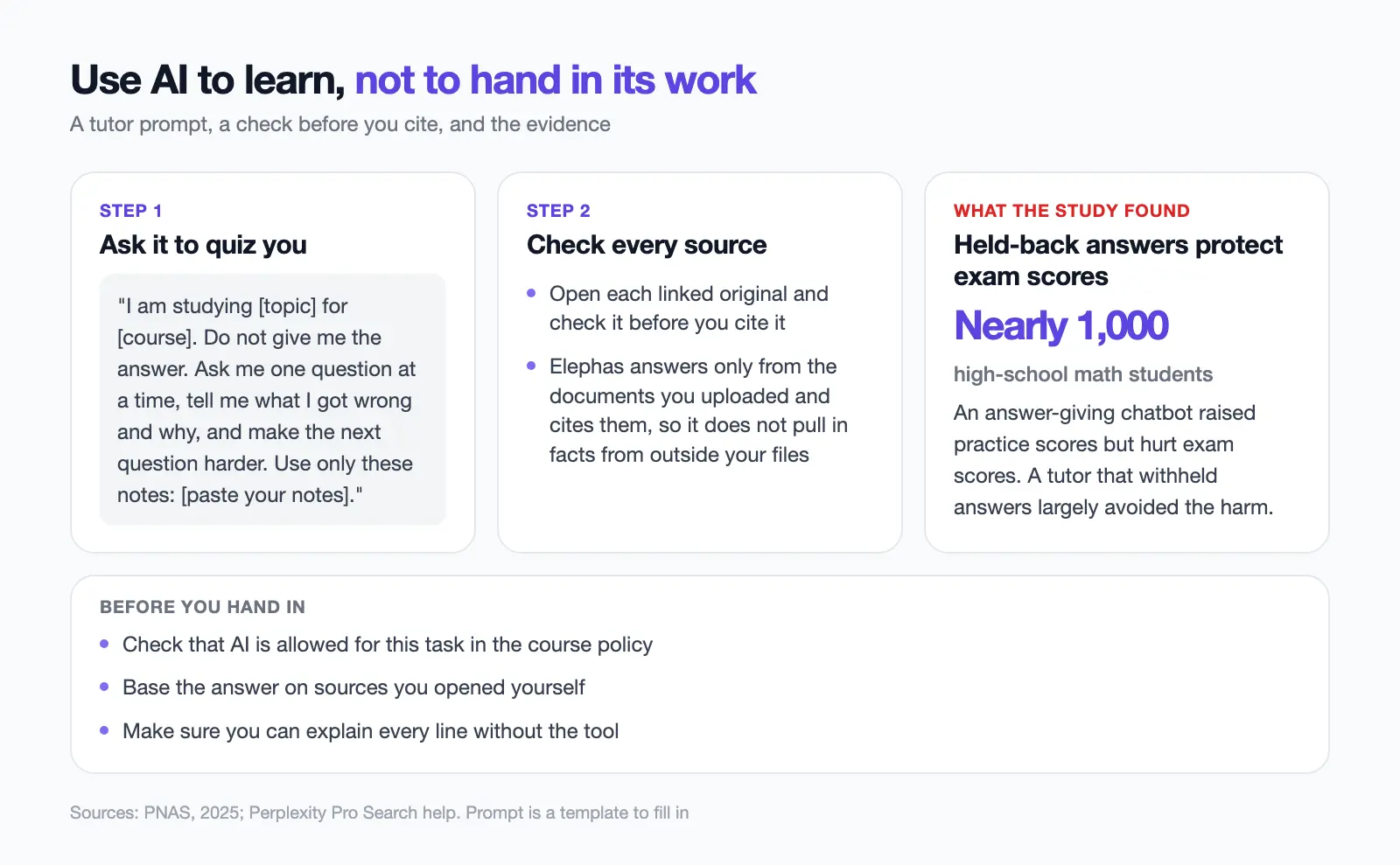
A 2025 study in the Proceedings of the National Academy of Sciences (PNAS) with nearly 1,000 high-school math students found an answer-giving chatbot raised practice scores but hurt exam scores, while a tutor that withheld answers largely avoided the harm (PNAS). Set up any tool here to quiz you, never to write for you.
A December 29, 2025 study of 165 UK secondary students found that those with a supervised LearnLM tutor were 5.5 percentage points more likely to solve a new math problem than those with a human tutor alone, 66.2% versus 60.7% (arXiv).
Expert tutors supervised every AI chat, so it does not prove an unsupervised chatbot helps.
Tutor prompt
"I am studying [topic] for [course]. Do not give me the answer. Ask me one question at a time, tell me what I got wrong and why, and make the next question harder. Use only these notes: [paste your notes]."
Open each linked original and check it before you cite it, as Perplexity's help page advises (Pro Search help). Elephas answers only from the documents you uploaded and cites them, so it does not pull in facts from outside your files.
- Check that AI is allowed for this task in the course policy.
- Base the answer on sources you opened yourself.
- Make sure you can explain every line without the tool.
Which Study Stack Should You Build to Choose the Right AI on a Budget?
Build a stack of two to five tools, and keep student ID numbers and graded feedback out of unchecked tools.
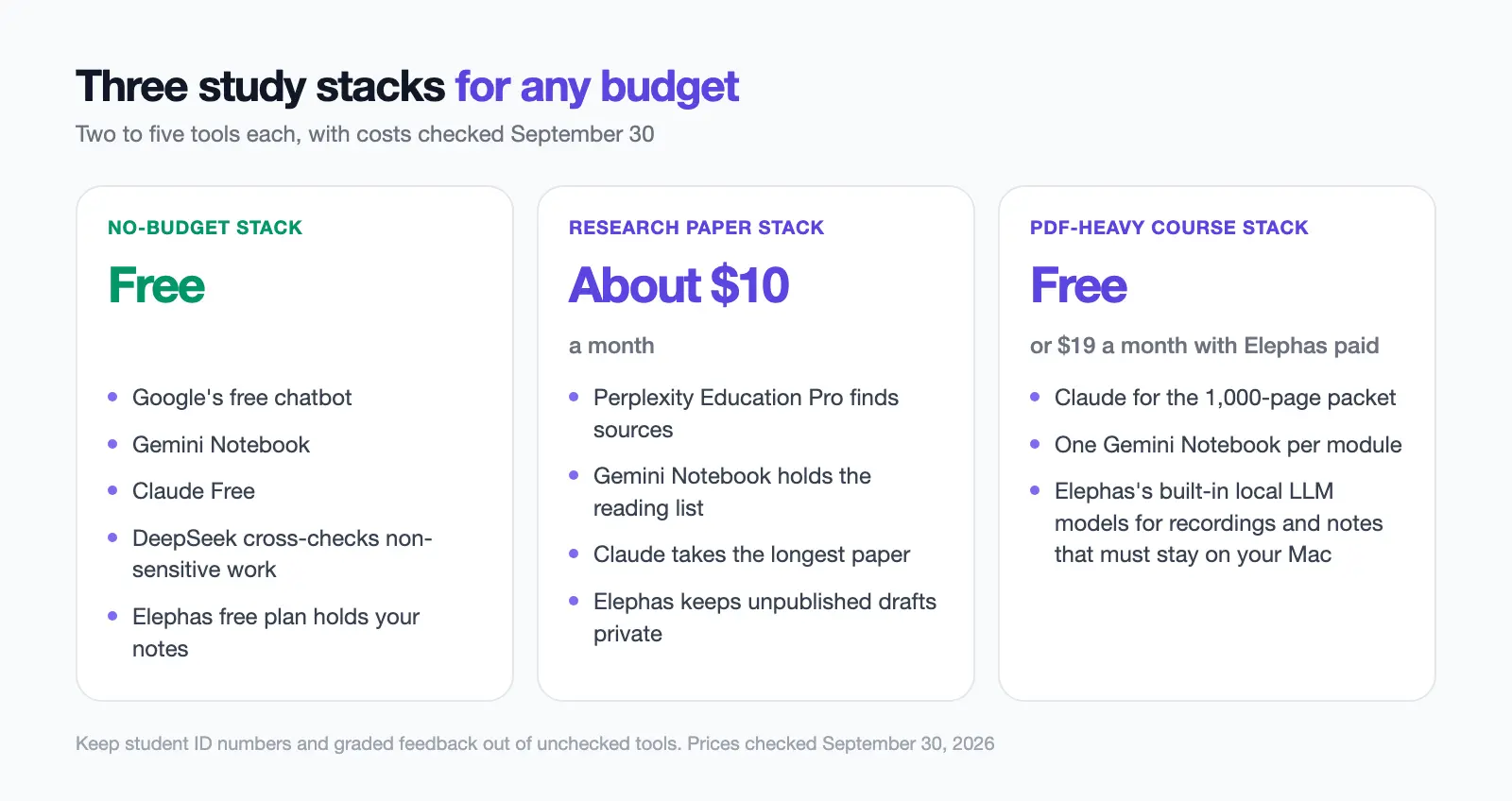
- No-budget stack (free): Google's free chatbot, Gemini Notebook and Claude Free. DeepSeek cross-checks non-sensitive work; the Elephas free plan holds your notes.
- Research paper stack (about $10 a month): Perplexity Education Pro finds sources, Gemini Notebook holds the reading list, Claude takes the longest paper and Elephas keeps unpublished drafts private.
- PDF-heavy course stack (free, or $19 a month with Elephas paid): Claude for the 1,000-page packet, one Gemini Notebook per module, and Elephas's built-in local LLM models for recordings and notes that must stay on your Mac.
How Did We Choose These 12 ChatGPT Alternatives for Students?
A tool made this list if it met most of the five tests below.
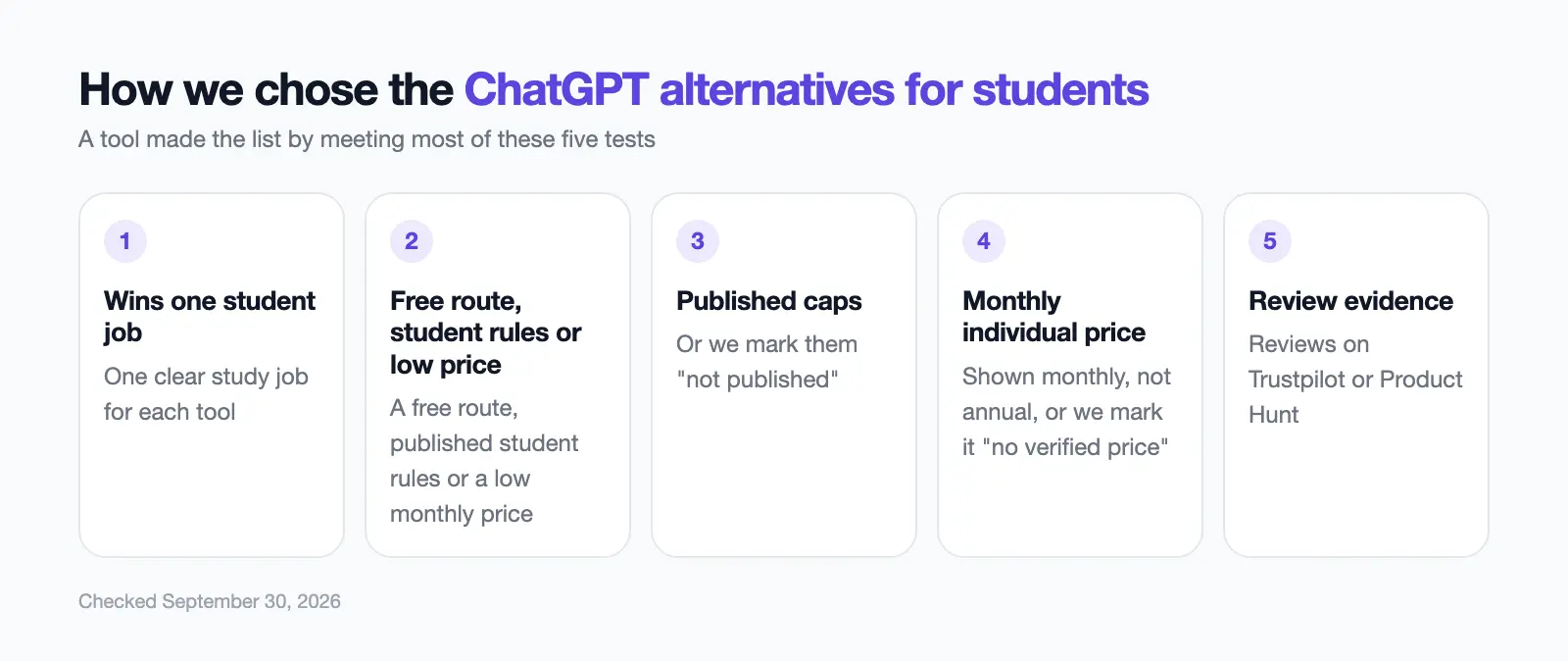
- Wins one student job.
- Has a free route, published student rules or a low monthly price.
- Publishes caps, or we mark them "not published".
- Shows a monthly, not annual, individual price, or we mark it "no verified price".
- Has reviews on Trustpilot or Product Hunt.
Thesis students can also read our ChatGPT alternatives for researchers.
Which ChatGPT Alternative Should a Student Pick in 2026?
The right ChatGPT alternative for a student turns on the upload job and the budget.
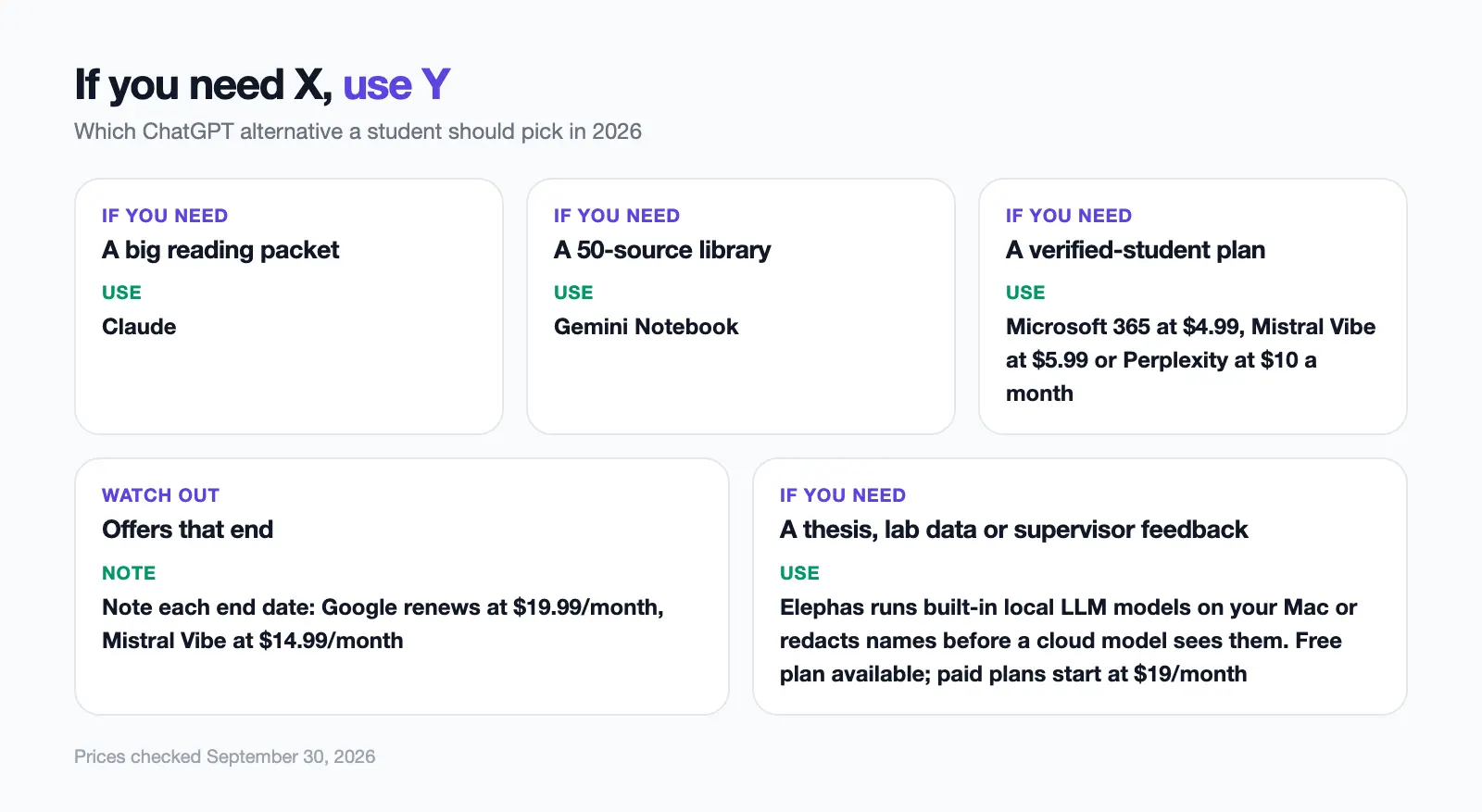
- A big reading packet: Claude. A 50-source library: Gemini Notebook.
- Verified-student plans: Microsoft 365, Mistral Vibe or Perplexity at $4.99, $5.99 or $10 a month.
- Note each end date: Google renews at $19.99/month, Mistral Vibe at $14.99/month.
- For a thesis, lab data or supervisor feedback, Elephas runs built-in local LLM models on your Mac or redacts names before a cloud model sees them. Free plan available; paid plans start at $19/month.
Private AI for students
Use ChatGPT and Claude on your coursework without exposing it
Elephas keeps your readings, lecture notes and course files indexed on your Mac and can run fully offline with built-in local LLM models. When you use a cloud model, it redacts names and other sensitive details before anything is sent.
Frequently Asked Questions
Is there a free version of ChatGPT for students?
Yes. ChatGPT Free is open to anyone, with 3 file uploads a day. OpenAI's US back-to-school offer gives eligible college and graduate students four free Plus months claimable through October 31, 2026, then $20/month unless canceled.
Is there any AI better than ChatGPT for studying?
Yes, for one study job: Claude for a long PDF, Gemini Notebook for a course library, Khanmigo for guided practice and Perplexity for checkable sources. In a 2025 PNAS trial of nearly 1,000 students, an answer-giving chatbot raised practice scores but hurt exam scores, while a tutor that withheld answers largely avoided the harm (PNAS).
Which is the best AI for a student in 2026?
The best AI for a student matches the job: Google Gemini for a free route, Claude for a big reading packet, Gemini Notebook for 50 free sources, Elephas for private research on a Mac, and Microsoft 365, Mistral Vibe or Perplexity for student plans.
What is the most used AI by students?
ChatGPT is the only tool the College Board measured: 69% of US high-school students used it for school assignments or homework in May 2025 (College Board). It did not rank other tools and covers high-school, not college, students.
Is there a free AI app for students?
Yes. Eleven of these 12 picks have a free route; only Khanmigo does not. For phone and desktop apps, see our best ChatGPT apps guide.
What are the 5 things you shouldn't tell ChatGPT?
Keep five things out: passwords, ID numbers such as a student or Social Security number (SSN), health details, other people's personal data, and graded work you do not own. Consumer chats may train models unless you opt out; if a file names other people, Elephas can redact them on your Mac first.
