7 Best Data Anonymization Tools for Text in 2026
Data anonymization tools find personal details in text, like names, emails and phone numbers, and swap them for placeholders before the text goes to an AI tool. A Harmonic Security report found 4.37% of 1,000,000 prompts in Q2 2025 held sensitive data (Harmonic Security).
If your team uses AI on its own documents every day, Elephas hides names, emails and phone numbers on your computer before a question goes to the cloud, then puts them back. You skip masking by hand, but still check what was hidden. For a one-off paste, the free Elephas tool hides personal details in your browser, and developers can use free, open-source Presidio.
This list is for text, like notes, emails and documents, not for databases or test data. We compare 7 tools on where your text goes, setup and price, then test two free tools on a made-up note.
Quick answer
- AI on your own documents every day: Elephas (our product) hides personal details on your computer before each question leaves it and puts them back in the answer. Plans start at $19 a month. For a one-off paste, our free anonymize text tool runs in your browser.
- Developers who want it free and local: Presidio, open source under the MIT license.
- A paste box with room to grow: Tonic Textual, with a 100,000-word trial.
- ChatGPT in Chrome: Caviard masks details in the browser, $9 one-time per device.
- Teams on Google Cloud or AWS: Google Cloud Sensitive Data Protection or Amazon Comprehend.
- Multilingual pipelines: Limina, 52 languages.
Which Data Anonymization Tool Fits Your Job
Start with where your text may go. Elephas, Presidio and Caviard hide details on your own computer or browser. Tonic Textual and Limina run in their cloud or on your servers.
Google and Amazon process text in their clouds. Google needs code, while Amazon also has a console. Only some tools put the real details back, and each entry below says how.
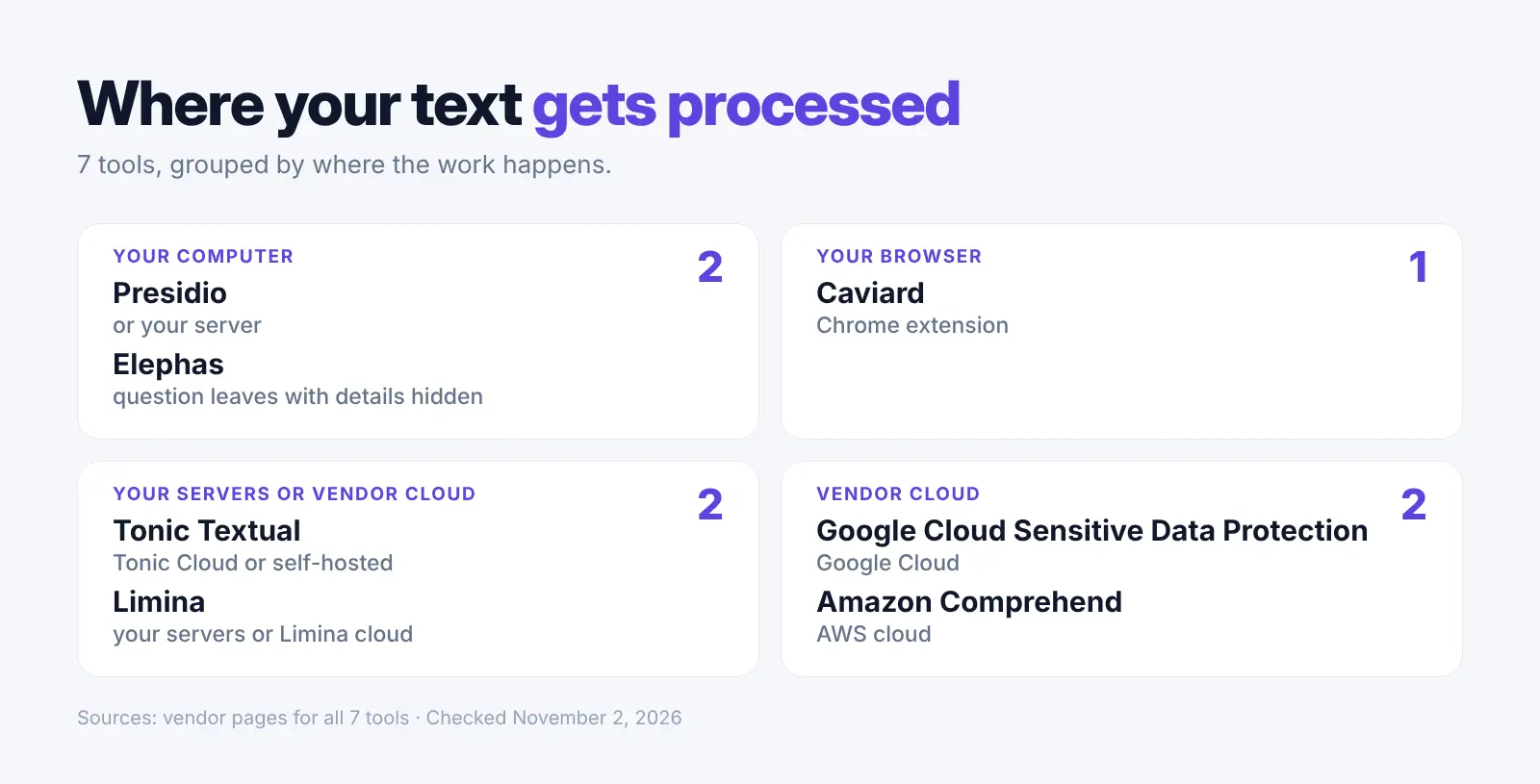
| Tool | Price | Free option | Where text goes |
|---|---|---|---|
| Presidio | Free | Free, open source | Your computer or server |
| Tonic Textual | Flat rate per 1,000 words (no public dollar rate) | Trial of 100K words | Tonic Cloud or your servers |
| Elephas | From $19 | 7-day trial, no card | Details hidden on your computer, then the question goes to the cloud model |
| Caviard | $9 one-time per device | Up to 10 values per document | In your Chrome browser |
| Limina | Paid plans by quote | Up to 75 API calls a day | Your own servers or Limina's cloud |
| Google Cloud | $3.00 per GiB to inspect, after the free 1 GiB | First 1 GiB a month | Google Cloud |
| Amazon | Per 100-character unit (see AWS pricing) | 50K units a month for 12 months | AWS cloud |
1. Microsoft Presidio: Free, Open-Source Toolkit for Developers
Best for: small teams with a developer who want text cleaning on their own machines.
Presidio started at Microsoft and is now run by the independent Data Privacy Stack community (transition page). It finds names, emails, phone numbers, card numbers, bank details and ID numbers, and you can add your own rules.
Key Capabilities:
- Remove, replace with placeholders, mask, hash or encrypt each detail
- Your own detection rules for your own ID formats
Pricing: Free, open source under the MIT license (Presidio). You run it on your own computers or servers, so you pay for those.
Where your text goes: Presidio runs in your own Python setup or a Docker server, so text can stay on your computer or your servers.
Main catch: You need code to use it. The project itself says there is "no guarantee that Presidio will find all sensitive information" (Presidio).
Why We Picked Presidio: It is free and open source, runs locally, and you decide what gets hidden.
2. Tonic Textual: Paste Box Today, Pipelines Later
Best for: professionals who want a paste-text screen with choices for each kind of detail.
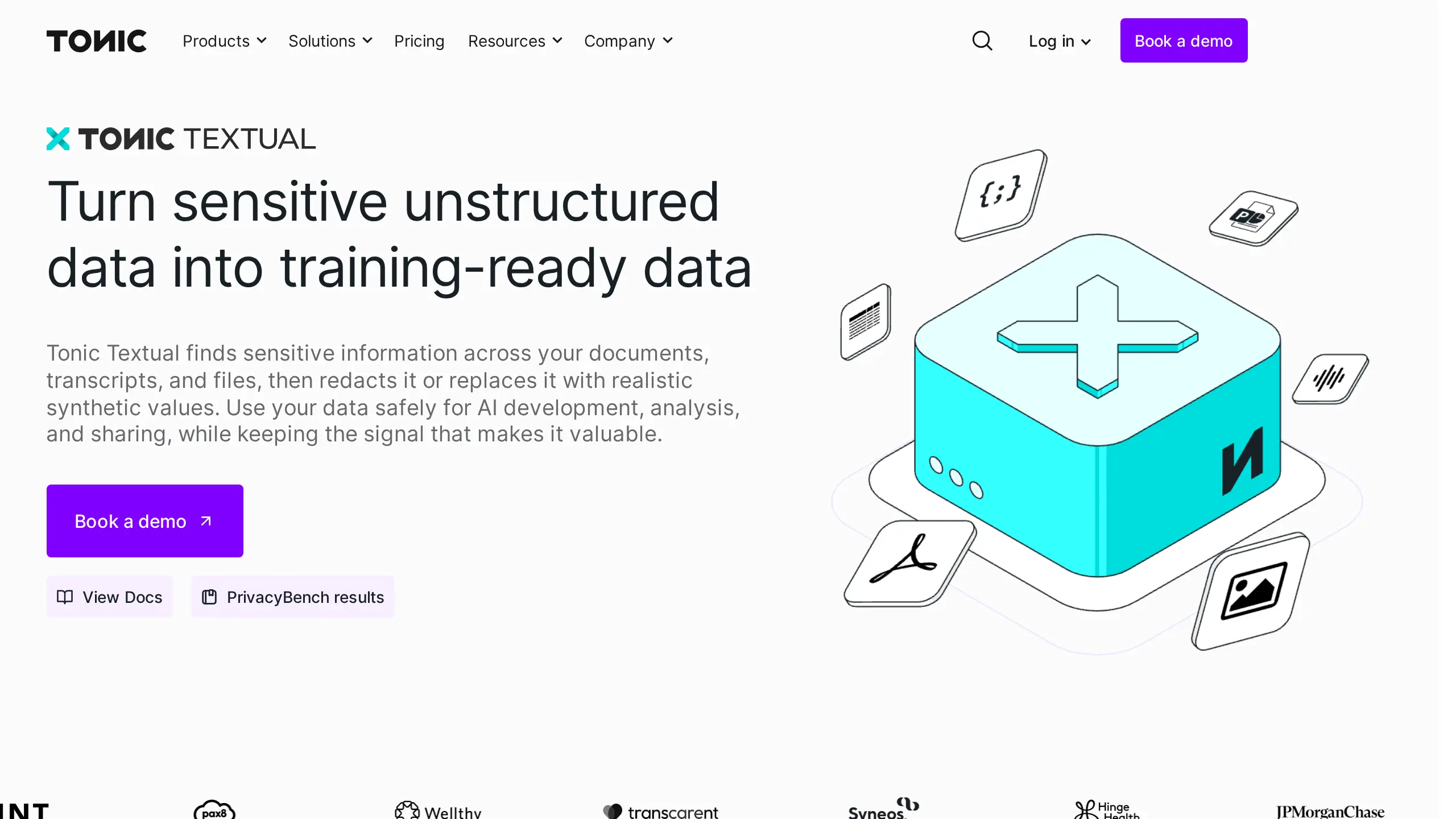
Tonic Textual from Tonic.ai finds and replaces sensitive information in free text. You can paste text into its web playground or send files from your own code through its APIs (Tonic docs). It covers names, emails, phone numbers, full addresses, account numbers and health IDs in many languages.
Key Capabilities:
- Placeholders that stay the same for the same person
- Realistic fake replacements (synthetic data) or reversible tokens
Pricing: The trial includes 100,000 words. After that it is a flat rate per 1,000 words, billed monthly, with no public dollar rate; Enterprise is custom (Tonic free trial docs, Tonic pay-as-you-go docs, Tonic pricing).
Where your text goes: To Tonic Cloud, or to your own servers if you self-host. Using it on a web page does not mean the work happens in your browser.
Main catch: Clearing the text also clears the playground settings, so they are not saved for next time (Tonic docs).
Why We Picked Tonic Textual: A no-code paste box that grows into document pipelines.
3. Elephas: Private AI That Hides Personal Details Before Each Question
Best for: teams that use AI on their own documents every day.
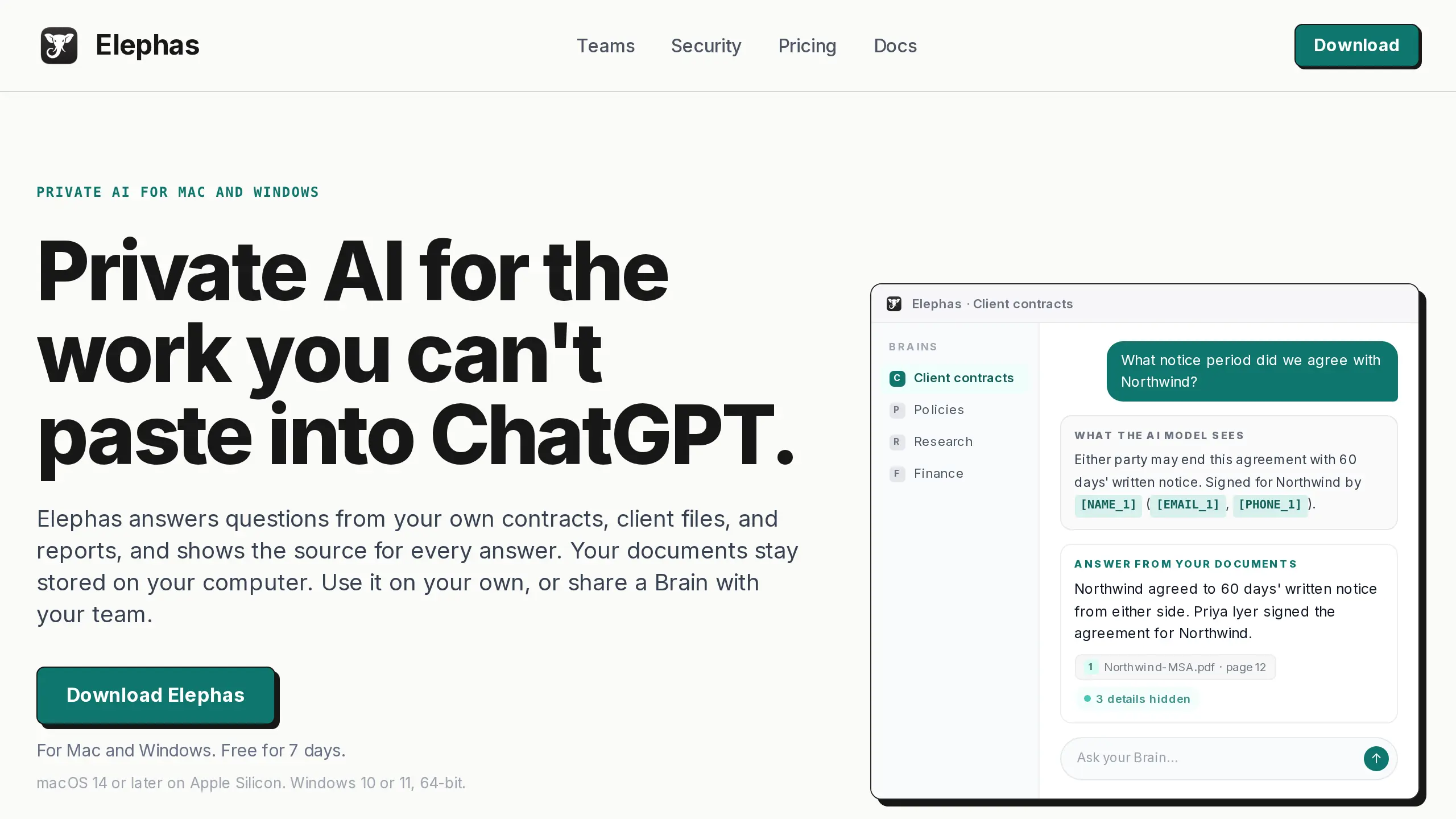
Elephas is a private AI app for your documents on Mac and Windows. Before a question leaves your computer, it hides names, email addresses and phone numbers, then puts them back in the answer. Elephas is our product.
The AI model sees [NAME_1] and [EMAIL_1] instead of the real names and emails. For a one-off paste, our free anonymize text tool also runs in your browser, with no sign-up; you paste and copy by hand.
Key Capabilities:
- See exactly what was hidden under each answer
- Add your own Protected Names, such as a project code name
- Hides details in English, German, Spanish, French, Japanese and Chinese
- Runs on macOS 14 or later (Apple Silicon) and Windows 10 or 11, 64-bit
Pricing: Plans start at $19 a month, with a 7-day free trial and no card needed (Elephas pricing).
Where your text goes: Your question and the selected passages go to the cloud model with personal details hidden. Elephas AI runs open-source models in Elephas's own cloud, and prompts are not stored or used to train AI models. The on-computer model, downloaded once, sends nothing.
Main catch: Detection, not a guarantee, so check the hidden list when it matters. The cloud route is not end-to-end encrypted (security page).
Why We Picked Elephas: It hides details on your computer by default, so you skip masking by hand.
4. Caviard: Browser Extension That Masks Details in ChatGPT
Best for: people who use ChatGPT or DeepSeek in Chrome and want automatic masking.
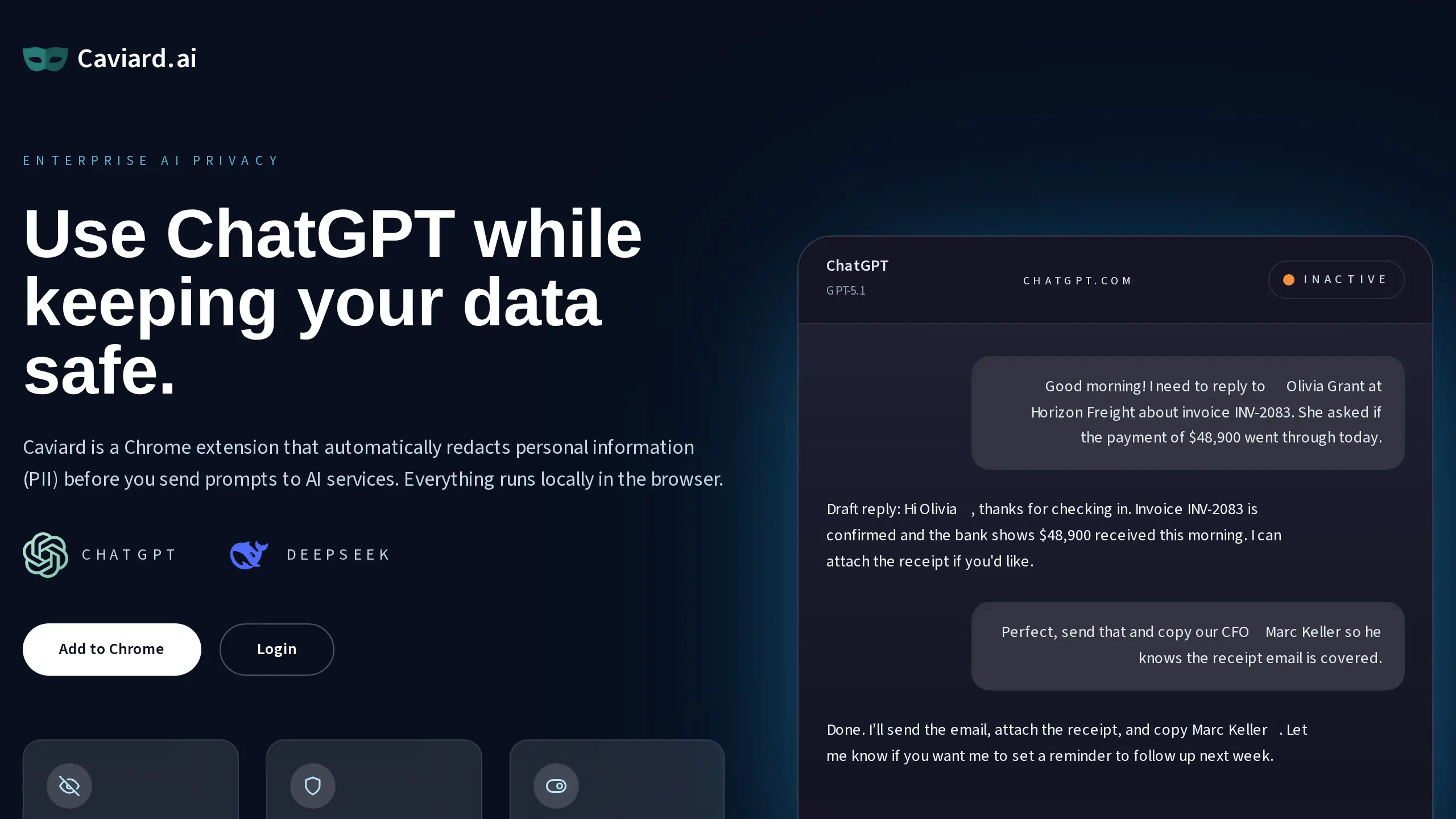
Caviard is a Chrome extension that masks personal details in your browser before a prompt reaches ChatGPT or DeepSeek. It claims 100+ kinds of personal detail and keeps the original values on your device (Caviard). Its $9 Lifetime price is shown as a 41% early discount on $15.30 (Caviard pricing).
Key Capabilities:
- Placeholders that stay the same within a session
- A keyboard toggle between the original and masked text
Pricing: Free for up to 10 protected values per document; Lifetime $9 one-time per device, no renewal (Caviard pricing).
Where your text goes: The vendor says detection and masking happen in your browser.
Main catch: Its pages name only ChatGPT and DeepSeek. We could not confirm Claude or Gemini support.
Why We Picked Caviard: It masks text inside the chat box for $9, one time.
5. Limina (formerly Private AI): Hides Personal Details in 52 Languages
Best for: teams with multilingual transcripts and documents that need vendor support.
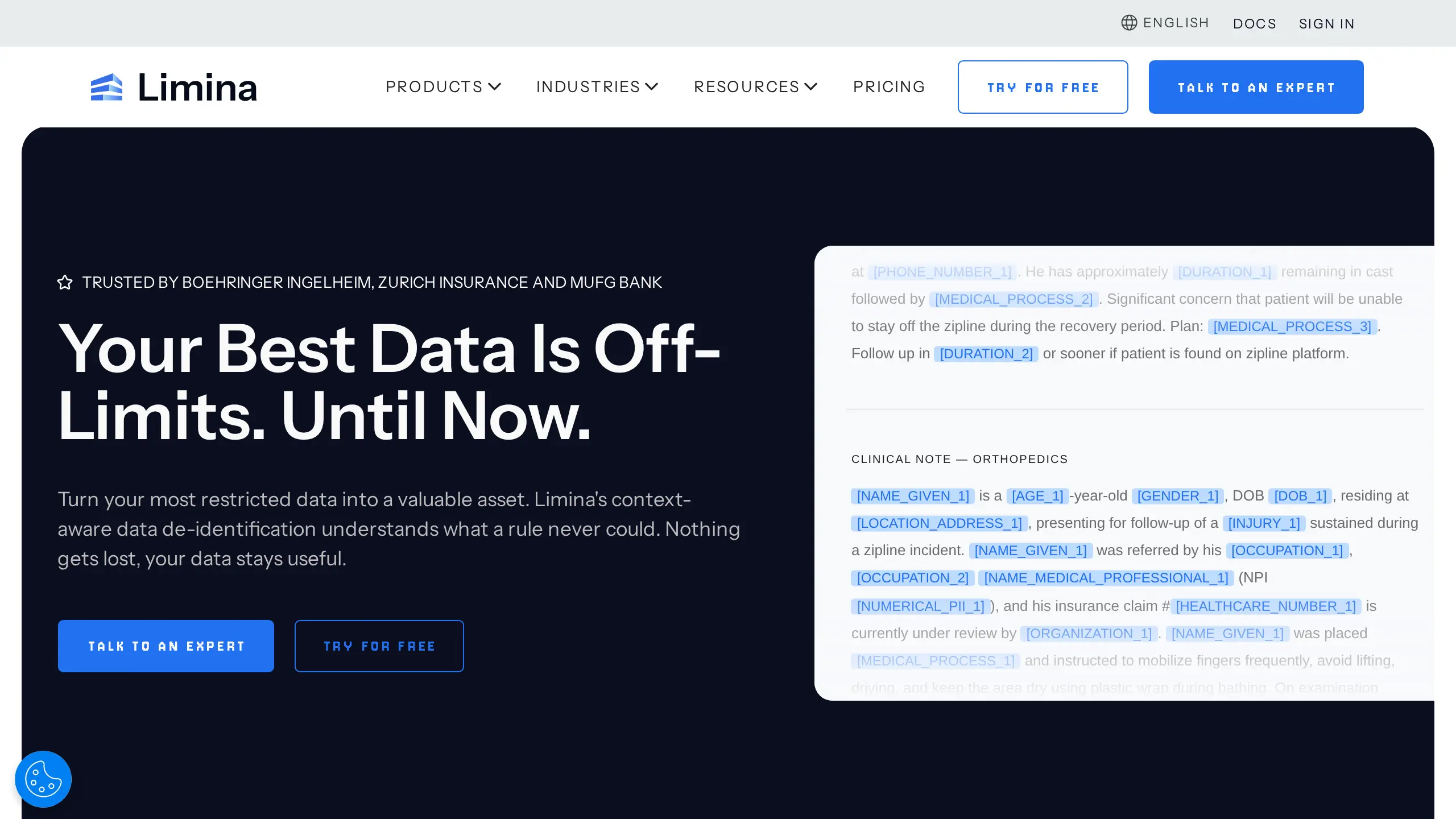
Limina is the new name of Private AI, announced on March 5, 2026 (Limina). It claims 50+ kinds of detail in 52 languages, from names and ID numbers to health terms. It can mask characters, add numbered placeholders or swap in synthetic replacements.
Key Capabilities:
- Runs as a container on your own servers, or as Limina's hosted service
- Linked placeholders for the same person across a document
- Puts the real details back with encryption or a cache you set up
Pricing: Starter is free for up to 75 API calls a day; Batch and Enterprise are priced by quote (Limina pricing).
Where your text goes: To your own servers with the container, or to Limina's cloud with the hosted service.
Main catch: You need code. Matching one person across different spellings works only for English names and company names. The faster mode matches names only when they are the same or differ in small ways, like capital letters (Limina docs).
Why We Picked Limina: It covers many languages and has a free tier to test it.
6. Google Cloud Sensitive Data Protection: Text Cleaning Inside Google Cloud
Best for: teams already on Google Cloud that need to clean text inside an app.
Sensitive Data Protection is Google's managed service that now includes Cloud DLP (Google). It lists 200+ built-in detectors and can remove, replace, mask or scramble what it finds, or swap it for a code (a token).
Key Capabilities:
- Built-in and custom detectors for names, emails, phone numbers, addresses and national IDs
- Reversible tokens with the right keys and settings
Pricing: For content methods, the first 1 GiB a month is free, then $3.00 per GiB to inspect and $2.00 per GiB to transform (Google pricing).
Where your text goes: To Google Cloud through its API, inside your own Google Cloud project with billing turned on.
Main catch: You need code, and Google says to test detector settings against your own text (Google docs).
Why We Picked Google Cloud Sensitive Data Protection: 200+ built-in detectors, the largest stated count in this list.
User Feedback:
Positive: "...what previously would have taken a month can now be achieved by Google Cloud Data Loss Prevention services in detecting sensitive PII data within 48 hours maximum" (RaviUpadhyay, Security Consultant at HCLSoftware, PeerSpot, Dec 2025, old product name, source)
Negative: "Google Cloud Data Loss Prevention has a system, but it is not very mature." (RaviUpadhyay, PeerSpot, Dec 2025, old product name, source)
7. Amazon Comprehend: Finds Personal Details for AWS Teams
Best for: AWS teams that process English or Spanish tickets and transcripts in batches.
Amazon Comprehend finds names, emails, phone numbers, addresses, card numbers and ID numbers in English and Spanish text (AWS docs). The free tier covers 50K units, or 5 million characters, a month for 12 months (AWS pricing).
Key Capabilities:
- Masks each detail with a character or with its type, like a name label
- Real-time detection in the console, redacted copies through batch jobs
Pricing: PII detection is billed per 100-character unit, with a 300-character minimum per request. Check the current PII rate on the AWS pricing page.
Where your text goes: To the AWS cloud.
Main catch: Redacted copies need a batch job, and real-time input stops at 100 KB. AWS documents no way to restore the details.
Why We Picked Amazon Comprehend: A pay-per-use option for teams already on AWS.
What We Found When We Tested Two Free Tools
We wrote a made-up test note with 9 personal details: two names, a phone number, an email, a Social Security number, a home address, a card number, an account ID and a date of birth. We ran it through Presidio's default setup and the free Elephas tool on November 2, 2026.
The note also held one clue sentence: "She is the only head nurse at the Springfield clinic."
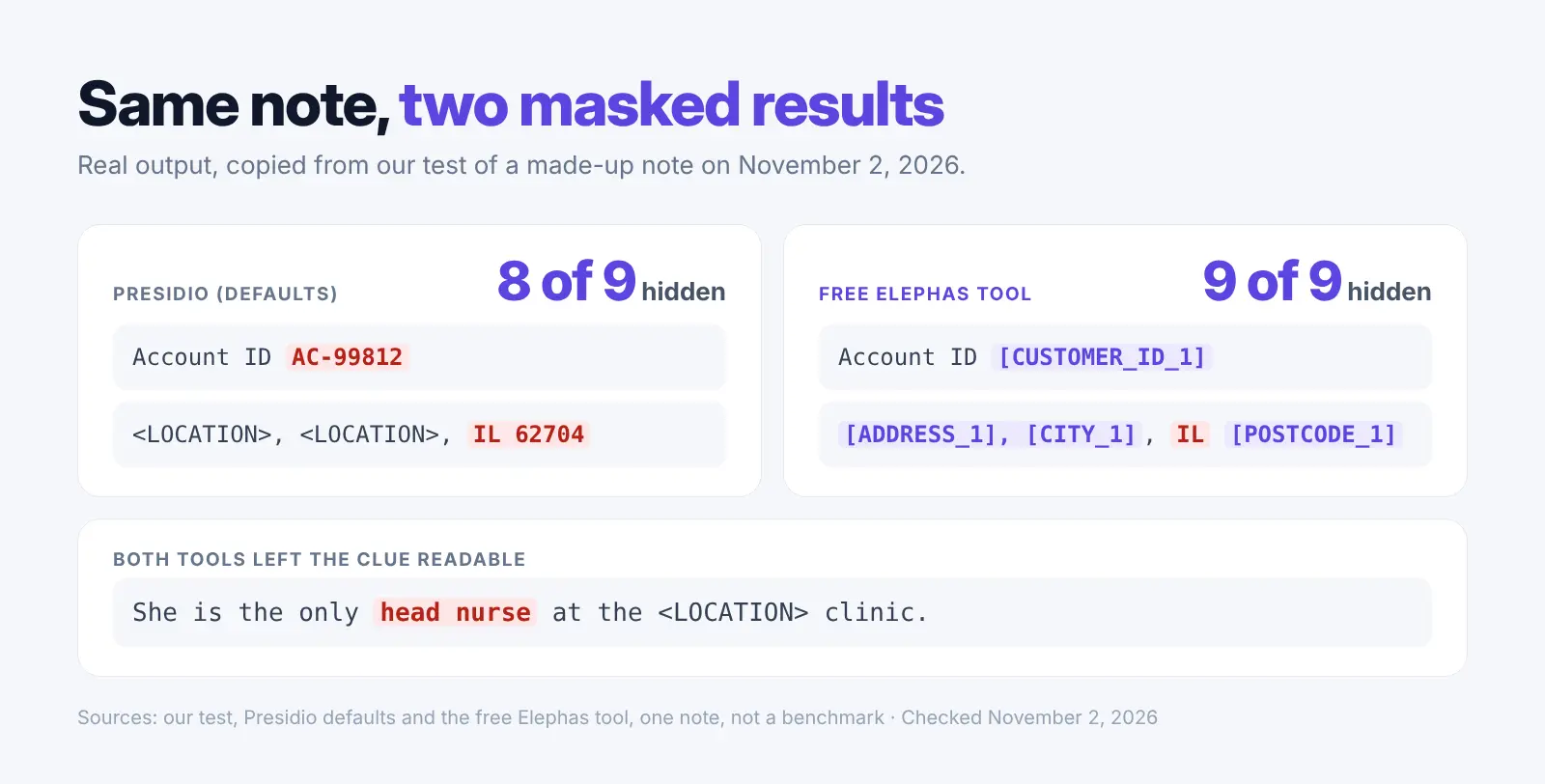
- Presidio (defaults): hid 8 of 9. It missed the account ID "AC-99812" and left the ZIP code and state readable inside the address.
- Free Elephas tool: hid 9 of 9, including the ZIP code. It left only the state, "IL".
- Both tools: left the head nurse clue readable. A person has to remove a clue like that.
Setup was different too. Presidio needed a Python install plus a separate download of its English language model (Presidio). The free tool needed only the web page and a one-time model download in the browser.
After we pasted the note, the page sent only analytics requests, and none carried the test details. This is one small test on one note, not a benchmark. The free browser tool is our own. We did not test the Elephas app here.
How to Anonymize Text Safely Before You Use AI
Mask first, read the result, then fix what the tool missed by hand. Treat the masked copy as a draft. Our guide shows how to keep your data safe with AI tools.
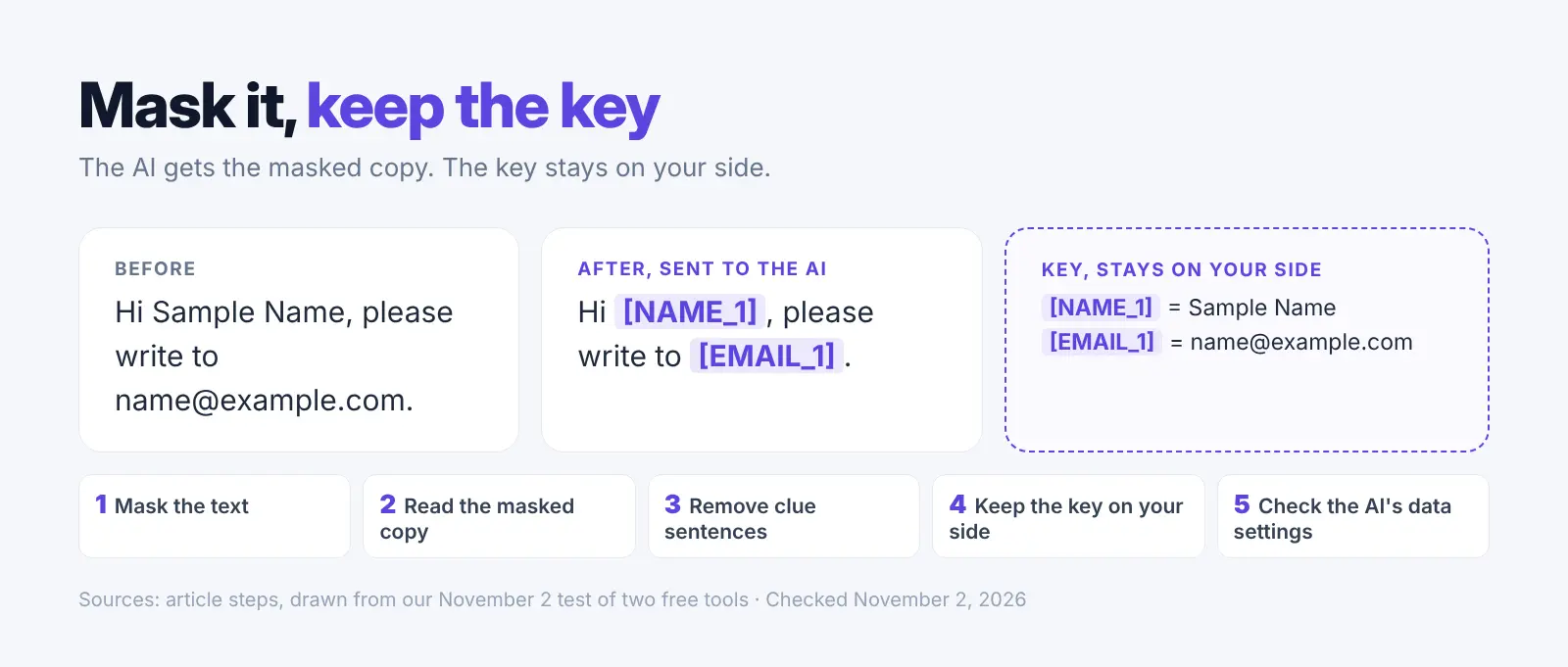
- Mask the text: Run it through a tool before you paste it anywhere.
- Read the masked copy: Look for missed account IDs, ZIP codes and dates.
- Remove clue sentences by hand: A rare job title or one-of-a-kind event can point to a person.
- Keep the key on your side: The list that maps [NAME_1] back to a real name should never go to the AI.
- Check the AI tool's own data settings: Masking does not change what the AI provider keeps.
For a quick paste, our free anonymize text tool finds names, emails, phone numbers, addresses and ID numbers and swaps them for placeholders like [NAME_1]. It is free, runs in your browser and needs no sign-up. It can miss some details, so check the copy before pasting.
For teams that do this every day, Elephas hides the details on your computer before each question leaves it.
Why Hiding Personal Details Matters Before You Use AI
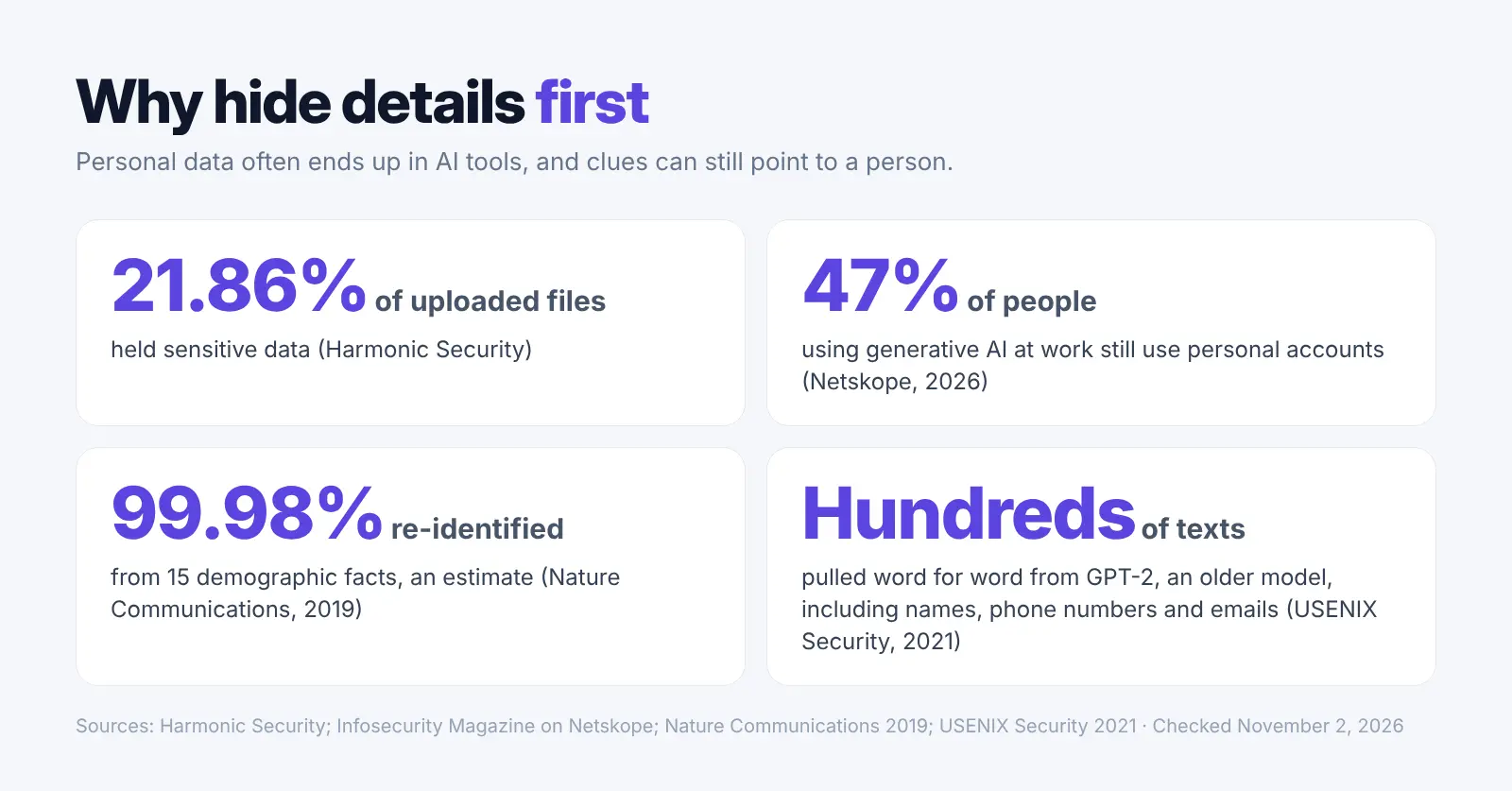
Personal data often ends up in AI tools, so hide it first. A Harmonic Security report found 21.86% of uploaded files held sensitive data (Harmonic Security). A 2026 Netskope report found 47% of people using generative AI at work still use personal accounts (Infosecurity Magazine).
Swapping names for placeholders is called pseudonymization, which is different from anonymization. The GDPR leaves truly anonymous data alone, but text with names swapped for placeholders still counts as personal data under the law (EUR-Lex). The UK ICO says pseudonymised data is still personal data (ICO).
Clues left in the text can still point to a person. A 2019 study in Nature Communications estimated that 99.98% of Americans could be correctly re-identified in any data set using 15 demographic facts (Nature). For health data, HHS says HIPAA rules apply to free text as well as form fields (HHS).
AI models can also repeat text they were trained on. A 2021 USENIX Security paper found attackers could pull hundreds of word-for-word training texts out of GPT-2, an older model, including names, phone numbers and email addresses (USENIX). The study tested GPT-2, not today's chat tools.
How We Picked These 7 Tools
We compared tools on six checks from vendor pages on November 2, 2026: works on free text, where text is processed, setup, putting details back, a public price or free option, and active upkeep. Elephas is our product and met the same checks. The order shows fit for small teams, not a score.
We found no quotable public user reviews for Presidio, Tonic Textual, Caviard, Limina or Amazon Comprehend on Trustpilot, Capterra, PeerSpot, Product Hunt or the Chrome Web Store, so those entries have none. Public Elephas reviews are about its earlier app, not about hiding personal details, so we left them out.
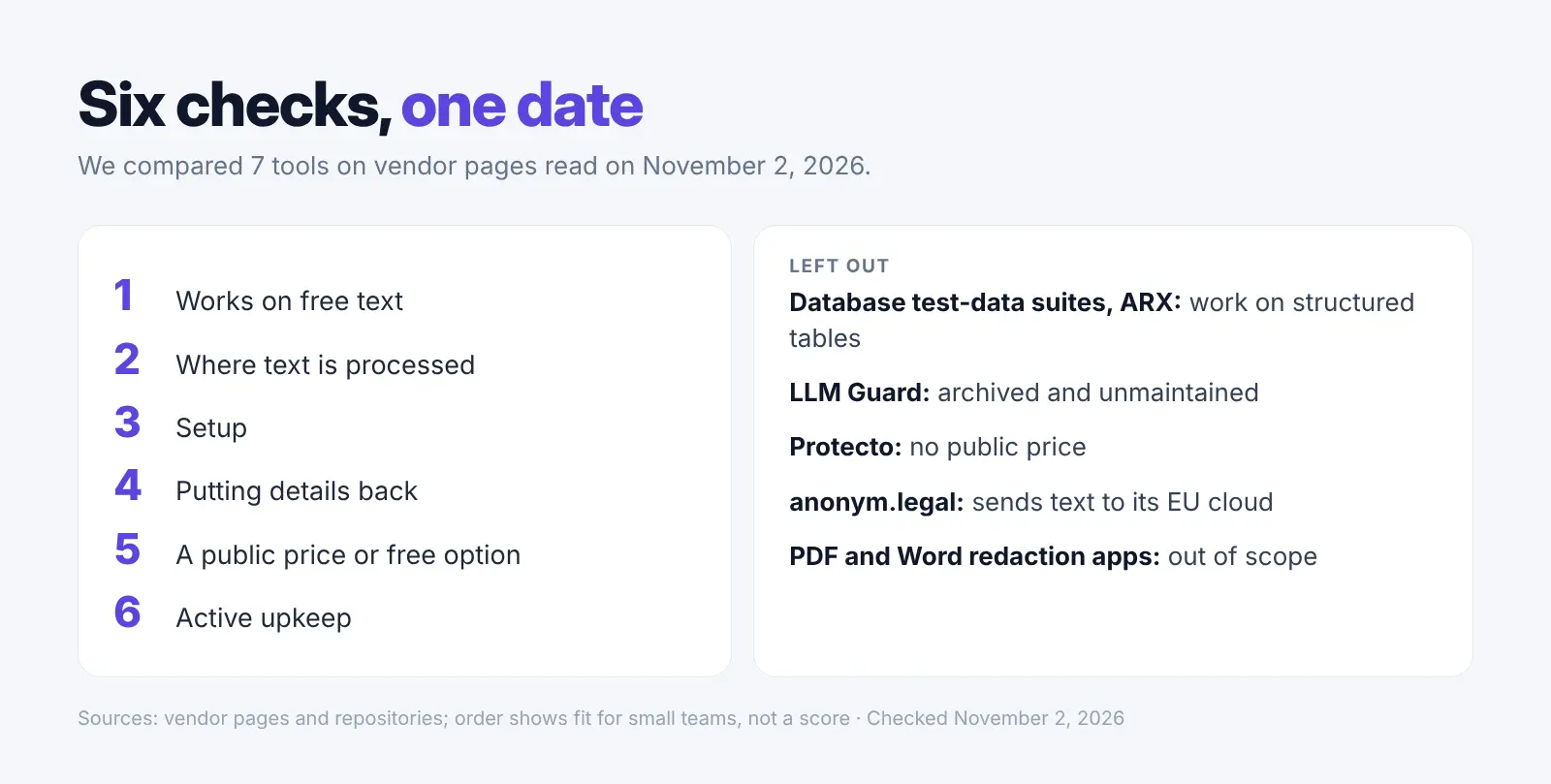
- Database test-data suites and ARX are out: they work on structured tables.
- LLM Guard is out: its repository says it is archived and unmaintained.
- Protecto is out: it has no public price.
- anonym.legal is out: it sends text to its EU cloud for detection.
- PDF and Word redaction apps are out of scope here. Our list of PII redaction tools covers them.
FAQ: Data Anonymization Tools
Which data anonymization tool should I use?
- Free and local, with a developer: Presidio.
- ChatGPT in Chrome: Caviard.
- Google Cloud or AWS apps: Sensitive Data Protection or Amazon Comprehend.
- AI on your own documents every day: Elephas.
What is the difference between anonymization and pseudonymization?
Anonymization means a person can no longer be identified. Pseudonymization swaps details for codes or tokens, so the data can be linked back with extra information. Pseudonymized text is still personal data under the GDPR.
Is masked text anonymous?
Not always. Masking hides names and numbers, but clue sentences can still point to a person. In our test, both tools left a one-of-a-kind job title readable.
Does any data anonymization tool work offline or on device?
Yes, some do. Presidio runs on your own computer, and Caviard masks in your browser. Elephas hides details on your computer, and its on-computer model sends nothing. Elephas still needs internet to sign in. See local vs cloud AI for the tradeoffs.
What are the free options?
Presidio is free and open source. The free Elephas tool runs in your browser with no sign-up. Caviard, Limina, Google and Amazon have free tiers with limits.
Is it safe to use ChatGPT after masking personal details?
It is safer, but not risk-free. Read the masked copy, remove clue sentences and check ChatGPT's own data settings first. Our guide on ChatGPT and confidential documents covers the details.
Does a data anonymization tool make me GDPR or HIPAA compliant?
No. A tool only covers one step. HHS says even proper HIPAA methods keep a small risk, and compliance also depends on your own process and vendor terms. Read our sensitive data guide.
Try Elephas Free for 7 Days
On Mac and Windows, Elephas hides personal details before the question leaves your computer and puts them back in the answer. No card for the trial; plans start at $19 a month. Download Elephas
Related Resources
- Best PII redaction tools
- Keep your data safe
- ChatGPT and confidential documents
- AI for sensitive data
- Local vs cloud AI
Research Methodology and Sources
Vendor pages were read on November 2, 2026.
- Vendors: Presidio, Tonic Textual, Elephas, Caviard, Limina, Google, Amazon
- Studies and rules: Harmonic Security, Netskope, Nature, USENIX, ICO, GDPR, HHS
- Reviews: PeerSpot, quoted word for word.
- Our test: one made-up note, run through two free tools on November 2, 2026.