Binance Hack and Shadow AI: The Work Laptop Data Risk
Shadow AI [AI tools used for work without company approval or oversight] can put work files and chats where the company cannot see them. On 30 October, Binance said its hack, with an estimated impact of about $6.3 billion, may involve a compromised DevOps engineer's laptop.
Binance has not linked AI tools to the hack, and its review is still early. Still, the same work laptops hold the logins, files and AI chats that shadow AI touches.
Managing it starts with three steps: find the AI tools people use, give one approved route for sensitive files, and lock down the laptop.
Executive Summary
- Questions, uploads and account settings can end up where the team cannot see them.
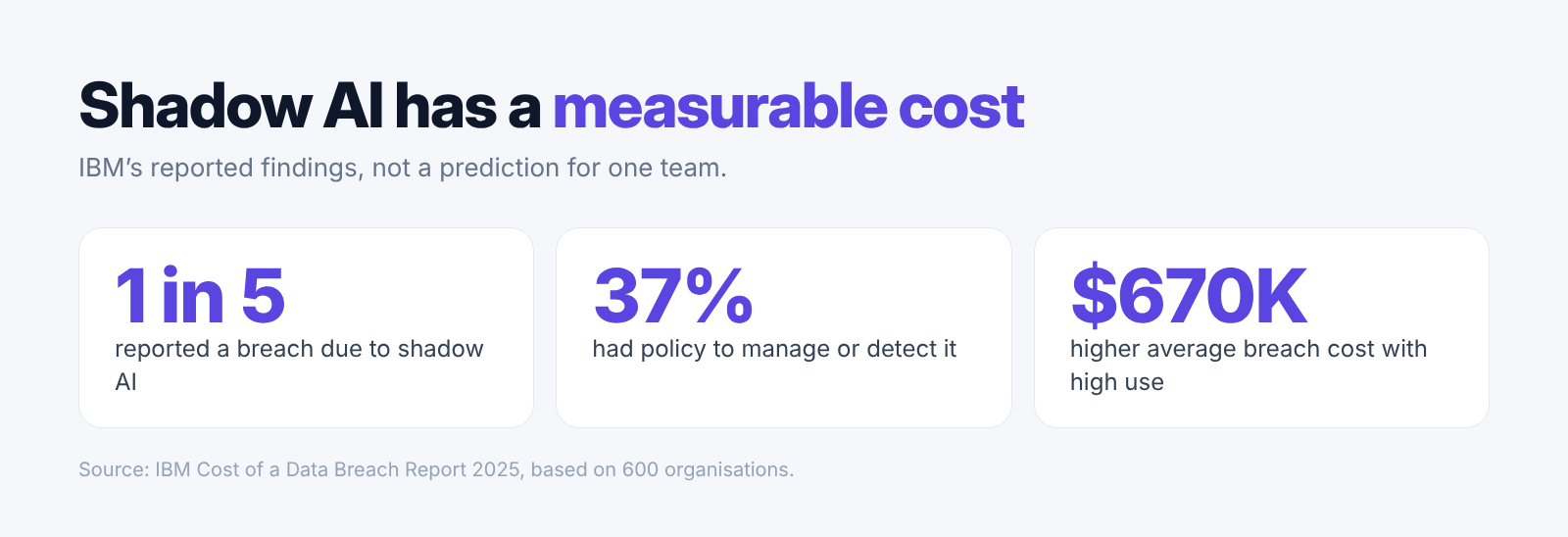
- In IBM's 2025 breach study of 600 organizations, one in five reported a breach due to shadow AI, and only 37% had policies to manage it or find it.
- To manage it, ask staff which tools they use, keep a short approved list, give one approved route for sensitive files and name one owner.
- Binance says a compromised work laptop may have let an attacker in. It has not linked AI tools to the hack, and its review is not final.
- Elephas is a more private choice than ChatGPT, Gemini and Claude for document work, as it hides personal details on your Mac before any cloud model sees them.
What shadow AI is and why it is a risk
Here, shadow AI means employee use of an AI tool without formal IT approval or oversight. High use of it raises the average cost of a breach by $670,000.
The risk sits in accounts the team does not control. A personal AI account on a work laptop can hold questions, uploaded files and settings that the team cannot see or manage.
IBM's 2025 breach study covered breaches at 600 organizations. One in five reported a breach due to shadow AI, and only 37% had policies to manage AI or find shadow AI.
IBM's worker survey, run by Censuswide with 3,000 office workers, shows that AI use at work runs well ahead of the rules. A ban may hide that use instead of showing the team where work data goes. Work chats and uploads can pass through accounts the company does not manage.
- The team may not know which service keeps a question or a file, or for how long.
- A personal account follows the provider's rules for individuals, not the company's contract.
- Work material and private chats can mix in the same account.
- IT has no record of the account, so it cannot close it when someone leaves.
How to find and manage shadow AI at work
A written rule turns a hidden habit into something the team can manage.

Start by asking staff which AI tools they use for work, including personal accounts. Ask without blame, so people answer honestly. Then keep a short list of approved tools and the kinds of work each one may handle.
Give staff one approved route for sensitive files, such as contracts, customer notes and internal reports. Write the rule down in plain words: passwords, access tokens [codes that let an app use an account] and client records never go into personal AI accounts.
Name one owner for the list and the privacy settings. That person reviews the rule when a provider changes a feature, a plan or its data controls.
- For each approved tool, record its name, the account type and who owns it.
- Give staff one contact for a new tool or an unclear upload.
- Remove an approval when the provider's terms no longer fit the team's rule.
- Review the list after a lost laptop, a staff change or a new AI feature.
Binance's laptop finding is early and limited
At 02:25 UTC on 30 October, Binance said its first review suggests the incident may involve a compromised DevOps engineer's laptop.

Binance identified the laptop as belonging to a DevOps engineer. It said the laptop may have let an attacker reach a service container [a small running part of an online system] and send unauthorized withdrawals. It found no evidence that a wallet private key [the secret code that controls crypto funds] leaked.
Binance's post put the impact at about $6.3 billion, with about $3 billion frozen on-chain [locked on the public blockchain record] so far. It said losses would be covered from its SAFU fund [a Binance emergency fund] and company funds, and it paused deposits and withdrawals.
- 20:32 UTC, 29 October: Spreek issued an unconfirmed public alert.
- 21:15 UTC: CZ said it looked like a Binance hack, and Binance said it was investigating a security issue.
- 21:18 UTC: Circle froze more than $800M USDC.
- 21:25 UTC: Tether froze more than $1.567B USDT.
- 21:29 UTC: Binance said user funds were safe.
- 00:04 UTC, 30 October: Yi He said Binance would cover hacking losses.
- 01:01 UTC: ZachXBT said frozen assets had passed $2.83B.
- 02:25 UTC: Binance said a laptop may be involved.
- Binance says it will share a detailed post-mortem [a full report on what went wrong] once the facts are verified.
- Axios reported that Binance had not confirmed who was behind the attack or the final total.
- The frozen total changed through the night, so each early figure is a snapshot.
- Binance has not said that AI tools played any part in the hack.
A work laptop holds access, files and AI history
Review open sessions, saved logins, local files and AI chat history every week.

An open session [a browser or app login that has not ended] can let someone into a service without a password. A saved login can be a password, a passkey [a sign-in key stored on the device] or an access token.
The laptop may also hold downloaded reports, client contracts and exported sheets. AI chat history can show questions, replies and file names, and what a tool keeps depends on the plan and settings. For a related case about exposed AI keys, see our OpenCode breach coverage.
- Sign out of unused accounts to close open sessions.
- Check browser and password manager entries for saved logins.
- Remove old downloads and encrypt the disk for local files.
- Check each account's data controls for AI history.
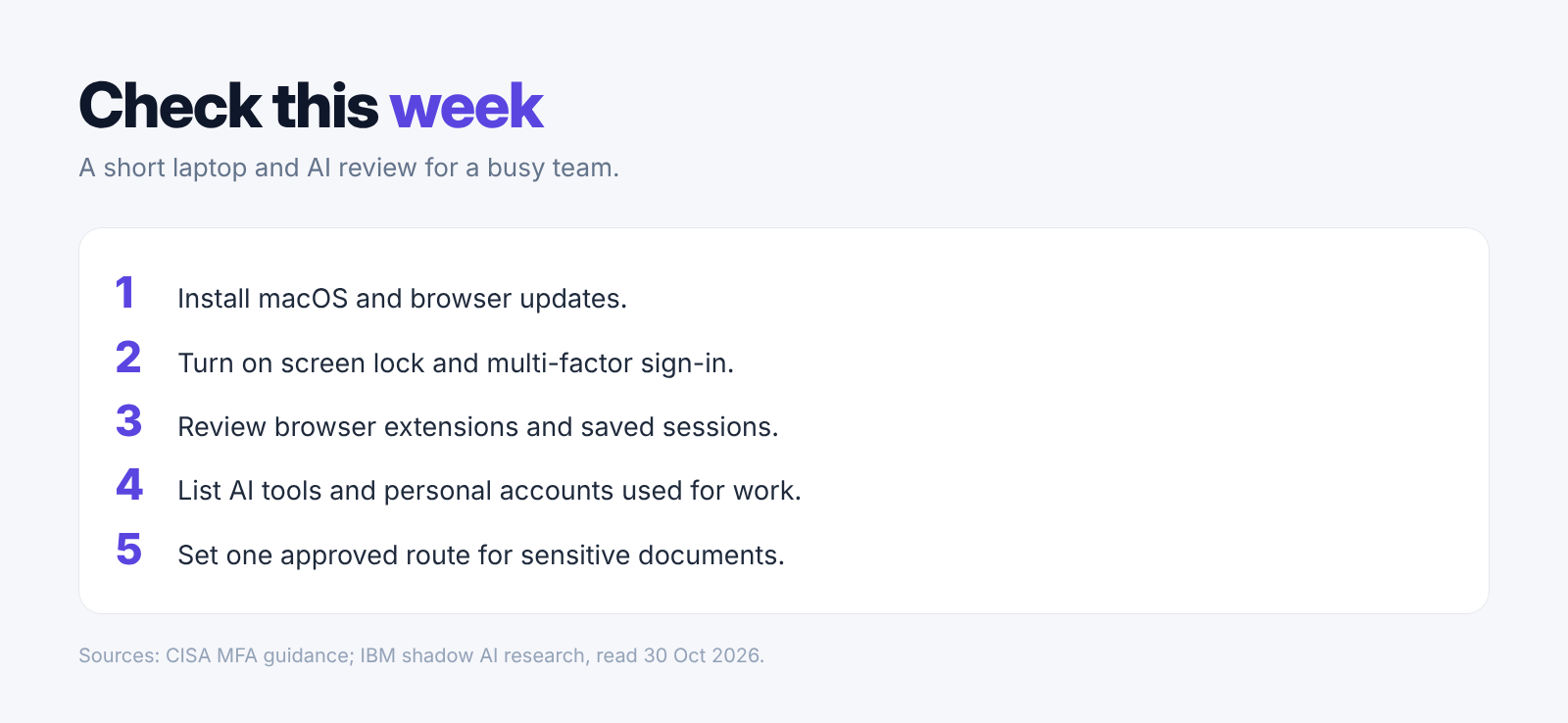
- Install pending macOS, browser and work-app updates.
- Turn on screen lock and disk encryption [a lock that keeps stored files unreadable without the key]. Use multi-factor authentication [an extra sign-in check after the password] on key accounts. CISA says it adds security to online accounts.
- Remove browser extensions you no longer need.
- List each AI account you use for work and mark it personal or managed.
- Use the team's approved route for sensitive documents, and tell IT about a strange login or a lost device.
Cloud AI settings decide what happens to chats and uploads
ChatGPT, Gemini and Claude each publish different rules, so check the plan and settings before you upload a work file.
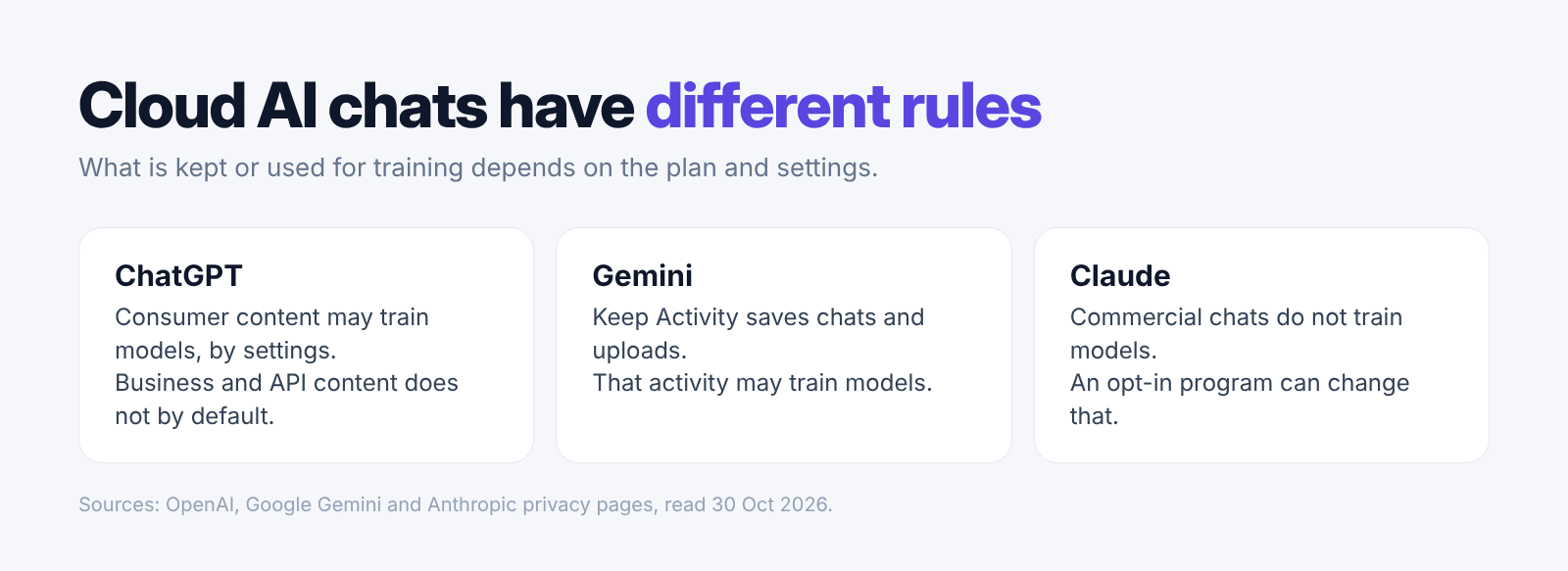
OpenAI says it may use ChatGPT content from individual accounts to improve its models, depending on settings. By default it does not train on ChatGPT Business, Enterprise or API Platform content. Temporary chats stay out of history and training, but OpenAI may keep a copy for up to 30 days for safety.
Google says that with Keep Activity on, Gemini saves your chats and what you share, such as uploads and screens, in your Activity. It uses that activity to improve its services, including training generative AI models, with help from human reviewers.
Anthropic says it does not train on chats from its commercial plans, such as the API and Claude for Work, unless the customer joins its Development Partner Program. Feedback you send may still be used. Our guide to local vs cloud AI explains where each answer is made.
- A personal account and a managed work account can follow different rules.
- Turning history off does not stop a question from reaching the provider.
- Google says Gemini chats seen by human reviewers are kept for three years, apart from the account.
- Read the provider's page for the exact product and plan your team uses.
Elephas keeps your documents on your Mac
Elephas is private AI for your documents on the Mac, and your documents stay stored on your computer. AI tools rest on servers you cannot see, and a work laptop full of AI chats and uploads is one more thing worth protecting.

Cloud tools receive your questions and uploads
With ChatGPT, Gemini and Claude, your questions and uploads go to their servers, and chats can be kept or used to train models, depending on the plan and settings. With Elephas, documents stay stored on your Mac, and with the on-computer model your questions and documents are not sent anywhere.
Work files often hold personal details
Elephas hides names, email addresses and phone numbers on your Mac before a question goes to a cloud model, then puts them back in the answer. You can see what was hidden under every answer.
One shared setup replaces a mix of personal tools
Elephas Team gives everyone one shared, managed setup. The team gets shared Team Brains [collections of team documents], one AI policy and usage caps, and the owner decides whether the on-computer model is allowed. Team costs $29 per person per month.
- The search index and chats are kept in an encrypted database on your computer.
- Elephas AI runs open-source models in Elephas's own cloud, and it does not store your questions or use them to train models.
- Every answer cites your files, so you can open the exact passage it used.
- Elephas runs on Macs with macOS 14 or later on Apple Silicon, and Windows is coming soon.
- Plans start at $19 a month, with a 7-day free trial.
Conclusion
Binance's laptop finding is early, and Binance has not linked it to AI tools. It is still a clear reminder that one work laptop can carry a lot of access and company data. The final account may change, but the routine checks on a work laptop do not need to wait.
Shadow AI adds a quieter risk on that same laptop, as work files and questions go into personal tools the team cannot see. A clear rule, a known owner and regular account checks give staff a safer way to work while keeping the team informed.
- Treat the Binance laptop link as early until its post-mortem is out.
- Ask staff which AI tools they use, then keep a short approved list with one owner.
- Update and lock each work laptop, and use multi-factor authentication on key accounts.
- Check each AI account's settings before uploading work files.
- With Elephas, documents stay stored on your Mac and its on-computer model sends your questions and documents nowhere.
Private AI for your documents, on your Mac
Elephas answers from the files on your Mac, and with its on-computer model your questions and documents are not sent anywhere. On cloud routes it hides names, emails and phone numbers on your computer first. Plans start at $19 a month, and Team is $29 per person per month.
