ChatGPT Message Limit: Free, Plus and Pro Caps
Last updated: October 7, 2026
There's no fixed ChatGPT message limit for everyday text chats. OpenAI announced unlimited text for Free and Go on 6 August 2026, and its pricing page lists Plus and Pro the same way.
You can still hit caps from named models, tools and long conversations, and this guide finds yours.
Figures come from OpenAI's pages, checked 7 October 2026; where none is printed, we say so.
Quick answer
- Everyday text chat is "Unlimited*" on Free, Go, Plus and Pro, under a reasonable-use footnote.
- Real caps belong to named models (GPT-6 Pro, Thinking), tools such as uploads, the Work and Codex task tools, or one overlong conversation.
- No Pro plan ($100, $200, $500) includes unlimited GPT-6 Pro.
- If you move client work between chatbots at the cap, redact it first: Elephas is a private AI knowledge assistant for Mac that redacts 28 types of sensitive data on your Mac, from $19/month with a free trial.
Which ChatGPT Usage Limit Did You Actually Hit?
Readers confuse three walls: a named-model allowance (a cap on one model), a tool limit, and the length of one very long conversation (OpenAI gives no figure). An outage can look like any of them. The banner, the model name on the reply and any reset time shown tell you which one you hit.
| What you see | Which wall | What to do |
|---|---|---|
| A limit notice with a stated reset time, or another model replying | Named-model allowance | Wait for that time or pick another model |
| Uploads, images or voice refused while text still works | Tool limit | Keep working in text; retry the tool later |
| A notice that the conversation is too long | Conversation-length wall | Start a new chat with a pasted summary |
| Errors on every message, or replies that stall | Outage or capacity | Check status.openai.com, then retry |
OpenAI's status page logged errors across ChatGPT and Codex, the coding tool, on 3 September 2026.
Three things can change what you get mid-chat:
- Choosing a Thinking level or a Pro model spends that model's own allowance, not your everyday chat.
- A paste over 10,000 characters can become an attachment, and uploads have their own separate limits.
- After a named-model cap, ChatGPT may switch you to another model on its own.
What Is the ChatGPT Free Limit, and What Does Each Plan Get?
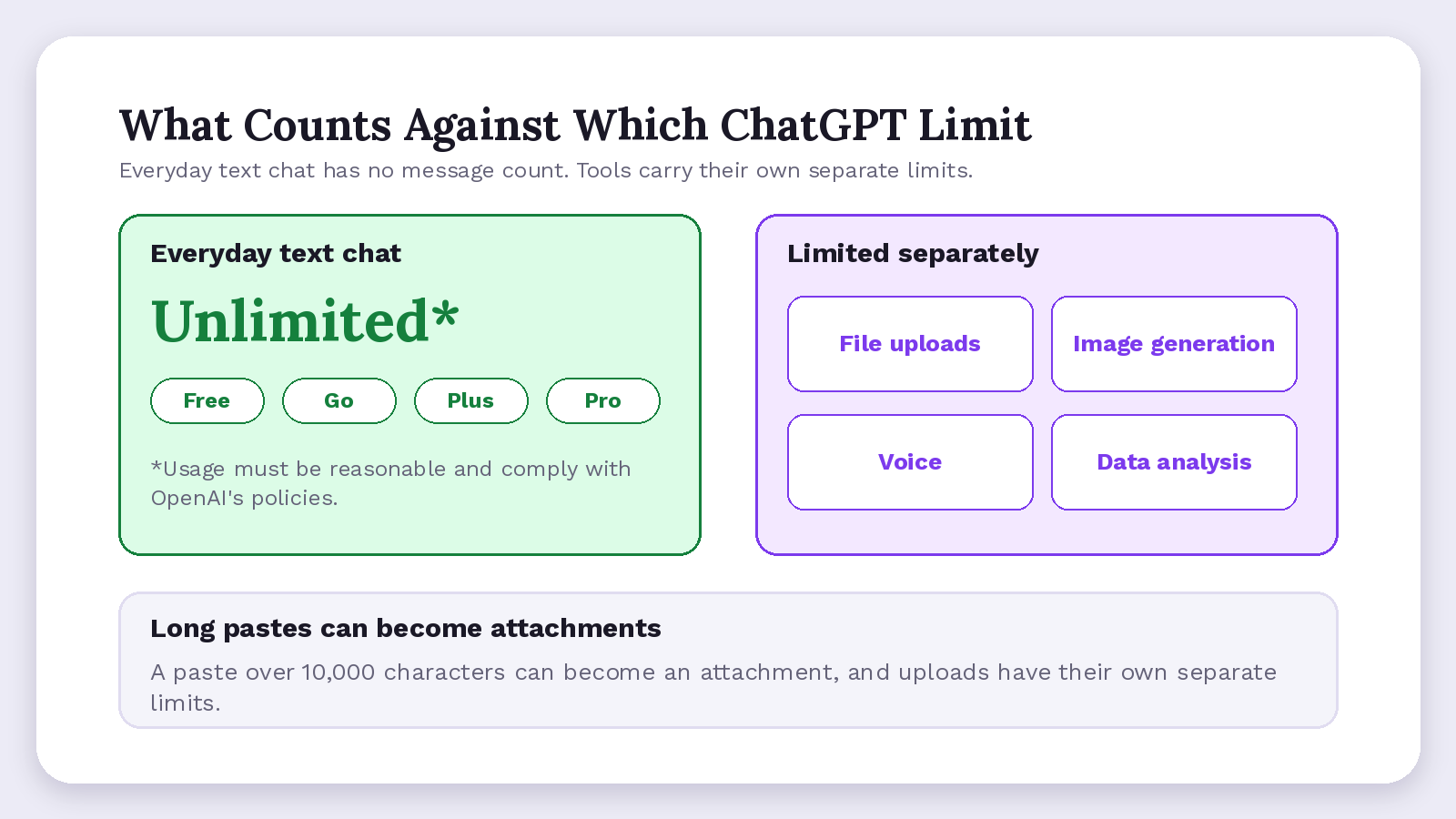
The free limit is no longer a message count. The Help Center's Free Tier FAQ gives Free users "unlimited everyday text chats, subject to abuse-prevention safeguards," while the free plan caps file upload, image generation, voice and data analysis separately. Limits by plan, with everyday text "Unlimited*" on each:
| Plan | Model cap OpenAI prints | At the cap: reset or fallback | Source |
|---|---|---|---|
| Free | Think uses GPT-5.6 Luna; tools capped, no numbers | Reset time shown in ChatGPT | Free Tier FAQ, models page |
| Go (between Free and Plus) | Think uses GPT-5.6 Luna, not Sol; tools capped | Not printed | Models page |
| Plus ($20/month) | Medium and High thinking, no count | May continue with another model | Models page |
| Pro $100 | One weekly allowance shared by both Pro models | Switching adds nothing; wait for the weekly refill | Models page |
| Pro $200 | Weekly GPT-6 Pro, daily Sol Pro, no numbers | Falls back to GPT-5.6 Thinking at Medium | Models page |
| Pro $500 | "highest included usage," no number | Reset time shown when available | Pro tiers page |
ChatGPT Plus Message Limit
ChatGPT Plus has no printed message count. OpenAI's pricing lists everyday text as "Unlimited*", yet the Plus page says Plus "may include usage limits such as message caps, especially during high demand."
- The pricing footnote is a policy line: "Usage must be reasonable and comply with our policies."
- Thinking levels set how long the model reasons before it answers; Plus gets Medium and High, not the top two, Extra High and Pro.
- The pricing page's Plus card promises "Expanded messages and uploads" over Go.
Is ChatGPT Pro Unlimited? How the Pro Model Caps Work
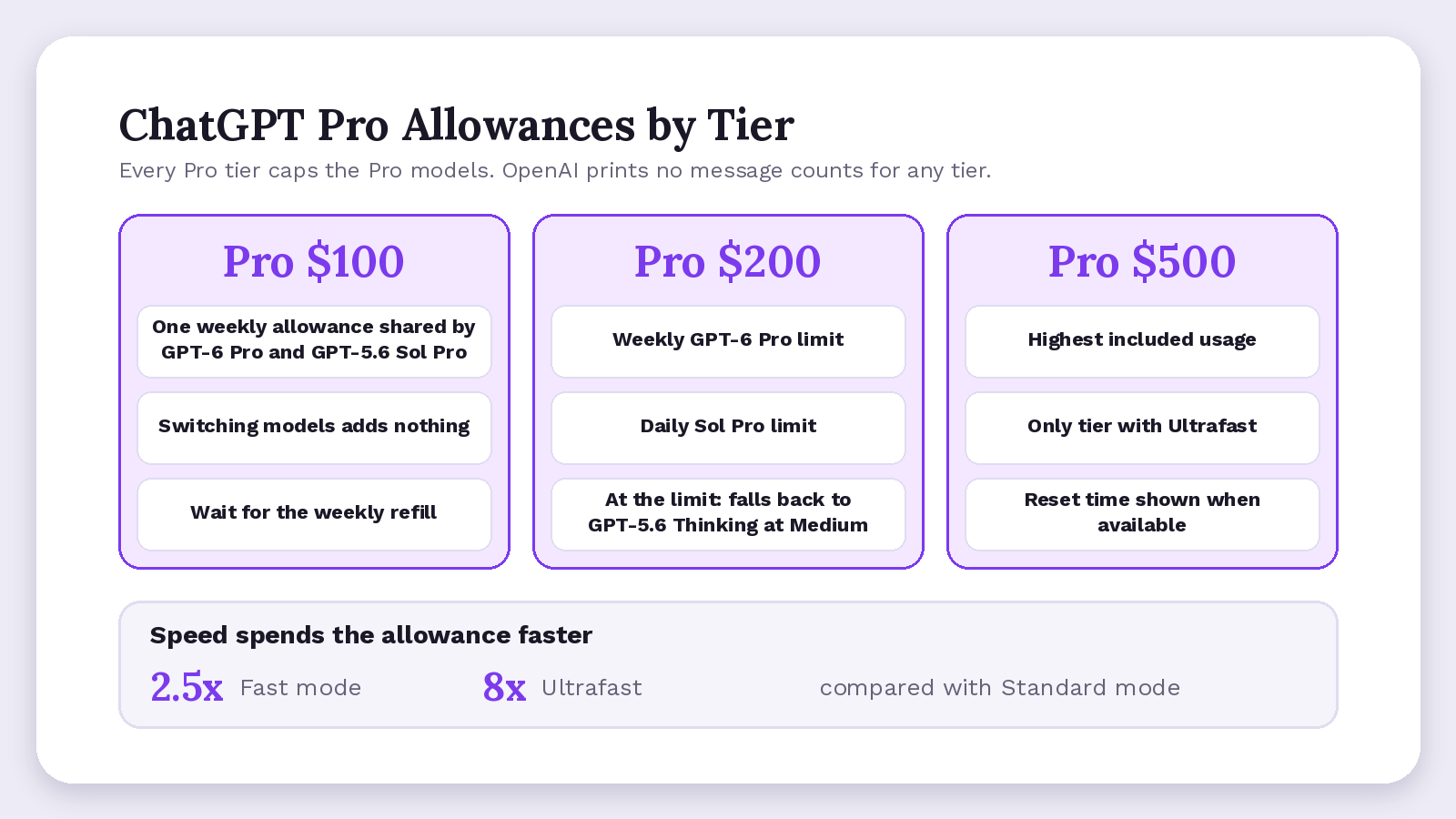
ChatGPT Pro is unlimited for ordinary text prompts only. Its caps sit mainly on the two models ChatGPT labels Pro: GPT-6 Pro and GPT-5.6 Sol Pro. The OpenAI release notes date the Pro $500 launch, next to the $100 and $200 tiers, to 29 September 2026.
OpenAI's models help page says "a Pro subscription does not include unlimited use of the GPT-6 Pro model." On Pro $200, hitting the weekly limit on GPT-6 Pro drops you to GPT-5.6 Thinking at Medium. OpenAI says Pro plans with higher usage allowances include higher limits, but prints no tier's count.
- Fast mode spends the allowance at 2.5x the rate of Standard mode, per OpenAI's Pro tiers page.
- Ultrafast, a lower-latency GPT-6 Astra mode for Work and Codex sold only on Pro $500, spends it at 8x.
- If you hit an allowance, that "does not by itself mean that your account was restricted."
Older Pro 200 Allowance Ends 29 October 2026
Eligible Pro 200 subscribers (active at any point from 22 September to 10 a.m. PT on 29 September 2026) keep their previous allowance through 29 October 2026 while the plan stays active.
After 29 October they move to the lower allowance at the same $200 price. New subscriptions start lower, so in this grandfathering window (a grace period) two Pro 200 users have different caps.
ChatGPT Business Pro Messages
On a Business plan, the Pro cap is published, not unlimited. Standard seats include 15 Pro messages per month and Premium seats 50 Pro messages per week, shared across both Pro models (Business limits page). Before upgrading, check whether Pro is worth it.
Is There a ChatGPT Daily Limit, and When Does It Reset?
No fixed ChatGPT daily limit applies to ordinary text messages on any personal plan. Daily and weekly clocks belong to named models, such as the weekly Pro-model limit on Pro $200, and ChatGPT shows their reset time when it can.
We found no messages per day figure for everyday chat, no fixed reset time and no rolling window that frees messages one by one.
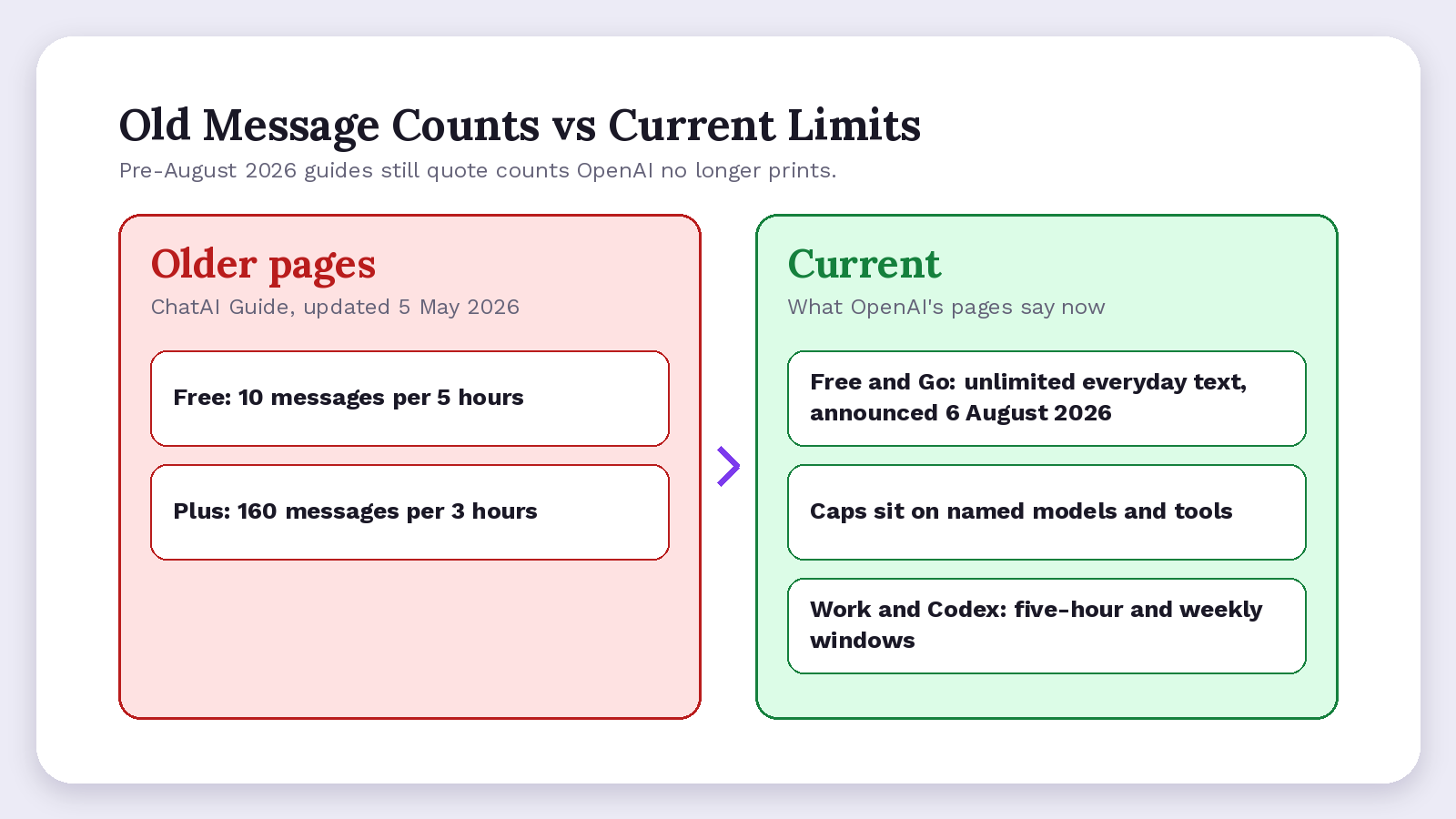
- Work and Codex, tools for longer tasks like coding, differ: OpenAI's usage page says their limits "may apply over a five-hour window and a weekly window."
- Renewing early may not refill a weekly allowance, which follows "the reset time shown in your account," OpenAI Support said on the Developer Community.
- Other tools run their own clocks, such as the NotebookLM daily limit.
Why Older Pages Say 10 Messages per 5 Hours
Pre-August 2026 guides still quote old chat limits: Free at 10 messages per 5 hours and Plus at 160 per 3 hours, as a ChatAI Guide page updated 5 May 2026 does.
Such counts were shaky even then. In December 2023, a Plus user on an OpenAI forum thread hit the GPT-4 cap at 40 messages in 3 hours while the help page said 50, because OpenAI was "dynamically adjusting usage caps."
A PCWorld report on 7 August 2026 said OpenAI was "removing text chat usage limits for ChatGPT Free and Go accounts."
What Should You Do When You Hit the Limit?
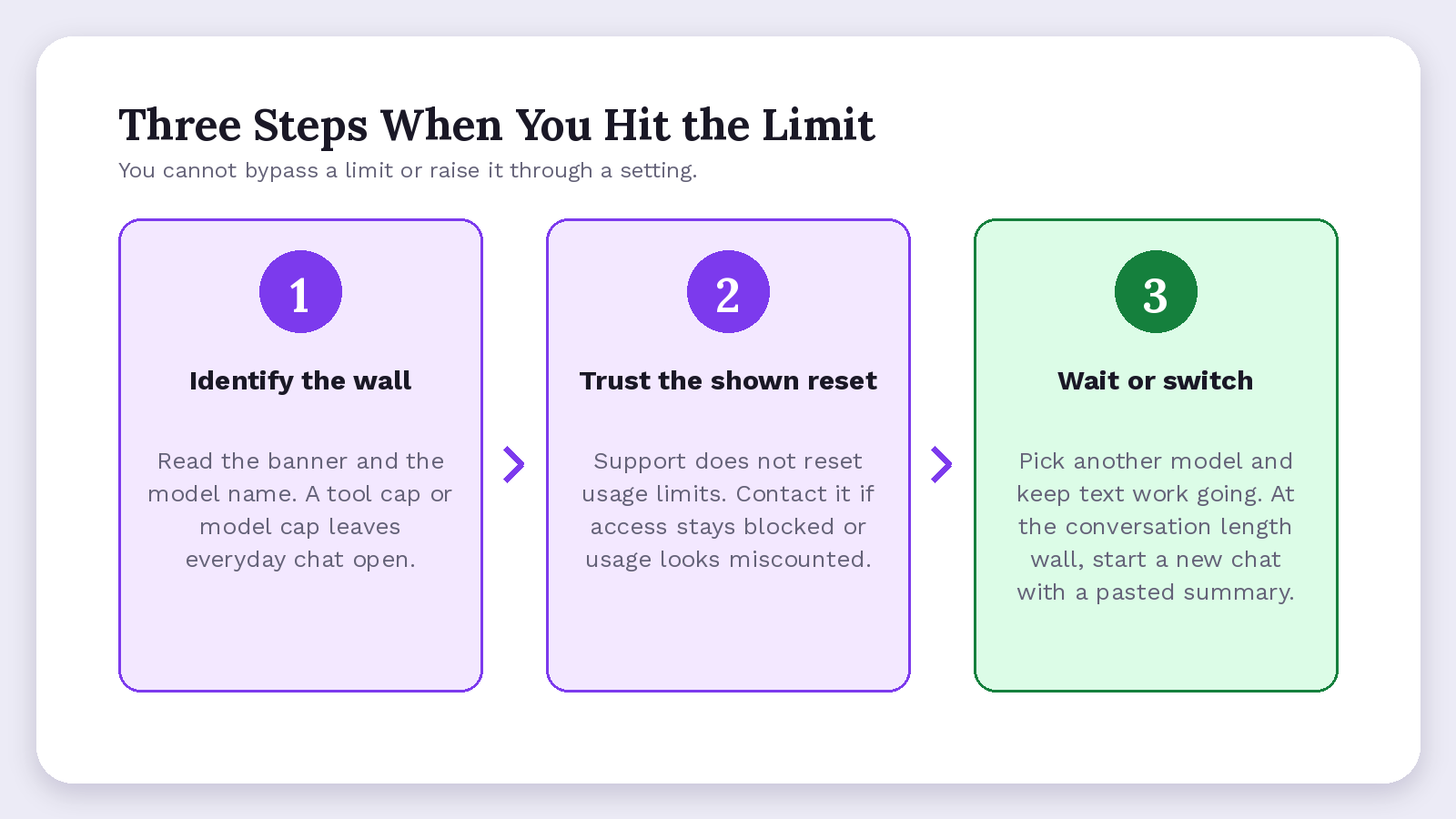
When you hit the cap mid-task, your realistic options are three steps: identify what stopped you, trust the reset time ChatGPT shows, then wait or switch models. OpenAI adds that "you cannot bypass a limit or increase it through a setting."
- Identify the wall. Read the banner and the model name; a tool cap or named-model cap leaves everyday chat open.
- Trust the shown time. OpenAI Support "does not reset ChatGPT or Codex usage limits," so contact it if access stays blocked after that time or usage looks miscounted.
- Wait or switch. Pick another available model, or keep plain text work going until that model's or tool's limit resets.
We found no threshold for the conversation-length wall, and no page documents waiting as a fix. Open a fresh chat and paste in the key decisions, figures and open questions from the old thread.
For an upload limit, keep going in text: paste short excerpts under 10,000 characters instead of whole files, then retry the upload later. If you keep hitting limits mid-task, compare ChatGPT alternatives.
Check your employer's rules before moving client files to a personal account. A 2025 Pew Research Center survey found 28% of employed US adults used ChatGPT for work. The acting head of CISA, the US cyber agency, reportedly uploaded documents marked for official use only to ChatGPT, TechCrunch reported in January 2026, citing Politico.
Which Privacy Solution Works When You Switch Chatbots at the Cap?
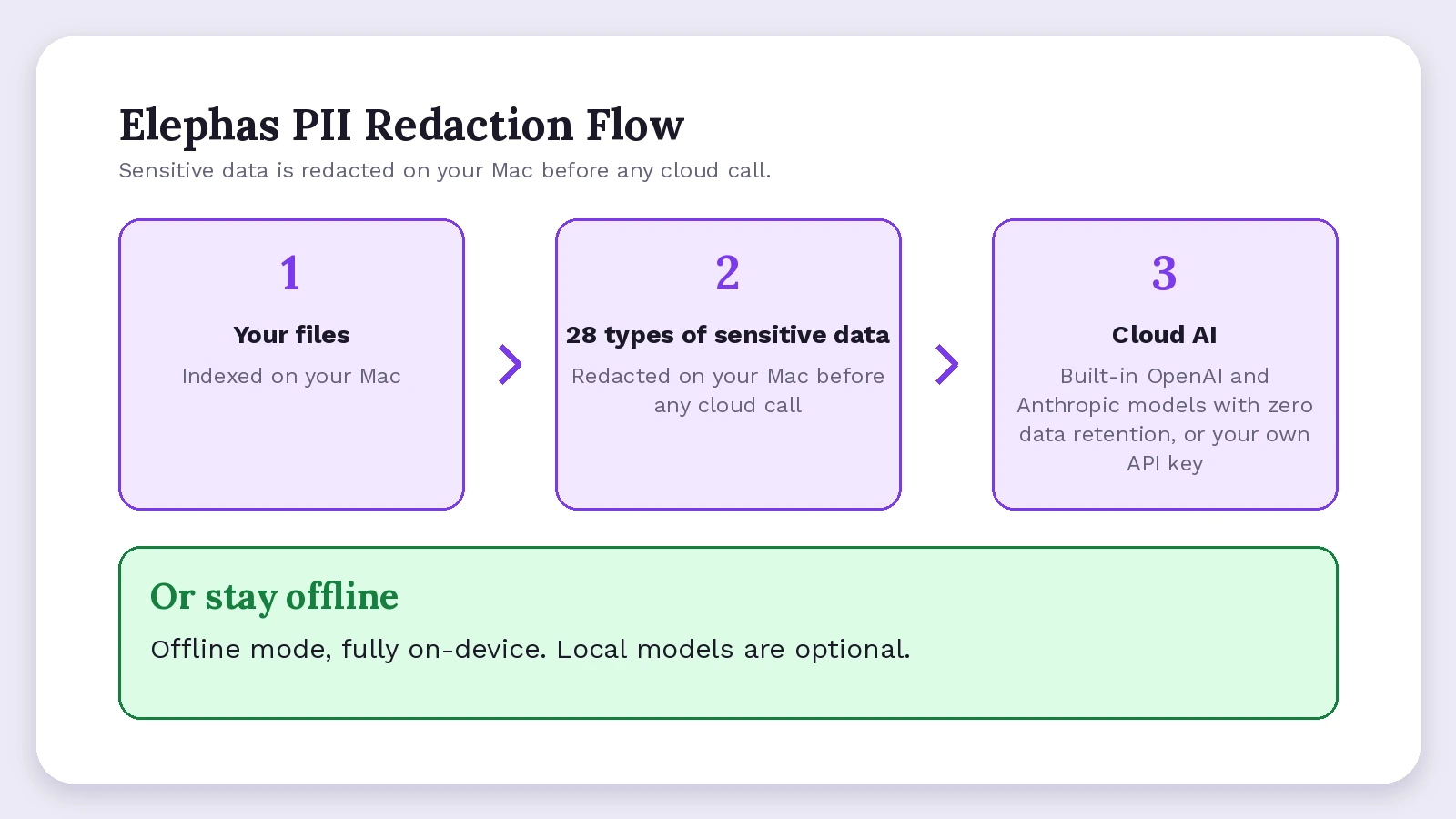
The safer solution keeps names, client figures and personal details out of any chatbot you grab in a hurry: remove them on your own device first, or run the task locally.
A leaked client file can cost your employer dearly: IBM's Cost of a Data Breach Report 2026 puts the global average breach at US$4.99 million, a record high.
Elephas is a private AI knowledge assistant for Mac that indexes your files locally and lets you pick the AI per task.
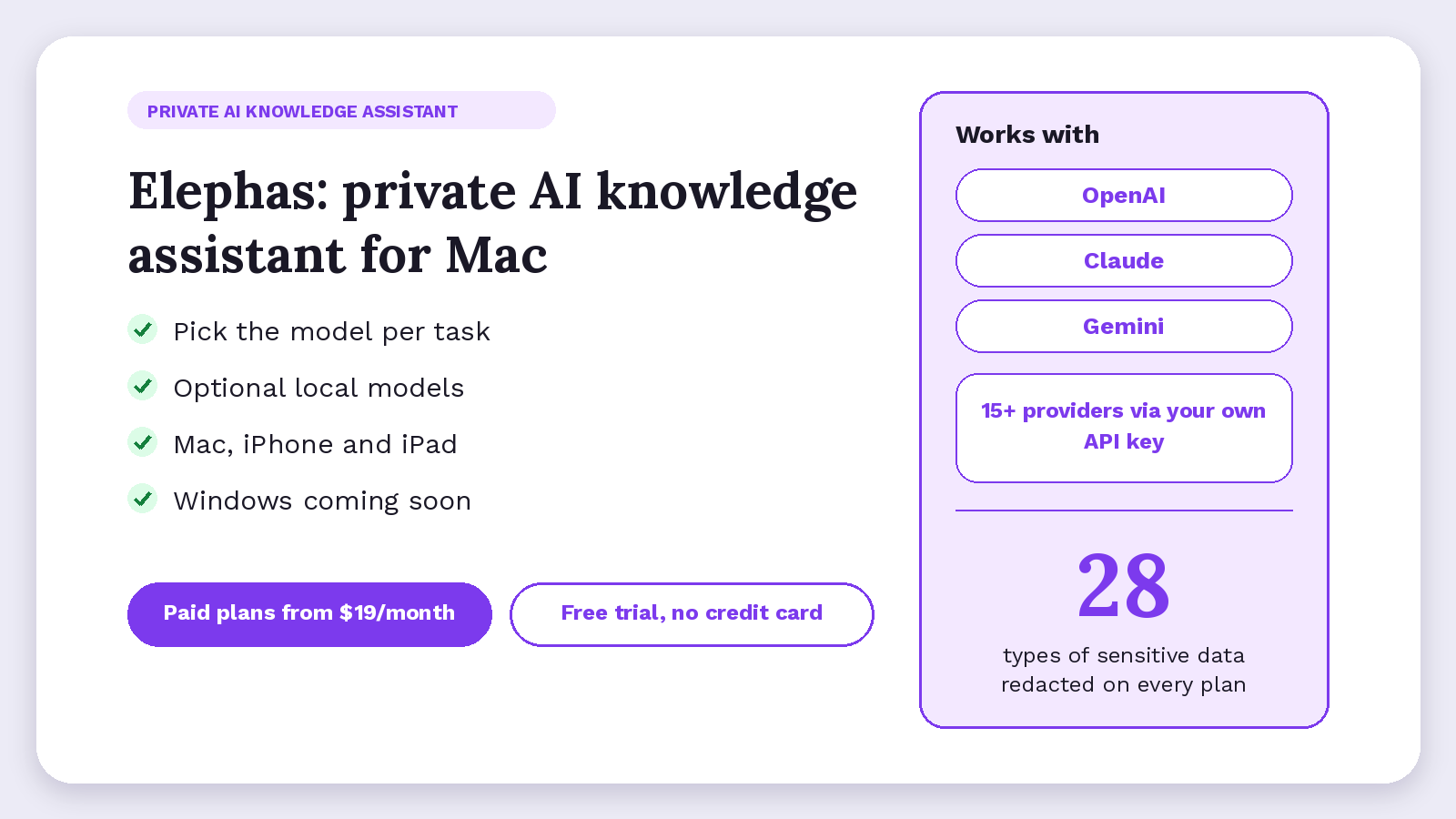
When client work still needs a cloud model, Elephas adds a second layer through automatic PII redaction. It automatically detects and redacts 28 types of sensitive data, from names and emails to account and case numbers, on your Mac before anything reaches a cloud AI model. Elephas's built-in cloud AI, powered by OpenAI and Anthropic models, runs with zero data retention: providers do not log, store, or train on what is sent. You can also bring your own API key from 15+ providers, including OpenAI, Claude and Gemini.
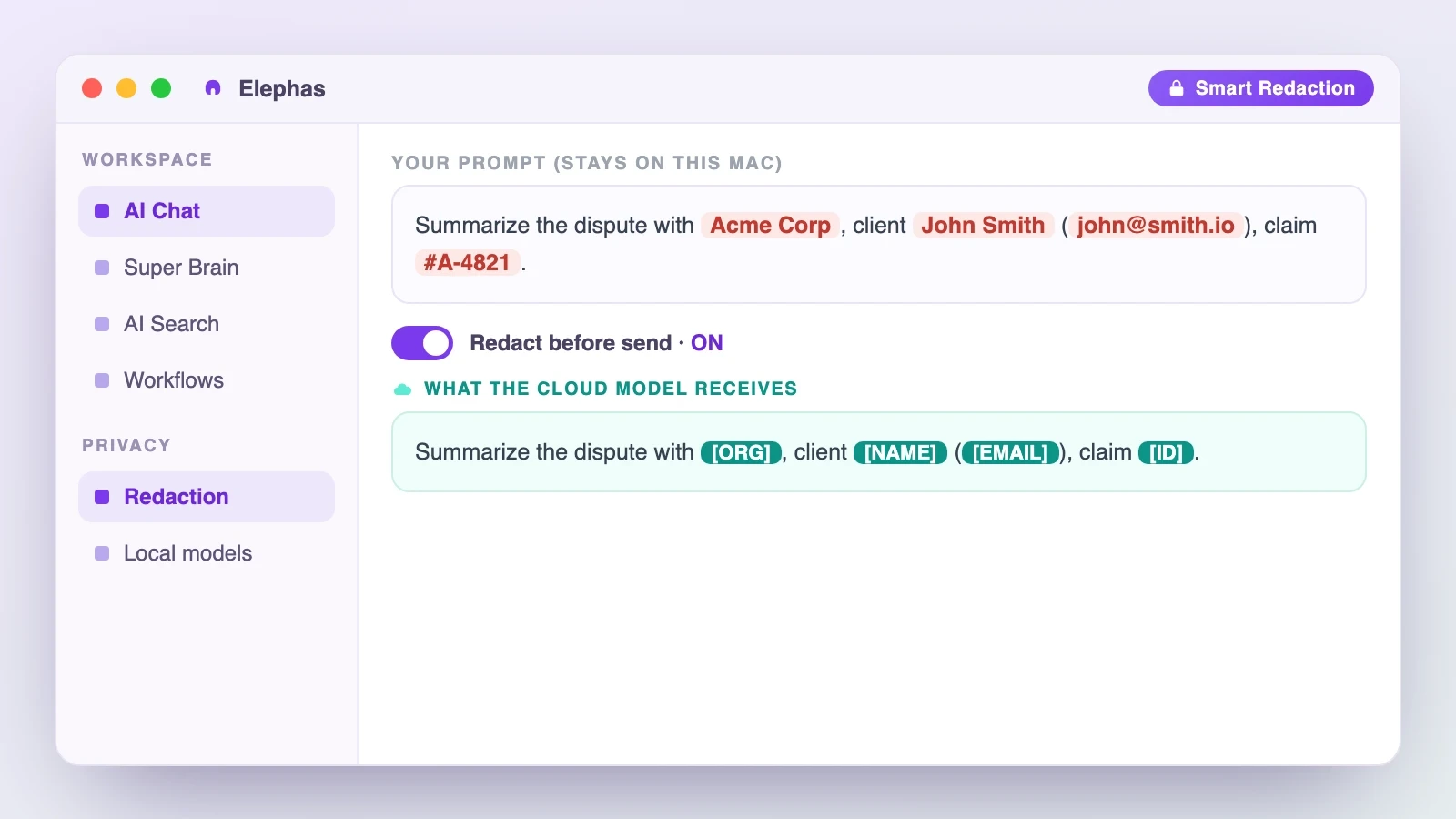
- Redaction comes with every plan, including Free.
- When a ChatGPT allowance runs out, continue with Claude through the built-in AI, or Gemini through your own API key, with redaction still on.
- Optional local models run fully offline on your Mac, outside any cloud allowance.
Elephas runs on Mac, iPhone and iPad, and Windows is coming soon (join the waitlist). Paid plans start at $19/month, and new downloads include a free trial, no credit card.
ChatGPT Message Limit: What to Remember
- Check which wall you hit before upgrading, since a bigger plan won't fix an overlong chat or an outage.
- Keep a short running summary in long threads for a fresh start.
- If you move confidential work between chatbots at the cap, Elephas, a privacy-friendly AI knowledge assistant, redacts sensitive details first and offers optional local models.
Frequently Asked Questions
Does one message always count as one, with uploads, long pastes or regenerating?
The Help Center pages checked for this guide don't say how regenerated replies count. They do say uploads, image generation, voice and data analysis have separate usage limits, and long pastes can become attachments. So you can hit a tool limit in a file-heavy chat while plain text keeps working.
Would you notice if ChatGPT drops you to another model after a cap?
We found no page saying whether ChatGPT notifies you of the switch. On Pro $200, after the weekly GPT-6 Pro limit, the move to GPT-5.6 Thinking at Medium is automatic, and after a Thinking limit ChatGPT "may continue with another available model." Replies keep arriving either way, so check the model name on each reply.
Is the Go plan limited like Free or like Plus?
On Go, the plan between Free and Plus, everyday text follows the limits for Free: unlimited, under abuse-prevention safeguards, with tools capped separately. Its Think option runs on GPT-5.6 Luna rather than GPT-5.6 Sol, and Medium, High and Extra High thinking aren't included.
Do ChatGPT Work and Codex use the same limit as chat?
Not as one pool. The models help page says "ChatGPT Work and Codex have separate allowances." For Business Standard seats it gives 5-hour estimates that vary by model and task. Premium seats get 5x that usage with no 5-hour limit, per the Business limits page.
Why do the numbers people quote never match what I see?
OpenAI no longer prints a fixed ChatGPT limit for Plus. If a friend says Plus gets 160 messages and you got cut off sooner, that's outdated. Plus limits "may vary based on system conditions," eligible Pro 200 accounts keep the previous allowance until 29 October 2026, and Business and Enterprise limits depend on workspace settings.
Keep your AI chats private, on your own Mac
Elephas works with the AI you already use, or runs fully offline with optional local models, and redacts 28 types of sensitive data on your Mac before any cloud call.
